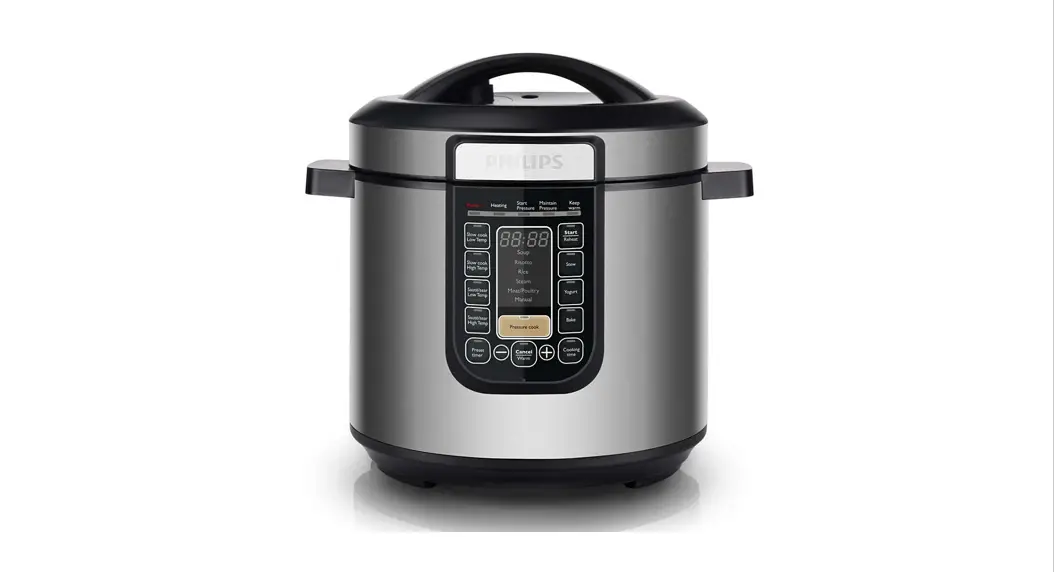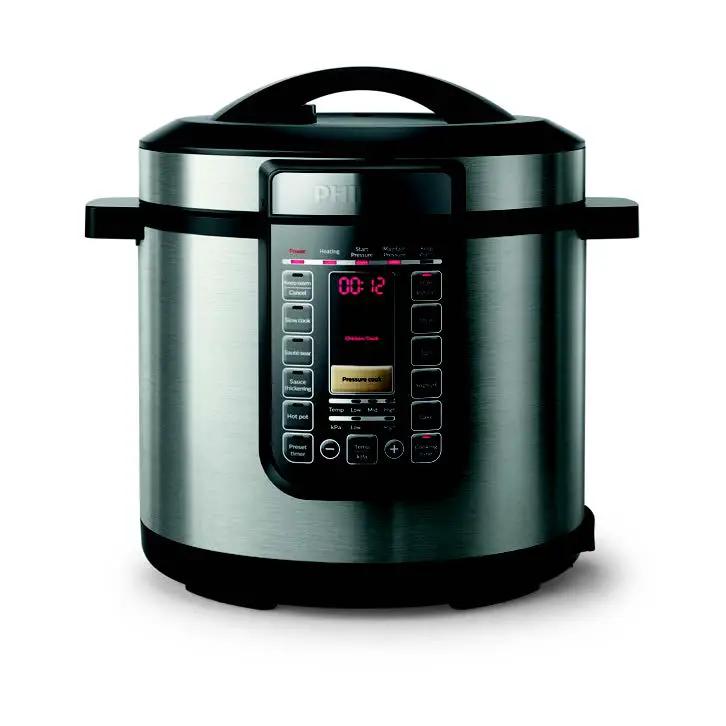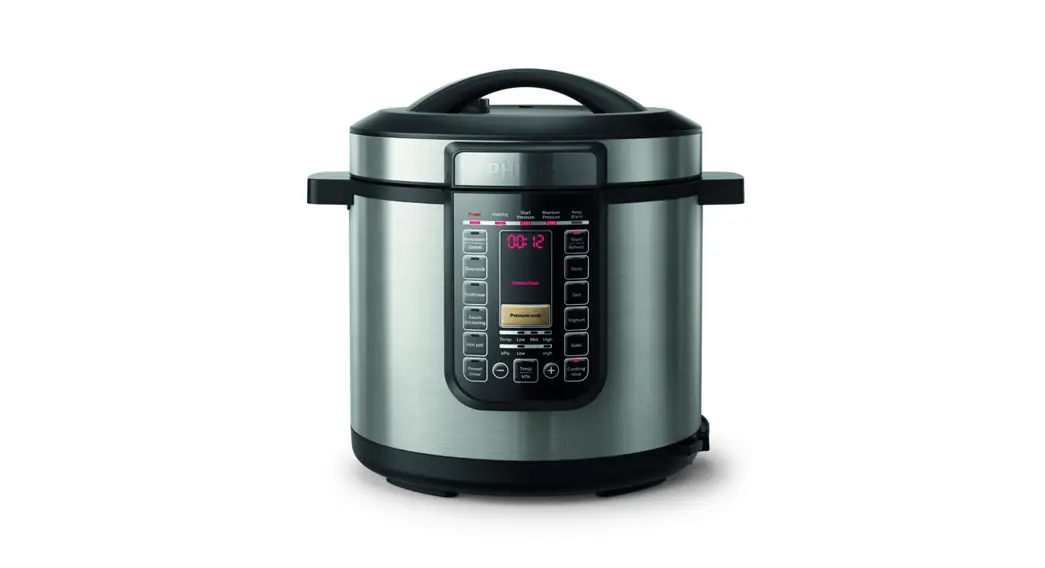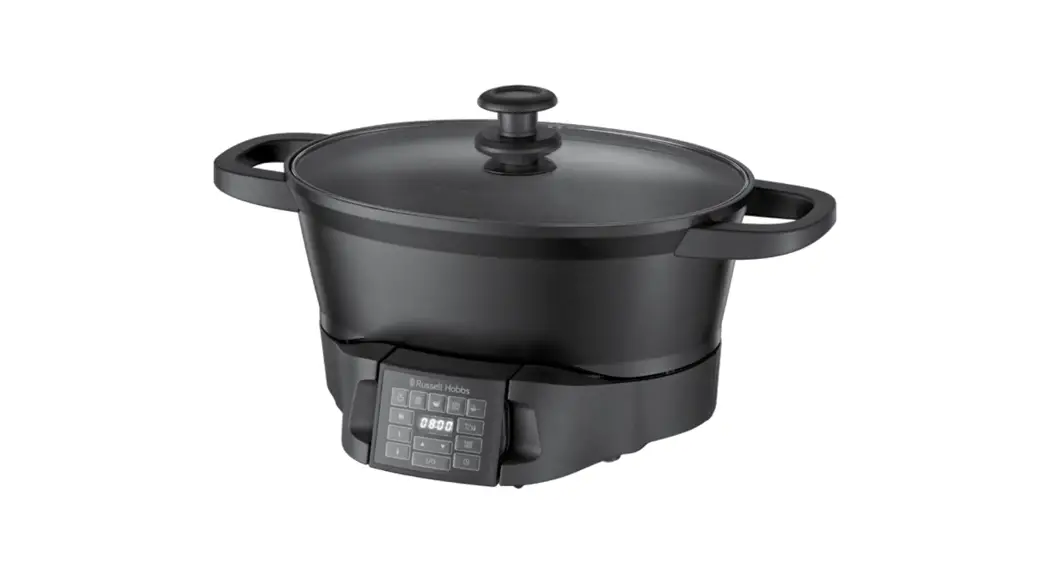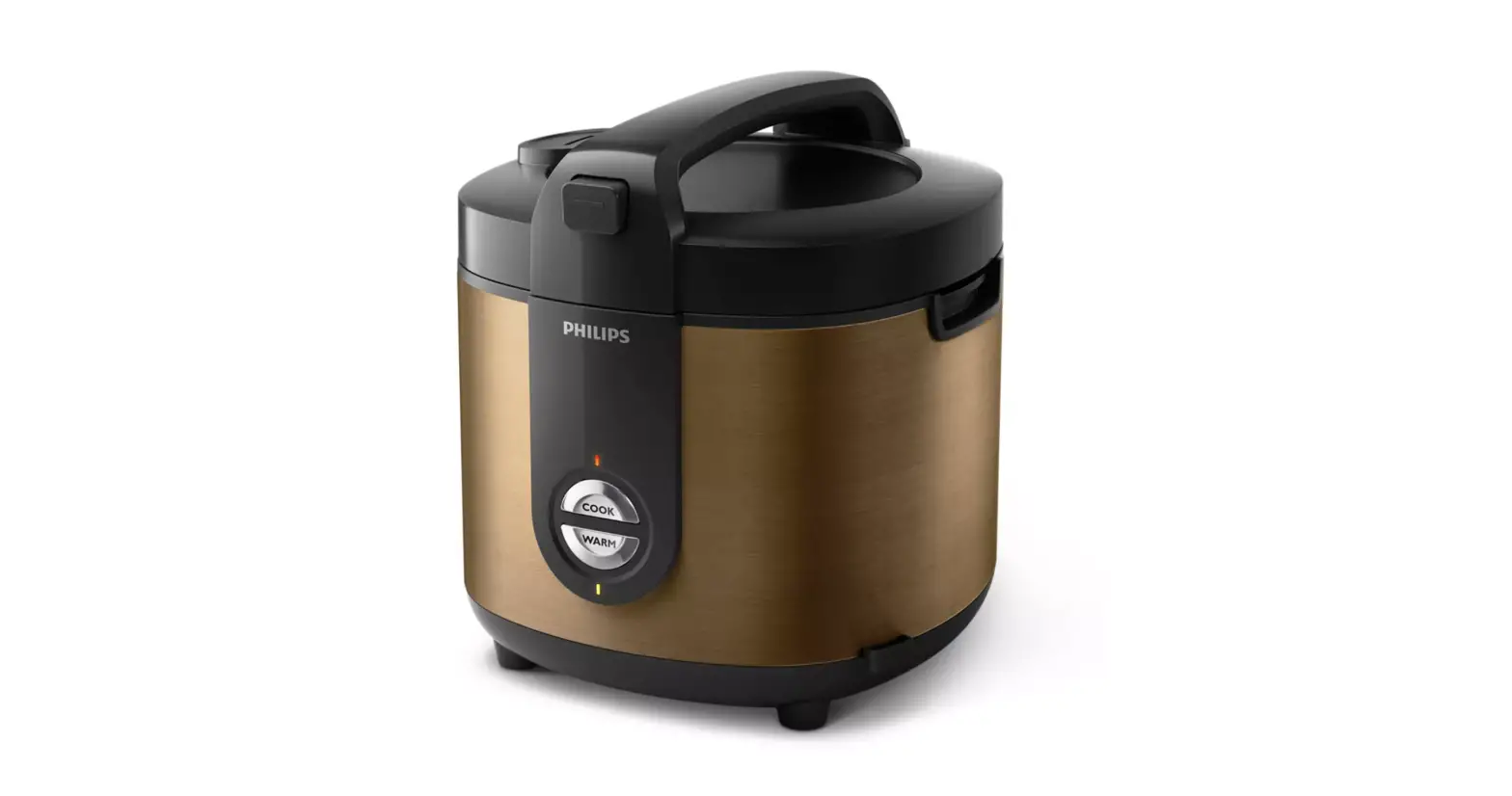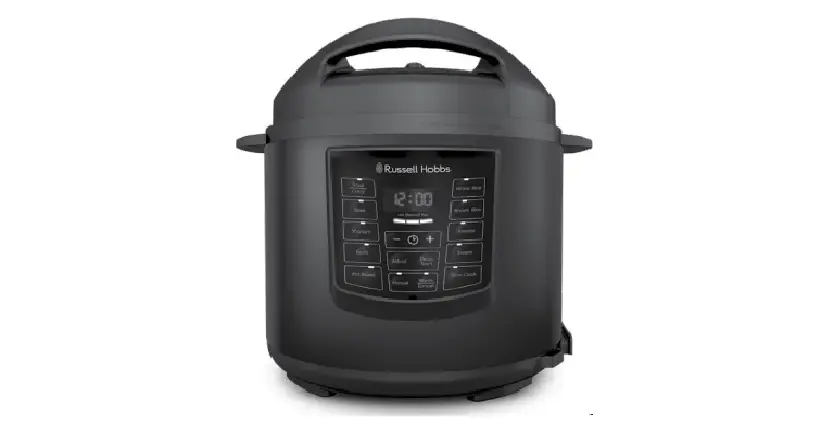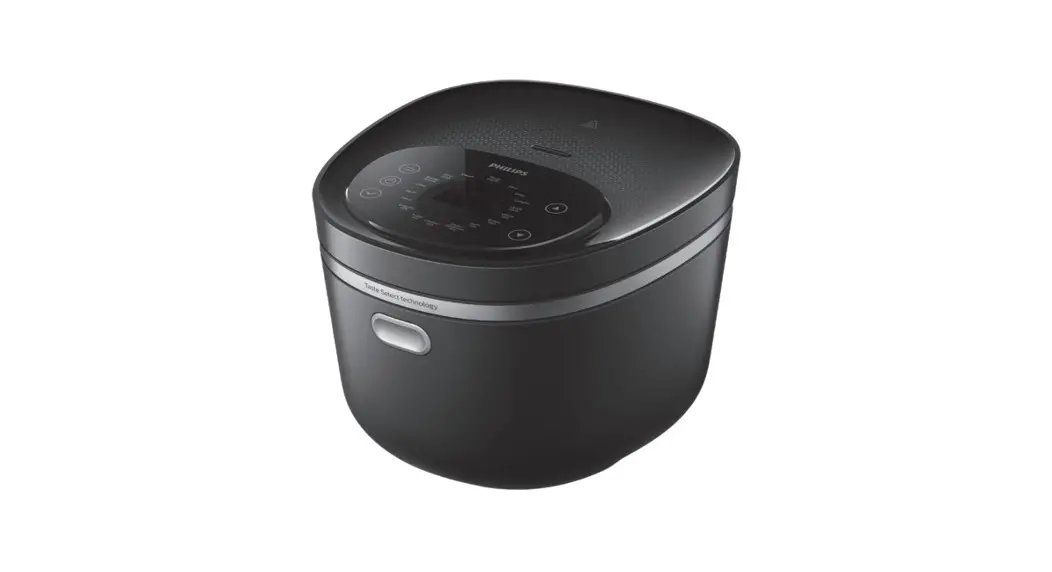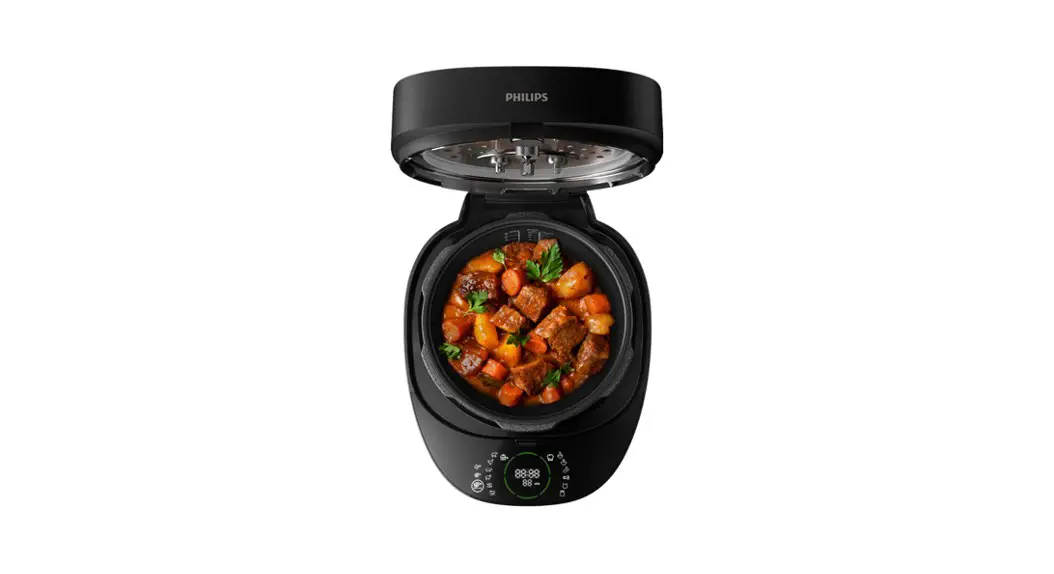
 HD2151
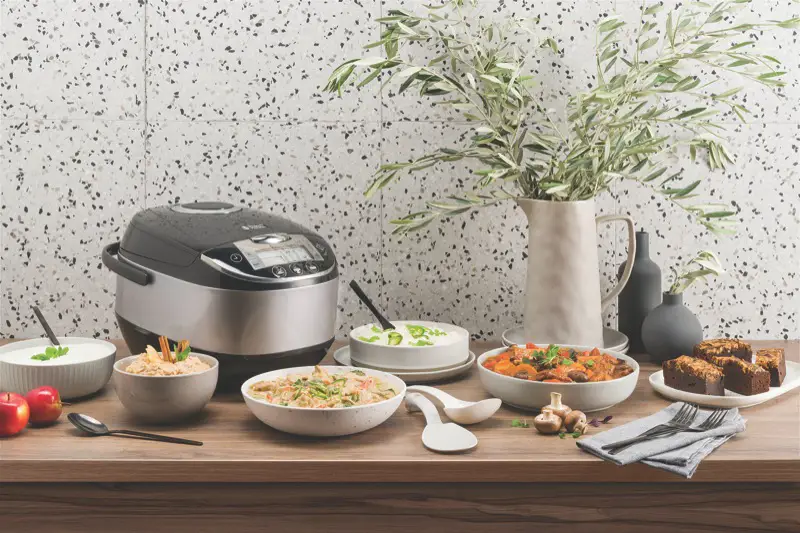
One Cooker All-in-One Cooker
Instruction Manual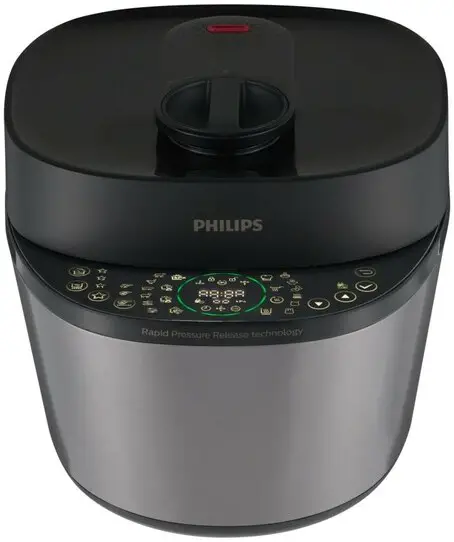
Important
Read this safety leaflet carefully before you use the appliance and save it for future reference.
Danger
- The appliance must not be immersed.
Warning
- Check if the voltage indicated on the appliance corresponds to the local power voltage before you connect it.
- The appliance is intended to be used in household or similar applications such as:
- staff kitchen areas in shops, offices, and other residential type environments;
- farm houses;
- by clients in hotels, motels and other residential type environments;
- bed and breakfast type environments.
- This appliance can be used by people with reduced physical, sensory or mental capabilities or lack of experience and knowledge if they have been given supervision or instruction concerning use of the appliance in a safe way and understand the hazards involved.
- Children shall not play with the appliance.
- Cleaning and user maintenance shall not be made by children.
- This appliance shall not be used by children.
- Keep the appliance and its cord out of reach of children.
- If the power cord set is damaged, it must be replaced by a cord set available from the manufacturer.
- The appliance is not intended to be operated by means of an external timer or a separate remote-control system.
- WARNING: Always follow the instructions and use the appliance properly to avoid potential injury.
- WARNING: Make sure to avoid spillage on the power connector to avoid a potential hazard.
- Caution: Surface of the heating element is subject to residual heat after use.
- Use clean and soft cloth to clean the surfaces in contact with food.
- Only connect the appliance to a grounded power outlet. Always make sure that the plug is inserted firmly into the power outlet.
- Do not use the appliance if the plug, the power cord, the inner pot, the sealing ring, or the main body is damaged.
- Do not let the power cord hang over the edge of the table or worktop on which the appliance stands.
- Make sure the heating element and the outside of the inner pot are clean and dry before you put the plug in the power outlet.
- Do not plug in the appliance or touch the control panel with wet hands.
- The ducts in the pressure regulator allowing the escape of steam should be checked regularly to ensure that they are not blocked.
- Make sure the power socket is clean and dry before you plug in the appliance.
- The container must not be opened until the pressure has decreased sufficiently.
- Do not use the appliance if too much air or steam is leaking from under the top lid.
- When cooking soup or viscous liquid, do not release pressure by turning the pressure regulator to the steam vent position, otherwise liquid might spurt from the pressure regulator valve. Wait until the pressure is naturally released and the floating valve has dropped to open the top lid.
Caution
- Never use any accessories or parts from other manufacturers or that Philips does not specifically recommend. If you use such accessories or parts, your guarantee becomes invalid.
- Do not expose the appliance to high temperatures, nor place it on a working or still hot stove or cooker.
- Do not expose the appliance to direct sunlight.
- Place the appliance on a stable, horizontal, and level surface.
- Do not use the handle on the top lid to move the appliance, use the side handles instead.
- When pressure is being released from the pressure regulator valve, hot steam or liquid will be ejected. Keep hands and face away from the steam vent.
- Always put the inner pot in the appliance before you put the plug in the power outlet and switch it on.
- Do not place the inner pot directly over an open fire to cook food.
- Do not use the inner pot if it is deformed.
- Make sure that the sealing ring is clean and in good condition.
- The accessible surfaces may become hot when the appliance is operating. Take extra caution when touching the surfaces.
- Beware of hot steam coming out of the floating valve and pressure regulator valve during cooking or when you open the lid. Keep hands and face away from the appliance to avoid the steam.
- Do not lift and move the appliance while it is operating.
- Do not exceed the maximum water level indicated in the inner pot to prevent overflow.
- Do not place the cooking utensils inside the pot while cooking.
- Only use the cooking utensils provided. Avoid using sharp utensils.
- To avoid scratches, it is not recommended to cook ingredients with crustaceans and shellfish. Remove the hard shells before cooking.
- Do not place a magnetic substance on the lid. Do not use the appliance near a magnetic substance.
- Always let the appliance cool down to room temperature before you clean or move it.
- Always clean the appliance after use. Do not clean the appliance in dishwasher.
- Always unplug the appliance if not used for a longer period.
- If the appliance is used improperly or for professional or semiprofessional purposes, or if it is not used according to the instructions in this safety leaflet, the guarantee becomes invalid and Philips refuses liability for any damage caused.
- Read all the instructions.
- Do not let children near the pressure cooker when in use.
- Do not put the pressure cooker into a heated oven.
- Move the pressure cooker under pressure with the greatest care. Do not touch hot surfaces. Use the handles and knobs. If necessary, use protection.
- Do not use the pressure cooker for a purpose other than the one for which it is intended.
- This appliance cooks under pressure. Scalds may result from inappropriate use of the pressure cooker. Make sure that the cooker is properly closed before applying heat.
- Never force open the pressure cooker. Do not open before making sure that its internal pressure has completely dropped.
- Never use your pressure cooker without adding water, this would seriously damage it.
- Do not fill the cooker beyond 2/3 of its capacity. When cooking foodstuffs which expand during cooking, such as rice or dehydrated vegetables, do not fill the cooker to more than half of its capacity.
- Use the appropriate heat source(s) according to the instructions for use.
- After cooking meat with a skin (e.g. ox tongue) which may swell under the effect of pressure, do not prick the meat while the skin is swollen; you might be scalded.
- When cooking doughy food, gently shake the cooker before opening the lid to avoid food ejection.
- Before each use, check that the valves are not obstructed. See the Instructions for use.
- Never use the pressure cooker in its pressurized mode for deep or shallow frying of food.
- Do not tamper with any of the safety systems beyond the maintenance instructions specified in the instructions for use.
- Only use manufacturer’s spare parts in accordance with the relevant model. In particular, use a body and a lid from the same manufacturer indicated as being compatible.
- Repairs have to be made by authorized personnel only.
- The pressure cooker should be put in a dry place when storage.
- Visit www.philips.com/support to download the user manual.
Power failure backup function
This appliance has a backup function that reserves the status before a power failure.
- If the power failure occurs during a cooking process, and the power supply is resumed within 30 minutes, the countdown of the cooking time continues where it is left off.
- If the power failure occurs when the appliance is at preset mode, and the power supply is resumed within 30 minutes, the countdown of the preset time continues where it is left off.
- If the power supply is not resumed within 30 minutes, the appliance might not continue with the previous working process, but stay in standby mode.
Electromagnetic fields (EMF)
This Philips appliance complies with all applicable standards and regulations regarding exposure to electromagnetic fields.
Your All-in-One cooker
Congratulations on your purchase, and welcome to Philips!
To fully benefit from the support that Philips offers, register your product at www.philips.com/welcome.
What’s in the box
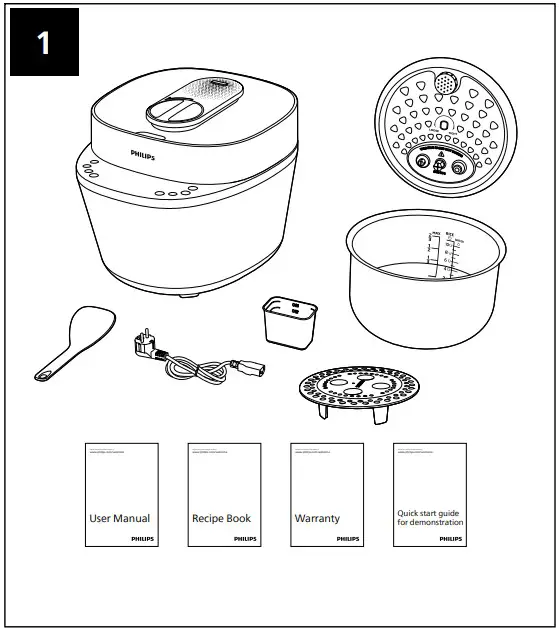
| Main unit Rice&Soup ladle Power cord Steaming plate Recipe book Quick start guide for demonstration | Inner Pot Measuring cup Detachable inner lid User manual Warranty card |
Product overview
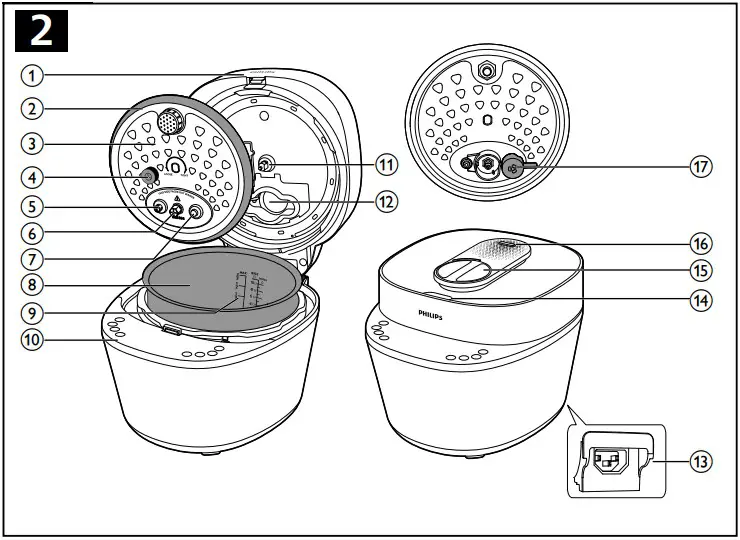
| 1 | Top lid | 10 | Control panel |
| 2 | Sealing ring | 11 | Temperature controller |
| 3 | Detachable inner lid | 12 | Steam box |
| 4 | Cap nuts | 13 | Power socket |
| 5 | Safety valve | 14 | Lid open button |
| 6 | Fixing nut | 15 | Lid lock/unlock handle |
| 7 | Floating valve | 16 | Steam vent |
| 8 | Inner pot | 17 | Pressure regulator |
| 9 | Water level indication | 18 |
Control panel overview
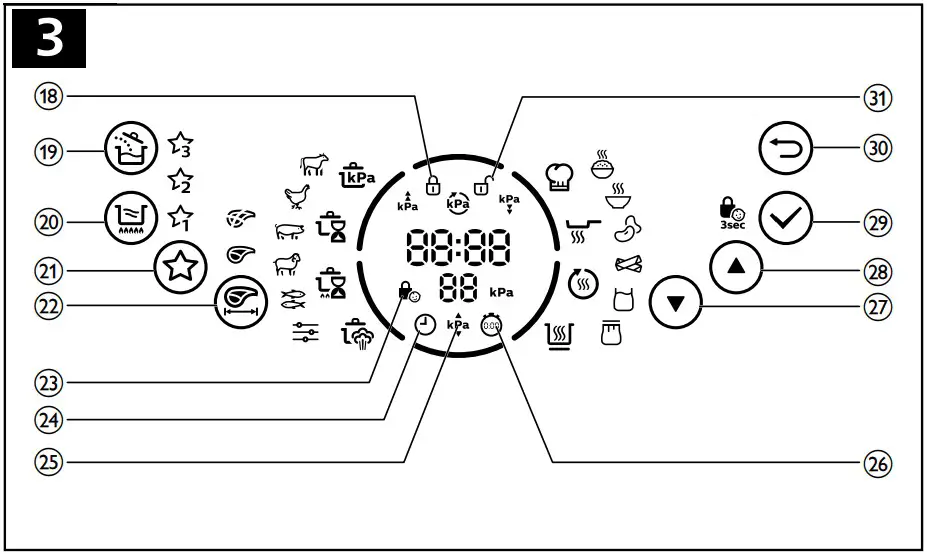
| 18 | Lid locked indicator | 25 | Pressure selection indicator |
| 19 | Add ingredient button | 26 | Delay start indicator |
| 20 | Sauce thickening button | 27 | Menu selection button |
| 21 | My favourite button | 28 | Menu selection button |
| 22 | Meat cubes’ size selection button | 29 | Confirm/Child lock button |
| 23 | Child lock indicator | 30 | Cancel button |
| 24 | Timer selection indicator | 31 | Lid unlocked indicator |
Using your All-in-One cooker
Cooking program
| Cooking function | Sub cooking function | Default cooking time | Adjustable cooking time | Default pressure (kPa) | Adjustable pressure regulating range(kPa) |
Pressure cooking  | Beef ( ) ) | 30 minutes | 3-59 minutes | 70 | 20-70 |
Poultry ( ) ) | 15 minutes | 2-59 minutes | 60 | 20-70 | |
Pork ( ) ) | 15 minutes | 0-59 minutes | 70 | 20-70 | |
Lamb ( ) ) | 20 minutes | 3-59 minutes | 70 | 20-70 | |
Seafood ( ) ) | 3 minutes | 1-59 minutes | 40 | 20-70 | |
Manual ( ) ) | 5 minutes | 2-59 minutes | 20 | 20-70 | |
Slow cook Low  | Beef () | 12 hours | 2-12 hours | NA | NA |
| Poultry () | 10 hours | 2-12 hours | NA | NA | |
| Pork () | 10 hours | 2-12 hours | NA | NA | |
| Lamb () | 10 hours | 2-12 hours | NA | NA | |
| Seafood () | 8 hours | 2-12 hours | NA | NA | |
| Manual () | 2 hours | 2-12 hours | NA | NA | |
Slow cook High  | Beef () | 6 hours | 2-12 hours | NA | NA |
| Poultry () | 4 hours | 2-12 hours | NA | NA | |
| Pork () | 4 hours | 2-12 hours | NA | NA | |
| Lamb () | 4 hours | 2-12 hours | NA | NA | |
| Seafood () | 2 hours | 2-12 hours | NA | NA | |
| Manual () | 2 hours | 2-12 hours | NA | NA | |
Steam cooking  | Beef () | 30 minutes | 3-30 minutes | 10 | NA |
| Poultry () | 20 minutes | 3-30 minutes | 10 | NA | |
| Pork () | 30 minutes | 3-30 minutes | 10 | NA | |
| Lamb () | 30 minutes | 3-30 minutes | 10 | NA | |
| Seafood () | 8 minutes | 3-30 minutes | 10 | NA | |
| Manual () | 10 minutes | 3-30 minutes | 10 | NA | |
Special recipe  | Rice  | 14 minutes | NA | 30 | NA |
Soup  | 20 minutes | 20-59 minutes | 50 | 20-50 | |
Beans  | 20 minutes | 20-59 minutes | 70 | 20-70 | |
Cabbage rolls  | 18 minutes | 10-20 minutes | 40 | NA | |
Yogurt  | 8 hours | 6-12 hours | NA | NA | |
Jam  | 55 minutes | 25-59 minutes | NA | NA | |
Sauté  | 10 minutes | 10-59 minutes | NA | NA | |
Reheat/Bake  | 15 minutes | 15-59 minutes | NA | NA | |
Keep warm  | 12 hours | NA | NA | NA | |
Sauce thickening  | 8 minutes | 5-15 minutes | NA | NA | |
Notes
- Keep the lid open when using these functions: Sauté
 and Sauce thickening
 . Otherwise the All-in-One cooker beeps to remind you to open the lid.
 - Do close and lock the lid when using these functions: Pressure cooking
 , Steam cooking
 , Rice
 , Soup
 and Beans
 . If the you unlock the lid, the All-in-One cooker will stop the cooking process
 , indicator lights up and beeps.
 - You can start the cooking process, either with the lid open or closed. This is applicable for Slow cook Low
 , Slow cook High
 , Yogurt
 and Keep warm
 .
. - You can start the cooking process, either with the lid open or closed & locked. This is applicable for Cabbage rolls
 , Jam
, Jam and Reheat/ Bake
 .
. - When using the Manual (
 ) function in Slow cook Low, Slow cook High or Steam cooking, you need to set the cooking time, cooking pressure and preset time manually before starting the cooking process.
 - Steam will be released intermittently from the steam vent during cooking. This is to have optimal airflow and to ensure cooking result.
- When pressure starts to build up, the All-in-One cooker will automatically release cold air from the inner pot through the steam vent. This is to make sure sensor can accurately sense and control the temperature and pressure inside.
- Cooking pressure can be adjusted to reach your preferred texture. You may increase the cooking pressure to have an even more tender result, or decrease the cooking pressure if you find the texture to be too soft.
 , indicator lights up and beeps.
Preparations before cooking Warning
- Make sure that the detachable inner lid is properly installed.
 Note
Note
- Do not fill the inner pot with food and liquid less than the minimum of the water level indications, or more than the maximum of the water level indications.
- For food that expands (such as beans or dried foods) during cooking, do not fill the inner pot with more than 1/2 full of food and liquid.
- For rice cooking, follow the water level indications on the inside of the inner pot. You can adjust the water level for different types of rice and according to your own preference. Do not exceed the maximum quantities indicated on the inside of the inner pot.
- After the cooking process is started, you can press
 to terminate the current work, and the appliance goes to menu selection mode.
 - After the cooking process is started and the pressure already exists in the inner pot, you must press and hold for 3 seconds to cancel the current cooking process (single click the button does not work).
- ONLY button lighting up on the screen means the All-in-One cooker is in standby mode.
 to terminate the current work, and the appliance goes to menu selection mode.
Perform the following preparations before cooking with the All-in-One cooker:
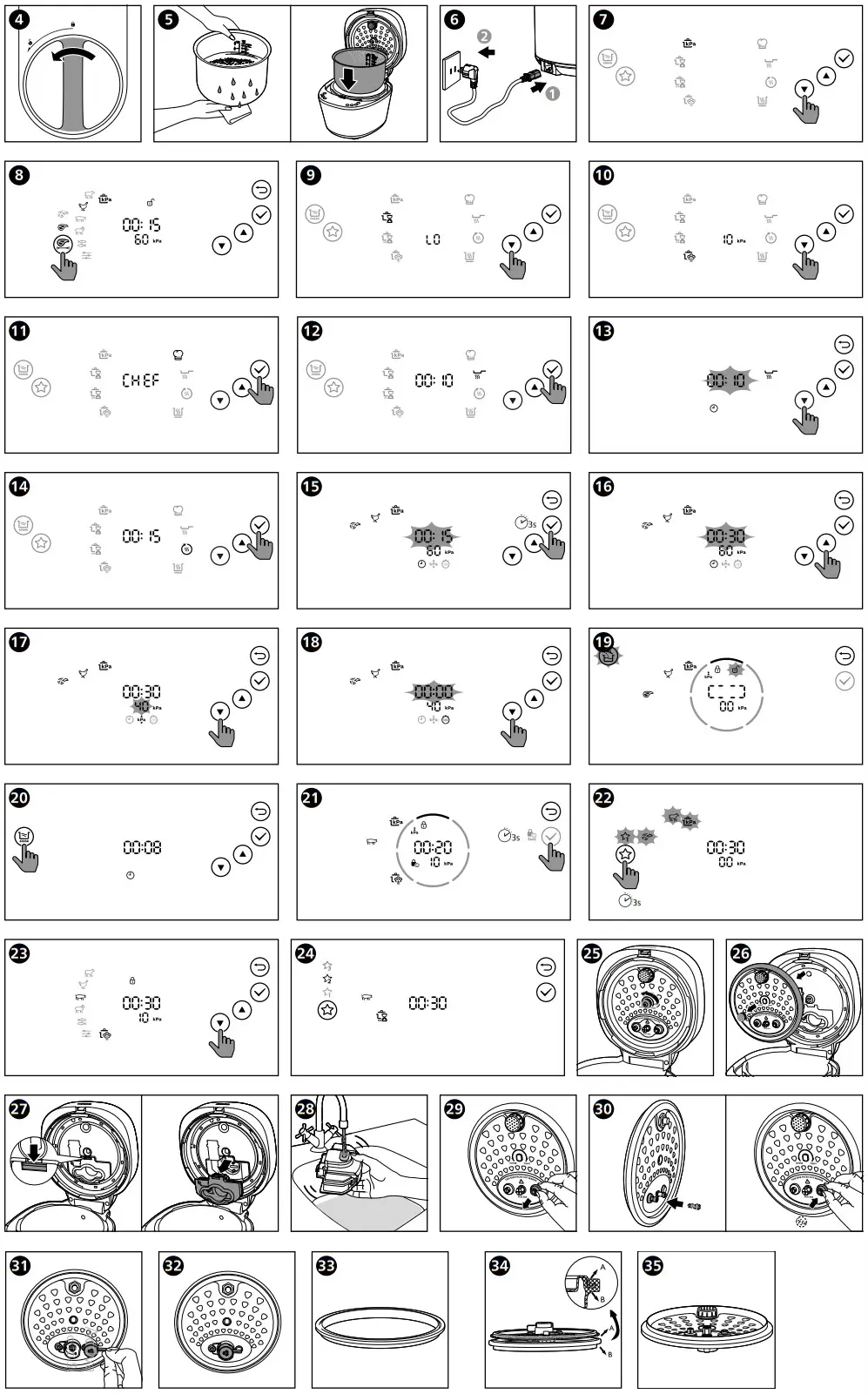
- Turn the lid lock/unlock handle counter clockwise to position (fig. 4).
- Press the lid open button to
 open the top lid.
 - Take out the inner pot from the All-in-One cooker.
- Put the pre-washed food in the inner pot, wipe the outside and bottom of the inner pot dry with soft cloth, then put it back into the All-in-One cooker (fig. 5).
- Turn the handle clockwise to lock the top lid.
- Put the plug into the power socket (fig. 6).
 open the top lid.
 Note
- Make sure the outside of the inner pot is dry and clean, and that there is no foreign residue on the heating element.
- Make sure the inner pot is in proper contact with the heating element.
Pressure cooking
There are 6 sub menus available. For pressure cooking time and pressure regulating range, refer to Chapter “Cooking program”.
- Follow the steps in “Preparations before cooking”.
- Tap
 or
or to select pressure cooking (), tap
 confirm (fig. 7).
 - Tap or to select one of the sub menus.
 The chosen cooking function lights up, the default pressure keeping time and pressure are displayed on the screen.
 - Tap
 to select the size of the meat cubes (fig. 8).
 - Tap to confirm, the All-in-One cooker starts working in the selected mode.
- When the All-in-One cooker reaches the cooking pressure, the pressure keeping time starts countdown.
- When the pressure keeping time has elapsed, the All-in-One cooker steps into pressure release stage, the indicator lights up, the Allin-One cooker starts to release pressure at intervals. Do not touch the steam vent.
- The All-in-One cooker automatically switches to keep warm mode after pressure is released completely. You can unlock and open the top lid. The keep-warm indicator () lights up.
 or
or to select pressure cooking (
 confirm (fig. 7).
 The chosen cooking function lights up, the default pressure keeping time and pressure are displayed on the screen.
 to select the size of the meat cubes (fig. 8).
 indicator lights up, the Allin-One cooker starts to release pressure at intervals. Do not touch the steam vent.
 Note
- Wait until the All-in-One cooker cools down naturally to open the lid.
- After the cooking process is finished, unplug the All-in-One cooker from the electrical outlet.
Slow cooking
You can select Slow cook Low () or Slow cook High (), each function has 6 sub menus. For cooking time and time regulating range, refer to Chapter “Cooking program”.
Note
- This is non-pressure cooking menu.
- Follow the steps in “Preparations before cooking”.
- Tap or to select slow cooking ( or ), tap confirm (fig. 9).
- Tap or to select one of the sub menus.The chosen cooking function lights up, the default cooking time are displayed on the screen.
- Tap to confirm, the All-in-One cooker starts working in the selected mode.
- The All-in-One cooker automatically switches to keep warm mode after the cooking process is finished. You can unlock and open the top lid.The keep-warm indicator () lights up.
Steam cooking
For cooking time and regulating range of each sub menu, refer to Chapter “Cooking program”.
Note
- The default cooking pressure is 10kPa, and it cannot be adjusted.
- Follow the steps in “Preparations before cooking”.
- Tap or to select steam cooking (), tap confirm (fig. 10).
- Tap or to select one of the sub menus. The chosen cooking function lights up, the default cooking time and pressure are displayed on the screen.
- Tap to confirm, the All-in-One cooker starts working in the selected mode.
- When the All-in-One cooker reaches the cooking pressure, the pressure keeping time starts countdown. The All-in-One cooker is heating while exhausting steam. During the cooking process, do not touch the steam vent to avoid burning.
- When the pressure keeping time has elapsed, the All-in-One cooker steps into pressure release stage, the indicator lights up, the Allin-One cooker starts to release
pressure at intervals. Do not touch the steam vent. - The All-in-One cooker automatically switches to keep warm mode after pressure is released completely. You can unlock and open the top lid. The keep-warm indicator () lights up.
Special recipes
There are 6 menus in this cooking function: Rice(), Soup(), Beans(), Cabbage rolls(), Yogurt() and Jam().
For cooking time and regulating range, refer to Chapter “Cooking program”.
Note
- Yogurt() and Jam() are non-pressure cooking menus.
- Follow the steps in “Preparations before cooking”.
- Tap or to select special recipes (
 ), tap confirm (fig. 11).
 - Tap or to select one of the sub menus. The chosen cooking function lights up, the default cooking time and pressure are displayed on the screen.
- Tap to confirm, the All-in-One cooker starts working in the selected mode.
- When the All-in-One cooker reaches the cooking pressure, the pressure keeping time starts countdown.
- When the pressure keeping time has elapsed, the All-in-One cooker steps into pressure release stage, the indicator lights up, the All- in-One cooker starts to release pressure at intervals. Do not touch the steam vent.
- The All-in-One cooker automatically switches to keep warm mode after pressure is released completely. You can unlock and open the top lid. The keep-warm indicator () lights up.
Sauté Note
- Keep the lid open when using the Sauté function, or the All-in-One cooker will beep.
- Follow the steps in “Preparations before cooking”.
- Tap or to select Sauté cooking (), tap confirm (fig. 12).
- Tap or to select cooking time (fig. 13). The cooking time blinks on the screen.
- Tap to confirm, the All-in-One cooker starts working in the selected mode.
- The All-in-One cooker automatically switches to standby mode after the cooking process is completed.
Reheat/Bake
- Loosen the cooled food and evenly distribute it in the inner pot.
- Pour some water onto the food to prevent it from becoming too dry.
The quantity of the water depends on the amount of food. - Close the lid, and put the plug in the power socket, and switch on the appliance.
- Tap or to select Reheat/Bake() (fig. 14) .
- Tap or to select cooking time. The cooking time blinks on the screen.
- Tap to confirm, the All-in-One cooker starts working in the selected mode.
- The All-in-One cooker automatically switches to keep warm mode after the cooking process completely. The keep-warm indicator () lights up.
Adjust the cooking time, pressure and delay start Note
- You cannot adjust the cooking time for Rice and Keep warm function.
- Pressure level is not adjustable for: Slow cook Low, Slow cook High, Steam cooking, Rice, Cabbage rolls, Yogurt, Jam, Sauté, Sauce thickening, Reheat/Bake and keep warm.
You can adjust the cooking time, default pressure and delay start during the menu selection.
- After you choose a desired function, tap and hold to adjust the cooking time (fig. 15). The time indicator
 displays on the screen. The cooking time blinks.
 - Tap or to set the time (fig. 16).
- Tap to confirm. Tap or to set the pressure (fig. 17). The pressure indicator displays on the screen. The cooking pressure blinks.
- Tap to confirm. Tap or to set delay start time (fig. 18). The delay start indicator
 displays on the screen.
 - Tap to confirm, the All-in-One cooker starts working in the selected mode.
 displays on the screen.
 displays on the screen.
 Note
- You may increase the cooking pressure to achieve an even more tender result according to your preference, while decrease the cooking pressure if you find the texture to be too soft.
- Tap to cancel the cooking time/pressure/delay start setting.
Adding ingredient
With this function, you can open the lid during pressure cooking process and add more ingredients.
Note
- The add ingredient function is available for all pressure cooking menus.
- After the cooking process starts, the button will light up if the selected function is supported adding ingredient.
- You can tap anytime during pressure maintain process.The current cooking process pauses, the All-in-One cooker beeps and starts to release pressure.
- When pressure is released completely, the lid unlocked indicator
 blinks and the All-in-One cooker beeps. You can open the top lid to add more ingredients you want (fig. 19).
 - Turn the handle clockwise to lock the top lid.
- If you don’t add the ingredients in two minutes, the All-in-One cooker will resume to the previous cooking process.
 button will light up if the selected function is supported adding ingredient.
 blinks and the All-in-One cooker beeps. You can open the top lid to add more ingredients you want (fig. 19).
Sauce thickening Note
- In standby mode, the Sauce thickening function applies to all cooking functions.
- In keep warm mode, the Sauce thickening function doesn’t apply to these functions: Reheat/Bake, Rice, Cabbage rolls, Yogurt and Jam.
- The default time is 8 minutes, you can set the time from 5 to 15 minutes.
- When the Sauce thickening function is working, tap to cancel.
- When using this function, keep the lid open.
- Tap button in standby mode or in keep warm mode (fig. 20). The default cooking time is displayed.
- Tap or to set the desired cooking time. Tap to confirm.
- The All-in-One cooker automatically switches to keep warm mode after cooking time has elapsed. The keep-warm indicator ( ) lights up.
Setting up child lock
To protect your child from using the appliance, or to avoid unexpected operations during cooking, you can set up the child lock function.
- After the cooking process starts, long press for 3 seconds activate child lock (fig. 21). The other buttons are not responsive.
- Long press for 3 seconds again to deactivate child lock.
Setting up My Favourite menu
You can set any three menus as “My Favourite”. Before you make any changes to the setting, the three default menus are Pressure cooking – Beef ()- .
.
If you need to change My Favourite- to Steam cooking – Pork (), follow the steps below:
- Tap and hold
 for 3 seconds until blinks (fig. 22). The
 blinks. The icons of the default menu blink.
 - Tap repeatedly until blinks on the display screen.
- Tap or to select steam cooking – Pork (
 ) (fig. 23).
 - Tap to confirm. Tap or to set cooking time.
Note
• For pressure cooking function, you need to set the pressure before saving new favourite menu . - Tap to confirm (fig. 24). The old menu in
 is replaced by the new one successfully.
 - Follow steps 1-5 to set or.
- Tap repeatedly to access my favourite menu, tap to start the cooking process.
 for 3 seconds until blinks
 blinks.
 .
.Cleaning and Maintenance
Note
- Unplug the All-in-One cooker before starting to clean it.
- Wait until the All-in-One cooker has cooled down sufficiently before cleaning it.
Inner lid
- Unscrew the screw around the temperature controller counter clockwise (fig. 25).
- Hold the detachable inner lid and pull it outwards to remove it from the top lid for cleaning.
- Soak in hot water and clean with sponge (fig. 26).
- To assemble the detachable inner lid, fully attach it to the top lid, and then screw the nut around the temperature controller clockwise.
Steam box
- Follow the above steps to disassemble the inner lid.
- Disassemble the stem box from the inner lid as below (fig. 27):
- Direct the tap water to the hole on the back side of the steam box, fill it with water and shake to clean it thoroughly to make sure no food residue is left. Reassemble the steam box to the inner lid after cleaning is completed (fig. 28).
Floater
- Hold the rubber ting around the floater, and pull outwards to remove it from the top lid. Clean it regularly with water and make sure there’s no food residue sticking to it, otherwise you may encounter difficulty to open the lid (fig. 29).
- To assemble the floater, put the thin end of the floater into the hole on the lid, and assemble the rubber ring around the floater (fig. 30).
- You can also add water to the pot and start the steam function to help with the cleaning.
Pressure regulator
- Hold the handle of pressure regulator and pull it out gently. Rinse it under tap water to remove food residues inside, or use a toothpick (fig. 31).
- Hold the right handle of pressure regulator and assemble it back to the inner lid (fig. 32).
Sealing ring Note
- Do not remove the sealing ring by force, it will leak if not fully assembled.
- Put the sealing ring with the groove facing upwards in a flat surface (fig. 33).
- Place the reverse side of the detachable inner lid on the sealing ring (fig. 34).
- Embed the outer edge of the inner lid in the groove, make sure that the sealing ring fits the lid well (fig. 35).
Interior
Inside of the outer lid and the main body and the heating element:
- Wipe with damp cloth.
- Make sure to remove all the food residues stuck to the All-in-One cooker.
Note
- Do not remove the sealing ring by force, it will leak if not fully assembled.
Exterior
Surface of the outer lid and outside of the main body:
- Wipe with a cloth damped with soap water.
- Only use soft and dry cloth to wipe the control panel.
Accessories and inner pot
Soup ladle and inner pot.
- Soak in hot water and clean with sponge.
Recycling
 This symbol means that this product shall not be disposed of with normal household waste (2012/19/EU).
Follow your country’s rules for the separate collection of electrical and electronic products. Correct disposal helps prevent negative consequences for the environment and human health.
Guarantee and service
If you need service or information, or if you have a problem, visit the Philips website at www.philips.com or contact the Philips Customer Care Center in your country. You can find its phone number in the worldwide guarantee leaflet. If there is no Customer Care Center in your country, go to your local Philips dealer.
Specifications
| Model | Rated power output | Rated capacity | Diameter |
| HD2151 | 910 – 1090W | 5.0 L | 22 cm |
Note
- Unplug the All-in-One cooker if not used for a long time.
Troubleshooting
If you encounter problems when using this appliance, check the following points before requesting service. If you cannot solve the problem, contact the Philips Consumer Care Center in your country.
| Problem | Solution |
| I have difficulties closing the top lid. | • The inner lid is not well assembled. Make sure the inner lid and sealing ring are well assembled. • The handle is in position. Turn it counter clockwise to position. |
| I have difficulties opening the top lid after the pressure is released. | • Make sure the handle is in position. • There could be food residue on the bottom of the floating valve. Do not force to open it which may cause burn. Wait for the appliance to cool down (around 30 minutes) then repeatedly turn the handle back and forth. |
| The food is not cooked. | • Incorrect function or time was selected, increase cooking time or change cooking method. • Make sure that there is no foreign residue on the heating element and the outside of the inner pot before switching the All-in-One cooker on. • The heating element is damaged, or the inner pot is deformed. Take the cooker to your Philips dealer or a service center authorized by Philips. |
| Air or steam leaks from the lid or the steam vent. | • The cap nut around the temperature controller is loose. Fasten the cap nut tightly with the appropriate tools. • The sealing ring is not well assembled. Make sure the it is well assembled around the detachable inner lid. • There is food residue in the sealing ring. Make sure the sealing ring is clean. • There is food residue on the floating valve. Clean the floating valve. • There is food residue in the pressure regulator. Clean the pressure regulator. • The pressure regulator is not well assembled. Make sure it’s well assembled. • The lid is not completely closed and locked. Make sure that the lid is completely fastened and locked in the right position. |
| E1, E2, E3, E8, E10, E11, or E16 displays on the screen. | • The All-in-One cooker has malfunction. Take the appliance to a Philips dealer or a service center authorised by Philips. |
| The above problems still exist. | • The All-in-One cooker has encountered a malfunction. If this is the case, please: (1) Do-it-yourself service. Contact Consumer Care Center and we may be able to give instructions and help you solve the problem with video. (2) Carry-in service. Carry your product into the Philips Service care. (3) Onsite service. Contact us and we’ll help you arrange a Philips-authorized repair for your product, at no additional charge. |
 © 2022 Philips Domestic Appliances Holding B.V.
All rights reserved.
6608.000.0801.2 (26/01/2022)
 Philips - United States | Philips