2255 Sound Level Meter
Product Information
The HBK 2255 Sound Level Meter is a device that measures sound
levels. It comes with various accessories, including a USB cable
(AO-0821), a windscreen (UA-1650), and a power supply. If ordered
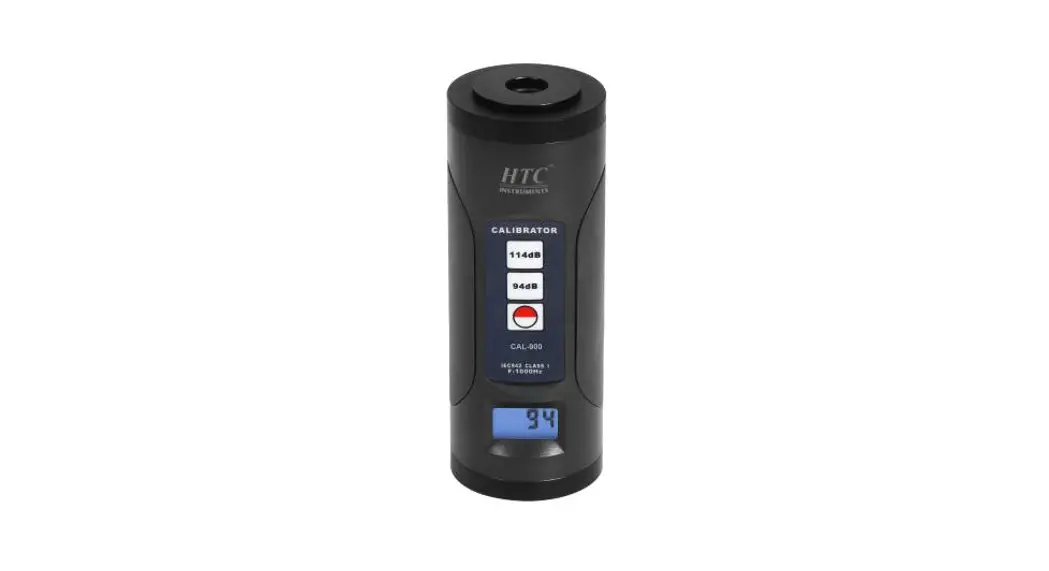
with the SLM, it also includes a Sound Calibrator Type 4231. The
SLM features a microphone and preamplifier, scroll menus and
displays for selecting and confirming options, a power button, and
a status LED. It also has a built-in calibration check
function.
Product Usage Instructions
- Getting Started:
- Ensure you have all the items from the box, including the SLM,
USB cable, windscreen, power supply, and sound calibrator (if
ordered). - For additional support, visit www.bksv.com/support.
- Install the required desktop app(s) from the App Store or
bksv.com.
- Hold the power button for 2 seconds to turn on the SLM.
- If measuring outdoors, insert the windscreen over the
microphone. - Push the start button to begin measuring. The LED ring will
light green. - Push the pause button to pause and resume the measurement.
- Push the stop button to stop measuring.
- Ensure that the SLM is not measuring and the windscreen is
removed. - Carefully place the calibrator onto the microphone.
- Push the On/Off button on the calibrator. The SLM will display
“Calibration Check”. - Confirm the check by pushing the appropriate button.
- Switch off the calibrator and remove it from the SLM.
- Open the app on your mobile device.
- Allow the app access to the device’s location and
microphone. - Select the SLM to connect.
- Confirm the selection on the SLM.
- Select the Wi-Fi mode.
- On the SLM, scroll up/down and left/right to navigate displays
and parameters. - Push the stop/reset button to stop or reset the
measurement. - Push the start/pause button to start or pause the
measurement. - On the mobile device with the app, swipe or tap to control the
measurement.
- Connect the SLM to the PC using the USB cable.
- In the PC app, click on “Import” and select the
instrument. - Select the measurements and projects you want to transfer and
click “Import”.
- Use the supplied power supply to charge the SLM.
- For more information, visit www.bksv.com/2255.
HBK 2255 Sound Level Meter with an App
Getting Started
What you will need
From the box:
2
1
3
4
5
1) HBK 2255 Sound Level Meter 2) USB Cable AO-0821 3) Windscreen UA-1650 4) Power Supply 5) Sound Calibrator Type 4231 (if
ordered with SLM)
Scan QR code® for downloads:
Not included in the box: www.bksv.com/support
iPhone® installed with one or more mobile apps*
(* Install from App Store)
PC with Internet and installed with one or more desktop app*
(* Install from bksv.com)
HBK apps:
· Noise Partner · Building Acoustics · Environmental Noise · Product Noise · Work Noise · Exhaust Noise
About the SLM
1) Microphone + preamplifier
1
pair 2) Controls:
· Push , , and to
scroll menus and displays
· Push
to select/
confirm
· Push
to start/pause
measurement
2
· Push
to stop/reset
measurement
3) Display 4) Status LED
3
4
To replace microphone + preamplfier pair, grip the ridged part on the bottom half of the preamplifier: · Pull away from the SLM to
disconnect · Push into the SLM to connect
Avoid gripping other parts of the preamplifier when replacing.
Note during connection: · The ridges on the preamplifier · The red dot should align with
red mark on SLM
Perform a trial measurement
1) Hold
2 seconds to
power on the SLM.
2) To measure outdoors, insert the windscreen over the microphone.
3) Push
to start measur-
ing. The LED ring will light green.
Push
to pause and
resume the measurement.
4) Push to stop measuring.
Perform a calibration check
Ensure that the SLM is not measuring and the windscreen is removed. 1) Carefully place the calibrator onto the microphone.
2) Push the On/Off button on the calibrator. When the SLM detects the signal, it will show Calibration Check.
Calibraon Check
3) Confirm you want to run the check.
YES
Push
to confirm.
NO
4) Switch off the calibrator and remove it from the SLM.
Push
to confirm.
OK
Connect the app to the SLM
Settings Bluetooth
Instruments
1)Enable Bluetooth® on your device.
Instruments BK2245-xxxxxx BK2245-xxxxxx
2)Open your app.
3)Allow the app access to the mobile device’s location and microphone.
Wi-Fi Mode
4)Select the SLM to connect.
Set up the SLM
5)Confirm the selection on SLM.
6)Select the Wi-Fi mode.
1) Tap the green SLM icon to open the menu.
MENU
2) Select from the menu: · System Settings: to set regional,
power and network settings · Display Settings: to adjust screen
and display settings · Measurement Settings: to set up
control settings and input and measurement parameters
3) Tap the app icon or ?* to open help and learn more about your SLM and how to use it.
* Tap ? in Work Noise Partner.
Control the measurement
On the SLM:
Scroll Up/Down
Push
to cycle through displays
Scroll Left/Right
Push
to cycle through parameters
Stop/Reset Push to stop. Push again to reset
Start/Pause Push to start. Push again to pause
On the mobile device with HBK app:
Status LED · Green (steady):
Measuring; Calibrating · Yellow (slow pulse): Idle · Yellow (fast pulse): Paused · Red (fast pulse): Instantaneous overload · Purple (steady): Latched overload
Stop/Reset Swipe to stop. Tap to reset measurement
Add Annotation Tap to open menu. Select between note, video, photo or voice
Start/Pause Tap to start. Swipe to pause measurement
After measuring
Transfer data to the PC. 1) Connect via USB
cable, Wi-Fi®.
HBK2255-xxxxxx
OK
Transfer data to the PC.
2) Click
in the
PC app to import and select the instrument.
Measurement 1 Measurement 2
Import
Transfer data to the PC. 3) Select the meas-
urements and projects you want to transfer and click Import.
Charge the SLM. Use the supplied power supply.
www.bksv.com/2255
BR 1904 11 ËBR-1904—:Î
 B&K | Sound and Vibration Measurement | Brüel & Kjær
 HBK 2255 Sound Level Meter | Brüel & Kjær