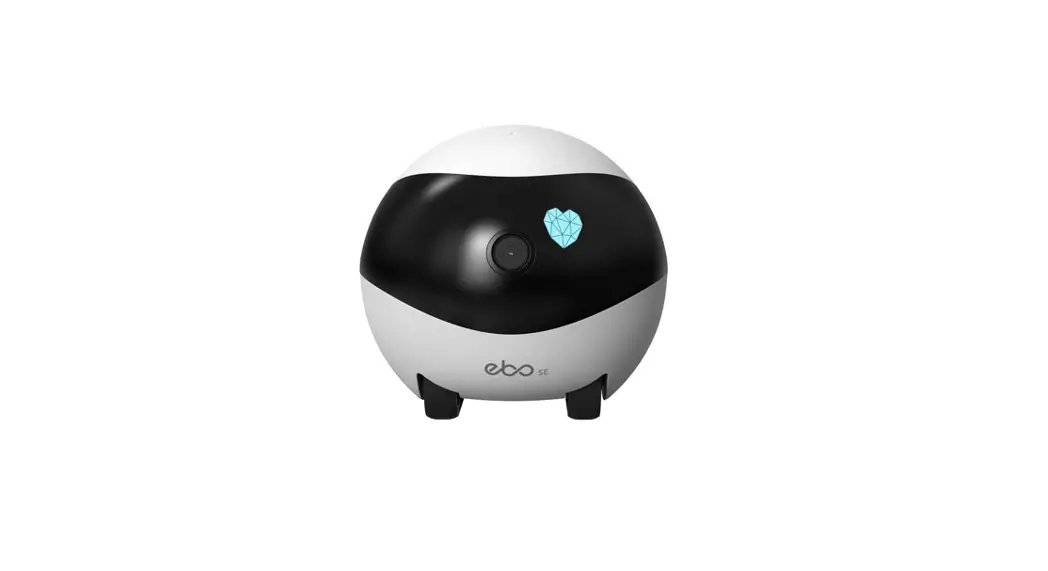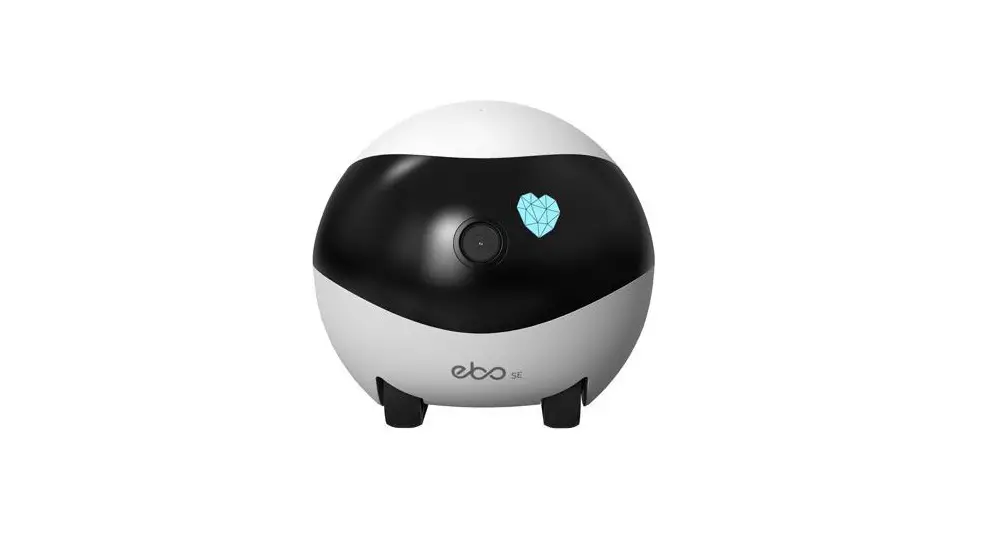
enabot Ebo Air Familybot Security Surveillance Robot User Manual
Scan the QR Code with your mobile phone and download the Ebo App.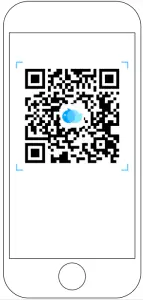
Device Connection
- Register on Ebo App and click ‘+’ to connect.

- Select device card for Ebo SE.
- Place the robot on the charging dock.


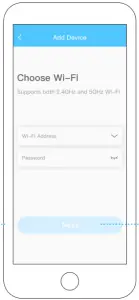
Pleas the robot on the charging dock. the network is trying to connect when inicator lights are all on (see the figure). - Chose the Wi-Fi network and put in the Wi-Fi password and click next.

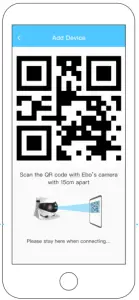
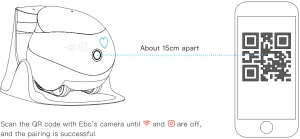
- Scan the QR code with the robot camera.
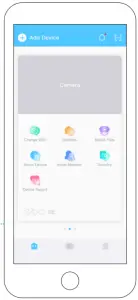
- Connection is successful Enjoy your Ebo.


Scan the QR Code with Ebo’s camera until and
and  are off, and the pariing is successful.
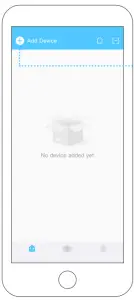
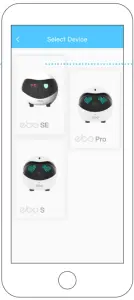
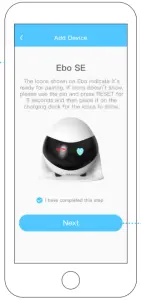
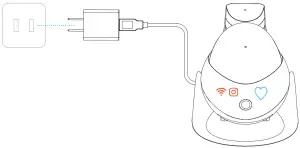
 and
and  are off, and the pariing is successful.
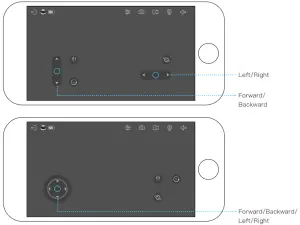
Interface Instructions
Battery
Exit
Operating Setting
Take Photo
Shoot Video
Mic.
Volumn On/off
Fun Forward
Rotating
Shaking
General Instructions
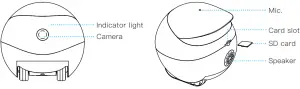
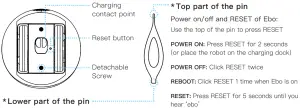
Top part of the pin
Power on/off and RESET of Ebo:
Use the top of the pin to press RESET.
POWER ON: Press RESET for 2 seconde (or place the robot on the charging dock.
POWER OFF: Click RESET twice.
REBOT: Click RESET 1 time when Ebo is on
RESET: Press RESET for 5 seconds until you hear ‘ebo’.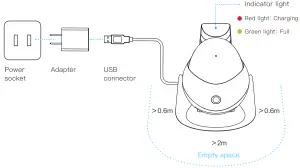
Note for Charging Ebo
Place the Back side of the charging dock along th wall and free from any obstacles 0.6 meteres on right/left and 2 meteres in front.
FCC compliance statement
This device complies with Part 15 of the FCC rules. Operation is subject to the following two conditions:
- this device may not cause harmful interference, and
- this device must accept any interference received, including interference that may cause undesired operation.
Note: This equipment has been tested and found to comply with the limits for a Class B digital device, pursuant to part 15 of the FCC Rules.
These limits are designed to provide reasonable protection against harmful interference in a residential installation.
This equipment generates uses and can radiate radio frequency energy and, if not installed and used in accordance with the instructions, may cause harmful interference to radio communications. However, there is no guarantee that interference will not occur in particular installation. If this equipment does cause harmful interference to radio or television reception, which can be determined by turning the equipment off and on, the user is encouraged to try to correct the interference by one or more of the following measures:
- Reorient or relocate the receiving antenna.
- Increase the separation between the equipment and receiver.
- onnect the equipment into an outlet on a circuit different from that to which the receiver is connected.
- Consult the dealer or an experienced radio/TV technician for help.
Changes or modifications not expressly approved by the party responsible for compli-ance could void the user’s authority to operate the equipment.
FCC Radiation Exposure Statement
This device complies with FCC RF radiation exposure limits set forth for an uncontrolled environment. This transmitter must not be co-located or operating in conjunction with any other antenna or transmitter. This device must operate with a minimum distance of 20 cm between the radiator and user body. ISED compliance statement This device contains licence-exempt transmitter(s)/receiver(s) that comply with Innovation, Science and Economic Development Canada’s licence-ex-empt RSS(s). Operation is subject to the following two conditions:
- This device may not cause interference.
- This device must accept any interference, including interference that may cause undesired operation of the device.
ISED Radiation Exposure statement
This equipment complies with IC RSS-102 radiation exposure limits set forth for an uncontrolled environment. This equipment should be installed and operated with minimum distance 20 cm between the radiator and your body.