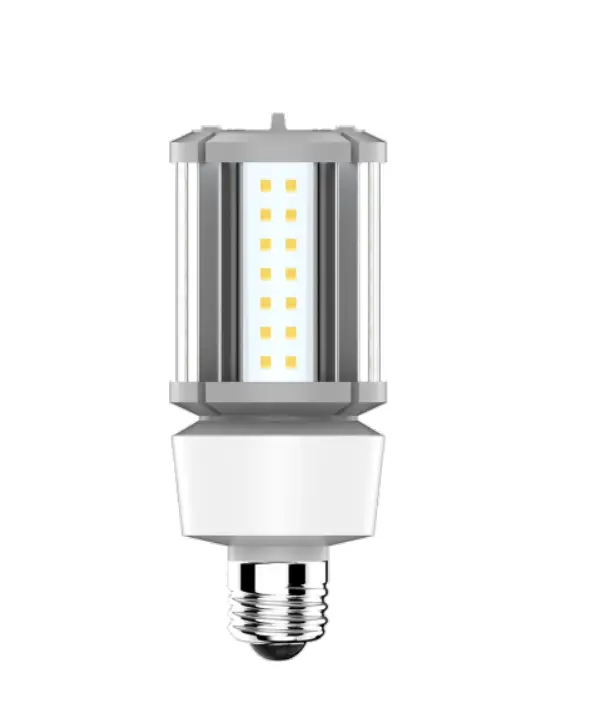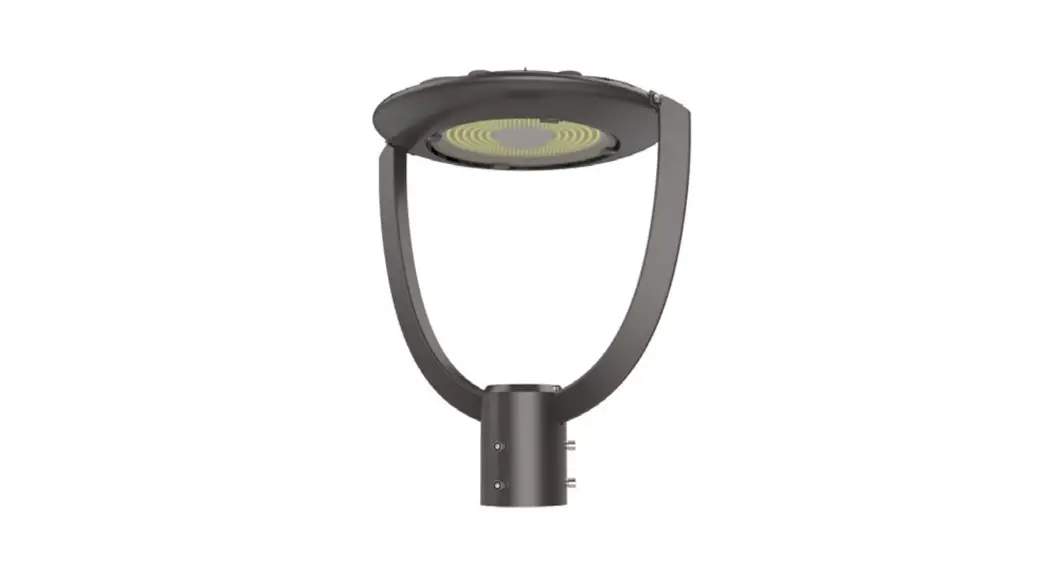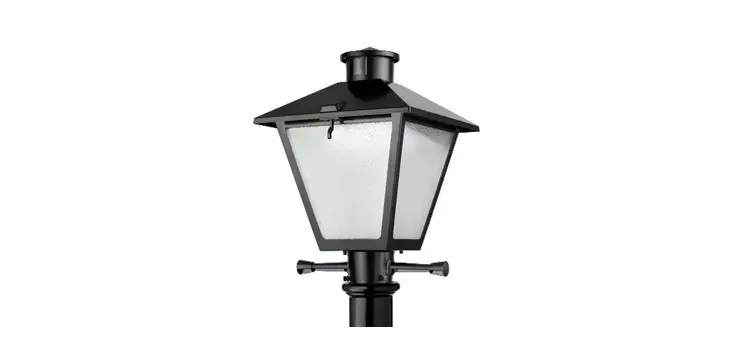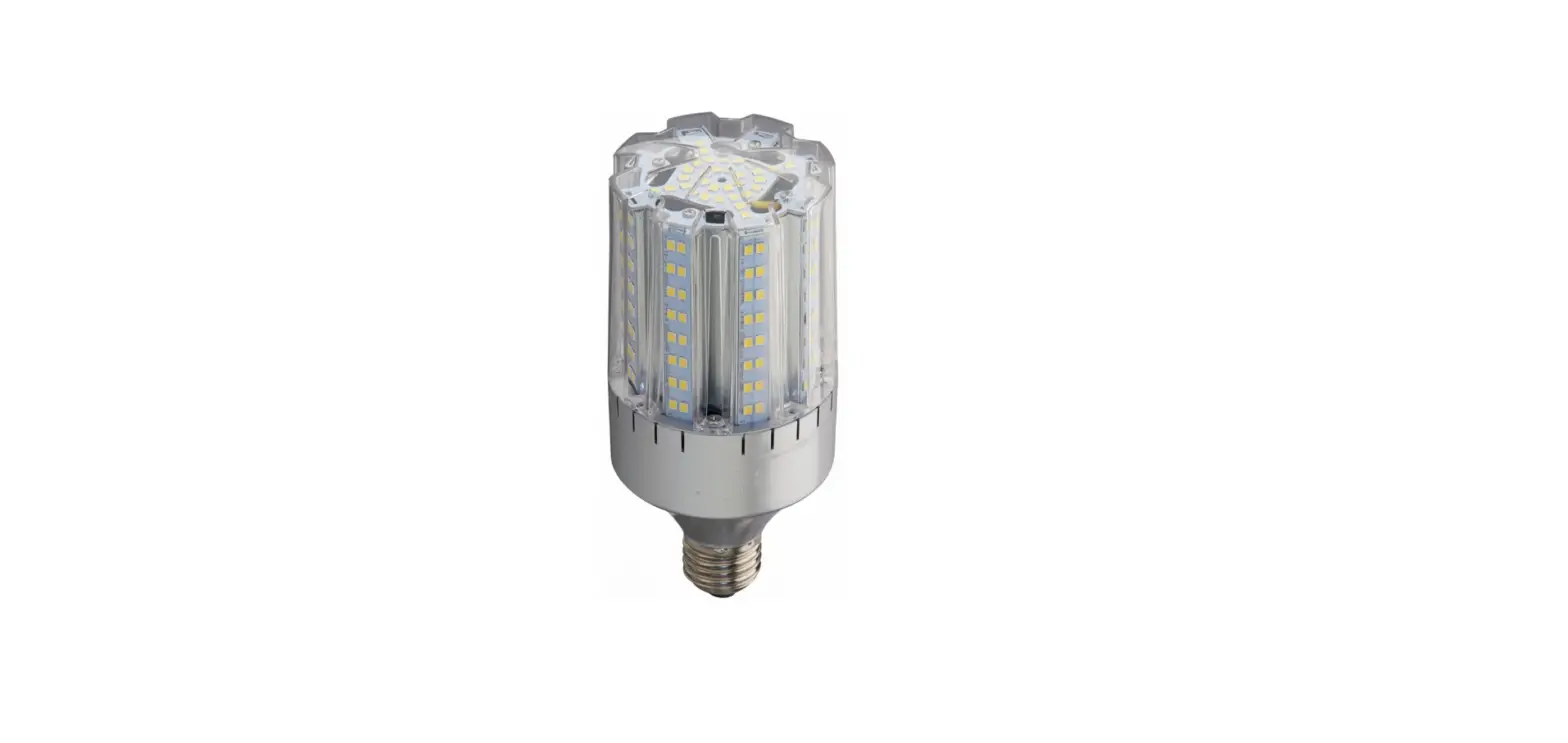

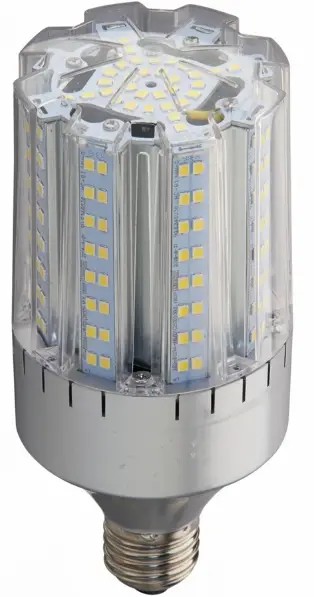
Light Efficient Design LED-8929 HAZ Series 24W Post Top Light
Prior to installation, read the entire instructions
- WARNING – Risk of fire or electric shock. LED Retrofit Kit installation requires knowledge of luminaires electrical systems. If not qualified, do not attempt installation. Contact a qualified electrician.
- WARNING – Risk of fire or electric shock. Install this kit only in the luminaires that have the construction features and dimensions shown in the photographs and/or drawings and where the input rating of the retrofit kit does not exceed the input rating of the luminaire.
- WARNING – Do not make or alter any open holes in an enclosure of wiring or electrical components during kit installation.
- WARNING – To prevent wiring damage or abrasion, do not expose wiring to edges of sheet metal or other sharp objects.
- Make all electrical connection according to national and local codes.
- Installers should not disconnect existing wires from lampholder terminals to make new connections at lampholder terminals. Instead installers should cut existing lampholder lead away from the lampholder and make new electrical connections to lampholder lead wires by employing applicable connectors.
- This retrofit kit is accepted as a component of a luminaire where the suitability of the combination shall be determined by authorities having jurisdiction.
Input Rating:
- Voltage: 120-277 VAC or 347VAC for C-HAZ
- Frequency: 50/60Hz
- Wattage: 24W
Included with the kit:
- LED lamp
- Label for modified luminaire
- Instructions
- Wire connectors (2)
Luminaire Fittings Reference Table
| Luminaire Fitting | Page Number |
| GE Lighting Filtr- Gard® | 2 |
| Crouse-Hinds Champ® VMV | 4 |
| Appleton Mercmaster® III | 6 |
| Appleton Mercmaster® II | 8 |
| Killark Certilite® | 10 |
| Thomas & Betts Hazlux® | 12 |
Instructions for retrofitting the following UL Listed GE Lighting Filtr-Gard® Luminaire Fitting/Ballast Housing marked for Use in Class I, Division 2, Groups A, B, C and D Hazardous Locations
| Fitting | Filtr-Gard® Catalog # |
| Ballast Housing | Series H2 ballast housings |
| Cover/Mounting | Series H2000 mounts |
| Optical Assembly | Series H2000 opticals |
Retrofit Kit Selection Table
| Ballast Housing | Retrofit Kit |
| H2*05K, H2*05L, H2*10M | LED-8929E**-HAZ |
| All Others | LED-8929M**-HAZ |
Tools needed:
- Slotted screwdriver or wrench to open cover
- Wire cutter
- Wire Stripper
Note:
The luminaire does not need to be removed from the mounting surface prior to modification.
Wiring
- Disconnect electrical power to the luminaire at the supply source
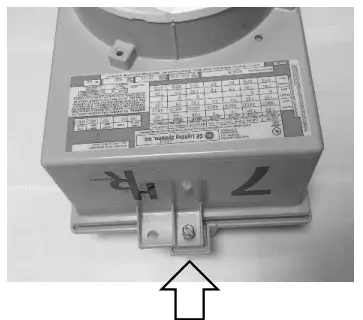
CAUTION – Risk of burn, allow luminaire and lamp to cool before proceeding - Open the luminaire by loosening the screw that holds the ballast housing and cover together

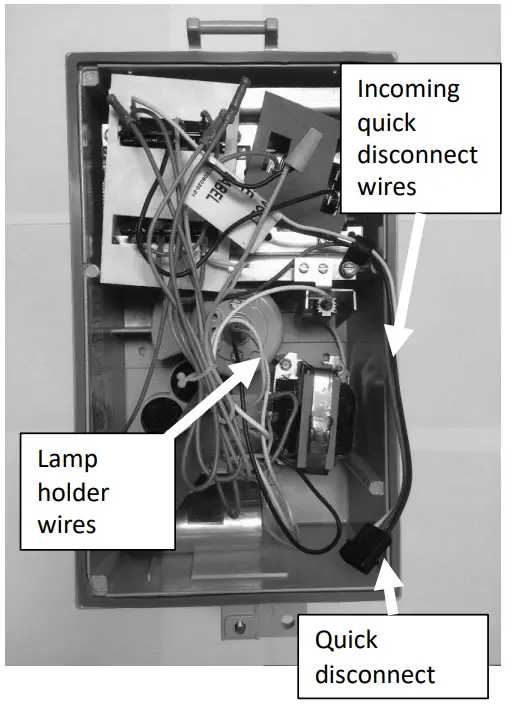
- Allow the ballast cover to hinge open and disconnect the quick disconnect between the cover and housing by pulling the two black plastic connectors apart.
- Cut the black and white wires from the quick disconnect to the ballast circuitry leaving as much wire to the quick disconnect as possible. Be careful to leave the green ground wire connected.
- Cut the white (neutral) and colored (hot) wires from the lamp holder in the center of the ballast housing leaving as much wire to the lamp holder as possible.
- Strip 3/8 inch from the incoming quick disconnect wires from step four and the lamp holder wires from step five. Using the included wire connectors to connect white to white and black to colored (may be black).

- Place the ballast housing hinge pin over the cover hinge. Mate the quick disconnect connectors between the ballast housing and cover. Close and secure the ballast housing and cover by tightening the screw.
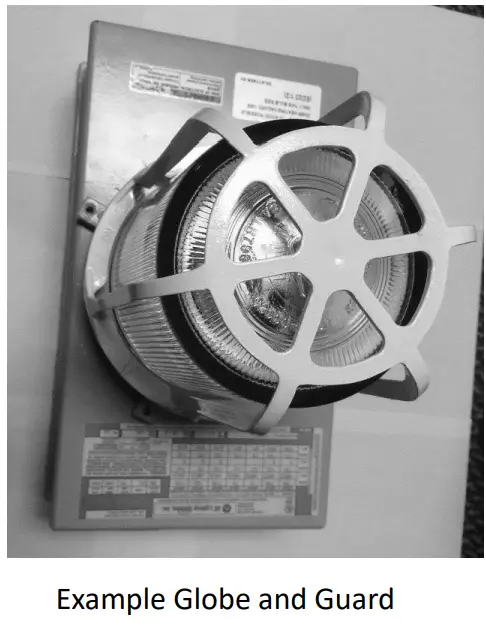
Lamp Installation - Remove the optical assembly covering the lamp such as guards, globes or reflectors by un-threading.
- Remove old lamp
- Firmly tighten LED lamp enough to depress the center contact of the lamp holder.
- Replace the optical assembly by threading into the ballast housing.
- Apply the silver adhesive label over the current label on the luminaire which specifies the replacement lamp and where it will be visible during re-lamping.
- Connect electrical power to the luminaire at the supply source

Instructions for retrofitting the following UL Listed Crouse-Hinds Champ® VMV Series HID Luminaire Fitting/Ballast Housing marked for Use in Class I, Division 2, Groups A, B, C and D Hazardous Locations
| Fitting | Champ® Catalog # |
| Ballast Housing | VMVS, VMVM, VMVC(75, 100 & 175) |
| Champ Cover | APM2, APM3, HPM2, |
| (Mounting Module) | CM2, CM3, TWM2, |
| TWM3, JM5, PM5, | |
| QM25 | |
| Optical & Guard | G24, G24 S808, P21, |
| components | RD70, RA70, G241, |
| G243, G245, P241, | |
| R2, R3, R5, P23, PR2, | |
| PR3, PR5 |
Retrofit Kit Selection Table
| Ballast Housing | Retrofit Kit |
| VMVS050, VMVM070, VMVM100 | LED-8929E**-HAZ LED-8929E**C-HAZ |
| All Others | LED-8929M**-HAZ LED-8929M**C-HAZ |
Tools needed:
- Slotted screwdriver
Note: The luminaire does not need to be removed from the mounting surface prior to modification.
- 1. Disconnect electrical power to the luminaire at the supply source
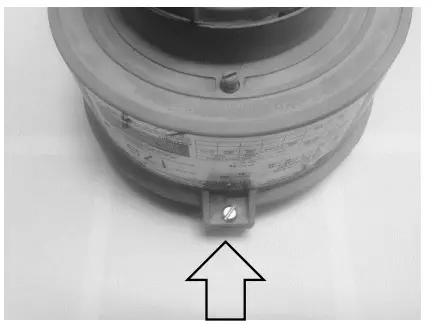
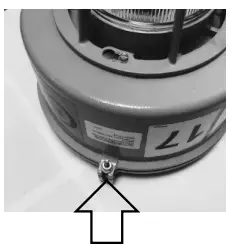
CAUTION – Risk of burn, allow luminaire and lamp to cool before proceeding - Open the luminaire by loosening the screw that holds the ballast housing and cover together

- Allow the ballast cover to hinge open.
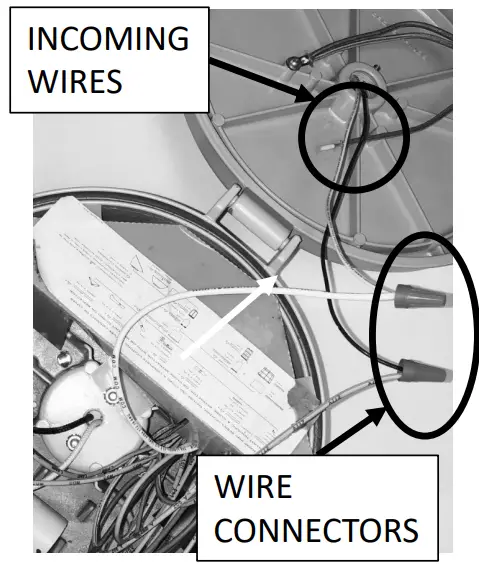
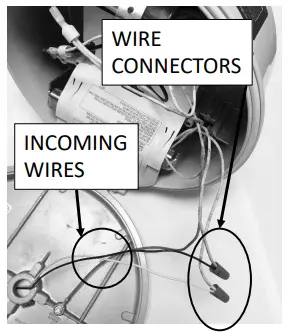
- Remove the wire connectors from the incoming wires to the ballast circuitry. Be careful to leave the green ground wire connected.

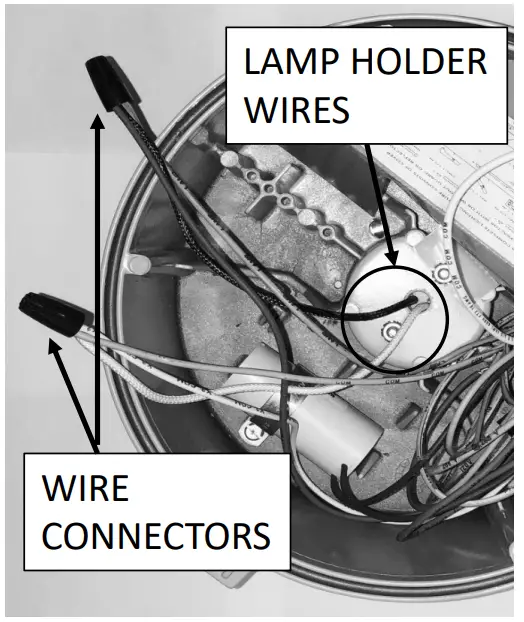
- Remove the wire connectors from the lamp holder wires.

- Using the included wire connectors connect the lamp holder wires to incoming wires. If a fuse is installed within the ballast housing, be sure to disconnect and bypass the fuse and fuseholder when connecting the incoming wires directly to the lampholder.
- Cap off the unused wires with the wire connectors removed earlier.
- Place the ballast housing hinge pin over the cover hinge. Close and secure the ballast housing and cover by tightening the screw.
Lamp Installation - Remove the optical assembly covering the lamp such as guards, globes or external reflectors by un-threading.
- Remove old lamp
- Firmly tighten LED lamp enough to depress the center contact of the lamp holder.
- Replace the optical assembly by threading into the ballast housing.
- Apply the silver adhesive label over the current label on the luminaire which specifies the replacement lamp and where it will be visible during re-lamping.
- Re-connect electrical power to the luminaire at the supply source

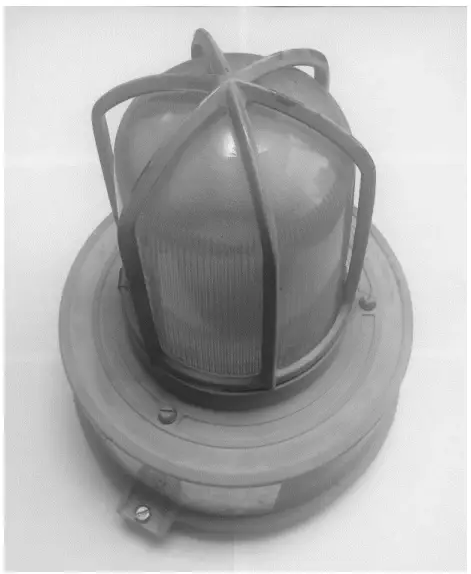
Instructions for retrofitting the following UL Listed Appleton Mercmaster™ III Series HID Luminaire Fitting/Ballast Housing marked for Use in Class I, Division 2, Groups A, B, C and D Hazardous Locations
| Fitting | Mercmaster® III Catalog # |
| Ballast Housing | MLBG, MLBR, KPB & KPBR |
| Mounting Hood | KPA75, KPA100, KPAF75, KPAF100, KPC75, KPC100, KPCH75, KPCH100, KPS125, KPS150, KPST125, KPST150, KPWB75, KPWB100 |
| Optical & Guard components | CMR-4AN, CMR-4ST, KR2- AN, KR2-ST, KRG2, KGU2, LPG-R*, LPRF-*CP, VPGL- *HR |
Note: This kit is for installation in the U.S. only when KPS125, KPS150, KPST125, and KPST150 mounting hoods are used. This kit is not compatible with luminaires with the short 5 ½” Globe VPGL-1HR and Guard KGU1
Retrofit Kit Selection Table
| Ballast Housing | Retrofit Kit |
| MLBG & MLBR | LED-8929E**-HAZ LED-8929E**C-HAZ |
| KPB & KPBR | LED-8929M**-HAZ LED-8929M**C-HAZ |
Tools needed:
- Slotted screwdriver
- Adjustable wrench
Note: The luminaire does not need to be removed from the mounting surface prior to modification.
Wiring- Disconnect electrical power to the luminaire at the supply source
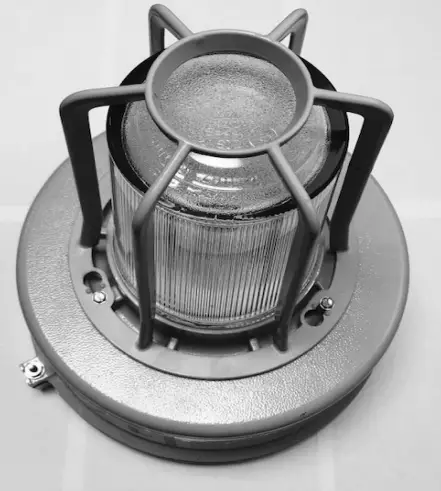
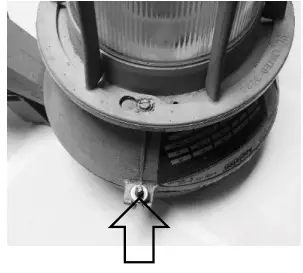
CAUTION – Risk of burn, allow luminaire and lamp to cool before proceeding - Open luminaire by loosening the nut that holds the ballast housing and cover together

- Disconnect electrical power to the luminaire at the supply source
- Allow the ballast cover to hinge open.
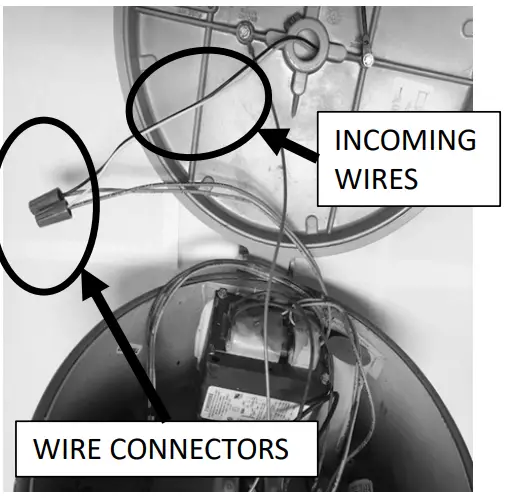
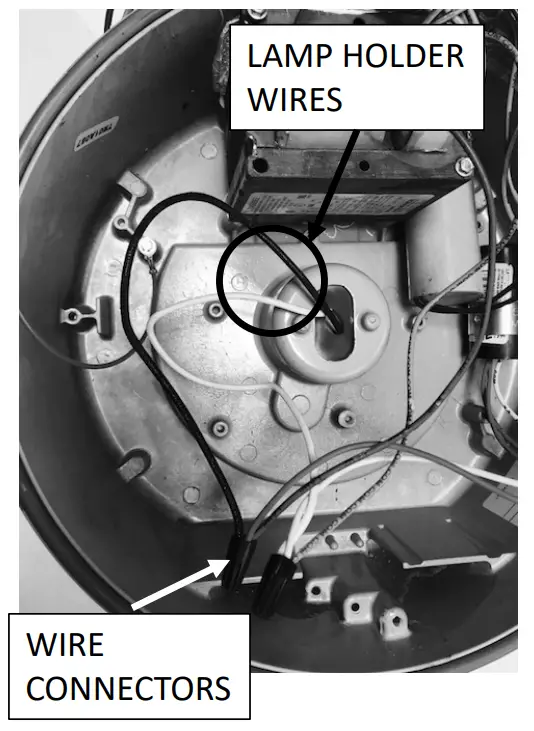
- Remove the wire connectors/wire nuts from the incoming wires (wires that supply power from the conduit system) to the ballast circuitry. If the luminaire is provided with a fuse and fuse holder installed to the mounting hood the incoming wire connected to the fuse will need to be disconnected here to bypass the fuse. Discard all the fuses. Be careful to leave the green ground wire connected.

- Remove the wire connectors/wire nuts from the lamp holder wires. These wires might be bundled together with other wires so carefully trace the wires from the lamp holder. Discard the additional white wire, if any.

- Using the included wire connectors/wire nuts connect the lamp holder wires to incoming wires. The supply neutral should be connected to the lamp holder white wire and the supply hot should be connect to the lamp holder black wire.
- Cap off the unused wires from steps 4 & 5 with the wire connectors/wire nuts removed during each step.
- Place the ballast housing hinge pin over the cover hinge. Close and secure the ballast housing and cover by tightening the nut.
Lamp Installation - Remove the optical assembly covering the lamp such as guards, globes or external reflectors by loosening screws and un-threading.
- Remove old lamp
- Firmly tighten LED lamp enough to depress the center contact of the lamp holder.
- Replace the optical assembly by threading into the ballast housing.
- Apply the silver adhesive label over the current label on the luminaire which specifies the replacement lamp and where it will be visible during re-lamping.
- Re-connect electrical power to the luminaire at the supply source

Instructions for retrofitting the following UL Listed Appleton Mercmaster™ II Series HID Luminaire Fitting/Ballast Housing marked for Use in Class I, Division 2, Groups A, B, C and D Hazardous Locations
| Fitting | Mercmaster® II Catalog # |
| Ballast Housing | LPB, 4 ¾” height housing only |
| Mounting Hood | LPA-75, LPA-100, LPC-75, LPC-100, LPWB-75, LPWB- 100, LPS-125, LPS-150 |
| Optical & Guard components | LPRF-***, VPGL-*****, KGU2, KR2-** |
Note: This kit is for installation in the U.S. only when LPA-75, LPA-100, LPS125, LPS150 mounting hoods are used.
Retrofit Kit Selection Table
| Ballast Housing | Retrofit Kit |
| LPB, 4 ¾” height housing only | LED-8929M**-HAZ LED-8929M**C-HAZ |
Tools needed:
- Slotted screwdriver
- Adjustable wrench
Note: The luminaire does not need to be removed from the mounting surface prior to modification.
Wiring- Disconnect electrical power to the luminaire at the supply source
CAUTION – Risk of burn, allow luminaire and lamp to cool before proceeding - Open the luminaire by loosening the nut that holds the ballast housing and cover together

- Disconnect electrical power to the luminaire at the supply source
- Allow the ballast cover to hinge open.
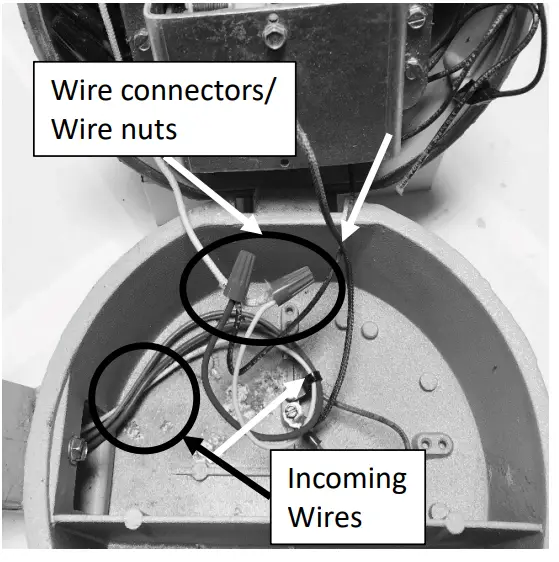
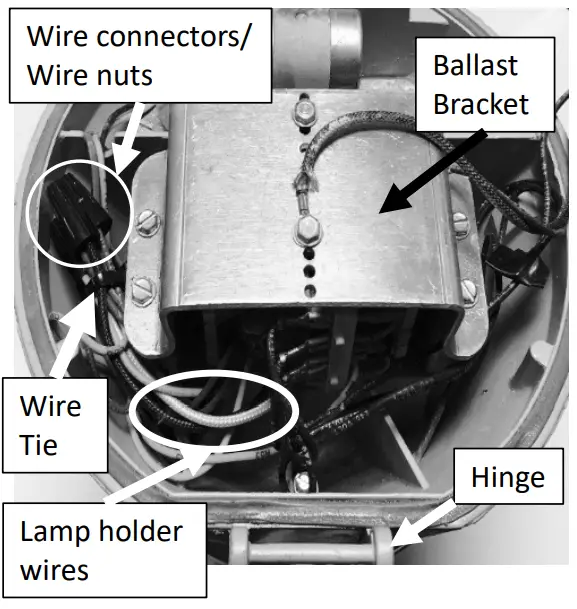
- Remove the wire connectors/wire nuts from the incoming wires (wires that supply power from the conduit system) to the ballast circuitry. Be careful to leave the green ground wire connected to the mounting hood and housing.

- Locate the wire tie and cut it, separate the wiring from the bundle. Remove the wire connectors/wire nuts from the lamp holder wires. Discard the additional white wire, if any. The lamp holder wires are black and white and come from under the ballast on the hinge side of the ballast housing. The ballast is under the bracket in the center of the housing.

- Using the included wire connectors/wire nuts connect the lamp holder wires to incoming wires. The supply neutral should be connected to the lamp holder white wire and the supply hot should be connect to the lamp holder black wire.
- Cap off the unused wires from steps 4 & 5 with the wire connectors/wire nuts removed during each step.
- Place the ballast housing hinge pin over the cover hinge. Close and secure the ballast housing and cover by tightening the nut.
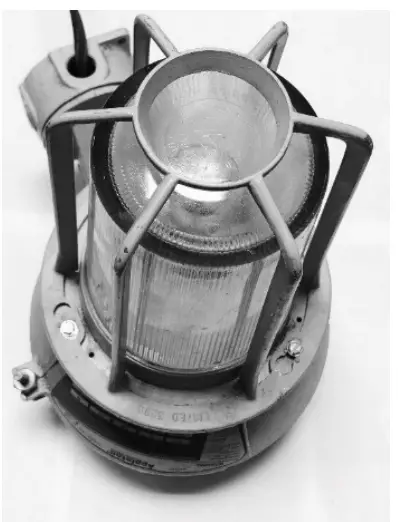
Lamp Installation - Remove the optical assembly covering the lamp such as guards, globes or external reflectors by loosening screws and un-threading.
- Remove old lamp
- Firmly tighten LED lamp enough to depress the center contact of the lamp holder.
- Replace the optical assembly by threading into the ballast housing.
- Apply the silver adhesive label over the current label on the luminaire which specifies the replacement lamp and where it will be visible during re-lamping.
- Re-connect electrical power to the luminaire at the supply source

Instructions for retrofitting the following UL Listed Killark Certilite® Series HID Luminaire Fitting/Ballast Housing marked for Use in Class I, Division 2, Groups A, B, C and D Hazardous Locations
| Fitting | Certilite® Catalog # |
| Ballast Housing | VM1, VM2, VM3 & VM4 |
| Mounting Hood | VMA2B, VMA3B, VMF2B, VMF3B, VMX2B, VMX3B, VMX6B, VMX7B, VMX8B, VMX9B, VMB2B, VMB3B, VMC2B, VMC3B, VMD4B, VMD5B, VMS4B, VMS5B |
| Optical & Guard components | VMG17, VMG-17, VMR175, VMR171, VMG25, VMR255, VMR251, VMR253, VZRG1550, VZRG2520, VZRG2550, VMER40, VMEP40., VMAG17, VMAG25S, VMRWG, VMRWGS, VMRWG8, VMERG, VMPSD40, VMPA40 |
Retrofit Kit Selection Table
| Ballast Housing | Retrofit Kit |
| VM1, VM2 | LED-8929E**-HAZ LED-8929E**C-HAZ |
| VM3 & VM4 | LED-8929M**-HAZ LED-8929M**C-HAZ |
Tools needed:
- Slotted screwdriver
Note: The luminaire does not need to be removed from the mounting surface prior to modification.
- Disconnect electrical power to the luminaire at the supply source
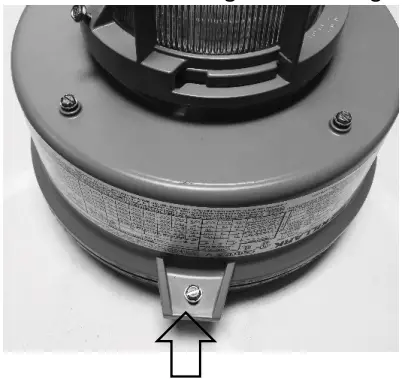
CAUTION – Risk of burn, allow luminaire and lamp to cool before proceeding - Open luminaire by loosening the screw that holds the ballast housing and cover together

- Allow the ballast cover to hinge open.
- Remove the wire connectors from the incoming wires to the ballast circuitry. Be careful to leave the green ground wire connected.
- Remove the wire connectors from the lamp holder wires.
- Using the included wire connectors connect the lamp holder wires to incoming wires. If fuses and/or photocells are installed within the ballast housing, be sure to disconnect and bypass the fuses and fuseholders and/or photocells when connecting the incoming wires directly to the lampholder.
- Cap off the unused wires with the wire connectors removed earlier.
- Place the ballast housing hinge pin over the cover hinge. Close and secure the ballast housing and cover by tightening the screw.


Lamp Installation - Remove the optical assembly covering the lamp such as guards, globes or external reflectors by loosening screws and un-threading.
- Remove old lamp
- Firmly tighten LED lamp enough to depress the center contact of the lamp holder.
- Replace the optical assembly by threading into the ballast housing.
- Apply the silver adhesive label over the current label on the luminaire which specifies the replacement lamp and where it will be visible during re-lamping.
- Re-connect electrical power to the luminaire at the supply source

Instructions for retrofitting the following UL Listed Thomas & Betts Hazlux® 3 Series HID Luminaire Fitting/Ballast Housing marked for Use in Class I, Division 2, Groups A, B, C and D Hazardous Locations
| Fitting | Hazlux® Catalog # |
| Ballast Housing | DH, DS Series |
| Mounting Covers | VP2, VP3, VA2, VA3, VF2, VF3, VC2, VC3, VB2, VB3, VS4, VS5, VL4 & VL5 |
| Optical & Guard components | VGT22, VGT22TS, VRF22C5, VR22P, VRA22P, VGU22P, VGU22, VGT31S, VGT31STS, VGL31R1, VGL31R3, VGL31R5, VRF31C5, VR31P, VR31, VR31CB, VRA31P, VGU31RP, VGU31R, VGR48, VGR64 |
Note: This kit is for installation in the U.S. only when VS4, VS5, VL4 and VL5 mounting covers are used.
Retrofit Kit Selection Table
| Ballast Housing | Retrofit Kit |
| DH007 | LED-8929E**-HAZ LED-8929E**C-HAZ |
| DH, DS Series | LED-8929M**-HAZ LED-8929M**C-HAZ |
Tools needed:
- Slotted screwdriver
- Wire cutter
- Wire Stripper
Note: The luminaire does not need to be removed from the mounting surface prior to modification.
- Disconnect electrical power to the luminaire at the supply source
CAUTION – Risk of burn, allow luminaire and lamp to cool before proceeding - Open the luminaire by loosening the screw that holds the ballast housing and cover together

- Allow the ballast cover to hinge open.
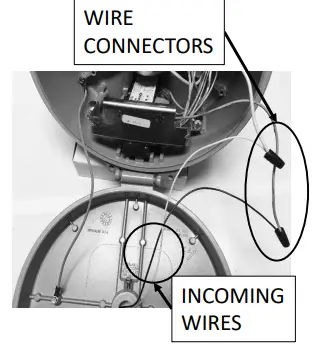
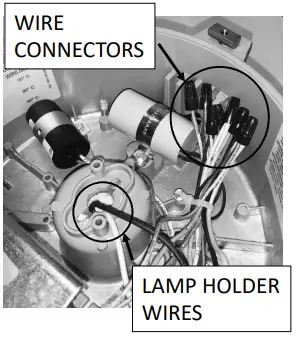
- Remove the wire connectors from the incoming wires to the ballast circuitry. Be careful to leave the green ground wire connected.
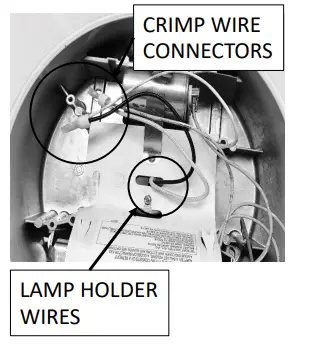
- Cut the crimp wire connectors from the lamp holder wires.
- Strip 3/8” from the cut lamp holder wires.
- Using the included wire connectors connect the lamp holder wires to incoming wires. If fuses are installed within the ballast housing, be sure to disconnect and bypass the fuses and fuseholders when connecting the incoming wires directly to the lampholder.
- Cap off the unused wires with the wire connectors removed earlier.
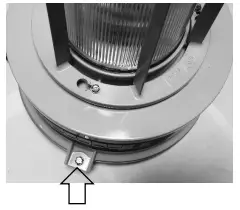
- Place the ballast housing hinge pin over the cover hinge. Close and secure the ballast housing and cover by tightening the screw.

 Lamp Installation
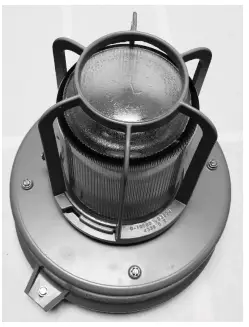
 - Remove the optical assembly covering the lamp such as guards, globes or external reflectors by loosening screws and un-threading.
- Remove old lamp
- Firmly tighten LED lamp enough to depress the center contact of the lamp holder.
- Replace the optical assembly by threading into the ballast housing.
- Apply the silver adhesive label over the current label on the luminaire which specifies the replacement lamp and where it will be visible during re-lamping.
- Re-connect electrical power to the luminaire at the supply source

 Lamp Installation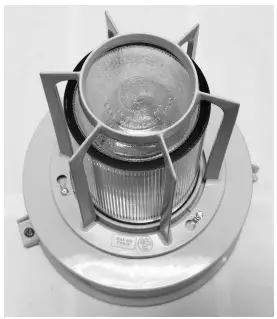
- Light Efficient Design
- Tel: (847) 380-3540
- www.led-llc.com
- [email protected]
 Incorporate your business online | incorporate.com
 LED | Transforming Light - Light Efficient Design | LED for HID Retrofit Lamps