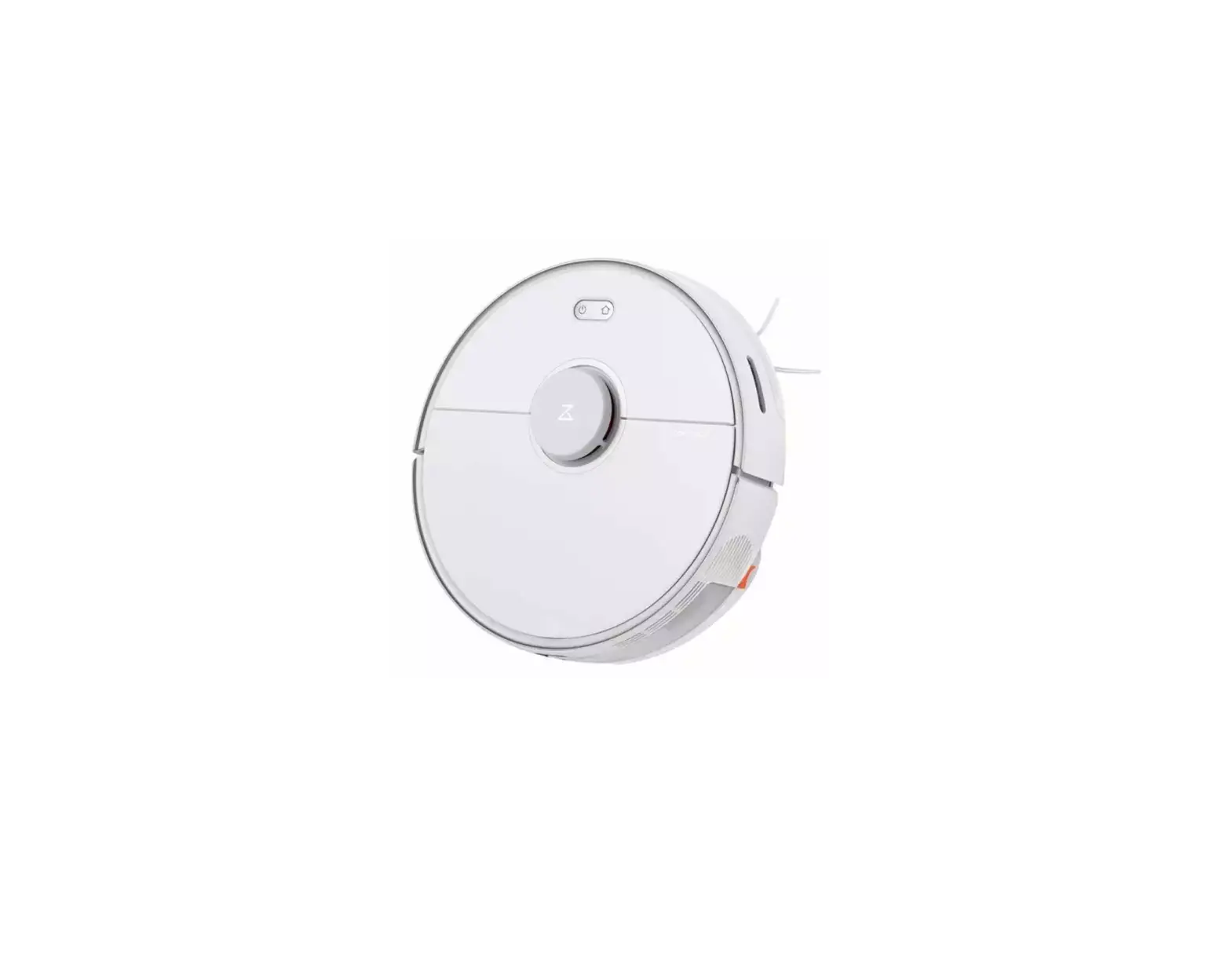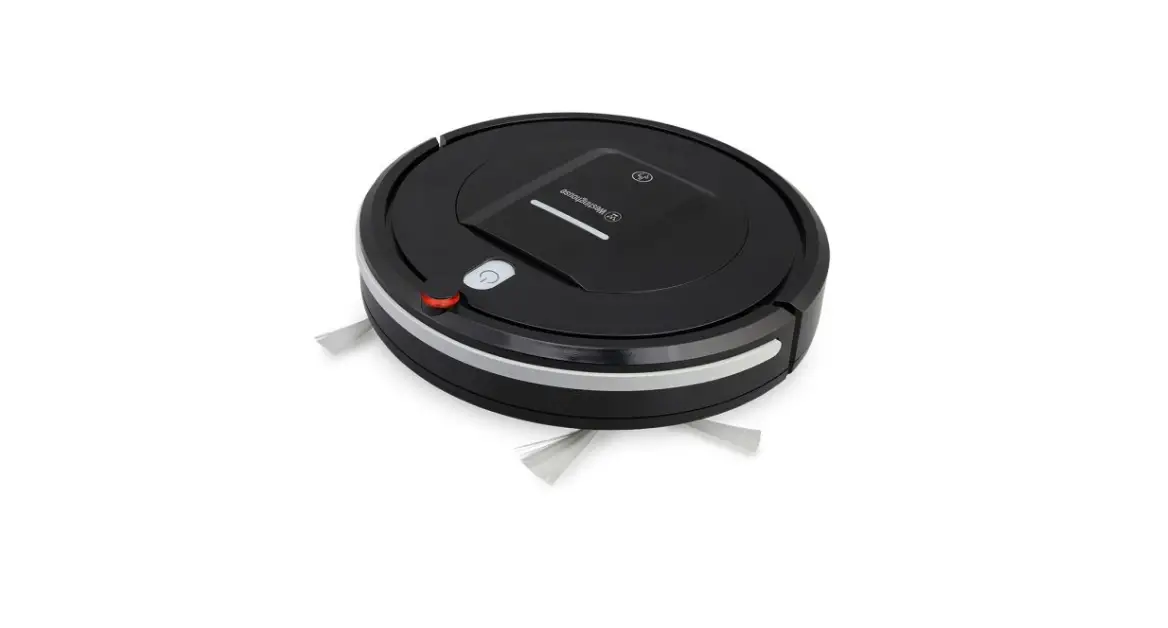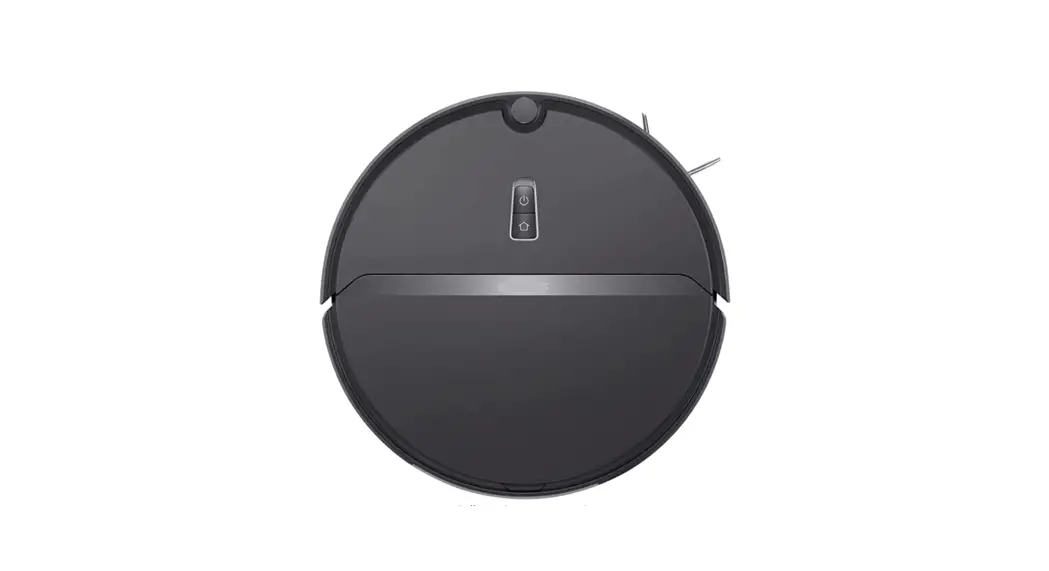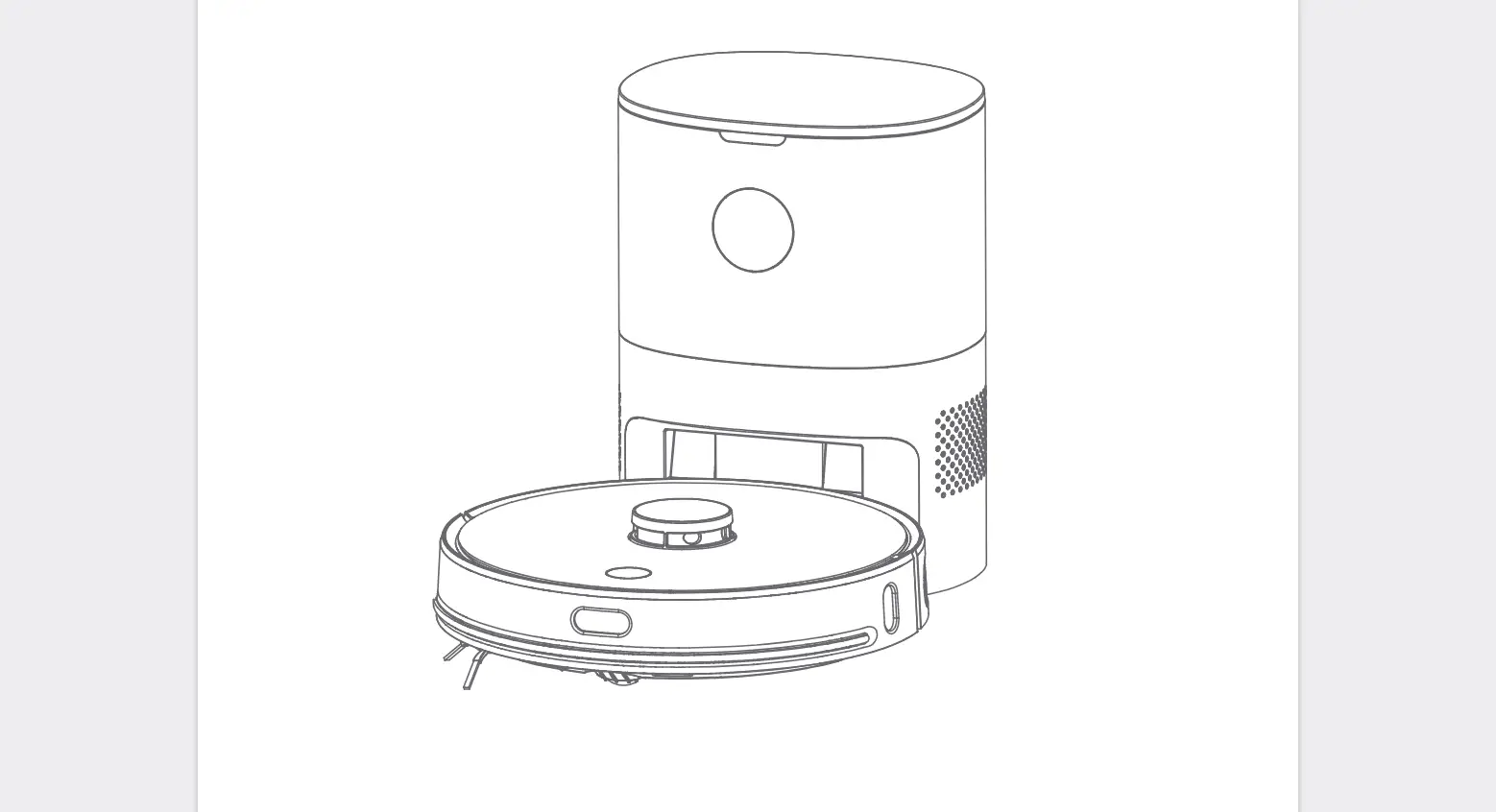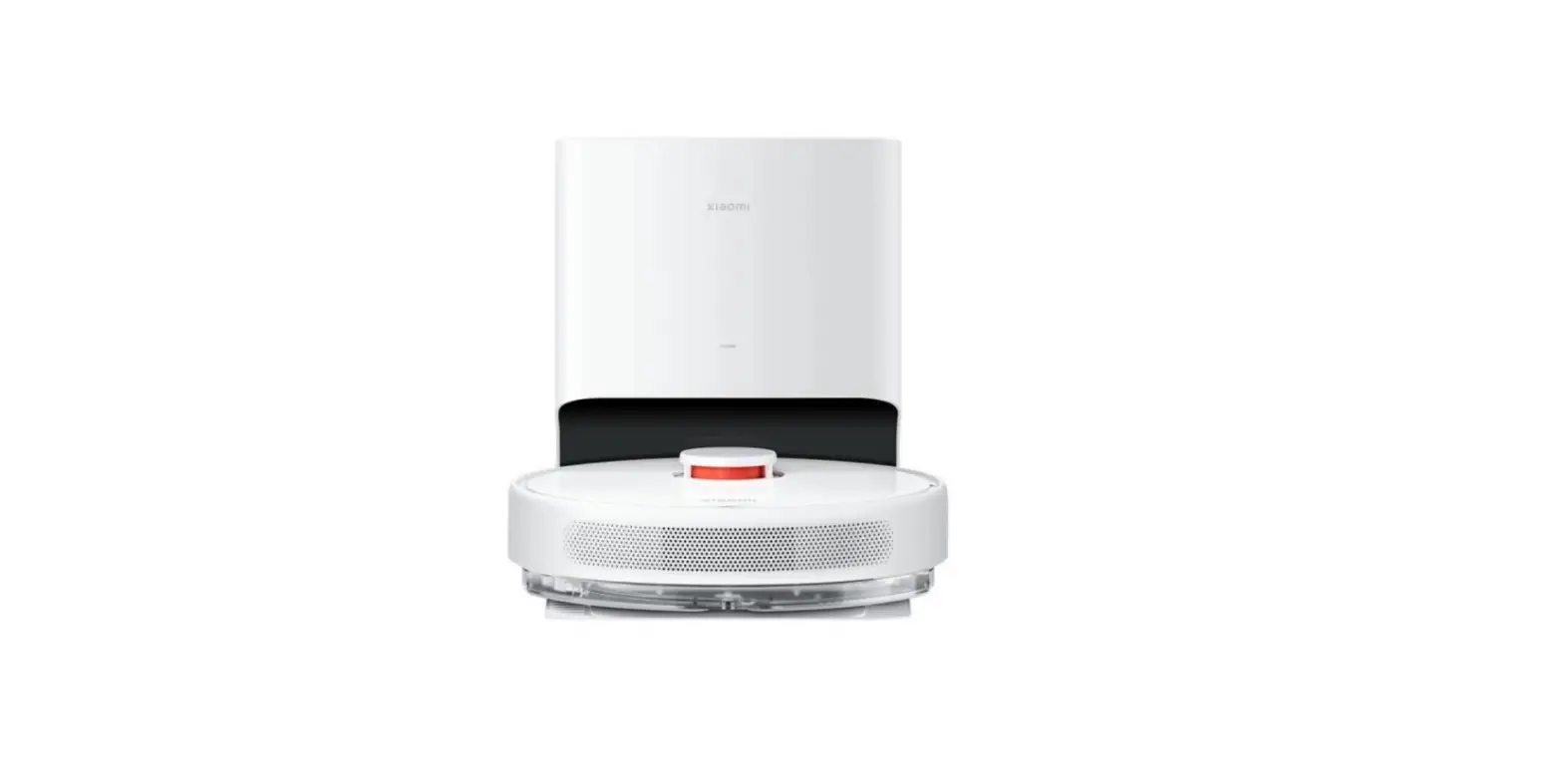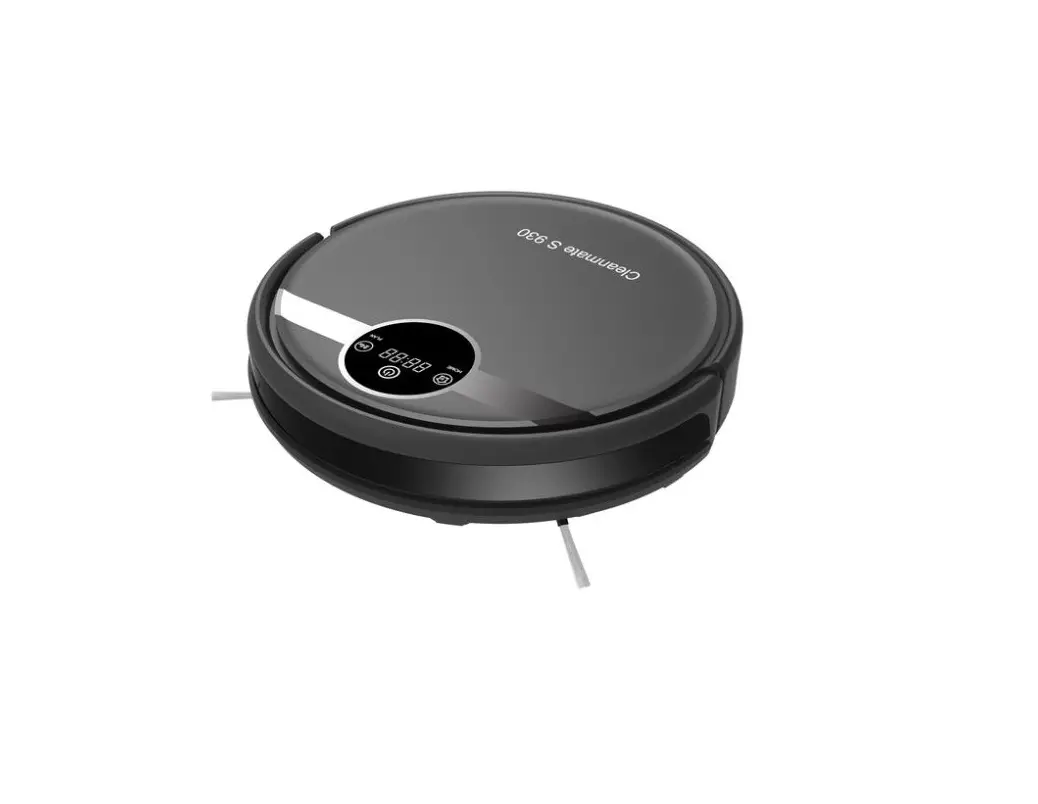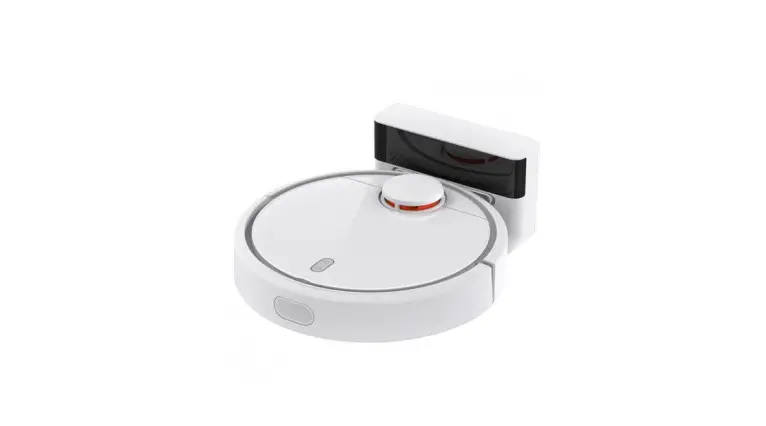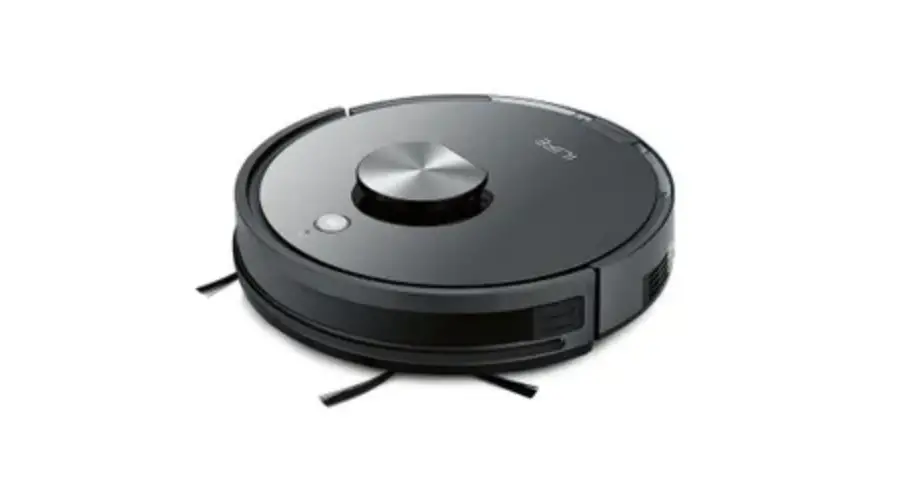
Guangdong Wangjia Intelligent Robot T900 Robotic Vacuum Cleaner User Manual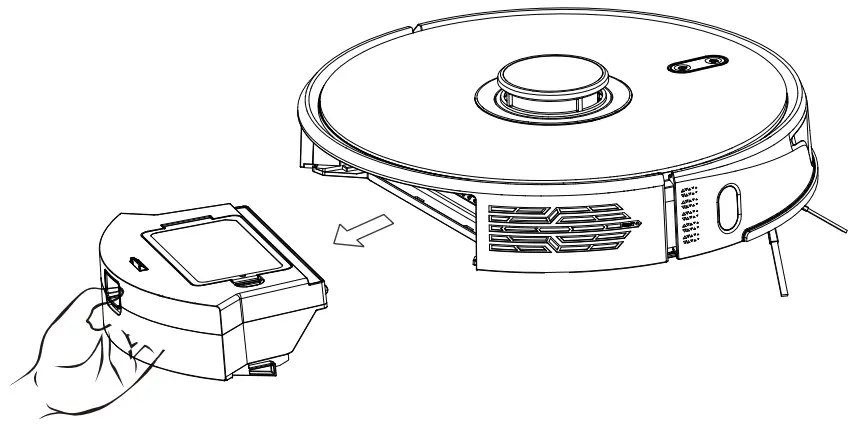
Daily Maintenance
Rolling brush (clean it regularly)
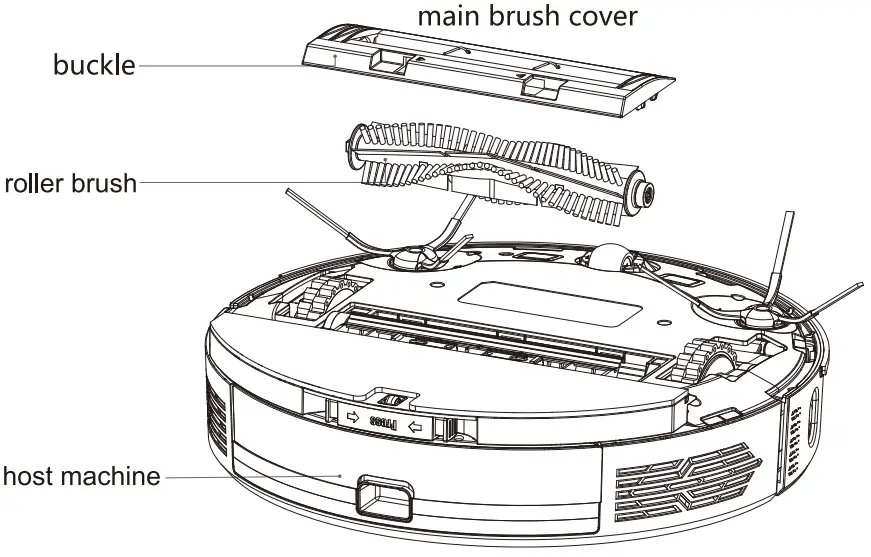
- turn over the host machine and press the buckle on the main brush cover to take out the roller brush.
- use the configured cleaning tool to clean the dust outside the roller brush and inside the roller brush cavity, then remove the entanglements on the roller brush.
- reassemble the roller brush, and press the main brush cover tightly to fix the buckle.

Side brush (clean it regularly)
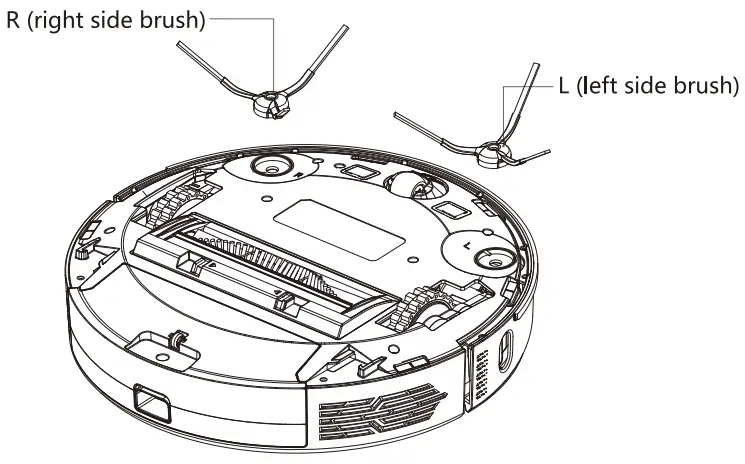
- Slip the machine, remove the screws and remove the edge brush
- Clean up the wound hair and dirt and pack it back
- Corresponding the left brush (L) and right brush (R) to the letters L and R on the bottom shell, and tighten the loading tool down
Note: Please replace the side brush every 3-6 months so as to ensure the good cleaning effect.
Individual Dust bin (clean it regularly)
- press the button and pull out the dust bin backward.

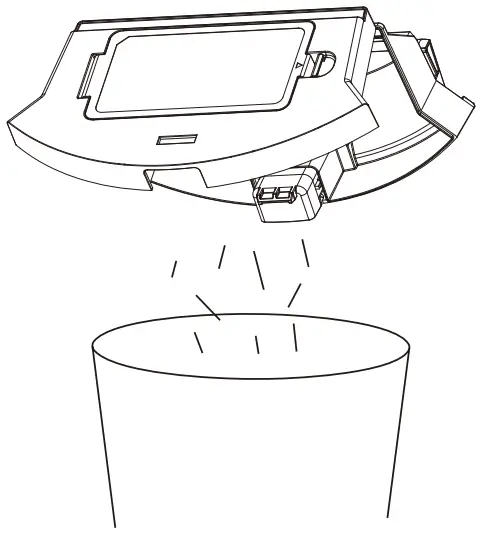
- open and clean dust bin.

Cleaning Filters (clean it regularly)
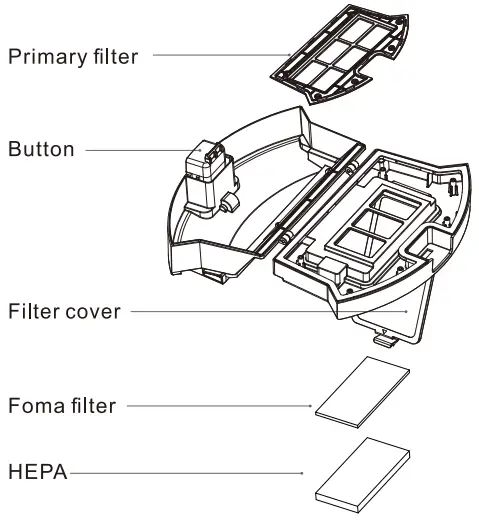
- after a long time usage, remove the primary filter, foma filter, HEPA filter.
- clean the removed filters under water.
- shake off the water drops and dry it naturally, then use it after completely dried.
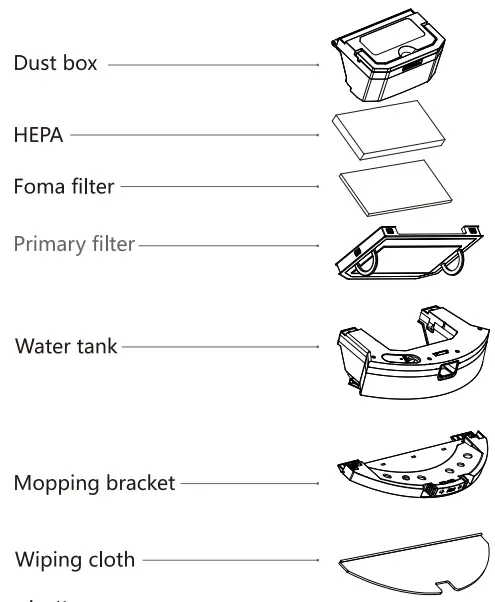
- install filters well in sequence: primary filter – foma filter – HEPA.

Note:
- please wash the filters in clear water, and do not add any detergent.
- please do not use brush and fingers to clean the filter.
- dry the filter in the air for at least 24h. . replace the filter every 3-6 months.
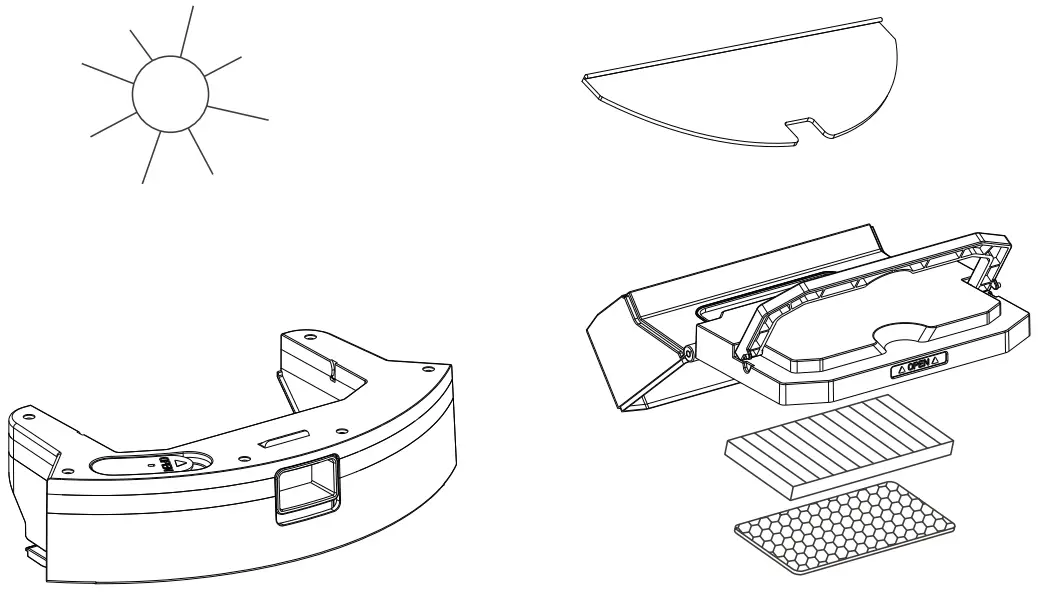
- only be dried natually, do not be exposed to the sun.
2-in-1 electric-controlled water tank (clean it every time)
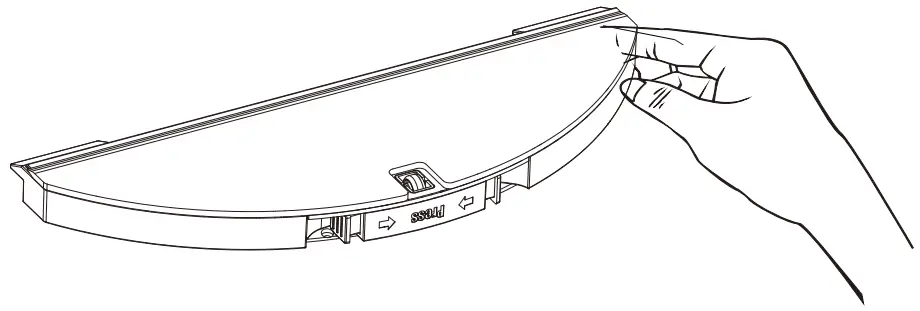
- remove the mopping bracket from the water tank, tear off the wiping cloth and clean it in water.

- lift the handle to remove the dust box from the 2-in-1 water tank, and pour out the residual water in the water tank.

- dry the water tank and the wiping cloth for the next use.

Li-ion battery
- the host machine is furnished with high-performance lithium-ion batteries. To maintain a good performance of battery, please keep the robot charging in charging station.
- if the robot is left unused for a long time, please shut down the power switch and keep it properly, and charge it at least every 3 months to avoid damaging batteries due to excessive discharge.
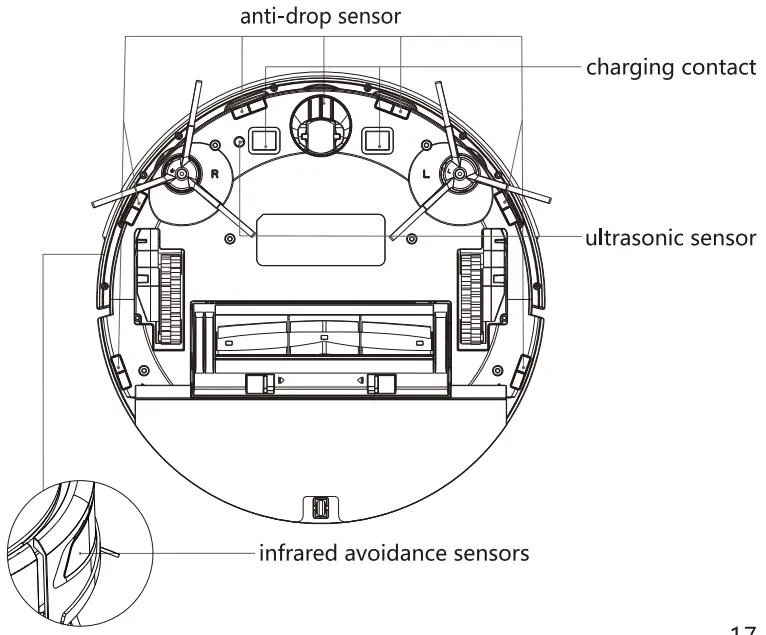
Sensor (clean it regularly)
Pls clean the sensor by soft mop:
- recharge sensor on the left side of the machine.
- six anti-drop sensors at the bottom of the machine.
- two line laser sensors in front of the machine and one line laser sensor on the right side of the machine.
- lidar sensors directly above the machine.
- charging contact at the bottom of the machine,
- charging seat charging shrapnel (please power off before cleaning).
- signal transmitting area of charging base.

Basic Parameter
Host machine
| Product name | Robot Vacuum Cleaner |
| Model No. | T900 |
| Product size | 350X350X98mm |
| Net weight | 3.6kg |
| Battery | 5200mAh |
| Rated voltage | 14.4V |
| Rated power | 50W |
Charging Station
| Model No. | S600/T900 |
| Product size | 160X145X9Omm |
| Rated power | 18W |
| Output power | 18W |
Common Question
| Questions | Solution |
| Can not boot |
|
| Can’t charge |
|
| Can’t recharge | The main unit is too far from the charging cradle, please try to place the main unit near the charging cradle |
| Abnormal behavior | Restart |
| Abnormal noise when | The main brush, side brush or wheels may be entangled with foreign objects. Please clean it after stopping the machine. |
| Abnormal noise when cleaning |
|
| Not connect WiFi |
|
| Reservation for cleaning does not take effect | When the battery is low, the scheduled cleaning will be started only when the remaining Battery is a20% |
| Sthe machine running out of power when it is on the charging | Power consumption is extremely low when the console is always in the charging cradle, which helps to keep the battery at peak performance |
| Do you need to charge for 16 hours for the first three uses? | Lithium battery can be used and charged with no memory effect, and it can be used Immediately after being fully charged without waiting. |
Troubleshooting
| Fault tone | Resolvent |
| battery low, please try again later | Put the host on the charging stand for charging |
| dust bin taken out | Take out the dust box in standby or suspended working state of the machine. Please replace the dust box |
| Restart it after installed the dust bin | Cleaning is triggered when the dust box is taken out. Please reinstall the dust box |
| please clean the right sensor | There is dirt or shelter on the sensor along the wall. Wipe the sensor window along the wall with a soft dry cloth |
| bumper may be stucked, please check | If the edge or collision sensor is stuck, please push the collision plate left and right to make sure there is no jamming |
| please clean the dust bin | Remove the dust box, clean the dust box and screen, or replace the filter screen |
| please remove the obstacle around the robot and retart | Please move the equipment to the flat ground and start it |
| please place the robot in a surface level and restart | Please move the equipment to the flat ground and start it |
| main wheel may be stucked, please check | If the main wheel is stuck or entangled, please check the main wheel and clean up foreign matters |
| brush bar may be stucked, please check | The main brush is entangled or stuck. Please check the main brush and clean up foreign matters |
| side brush may be stucked , please check | If the brush is entangled or stuck, check the brush and clean up foreign matters |
| fan motor abnormal | Check whether there are foreign matters at the air inlet and outlet, and clean the foreign matters after inspection |
| locating failed, cleaning stop | Please move the equipment to the flat ground and start it |
| locating failed, recharging stop | Please move the equipment to the flat ground and start it |
| no water tank, please check if the water tank installed in position | The two in one water tank is not installed, please check whether the two in one water tank is installed in place and re install it |
| please clean the cliff sensors and retart in a new place | Cliff sensor is blocked or placed at a high place. Please wipe the cliff sensor window with soft dry cloth, move the equipment to the flat ground and start it |
| Fault tone | Resolving |
| Radar cover is squeezed, please check | The upper cover of radar is wrapped or stuck. Please check the upper cover of radar and clean up foreign matters |
| Off ground, please put it back and restart | Please move the equipment to the flat ground and start it |
| can not reach the pointed clean area | Re select the cleaning area |
| stay away the forbidden area and retort | Please move the equipment to the flat ground in the non restricted area before starting |
| battery damaged or did not installed | After sales inspection or battery replacement |
| radar may be stocked, please check | The radar is entangled or stuck. Please check the radar and clean up foreign matters |
| radar may be blocked, please check | The radar is blocked by foreign matters. Please check the radar and clean up the foreign matters |
| main brush error | After sales repair or replacement of main brush |
| wheels error | After sales maintenance or replacement of main wheel |
| side brush error | After sales repair or replacement of side brush |
| fan motor error | After sales maintenance or replacement of fan |
| radar error | After sales repair or replacement of laser ranging radar |
| water pump error | After sales maintenance or replacement of water pump |
| please confirm if the water tank and mop rack installed well | Please refit the two in one water tank and mop bracket |
| Resume factory setting failed | Record the time and contact UUID for after-sales treatment |
| detected strong magnetic field, please restart it in a new location | Please set up a forbidden area in this area, move the device to a new location and start it again |
| robot temperature abnormal, please restart the robot under normal temperature | Please put the device stationary for 10min before moving to the new position to start |
Product Hazardous Substance Content an Name
| Name | Harmful substances | (PBDE) | ||||
| (Pb) | (Hg) | (Cd) | (Cr(VI)d) | (PBB) | ||
| Circuit board assembly |  |  | | | | |
| Battery | | | | | | |
| Charger | | | | | | |
| Powercable | | | | | | |
| Metallic parts | | | | | | |
| Motor | | | | | | |
| Shell | | | | | | |
| Other Accessories | | | | | | |
This form is prepared according to the provisions of SJ/T 11364
:Indicates that the content of the hazardous substance in at least one homogeneous material of the part exceeds the limit requirement specified in GBT/T 26572
:Indicates that the content of the hazardous substance in at least one homogeneous material of the part exceeds the limit requirement specified in GBT/T 26572
IMPORTANT SAFETY INSTRUCTIONS
When using an electrical appliance, basic precautions should always be followed, including the following:
READ ALL INSTRUCTIONS BEFORE USING (THIS APPLIANCE)
WARNING —To reduce the risk of fire, electric shock, or injury:
- Do not leave appliance when plugged in. Unplug from outlet when not in use and before servicing.
- Do not use outdoors or on wet surfaces.
- Do not allow to be used as a toy. Close attention is necessary when used by or near children.
- Use only as described in this manual. Use only manufacturer’s recommended attachments.
- Do not use with damaged cord or plug. If appliance is not working as it should, has been dropped, damaged, left outdoors, or dropped into water, return it to a service center.
- Do not handle plug or appliance with wet hands.
- Do not put any object into openings. Do not use with any opening blocked; keep free of dust, lint, hair, and anything that may reduce air flow.
- Keep hair, loose clothing, fingers, and all parts of body away from openings and moving parts.
- Turn off all controls before unplugging.
- Use extra care when cleaning on stairs.
- Do not use to pick up flammable or combustible liquids, such as gasoline, or use in areas where they may be present.
- Do not pick up anything that is burning or smoking, such as cigarettes, matches, or hot ashes.
- Do not use without dust bag and/or filters in place.
- Prevent unintentional starting. Ensure the switch is in the off-position before connecting to battery pack, picking up or carrying the appliance. Carrying the appliance with your finger on the switch or energizing appliance that have the switch on invites accidents.
- Recharge only with the charger specified by the manufacturer. A charger that is suitable for one type of battery pack may create a risk of fire when used with another battery pack.
- Use appliances only with specifically designated battery packs. Use of any other battery packs may create a risk of injury and fire.
- Under abusive conditions, liquid may be ejected from the battery; avoid contact. If contact accidentally occurs, flush with water. If liquid contacts eyes, additionally seek medical help. Liquid ejected from the battery may cause irritation or burns.
- Do not use a battery pack or appliance that is damaged or modified. Damaged or modified batteries may exhibit unpredictable behavior resulting in fire, explosion or risk of injury.
- Do not expose a battery pack or appliance to fire or excessive temperature. Exposure to fire or temperature above 130°C may cause explosion.
- Follow all charging instructions and do not charge the battery pack or appliance outside of the temperature range specified in the instructions. Charging improperly or at temperatures outside of the specified range may damage the battery and increase the risk of fire.
- Have servicing performed by a qualified repair person using only identical replacement parts. This will ensure that the safety of the product is maintained.
- Do not modify or attempt to repair the appliance except as indicated in the instructions for use and care.
- This product is used for household, not for commercial use.
- For use only with CMICR18650F9M-4S1P (or provided by manufacturer) battery pack. For use only with AD-0121900060US (or provided by manufacturer) charger.
- This appliance is not intended for use by persons (including children) with reduced physical, sensory or mental capabilities, or lack of experience and knowledge, unless they have been given supervision or instruction concerning use of the appliance by a person responsible for their safety.
- Children should be supervised to ensure that they do not play with the appliance.
- the appliance is only to be used with the power supply unit provided with the appliance.
- This appliance contains batteries that are only replaceable by skilled persons
SAVE THESE INSTRUCTIONS
Warranty Policy and Customer Service Information
Thank you for purchasing the product! If there is a product quality problem within 12 months from the date of purchase
Warranty period
The after-sales service of cleaning robot products is strictly in accordance with the “Consumer Rights Protection Law of the People’s Republic of China” and “Product Quality Law of the People’s Republic of China” to implement after-sales three-guarantee services. The service contents are as follows:
Free return service
2. Within 8-15 days from the day after the receipt, if the product has performance failures listed in the “Sweeping Robot Product Performance Failure Table”, it will be tested and confirmed by the intelligent after-sales service center, and you can enjoy free replacement or maintenance services. Within 12 months from this date, if the product has performance failures listed in the “Sweeping Robot Product Performance Failure Table”, it will be tested and confirmed by the intelligent after-sales service center, and maintenance services can be enjoyed free of charge. Friendly reminder: Because the packing box needs to be used to ensure the safety of the product during transportation, it is recommended to keep the packing box for at least 30 days from the date of receipt.
The content of the warranty
| Name | Harmful substances |
| Main smart vacuum robot cleaner | Contains built-in lithium battery |
| Attachment | Charger ,electric wire, water tank |
| Ingredient | Roller brush, side brush, brush cover, filter screen, cleaning tool, rag, dust box |
Note: There is no warranty period for accessories of random consumables.
Non-Warranty Policy
- Exceed the warranty period
- Damage caused by not using it in accordance with the requirements in the instruction manual or user guide
- Damage caused by man-made reasons
- Failures caused by unauthorized disassembly, repair, and modification of the product
- Damage caused by force majeure factors (such as floods, earthquakes, lightning, etc.)
- No warranty card, invoice or warranty card does not match the invoice information
- Natural wear and tear of the product
- Other failures and damages not caused by the quality of the product itself
Precautions:
- Avalid purchase certificate must be issued by the sales unit at the time of purchase
- The warranty card and proof of purchase should be properly kept by the user and will not be replaced if lost.
- If the product fails due to non-human reasons, the user can go to the service center for free maintenance within the warranty period with the warranty ca rd and purchase certificate.
Sweeping robot product performance failure table.
| Name | Performance failure |
| Main smart vacuum robot cleaner | The functions listed in the manual are invalid |
| Don’t start up | |
| Roller brush does not work, side brush does not work, fan does not work, main wheel does not work | |
| adapter | The charging cradle can not be power edproperly |
| Charger | Unable to power |
FCC Statement
This device complies with Part 15 of the FCC Rules. Operation is subject to the following two conditions:
- This device may not cause harmful interference, and
- This device must accept any interference received, including interference that may cause undesired operation.
Changes or modifications not expressly approved by the party responsible for compliance could void the user’s authority to operate the equipment.
NOTE: This equipment has been tested and found to comply with the limits for a Class B digital device, pursuant to Part 15 of the FCC Rules. These limits are designed to provide reasonable protection against harmful interference in a residential installation. This equipment generates, uses and can radiate radio frequency energy and, if not installed and used in accordance with the instructions, may cause harmful interference to radio communications.
However, there is no guarantee that interference will not occur in a particular installation. If this equipment does cause harmful interference to radio or television reception, which can be determined by turning the equipment off and on, the user is encouraged to try to correct the interference by one or more of the following measures:
- Reorient or relocate the receiving antenna.
- Increase the separation between the equipment and receiver.
- Connect the equipment into an outlet on a circuit different from that to which the receiver is connected.
Consult the dealer or an experienced radio/TV technician for help.
IC warning
This device contains license-exempt transmitter(s)/receiver(s) that comply with Innovation, Science and Economic Development Canada’s license-exempt RSS(s). Operation is subject to the following two conditions:
- This device may not cause interference; and
- This device must accept any interference, including interference that may cause undesired operation of the device.
Radiation Exposure Statement
This equipment complies with FCC/IC radiation exposure limits set forth for an uncontrolled environment. This equipment should be installed and operated with minimum distance 20cm between the radiator & your body.
Declaration of Conformity (DoC)
Hereby, Guangdong Wangjia Intelligent Robot Co.,Ltd. declares that this equipment is in compliance with the essential requirements and other relevant provisions of Directive 2014/53/EU.
| Type of Wireless | Operating Frequency (MHZ) | Maximum RF Power |
| WLAN | 2412-2472 | xx dBm |
| 5150-5350 | xx dBm | |
| 5470-5725 | xx dBm | |
| 5725-5825 | xx dBm |
Operations in the 5.15-5.35 GHz band are restricted to indoor use only.
Here items include vouchers
The information of user
Name:
Tel number:
Address:
Email :
The information of product
The type of product:
The color of product:
Product Serial Number:
Order date:
Maintenance record
| Name | Date | Trouble phenomenon and treatment method |
| 1 | ||
| 2 | ||
| 3 | ||
| 4 |
Experience smart technology and enjoy higher life