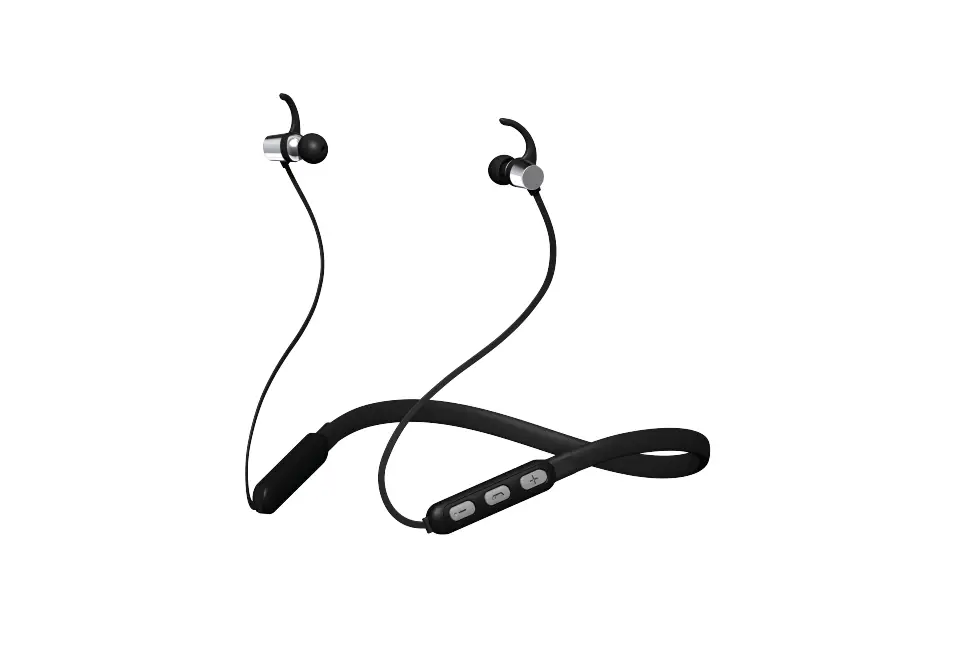
SMTEK Bluestone Travelers EBN2 User Manual
PRODUCT OVERVIEW
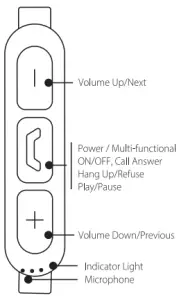
USB Cable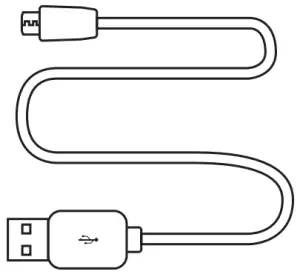
Making and receiving calls
- Answer call _________ Press

- End a call __________ Press
- Reject call _________ Press and hold for 2 seconds
- Redial last call _________ Quickly press 2 times

Listening to music
- Play music ___________ Press
- Pause/resume music __________ Press
- Go to next song __________ Press and hold

- Go to previous song __________ Press and hold

- Power ON/OFF ___________ Press and hold
- Changing the Volume – Press or


CHARGING THE EARBUDS
- These earbuds have an internal rechargeable battery.
- The battery must be fully charged prior to use.
- Charging time is approximately 1 hr.
- Your earbuds cannot be used while being charged.

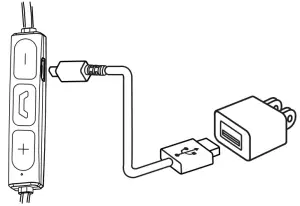
Using the provided Micro USB cable:
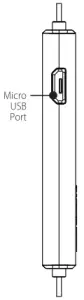
- Connect the Micro USB Cable to the Micro USB Port on the side of the Controller.
- Connect the USB Cable to your USB Port.
PAIRING THE EARBUDS TO YOUR BLUETOOTH DEVICE
- Enable the Bluetooth function on your device.
- Keep the earbuds within 3 feet of your Bluetooth device. (While pairing only)
- Turn on the Bluetooth headphones by pressing the multifunction button for 1 second. (The sound “Power ON” will play through the earbuds while the indicator light flashes.)
- Use your device’s Bluetooth interface to search for the earbuds.
- After approximately 2 seconds “Bluestone EBN2” will appear on your device’s list of pair-able signals.
- Select “Bluestone EBN2” from the list. (The sound “Pairing” will play through the earbuds while the indicator light flashes.) .
- After a successful connection the earbud’s indicator light will flash once every 8 seconds.
FAQ
- In order to save power the earbuds will automatically switch off if no device connection is made within 10 minutes.
- Make sure your device is fully charged before using it for the first time. Your device can not be turned on if battery level is very low.
- Check the connection between your device with phone or computer. If the connection is not established, please reconnect again. And adjust the volume level to a suitable level.
IMPORTANT SAFGUARDS
- Do not use this unit for anything other than its intended use.
- Keep the unit away from heat source, direct sunlight, humidity, water or any other liquid.
- Do not expose the device to extremely high or low temperatures, as it may damage the battery.
- Do not operate the unit if it has been wet or moist to prevent against electric shock and/or injury to yourself and damage to the unit.
- Do not use the unit if it has been dropped or damaged in any way.
- Repairs to electrical equipment should only be performed by a qualified electrician. Improper repairs may place the user at serious risk.
- Keep the unit out of reach of children.
- This unit is not a toy.
BATTERY DISPOSAL This product contains a lithium polymer battery. Lithium polymer batteries are environmentally safe when fully discharged. Please refer to your local and state laws for battery disposal procedures.
©SM TEK GROUP INC, All rights reserved.
BlueStone is a trademark of SM TEK GROUP INC.
New York, NY 10001
www.smtekgroup.com
1 Year Limited Warranty
Please Email [email protected]