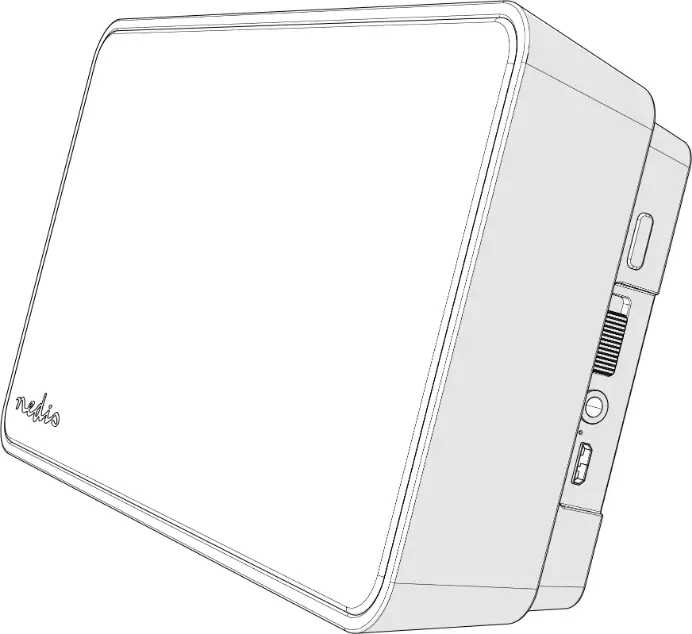
 HW65992WH Bluetooth Audio
Instruction
Function description:
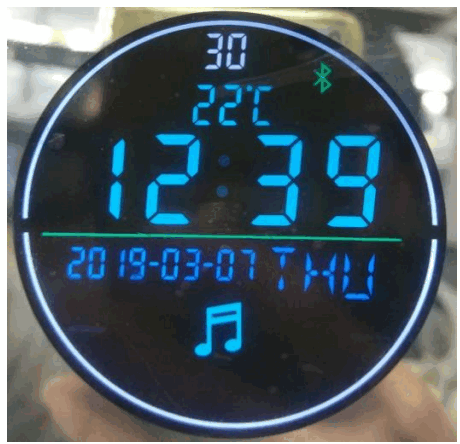
- DC12V input.
- Led light switch, with dimming dark function.
- Connect your phone and USB to play music via Bluetooth.
- LCD working icon and note indication.
- Calendar and temperature display.
Method of operation
 Click on the LED light button to turn off the white LED light and warm LED, click on the third button to turn off the white LED light and warm LED, and then click on the third button to turn on the neutral light (that is, the white LED light and warm LED light together). long-press on this button to adjust the light and dark.
When the LED is turned on, long-press this button to adjust the light continuously, led brightness from 100% to 5%, release and then long press, the LED brightness from 5% to 100%, in turn, cycle Bluetooth and adjust the time button, Single Press on Bluetooth, then Single Press Off Bluetooth to open USB; long press enter adjust the time state:
Long Press 2 seconds digital flicker, Single Press
Increase or
decrease minutes; then press the confirmation minutes and enter the hour, Single Press Increase or decrease in hours; Click again
  Confirm the hours and enter the year of transfer, Single Press Increase or decrease in years; Click again Confirm the year and enter the month of transfer, Single Press Increase or decrease in months; Click again Confirm the month and enter the transfer date, Single Press Date of increase or decrease; Click again Confirm the date and enter the transfer week, Single Press Increase or decrease weeks, Click again Confirm the week and exit the adjustment time status, the normal operation of the time. (Note: Time, date, date, and other digital adjustments and confirmation must be made when the time state, that is, when the number blinks. 4 seconds after the time state is entered, no operation will automatically exit)
 Previous song, volume “+” button, single press previous song, long press to increase volume (Max. 30)
 Next track, volume”-” button, press the music next track, press long to reduce the volume (minimum 0)
 Click on the LED light button to turn off the white LED light and warm LED, click on the third button to turn off the white LED light and warm LED, and then click on the third button to turn on the neutral light (that is, the white LED light and warm LED light together). long-press on this button to adjust the light and dark.
 Bluetooth and adjust the time button, Single Press on Bluetooth, then Single Press Off Bluetooth to open USB; long press enter adjust the time state:
 Increase or decrease in hours; Click again
  Confirm the hours and enter the year of transfer, Single Press
  Previous song, volume “+” button, single press previous song, long press to increase volume (Max. 30)
 Next track, volume”-” button, press the music next track, press long to reduce the volume (minimum 0)
Note: 3,4 Two operations refer to a non-adjustable time state.
Installation Diagram
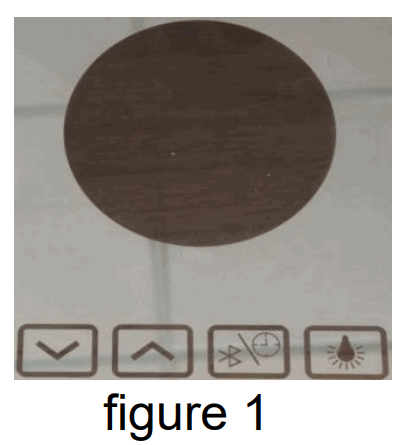
- Lens laser marking icon (figure 1)

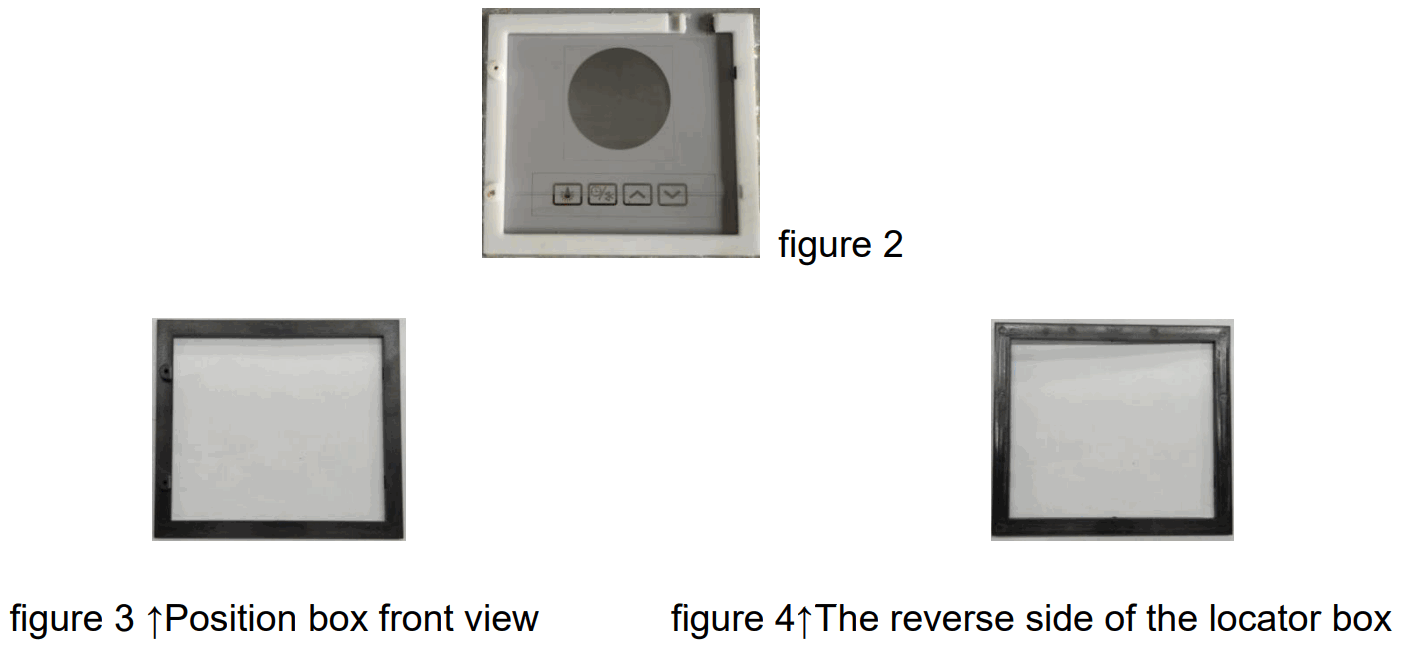
- Fix The positioning frame with neutral glass glue (Fig. 2) ;

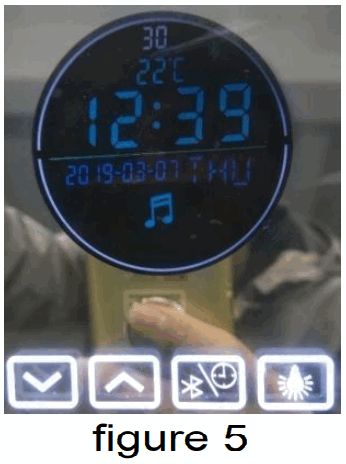
- Location box installation method:
Before installing the locator box, use the locator board to locate it. The positioning plate on the reverse side of the right amount of double-sided adhesive is aligned with the mirror marking position adhesive.
After the positioning plate is pasted to the position, an appropriate amount of glass glue is applied to the reverse side of the positioning frame, and the outer frame of the positioning frame is aligned and pasted on the mirror. SEE FIGURE
Note: The position of the hole on the positioning plate must be consistent with the display of the mirror and the keys to mark the position. - The installation is complete (figure 5)

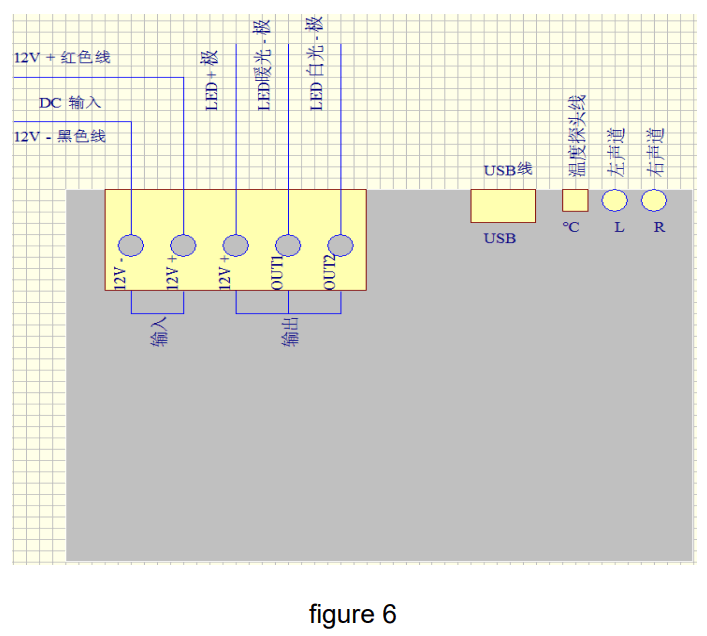
Wiring (figure 6)
- 12V+, 12V- connect to the 12V dc power supply. The power must be more than 10W.
- 12V+, OUT1, and OUT2 are connected with the LED lamp belt; 12V+ is connected to the positive pole of the dual-color LED lamp OUT1 and OUT2 are respectively connected to the warm light and white light negative pole of the dual-color lamp.
- USB interface into the USB cable, you can plug in the U disk to play music.
- Interface, access temperature probe line.
- L and R are connected to Speaker 1 and Speaker 2 respectively.
Electrical parameters:
| Input Voltage | Output voltage | Rated load |
| 12V DC | 12V DC | 2×60W |
Warning: Changes or modifications to this unit not expressly approved by the party responsible for compliance could void the user’s authority to operate the equipment.
Note: This equipment has been tested and found to comply with the limits for a Class B digital device, pursuant to part 15 of the FCC Rules. These limits are designed to provide reasonable protection against harmful interference in a residential installation.
This equipment generates, uses, and can radiate radio frequency energy and, if not installed and used in accordance with the instructions, may cause harmful interference to radio communications. However, there is no guarantee that interference will not occur in a particular installation. If this equipment does cause harmful interference to radio or television reception, which can be determined by turning the equipment off and on, the user is encouraged to try to correct the interference by one or more of the following measures:
— Reorient or relocate the receiving antenna.
— Increase the separation between the equipment and receiver.
— Connect the equipment into an outlet on a circuit different from that to which the receiver is connected.
— Consult the dealer or an experienced radio/TV technician for help.
To maintain compliance with FCC’s RF exposure guidelines, the distance must be at least 20cm between the radiator and your body and fully supported by the operating and installation configurations of the transmitter and its antenna(s).