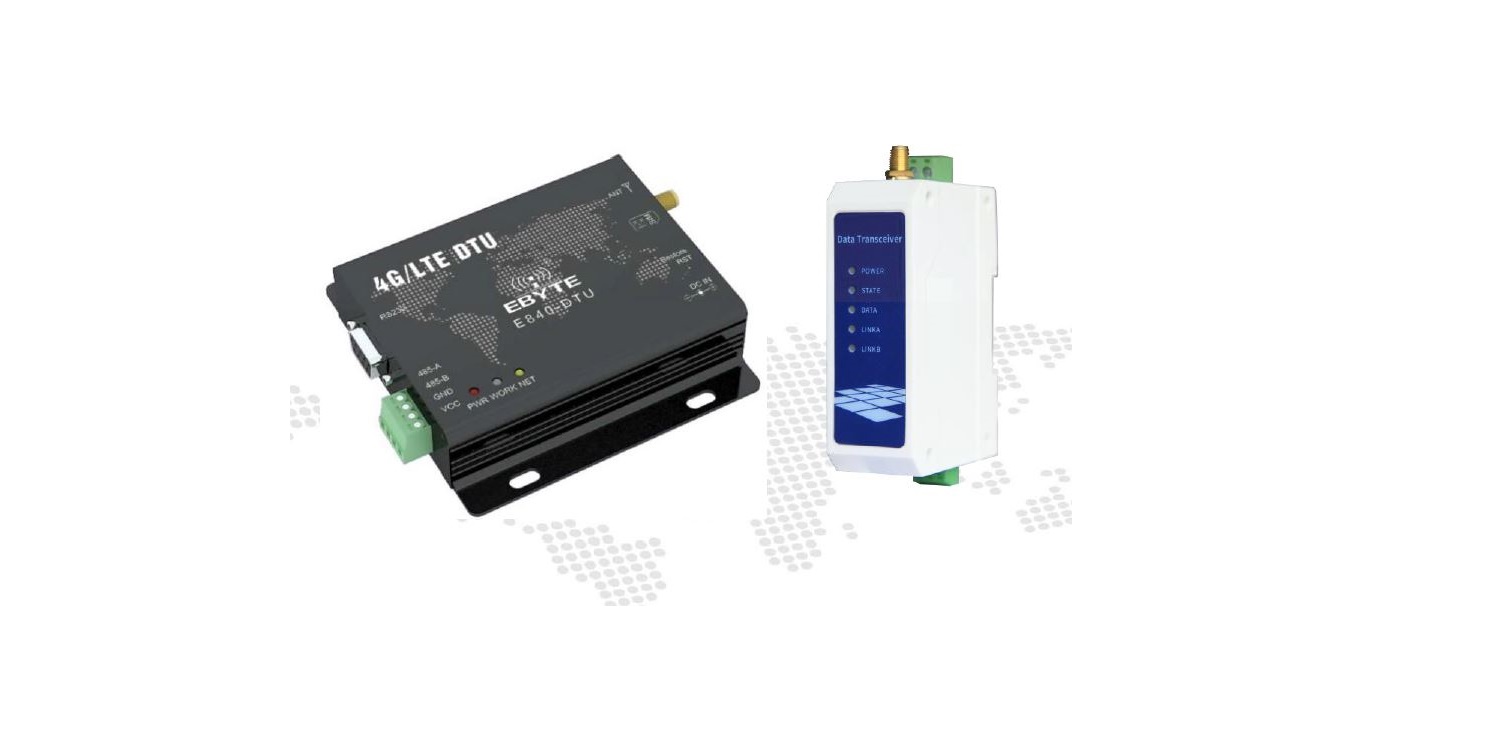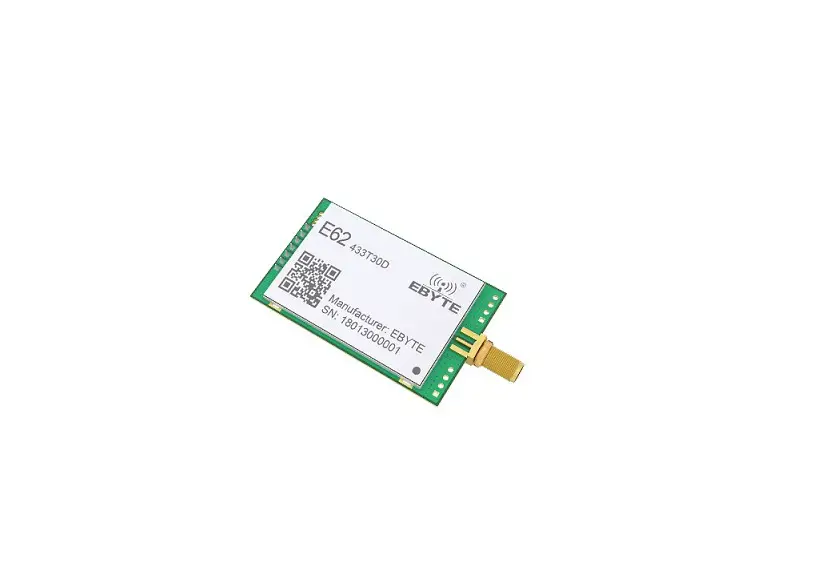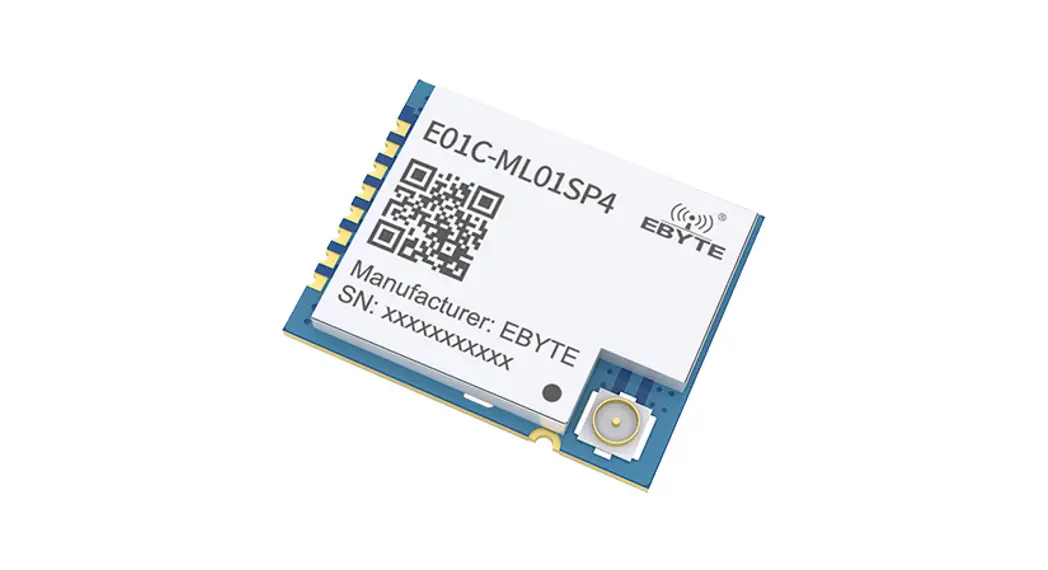

E840-TTL-NB03 User Manual
NB Wireless Module

Chengdu Ebyte Electronic Technology Co., Ltd.
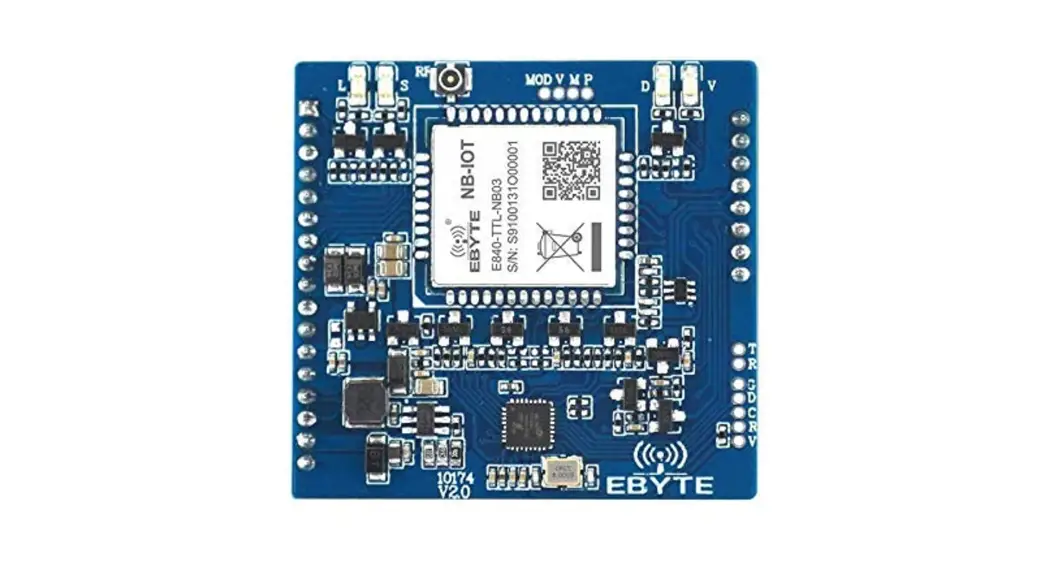
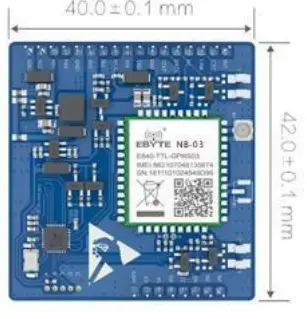
E840-TTL-NB03 is developed for serial port devices and network servers to transmit data through the network. It supports the B8 frequency band. It can be easily set up with simple AT commands. It can be used to realize serial-to-network two-way data transparency transmission. Thi chapter is a quick introduction to the E840-TTL-NB03 product. It is the easiest hardware environment to test the E840-TTL-NB03 network transmission function, that is, realize the two-way transparent transmission of data from the serial device (the computer) to the network server.
Feature
- It meets almost all M2M application needs;
- Support data transparent transmission, support TCP/UDP network protocol, and heartbeat packet and registration package function can be customized;
- Serial port caching is supported. The serial port data can be cached locally before the server is connected;
- The maximum downlink rate of NB data is 85.6 kbps, and the maximum uplink rate is 85.6 kbps;
- Supports protocols such as TCP/UDP, encoding formats CS-1, CS-2, CS-3, and CS-4
Product overview
1.1 Introduction
E840-TTL-NB03 is a NB data transmission module developed by Ebyte. The software is fully functional and covers most common application scenarios. Users can realize two-way data transparency from the serial port to the network server through simple setup transmission.
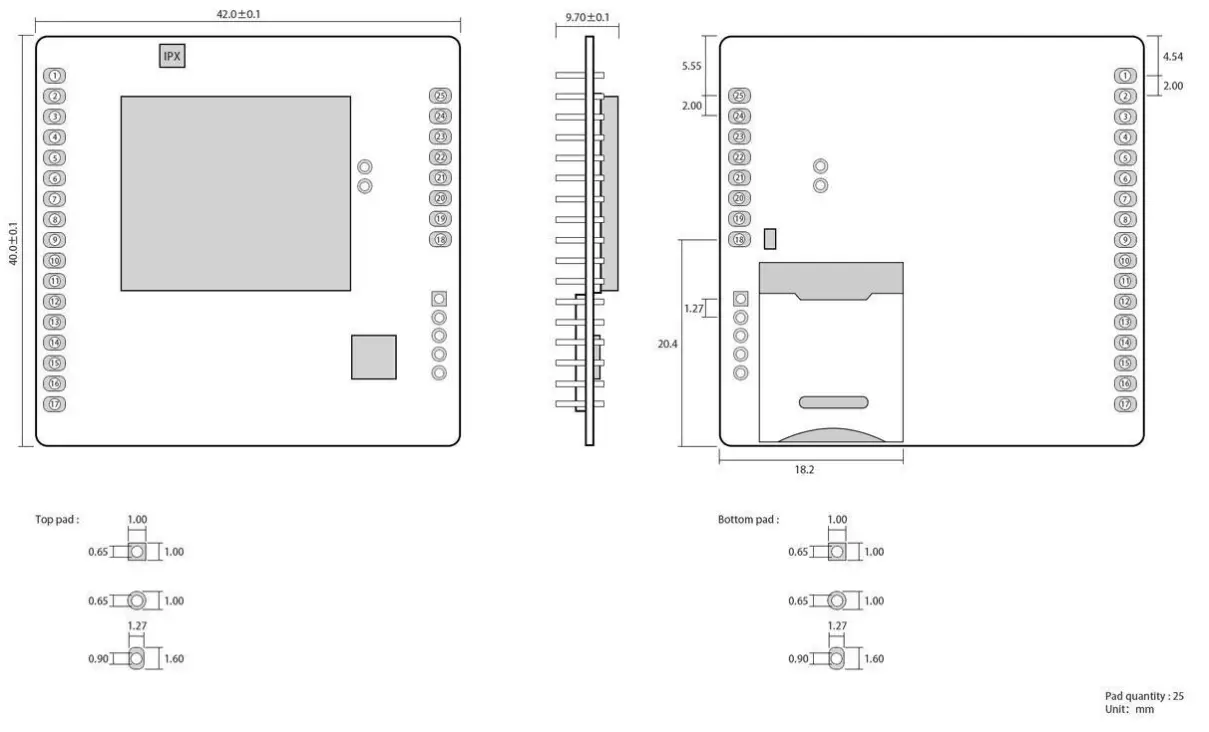
The module uses 2.0mm pin headers to facilitate customer device integration, using a 5V ~ 18V voltage supply. Support mobile NB card, communication, and LED indication with compatible level, default 3.3V can be applied to 5V level, with anti-interference ability, can be used in some environments with strong electromagnetic interference, such as
some power industry.
1.2 Parameter
| Name | Value | Description |
|
Hardware features | Frequency | B8 Module will search frequency automatically |
|
NB data feature | NB data downlink transmission: max 85.6kbps NB data uplink transmission: max 85.6kbps Coding format: CS-1、 CS-2、 CS-3 and CS-4 Support for PAP (Password Authentication Protocol) protocols commonly used for PPP connections Support usually used for CHAP (Interrogation Handshake Authentication Protocol) protocol Embedded protocol: TCP/UDP etc Support for unstructured supplementary data services (USSD) | |
|
Software features | Antenna | IPEX |
| IoT cloud | Ebyte-IOT | |
| Data interface | [email protected], compatible with 5V | |
| Baud rate | Max 230400bps,default 115200bps | |
| Tx power | 23dBm±2dB | |
|
Power saving( typical value) | In power-saving mode, max current consumption:5μA | |
| In power-saving mode, typical current consumption:3.5μA | ||
| Working Temperature | -30℃- +70℃; working at -40℃~+85℃ | |
| Working Voltage | DC:5V~18V; Battery:2.5V~3.6V | |
| Size | 42×40×9.7 mm | |
| SIM | MICRO SIM card |
| 3GPP Frequency | 1 Timeslot | 2 Timeslot | 4 Timeslot |
| CS-1 | 9.05kbps | 18.1kbps | 36.2kbps |
| CS-2 | 13.4kbps | 26.8kbps | 53.6kbps |
| CS-3 | 15.6kbps | 31.2kbps | 62.4kbps |
| CS-4 | 21.4kbps | 42.8kbps | 85.6kbps |
1.3 Interface description
1.4 Pin definition
| Pin no. | Name | Function |
| 1 | RST | Module reset |
| 2 | IORT | The low level lasts for 3~10S, the module parameters will be restored to the factory settings, and will be restarted immediately. |
| 3 | LINK | The link connection status indication pin corresponds to the onboard left 1 LED. High: Successful connection to the webserver; Low: failed to connect to the webserver; |
| 4、24、25 | NC | Not used |
| 5 | DATA | Data transmission and reception indication pin, when the network receives data or the serialport receive data (50ms high/10ms low), corresponding to the onboard third LED light from the left. |
| 6 | STAT | The device status indication pin corresponds to the onboard second LED from the left. |
| Low: The device is powered on to search for SIM card1800ms low, 200ms high: the device checks the correct SIM card and is attaching to the network; High: The device is attached to the network successfully. | ||
| 7 | RXD | Data receiving pin, default 3.3V, compatible with 5V |
| 8 | TXD | Data transmitting pin, default 3.3V, compatible with 5V |
| 9 | VEF | Drive level power supply pin, if you need to achieve 5V serial communication and LED indication is 5V drive level, you need to input 5V level on this pin. |
| 10、11、14、 15、23 | MOD、SLE、 PA6、PA7、EN | Unavailable |
| 12 | 4V2 | Lithium battery power supply pin, power supply range: 2.5V~3.6V. This pin is prohibited from being reversed and is not allowed to be supplied with VCC. |
| 16 | VCC | DC power supply pin, power supply range: 5V~18V. This pin is prohibited from being reversed and is not allowed to be supplied with 4V2. |
| 19 | VD | Connect to external SIM card power supply pin, if the onboard SIM cardholder is used, the pin NC can be used. |
| 20 | RS | Connect to external SIM reset pin, if the onboard SIM card holder is used, the pin NC can be used. |
| 21 | DA | Connect to external SIM data pin, if the onboard SIM card holder is used, the pin NC can be used. |
| 22 | CL | Connect to external SIM clock pin, if the onboard SIM card holder is used, the pin NC can be used. |
| 13、17、18 | GND | Ground |
Quick start
2.1 Hardware preparation
Before testing, please connect the serial port line as per recommended circuit, there are SIM cardss and antennas.
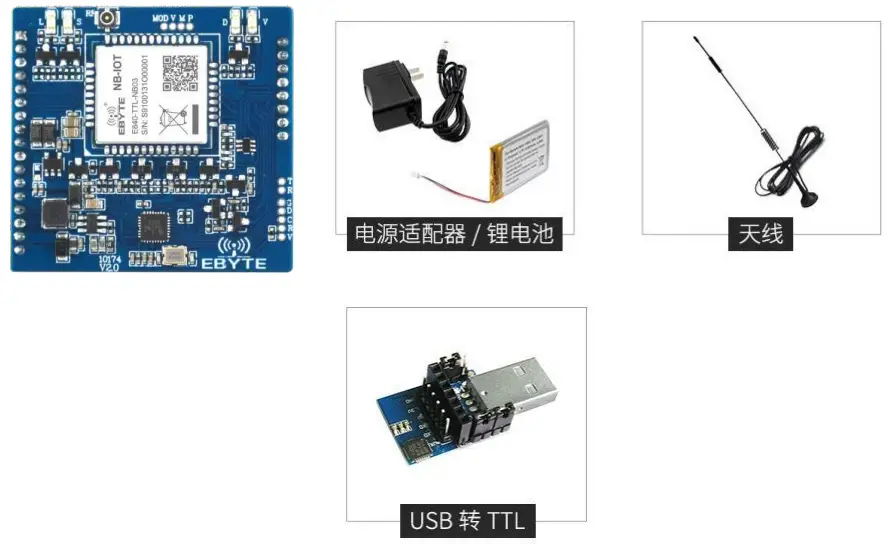
- Enter the AT command mode and send +++ in the serial port assistant (except that +++ does not need to check to send a new line, other AT commands need to tick to send a new line to be valid), you must send +++ command 3s Sending any other AT command (except for restarting the AT command) can completely enter the AT command mode.
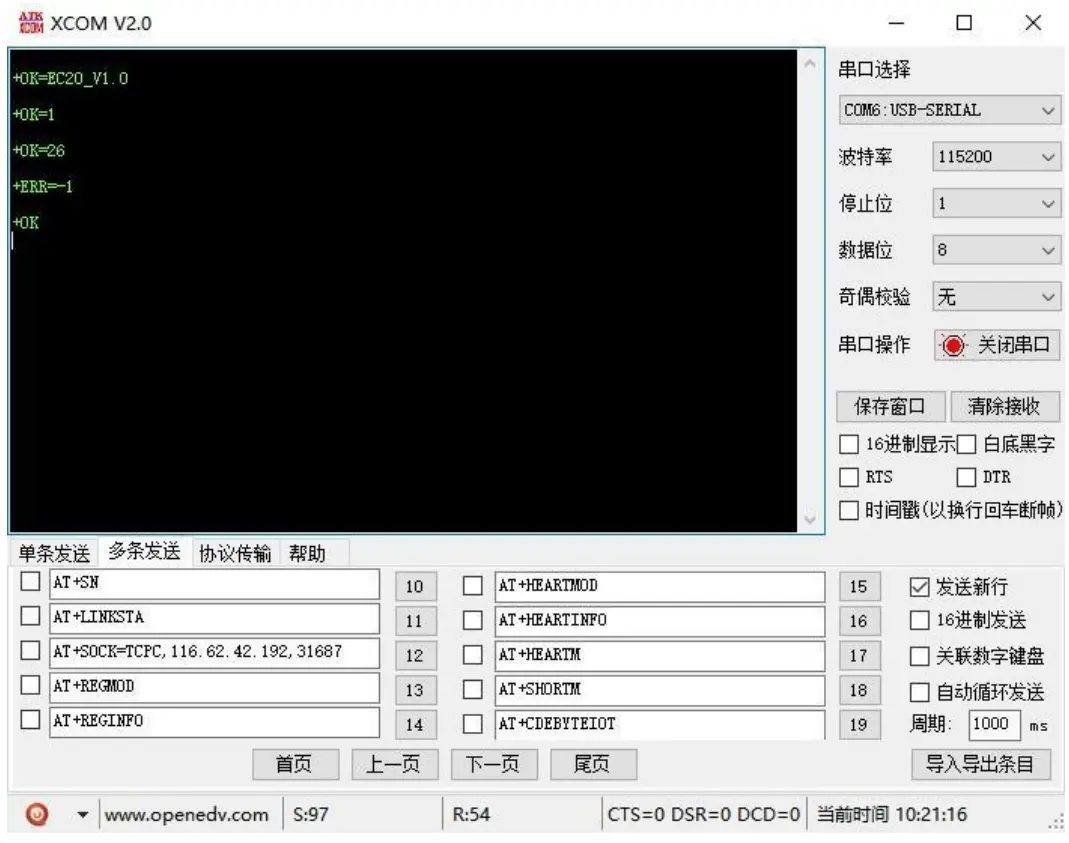
- After entering the AT command mode, use AT+CPIN to check the SIM card access: For example, AT+CPIN +OK=1 Indicates that the SIM card is connected and uses AT+CSQ to view the current signal strength: For example, AT+CSQ+OK=26Indicates that the current signal strength is normal. If the response is 99, the current signal strength is abnormal. Check whether the current antenna is connected or the surrounding base station is abnormal.
- Access server, AT+SOCK=TCPC, 116.62.42.192, 31687 (parameters are separated by commas in English characters, and IP commands are separated by English characters).SOCK settings For example AT+SOCK=TCPC, 116.62.42.192, 31687 +OK Indicates that the setting was successful.
- Restart (all AT commands modify parameters, the device will take effect after restart) After the execution command AT+REBT returns OK, the device restarts immediately. Here, the IP only performs the demonstration. The actual connection is based on the IP of the server to be connected.

- After the base station is connected, the NET light is always on to indicate that the server is connected, and transparent transmission can be performed at this time.

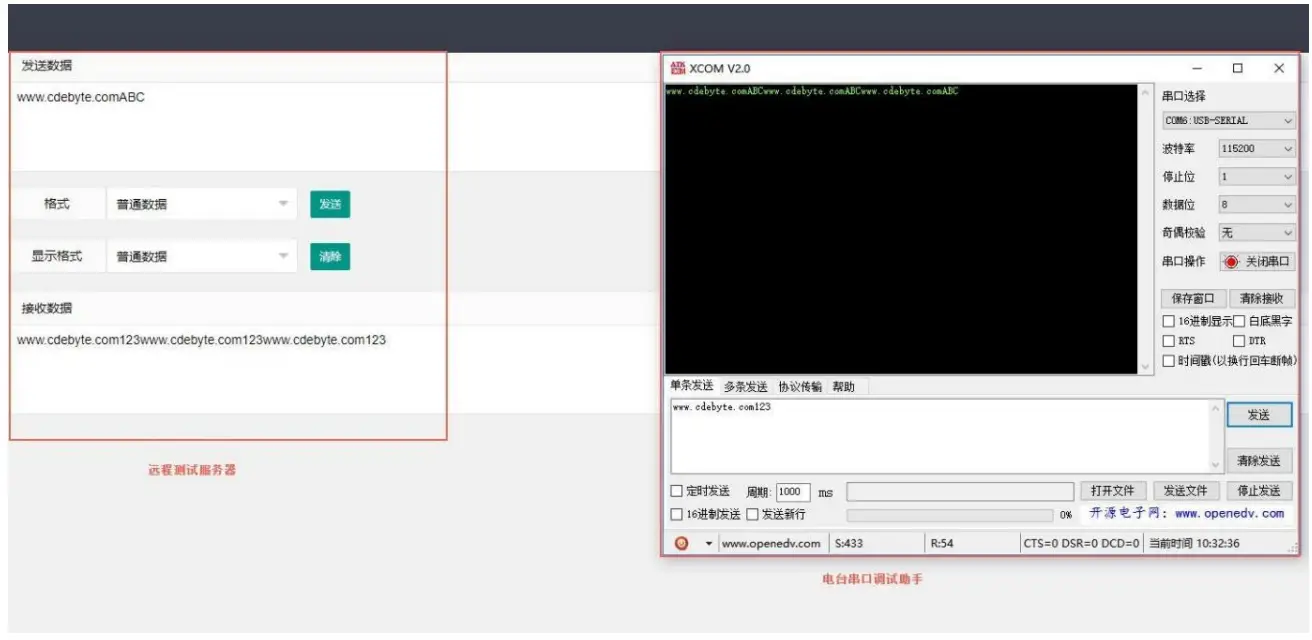
2.2 Data Transmitting Test
Software is needed for data transmitting test:
Xcom is applied here for the test and you can download it at our website. Users can also apply other test tools that are available.
2.2.1 Working mode:
- Working mode: Transparent transmission mode, AT configuration mode, cloud platform mode
a) Transparent transmission mode: After power-on, the module works in the transparent transmission mode by default, and automatically starts the network connection. When the connection is established with the server, any data received by the serial port will be transparently transmitted to the server. At the same time, it can also receive the number from the server. After receiving the server data, the module will output directly through the serial port. The maximum length of data supported by this module is 486 bytes.
This module supports one-way Socket connection. The user can be configured as TCP Client or UDP Client. In transparent transmission mode, the received serial port data will be directly transmitted to the network server and the received network server data will be directly output through the serial port.
b) AT mode: In this mode, the serial port data is regarded as a command.
c) Cloud platform mode: The E840-DTU (NB-03) configuration tool can be used to switch to the cloud platform mode.
After the configuration is completed, the data can be tested. It should be noted that the maximum data of the single package in the cloud platform working mode is 100. , the time interval for sending data packets is not less than 5s.
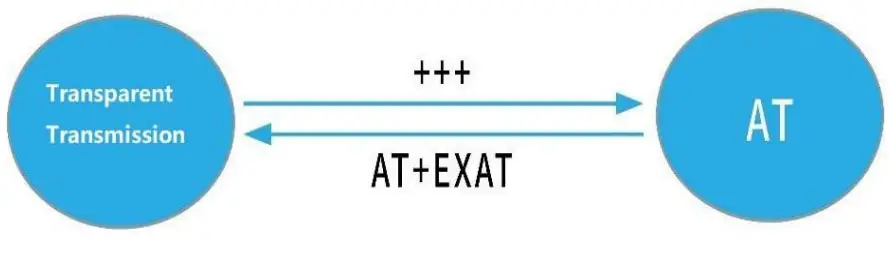
d) Mode switching. After the serial port receives the “+++” frame data in the transparent transmission mode, the RX pin receives any AT command within 3 seconds, and the mode switches to the AT mode. In AT mode, send
AT+EXAT<CR><LF> to switch to transparent transmission mode.
- Network function
a) Short connection: In TCP Client mode, the short connection function is enabled. If there is no data reception in the serial port or network port within the set time, the network connection will be automatically disconnected. The short connection function is turned off by default. The connection time can be set from 2 to 65535 seconds. When set to 0, the short connection function is disabled.
b) Registration packet: The registration packet is closed by default. A total of 4 options are: send the physical address when connecting, send custom data when connecting, add physical address before each packet of data, add custom data before each packet of data, customize The maximum length of the registration packet is 40 bytes (when set to HEX format, the maximum length is 20 bytes).
c) Heartbeat packet: In the idle state of network communication, the heartbeat packet is used for network state maintenance. The heartbeat period can be set from 0 to 65535 seconds, and the maximum length of the heartbeat packet is 40 bytes (when set to HEX format, the maximum length is 20 bytes). Supports two heartbeat types, network heartbeat, serial heartbeat, select network heartbeat, starts timing with communication idle, and sends heartbeat packets to the server according to the configured heartbeat period. Select the serial port heartbeat, start timing with communication idle, and send heartbeat packets to the serial port according to the configured heartbeat period.
d) Clear the cache: Before the connection to the server is established, the data received by the serial port will be cached. When the connection with the server is established, you can choose whether to clear the cached data. By default, the cache is cleared.
The maximum packet length of the local cache is 512 bytes. - Ebyte Internet of Things platform function
After the AT+EBTIOT command is used to set whether the module will enable the transparent transmission function of the Ebyte cloud platform, after the device is turned on, the information such as the heartbeat and registration packet configured by the user will be invalid. The user only needs to set the forwarding relationship of the corresponding device to the platform to implement the device. Data is transparent. For specific operations, please refer to the “Ebyte Special Cloud Platform Transparent Transmission Guide”.
AT Command
a) Command format: AT+<CMD>[op][ para1, para2, para3,…]<CR><LF>
AT+: Command prefix
CMD: Control command
[op]: “=” Parameter configuration
“NULL” Parameter query
[para-n]: List of parameters, can be omitted
<CR><LF>: Line Feed,ASCII 0x0D 0x0A
b) Command error code:
| Error code | Description |
| -1 | Invalid command format |
| -2 | Invalid command |
| -3 | Invalid operator |
| -4 | Invalid parameter |
| -5 | Operation not allowed |
c) Command set:
| Command | Description |
| REBT | Restart |
| VER | Query version number |
| INFO | Query device information |
| EXAT | Exit AT command mode |
| RESTORE | Restore factory settings |
| UART | Set/query serial port parameters |
| UARTCLR | Set/Query whether to clear the serial port cache before connecting |
| MAC | Query MAC address |
| IMEI | Query IMEI |
| SN | Set/query SN code |
| LINKSTA | Query the SOCK connection status |
| SOCK | Set/query SOCK parameters |
| REGMOD | Set/Query Registration Packet Mode |
| REGINFO | Set/Query User Registration Packet information (ASCII) |
| REGINFONEW | Set/Query User Registration Packet information (HEX) |
| HEARTMOD | Set/query heartbeat packet mode |
| HEARTINFO | Set/Query User Heartbeat Packet information (ASCII) |
| HEARTINFOEW | Set/Query User Heartbeat Packet information (HEX), Supporting index |
| HEARTM | Set/query heartbeat time |
| SHORTM | Set/query short connection time |
| CDEBYTEIOT | Set/query the IP and port address of the Ebyte IoT cloud platform |
| EBTIOT | Set/query the Ebyte IoT cloud platform enable |
| CREG | Query whether to register to the network |
| CSQ | Query signal strength |
| CPIN | Query SIM card status |
| LBS | Query LAC & CID code |
| RSTIME | Set/query reset time |
d) Command details:
AT+REBT
Function: Restart the device.
Format: Set
Send: AT+REBT<CR>
Return: <CR><LF>+OK<CR><LF>
Para:
None
Note: After the command is executed correctly, the device restarts immediately and enters the transparent transmission mode after restarting.
AT+VER
Function: Query firmware version.
Format: Set
Send: AT+VER<CR><LF>
Return: <CR><LF>+OK=<ver><CR><LF>
Para:
ver firmware versin
Note: None
AT+INFO
Function: Query device type and version information
Format: Set
Send: AT+INFO<CR><LF>
Return: <CR><LF>+OK=<mod_name>,<hw_ver>,<sw_ver><CR><LF>
Para: mod_name Device name
hw_ver
Hardware version
sw_ver
Software version
Note: None
AT+EXAT
Function: Exit command mode and enter transparent transmission mode.
Format: Set
Send: AT+EXAT<CR><LF> Return:
<CR><LF>+OK<CR><LF>
Para:
None
Note: After the command is executed correctly, the device switches from command mode to transparent transmission mode.
AT+RESTORE
Function: Restore factory settings.
Format: Set
Send: AT+RESTORE<CR><LF>
Return: <CR><LF>+OK<CR><LF>
Para: None
Note: None
AT+UART
Function: Set/Query UART parameters.
Format: Query
Send: AT+UART<CR>
Return: <CR><LF>+OK=<baudrate>,< parity ><CR><LF>
Set
Send: AT+UART=<baudrate>,< parity ><CR><LF>
Return: <CR><LF>+OK<CR><LF>
Para:
baudrate, can be configured to: 9600, 19200, 38400, 57600, 115200, 230400, 460800, 921600.
Parity Parity bit NON
E No Check EVEN Even check ODD Odd check
Note: None
AT+UARTCLR
Function: Set/Query whether to clear the serial port cache before connecting.
Format: Query
Send: AT+ UARTCLR <CR>
Return: <CR><LF>+OK=< sta ><CR><LF>
Set
Send: AT+ UARTCLR =< sta ><CR>
Return: <CR><LF>+OK<CR><LF>
Para:
sta status
ON Clear the serial port cache before connecting
OFF Don’t clear the serial port cache before connecting
AT+IMEI
Function: Query device IMEI.
Format: Query
Send: AT+IMEI<CR>
Return: <CR><LF>+OK=<imei><CR><LF>
Para:
imei Device IMEIcode
AT+SN
Function: Set/Query SN.
Format: Query
Send: AT+SN<CR>
Return: <CR><LF>+OK=<sn><CR><LF>
Set
Send: AT+SN=<sn><CR>
Return: <CR><LF>+OK<CR><LF>
AT+LINKSTA
Function: Query whether the TCP link has been established.
Format: Query
Send: AT+LINKSTA<CR>
Return: <CR><LF>+OK=<sta><CR><LF>
Para:
Sta Connect(TCP Connected) / Disconnect(TCP Disconnected)
AT+SOCK
Function: Set/Query network protocol parameter format.
Format: Query
Send: AT+SOCK<CR>
Return: <CR><LF>+OK=<protocol>,<ip>,< port ><CR><LF>
Set
Send: AT+SOCK=<protocol>,<ip>,< port ><CR>
Return: <CR><LF>+OK<CR><LF>
Para:
protocol TCPC / UDPC
TCPC: TCP client
UDPC: UDP client
ip The IP address or domain name of the target server
port Server port number, in decimal, less than 65535.
AT+REGMOD
Function: Set/Query registration packet mechanism.
Format: Query
Send: AT+REGMOD<CR>
Return: <CR><LF>+OK=<status><CR><LF>
Set
Send: AT+REGMOD =<status><CR>
Return: <CR><LF>+OK<CR><LF>
Para:
status Registration packet mechanism
EMBMAC Add MAC/IMEI as registration packet data before each packet sent to the server
EMBCSTM Add user registration packet data before each packet sent to the server
OLMAC
Send a MAC/IMEI registration packet only when connecting to the server at the first
time
OLCSTM
Send a user registration packet only when connecting to the server at the first time
OFF
Registration packet mechanism off
AT+REGINFO
Function: Set/Query the contents of the user registration packet.
Format: Query
Send: AT+ REGINFO <CR>
Return: <CR><LF>+OK=<data><CR><LF>
Set
Send: AT+ REGINFO =<data><CR>
Return: <CR><LF>+OK<CR><LF>
Para:
data Less than 40 bytes ASCII code
AT+REGINFONEW
Function: Set/Query the contents of the user registration packet.
Format: Query
Send: AT+ REGINFONEW<CR>
Return: <CR><LF>+OK=<type>,<data><CR><LF>
Set
Send: AT+ REGINFONEW =<type>,<data><CR>
Return: <CR><LF>+OK<CR><LF>
Para:
type
0 registration packet is HEX
1 registration packet is ASCII code
data
Less than 40 bytes ASCII code, when the registration packet type is HEX, the content must be in the
legal HEX format and the length must be an even number
AT+HEARTMOD
Function: Set/Query heartbeat packet mode.
Format: Query
Send: AT+ HEARTMOD<CR>
Return: <CR><LF>+OK=<mode><CR><LF>
Set
Send: AT+ HEARTMOD=<mode><CR>
Return: <CR><LF>+OK<CR><LF>
Para: mode
NET Network heartbeat packet
UART UART heartbeat packet
AT+HEARTINFO
Function: Set/Query heartbeat packet data.
Format: Query
Send: AT+ HEARTINFO<CR>
Return: <CR><LF>+OK=<data><CR><LF>
Set
Send:AT+ HEARTINFO=<data><CR>
Return: <CR><LF>+OK<CR><LF>
Para:
data Less than 40 bytes ASCII code
AT+HEARTINFONEW
Function: Set/Query heartbeat packet data.
Format: Query
Send: AT+ HEARTINFONEW<CR>
Return: <CR><LF>+OK=<type>,<data><CR><LF>
Set
Send: AT+ HEARTINFO=<type>,<data><CR>
Return: <CR><LF>+OK<CR><LF>
Para:
type
0 Heartbeat packet data is HEX
1 Heartbeat packet data is ASCII code data
Less than 40 bytes ASCII code, when the registration packet type is HEX, the content must be in the legal HEX format and the length must be an even number
AT+HEARTM
Function: Set/Query heartbeat packet time.
Format: Query
Send: AT+ HEARTM <CR>
Return: <CR><LF>+OK=<time><CR><LF>
Set
Send: AT+ HEARTM =<time><CR>
Return: <CR><LF>+OK<CR><LF>
Para:
time
Heartbeat time 0 OFF, range 1~65535 seconds
AT+SHORTM
Function: Set/Query short connection time.
Format: Query
Send: AT+ SHORTM<CR>
Return: <CR><LF>+OK=<time><CR><LF>
Set
Send: AT+ SHORTM=<time><CR>
Return: <CR><LF>+OK<CR><LF>
Para:
time
Short connection time 0 OFF, range 2~65535 seconds
AT+ CDEBYTEIOT
Function: Set/Query the IP and port address of the Ebyte IoT cloud platform.
Format: Query
Send: AT+ CDEBYTEIOT<CR>
Return: <CR><LF>+OK=<ip>,<port><CR><LF>
Set
Send: AT+ CDEBYTEIOT=<ip>,<port><CR>
Return: <CR><LF>+OK<CR><LF>
AT+EBTIOT
Function: Set/Query Ebyte IoT platform.
Format: Query
Send: AT+EBTIOT <CR>
Return: <CR><LF>+OK=<ctrl><CR><LF>
Set
Send: AT+EBTIOT =<ctrl><CR>
Return: <CR><LF>+OK<CR><LF>
Para:
ctrl Ebyte IoT platform switch ON Turn on / OFF Turn off
Note: After the IoT cloud function is enabled, the device is automatically connected to the Ebyte IoT platform, ignoring
the sock configuration and registration packet, heartbeat packet function.
AT+CSQ
Function: Query signal strength.
Format: Query
Send: AT+CSQ<CR><LF>
Return: <CR><LF>+OK=<csq><CR><LF>
Para:
csq signal strength
Note: None
AT+CREG
Function: Query whether to register to the operator network.
Format: Query
Send: AT+CREG<CR><LF>
Return: <CR><LF>+OK=<creg><CR><LF>
Para:
creg
1 Registered to the network
0 Not registered to the network
Note: None
AT+CPIN
Function: Query SIM card status.
Format: Query
Send: AT+CPIN<CR><LF>
Return: <CR><LF>+OK=<cpin><CR><LF>
Para:
cpin
1 SIM card detected
0 No SIM card detected
Note: None
AT+LBS
Function: Query LAC & CID code.
Format: Query
Send: AT+LBS<CR><LF>
Return: <CR><LF>+OK=<lac><cid><CR><LF>
AT+RSTIME
Function: Set/Query reset time.
Format: Query
Send: AT+RSTIME<CR><LF>
Return: <CR><LF>+OK=<rstime><CR><LF>
Set
Send: AT+RSTIME=<rstime><CR><LF>
Return: <CR><LF>+OK<CR><LF>
Notes
- The Socket link of this device will always be opened. After the initialization is successful, it will automatically establish a connection with the configured network server.
- After the device is powered on, it cannot be initialized successfully. That is, the “state” indicator has no indication for more than 30 seconds. In this case, check whether the module is installed properly, whether the SIM card is properly inserted, and whether the SIM has been invalid.
- The short connection feature can be used to reduce the connection pressure of multiple devices to the server. After the short connection function is enabled (AT+SHORTM>2), when the network or serial port has no data for more than the short connection setting cycle, the device will actively disconnect the connection. After disconnection, the network cannot send data. When the serial port sends valid data, the device will immediately establish a connection with the server. If the local clear cache function is turned off, the current packet will be cached (up to 10K bytes). After the connection is successful, the data will be sent to the server. If the clear local cache function is enabled, the packet will be discarded.
- The heartbeat function is used to maintain the state after the device and the server is successfully connected. Because if the client and the network server successfully establish a connection and there is no data transmission for a long time, the Socket link may be “dead”, that is, the link exists, but cannot send or receive data. Therefore, in actual use, it is recommended to enable the heartbeat packet function to ensure the reliability of the network link.
- In actual use, it is normal that there is a different data delay of two communications.
- When the device serial port outputs the words “pdp error, device will be reset!”, it indicates that the PDP context is disabled by the network. Maybe the SIM card is loose or the current network channel is occupied abnormally.
Important Statement
- Ebyte reserves the right of final interpretation and modification of all the contents of this manual.
- As the hardware and software products continuously improve, this manual may be subject to change without notice, please refer to the latest version.
- Everyone is responsible for protecting the environment: to reduce the use of paper, we only provide electronic documents of the English manual, if necessary, please go to our official website to download.
Revision history
| Version | Date | Specification | Issued by |
| 1.1 | 2019-05-30 | Initial version | Blue |
| 1.2 | 2019-07-05 | Revised version | Lyl |
| 1.3 | 2020-04-15 | Revised version | du |
| 1.4 | 2021-05-26 | Revised version | HLL |
About Us
Ebyte after-sales technical support:[email protected]
For file download and more product information, please visit:www.ebyte.com
Any questions or suggestions, please contact:[email protected]
Tel:028-61399028
Fax:028-64146160
Website:www.cdebyte.com/en/
Address: Innovation Center B333-D347, 4# XI-XIN Road, Chengdu, Sichuan, China
Chengdu Ebyte Electronic Technology Co., Ltd.
Manual
E840-TTL-NB03 User
Copyright ©2012–2019, Chengdu Ebyte Electronic Technology Co.,Ltd.