

General Electrical Touch XIANZONEGET All In One Device
SAFETY INSTRUCTIONS
Before using the device, please read and keep the following instructions for future reference.
- Please follow the device’s user manual’s instructions.
- Make sure that the local power supply meets the power requirements of the display.
- Do not block the vent at the back of the monitor, and make sure there is enough space around the monitor to dissipate heat.
- Do not open the cover. Damage caused by improper use is not covered by the warranty.
- Our company’s software products are protected by copyright. Unauthorized reproduction is not allowed.
During installation and use, please observe the following points: - Do not place the product in the sun, strong reflection will interfere with the user’s experience when watching content on the display. And it will cause errors in temperature measurement.
- Do not install near any heat source, such as radiator, heater, furnace or any other product (including loudspeaker) that may generate heat.
- Do not install the monitor on an unstable, tilting or shaking platform or cart. It can cause the monitor to fall, harm people around it and damage the monitor itself. We recommend consulting professionals to ensure the safety of the monitor.
- Always observe all warning and instruction labels on the display
- Do not install the monitor in a closed environment
- If you want to install the monitor on an embedded wall mounted wall, make sure there is enough space around the monitor to ensure good ventilation and avoid operating at abnormal temperatures.
- Avoid excessive pressure or temperature changes as special materials in the display can cause cracks, scratches or damage.
- When the monitor is powered on, do not cover or block any vents in the monitor. It is recommended to clean the ventilation holes of the monitor regularly to ensure heat dissipation
- Keep candles or other flammable materials away from the display area to avoid the risk of fire.
- Do not insert fingers or other objects between the monitor and its base or adjacent area, so as not to hurt yourself or damage the monitor.
Product overview
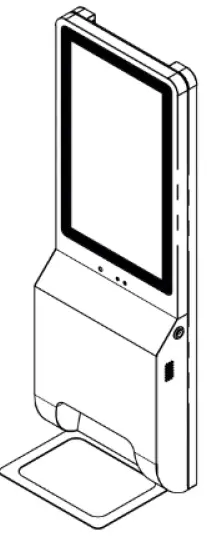
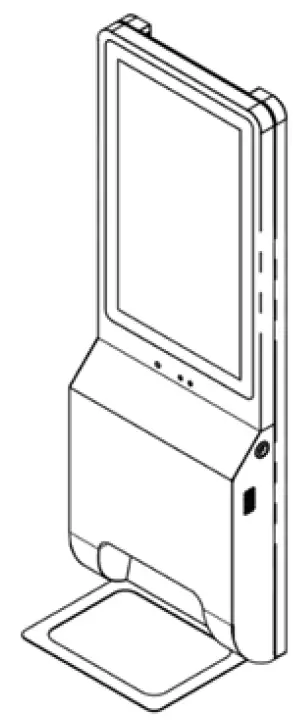
(Shown for reference, to correspond to the actual product Num kind)
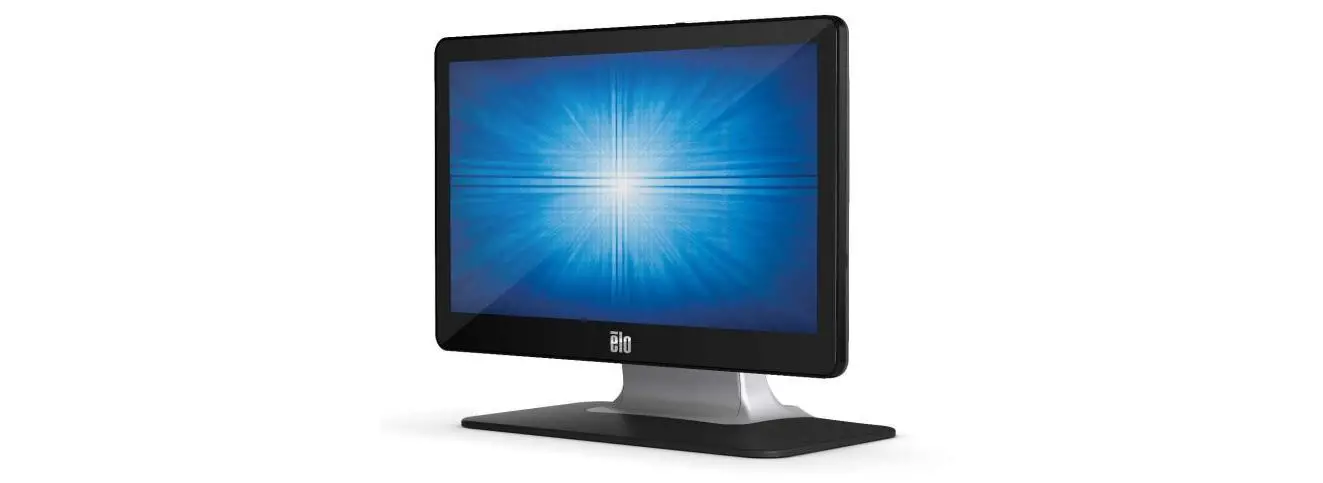
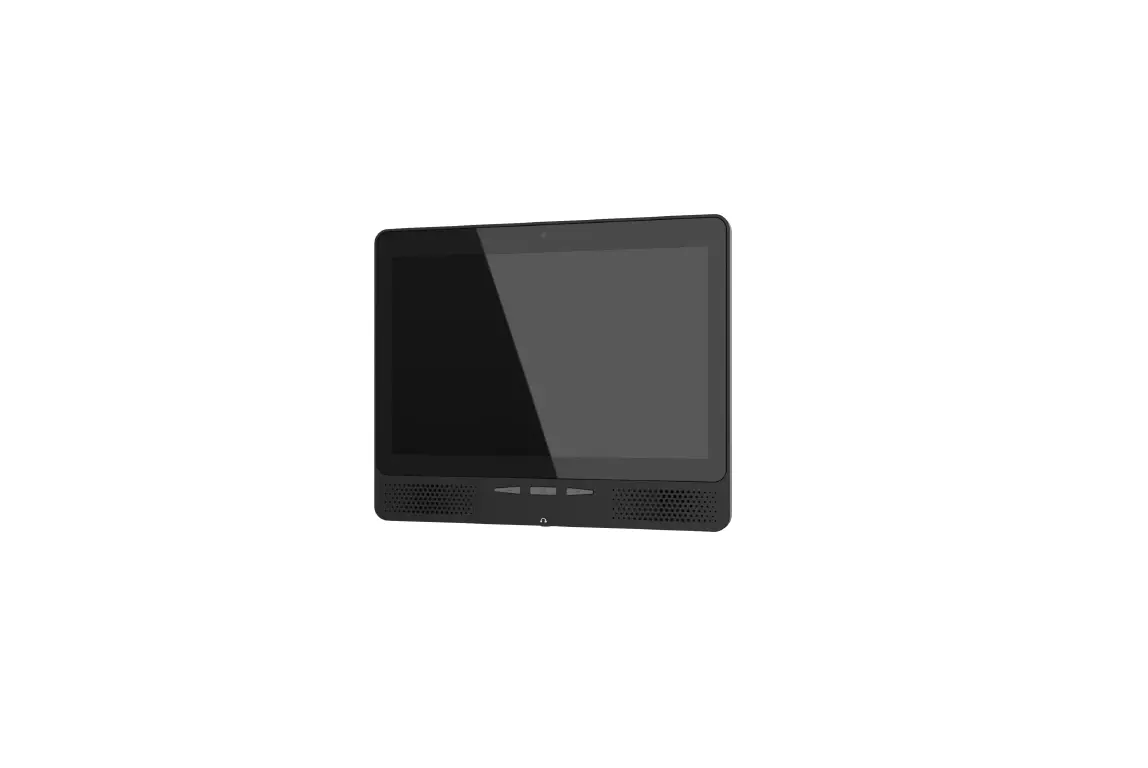
This product is a high-capacity exists for face recognition application process, high-performance, wide application, can be customized and so demand, the introduction of a hardware intelligent face recognition, face recognition algorithms can be combined, without the user together to achieve in vivo detection, face recognition dynamic, to provide users with a safe environment The product is based on Rock chip RK3399, dual-core Cortex-A72 (2.0 GHz) and quad-core Cortex-A53 application processor (1.4GHz), 200W RGB + IR binocular camera, supports BT, WIFI + Gigabit networking, and provides abundant peripherals interfaces of security, access management control to meet the needs.
The product is suitable for office areas, hotels, access gates, office buildings, schools, shopping malls, shops, communities, public services and management projects that require face recognition.
Features
 High performance
Dual camera
Distance sensitive Disinfect
4G Network Security Interface
Multi Installations
| No. | Feature | Content |
| 1 | Performance | Combined with face recognition algorithms, support 10,000 face base library. |
| 2 | Algorithm | Supports autonomous porting of algorithms, tested by domestic top AI algorithm manufacturers. |
| 3 | Speed | Combines face recognition algorithms to complete face recognition at high speed. |
| 4 | Anti-counterfeiting | Binocular face recognition, support infrared live detection. |
| 5 | Interaction | Using TOF human body detection, 21.5-inch ultra-clear touch screen + sound |
| 6 | Environment | Super strong environmental adaptability, under low light and strong backlight, it has a good performance. |
| 7 | Stable | Android or Linux, server-level stability. |
| 8 | 4G | 4G module can be built in( optional) |
| 9 | Dispark | Provide SDK to meet the secondary development needs of SI / ISV vendors. |
| 10 | RF function | WiFi: Frequency Range:2412Mhz~2462Mhz, 2412Mhz~2472Mhz maximum output power.0.035W Bluetooth: 5.0 Frequency Range: 2402Mhz~2480Mhz maximum output power.0.004W |
Performance Specifications
| Classification | Project | Parameter Description | |||||
| Device host | Equipment shell | Metal materials | |||||
| Operating system | Android 7.1 | ||||||
| Processor | RK3399 Dual Cortex-A72 + Quad Cortex-A53 Core Structure 64-bit CPU, | ||||||
| Internal storage | 4GB Storage: 16G | ||||||
| Display | 21.5 “resolution 1920*1080 | Touch screen | 21.5″multi-point capacitive touch screen | ||||
|
Interface | Ethernet | 10/100/1000Mbps | |||||
| WIFI | Support | Bluetooth | V4.0 | ||||
| Data interface | USB2.0*1 | ||||||
| Microphone | x1 | Sound | Horn3W*1 | ||||
| Power interface | 110~240V power supply | Button | Infrared induction disinfection | ||||
| Relay interface | *1 | Access control interface | *1 | ||||
|
Working environment | Operating temperature | -0℃ ~ +50℃ | Storage temperatu re | -10℃ ~ +60℃ | |||
| Working humidity | 20%-90%N on-condensing | Machine power consumption | Max <35w | ||||
Protection class | Front IP55 | Timing switch | Support | ||||
| ESD | ±4kV contact;±8kV air | ||||||
|
Features | Equipment tampering | Tamper remind | Human detection | Infrared distance detection | |||
| voice | Voice broadcast temperature | ||||||
| Video | RGB camera | 200 W wide dynamic | |||||
| Infrared camera | 200 W | ||||||
| Optional | IC card | NFC(ISO14443A;ISO14443B Contactless IC card)(optional) | |||||
| Algorithm | Live detection、 Face recognition | ||||||
| Upright | Gate installation | ||||||
| GPS | optional | ||||||
| Stand | Installation of stand bracket | ||||||
Product List
Serial number | Content | Quantity |
| 1 | Host | *1 |
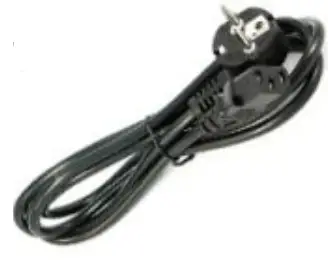
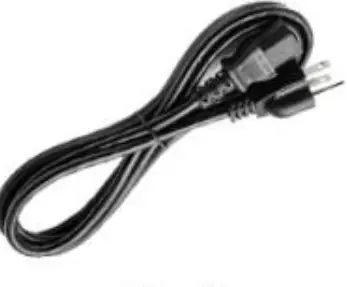
| 2 | AC cable(Euro code & US Code) | *2 |
| 3 | WIFI antenna | *1 |
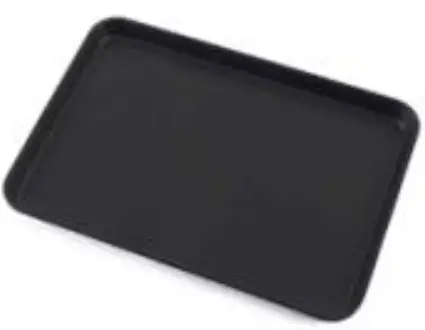
| 4 | Tray | *1 |
| 5 | Install the screw pack | *4 |
| 6 | Remote control | *1 |
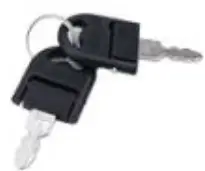
| 7 | Keys | *2 |
| 8 | Operating instruction( Certificate of conformity, product warranty card) | *1 |
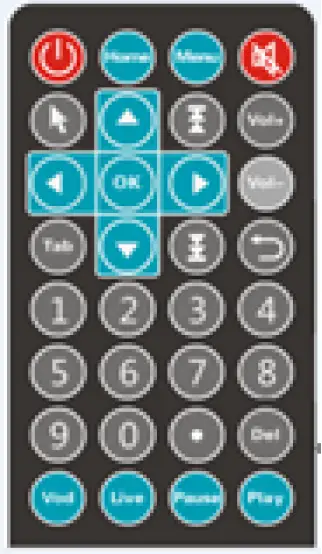
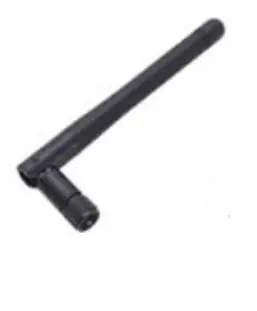
- WIFI antenna

- EU Cable

- US Cable
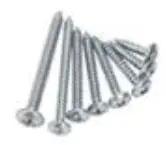
- Wall Screws

- Keys

- Tray
Product structure
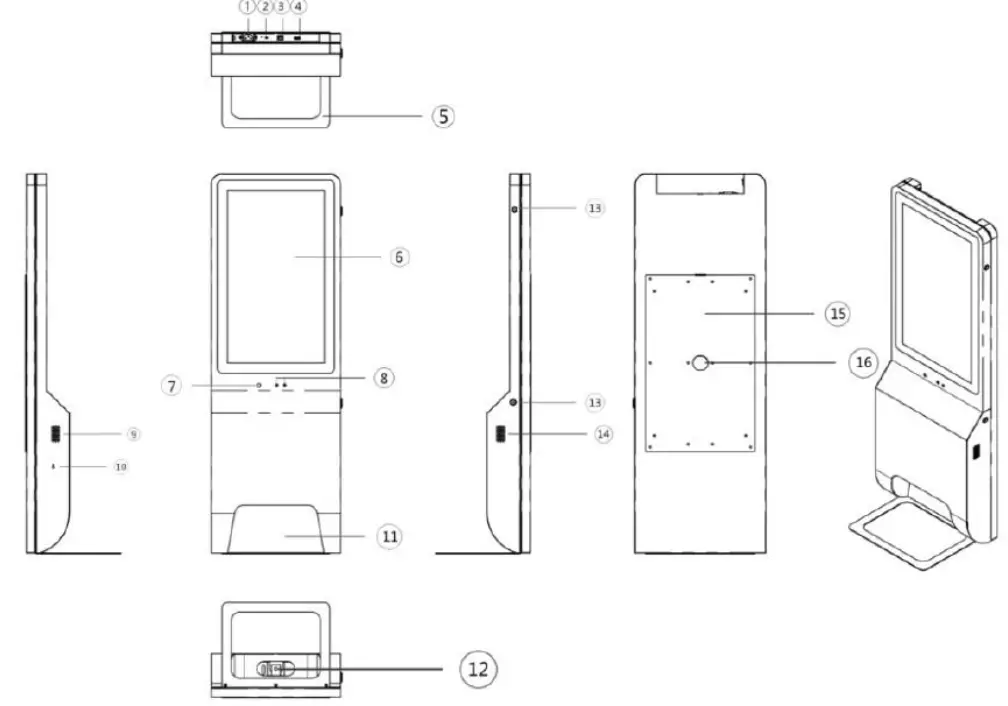
(Structural Representation)
Component number | Instructions |
| 1 | AC110~240V Power input |
| 2 | WIFI antenna |
| 3 | RJ45 |
| 4 | USB |
| 5 | Tray support |
| 6 | Capacitive touch screen |
| 7 | Thermal imaging sensor |
| 8 | Face recognition camera |
| 9 | Loudspeaker holes |
| 10 | Remote control receiving head |
| 11 | Position of hand |
| 12 | Sterilizing liquid outlet |
| 13 | Lock |
| 14 | Loudspeaker holes |
| 15 | Wall mounted panel |
| 16 | Reserved cable holes for access control, etc |
Relay module specifications and operation instructions
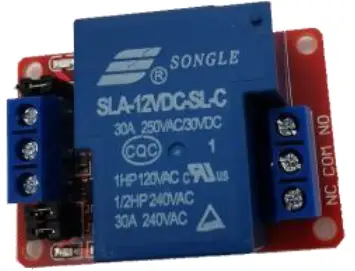
Module description:
- The module adopts genuine high-quality 30A relay, with the maximum load of normally open interface: AC 250V / 30a, DC 30V / 30A;
- It adopts SMD optocoupler isolation, strong driving ability, stable performance, trigger current 5mA;
- Module working voltage 12V;
- Module can set high level or low level trigger through jumper
- The power on jumper of the control terminal voltage and the trigger terminal voltage of the relay can achieve complete isolation of the front and rear stages, and can meet the requirements of different voltages of the front and rear stages (for example, 12V for the relay and 5V for the trigger);
- Fault tolerant design, even if the control line is broken, the relay will not act;
- Power indicator (green), relay status indicator (red)
- The interface design is humanized, and all interfaces can be directly led out through the wiring terminal, which is very convenient
Technical parameters
Relay version | static current | maximum current | trigger current | trigger voltage (low) | trigger voltage (high) |
| 12V | 5mA | 80mA | 2-4mA | 0-4V | 4.5-12V |
Module interface description:
- DC +: module DC supply positive (trigger terminal voltage positive)
- DC-: module DC power supply negative pole (trigger terminal voltage negative pole)
- In: signal trigger terminal (default trigger voltage is the same as power supply)
- JD +: control terminal voltage positive pole of relay
- JD -: negative voltage of relay control terminal
- DC + and JD + are short-circuited with jumper caps, DC – and JD – are short-circuited with jumper caps, and the trigger end has the same voltage as the relay control end
- Normally closed port(NC): relay normally closed port
- Common port (COM): relay port
- Normally open port (NO): relay normally open port
Usage method
The following details the principle and use of the relay. Please read it carefully before use to avoid wrong circuit connection:
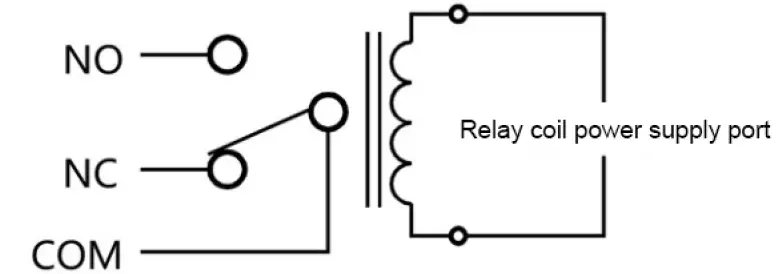
When there is no voltage at both ends of the relay coil or the voltage is insufficient, the common port (COM) of the relay is connected with the normally closed port (NC).
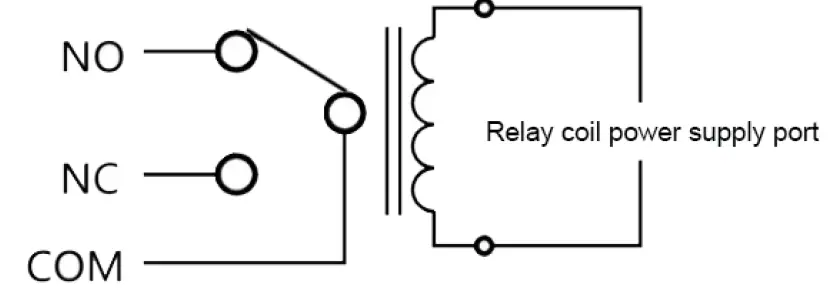
When the voltage at both ends of the relay coil reaches the pull-in voltage, the common port (COM) of the relay is connected with the normally open port (NO).
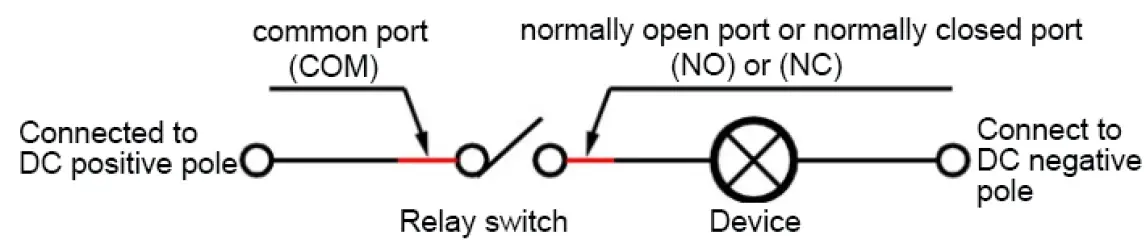
When the relay switch is closed, there is voltage at both ends of the device, which can work normally. When the switch is open, it will not work
Working principle of relay
As long as a certain voltage is applied to both ends of the coil, a certain current will flow through the coil, which will produce electromagnetic effect, and the armature will be attracted to the iron core by the force of the electromagnetic force, so as to drive the dynamic contact and the static contact (normally open contact) of the armature to close. When the coil is powered off, the electromagnetic attraction will disappear, and the armature will return to its original position in the spring reaction force, releasing the moving contact and the static contact (normally closed contact). In this way, the circuit can be switched on and off. For the “normally open” and “normally closed” contacts of relays, they can be distinguished as follows: the static contacts in the off state when the relay coil is not energized are called “normally open contacts”; the static contacts in the on state are called “normally closed contacts”. The relay generally has two circuits, which are low-voltage control circuit and high-voltage working circuit.
Operating instructions of sterilizer
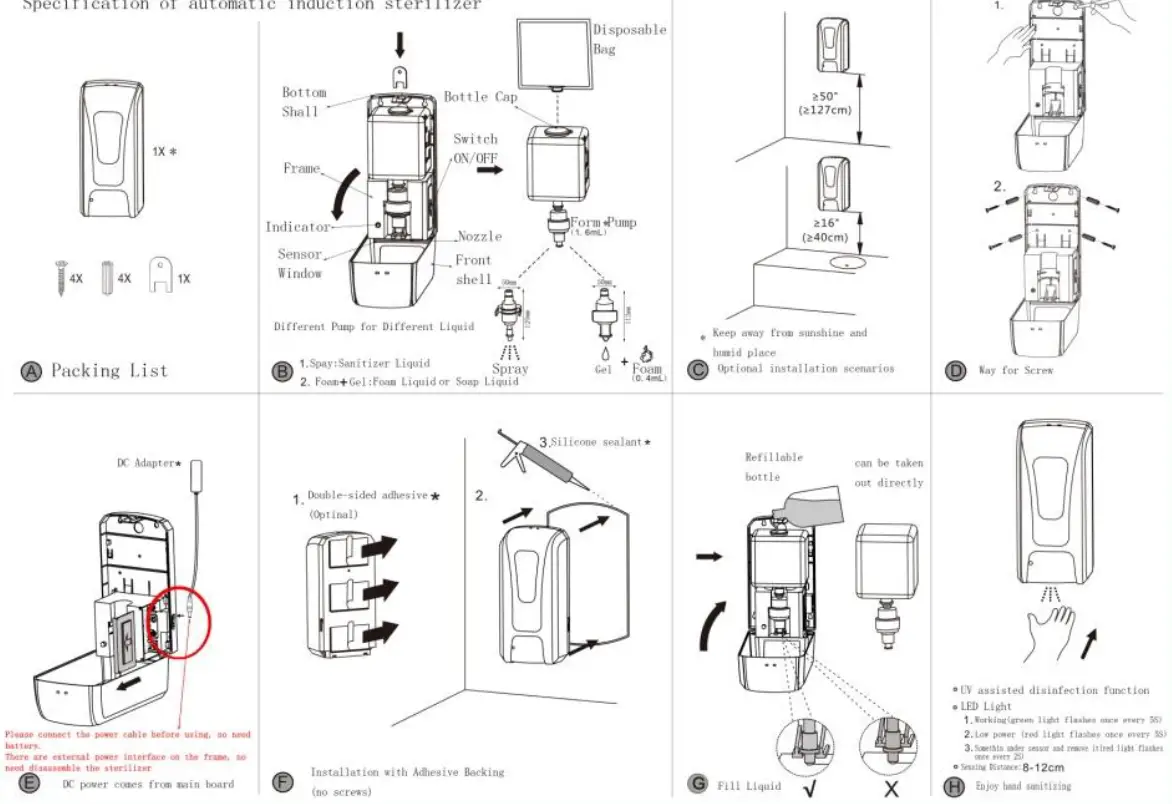
The induction spray sterilizer is an automatic spray sterilizer which adopts digital circuit control and infrared automatic induction. It has the advantages of stable and reliable operation, strong anti-interference ability of light source, sensitive induction, etc. Infrared automatic induction liquid, suitable for all kinds of disinfectant, alcohol, liquid medicine, hand sanitizer. The driving circuit with low energy consumption and long service life is an ideal product in public places.
Product features:
- Fully automatic induction – avoid bacterial infection caused by release
- Fully automatic power saving chip — more energy saving and environmental protection.
- Humanized design: easy to install, easy to use and long service life
- Automatic continuous spray function. When continuous induction, disinfector will be sprayed once every 3S, and the indicator light will display red for warning.
Use steps:
- Open the bottle cap, import the disinfectant, alcohol, liquid medicine into the container, and close the bottle cap. The maximum capacity is 1000ml.
- When the pump is used for the first time, press the pump head several times by hand to discharge the air in the pump body.
- The indicator light is green, indicating the normal working state.
- When using, put your hand within 8mm below the nozzle, the device will spray liquid once automatically, about 1ml each time. If your hand does not leave the sensing range, the sterilizer will discharge liquid once every 3 seconds, and the indicator light will display red for warning.
Technical parameter:
Rated voltage | DC6V×1.5A | Capacity | 1000ml |
| Sensing distance | 8cm±1cm | Spray volume | 1ml/time |
Matters needing attention:
- In order to prevent misoperation, at least 20cm space shall be reserved under the nozzle, and it shall not be installed on the place where the strong sunlight hits and above the strong reflector.
- Prevent any object from blocking the liquid outlet.
- Keep the liquid in the container clean and free of other bar and block impurities.
- Avoid using water to direct the device.
- If there is liquid in the container during disassembly, it is forbidden to lay the product flat to prevent the liquid from flowing out of the wetted motor and circuit board, causing damage. The liquid needs to be poured out before it can be laid flat.
Installation Notes
Environmental requirements
In the use of the product, we must strictly abide by the national and regional all-electric procedures. If the device is not working properly, do not disassemble repair yourself, otherwise it will affect the equipment warranty. Installation process to avoid extreme heat (or cold), high humidity, strong backlight, vibration, radiation, chemical corrosion and other harsh or extreme environments.
| Lighting environment | It recommends installation in indoor or semi-outdoor environment, ensuring good lighting conditions, avoid direct sunlight or low light affect the recognition speed, to avoid facing the glass door or glass wall. |
| Web environment | It recommends installation in open network environment, to avoid the bad effects of network recognition speed and accuracy. |
Use position
Recommended personnel standing position
| The recommended distance between people and machines to 0.5M (for m tall range -1.85 1.55 m), the device can be adjusted according to the acquired face image effect. When a larger face image can be appropriately moved rearward; small when the face image suitable movable forwardly. |
Recommended position
| Registration and during use, installation location of the device must remain unchanged. If it proves necessary mobile device location, you must install highly consistent. If not, the device may result in poor recognition performance. Distance proposals face and the machine is registered as 0.5-0.8Meter. |
Several methods to identify the effect affect
Stand installation
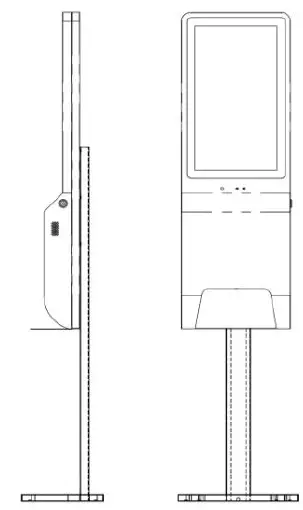
(Installation effect diagram)
The mechanical structure of the device has been considered in the design of vertical standing, so it is not necessary to make fixed points for standing.
This installation method is used to control the turnstile. The access control cable can pass through the back of the device, open the device, and connect the access control cable to the relay.
Wall mounting
Installation location
The installation position of the host equipment is Wall mounting. The bottom of the device is about 120cm above the ground.
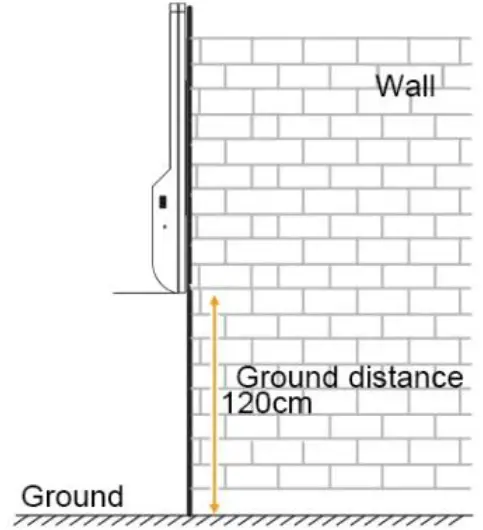
Installation steps
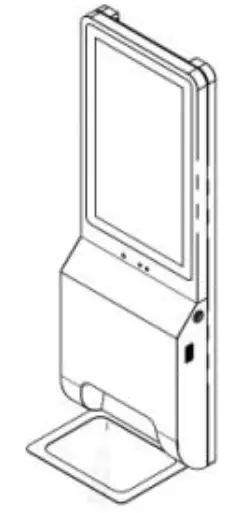
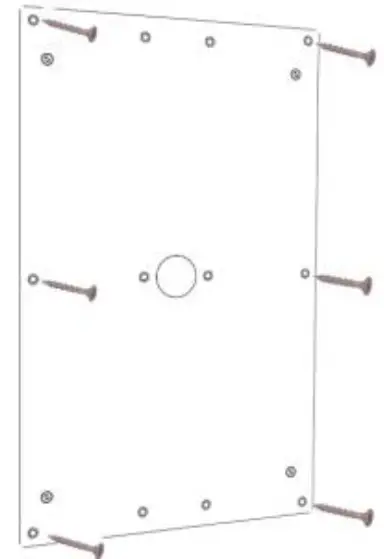
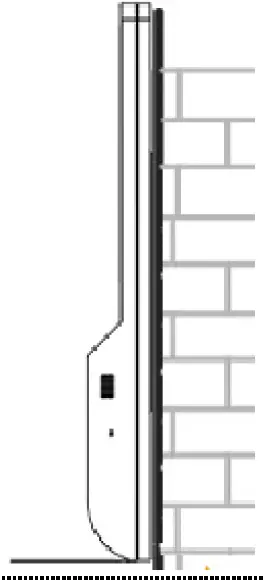
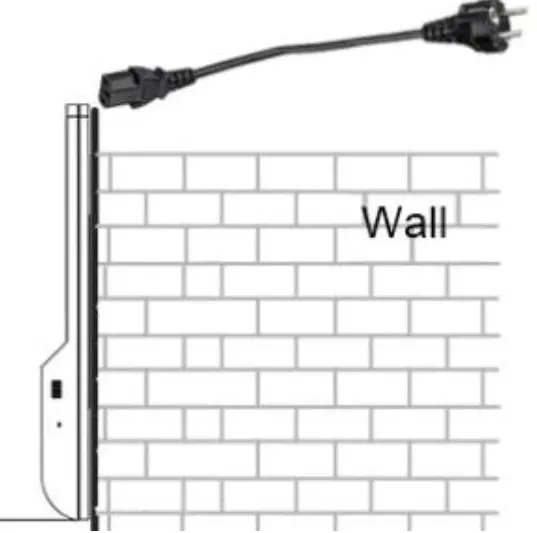
- Step 1: Fixed tray support

- Step two: Fix the wall panel to the wall

- Step 3: Hang the device on the wall panel

- Step 4: Plug in the power cable from the top
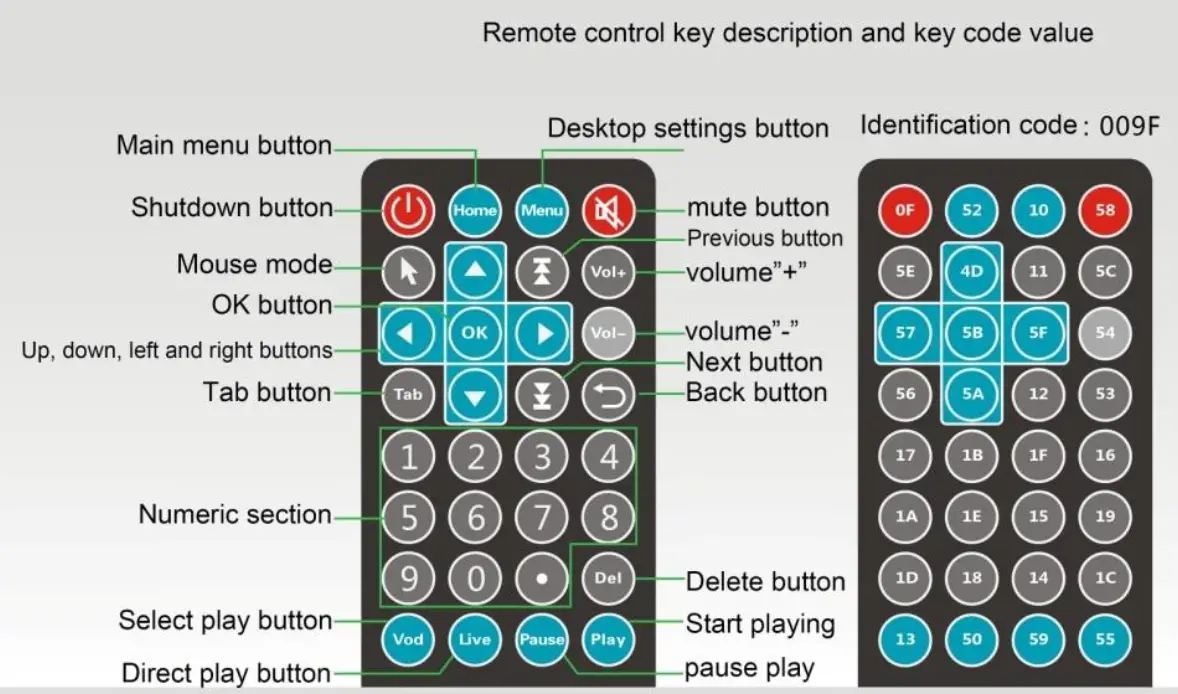
Remote control
Toxic and hazardous substances stated
|
Part name | Toxic and harmful substances or elements | |||||
| Plumbum | Mercury | Cadmium | Chromium VI | PBBS | PBDE | |
| (Pb) | (Hg) | (Cd) | (Cr(VI)) | (PBB) | (PBDE) | |
| Shell | 〇 | 〇 | 〇 | 〇 | 〇 | 〇 |
| Circuit board and its components | 〇 | 〇 | 〇 | 〇 | 〇 | 〇 |
| Power Adapter | 〇 | 〇 | 〇 | 〇 | 〇 | 〇 |
This table is prepared according to SJ / T11364.
- Indicates that the content of the hazardous substance in all homogeneous materials of the component is below the limit specified in GB/T26572.
- Indicates that the content of the hazardous substance in at least one X homogeneous material of the component exceeds the specified limit requirements of GB/T26572.
This term refers to the identification period (ten years), electrical and electronic products harmful substances will not leak or mutation occurs under conditions of normal use, will not cause serious pollution to the user using the electronic information products on the environment or their personal and property Term cause serious damage.
This product complies with RoHS environmental protection requirements: At present, there is no mature technology in the world that can replace or reduce the lead content in electronics, ceramics, optical glass, steel and copper alloys.
Warranty card
Thank you for purchasing our company’s products. In order to ensure the interests of our customers, if users purchase our products, if the product fails due to quality problems, they can contact the local dealer or special repair station with the invoice and warranty card.
Warranty notice:
- Within one year from the date of purchase, in case of failure under normal use, the company shall provide free warranty, parts replacement and other services according to the failure;
- The warranty card and purchase invoice is the company to provide service to customers vouchers, the card must fill out the form below and behind the official seal stamped by the dealer effective;
- Any of the following circumstances, the practice of free warranty service, needs maintenance fees;
- Over the warranty expiration date;
- Damage caused by improper use, maintenance or storage as required by the product instruction manual;
- Failure or damage caused by disassembly, repair, or modification of the product without our company’s permission;
- Machine failure or damage caused by force majeure;
- Consumables and accessories。
| Commodity information | Product name | Factory number | ||||||
| Product model | Date of manufacture | |||||||
| Customer information | Company name | Contact person | ||||||
| Address | Contact number | |||||||
| Sales information | Seller name | Contact person | ||||||
| Address | Contact number | |||||||
| Sales date | Invoice number | |||||||
| Maintenance record | Fault condition | Maintenance results | Customer signature | Maintenance Signature | Date | |||
This card is distributed with the product. One card per machine. To ensure that you can fully enjoy the right of the free warranty service provided by our company, please keep this card properly.