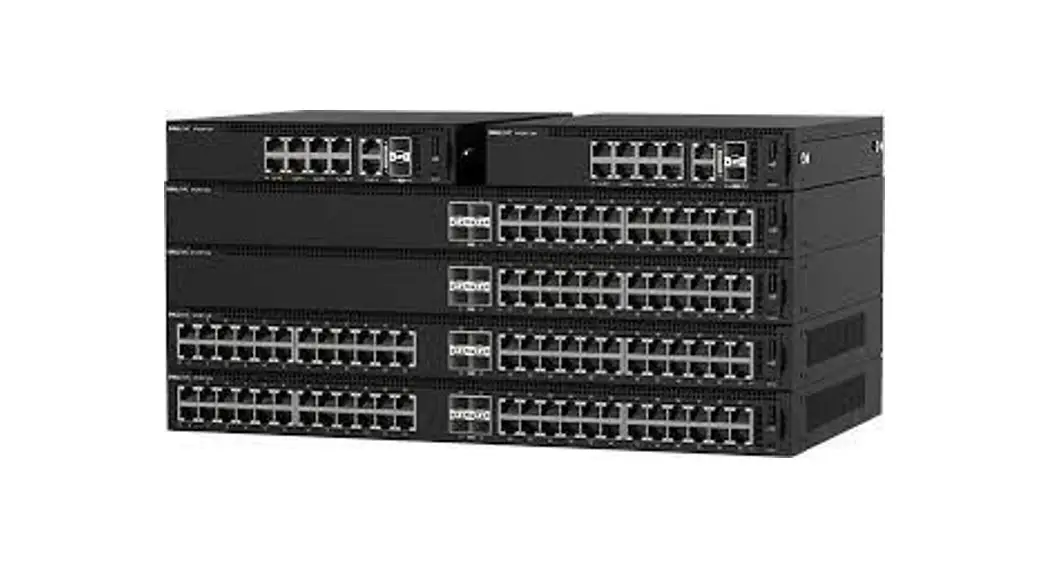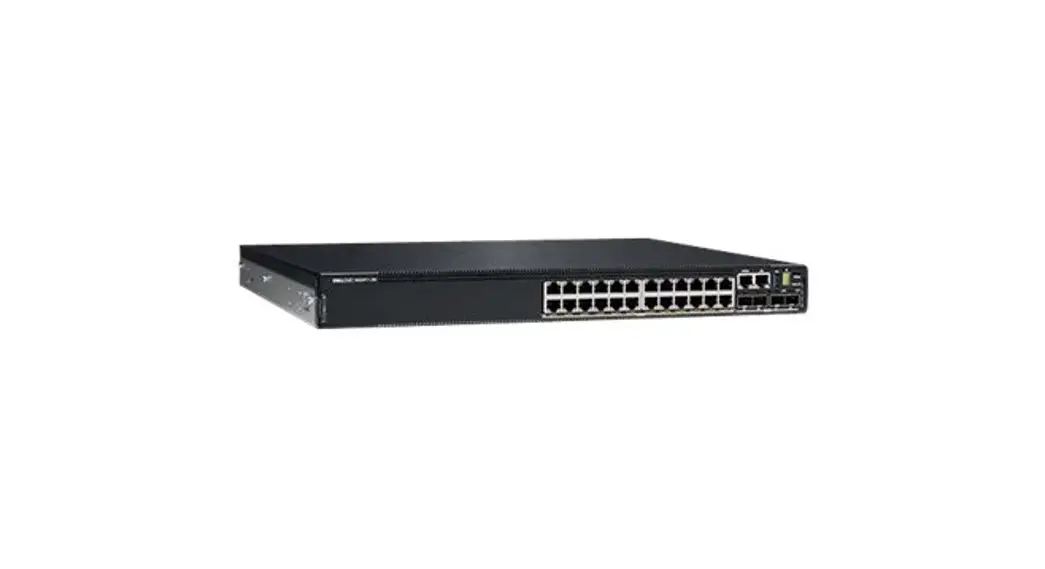

Dell EMC PowerSwitch N3200-ON Series
Warnings and Specifications
© 2020 Dell Inc. or its subsidiaries. All rights reserved. Dell, EMC, and other trademarks are trademarks of Dell Inc. or its subsidiaries. Other trademarks may be trademarks of their respective owners.
N3200-ON Series Warnings and Specifications
This document lists Warnings, Regulatory information, and Specifications for the Dell EMC PowerSwitch N3200-ON Series switch.
Table 1. Document revision history
| Revision | Date | Description |
| A00 | 2020-03 | Initial release. |
Support and documentation
• For installation instructions, see the Dell EMC PowerSwitch N3200-ON Series Installation Guide at www.dell.com/support/.
• To access the support site, go to www.dell.com/support/. To display information in your language, at the bottom of the page, select your country from the drop-down menu.
Information icon definitions:
 WARNING: The Warning icon signals information about hardware handling that could result in injury.
 CAUTION: The Caution icon signals information about situations that could result in equipment damage or loss of data.
 NOTE: The Note icon signals important operational information.
Warnings
WARNING: To avoid electrostatic discharge (ESD) damage, wear grounding wrist straps when handling this equipment.WARNING: Only trained and qualified personnel can install this equipment. Read the safety instructions in your Safety, Environmental, and Regulatory.WARNING: This switch has multiple power cables. Disconnect all power cables before servicing.WARNING: This switch has optical transceivers, which comply with the limits of Class 1 laser radiation. When working with optical fibers, follow all warning labels and always wear eye protection.WARNING: When no cable is connected, visible and invisible laser radiation may be emitted from the aperture of the optical transceiver ports. Avoid exposure to laser radiation; do not stare into open apertures.WARNING: Never power on the switch if no fan module is installed. (Fixed-fan switches always have a fan module installed.)WARNING: Prevent exposure and contact with hazardous voltages. Do not attempt to operate this switch with the safety cover removed. To comply with the GR-1089 Lightning Criteria for Equipment Interfacing with AC or DC Power Ports, use an external surge protection device (SPD) at the AC or DC input of the router.WARNING:: Equipment that provides DC input to the DC port must be certified for CCC and meet the relevant standards.WARNING: This equipment must be earthed. Connect the power plug to a properly wired earth-ground socket outlet.
Cautions
CAUTION:Operate the equipment at an ambient temperature not higher than 45°C (113°F).CAUTION: Stationary pluggable equipment Type-A used in a location with equipotential bonding, such as a telecommunication center, a dedicated computer room, or a restricted access area, must have installation instructions that require protective earth-ground connection verification by a skilled electrician.
CAUTION:
Illustration of the earth-ground varification Caution in German. Illustration of the power cord Caution with translations.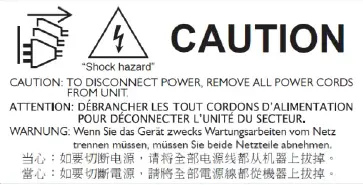
Notes
NOTE: If necessary, to upgrade your software or firmware images, go to the Drivers and Downloads page of your switch at www.dell.com/support/.NOTE: For proper ventilation, position the switch with a minimum of 5 inches (12.7 cm) of clearance around the exhaust vents.NOTE: Install the switch into a rack or cabinet before installing any additional components such as cables or optics.NOTE: For the N3208PX-ON switch only: If you are using two external power adapters (EPAs) in a two-post front or center mount, you must have two-rack units space available in your rack. Install the switch in the bottom portion of the two-rack units and the EPA in the top portion above the switch.NOTE: Dell EMC recommends you ground your switch. Use the switch in a common bond network (CBN). Grounding conductors must be made of copper. Do not use aluminum conductors. Coat the one-hole lug with an anti-oxidant compound before crimping. Bring any unplated mating surfaces to a clean finish and coat with an anti-oxidant before mating.NOTE: For RoHS information, see Restricted Material Compliance.NOTE: This device is not intended for use in the direct field of view at visual display workplaces. To avoid incommoding reflections at visual display workplaces, this device must not be placed in the direct field of view.
Table 2. N3208PX-ON and N3224T-ON
| Marketing model name | N3208PX-ON | N3224T-ON |
| Regulatory Model # (RMN) | E30W | E31W |
| Regulatory type # (RTN) | E30W001 | E31W002 |
| BASE-T RJ45 | x 4 (1G) 802.3bt Type-4 (90 W) PoE x 4 (5G) 802.3bt Type-4 (90 W) PoE | x 24 (1G) |
| 10G SFP+ | x 2 | x 4 |
| 25G SFP28 | — | — |
| Stacking | — | x 2 QSFP28 (100G per port) |
| AC or (optional) DC PSU* | One fixed AC PSU | 1 default AC PSU and second optional AC PSU (or) 2 optional DC PSUs |
| (Optional) External power adapter | x 2 | — |
| (EPA) | — | — |
| (Optional) External power supply (EPS) | — | — |
| Fans | x 1 | x 3 |
| Size in (H x W X D) mm (H x W x D) Size excludes the PSU and fan tray handle | 1.71 x 11 x 12.28 43.5 x 279.4 x 312 | 1.71 x 17.09 x 15.75 43.5 x 434 x 400 (PSU handle adds 1.18 in or 30 mm) |
| Weight** | 8.44 lbs/3.83 kg—240 W | 13.75 lbs/6.24 kg 1 PSU: 1.75 lbs/0.79 kg—550 W |
*Maximum number of PSUs available for the switch.
**Chassis weight with one PSU.
Table 3. N3224F-ON, N3224PX-ON, and N3224P-ON
| Marketing model name | N3224F-ON | N3224P-ON | N3224PX-ON |
| Regulatory Model # (RMN) | E31W | E32W | E32W |
| Regulatory type # (RTN) | E31W003 | E32W002 | E32W001 |
| BASE-T RJ45 | — | x 24 (1G) 802.3at PoE | x 24 (1G/2.5G/5G/10G) 802.3bt Type-4 (90 W) PoE |
| 1G SFP | x 24 | — | — |
| 10G SFP+ | x 4 | x 4 | — |
| 25G SFP28 | — | — | x 4 |
| Stacking | x 2 QSFP28 (100G per port) | x 2 QSFP28 (100G per port) | x 2 QSFP28 (100G per port) |
| AC or (optional) DC PSU* | 1 default AC PSU and second optional AC PSU (or) 2 optional DC PSUs | 1 default AC PSU and second optional AC PSU (or) 2 optional DC PSUs | 1 default AC PSU and second optional AC PSU (or) 2 optional DC PSUs |
| (Optional) External power adapter (EPA) | — | — | — |
| (Optional) External power supply (EPS) | — | — | x 1 |
| Fans | x 3 | x 3 | x 3 |
| Size in (H x W X D) mm (H x W x D) Size excludes the PSU and fan tray handle | 1.71 x 17.09 x 15.75 43.5 x 434 x 400 (PSU and fan tray handle adds 1.18 in or 30 mm) | 1.71 x 17.09 x 15.75 43.5 x 434 x 400 (PSU and fan tray handle adds 1.18 in or 30 mm) | 1.71 x 17.09 x 15.75 43.5 x 434 x 400 (PSU and fan tray handle adds 1.18 in or 30 mm) |
| Weight** | 14.25 lbs/6.46 kg 1 PSU: 1.75 lbs/0.79 kg | 15.6 lbs/7.08 kg 1 PSU: 2.0 lbs/0.90 kg—1050 W | 16.0 lbs/7.26 kg 1 PSU: 2.0 lbs/0.90 kg—1600 W |
*Maximum number of PSUs available for the switch.
**Chassis weight with one PSU.
Table 4. N3248X-ON, N3248TE-ON, N3248P-ON, and N3248PXE-ON
Marketing model name | N3248TE-ON | N3248P-ON | N3248X-ON | N3248PXE-ON |
| Regulatory Model # (RMN) | E31W | E32W | E31W | E32W |
| Regulatory type # (RTN) | E31W005 | E32W003 | E31W004 | E32W004 |
| BASE-T RJ45 | x 48 (1G) | x 48 (1G) 802.3at (30 W) PoE | x 48 (1G/2.5G/5G/1OG) | x 48 (1G/2.5G/5G/10G) 802.3bt Type-4 (90 W) PoE |
| 10G SFP+ | — | x 4 | — | — |
| 25G SFP28 | — | x4 | x4 | |
| 10G SFP28 | x4 | — | — | — |
| Stacking | x 2 QSFP28 (100G per port) | x 2 QSFP28 (100G per port) | x 2 QSFP28 (100G per port) | x 2 QSFP28 (100G per port) |
| AC or (optional) DC PSU | 1 default AC PSU and second optional AC PSU (or) 2 optional DC PSUs | 1 default AC PSU and second optional AC PSU (or) 2 optional DC PSUs | 1 default AC PSU and second optional AC PSU (or) 2 optional DC PSUs | 1 default AC PSU and second optional AC PSU (or) 2 optional DC PSUs |
| (Optional) External power adapter (EPA) | — | — | — | — |
| (Optional) External power supply (EPS) | — | x 1 | — | x 1 |
| Fans | x3 | x3 | x3 | x3 |
| Size in (H x W X D) mm(HxWxD) Size excludes the PSU and fan tray handle | 1.71 x 17.09 x 15.75 43.5 x 434 x 400 (PSU and fan tray handle adds 1.18 in or 30 mm) | 1.71 x 17.09 x 15.75 43.5 x 434 x 400 (PSU and fan tray handle adds 1.18 in or 30 mm) | 1.71 x 17.09 x 15.75 43.5 x 434 x 400 (PSU and fan tray handle adds 1.18 in or 30 mm) | 1.71 x 17.09 x 15.75 43.5 x 434 x 400 (PSU and fan tray handle adds 1.18 in or 30 mm) |
| Weight** | 15.4 lbs/6.99 kg 1 PSU: 1.75 lbs/0.79 kg—550 W | 16.7 lbs/7.57 kg 1 PSU: 2.0 lbs/0.90 kg—1050 W | 16.1/7.30 kg 1 PSU: 1.75 lbs/0.79 kg—550 W | 17.6 lbs/7.98 kg 1 PSU: 2.0 lbs/0.90 kg—1600 W |
*Maximum number of PSUs available for the switch.
**Chassis weight with one PSU.
Mexico-only NOM information
The following information is in compliance with the requirements of the official Mexican standards (NOM):
Table 5. NOM
| Description | Details |
| Exporter | Dell Inc. One Dell Way, Round Rock, TX 78682 |
| Importer | Dell México, S.A. de C.V. Av. Javier Barros Sierra, no 540, Piso 10, Col. Lomas de Santa Fe Delegación Álvaro Obregón, Ciudad de México. C.P. 01219 R.F.C: DME9204099R6 |
| Ship to | Dell México, S.A. de C.V. Av. Javier Barros Sierra, no 540, Piso 10, Col. Lomas de Santa Fe Delegación Álvaro Obregón, Ciudad de México. C.P. 01219 R.F.C: DME9204099R6 |
| Supply voltage | 100V–240 VAC |
| Frequency | 50–60 Hz |
| Maximum steady state current consumption | See the Power consumption parameters table listed below. |
N3200-ON Series Specifications
Table 6. Environmental parameters
| Parameter | Specifications |
| Operating temperature | 0° to 45°C (32°F to 113°F) continuously NOTE: Reduce maximum temperature by 1°C/125 meters (1°F/228 feet) above 950 meters (3,117 ft). |
| Operating humidity | 5% to 95% (RH), noncondensing |
| Storage temperature | –40°C to 70°C (–40°F to 149°F ) |
| Storage humidity | 5% to 95%, noncondensing |
| Maximum thermal output without PoE | • N3208PX-ON: 49.48 W = 168.83 BTU/Hr • N3224T-ON: 95.58 W = 326.13 BTU/Hr • N3224F-ON: 122.08 W = 416.55 BTU/Hr • N3224P-ON: 100.74 W = 343.74 BTU/Hr • N3224PX-ON: 173.01 W = 590.33 BTU/Hr • N3248TE-ON: 102.3 W = 349.06 BTU/Hr • N3248X-ON: 300.06 W = 1023.85 BTU/Hr • N3248P-ON: 112.26 W = 383.05 BTU/Hr • N3248PXE-ON: 325.72 W = 1111.40 BTU/Hr |
| Maximum operational altitude | 10,000 ft (3,048 m) |
| Maximum non-operational altitude | 39,370 ft (12,000 meters) |
| Shock | Dell EMC Spec SV0115 |
Table 7. Power consumption parameters
| Parameter | Specifications |
| Input voltage | AC: 100 to 240 VAC 50/60 Hz DC: –40 VDC to –60 VDC |
| Input current without PoE | • N3208PX-ON: 1.12 Amps @ 110 VAC and 0.56 Amps @ 220 VAC • N3224T-ON: 2.08 Amps @ 110 VAC and 1.04 Amps @ 220 VAC • N3224F-ON: 2.32 Amps @ 110 VAC and 1.16 Amps @ 220 VAC • N3224P-ON: 2.26 Amps @ 110 VAC and 1.13 Amps @ 220 VAC • N3224PX-ON: 3.44 Amps @ 110 VAC and 1.72 Amps @ 220 VAC • N3248TE-ON: 2.22 AMps @ 110 VAC and 1.11 Amps @ 220 VAC • N3248P-ON: 2.4 Amps @ 110 VAC and 1.2 Amps @ 220 VAC • N3248X-ON: 4.9 Amps @ 110 VAC and 2.5 Amps @ 220 VAC • N3248PXE-ON: 5.44 Amps @ 110 VAC and 1.72 Amps @ 220 VAC |
| PSU configuration | Main PSU |
| Maximum steady current consumption | 7A@110VAC 3.5A@220VAC |
| Total PoE budget NOTE: To support a full-load PoE power budget, you must have external power adapters for the N3208PX-ON switch. For the N3224PX-ON, N3248P-ON, and N3248PXE-ON switches, use the EPS for full-load PoE redundancy. | • N3208PX-ON: 720 W • N3224P-ON: 720 W • N3224PX-ON: 2160 W • N3248P-ON: 1440 W • N3248PXE-ON: 4320 W |
| PoE output per port | • N3208PX-ON: 4x1000GBase-T Ports with 4 ports of 802.3bt Type-4 (90 W) PoE and 4x5GBase-T Ports with 4 ports of 802.3bt Type-4 (90 W) PoE • N3224P-ON: 24x1000Base-T Ports with 802.3at Type-2 (30 W) PoE • N3224PX-ON: 24x10GBase-T Ports with 802.3bt Type-4 (90 W) PoE • N3248P-ON: 48x1000Base-T Ports with 802.3at Type-2 (30 W) PoE • N3248PXE-ON: 48x10GBase-T MACSec Ports with 802.3bt Type-4 (90 W) PoE |
© 2020 Dell Inc. or its subsidiaries. All rights reserved. Dell, EMC, and other trademarks are trademarks of Dell Inc. or its subsidiaries. Other trademarks may be trademarks of their respective owners.
 Support | Dell US