S3048-ON Networking OS PowerSwitch
Product Information
Product: Dell Networking S3048-ON
Model: S3048-ON
Release Version: 9.14(1.12)
Supported Hardware:
- S3048-ON chassis
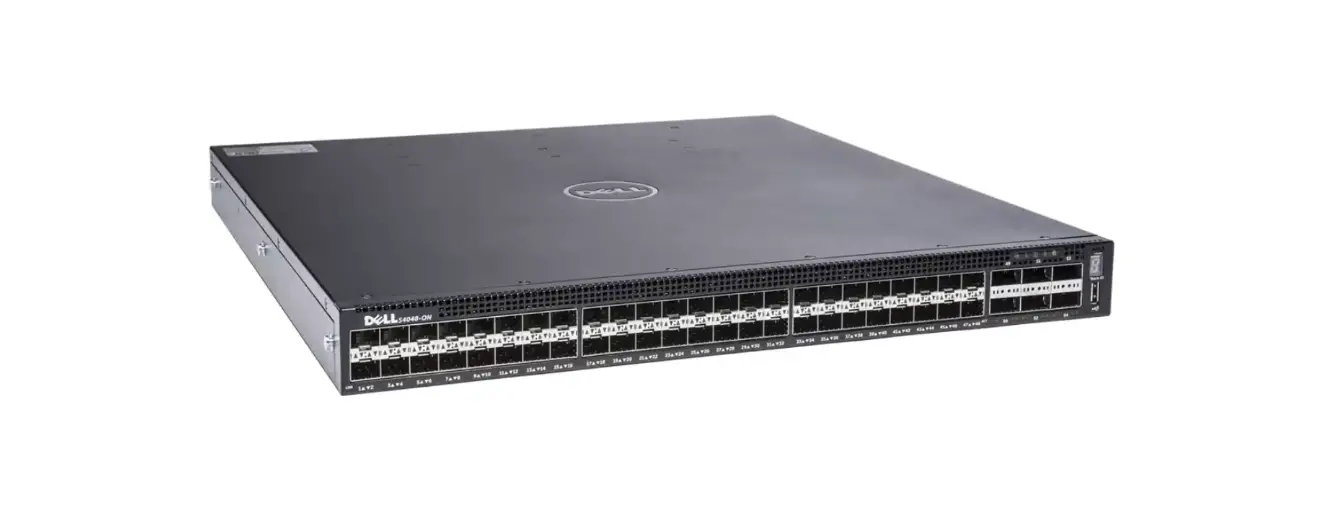
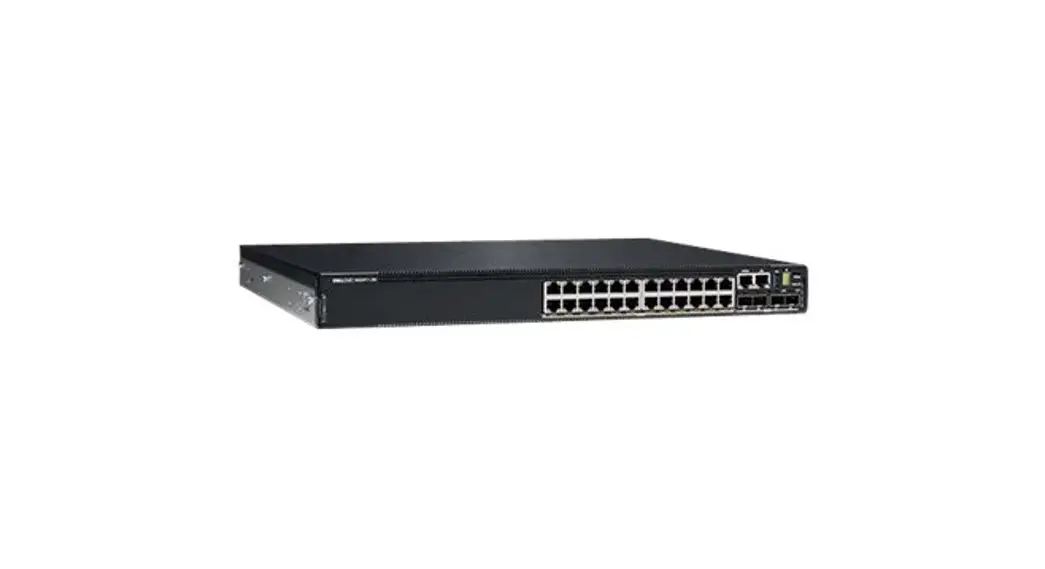
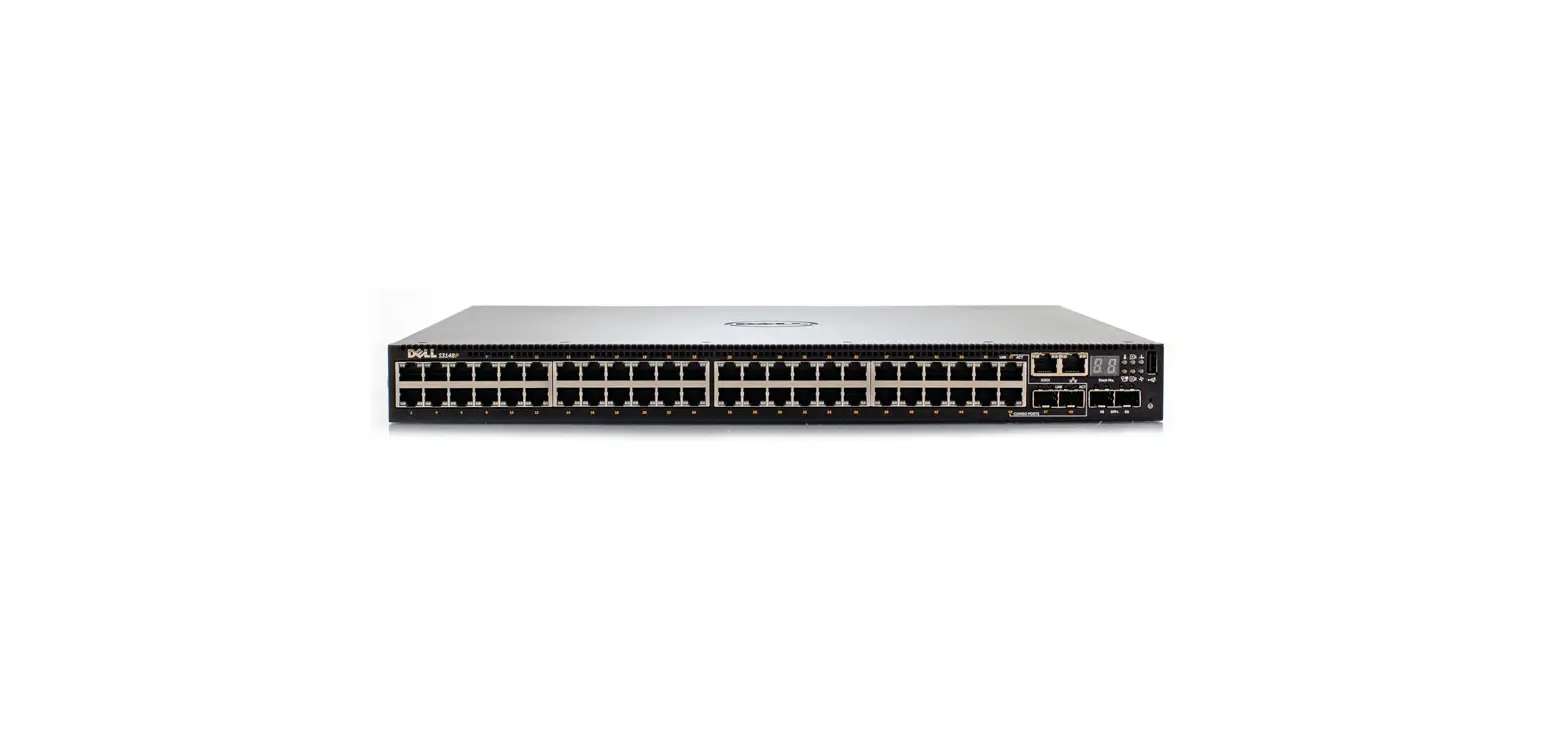
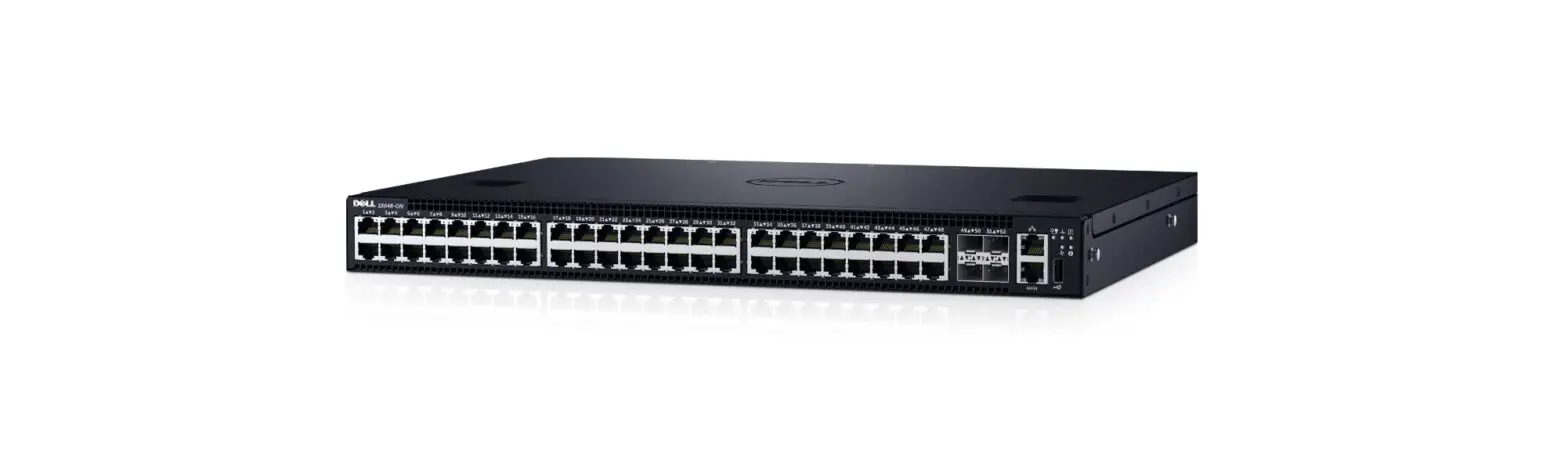
- Forty-eight 10/100/1000Base-T RJ-45 Ports
- Four SFP+ optical ports (10 Gbps)
- Management Port
- USB 2.0 Port
- Serial Console Port
- Two AC PSUs
- Three fan subsystems
Supported Software:
- Dell Networking OS
- ONIE (Open Network Install Environment)
Product Usage Instructions
System Shutdown:
If all three fan trays are found to be empty or faulty, the
system will shut down after one minute.
Dell Networking OS Downgrade:
If you need to downgrade the Dell Networking OS from version
9.14(1.12) to 9.11(0.0) or any older version, follow these
steps:
- Save the current configuration.
- Delete the CDB files (confd_cdb.tar.gz.version and
confd_cdb.tar.gz) using the following commands:DellEMC#write memory DellEMC#delete flash://confd_cdb.tar.gz.version DellEMC#delete flash://confd_cdb.tar.gz
- Reload the system.
System Deployment:
When deploying the system in the normal-reload mode in BMP
configuration, use the ip ssh server enable command at
the beginning of the startup configuration if the write command is used at the end of the configuration.
memory
REST API Authentication:
AAA (Authentication, Authorization, and Accounting)
authentication is not supported by the REST API.
Unsupported Features:
- PIM ECMP
- Static IGMP join (ip igmp static-group)
- IGMP querier timeout configuration (ip igmp
querier-timeout) - IGMP group join limit (ip igmp group join-limit)
- Half-Duplex mode
- FRRP and xSTP concurrently enabled in a VLT domain
Default Behavior and CLI Syntax Changes:
The default RSA key size has been changed to 2048 bits from 1024
bits starting from Dell Networking OS version 9.14.1.10 to enhance
security.
Documentation Corrections:
No errors have been identified in the current release of the
Dell Networking OS.
Deferred Issues:
The following issues were reported in Dell Networking OS version
9.14(1.0) but have since been deferred for resolution:
N/A
Rev. A00 May 2022
Dell S3048ON System Release Notes, OS
Version 9.14(1.12)
This document contains information on open and resolved caveats, and operational information specific to the Dell Networking OS software and the S3048-ON platform. Current Release Version: 9.14(1.12) Release Date: 2022-05-20 Previous Release Version: 9.14(1.10)
Topics:
· Document Revision History · Supported Hardware · Supported Software · New Dell Networking OS Version 9.14(1.12) Features · Restrictions · Changes to Default Behavior and CLI Syntax · Documentation Corrections · Deferred Issues · Fixed Issues · Known Issues · Upgrading ONIE on the S3048-ON · Installing Dell Networking OS on the S3048-ON using ONIE · Upgrading the S3048-ON Dell Networking OS Image using the Dell Networking OS CLI · Upgrading the CPLD · Upgrade the BIOS from Dell Networking OS · Uninstalling Dell Networking OS on the S3048-ON · Installing a Third Party Operating System · Support Resources
For more information on hardware and software features, commands, and capabilities, refer to the Dell Networking support website at: https://www.dell.com/support
Document Revision History
Table 1. Revision History
Date
Description
202205
Initial release.
Supported Hardware
The following hardware is supported with this platform: Hardware S3048-ON chassis
1
Hardware Forty-eight 10/100/1000Base-T RJ-45 Ports Four SFP+ optical ports (10 Gbps) Management Port USB 2.0 Port Serial Console Port Two AC PSUs Three fan subsytems
NOTE: If all the three fan trays are found to be empty or faulty, the system shuts down after one minute.
Supported Software
The following software is supported with this platform:
Software Dell Networking OS ONIE
Minimum Release Requirement 9.14(1.12) 3.24.1.0-4
NOTE: For information on non-Dell OS versions, refer the Release Notes for the Hardware Platform S3048ON.
New Dell Networking OS Version 9.14(1.12) Features
The following features have been added to the S3048-ON with Dell Networking OS version 9.14(1.12): None.
Restrictions
If you downgrade the Dell Networking OS from 9.14(1.12) to 9.11(0.0) or any older version, the system displays the following error message even though there is no functional impact:
CDB boot error: C.cdb file format
Before downgrading, save the current configuration and then remove the CDB files (confd_cdb.tar.gz.version and confd_cdb.tar.gz). To remove the files, use the following steps:
DellEMC#write memory DellEMC#delete flash://confd_cdb.tar.gz.version DellEMC#delete flash://confd_cdb.tar.gz DellEMC#reload While deploying the system in the normal-reload mode in BMP configuration, use the ip ssh server enable command at the beginning of the startup configuration if the write memory command is used at the end of the configuration. REST API does not support AAA authentication. The following features are not available in the Dell Networking OS from version 9.7(0.0): PIM ECMP
2
Static IGMP join (ip igmp static-group) IGMP querier timeout configuration (ip igmp querier-timeout) IGMP group join limit (ip igmp group join-limit) Half-Duplex mode is not supported. When FRRP is enabled in a VLT domain, no flavor of Spanning tree should concurrently be enabled on the nodes of that specific VLT domain. In essence FRRP and xSTP should not co-exist in a VLT environment.
Changes to Default Behavior and CLI Syntax
Following default behavior and CLI syntax changes occurred during the Dell Networking OS release: To enhance security, the default RSA key size has been changed to 2048 bits from 1024 bits from 9.14.1.10 onwards.
Documentation Corrections
This section describes the errors identified in the current release of the Dell Networking OS. None.
Deferred Issues
Issues that appear in this section were reported in Dell Networking OS version 9.14(1.0) as open, but have since been deferred. Deferred issues are those that are found to be invalid, not reproducible, or not scheduled for resolution.
Deferred issues are reported using the following definitions.
Category
PR# Severity
Description
Problem Report number that identifies the issue.
S1 — Crash: A software crash occurs in the kernel or a running process that requires a restart of AFM, the router, switch, or process.
S2 — Critical: An issue that renders the system or a major feature unusable, which can have a pervasive impact on the system or network, and for which there is no work-around acceptable to the customer.
S3 — Major: An issue that affects the functionality of a major feature or negatively effects the network for which there exists a work-around that is acceptable to the customer.
S4 — Minor: A cosmetic issue or an issue in a minor feature with little or no network impact for which there might be a work-around.
Synopsis Release Notes Work around
Synopsis is the title or short description of the issue.
Release Notes description contains more detailed information about the issue.
Work around describes a mechanism for circumventing, avoiding, or recovering from the issue. It might not be a permanent solution. Issues listed in the “Fixed Issues” section should not be present, and the work-around is unnecessary, as the version of code for which this release note is documented has resolved the issue.
Deferred S3048ON 9.14(1.0) Software Issues
Issues that appear in this section were reported in Dell Networking OS version 9.14(1.0) as open, but have since been deferred. Deferred caveats are those that are found to be invalid, not reproducible, or not scheduled for resolution. The following issues have been deferred in the Dell Networking OS version 9.14(1.0): None.
3
Fixed Issues
Fixed issues are reported using the following definitions.
Category
Description
PR# Severity
Problem Report number that identifies the issue.
S1 — Crash: A software crash occurs in the kernel or a running process that requires a restart of AFM, the router, switch, or process.
S2 — Critical: An issue that renders the system or a major feature unusable, which can have a pervasive impact on the system or network, and for which there is no work-around acceptable to the customer.
S3 — Major: An issue that affects the functionality of a major feature or negatively effects the network for which there exists a work-around that is acceptable to the customer.
S4 — Minor: A cosmetic issue or an issue in a minor feature with little or no network impact for which there might be a work-around.
Synopsis Release Notes Work around
Synopsis is the title or short description of the issue.
Release Notes description contains more detailed information about the issue.
Work around describes a mechanism for circumventing, avoiding, or recovering from the issue. It might not be a permanent solution. The work-around is unnecessary, as the version of code for which this release note is documented has resolved the issue.
Fixed S3048ON 9.14(1.12) Software Issues
NOTE: Dell Networking OS 9.14(1.12) includes fixes for issues addressed in previous 9.14 releases. Refer to the respective release notes documentation for the list of issues fixed in earlier 9.14 releases.
The following issues are fixed in Dell Networking OS version 9.14(1.12):
PR#169841 Severity: Synopsis:
Release Notes:
Workaround:
PR#170240 Severity: Synopsis: Release Notes: Workaround: PR#170255 Severity:
Sev 2 In certain scenarios, an MSDP learnt PIM TIB entry stays in registering state indefinitely. In certain scenarios, an MSDP learnt PIM TIB entry stays in registering state indefinitely. Set the affected node as a non-designated router in the RPF neighbor interface.
Sev 2 AAA accounting request displays an incorrect calling station-id. AAA accounting request displays an incorrect calling station-id. None
Sev 2
4
Synopsis: Release Notes: Workaround: PR#170301 Severity: Synopsis:
Release Notes:
Workaround:
The switch encounters an exception when saving the configuration on VLT pair switches simultaneously.
The switch encounters an exception when saving the configuration on VLT pair switches simultaneously.
None
Sev 3
The BN_mod_sqrt() function, which computes a modular square root, contains a bug that can cause it to loop forever for non-prime moduli(CVE-2022-0778)
The BN_mod_sqrt() function, which computes a modular square root, contains a bug that can cause it to loop forever for non-prime moduli(CVE-2022-0778)
None
Known Issues
Known issues are reported using the following definitions.
Category
Description
PR# Severity
Problem Report number that identifies the issue.
S1 — Crash: A software crash occurs in the kernel or a running process that requires a restart of AFM, the router, switch, or process.
S2 — Critical: An issue that renders the system or a major feature unusable, which can have a pervasive impact on the system or network, and for which there is no work-around acceptable to the customer.
S3 — Major: An issue that affects the functionality of a major feature or negatively effects the network for which there exists a work-around that is acceptable to the customer.
S4 — Minor: A cosmetic issue or an issue in a minor feature with little or no network impact for which there might be a work-around.
Synopsis Release Notes Work around
Synopsis is the title or short description of the issue.
Release Notes description contains more detailed information about the issue.
Work around describes a mechanism for circumventing, avoiding, or recovering from the issue. It might not be a permanent solution. Issues listed in the “Fixed Issues” section should not be present, and the work-around is unnecessary, as the version of code for which this release note is documented has resolved the issue.
Known S3048ON 9.14(1.12) Software Issues
The following caveats are open in Dell Networking OS version 9.14(1.12): None
Upgrading ONIE on the S3048-ON
To upgrade the ONIE package you have installed, use one of the following two processes: zero touch (dynamic) update or manual update.
5
1. Zero touch (dynamic): Copy the update ONIE installer and the DIAG installer for your system to the TFTP/ HTTP server.Configure the DHCP options using the ONIE specifications shown at the following link: http:// opencomputeproject.github.io/onie/docs/design-spec/updater.html S3048-ON image>>>> onie-updater-x86_64-s3000_c2338-r0
2. Manual: Copy the image onto the TFTP/HTTP servers and boot ONIE. Update the ONIE using the onie-self-update command, then download and run an ONIE updater image.The supported URL types are: HTTP, FTP, TFTP, and FILE. S3048-ON image>>>> onie-updater-x86_64-s3000_c2338-r0
3. UPGRADING ONIE ON AN EXISTING S3048ON SYSTEM. The following example uses HTTP to upgrade ONIE.
ONIE:/ # onie-self-update tftp://10.16.127.35/onie-updater-x86_64-s3000_c23
38-r0
Stopping: discover… done.
Info: Fetching tftp://10.16.127.35/onie-updater-x86_64-s3000_c2338-r0 …
onie-updater-x86_64- 100% |*******************************| 9021k 0:00:00 ETA
ONIE: Executing installer: tftp://10.16.127.35/onie-updater-x86_64-s3000_c2338-r0
Verifying image checksum … OK.
Preparing image archive … OK.
ONIE: Version
: 3.24.1.0-4
ONIE: Architecture : x86_64
ONIE: Machine
: s3000_c2338
ONIE: Machine Rev : 0
ONIE: Config Version: 1
Installing ONIE on: /dev/sda
Rebooting…
ONIE:/ # umount: can’t remount rootfs read-only
The system is going down NOW!
Sent SIGTERM to all processes
Sent SIGKILL tosd 0:0:0:0: [sda] Synchronizing SCSI cache
Restarting system.
machine restart
4. Upgrade the DIAG installer package.
ONIE:/ # onie-nos-install tftp://10.16.127.35/INSTALLER-DND-SG-2.0.0.4.bin Stopping: discover… done. Info: Fetching tftp://10.16.127.35/INSTALLER-DND-SG-2.0.0.4.bin … INSTALLER-DND-SG-2.0 100% |*******************************| 27956k 0:00:00 ETA ONIE: Executing installer: tftp://10.16.127.35/INSTALLER-DND-SG-2.0.0.4.bin Verifying image checksum … OK. Preparing image archive from /installer … Done. Mounting /dev/sda3…Done. Copying Images …Done. Installing Menu Entry …Done. ONIE:/ # umount: can’t remount rootfs read-only The system is going down NOW! Sent SIGTERM to all processes Sent SIGKILL tosd 0:0:0:0: [sda] Synchronizing SCSI cache Restarting system. machine restart
5. Upgrade the BIOS image using the BIOS image and Flashrom utility included with the diagnostic package.
ONIE:/ # ONIE:/ # tftp -g -r s3000-bios-3.24.0.0-11.bin 10.16.127.35 s3000-bios-3.24.0.0-11. 100% |*******************************| ONIE:/ # ONIE:/ # flashrom -E -p internal Erasing and writing flash chip… Erase/write done. ONIE:/ # ONIE:/ # ONIE:/ # flashrom -w s3000-bios-3.24.0.0-11.bin -p internal Erasing and writing flash chip… Erase/write done. Verifying flash… VERIFIED. ONIE:/ # ONIE:/ # ONIE:/ # reboot ONIE:/ # umount: can’t remount rootfs read-only The system is going down NOW!
8192k
0:00:00 ETA
6
Sent SIGTERM to all processes Sent SIGKILL tosd 0:0:0:0: [sda] Synchronizing SCSI cache Restarting system. machine restart
BIOS (Dell EMC Inc) Boot Selector S3000 3.24.0.0-11
(48-port 1G/4-port SFP+ 10G)
CPLD JTAG to normal mode… done. Resetting…
Installing Dell Networking OS on the S3048-ON using ONIE
NOTE: The Dell Networking OS installer package, ONIE-FTOS-SG-ON-9.14.1.12.bin, is required for installing Dell Networking OS on S3048-ON that has only ONIE.
To install the Dell Networking OS version 9.14(1.12) on to the new S3048-ON device, perform the following steps: 1. Boot the system to the ONIE prompt.The following ONIE prompt appears:
ONIE:/ # 2. Stop the ONIE discovery process using the following command:
ONIE:/ # onie-discovery-stop The following message appears:
Stopping: discover… done. ONIE:/ #
3. Configure an interface and assign an IP address to that interface using the following command:
ONIE:/ # ifconfig eth0 ip-address/prefix up
4. Enter the following command to begin the installation process:
ONIE:/ # onie-nos-install tftp://10.16.127.35/ONIE-FTOS-SG-ON-9.14.1.12.bin
NOTE: After the Dell Networking OS installation is complete, the system automatically reboots.
Following is the installation and boot log of Dell Networking OS:
ONIE:/ # onie-nos-install tftp://10.16.127.35/ONIE-FTOS-SG-9.14.1.12.bin
Stopping: discover… done.
Info: Fetching tftp://10.16.127.35/ONIE-FTOS-SG-9.14.1.12.bin …
ONIE-FTOS-SG-9.14.1.12 100% |*******************************| 95426k 0:00:00 ETA
ONIE: Executing installer: tftp://10.16.127.35/ONIE-FTOS-SG-9.14.1.12.bin
Verifying image checksum … OK.
Preparing image archive from /installer … Done.
Verifying Product Platform…
Image File
: ONIE-FTOS-SG-9.14.1.12.bin
Product Name
: S3048-ON
Platform Verified
: OK
Deleting Extra partitions… Done.
Creating New partitions… Done.
Creating Hybrid MBR… Done.
Mouting /dev/sda4,/dev/sda5 and /dev/sda6… Done.
Installing GRUB on /dev/sda4…Done.
Copying Images… Done.
ONIE:/ # umount: can’t remount rootfs read-only
The system is going down NOW!
Sent SIGTERM to all processes
Sent SIGKILL tosd 0:0:0:0: [sda] Synchronizing SCSI cache
Restarting system.
7
machine restart
BIOS (Dell EMC) Boot Selector S3000 3.24.0.0-11
(48-port 1G/4-port SFP+ 10G)
CPLD JTAG to normal mode… done. Resetting…
POST Configuration CPU Signature 406D8 CPU FamilyID=6, Model=4D, SteppingId=8, Processor=0 Microcode Revision 125 Platform ID: 0x1004183D PMG_CST_CFG_CTL: 0x40006 BBL_CR_CTL3: 0x7E2801FF Misc EN: 0x4000840081 Gen PM Con1: 0x1008 Therm Status: 0x88490000 POST Control=0xEA010303, Status=0xE6009601
BIOS initializations…
CPLD JTAG to normal mode… done.
BIOS initializations…
CPGC Memtest for Channel 0 ……………… PASS ECC enabled: channel 0 DECCCTRL_DUNIT_REG=0x000200F3
POST: RTC Battery OK at last cold boot RTC date Thursday 03/24/2022 22:35:26
POST SPD test ………………………………. PASS
POST Lower DRAM Memory test Short memory cell test Perf cnt (curr,fixed): 0x21157AA35,0x31A008980
POST Lower DRAM Memory test …………….. PASS POST Lower DRAM ECC check ………………. PASS
Dell DxE configurations… Broadcom Preemphasis…
Gen1=0x4, Gen2=0x43 done. NPU CDR… .. done. SM Bus1 PHY…done
DxE POST POST PCI test …………………………. PASS POST NVRAM check ………………………. PASS POST overall test results ……………………. PASS
Version 2.16.1242. Copyright (C) 2020 American Megatrends, Inc. BIOS Date: 03/24/2022 15:25:58 Ver: 0ACBZ018 Press DEL or F2 to enter setup.
Grub 1.99~rc1 (Dell EMC) Built by root at ubuntu on Thu_Mar_24_08:53:42_UTC_2022 S3000ON Boot Flash Label 3.24.2.9 NetBoot Label 3.24.2.9
Press Esc to stop autoboot … 0
8
Primary Boot not Configured
Secondary Boot not Configured
Booting DEFAULT configuration…
boot device
: flash
file
: systema (Dell EMC Networking OS system://A
Partition)
Copyright (c) 1996, 1997, 1998, 1999, 2000, 2001, 2002, 2003, 2004, 2005,
2006, 2007, 2008, 2009, 2010
The NetBSD Foundation, Inc. All rights reserved.
Copyright (c) 1982, 1986, 1989, 1991, 1993
The Regents of the University of California. All rights reserved.
Dell EMC Networking OS Release 9.14(1.12) NetBSD 5.1_STABLE (S3000) #0: Thu Mar 24 03:39:56 PDT 2022
5. After the installation completes, the system displays the following prompt: DellEMC>
Upgrading the S3048-ON Dell Networking OS Image using the Dell Networking OS CLI
Bare Metal Provisioning
NOTE: If you are using Bare Metal Provisioning (BMP), see the Bare Metal Provisioning topic in the Dell Networking OS
Configuration Guide or the Open Automation Guide.
Manual Upgrade Procedure
Follow these steps carefully to upgrade your S3048-ON systems:
1. Dell Technologies recommends that you back up your startup configuration and any important files and directories to an external media prior to upgrading the system.
NOTE: If you are upgrading from Dell Networking OS version 9.10.0.1P5 or earlier, you cannot directly upgrade to
version 9.14(1.12). Upgrade to version 9.10(0.1P8) first and then upgrade to the required version.
2. Upgrade the Dell Networking OS in flash partition A: or B:
upgrade system [flash: | ftp: stack-unit <1-6> | tftp: | scp: | usbflash:] [A: | B:]
EXEC Privilege
DellEMC#upgrade system tftp: a: Address or name of remote host []: 10.16.127.35 Source file name []: FTOS-SG-9.14.1.12.bin 3d17h59m : Discarded 1 pkts. Expected block num : 62. Received block num: 61 3d17h59m : Discarded 1 pkts. Expected block num : 65. Received block num: 64 !!!!!!!!!!!!!!!!!!!!!!!!!!!!!!!!!!!!!!!!!!!!!!!!!!!!!!!!!!!!!!!!!!!!!!!!!!!!!!!!!!!!!. ………………………….! 62620397 bytes successfully copied System image upgrade completed successfully. DellEMC#Mar 24 11:56:43: %STKUNIT1-M:CP %DOWNLOAD-6-UPGRADE: Upgrade completed successfully DellEMC#
DellEMC#upgrade system tftp: b: Address or name of remote host []: 10.16.127.35 Source file name []: FTOS-SG-9.14.1.12.bin 3d18h2m : Discarded 1 pkts. Expected block num : 51. Received block num: 50 3d18h2m : Discarded 1 pkts. Expected block num : 65. Received block num: 64 !!!!!!!!!!!!!!!!!!!!!!!!!!!!!!!!!!!!!!!!!!!!!!!!!!!!!!!!!!!!!!!!!!!!!!!!!!………… ……………………..! 62620397 bytes successfully copied System image upgrade completed successfully.
9
DellEMC#Mar 24 12:00:33: %STKUNIT1-M:CP %DOWNLOAD-6-UPGRADE: Upgrade completed successfully DellEMC#
3. Verify that the Dell Networking OS has been upgraded correctly in the upgraded flash partition show boot system stack-unit [1-6] | all]
EXEC Privilege
DellEMC#show boot system stack-unit all
Current system image information in the system:
=============================================================
Type
Boot Type
A
B
————————————————————-
stack-unit 1 DOWNLOAD BOOT 9.14(1.12)[boot]
9.14(1.10)
stack-unit 2 is not present.
stack-unit 3 is not present.
stack-unit 4 is not present.
stack-unit 5 is not present.
stack-unit 6 is not present.
DellEMC#
DellEMC#
4. Change the Primary Boot Parameter of the S3048-ON to the upgraded partition A: or B: boot system stack-unit 1 primary system: [A: | B: | tftp: | ftp:] CONFIGURATION
5. Save the configuration so that the configuration will be retained after a reload using write memory command. write [memory] EXEC PRIVILEGE
DellEMC#write memory ! Mar 24 18:58:59: %STKUNIT1-M:CP %FILEMGR-5-FILESAVED: Copied running-config to startup-config in flash by default
DellEMC#
6. Reload the unit reload EXEC PRIVILEGE
Command
: reload
Mode
: EXEC PRIVILEGE
DellEMC#reload
Proceed with reload [confirm yes/no]: y
7. Verify the S3048 ON has been upgraded to the Dell Networking OS version 9.14(1.12) show version EXEC PRIVILEGE
DellEMC#show version Dell EMC Real Time Operating System Software Dell EMC Operating System Version: 2.0 Dell EMC Application Software Version: 9.14(1.12) Copyright (c) 1999-2021 by Dell Inc. All Rights Reserved. Build Time: Thu Mar 24 10:20:04 2022 Build Path: /build/build01/SW/SRC Dell EMC Networking OS uptime is 3 day(s), 21 hour(s), 3 minute(s)
System image file is “system://A”
System Type: S3048-ON Control Processor: Intel Rangeley with 2 Gbytes (2127654912 bytes) of memory, core(s) 2.
10
8G bytes of boot flash memory.
1 52-port GE/TE (SG-ON) 48 GigabitEthernet/IEEE 802.3 interface(s)
4 Ten GigabitEthernet/IEEE 802.3 interface(s) DellEMC#
Upgrading the CPLD
The S3048-ON system with Dell Networking OS Version 9.14(1.12) requires System CPLD revision 9 and Module CPLD revision 7.
NOTE: If your CPLD revisions are higher than the ones shown here, DO NOT make any changes. If you have questions regarding the CPLD revision, contact technical support.
Verify that a CPLD upgrade is required
Use the following command to identify the CPLD version:
DellEMC#show revision
— Stack unit 1 —
S3048-ON SYSTEM CPLD
: 9
S3048-ON MODULE CPLD
: 7
DellEMC#
Use the following command to view CPLD version that is associated with the Dell Networking OS image:
DellEMC#show os-version
RELEASE IMAGE INFORMATION :
——————————————————————–
Platform
Version
Size
ReleaseTime
S-Series:SG-ON
9.14(1.12) 65838348
Mar 24 2022 08:37:00
TARGET IMAGE INFORMATION :
——————————————————————–
Type
Version
Target
checksum
runtime
9.14(1.12)
Control Processor
passed
BOOT IMAGE INFORMATION :
——————————————————————–
Type
Version
Target
checksum
boot flash
3.24.2.9
Control Processor
passed
BOOTSEL IMAGE INFORMATION :
——————————————————————–
Type
Version
Target
checksum
boot selector
3.24.0.0-11
Control Processor
passed
FPGA IMAGE INFORMATION :
——————————————————————–
Card
FPGA Name
Version
stack-unit 1
S3048-ON SYSTEM CPLD
9
stack-unit 1
S3048-ON MODULE CPLD
7
DellEMC#
11
Upgrading the CPLD Image
NOTE: The upgrade fpga-image stack-unit 1 booted command is hidden when using the FPGA Upgrade feature in the CLI. However, it is a supported command and will be accepted when entered as documented.
NOTE: Ensure that the BIOS version is 3.24.0.0-11. You can verify this version using show system stack-unit 1 command.
To upgrade the CPLD image on S3048-ON, follow these steps. 1. Upgrade the CPLD image.
upgrade fpga-image stack-unit <id> booted EXEC Privilege
DellEMC#upgrade fpga-image stack-unit 1 booted
Current information for the system:
========================================================================
Card
Device Name
Current Version
New Version
————————————————————————
Unit1
S3048-ON SYSTEM CPLD
8
9
Unit1
S3048-ON MODULE CPLD
6
7
***********************************************************************
* Warning – Upgrading FPGA is inherently risky and should
*
* only be attempted when necessary. A failure at this upgrade may *
* cause a board RMA. Proceed with caution !
*
***********************************************************************
Upgrade image for stack-unit 1 [yes/no]: yes
FPGA upgrade in progress!!! Please do NOT power off the unit!!! !!!!!!!!!!!!!!!!!!!!!!!!!!!!!!!!!!!!!!!!!!!!!!!!!!!!!!!!!!!!!!!!!!!!!!!!!!!!!!!!!!!!!! !!!!!!!!!!!!!!!!!!!!!!!!!!!!!
Upgrade result : ================ Unit 1 FPGA upgrade successful. Power cycle the Unit 1 to complete the upgrade.
DellEMC#00:04:11: %S3048-ON:1 %DOWNLOAD-6-FPGA_UPGRADE: stack-unit 1 fpga upgrade success.
DellEMC#
Need to power cycle the unit to complete the FPGA upgrade.
2. Power cycle the system physically. Switch off the system by unplugging the power chords from the REAR PSUs and wait until the PSU FANREAR STATUS LED is completely OFF.
NOTE: Do not switch on the system with PSUREAR LED glowing AMBER.
You can alternatively power cycle the switch using the power-cycle stack-unit <1-6> command as follows:
DellEMC#power-cycle stack-unit 1 Proceed with power-cycle? Confirm [yes/no]:yes
3. The CPLD version can be verified using show revision command output : show revision EXEC PRIVILEGE
DellEMC#show revision
— Stack unit 1 -S3048-ON SYSTEM CPLD : 9
S3048-ON MODULE CPLD : 7
12
DellEMC# NOTE: Do not power off the system while FPGA upgrade is in progress. For any queries, contact technical support.
Upgrade the BIOS from Dell Networking OS
To upgrade the BIOS from Dell Networking OS, perform the following steps: 1. Upgrade the S3048-ON Boot Flash image.
upgrade boot bootflash-image stack-unit [<id> | all] [booted | flash: | ftp: | scp: | tftp: | usbflash:]
EXEC Privilege
DellEMC#upgrade boot bootflash-image stack-unit 1 booted
Current Boot information in the system:
=====================================================================
Card
BootFlash
Current Version
New Version
———————————————————————
Unit1
Boot Flash
3.24.2.3
3.24.2.9
***********************************************************************
* Warning – Upgrading boot flash is inherently risky and should only *
* be attempted when necessary. A failure at this upgrade may cause *
* a board RMA. Proceed with caution !
*
***********************************************************************
Proceed upgrade Boot Flash image for stack-unit 1 [yes/no]: yes
!!!!! Bootflash image upgrade for stack-unit 1 completed successfully.
2. Upgrade the S3048-ON Boot Selector image. upgrade boot bootseletor-image stack-unit [<id> | all] [booted | flash: | ftp: | scp: | tftp: | usbflash:]
EXEC Privilege
Dell Networking OS version 9.14(1.12) requires S3048-ON Boot Selector image version 3.24.0.0-11. The booted option is used to upgrade the Boot Selector image to the image version packed with the loaded Dell Networking OS image. The Boot Selector image version packed with the loaded Dell Networking OS can be found using the show os-version command in EXEC Privilege mode.
DellEMC#upgrade boot bootselector-image stack-unit 1 booted
Current Boot information in the system:
========================================================================
Card
BootSelector
Current Version
New Version
————————————————————————
Unit1
Boot Selector
3.24.0.0-9
3.24.0.0-11
***********************************************************************
* Warning – Upgrading boot selectors is inherently risky and should *
* only be attempted when necessary. A failure at this upgrade may *
* cause a board RMA. Proceed with caution !
*
***********************************************************************
Proceed upgrade Boot Selector image for stack-unit 1 [yes/no]: yes
!!!!!!!!!!!!!!!!!!!!!!!!!!!!!!!!!!!!!!!!!!!!!!00:02:33: %S3048-ON:1 %CHMGR-2FAN_SPEED_CHANGE: Fan speed changed to 52 % of the full speed !!!!!!!!!!!!!!!!!!!!!!!!!!!!!!!!!!!!!!!!!!!!!!!!!!!!!!!!!!!!!!!!!
13
Bootselector image upgrade for stack-unit 1 completed successfully. DellEMC#
3. Reload the unit reload EXEC Privilege
4. Verify the Boot Selector image show system stack-unit <id> EXEC Privilege
DellEMC#show system stack-unit 1
— Unit 1 —
Unit Type
: Management Unit
Status
: online
Next Boot
: online
Required Type
: S3048-ON – 52-port GE/TE (SG-ON)
Current Type
: S3048-ON – 52-port GE/TE (SG-ON)
Master priority
: 0
Hardware Rev
: 0.0
Num Ports
: 52
Up Time
: 13 min, 15 sec
Dell EMC Networking OS Version : 9.14(1.12)
Jumbo Capable
: yes
POE Capable
: no
FIPS Mode
: disabled
Boot Flash
: 3.24.2.9
Boot Selector
: 3.24.0.0-11
Memory Size Temperature Voltage Serial Number Part Number Vendor Id Date Code Country Code Piece Part ID PPID Revision Service Tag Expr Svc Code Auto Reboot Burned In MAC No Of MACs
: 2127654912 bytes
: 30C
: ok
: NA
: 0VCY6T
Rev A00
: NA
: NA
: NA
: CN-123456-DELLI-215-8989
: A00
: NA
: NA
: enabled
: 00:e0:ec:25:d9:50
: 3
— Power Supplies —
Unit Bay Status
Type FanStatus FanSpeed(rpm)
—————————————————–
1
1 up
AC
up
8032
1
2 up
AC
up
8096
— Fan Status —
Unit Bay TrayStatus Fan1 Speed
————————————–
1 1
up
up
7200
1 2
up
up
7200
1 3
up
up
7200
Speed in RPM
DellEMC#
Uninstalling Dell Networking OS on the S3048-ON
To uninstall the Dell Networking OS version 9.14(1.12) from the S3048-ON device, perform the following steps:
14
1. Reboot the system. During the reboot process, the system displays the following message prompting you to press the Esc key in order to stop the auto-boot process:
Version 2.16.1242. Copyright (C) 2020 American Megatrends, Inc. BIOS Date: 03/24/2022 15:25:58 Ver: 0ACBZ018 Press DEL or F2 to enter setup.
Grub 1.99~rc1 (Dell EMC) Built by root at ubuntu on Thu_Mar_24_08:53:42_UTC_2022 S3000ON Boot Flash Label 3.24.2.9 NetBoot Label 3.24.2.9
Press Esc to stop autoboot … 5 2. At this prompt message, press the Esc key. The following menu appears:
+—————————————————————————-+ | Dell EMC Networking OS | Dell EMC-Boot Line Interface | DELL-DIAG | ONIE
+—————————————————————————-+
3. From the menu, choose the ONIE option.
NOTE: To choose an option from the menu, highlight one of the options using the up or down arrow key and press Enter.
The following menu appears:
+———————————————————————+
| ONIE: Install OS
|
| ONIE: Rescue
|
|*ONIE: Uninstall OS
|
| ONIE: Update ONIE
|
| ONIE: Embed ONIE
|
| ONIE: Diag ONIE
|
| DELL-DIAG
|
+———————————————————————+
4. From this menu, choose the ONIE : Uninstall OSoption. NOTE: To choose an option from the menu, highlight one of the options using the up or down arrow key and press Enter.
The uninstall process begins. Following is the log generated by the system while Dell Networking OS 9.14(1.12) uninstalls:
ONIE: OS Uninstall Mode … Version : 3.24.1.0-4 Build Date: 2022-03-24T13:53-0700 Info: Mounting kernel filesystems… done. Info: Mounting LABEL=ONIE-BOOT on /mnt/onie-boot … Info: Using eth0 MAC address: 00:85:13:53:99:10 Info: Using eth1 MAC address: 00:85:13:53:99:11 Info: eth0: Checking link… up. Info: Trying DHCPv4 on interface: eth0 DHCPv4 on interface: eth0 failedONIE: Using default IPv4 addr: eth0: 192.168.3.10/255.255.255.0 Info: eth1: Checking link… down. ONIE: eth1: link down. Skipping configuration. ONIE: Failed to configure eth1 interface Starting: dropbear ssh daemon… done. Starting: telnetd… done. discover: Uninstall mode detected. Running uninstaller. Erasing internal mass storage device: /dev/sda3 (300MB)
Percent complete: 100% Erase complete. Deleting partition 3 from /dev/sda Erasing internal mass storage device: /dev/sda4 (32MB)
Percent complete: 100%
15
Erase complete. Deleting partition 4 from /dev/sda Erasing internal mass storage device: /dev/sda5 (300MB)
Percent complete: 100% Erase complete. Deleting partition 5 from /dev/sda Erasing internal mass storage device: /dev/sda6 (300MB)
Percent complete: 100% Erase complete. Deleting partition 6 from /dev/sda Erasing internal mass storage device: /dev/sda7 (6578MB)
Percent complete: 100% Erase complete. Deleting partition 7 from /dev/sda Installing for i386-pc platform. Installation finished. No error reported. Uninstall complete. Rebooting… umount: can’t remount rootfs read-only The system is going down NOW! Sent SIGTERM to all processes Sent SIGKILL to all processes Requesting system reboot sd 0:0:0:0: [sda] Synchronizing SCSI cache Restarting system. machine restart
BIOS (Dell EMC) Boot Selector S3000 3.24.0.0-11
(48-port 1G/4-port SFP+ 10G)
CPLD JTAG to normal mode… done. Resetting…
POST Configuration CPU Signature 406D8 CPU FamilyID=6, Model=4D, SteppingId=8, Processor=0 Microcode Revision 125 Platform ID: 0x1004183D PMG_CST_CFG_CTL: 0x40006 BBL_CR_CTL3: 0x7E2801FF Misc EN: 0x4000840081 Gen PM Con1: 0x1008 Therm Status: 0x884B0000 POST Control=0xEA010303, Status=0xE6009601
BIOS initializations…
CPLD JTAG to normal mode… done.
BIOS initializations…
CPGC Memtest for Channel 0 ……………… PASS
ECC enabled: channel 0 DECCCTRL_DUNIT_REG=0x000200F3
5. After the installation completes, the system displays the following ONIE prompt: ONIE:/ #
Installing a Third Party Operating System
Apart from the Dell Networking OS, you can also install a supported third party operating system on the S3048-ON system. For more information on installing a third party operating system, please check the ONIE documentation at https:// github.com/opencomputeproject/onie/wiki/Quick-Start-Guide and refer to the respective third party OS vendor’s website for OS installation instructions.
16
Support Resources
The following support resources are available for the S3048ON system.
Documentation Resources
This document contains operational information specific to the S3048ON system. For information about using the S3048ON, refer to the following documents at http://www.dell.com/support: Installing the S3048-ON System Quick Start Guide Dell Networking Command Line Reference Guide for the S3048-ON System Dell Networking Configuration Guide for the S3048-ON System For more information about hardware features and capabilities, refer to the Dell Networking website at https:// www.dellemc.com/networking. For more information about the open network installation environment (ONIE)-compatible third-party operating system, refer to http://onie.org.
Issues
Issues are unexpected or incorrect behavior and are listed in order of Problem Report (PR) number within the appropriate sections.
Finding Documentation
This document contains operational information specific to the S3048ON system. For information about using the S3048ON, refer to the documents at http://www.dell.com/support. For more information about hardware features and capabilities, refer to the Dell Networking website at https://
www.dellemc.com/networking. For more information about the open network installation environment (ONIE)-compatible third-party operating system,
refer to http://onie.org.
Contacting Dell Technologies
NOTE: If you do not have an active Internet connection, you can find contact information on your purchase invoice, packing slip, bill, or Dell Technologies product catalog. Dell Technologies provides several online and telephone-based support and service options. Availability varies by country and product, and some services may not be available in your area. To contact Dell Technologies for sales, technical support, or customer service issues: Go to www.dell.com/support.
17
Notes, cautions, and warnings
NOTE: A NOTE indicates important information that helps you make better use of your product. CAUTION: A CAUTION indicates either potential damage to hardware or loss of data and tells you how to avoid the problem. WARNING: A WARNING indicates a potential for property damage, personal injury, or death.
© 2022 Dell Inc. or its subsidiaries. All rights reserved. Dell Technologies, Dell, and other trademarks are trademarks of Dell Inc. or its subsidiaries. Other trademarks may be trademarks of their respective owners.
 Home · opencomputeproject/onie Wiki · GitHub
 Computers, Monitors & Technology Solutions | Dell USA
 Support | Dell US
 Dell Networking Solutions | Dell USA