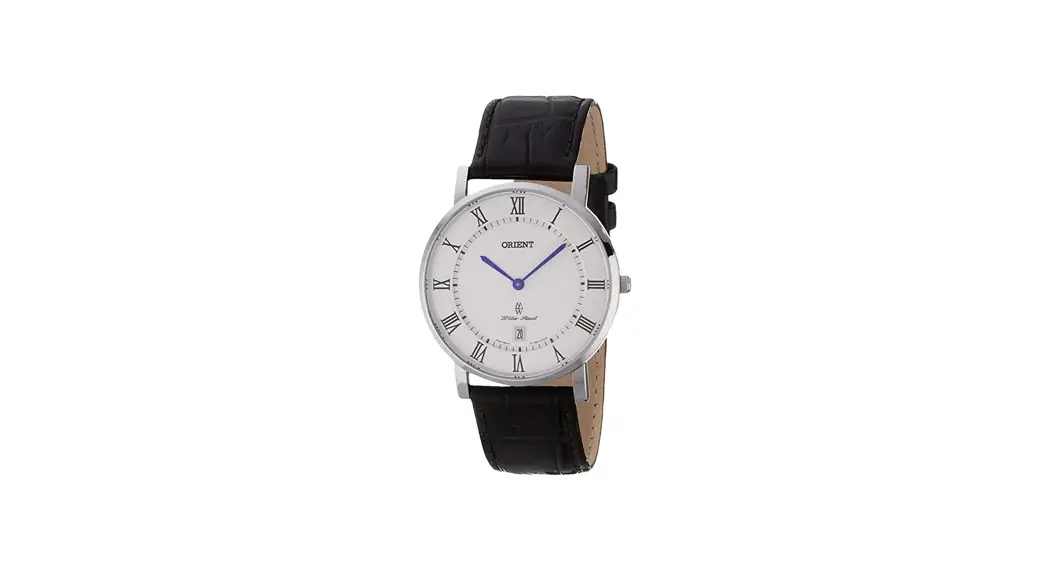
 RZ-WG0501N Quartz Light Charge
User Guide
Thank you very much for purchasing ORIENT.
Make sure you read this instruction manual to avoid any injury and damage to the product before use.
Meaning of symbols used in this manual
In order to prevent harm to users and third parties, as well as damage to property, the following warning signs are used to indicate that operation or handling involves danger.
 Warinig Warinig | Indicates that serious injury or death could occur if this is ignored and this product is handled incorrectly. |
| Caution | Indicates that injury or damage to property could occur if this is ignored and this product is handled incorrectly. |
 | Provides supplementary explanations and reference information. |
Precautions
- When using the product, some points must be observed in order to protect the product and ensure safety of the user.Please read the attached to the product. The same can be found on the following homepage. https://www.orient-watch.jp/support/precaution/symbols.php
- Some points should be observed to ensure prolonged use of your purchased product. Please see the homepage.
https://www.orient-watch.jp/support/maintenance/dailycare.php
About the Product
This product is a solar-charged watch. (LIGHT CHARGE)
- The light received by the solar cell is converted into electrical energy to power the watch.
See hear ⇒ 『Charging Method』
『Estimated Required Charging Time』
『Energy Depletion Warning Function』 - This watch shows the date in addition to showing the time (our, minute, and second).
See hear ⇒ 『How to Set the Time』 『How to Set the Calendar
Names and Functions of Individual Component Parts
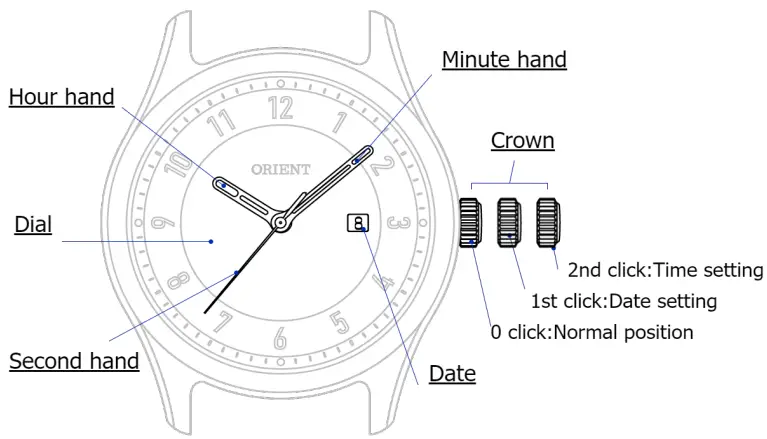
* The solar cell is located below the dial.
* The design of the dial and position of the crown may differ depending
Specifications
| Drive system | Stepper motor |
| Crystal frequency | 32,168Hz(oscillations per second) |
| Wearing accuracy (average monthly deviation) | ±20 seconds (When worn on the arm at 5°C to 35°C.) |
| Watch display | Hours, minutes, and seconds(hand movement in 1-second intervals)/24-hour hand/date |
| Additional functions | Energy depletion warning function Overcharging prevention mechanism |
| Operating temperature range | -5°C to +50°C |
| Batteries used | 1 secondary battery |
| Operation duration from full charge | Approx. 6 months |
| Magnetic resistance | The water resistance performance is indicated on the case back. A watch with ANTIMAG. I indicated on it is a type 1 antimagnetic watch that maintains performance when moved close (about 5 cm) to a device that generates a magnetic field. |
| Water resistance | The water resistance performance is indicated on the case back. A watch with WATER RESISTANT indicated on it has enhanced water resistance performance. |
To Maintain Stable Operation
Be sure to expose the dial to light (recharge the watch) on a regular basis. This product is powered by solar charging.
TIP
- Leaving the watch for a long time in a dark place where it is not charging may result in a low energy level.
⇒ 『Charging Method』 - The energy level is low if the second hand does not move in continuous 1-second intervals. Adequately charge the watch.
⇒ 『Energy Depletion Warning Function』
Charging Method
- The watch charges when light hits the dial.
- To operate the watch when it is stopped or if the battery level is low, charge the watch in accordance with the estimated required charging time.
○when you start using the watch:
There may be insufficient energy. It does not have to be fully charged but make sure that it is adequately charged.
○If the second hand moves in 2-second intervals:
Charging is insufficient. Charge the battery until the second hand moves continuously in 1-second intervals.
⇒ 『Energy Depletion Warning Function』
TIP
Two-second interval movement indicates movement of the second hand in 2-second (2-unit) intervals.
Caution
- Do not place the watch near light sources that generate heat while charging (such as lights for photography or incandescent lights).
The watch may overheat causing a fire, failure, or malfunction to occur. - Do not charge near a light source with high illuminance (LED, etc.).The watch and band may causing cause discoloration.
Estimated Required Charging Time
| IIlumina nce (lx) | Light source | Environment | Required charging time | ||
| Full charge | Continuous 1-second interval movement | One day’s operation | |||
| 700 | Fluorescent light | General office | Approx. 35 hours | Approx. 90 minutes | |
| 3,000 | Fluorescent light | 30 W • 20 cm | Approx. 65 hours | Approx. 8 hours | Approx. 20 minutes |
| 10,000 | Sunlight | Cloudy | Approx. 18 hours | Approx. 2. hours | m5 Approx. 6 minutes |
| 100,000 | Sunlight | Clear sky | Approx. 5 hours | Approx. 1 hour | Approx. 2 minutes |
※1:
Charging for longer than the required time for full charge will not damage the watch.The overcharging prevention function operates automatically.
※2:
This is the time required to charge the watch from 2-second interval movement to continuous 1-second interval movement when a stopped watch is exposed to light. If the charging time is too short, the second hand starts moving in 1-second intervals but may immediately revert to 2-second interval movements. Charge in accordance with the estimated required charging time.
*The figures in the table are for reference only.
The actual required charging time may differ depending on the model.
Energy Depletion Warning Function
The second hand moves in 2-second intervals when the energy level is low.
- When the second hand moves like this, the watch is likely to stop within about one week. Adequately charge in accordance with the estimated required charging time.
See hear ⇒『Reference Position Adjustment of Stopwatch Hands』
How to Set the Time
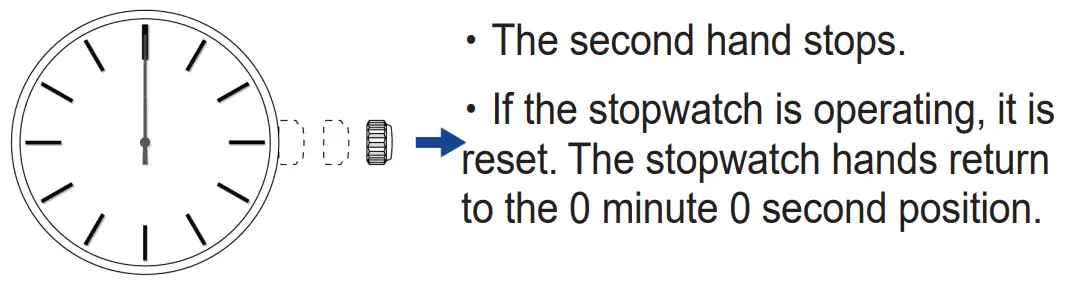
- Pull out the crown to the 2nd click position when the second hand reaches the 60 seconds position.

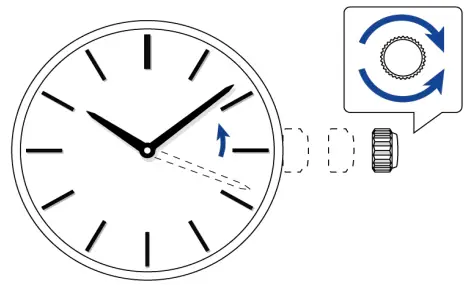
- Turn the crown to set the current time.

TIP
- The 24-hour hand is synchronized with the hour hand.
- When setting the time on a watch with a calendar, take care not to mistake a.m. and p.m. Turn the crown in the direction that the hands move. It is “a.m.” when the date switches.
- To set the time accurately, advance the minute hand by about 4 or 5 minutes and then return it to the current time.
Push the crown in to the normal (0 click) position while listening to time signal.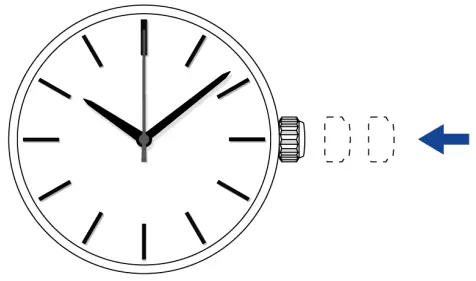
How to Set the Calendar
Caution
Do not set the calendar while the hands are in the time range below.
9:00 p.m. to 1:00 a.m.
The calendar will switch in this time range.
If the calendar is set in this condition, the calendar may not switch the next day.If you want to set the calendar, move the hands out of this time range.
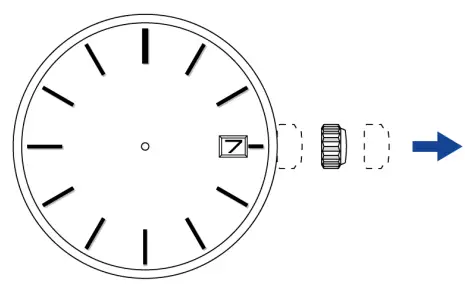
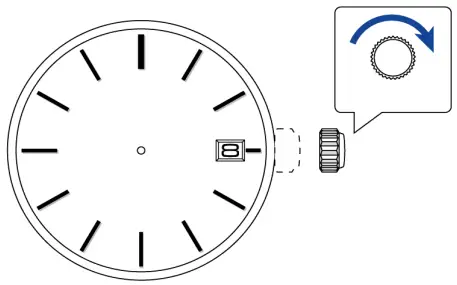
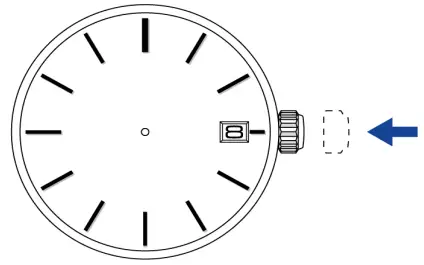
- Pull out the crown to the 1st click position.
* The position of the calendar may differ depending on the model.
TIP
The crown of this watch can be pulled out to two click positions. - Turn the crown clockwise to set the date.

- Push the crown in to the normal (0 click) position.
Date correction at end of month
The date must be corrected for short months.
Set the date to the “1st” when the date becomes the 1st of the next month.
(A short month is a month with fewer than 31 days.)
Troubleshooting
| Symptom | Possible | Remedy and reference |
| ・Second hand has stopped ・Second hand moves in 2-second | Energy level is low | Charge the battery ⇒ 『Charging Method』 |
| Second hand does not move continuously in 1-second intervals after charging | ・Incident light is too weak ・Charging time is too short | ・Charge in accordance with the estimated required charging time ⇒ 『Estimated Required Charging Time』 ・If the problem persists, |
* If resetting the system does not solve the problem, the watch may be defective. Contact the customer service center (TEL: 042-847-3380).
©2022 Seiko Epson Corporation
U79905060 (Rev.1.0 EN)
 日常のお手入れ|メンテナンスガイド|サポート情報|機械式時計・腕時計のオリエント