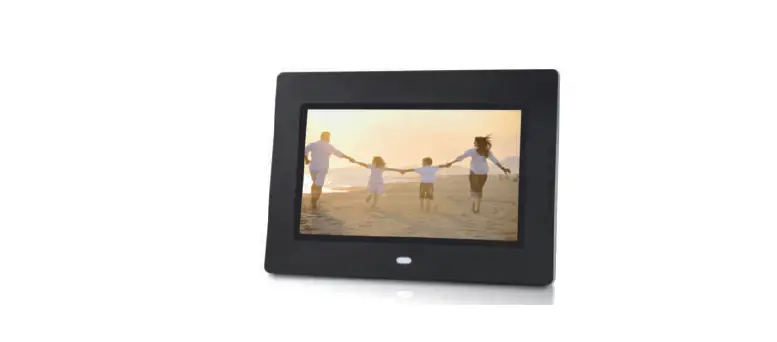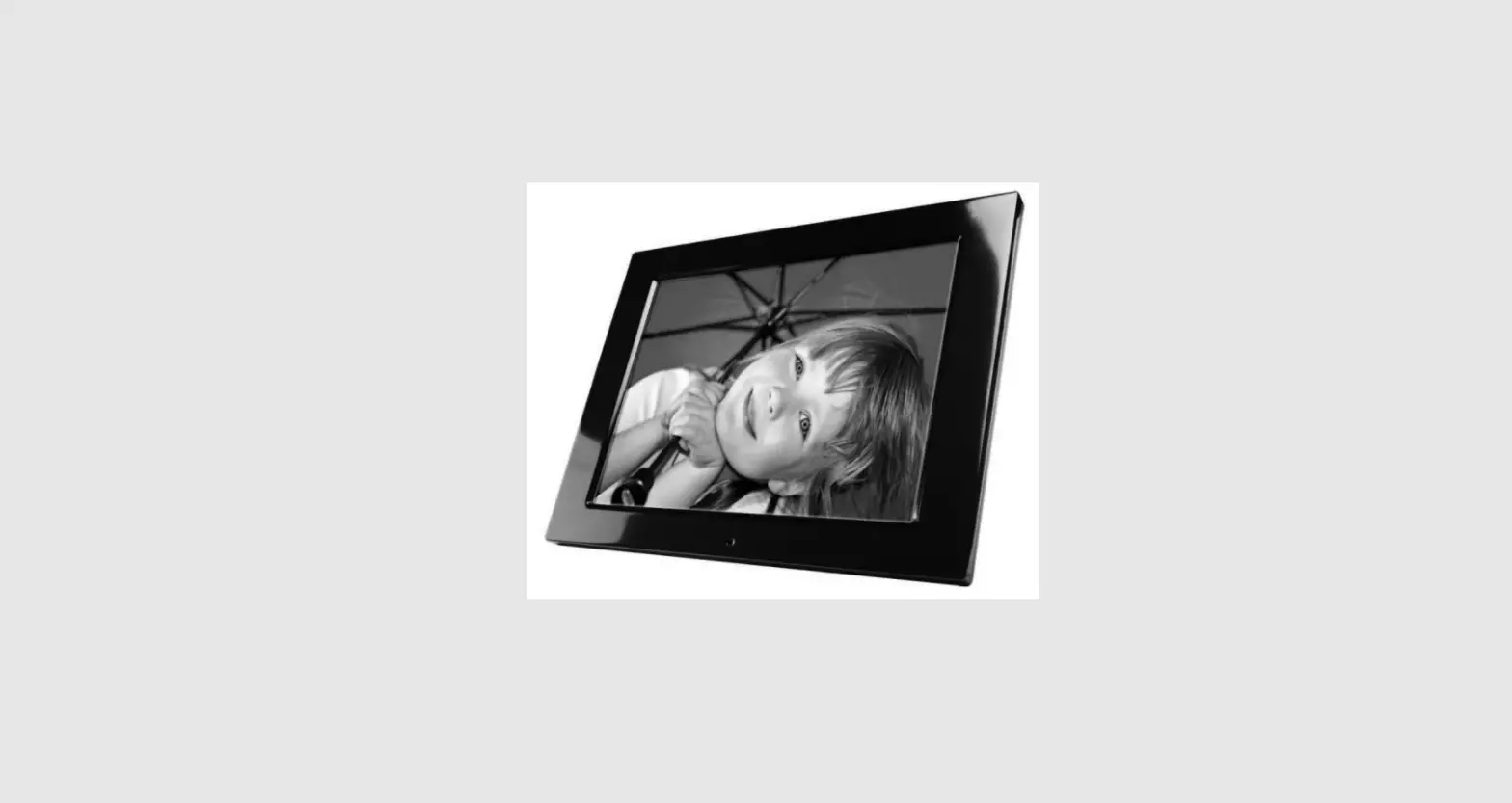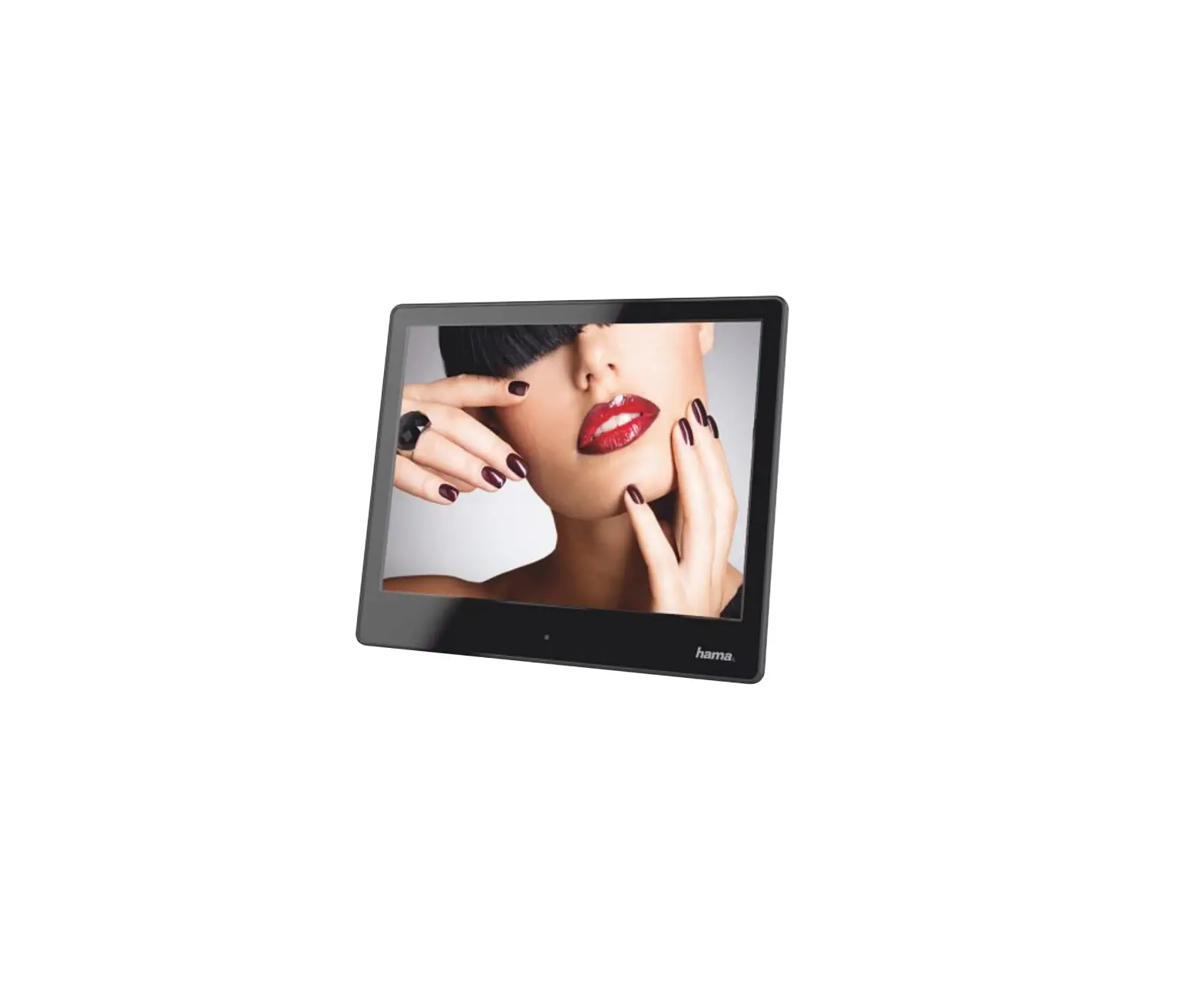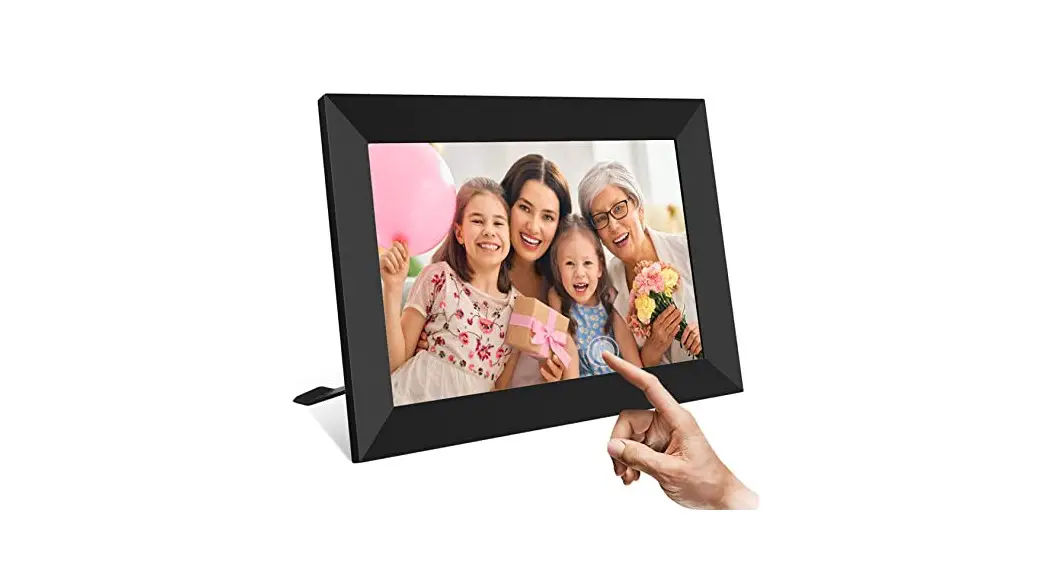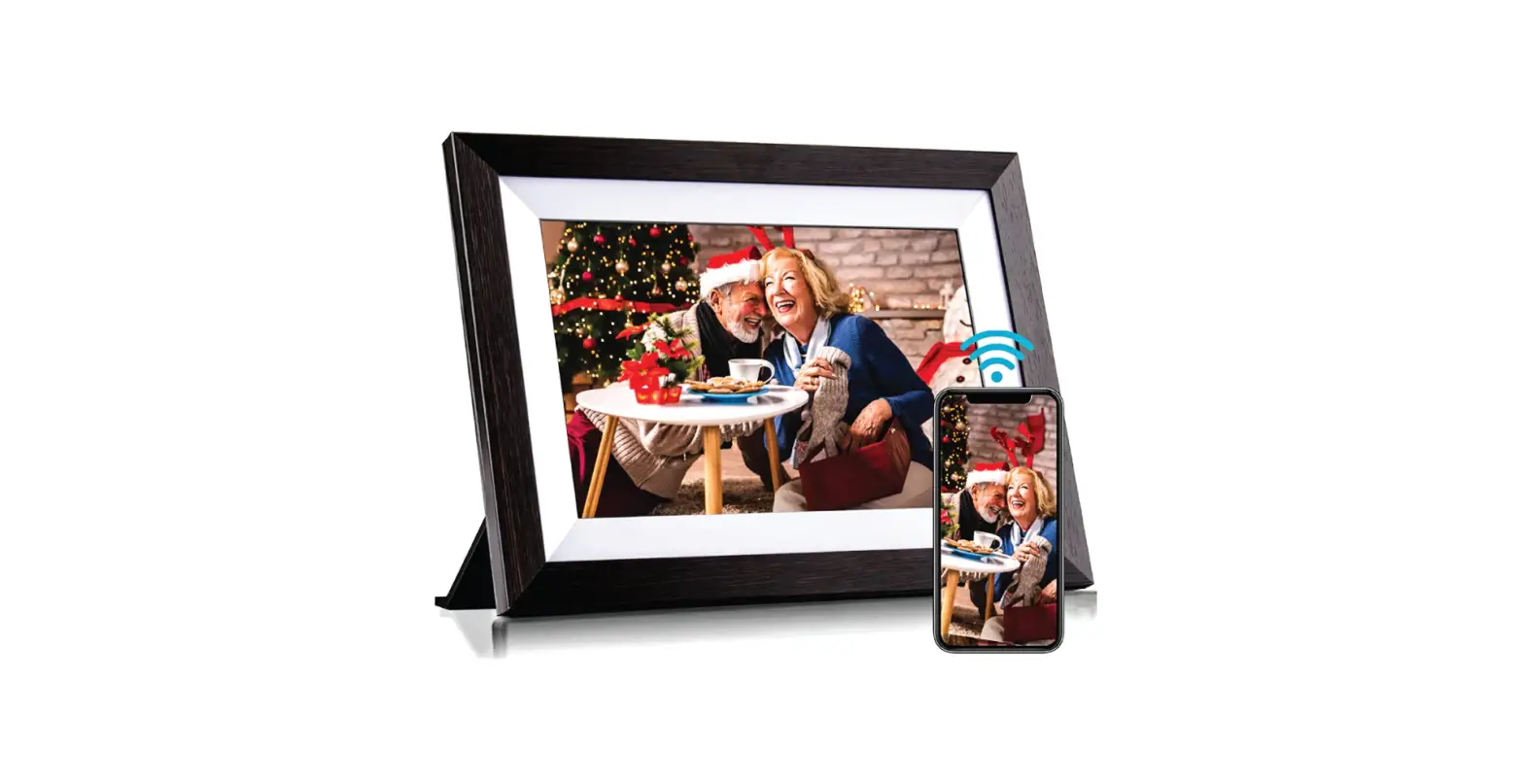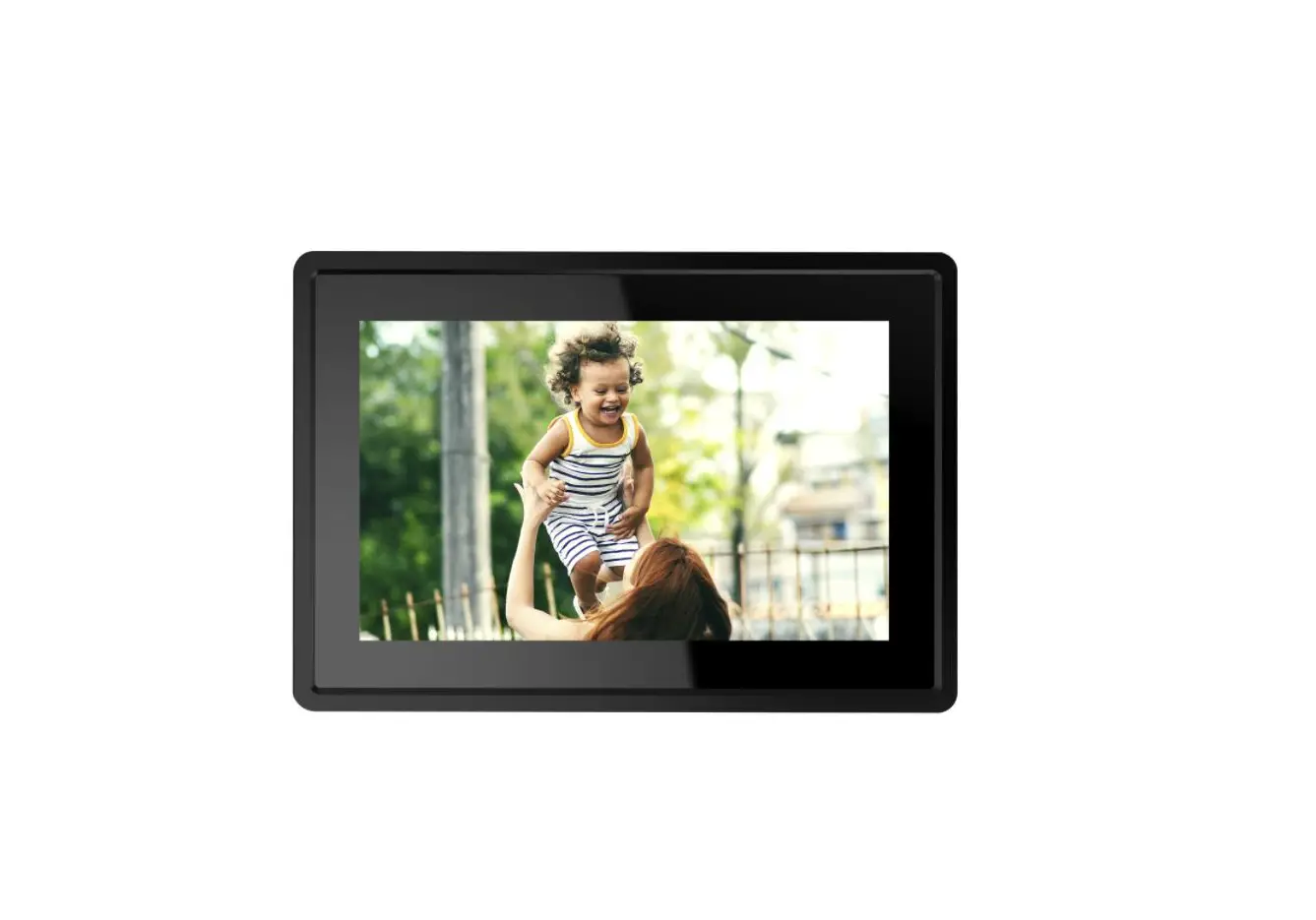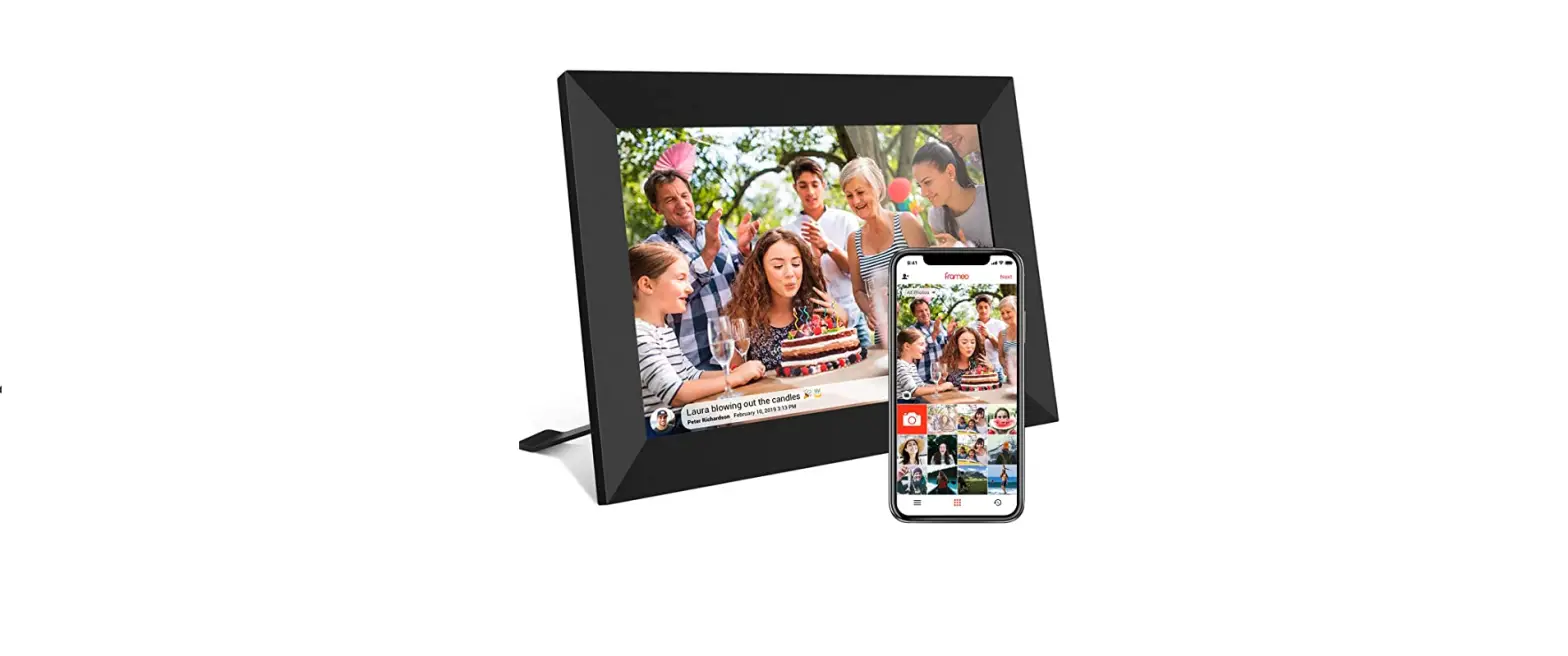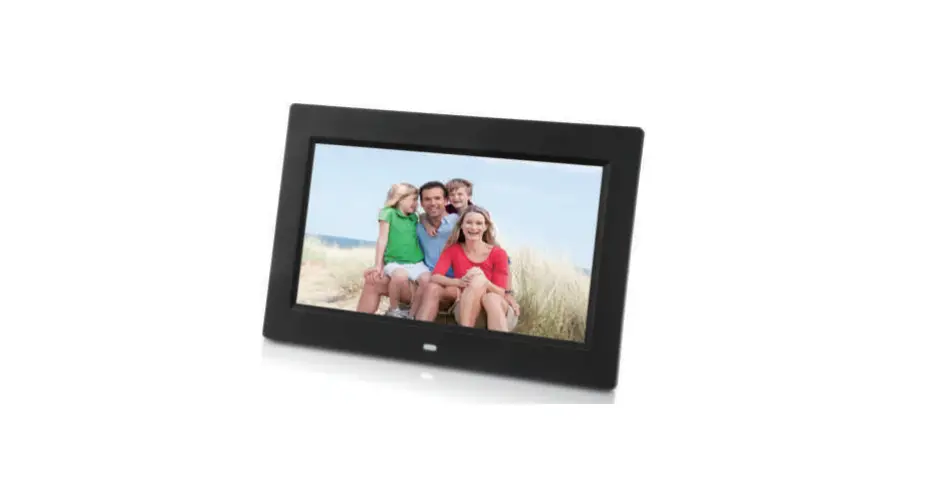

Majestic DF 820HD MP3 Digital Photo Frame
SAFETY WARNINGS
For safe use and maximum performance, please read this manual carefully before use.
CAUTION: TO REDUCE THE RISK OF ELECTRIC SHOCK, DO NOT DISASSEMBLE THE APPLIANCE. THERE ARE NO USER SERVICEABLE PARTS. FOR REPAIRS CONTACT QUALIFIED TECHNICAL STAFF.
To avoid the danger of electric shock or fire, do not expose to rain or moisture.
DANGEROUS VOLTAGE!
- The symbol to the side warns the user of the presence of voltage that could not isolated and may cause electric shock .
- This symbol warns the user that before using the unit, it is necessary to carefully read the instruction booklet.
IMPORTANT NOTES
- The use must be allowed only to adults and responsible persons, adequately educated on the damages deriving from incorrect use.
- This appliance can be used by children aged 8 and over if they are under supervision or if they have received instructions regarding the safe use of the appliance and if they understand the dangers. involved. Cleaning and maintenance operations by the user must not be carried out by children unless they are over 8 years of age and operate under supervision. Keep the appliance and its cord out of the reach of children under the age of 8.
- The devices can be used by people with reduced physical, sensory or mental abilities or with a lack of experience and knowledge if they are supervised or if they have received instructions regarding the safe use of the appliance and understand the dangers involved.
- Children must not use the appliance as a game.
- Do not allow the appliance to be used by children or the disabled without supervision.
- Keep away from pets.
- • Never use the appliance in places where the cord, plug and the product itself may come into contact with water or wet surfaces. Do not use the appliance outdoors, as rain could create short circuits. Do not touch the appliance with wet hands.
- Avoid installing the unit in the locations listed below:
- Places exposed to direct sunlight or close to equipment that generate heat, such as radiators;
- Above other stereo equipment that may radiate excessive heat;
- Places that block ventilation or are humid or dusty;
- Environments subject to constant vibration;
- Do not place accessories with naked flames, such as lighted candles, on the appliance.
- Do not try to repair or intervene on the appliance yourself. Incorrect interventions or tampering can void the guarantee. In the event of any damaged parts or suspected malfunction, discontinue use immediately and consult qualified personnel. Never immerse the appliance in water or other liquids. Do not place items containing liquids (such as vases) on top of the appliance.
- Do not touch the appliance with wet hands and do not place it near sinks, tubs or containers of liquids.
- Use the product only if it is in perfect condition. If the appliance has been immersed in water or is damaged, contact qualified personnel.
- The product should not be used if it has been dropped or if there are any visible signs of damage.
- Exposure to high volume levels can cause hearing problems, including permanent damage. The predisposition to hearing loss varies from person to person, however constant exposure to high volume levels is harmful to anyone. Moderate the volume level.
Cleaning the LCD Screen
- Treat the screen carefully. Because the screen of the Digital Photo Frame is made of glass and it would easily be broken or scratched.
- If fingerprints or dust accumulate on the LCD screen, we recommend using a sotinon-abrasive cloth such as a camera lens cloth to clean the LCD screen.
- Moisten the cleaning cloth with the cleaning solution and apply the cloth to the screen.
Introduction
Thank you for the purchase of the Digital Photo Frame. It is designed to allow quick and easy view of photos taken from your digital camera, mobile phone, or from a memory storage card. Please read this User Manual carefully to learn the correct way to use the Digital Photo Frame.
Packaging Check List:
- 10.1 inch digital photo frame
- AC/DC adaptor
- User manual
- Bracket stand
- Remote control
- Warranty card
Product Diagram
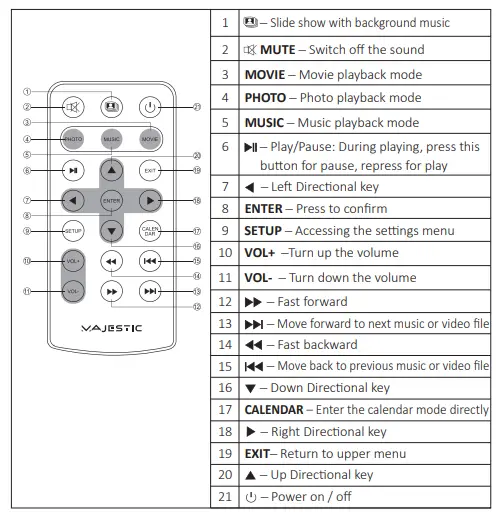
Remote Control
Back side Buttons
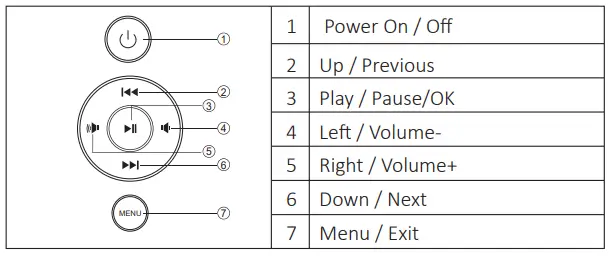
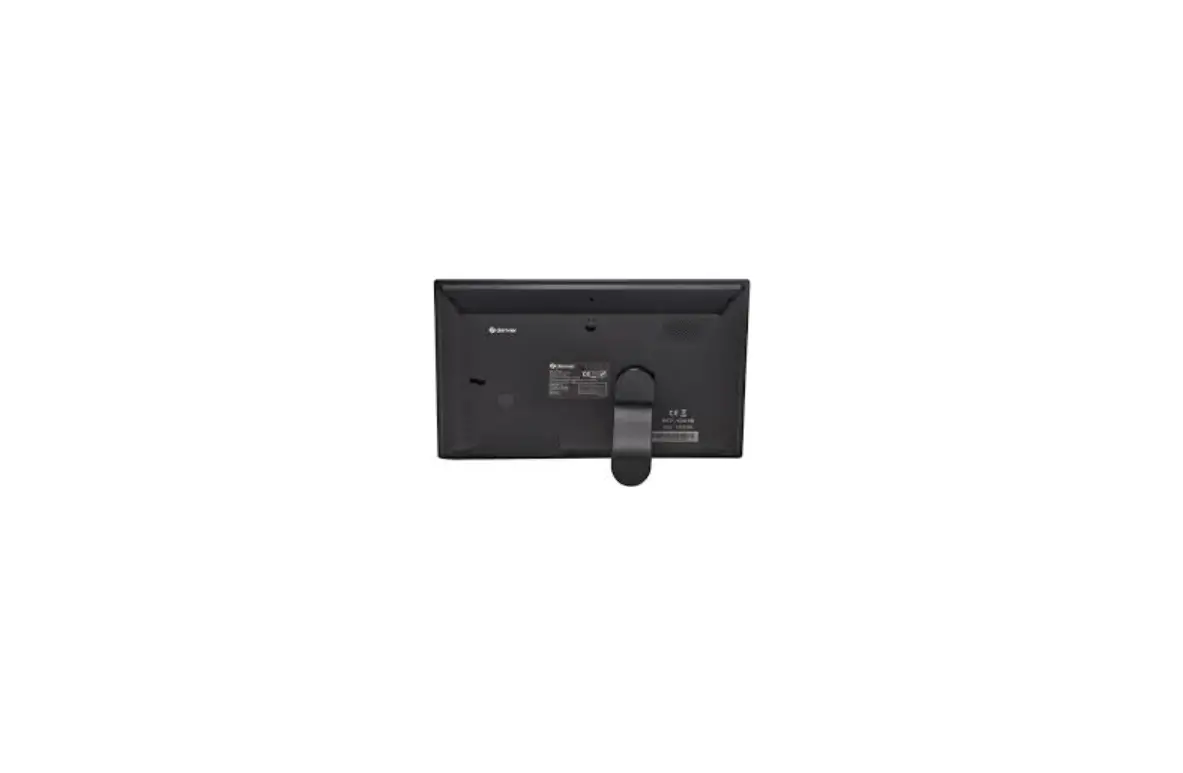
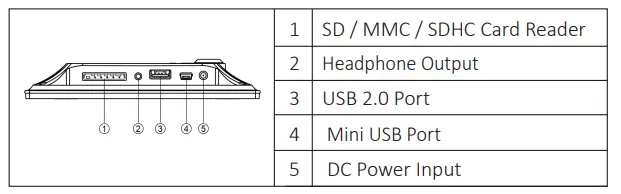
Back side of the frame
Installing & Replacing the Battery
- Unscrew battery cover and remove.
- Properly dispose of exhausted batteries.
- Insert 2 new AAA batteries.
- Be sure the positive (+) and negative (-) ends of the batteries are facing the correct direction.
- Replace the battery cover.
- Do not mix old and new batteries.
- Do not mix alkaline standard (carbon-zinc) or rechargeable (nickel- cadmium) batteries.


Using of Remote Control
Point the remote control towards the main unit when operating.
The remote control works best at a distance less than 3 m and at an angle of up to 30 degrees to the front of the unit. No obstacles may stand in the way between remote control and infrared sensor and do not place the remote control in direct sunlight. If the remote control fails to work even when it is operated near the player, replace the battery.
Notes on batteries
- If the remote control is not used for a long period of time, please remove the battery from the compartment.
- Do not heat batteries or dispose of them in fires.
- Do not dismantle, deform or modify batteries.
Getting Started
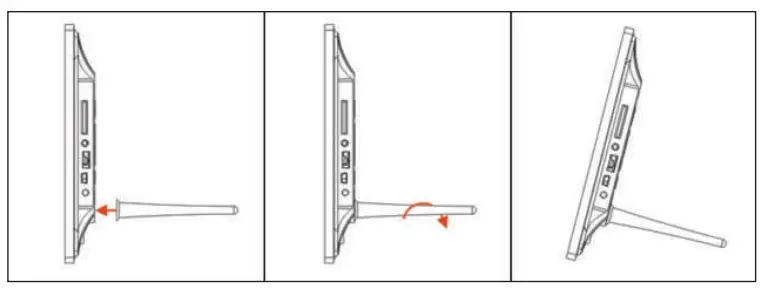
- Screw the support in the appropriate hole on the back of the unit:

- Insert the power adapter cable in the unit and connect to the power supply. The unit will turn on automatecally.
- Insert a supported memory device (SD/SDHC/MMC card and USB device). Once a device is inserted pictures playback will start automatically.
- Press power on/off switch on the back of the unit to turn on/off.
Operating Instruction
Main menu
In main menu you can access all the functions of the unit (Photo/Music/Video/File/Calendar/Setup).
- To navigate inside the menu press
 key and confirm with ENTER. Press EXIT during playback to go back to main menu.
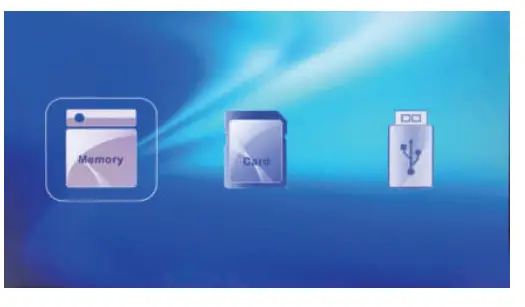
- In main menu you can select the storage to display by pressing EXIT. Only detected storage will be selectable (by using keys) and confirm with ENTER.

 key and confirm with ENTER. Press EXIT during playback to go back to main menu.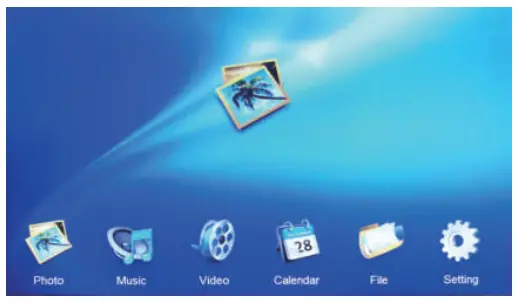
Memory
The Frame supports SD/SDHC/MMC Cards and USB 2.0. After inserting a card or USB device, the frame plays automatically the file format you selected in the Auto-start Menu.
Nota:
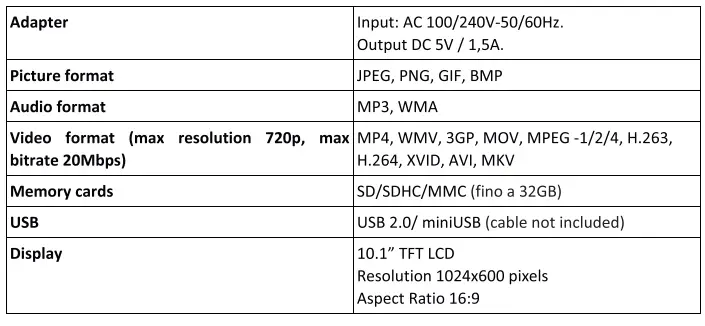
Make sure there are supported Picture files on the Card or USB device. The unit has a built-in memory (about 220kb) which allows to insert few pictures of small size which can be played and used as screensaver.
It is possible to transfer file in the built-in memory by connecting the unit to PC through miniUSB port (the unit will be detected as removable device by Windows) or by using the option Copy available in the File mode (after having inserted a storage which contains compatible files). It is possible to remove files from the built-in memory by connecting the unit to PC or by using the option “Delete file” inside the function
“File” (after having selected the built-in memory from the main menu).
Photo
Select Photo and confirm with ENTER or press Photo to start slideshow.During playback press EXIT to view all the pictures available in the selected memory. Use navigation keys to select the image and press ENTER to display.
- Use
 key to stop/resume slideshow. Pressing
  it is possible to use Zoom function. By using
  it is possible to rotate the picture. To switch between previous/next image use
  keys.
keys. - To play back the slideshow with background Music, (Music must be stored in the same memory device) pressYou can use
 to go to the previous/next background music.
 key to stop/resume slideshow. Pressing
  it is possible to use Zoom function. By using
  it is possible to rotate the picture. To switch between previous/next image use
  keys.
keys. You can use
  to go to the previous/next background music.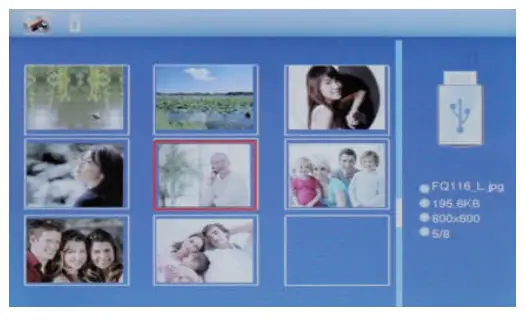
Music
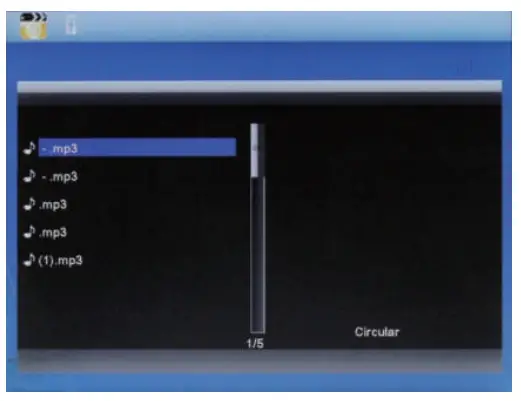
Select Music Icon and press ENTER to confirm, press Music key to start playback.
- Press to select a track and confirm with ENTER. Press to stop/resume playback.
- By using you can rewind or fast forward inside the track. With you can enter the previous or next track directly.
- Press VOL+/- to turn up/ down the volume.

7. Video
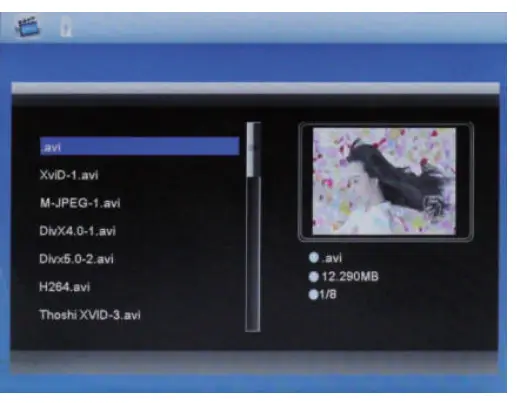
Select the Video Icon and press ENTER to display the list of video files available in the memory. By pressing Movie key it is possible to start automatically playback of video.
- Press to select the video from the playlist, then press ENTER.
- Press VOL+/- to turn up/ down the volume.
- During Video playback press for fast backward and fast forward.
- Press to switch to previous or next video.
- Press to pause/Play. To go back to video list press EXIT.

8. Calendar
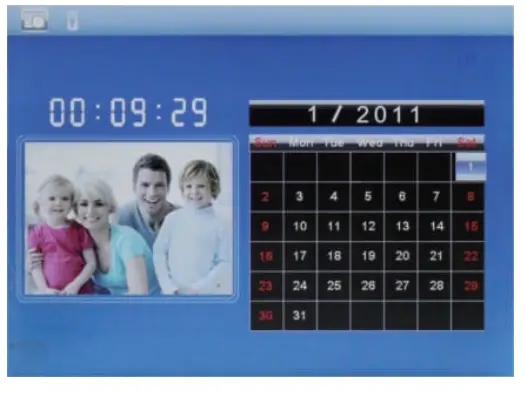
Select Calendar in the Main Menu, press ENTER to confirm or press Calendar key to display calendar. The calendar will be shown on the right side of the screen. On the left side a slideshow will start with the supported Picture files available in the selected storage device.
Adjust date with 
File
Select File in the main menu and press ENTER. You can browse all files on your selected storage device.
- Press to choose the file and press ENTER to open the file or folder.
- Press EXIT to go back to previous folder or main menu.
- By pressing
 it is possible to copy (in the built-in memory) or delete the selected file.
 it is possible to copy (in the built-in memory) or delete the selected file.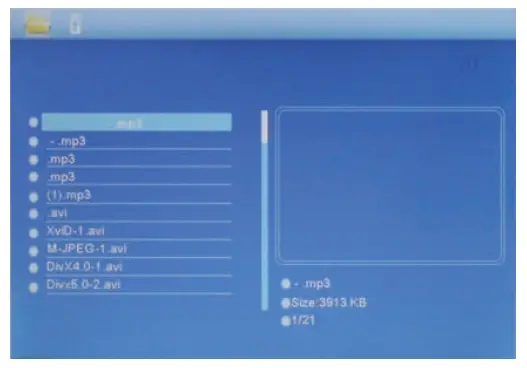
Setting
Select Setting in the main menu and you can manage photo, calendar, video, music and system setup.
- Choose Setting interface and press to highlight your selection.
- Press ENTER to access the sub-menu items.
- Press to select the available options and confirm with ENTER.
- Press EXIT to go back.

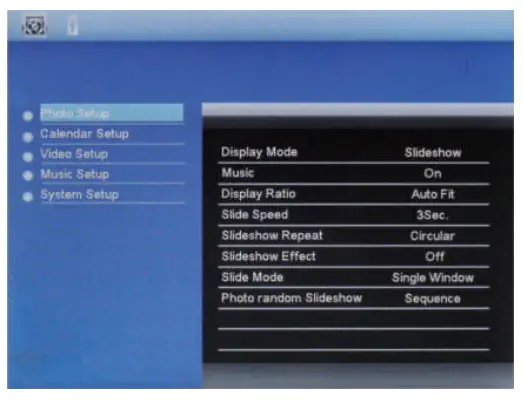
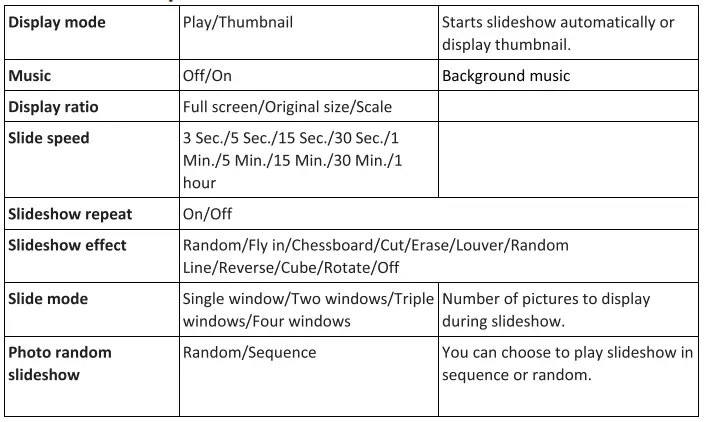
Photo setup
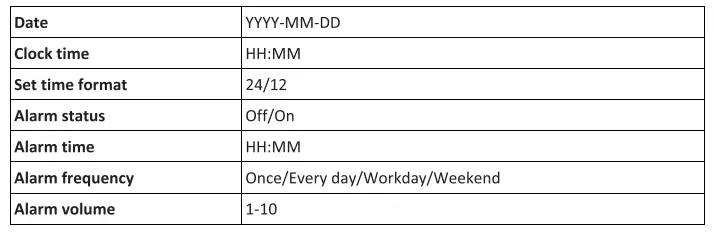
Calendar setup
Video setup

Music setup

System setup
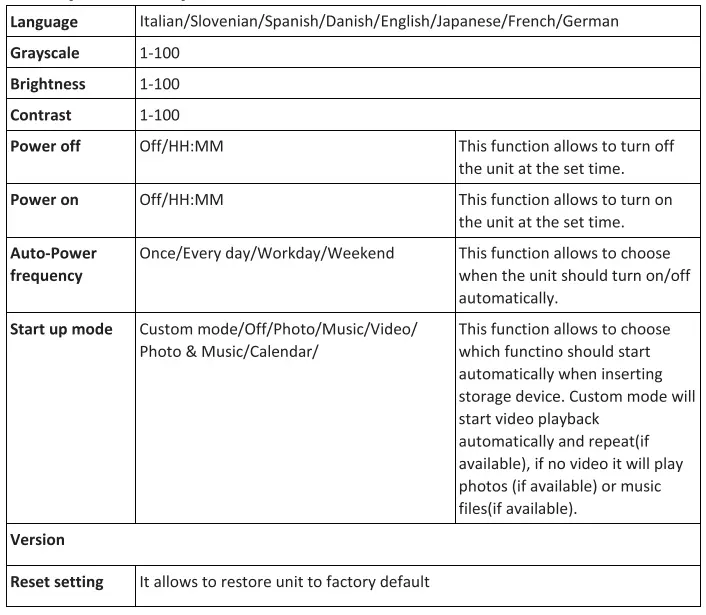
Screensaver
If no storage device is inserted, aer 5 minutes idle it will start slideshow with the pictures saved inside built-in memory (if there are files inside).
PC Connection
You can connect the unit to the external equipment by using mini USB Cable (not included) to manage contents (if the unit contains a USB device it will be visible from PC, otherwise it will display built-in memory and eventually SD card inserted).
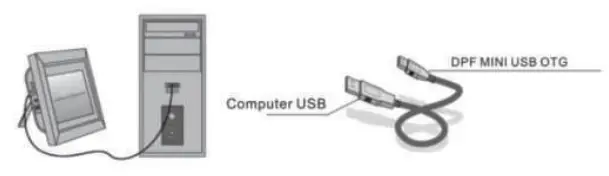
NOTE: Never disconnect the USB cable during any operaonal process. Doing so may damage your DPF. Press Safely Remove Hardware Icon on the computer to disconnect the PC-Connecon. The unit supports Windows XP/Vista/7/8/10.
Technical Specifications
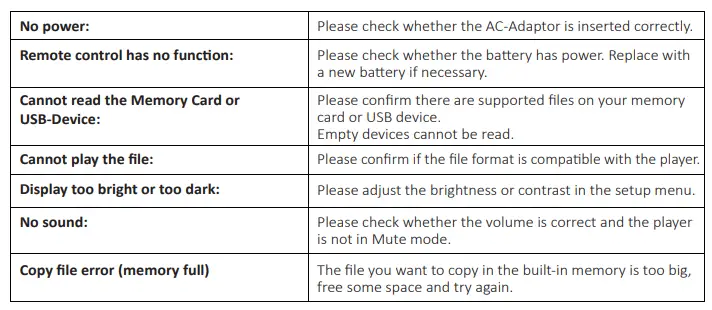
Troubleshooting Guide
If you come across when using the photo frame on problems, consult the suggested solutions below, and the corresponding sections of this manual. If you need additional assistance, please contact technical support.
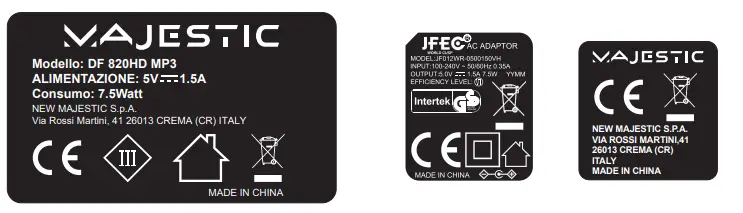
This equipment is designed to be supplied from a safety extra-low voltage power source, where the voltage is low enough that a person can safely come into contact with it without risk of an electric shock. Therefore the safety features built into Class I & Class II appliances are not required.
 = Indoor use
 = Class II, double insulation
 = / WEEE Logo (Waste electrical and electronic equipment)
 = Indoor use
 = Class II, double insulation
 = / WEEE Logo (Waste electrical and electronic equipment)