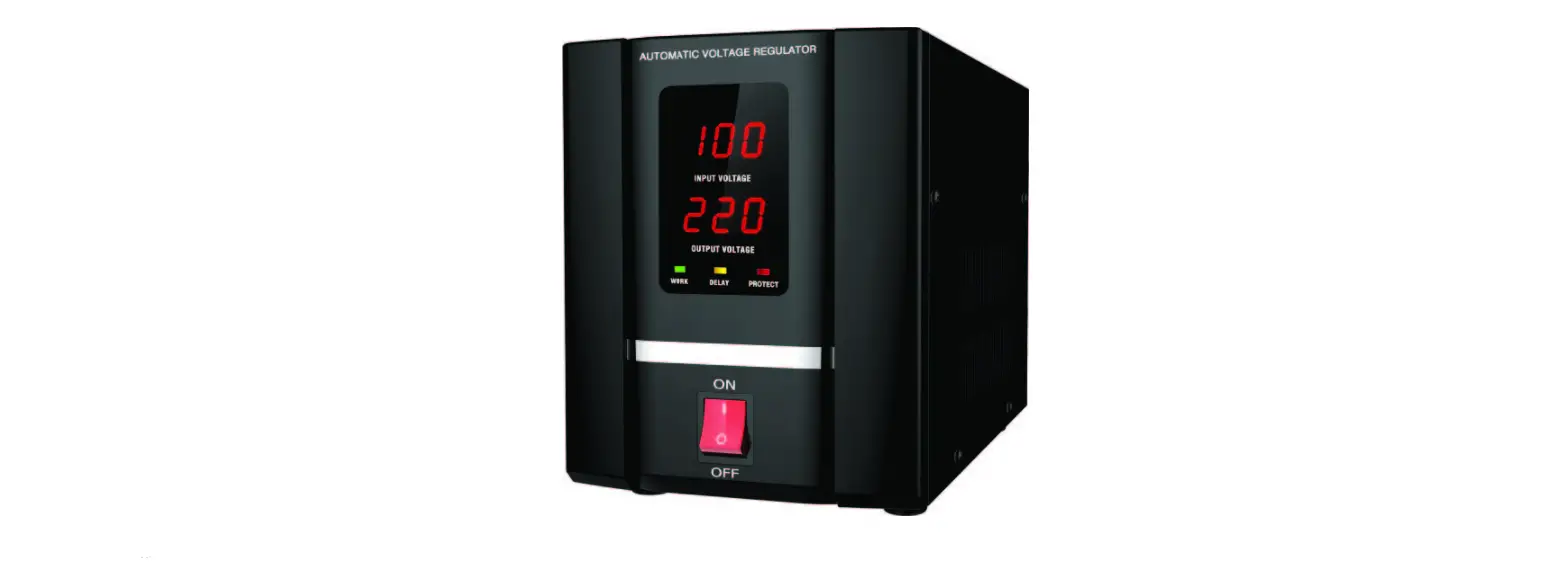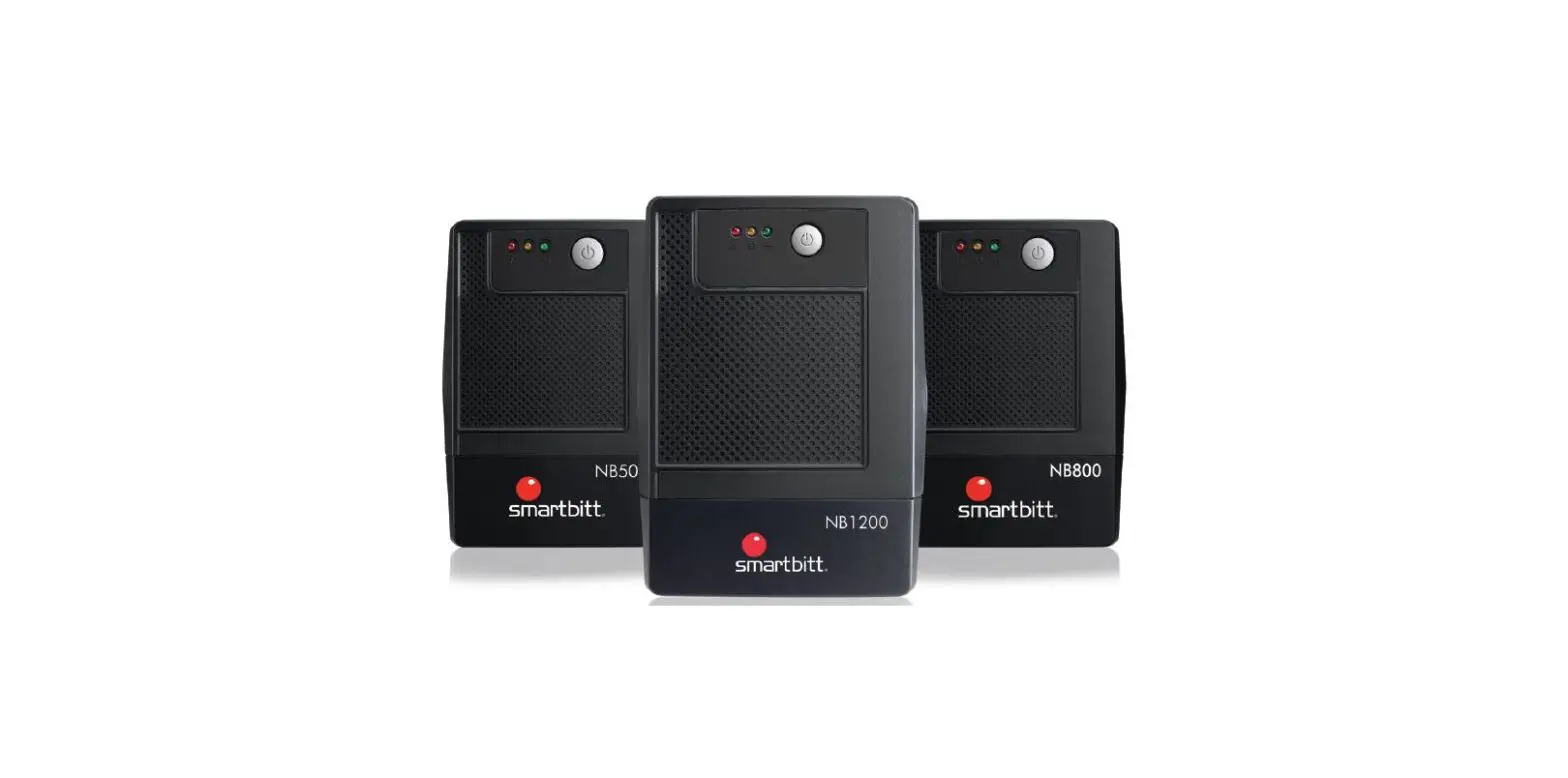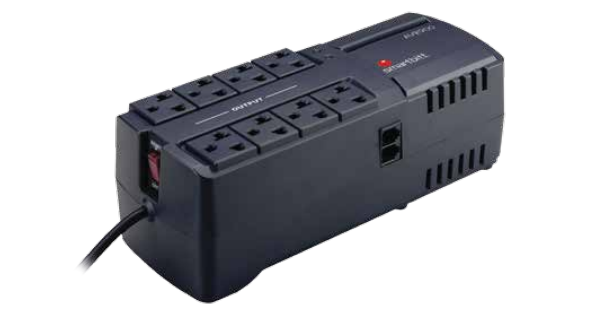

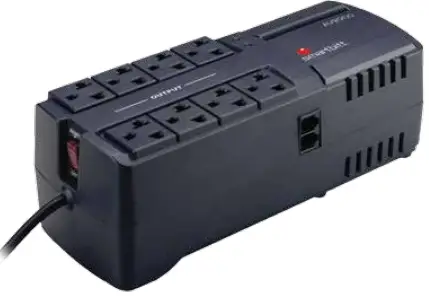
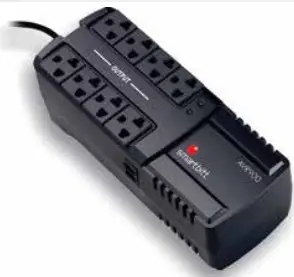
smartbitt 900VA Automatic Voltage Regulator
Important Safe Notice.
CAUTION
- Total energy load connected to your AVR must not exceed AVRs capacity, an excess in the maximum load capacity will cause the thermal breaker to interrupt the AC flow. (For more details about the load capacity and consumption of your devices please check out the specifications of your devices and/or the consumption table in this manual.)
- The AVR is designed for its use with devices sensitive to voltage changes, such as: PCs, monitors, Inkjet printers, scanners, faxes, beneath others. It is also designed for its use with entertainment electronics such as: TVs, gaming consoles, audio, modems, routers, beneath others.
- Is not recommended its use with: freezers, electric tools, air conditioners, de-humidifiers, or any other devices which employ alternating current motors for its functioning. Do not use with fuel powered electric generators neither vital support equipment.
WHAT’S IN THE BOX?
Introduction
Thank you for purchasing Smartbit Products.
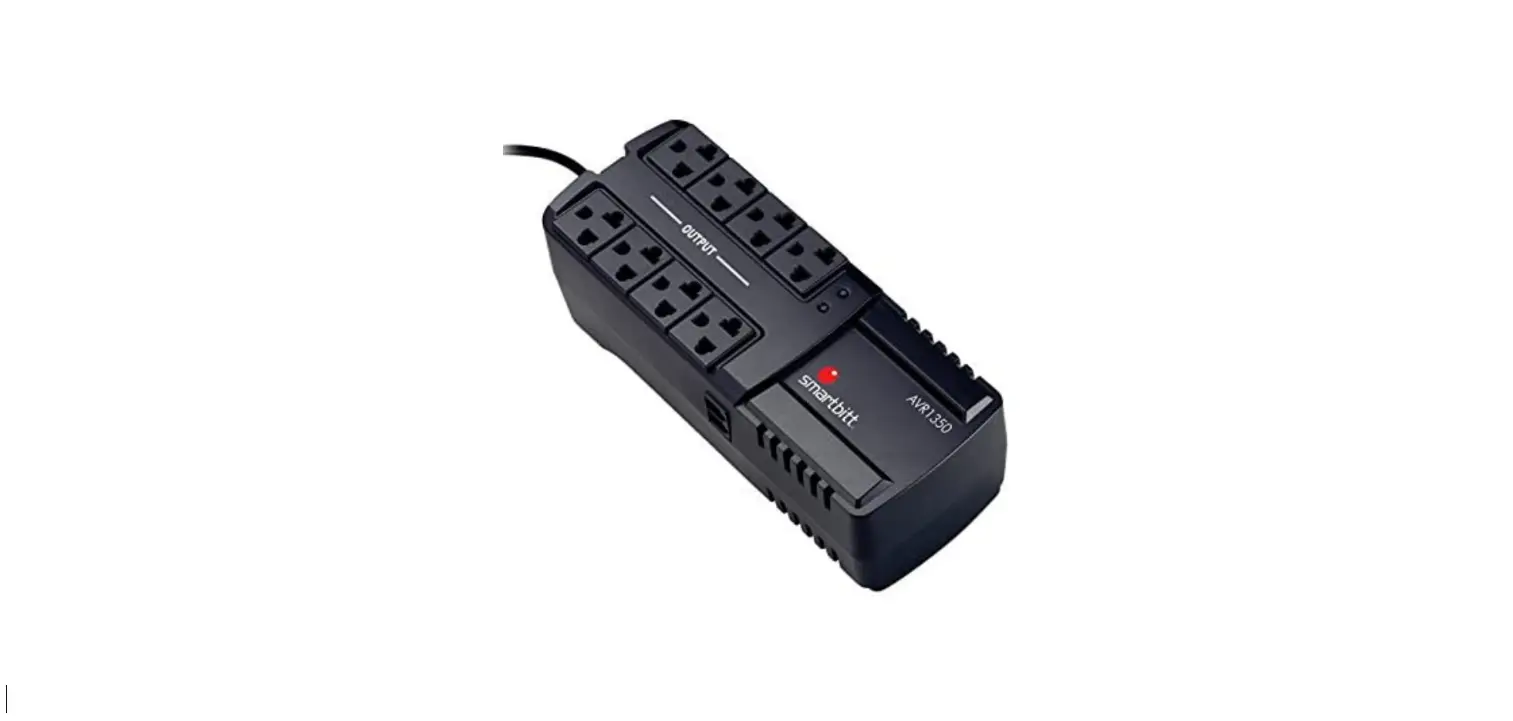
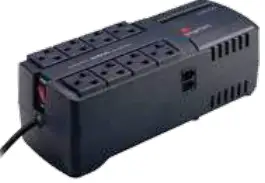
This AVR has 8 polarized outlets NEMA5-15R, featuring 3 different kinds of electronic devices protec-tion: Automatic Voltage Regulation, surge protection and elimination of electrical noise/interferences. This AVR will keep an optimum voltage level in all its outlets to protect your valuable and delicate electronic devices such as: PCs, TVs, videogame consoles, HiFi sound systems, beneath others
Characteristics:
- Provides 8 outlets with AVR, surge protection and electri-cal noise protection.
- Provides stable voltage output through the low voltage step-up (boost) and high voltage step-down (buck).
- Accepts wide range input voltages.
- Provides protection for electrical discharge and overload. Provides telephone line protection through its RJ11 connector

- Important Note.
Before installation, please inspect the unit. Make sure that no element contained in the package is damaged . If that is damaged contact the retailer where it was purchased with the responsible manager.
Knowing your AVR
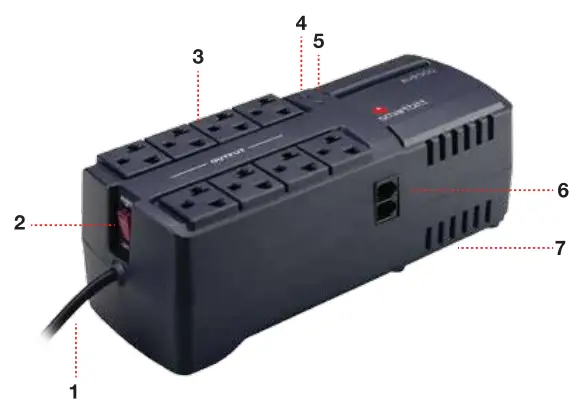
- Power cord
- On/Off Switch
- 8 Outlets (all with surge protection, electrical noise suppression, and AVR).
- Power On LED (Green)
- AVR active (Yellow)*
- Telephone line protection (RJ11 Connector)
- Slotted ventilation
*AVR active LED powers on only when the input voltage is above/below normal levels
Installation & Operation
- Inspection.
Remove your AVR from the original packaging and verify the integrity of the device, in case of finding any damage which could have occurred during the transportation of the device from its origin to the point of sale where it was acquired, please notify your vendor. - Installation conditions and placement.
Place your AVR in an area free of dirt or excessive dust and which has adequate airflow. Please place your AVR at least 20 cm away from any other devices to avoid any interference. Do not block the slotted ventilation. Do not operate the AVR where the temperature and humidity is above the specified limits (See specifications table included in this manual). Please operate the device in an environment free of mechanical vibrations, inflam-mable gases and/or corrosive or explosive atmospheres. - First load.
Connect the plug of your AVR into a polarized outlet, it is import-ant that your current output has an adequate connection to earth ground, this will make your AVR work properly. Warning! Tearing up or bending the earth ground terminal from the AVR plug such as inadequate connection could cause electric shock and will void the warranty immediately.
- Load connection.
- This AVR has 8 power outlets NEMA5-15R (American standard) which provide automatic voltage regulation, surge protection and electric noise suppression.
- Do not exceed the maximum capacity of your AVR, for this purpose it’s important for you to take advice from the consumption table further in this manual to avoid malfunc-tioning of your devices.
- For more exactitude on the consumption of your electron-ic/electric devices it’s recommended to see the consumption of each device, which must be stipulated on the rear panel or charger of the devices you wish to connect to the AVR.
- Modem or telephone line connection.
Connect the telephone line to one of the RJ11 connectors. Connect your modem/telephone/router into the remaining RJ11 connector. (Only applies for models with RJ11 protection). - Turning on the AVR.
Once you have connected the devices to the AVR, and made sure that the load doesn’t exceeds the capacity of your AVR, now you can proceed to switch the AVR to the ON position. (I)


Mounting on Wall & Troubleshooting
Installation on a vertical surface.
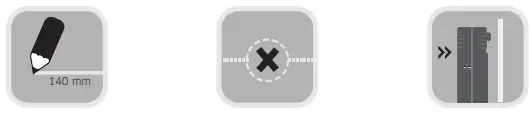
This AVR can be installed on a vertical surface. There are 2 ways to install it in this kind of surface, vertically or horizontally
- Draw.
Draw with a ruler a 140mm line (Vertical or horizontal depending on your needs). - Mark.
Mark with a sharp object each of the ends of the drawn line, this is where the center of the mounting brackets will be. - Place.
In both of the marks place one nail/screw on each, make sure that the nails/screws are firmly placed and strong enough to support the AVR weight. Place the AVR mounting brackets over the nails/screws, make sure the AVR is firmly placed.
Here you will find the most common issues.
If you need any information you can get in contact with our technical support team via e-mail, telephone or through the webpage http://www.smartbitt.com.
| PROBLEM | POSSIBLE CAUSE | ACTION |
| AVR doesn’t turns on. | AVR is not correctly plugged in to AC power source. | Make sure the AVR is correctly plugged in to the socket |
| Blown fuse | Check fuse, change if necessary for one of the same value | |
| RJ11 not protecting | Telephone cable not correctly plugged in. | Check if telephone cable is correctly plugged in. Check if the cable is in operative conditions. |
Technical Specifications
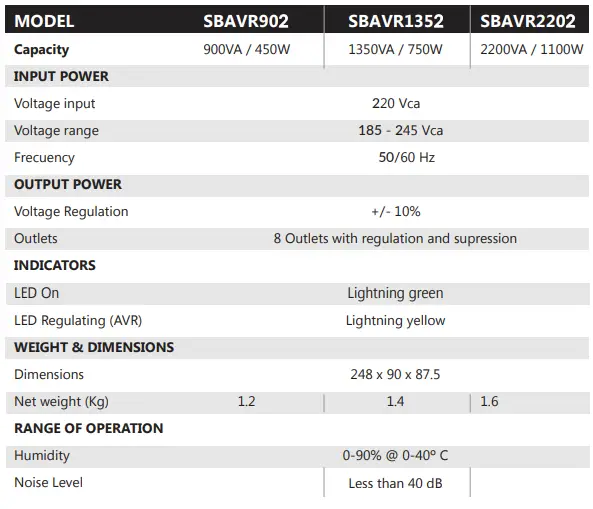
Consumption Table
| Phone Mobil Charger | average consumption | 5W |
| Multichannel Amplificator | average consumption | 120W |
| Audio Minicomponent | average consumption | 60W |
| Scanner | average consumption | 150W |
| Printer | Inkjet Printers | 27W |
| PC (monitor) | CRT promedio 17 inches | 70W |
| PC (monitor) | LCD, 19 inches | 100W |
| PC (monitor) | LCD, 21 inches | 120W |
| PC Netbook | 10.1 inches | 40W |
| PC LapTop | 15 inches | 65W |
| PC Desktop (CPU) | average consumption | 170W |
| PC Tower | average consumption | 220W |
| PC iMac (CPU) | Apple | 365W |
| Radio | average consumption | 15W |
| Radio | average consumption Old models | 40W |
| Digital Clock | average consumption | 5W |
| DVD Player | average consumption | 35W |
| VHS Player | average consumption | 100W |
| Blu-Ray | average consumption | 60W |
| Switch/HUB | 8 Ports | 8W |
| Inalambric Phone (Dock) | average consumption | 25W |
| TV | CRT Color, 21”, average consumption | 200W |
| TV | DLP, 50-56 inches | 206W |
| TV | LED, 32 inches | 60W |
| TV | LED, 40 inches | 100W |
| TV | LED, 55 inches | 190W |
| TV | LED, 60 inches | 230W |
| TV | LED, 80 inches | 280W |
| TV | LCD, 19 inches | 35W |
| TV | LCD, 21 inches | 115W |
| TV | LCD, 32 inches | 156W |
| TV | LCD, 34 inches | 200W |
| TV | LCD 37 inches | 236W |
| TV | LCD, 42 inches | 322W |
| TV | LCD, 50 inches | 464W |
| TV | Plasma, 42 inches | 474W |
| TV | Plasma, 50-56 inches | 18W |
| TV | Nintendo Wii | 34W |
| Video game Console | Nintendo Wii U | 23W |
| Video game Console | Playstation | 30W |
| Video game Console | PS2 | 194W |
| Video game Console | PS3 | 137W |
| Video game Console | PS4 | 70W |
| Video game Console | Xbox | 185W |
| Video game Console | Xbox 360 | 112W |
| Video game Console | Xbox ONE | 15W |
| Video game Console | average consumption | 12W |
The calculation may vary according to the make and model of the electronic device.
Scan QR code to download datasheet product
 Home - Smartbitt