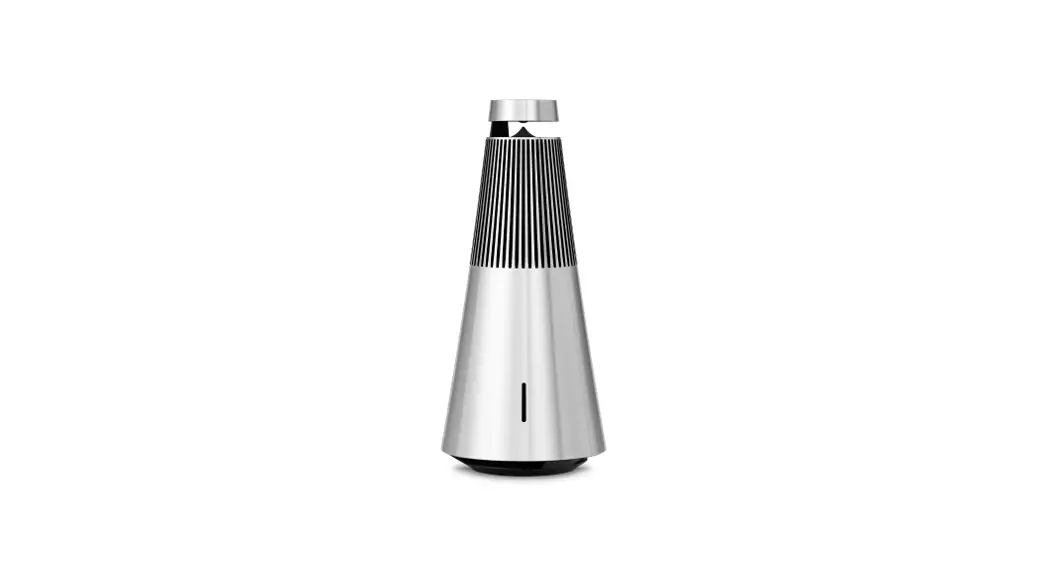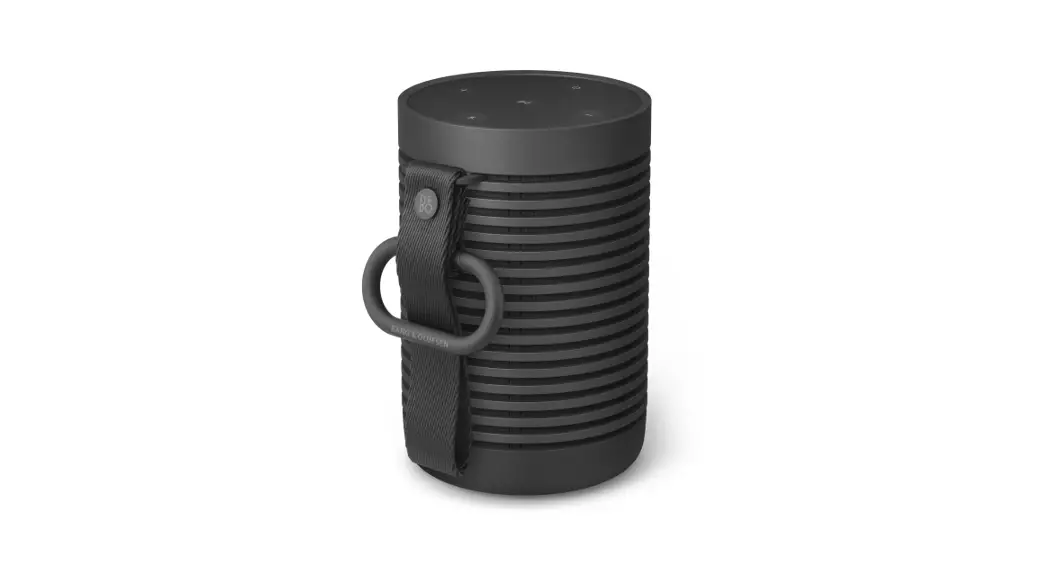

Bang & Olufsen Beosound 2 Wireless Multiroom Speaker
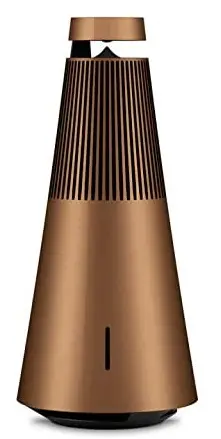
Specifications
- DIMENSIONS:1 x 19.6 cm W x H
- WEIGHT: 1 kg
- WIRELESS NETWORKS: Wi-Fi/WLAN 802.11 b/g/n (2.4 GHz & 5 GHz) Bluetooth 4.1
- EFFECTIVE FREQUENCY RANGE: 33 – 23400 Hz
- POWER AMPLIFIERS: 1 x 40 watt class D for tweeter, 2 x 11 watt class D for mid-range, 2 x 20 watt class D for woofer
- SPEAKER DRIVERS: 1 x ¾” tweeter, 2 x 2″ mid-range, 1 x 5 ¼” woofer
- CONNECTIONS: 1 x Ethernet 10/100 Mbit/s 1 x 3.5 mm mini jack line-in with sense
- MATERIALS: Aluminum
Introduction
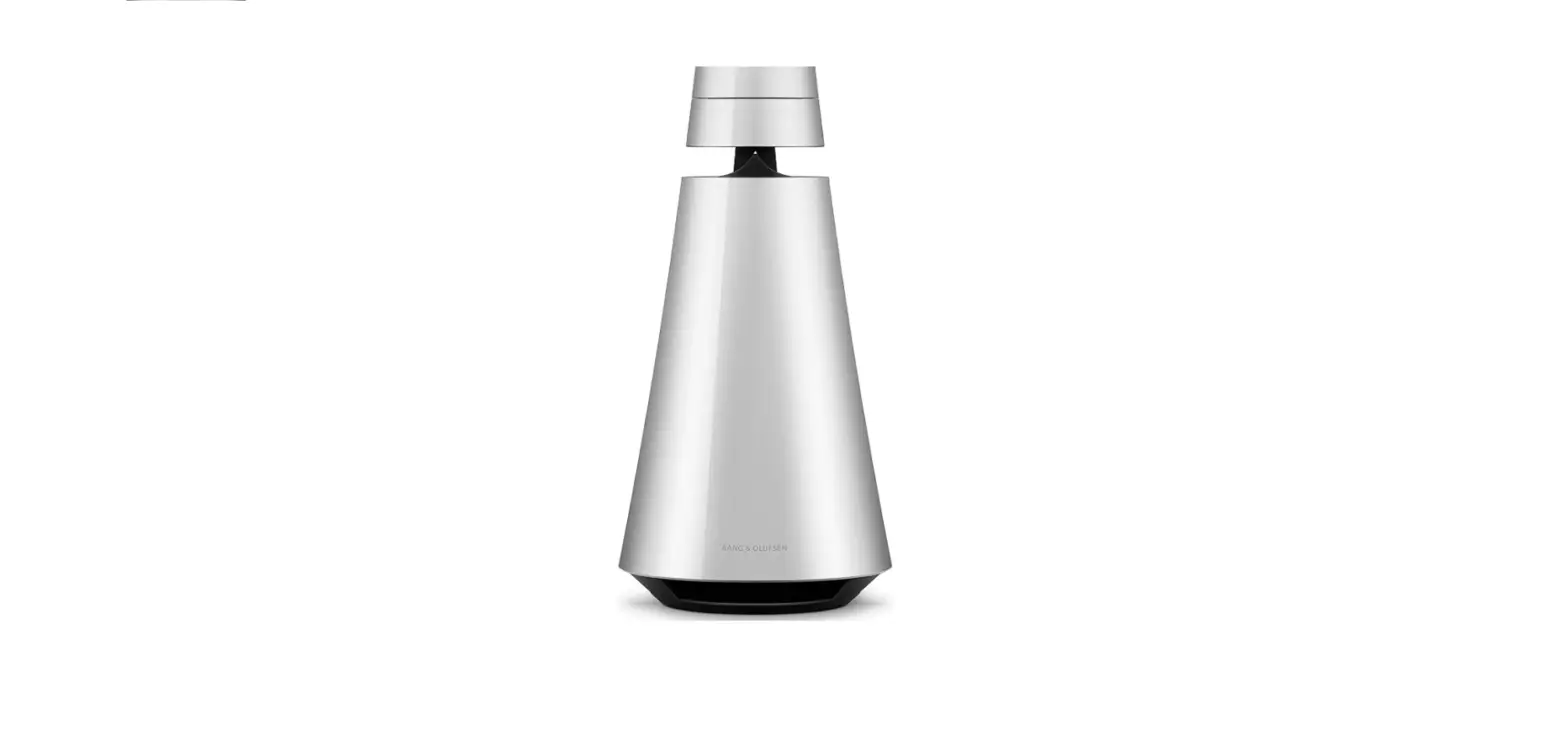
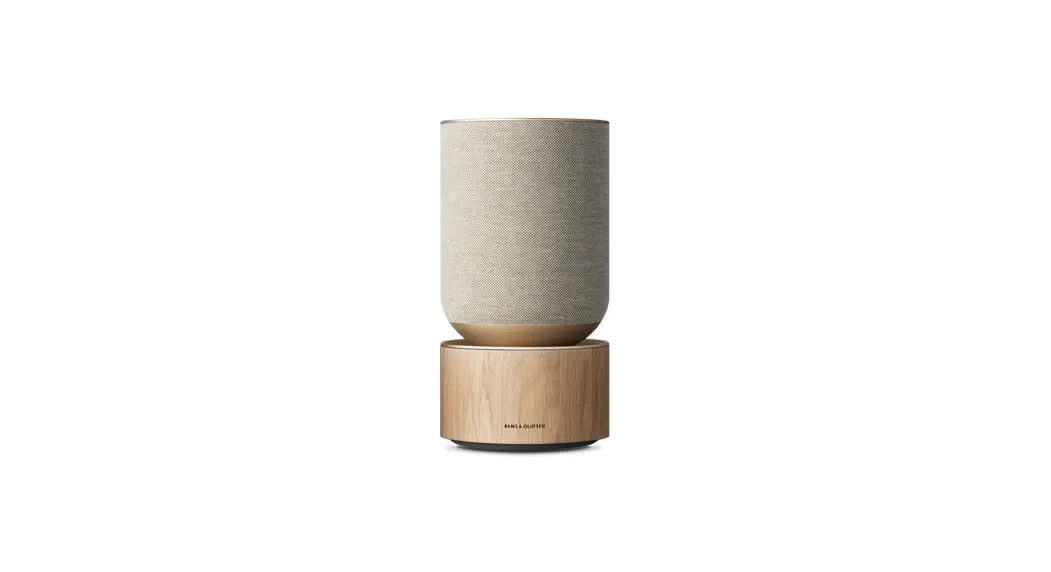
The BeoSound 2 is a wireless speaker system with built-in music services that has been expertly made from premium aluminum. Your room will be filled with crisp, powerful sound from every angle thanks to the revolutionary 360-degree sound technology. All streaming standards are compatible, it is simple to use, and it is Multiroom ready. You can operate the Beosound 2 wireless speaker with only a tap, turn, or swipe of the touch-sensitive wheel. This high-quality speaker’s sleek and portable design makes it simpler than ever to enjoy beautiful 360-degree music.
The in-home music systems, portable speakers, and headphones from Bang & Olufsen enhance your listening experience with greater sound and acoustic performance wherever you are. This speaker’s conical design and solid aluminum shell make it not only stylish and robust, but also very acoustical. Beosound 2 fills your space with clear, balanced sound thanks to cutting-edge 360° technology. You will enjoy flawless audio distribution regardless of where you are seated in reference to this speaker. This speaker’s conical design and solid aluminum shell make it not only stylish and robust, but also very acoustical. Beosound 2 fills your space with clear, balanced sound thanks to cutting-edge 360° technology. You will enjoy flawless audio distribution regardless of where you are seated in reference to this speaker.
Premium B&O sound quality is delivered by the Beosound 2 Portable Wireless Speaker, which has an unusual design. The touch-sensitive wheel may be used to activate your preferred source, change the volume, skip or repeat tracks, and more. Your position is detected by a proximity sensor, enabling consistent and natural touch wheel usage from any angle. The Bang & Olufsen app is compatible with Beosound 2 as well.
What’s in the Box?
- Multiroom speaker x 1
First-time setup instructions
To set up and connect your Beosound 2 to your network, use the Bang & Olufsen app.
- Launch the Bang & Olufsen application.
- Click “Add a product.”
- Select Beosound 2 by moving the cursor over “Wireless sound systems” on the left.
- Plug in the power wire.
- Give your Beosound 2 at least two minutes to boot up and load all necessary services.
- In the app, select “NEXT.”
- Complete the following steps to connect your Beosound 2 to Wi-Fi and use all of its functions.
After completing your Beosound 2 setup, click here to read about Multiroom.
Note: In order to connect your Beosound 2 to a Wi-Fi network, your mobile device must also be connected to that network.
Beosound 2 Bluetooth connection instructions
Switch on Beosound 2
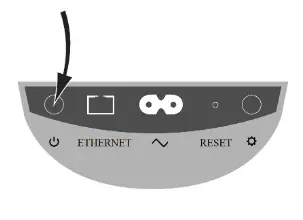
- Connect Beosound 2 to the mains supply and push the power button to turn it on.
- The connectivity indicator and the product indication should both be blinking white for two minutes.
- Beosound 2 is fired up and prepared to be configured with the Bang & Olufsen app once the connectivity indicator switches to orange and a prompt sound is heard.
Pair your Bluetooth devices.
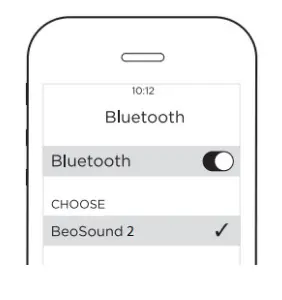
- Activate Bluetooth on your gadget.
- You’ll see Beosound 2 as a connection option.
- To connect, tap Beosound 2.
- You can now utilize your Beosound 2 device.
FREQUENTLY ASKED QUESTIONS
Now only a click away, new musical dimensions are available. To experience more richness, depth, and scale than ever before, uses Stereo Pairing to wirelessly connect two of the same speakers.
An easy way to link current and former Bang & Olufsen products. Beolink makes it possible to stream instantaneously, watch TV, and play vinyl from your recognizable turntable. One remote can be used to control your entire setup. With One Touch controls, you may start or pause musical moments across your house.
A room-filling sound can be achieved by pairing two or more Bluetooth speakers, giving you a richer audio experience overall.
Simply pair your two Beosound Level speakers as a left/right speaker pair in the Google Home app. Then, to enjoy an immersive stereo experience, choose the stereo pair for playing in the speaker menu of your audio streaming app.
Dolby Atmos®, which offers the idea of object-based audio and creates the impression of surround and overhead loudspeakers for a more immersive audio experience, is a feature of your Beosound Stage.
Your gadget should be Bluetooth enabled. You’ll see Beosound 2 as a connection option. To connect, tap Beosound 2. You can now utilize your Beosound 2 device.
You can purchase cables and adapters from your local Bang & Olufsen outlet. The cable should be connected to the proper socket on the digital product. Connect the wire to the television’s HDMI IN port. To be able to manage the source with your Bang & Olufsen remote control, utilize one of the HDMI A-D connectors.
Enter the Bluetooth options and pair each speaker individually. In the top right corner, select “Advanced” or the menu with three dots. Turn on the toggle for “Dual Audio.”
The design of the speakers, the materials’ quality, their weight and durability, and even their branding, can make high-end speakers more expensive. Often, individuals underestimate how crucial these factors are. Brand-inflated pricing is the main thing to watch out for if you care about quality and value.
Swimming is not permitted with the Beoplay P2, which is water resistant but not waterproof. The P2’s primary distinguishing characteristic is how it is controlled. Apart from the on/off button, there are no physical buttons. A touch on the front or a shake is used for all control.
Unlike its smaller sibling, the BeoSound 1, the BeoSound 2 does not include a rechargeable battery for portability.
Your gadget should be Bluetooth enabled. Beosound 1 will show up as a connection option. For connection, tap Beosound 1. You can now utilize your Beosound 1 device.
You can access Bluetooth devices by pressing on media in the Quick Panel if your phone runs Android 10 or higher. In that window, you must select both devices for audio output.
A 4 zone speaker selector switch is the simplest and safest way to join 4 pairs of Hi-Fi speakers. To wire this, all that is needed to do is run a wire from the living room, which serves as the hub, to each speaker. Additionally, any impedance matching should be taken care of by the box to avoid amplifier overload.
Two speakers are often a manageable load for most amplifiers. Similar to a passenger on a tiny motorbike: carrying two passengers doubles the load that the bike must carry, but most bikes can manage this. However, if you add more speakers than two, the amplifier will typically get overloaded.