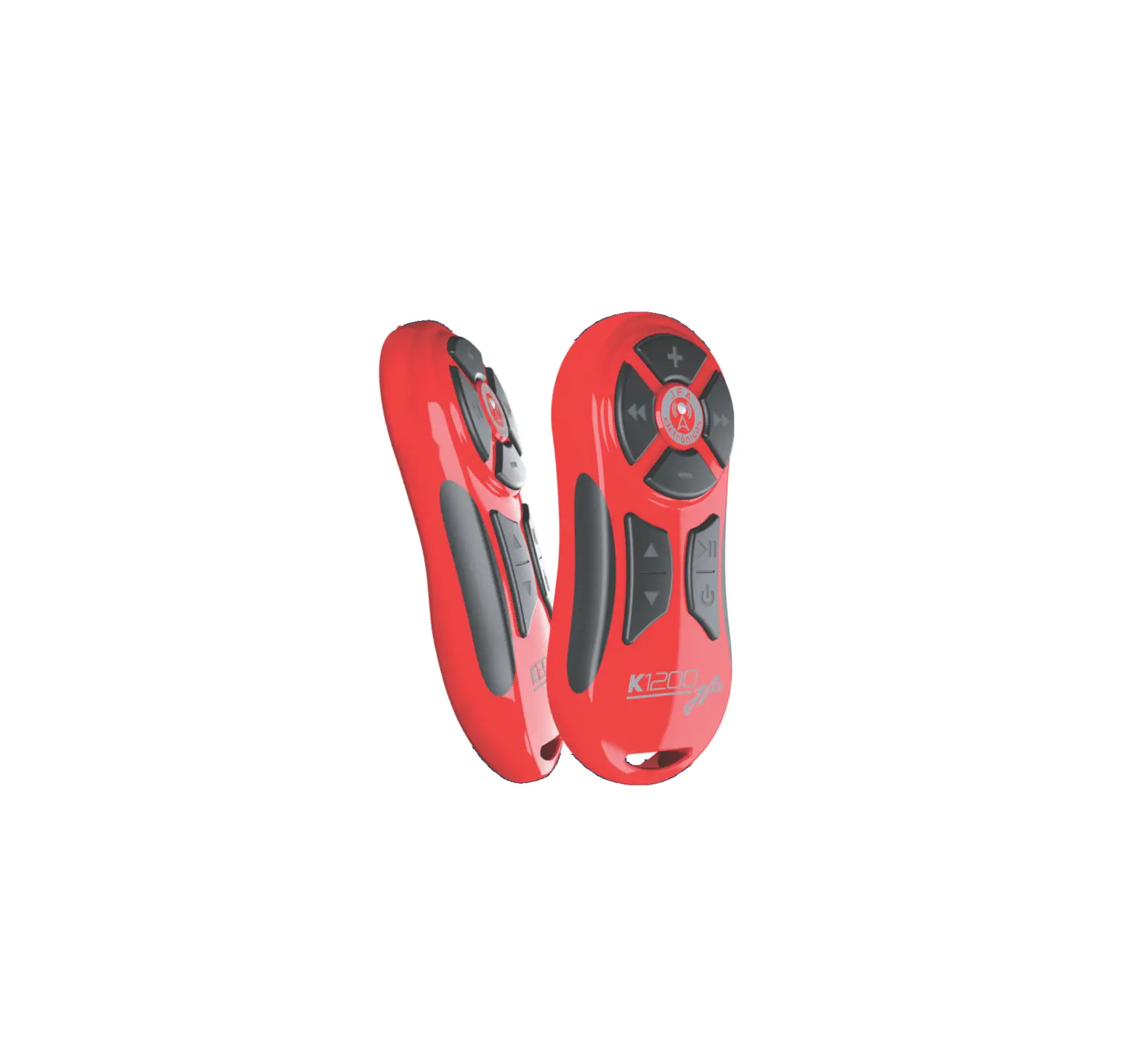
JFA ELETRONICOS K1200 Remote Control

DESCRIPTION
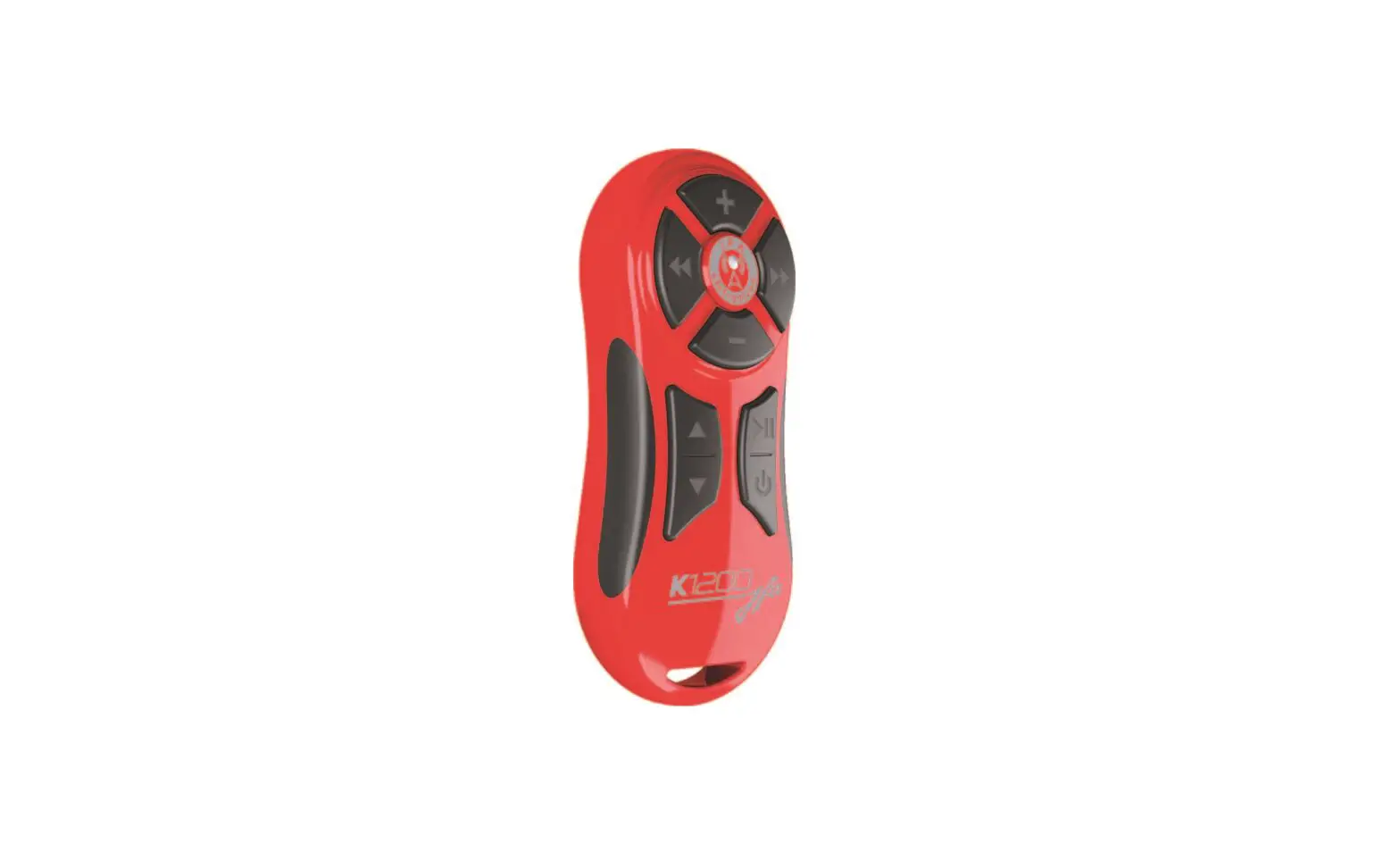
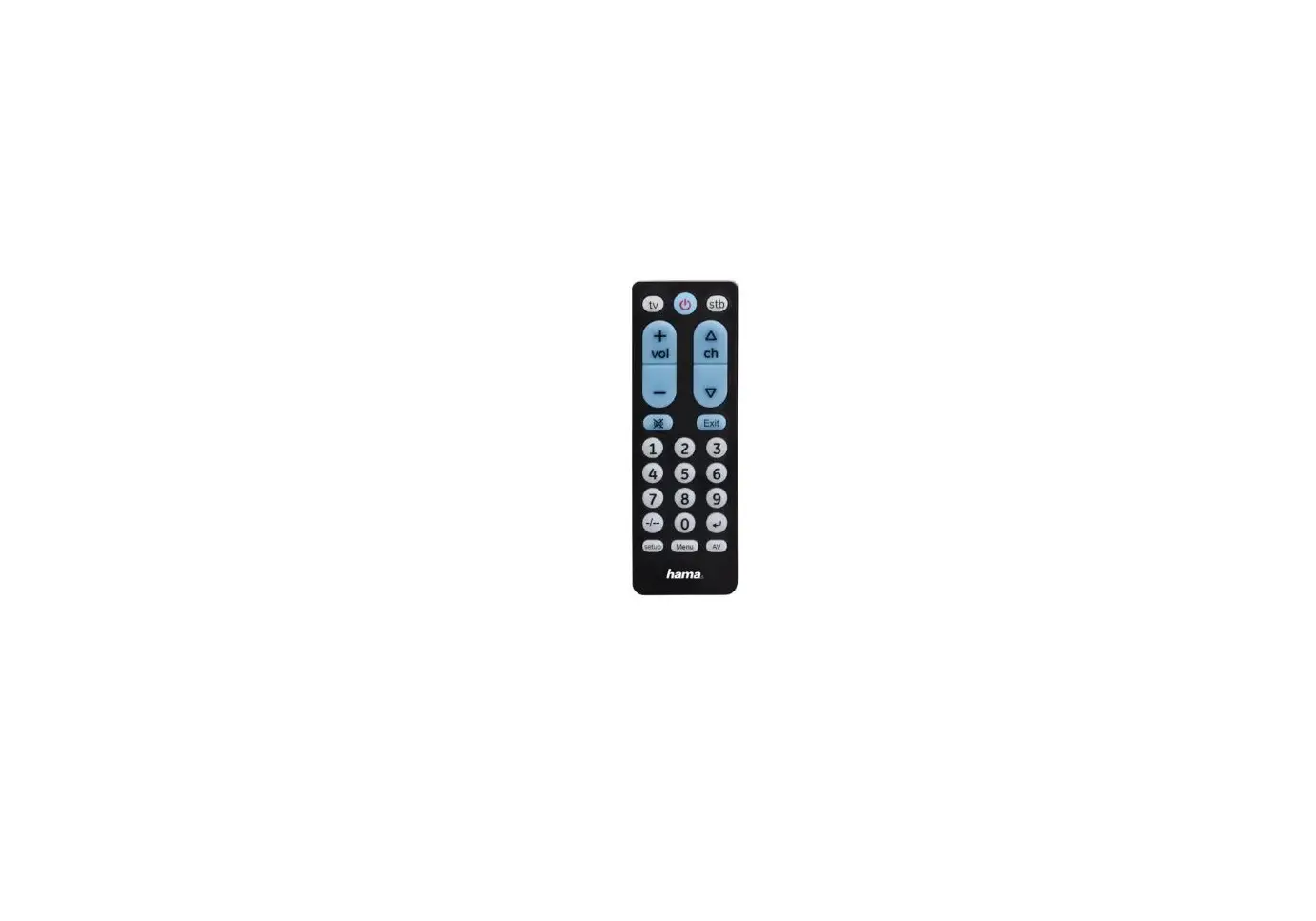
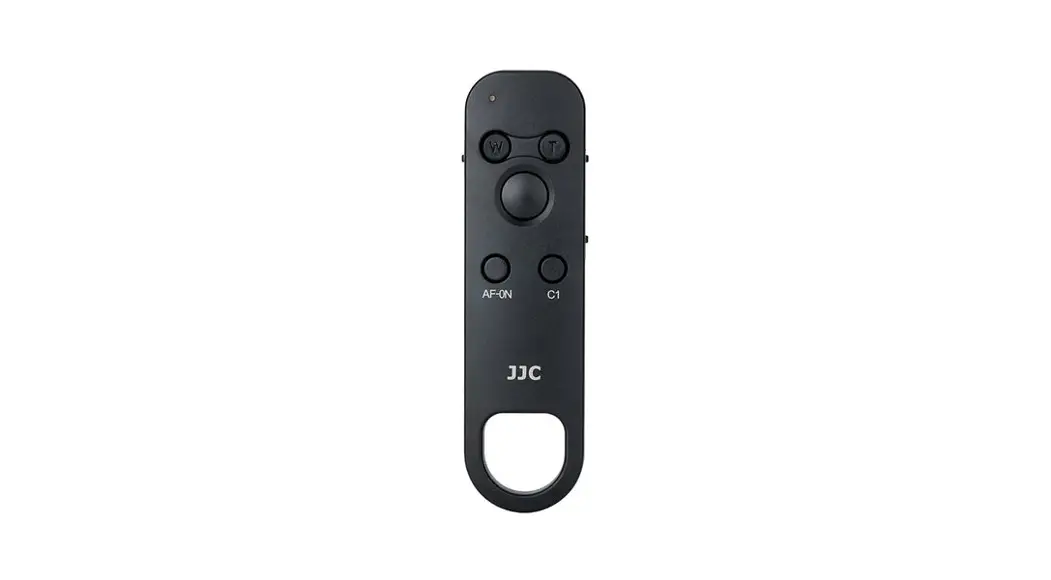
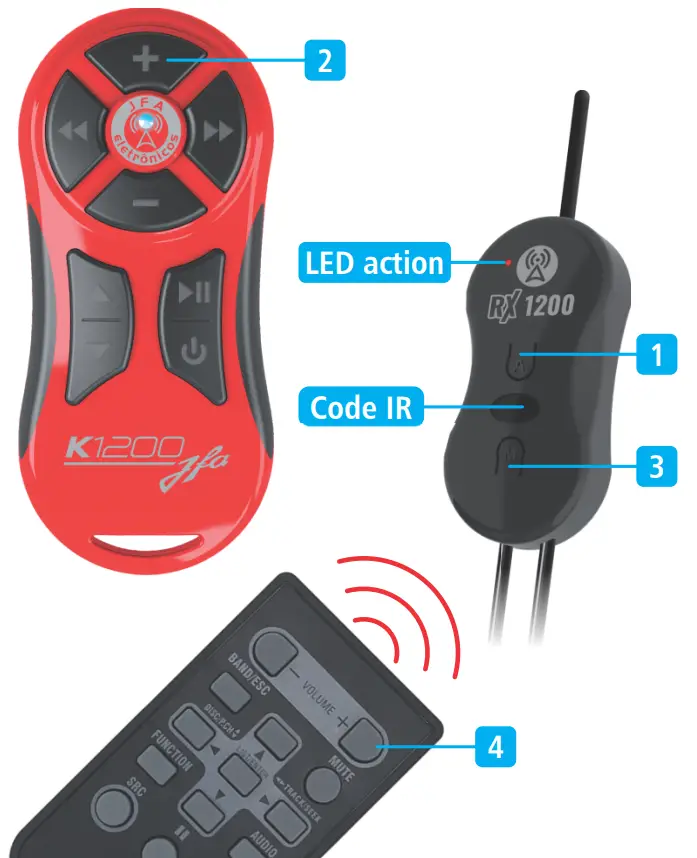
The K1200 allows you to control by distance¹ the main functions of the “player” and change music, folder, volume, pause, play and power.
OPERATION
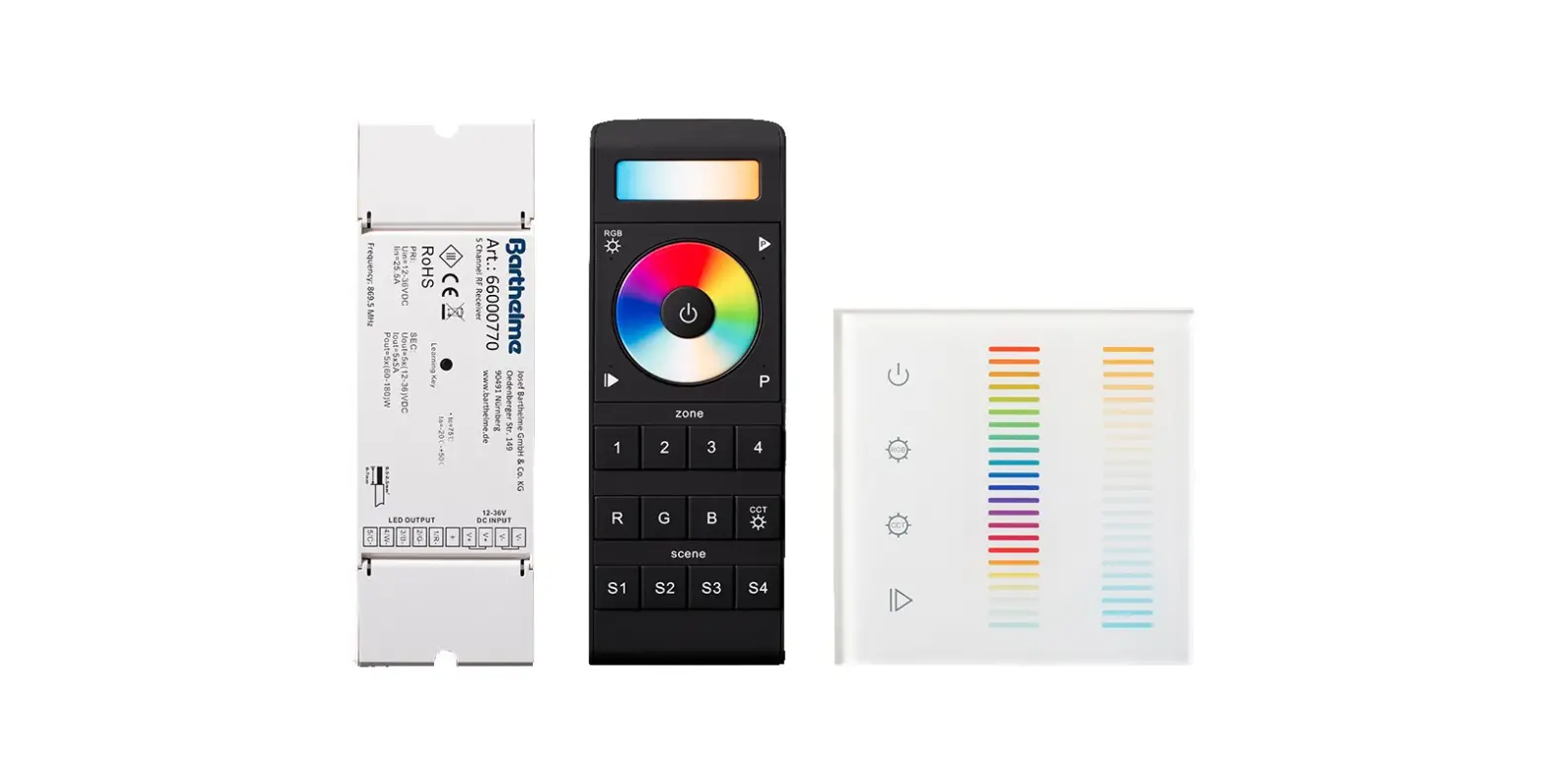
Transmitter unit: whenever you press a key, the blue LED will light up, indicating transmission.
Receptor unit: the “led action” will turn on indicating the presence of a received signal.
NOTE
- The central will not work if the coding procedure is not performed.
- Check the light intensity of the transmitting unit LED. If it is weak or does not light, replace the battery.
- For a longer range, install the equipment in a location where the antenna is free and the most exposed as possible, the distance achieved is 1200 meters in open area.
BASIC COMMANDS TRANSMITTER UNIT
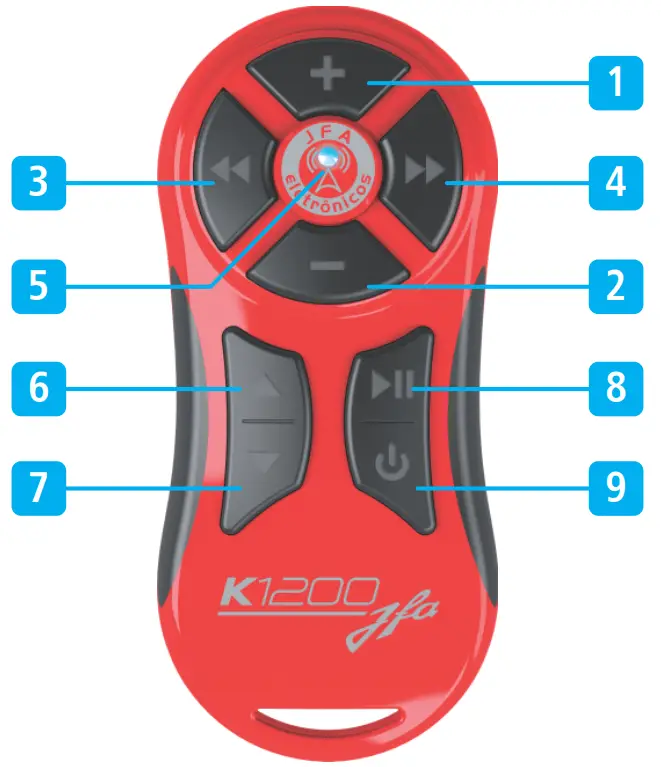
- Volume control (+);
- Volume control ( _ );
- Rewind the music;
- Advance the music;
- LED indicator;
- Go up the folder;
- Go down the folder;
- Play / pause / ATT;
- Power / function (switches to aux, CD, USB, radio, etc.).
BASIC COMMANDS OF THE RECEIVER UNIT
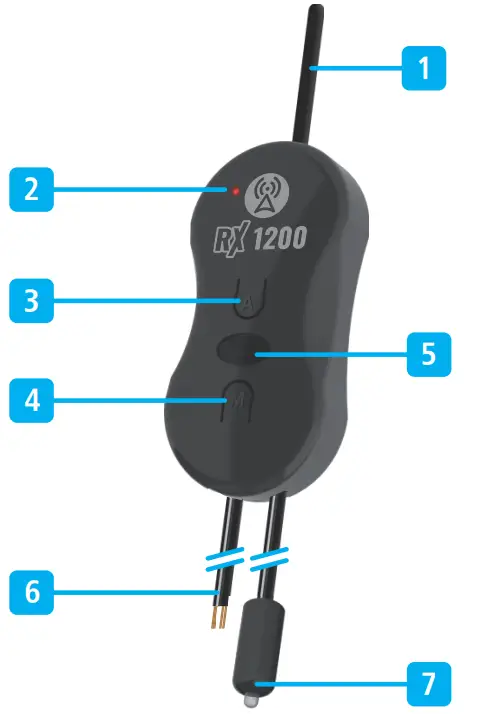
- RF receiver antenna;
- LED action, reception indicator;
- LEARN MODE key;
- MEMORY MODE switch;
- Code IR (see learn mode);
- 12V power (black white stripe) and GND (black);
- Infrared emitter (aim at the front of the player).
ENCODING THE CONTROL
LEARN MODE:
(Learning the functions of the original control)
- Press the “A” key (note 1) the Led action will be constantly on;
- Press the key of the k1200 Control (note 2),that you want to record until the “Led action” stay flashing;
- Point the original player control to the IR code entry and press the key you want to record (note 4) until the LED action flashes quickly, and then be constantly on;
- Repeat steps 2 and 3 for the other keys;
- After 10nishing this process press the key “A” (Note 1) of the receptor or wait 10 seconds to exit the mode.
MEMORY MODE:
(The receptor has stored in its memory codes the main models of “player”
(see the attached index or on the website: www.jfaeletronicos.com)).
- Press the “M” key (Note 3), the LED action will be constantly on;
- Press the key on the control (note. 2) corresponding to the model of the “player”, as the index, for example: to program the CD SONY, you should perform step 1, then press the keys in sequence, in the control . Check that the LED will flash one time and then 4 times, indicating that was programmed the model 14 (Sony).
- After finishing this process press the key “M” (note 3) of receptor or wait 10 seconds to exit the mode.
SETTING LEARN MODE AND MEMORY MODE
MEMORY MODE ENCODING TABLE 1
NOTE: Keys that must be pressed simultaneously: 
| MODEL | CODE | NUMBER |
| AIKON – SRC (UP) |  | |
| AR70 |  | 43 |
| BOOSTER KIT MULTIMIDIA – SRC (UP) |  | 05 |
| BOOSTER 01 |  | 42 |
| BOOSTER 02 |  | 29 |
| BOOSTER 03 |  | 28 |
| BOOSTER 7550, 7650 |  | 22 |
| BOOSTER 7950, 7680, 6850 |  | 26 |
| BOOSTER 8400 |  | 20 |
| BRAVOX BVX-D935U |  | 21 |
| BRAVOX BVX-D977 |  | 37 |
| BRAVOX BVX-D930 |  | 38 |
| CYBER1 |  | 09 |
| CYBER2 |  | 26 |
| CYBER3 |  | 30 |
| DSW AUTOMOTIVE DS8705 |  | 39 |
| GO TO – MODE (UP) |  | 45 |
| HBD D2000AV / HBD D3000AVN |  | 41 |
| HBD 7900 AV – MODE (UP) |
| 47 |
| HBD 8300 BT – MODE (UP) |  | 46 |
| HBD 9560 – DVD – SRC (UP) |  | 44 |
| HB3000 |  | 03 |
| HB4000 |  | 04 |
| HB5100 |  | 05 |
| HB5000, HB6000, HB7200, HB8100 |  | 06 |
| HB7100 |  | 07 |
| HB8000 |  | 31 |
| HB9150 |  | 10 |
| HB9700 |  | 13 |

MEMORY MODE ENCODING TABLE 2
NOTE: Keys that must be pressed simultaneously:
| MODEL | CODE | NUMBER |
| HB9750 |  | 12 |
| HBDVD |  | 08 |
| HBD9200 |  | 11 |
| HBD9500, HBD9550AVN, HBD9600AW |  | 12 |
| JVC |  | 02 |
| KENWOOD KDC MP2045V |  | 19 |
| LG |  | 35 |
| NAPOLI 9000 |  | 20 |
| NAPOLI 9905 |  | 21 |
| NAPOLI 8480 |  | 22 |
| NAPOLI 1950, 9981 |  | 23 |
| NAPOLI 4203, 4335, 5333 |  | 24 |
| NAPOLI 9912, 9913 |  | 25 |
| NAPOLI 9975, 9485, 9486, 9985 |  | 26 |
| NAPOLI 9480 |  | 27 |
| NAPOLI 5333, 5133 |  | 28 |
| NAPOLI 8787 |  | 33 |
| SONY |  | 14 |
| SONY+ |  | 15 |
| PANASONIC |  | 32 |
| PHILCO CD230 |  | 16 |
| PHILCO DVD500 |  | 17 |
| PHILIPS |  | 18 |
| PIONEER |  | 01 |
| PIONEER DVH-7380AV |  | 48 |
| POSITRON SP3110 |  | 40 |
| POSITRON SP4120AV |  | 37 |
| ROADSTAR RS-4136 |  | 24 |
| WEBOX 1300 – MODE (UP) |  | 45 |
RECOMMENDED RECEIVER INSTALLATION
The installation of the equipment in the sound system is done through a polarized power cable. Make sure the white-striped wire from the receiver unit is connected to the battery’s direct positive (+12V) and the black wire to the negative (GND).
The receiving unit should preferably be fixed away from metal parts and the car’s bodywork (which degrades the transmission) keeping, whenever possible, the antenna unobstructed to allow the greatest possible range of the equipment.
Position the infrared emitter, from the receiver unit aimed at the player’s panel, so that there are no obstacles between them. It is recommended to install the receiver unit in the trunk and the IR emitter in the center of the rear window, pointing towards the front of the player. Make sure the wires are not crushed in the installation process.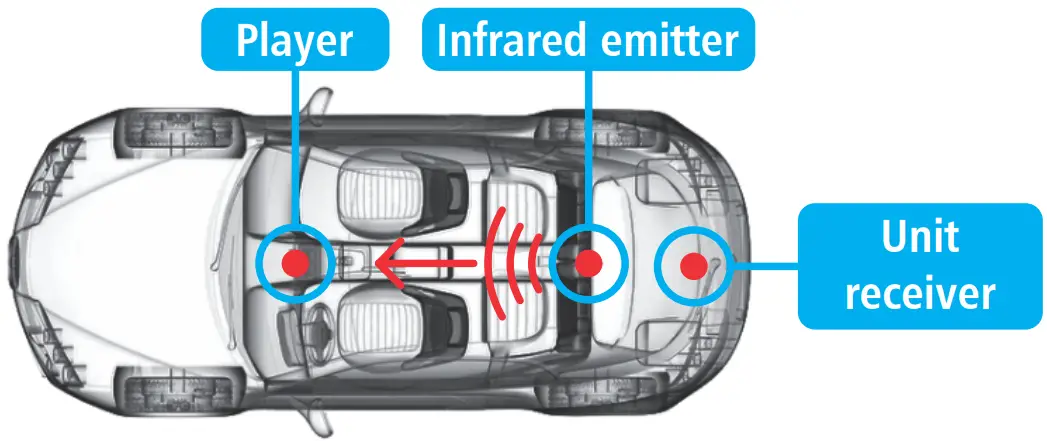
RECOMMENDATIONS AND NOTES
- Install the receptor unit at least 1 meter of the Alarms central or electronic injection module. It is recommended to install receptor in the trunk and the infrared emitting in the rear seat pointing to the front of the “CD player”.
- For greater range should keep the antenna stretched and in a location that is visual and away from the car bodywork.
- supply the receiving unit with 12V.
- The receptor can operate with two transmitters; for this, performing steps 1 and 2 to the new transmitter. This feature is recommended for customers using the Slim control on the steering wheel and a K1200 to control by distance from the player.
TECHNICAL SPECIFICATIONS
| UNITY RECEIVER | Operating voltage: 9 to 16 V |
| Stand-by consumption: 13 mA | |
| Reverse polarity protection: YES | |
| UNITY TRANSMITTER | Battery model: A 23 – 12 V |
| Operating Frequency: 433.92 MHz | |
| Reverse polarity protection: NO | |
| Radiated power (3 meters): 0.808 mW | |
| Modulation: ASK |
 “This equipment operates on a secondary basis, have not the right of protection against armful interference, even of the same type of station, and notary cause interference to systems operating in primary basis. “
Customer Support
 jfaeletronicos.com
 @jfaeletronicos
 jfaeletronicos

 JFA Eletrônicos - Automotivo e Telecomunicações -
 JFA Eletrônicos - Automotivo e Telecomunicações -