 K600 Long Distance
Remote Control 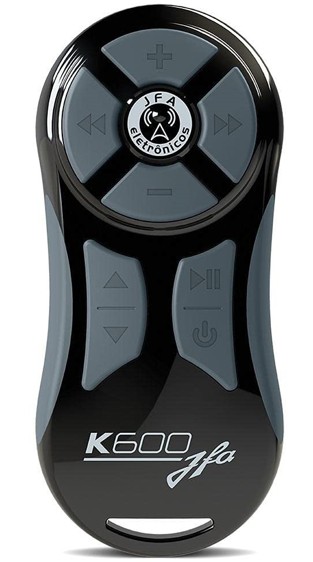
USER MANUAL
K600 Long Distance Remote Control
HAPPY!
You have just purchased a JFA quality product
Electronics, which was developed with technology advanced and unique design.
Read the installation instructions carefully and use presented in this manual
PRESENTATION
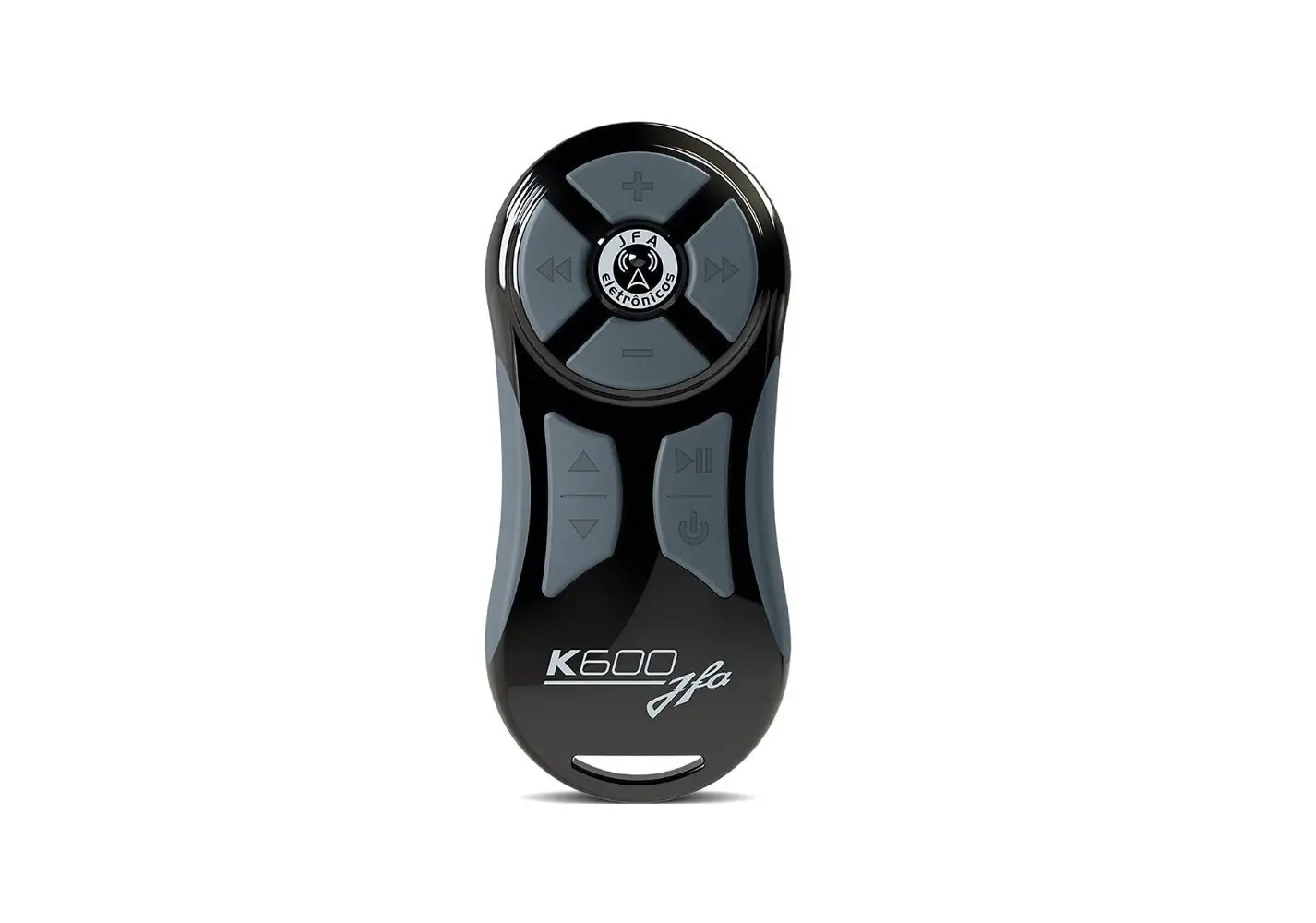
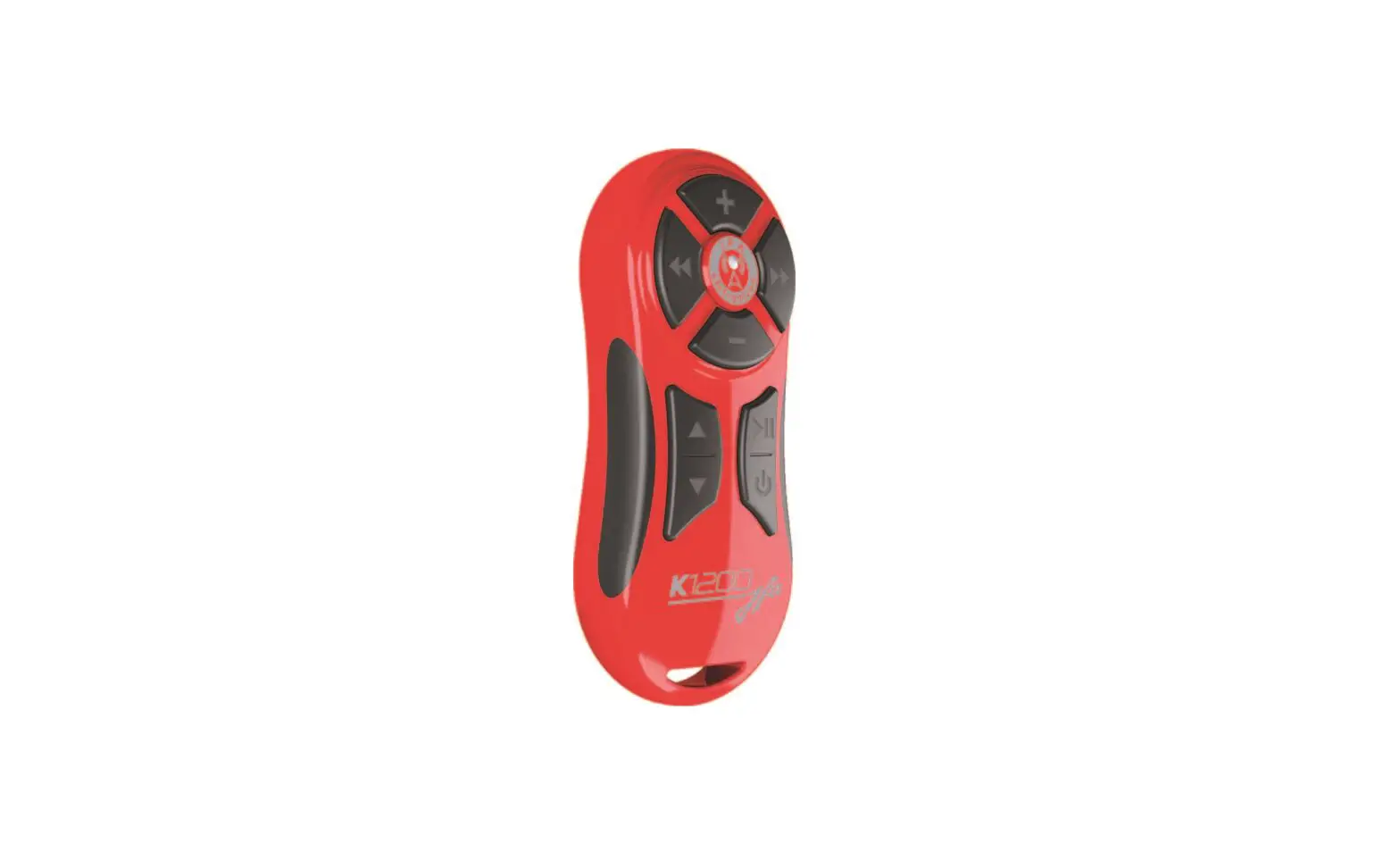
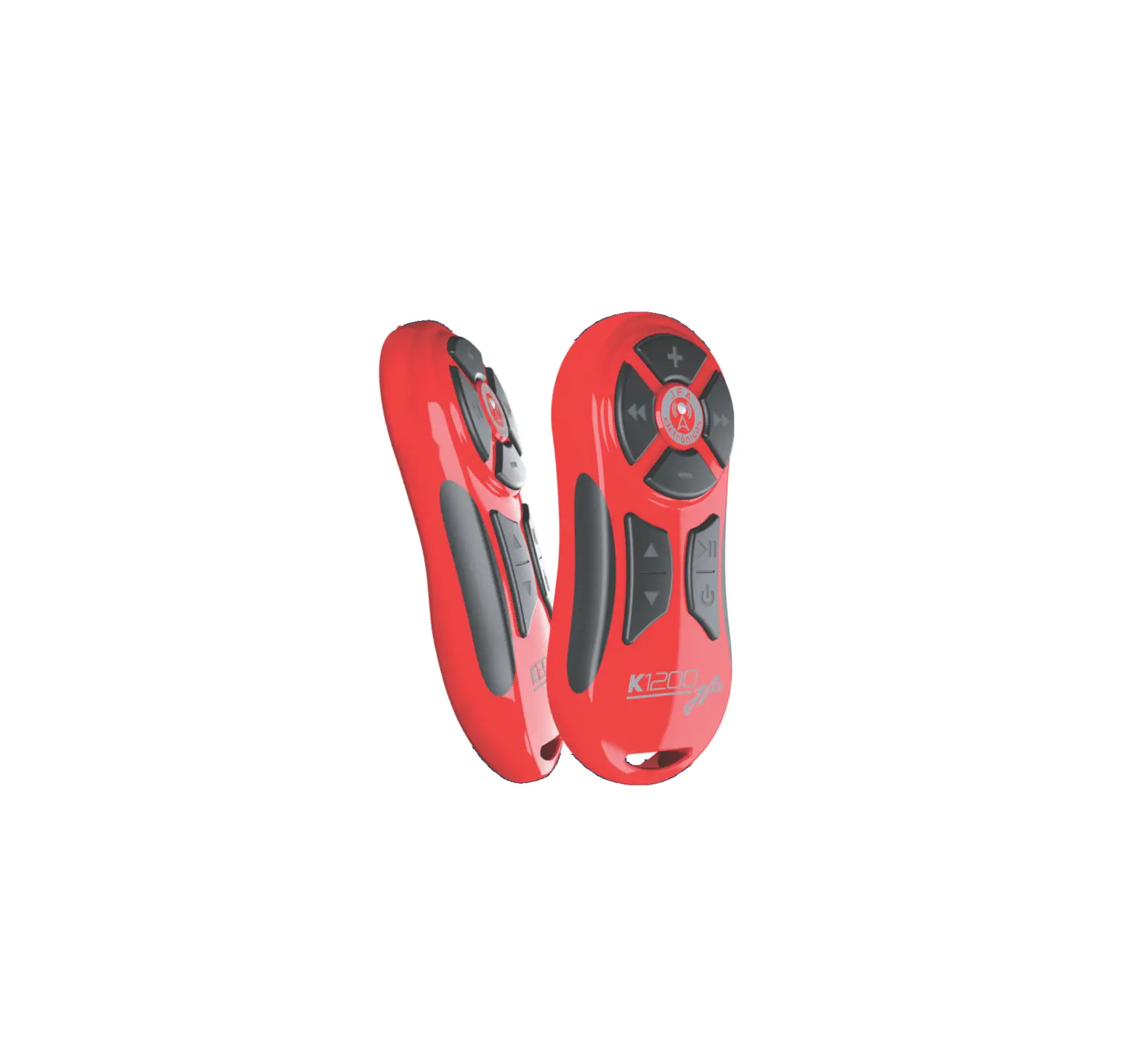
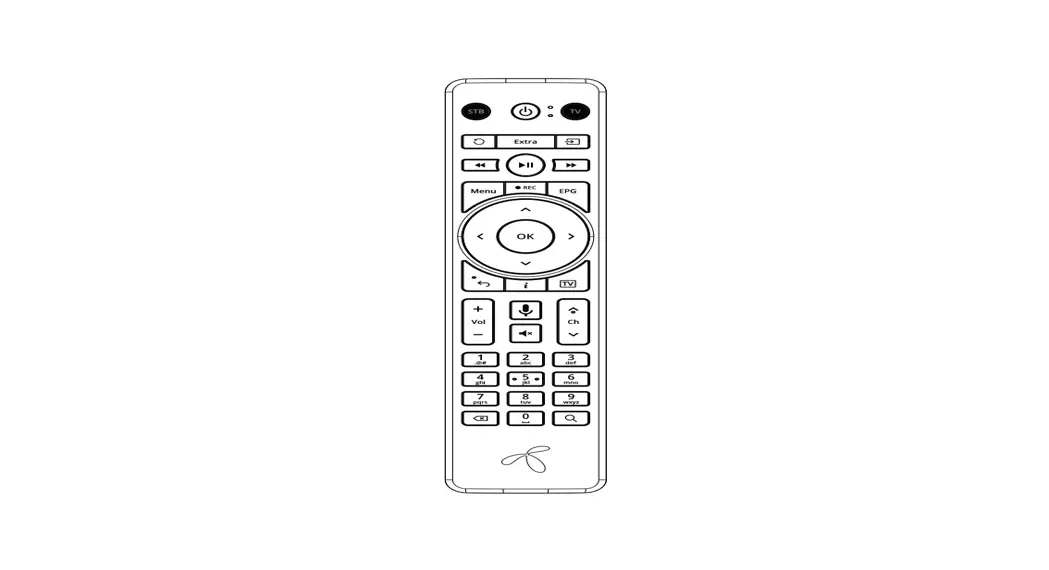
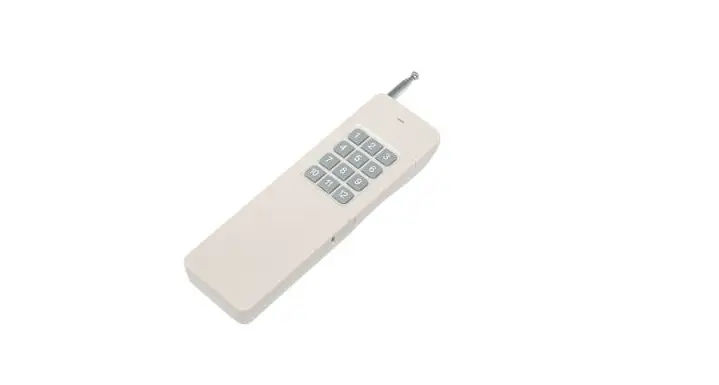
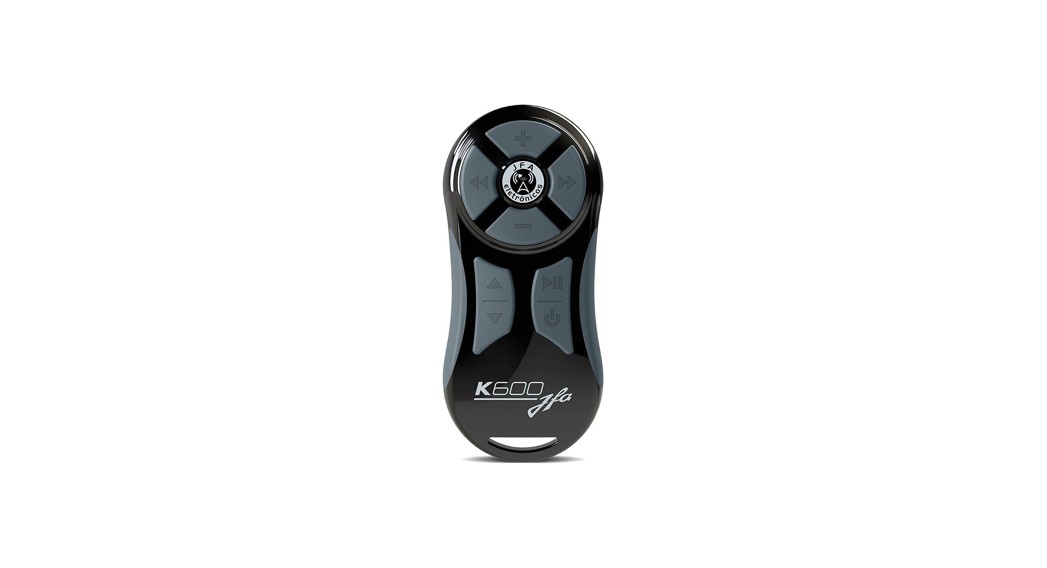
The K600 control allows you to control the main functions of the player such as change of music and folder, volume, play, pause and power.
OPERATION
Transmitting Unit:
Whenever an o key is pressed, an RF (radio frequency) signal, will be transmitted to the receiving unit.
Receiving Unit:
The “led action” will light up indicating the presence of the received signal, and will transmit in IR (infra red) the code corresponding to the key pressed. The receiver can operate with two transmitters, to do this, perform steps 1 and 2 of the item “CODING THE CONTROL” for the new transmitter.
IMPORTANT NOTES
- The control panel will not work if the coding procedure is not carried out.
- To avoid interference, install the receiver in a location where the antenna is close to the panel and at least 50 cm away from the car alarm receiver.
BASIC INDICATIONS AND COMMANDS
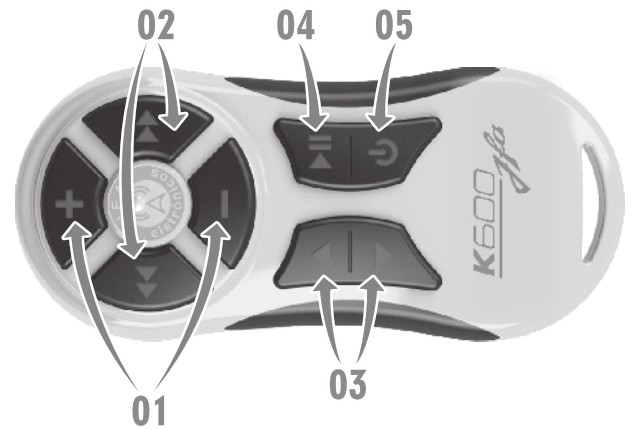
| 01- Controls volume; 02- Change of music; 03- Change of folder; | 04- Play / Pause; 05- Power / Function (changes to aux, cd, sub, radio, etc.). |
Resection Unit:
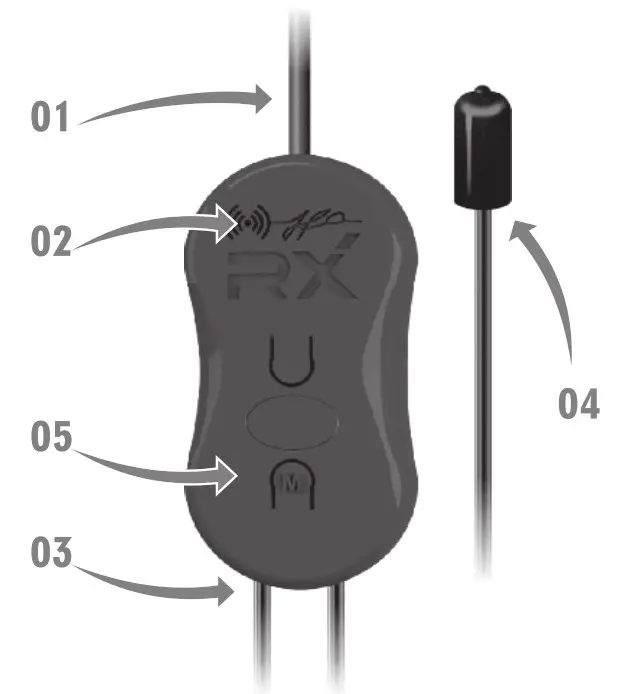
| 01 – RF receiver antenna; 02 – Led action, reception indicator; 03 – 12v power supply (black white stripe) and GND (black). | 04 – Infra-red emitter (point to the front of the player): 05 – Memory mode key. |
ENCODING THE CONTROL
MEMORY MODE (The receiver has more than 220 models of audio and video devices stored in its memory (see the attached table or on the website: www.jfaeletronicos.com
Control:
- Press the “M” key on the receiving unit (Indication 1), the action LED will be constantly lit;
- Press the keys on the transmitting unit (Indication 2) corresponding to the “olayer” model, as shown in the table, example: If you want to program the SONY cd, perform step 1 and then press the keys
 in sequence on the control. Check that the led will flash 1 time and then 4 times, indicating that model 14 (Sony) has been programmed.
 - After completing this process, press the “M” key on the receiving unit (Indication 1) or wait 10 seconds to exit the memory mode.
 in sequence on the control. Check that the led will flash 1 time and then 4 times, indicating that model 14 (Sony) has been programmed.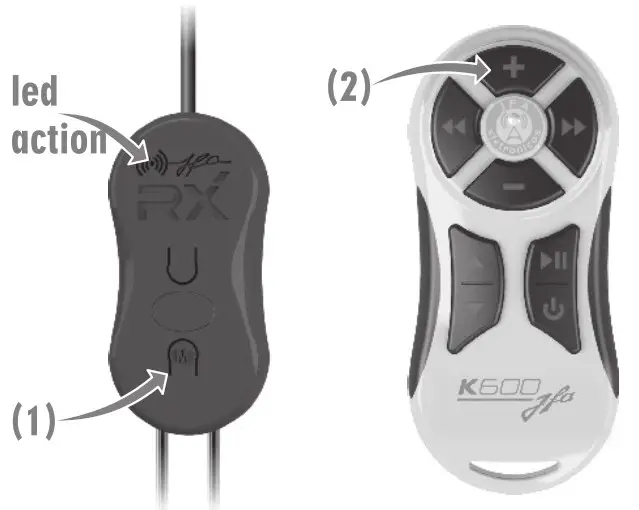
| MODEL | CODE | INDICATOR |
| AIKON |  | 43 |
| AIKON SRC-UP | ||
| ALPINE |  | 70 |
| CDE-133BT IVE-W530 | ||
| AR70 |  | 5 |
| AR 70 | ||
| BZ |  | 61 |
| BZ-1570 BZ-407 BZ-750 | ||
| BOOSTER |  | 20 |
| BMTV-6850 BMW- 7950 | ||
| BMTV-7680 | ||
| BMP-1450USB BMP-2100USB |  | 52 |
| BM-7550 BM-7650 |  | 26 |
| BDVM-8400 |  | 21 |
| BMP-1250USB |  | 53 |
| BDVD-5350UB |  | 24 |
| BMTV-9600DVUBT |  | 55 |
| BDVM-8340MP |  | 56 |
| BDVM-8365MP |  | 57 |
| KIT MULTIMIDIA-SRC UP |  | 42 |
| BOOSTER 01 |  | 29 |
| BOOSTER 02 |  | 28 |
| BOOSTER 03 |  | 22 |
| CASKA |  | 62 |
| CASKA-MULT | ||
| CIBER |  | 26 |
| CIBER-01 | ||
| CIBER-02 |  | 29 |
| CIBER-03 |  | 30 |
| DOTCOM |  | 63 |
| DC-308 | ||
| DSW AUTOMOTIVE |  | 39 |
| DS-8705 | ||
| GO TO |  | 45 |
| GO TO – MODE UP | ||
| H-BUSTER |  | 68 |
| HBD-7688AV HBD-9200AV | ||
| HBD-9150AV HBD-9350AV | ||
| HBD-D2000AV HBD-D300AV |  | 41 |
| HBD-7900AV |  | 47 |
| HBD-8300BT |  | 46 |
| HBD-9560DVD |  | 44 |
| HBD-9500 HBD-9550AVN HBD-9600AW |  | 12 |
| HB-3000 |  | 03 |
| HB-4000 |  | 04 |
| HB-5100 |  | 05 |
| HB-5000 HB-7200 |  | 06 |
| HB-6000 HB-8100 | ||
| HB-7100 |  | 07 |
| HB-8000 |  | 31 |
| HB-9150 |  | 10 |
| HB-9700 |  | 13 |
| HB-9750 |  | 12 |
| HB-DVD |  | 08 |
| JVC |  | 02 |
| KD-AR555 KD-R449 KD-R760 | ||
| KD-AR565 KD-R450 KD-R859BT | ||
| KD-AR7/55 KD-R459 KD-R869BT | ||
| JVC |  | 02 |
| KD-AR/65S KD-R460 KD-R959BT | ||
| KD-R209UR KD-R469 KD-R969BT | ||
| KD-R219 KD-R519UR KD-X200 | ||
| KD-R329 KD-R650 KD-X210 | ||
| KD-R409UR KD-R660 KD-X220 | ||
| KD-R419 KD-R/729BT KD-X3 10BT | ||
| KD-R429 KD-R739BT KD-X320BT | ||
| KD-R439 KD-R750 | ||
| KENWOOD |  | 19 |
| DPX502BT KDC-BT955HD KDC-X496 | ||
| DPX592BT KDC-BT958HD = KDC-X497 | ||
| DPX/02BH KDC-HD455U KDC-X500 | ||
| DPX/92BH KDC-MP1045 KDC-X595 | ||
| KDC-358U KDC-MP1048 KDC-X598 | ||
| KDC-BT265U = KDC-MP152U) KDC-X599 | ||
| KDC-BT362U =KDC-MP2045U KDC-X697 | ||
| KDC-BT365U = KDC-MP2048U KDC-X/00 | ||
| KDC-BT558U = =KDC-MP2052U KDC-X897 | ||
| KDC-BT562U = KDC-MP362BI KDC-X898 | ||
| KDC-BT565U = KDC-MP365BI KDC-X996 | ||
| KDC-BT6052U = KDC-X300 KDC-X997 | ||
| KDC-BT765HD KDC-X398 KDC-X998 | ||
| KDC-BT855U KDC-X399 | ||
| KDC-BT858U KDC-X494 | ||
| LENOXX |  | 60 |
| AD-1828 | ||
 | 75 | |
| LCF600UR LCS320UB LCS510IR | ||
| LG |  | 75 |
| LCF800 LCS321UB LCS7O0OBR | ||
| LCS311UR LCS5OOUX | ||
| LG1 |  | 35 |
| MOX |  | 64 |
| MO-DVD7/040 | ||
| NAPOLI |  | 67 |
| CDMP-3618 CDMP-6338USB | ||
| CDMP-3936 |  | 69 |
| 9000 |  | 20 |
| 9905 |  | 21 |
| 8480 |  | 22 |
| 1950 9981 |  | 23 |
| 4203 4335 5333 |  | 24 |
| 9912 9913 |  | 25 |
| 9975 9485 9486 9985 |  | 26 |
| 9480 |  | 27 |
| 5333 9133 |  | 28 |
| 8787 |  | 33 |
| NET |  | 82 |
| NET-TV | ||
| ORBE |  | 78 |
| 8901 | ||
| PANASONIC |  | 32 |
| PANASONIC-01 | ||
| PIONNER |  | 01 |
| DEH-1480UB DEH-8380SD DEH-X8580BT | ||
| DEH-1580UB DEH-P4080UB DEH-X8/780BT | ||
| DEH-2280UB DEH-P4180SD MVH-1480UB | ||
| PIONNER | | 01 |
| DEH-3180UB DEH-P5080UB MVH-158UI | ||
| DEH-3480UB DEH-P5180UB MVH-358BT | ||
| DEH-4280SD DEH-X1/80UB MVH-8280BT | ||
| DEH-4380UB DEH-X1880UB MVH-8380BT | ||
| DEH-5280SD DEH-X3580UI_ = =>.MVH-X178UI | ||
| DEH-6280BT DEH-X3780UI =MVH-X378BT | ||
| DEH-6380SD DEH-X4880BT =MVH-X568BT | ||
| DEH-6480BT DEH-P6080UB DEH-P/880MP | ||
| DEH-7380BT DEH-X6580BT DEH-P/980UB | ||
| DEH-6980IB DEH-X6/80BT DEH-P9880BT | ||
| DEH-8980BT DEH-P/180UB | ||
| AVH-2380DVD AVH-P3380BT = AVH-P5280BT |  | 49 |
| AVH-5480DVD AVH-P4280DVD AVH-P6380BT | ||
| AVH-P3280BT AVH-P4380DVD | ||
| AVH-1480DVD AVH-X1580DVD AVH-X7580BT |  | 50 |
| AVH-2480BI AVH-X2580BT | ||
| DVH-7380AV |  | 48 |
| DVH-7580AV DVH-8480AVBT |  | 51 |
| DVH-7780AV DVH-8780AVBT | ||
| PHILCO |  | 59 |
| PCA-530 | ||
| CD-230 |  | 16 |
| DVD-500 |  | 17 |
| PHILIPS |  | 18 |
| PHILIPS-01 | ||
| CE120 CEM210 CEM3000 |  | 81 |
| CEM2000 CEM220 | ||
| POSITRON |  | 72 |
| SP4300AV SP6700DTV SP8650DTV | ||
| SP4310AV SP6O9D0NAV SP8960NAV | ||
| SP6300AV SP8330BT | ||
| SP6110AV SP6551DTV |  | 74 |
| SP6111AV SP6861 NAV | ||
| SP6320BT |  | 71 |
| SP8990 |  | 73 |
| SP8550DTV |  | 65 |
| SP3110 |  | 40 |
| SP4120AV |  | 37 |
| ROADSTAR |  | 58 |
| RS-3130UDV | ||
| RS-7790DMTS |  | 66 |
| RS-4136 |  | 24 |
| SKY |  | 76 |
| SKY-01 | ||
| SKY-02 |  | 77 |
| SKY-03 |  | 79 |
| SKY-HDTV |  | 80 |
| SONY |  | 14 |
| CDX-GI217X CDX-GI40UX CDX-GT61/UX | ||
| CDX-GI227X CDX-GI41/UX CDX-GT627UX | ||
| CDX-GI26/X CDX-GI427UX MEX-1GPX | ||
| CDX-GI317X CDX-GI437UX | ||
| SONY + |  | 15 |
| WEBBOX |  | 45 |
| 1300 – MODE UP |
RECOMMENDED INSTALLATION FOR RECEIVER
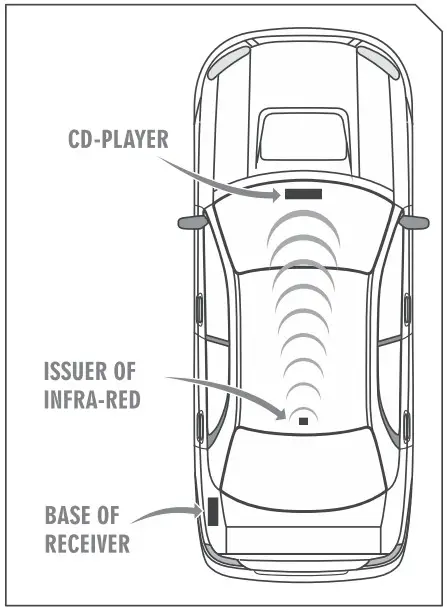
RECOMMENDATIONS AND OBSERVATIONS
- To avoid interference, install the receiver in a location where the antenna Is close to the panel and at least 50 cm away from the car alarm receiver.
- For greater reach, the antenna must be kept taut and in a location that is visual and away from the car body.
- Supply the receiving unit with 12V.
TECHNICAL CHARACTERISTICS
| Product’s name | K600 |
| Transmitter power | 12V – Battery A23 |
| Receiver power | 9 to 16Vdc |
| Operating frequency | 433,92 MHz |
| Modulation | ASK |
 See all products of the automotive line on our website. www.jfaeletronicos.com