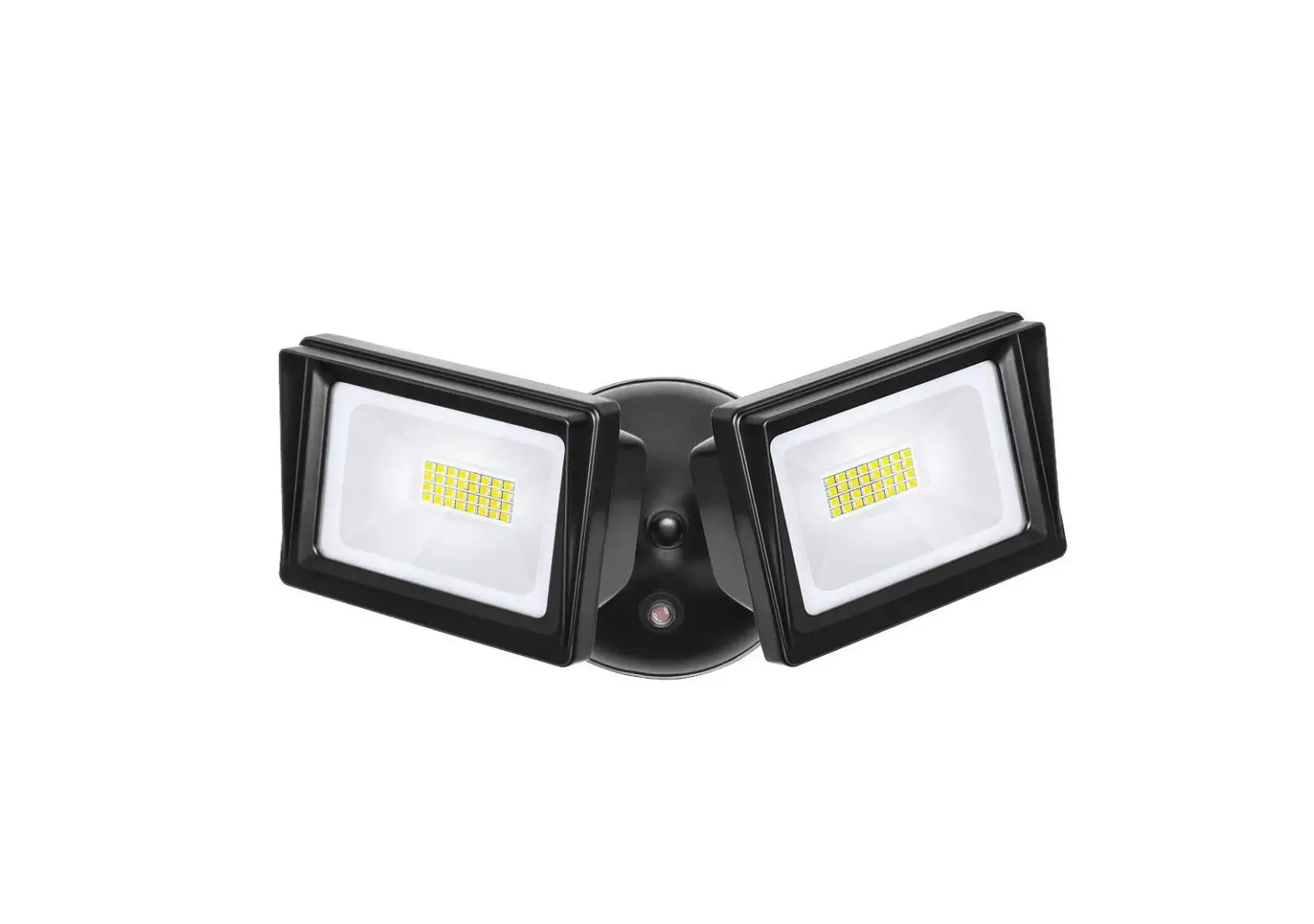
STL360 Super Stealth Sensor
Product Information
The Stealth STL360 is an outdoor LED lighting and control system
designed by RAB Lighting. It is a high-quality, affordable,
well-designed, and energy-efficient solution for illuminating
outdoor spaces. The product features a scanning LED detection
system that allows for automatic activation of lights when movement
is detected within the protection zone. The sensor has a switching
capacity of 8 amps at 120 volts and can handle various types of
bulbs, including incandescent, fluorescent, and electronic ballast
(LED). It consumes only 1 watt of power and provides surge
protection of up to 6000 volts.
Contents of Accessory Kit
The accessory kit includes the Stealth STL360 unit along with a
gasket for installation.
Product Usage Instructions
How does the Super Stealth 360 work?
The Super Stealth 360 works by continuously scanning back and
forth with its LED indicators in On Guard Auto Mode. When movement
is detected within the protection zone, the lights are
activated.
How do the scanning LED detection indicators work?
The scanning LED detection indicators scan continuously back and
forth to detect movement. In the On Guard Auto Mode, all LEDs are
active and scanning.
How long do the lights stay on?
The lights remain on as long as there is movement within the
protection zone. Once the zone is vacated, the lights can be
adjusted to remain on for approximately 5 seconds up to 12 minutes.
This energy-efficient feature ensures that the lights are only on
when needed, and the sensor consumes only 1 watt of power.
Can outdoor lights still be turned on with the light
switch?
Yes, the STL360 can be controlled by a conventional indoor
switch or circuit breaker. It operates in auto mode by default.
However, lights can be manually turned on or off at night using the
Manual Override Mode.
How to resume automatic mode?
To resume automatic mode, switch off the power for at least 10
seconds and then switch it back on.
Will STL360 detect animals?
The STL360 may detect large animals. Having animals trigger the
sensor can give the property a lived-in look. However, you can
limit animal detection by adjusting the sensitivity knob and/or
placing the blinders provided on the lower part of the forward
lens.
How to make adjustments to the sensor?
To make adjustments to the sensor, use the adjustment tool
provided or a screwdriver with a 1/8 wide blade. The controls on
the front of the sensor can be adjusted using this tool. Refer to
page XX-XX in the user manual for more details.
Test Mode and LED indicators
In Test Mode, all LEDs are off. In Manual Override Mode, the
middle LED remains steady, while in Evening Timer Mode, the middle
LED blinks.
Installation
When choosing a location for installation, ensure that the
sensor can see all paths of movement. The sensor can be
wall-mounted or soffit-mounted. Keep in mind that as the distance
from the sensor increases, larger movements will be required for
detection. For example, at 10 feet, a half step will be enough,
while at 50 feet, several steps will be necessary for
detection.
INSTRUCTIONS
STEALTH STL360 INSTALLATION
RAB Lighting is committed to creating high-quality, affordable, well-designed and energy-efficient LED lighting and controls that make it easy for electricians to install and end users to save energy. We’d love to hear your comments. Please call the Marketing Department at 888-RAB-1000 or email: [email protected]
STEALTH STL360
IMPORTANT
CAUTION: TURN OFF ALL POWER AT CIRCUIT BREAKER/FUSE PANEL. · Read entire Installation Manual before proceeding. · All wiring should comply with local electrical codes and requires a qualified electrician. · The total lighting load connected to STL360 must not exceed (1000 watts incandescent, 250 watts fluorescent,
400W electronic ballast – LED). To switch more wattage, an electrician can install a relay. · Line Carrier Remote Control Systems such as X-10, Leviton or Radio Shack are incompatible with sensors and may cause false activations. · Do not install sensors on a circuit that feeds motor loads such as kitchen appliances, HVAC equipment, washer/dryer, or garage door openers. · Sensor functions best when the direction of expected movement is across its detection pattern, not towards the sensor. · Mount 6′-10′ high for optimum range and detection.
WARNING: RISK OF ELECTRICAL SHOCK · Turn off electrical power at fuse or circuit breaker box before wiring fixture to the power supply. · Verify that the supply voltage is correct. Connect fixture to a 120 volt, 60 Hz power source. · Make sure all electrical and grounded connections are in accordance with the National Electrical Code and any applicable local code requirements. · All wiring connections should be capped with UL listed wire connectors.
SPECIFICATIONS
Switching Capacity:
Voltage: Protection Pattern: Time Adjustment: Power Consumption: Surge protection:
8 amps @120V 1000 watts incandescent 250 watts flourscent 400W electronic ballast (LED)
120 volts
180° forward 360° below and to the sides 5 seconds to 12 minutes
1 watt
6000 volts
CONTENTS OF ACCESSORY KIT
· 2 Lens Masks · Indoor Switchplate Label · 3 Wire Nuts · Adjustment Tool · Mylar Lens Mask · Crossbar with Green
Ground Screw · Hanging Hook · 1/2″ Close Up Plugs (3) · Slotted Screws (4) · Finishing Cap · O-ring Gasket · Center Mounting Screw · Metal Surface Mounting Plate
with Gasket
INSTRUCTIONS
STEALTH STL360 INSTALLATION
RAB Lighting is committed to creating high-quality, affordable, well-designed and energy-efficient LED lighting and controls that make it easy for electricians to install and end users to save energy. We’d love to hear your comments. Please call the Marketing Department at 888-RAB-1000 or email: [email protected]
HOW DOES THE SUPER STEALTH 360 WORK?
The STL360’s infrared sensor “sees” temperature changes caused by the motion of people or cars within its protection zone and turns on lights automatically. It welcomes visitors and may deter intruders. Total coverage. Two sensors in one. Two powerful detectors combine to give the STL360 “Can’t Miss” Detection: 180° long forward range (180° x 60′) plus superb 360° detection below and to all sides.
HOW DO THE SCANNING LED DETECTION INDICATORS WORK?
Scanning LEDs serve as a deterrent by indicating a security device in operation. They also show the STL360’s mode of operation. Automatic Mode When the STL360 is “On Guard” in Auto mode, three red LEDs scan continuously day and night, except during detections (at which time the controlled lights will go on and LEDs will be off ) as shown in Fig 1. Test Mode When the sensor is in “Test Mode” all of the LEDs will be off. Manual Override Mode When the sensor is ready for “Manual Override Mode” the middle LED will be on steady. Evening Timer Mode When the sensor is ready for “Evening Timer Mode Mode” the middle LED will be blink.
Fig: 1
“On Guard Auto Mode” LEDs scan continuously back & forth
IMPORTANT NOTES
How long do the lights stay on? Lights remain on as long as there is movement within the protection zone. Once the zone is vacated lights can be adjusted to remain on approximately 5 seconds up to 12 minutes. Since the lights are on only when needed, and the sensor uses only one watt. The Stealth is extremely energy efficient.
Can outdoor lights still be turned on with the light switch? Yes. STL360 can be controlled by a conventional indoor switch or circuit breaker. STL360 operates in the auto mode unless changed. Lights can be turned on or off manually at night only with the Manual Override Mode.
Wall Switch Manual Override (to keep lights on) Flip the switch twice slowly (off-on-off-on) within 12 seconds. If you set this during the sensor will become “ready” for the Manual Override Mode and will start Manual Override at dusk.
Evening Timer (to keep lights on, and is repeated every night) Flip the switch three times slowly (off-on-off-on-off-on) within 1½ 3 seconds. You can set this during the day and the Evening Timer Mode will begin at dusk.
To Resume Automatic Mode Switch power off for at least 10 seconds, then back on.
Will STL360 detect animals? STL360 may detect large animals. Having animals trigger the sensor can give property a “lived-in” look. However, you can limit animal detection by turning down the sensitivity knob and/or placing the blinders provided on the lower part of the forward lens.
SENSOR ADJUSTMENTS
How do you make adjustments to the sensor? Use the adjustment tool provided as shown in Fig 2, or a screwdriver with a 1/8″ wide blade, to adjust the controls on the front of the sensor. (see page XX-XX)
Fig: 2
“Test Mode” all LEDs off
Middle LED on steady is Manual Override Mode Middle LED blinking is Evening Timer Mode
INSTRUCTIONS
STEALTH STL360 INSTALLATION
RAB Lighting is committed to creating high-quality, affordable, well-designed and energy-efficient LED lighting and controls that make it easy for electricians to install and end users to save energy. We’d love to hear your comments. Please call the Marketing Department at 888-RAB-1000 or email: [email protected]
INSTALLATION
Choosing a location The best location is where the sensor can “see” all paths of movement. The sensor may be wall or soffit mounted.
As distance from the sensor increases, larger movement will be required for detection. For instance, at 10 feet, a half step will be enough, while at 50 feet several steps will be necessary for detection.
How large an area does STL360 protect? Two powerful detectors combine to give the STL360 180° x 60′ long forward range plus superb 360° downward detection below and to all sides as shown in Fig 3.
Difficult locations Sensor may be triggered by unwanted movement or heat source, such as a swaying tree, road traffic, dryer vent, swimming pool or hot tub.
To improve performance in difficult locations Reduce sensitivity by turning the SENS knob counterclockwise as shown in Fig 5, and/or mask lens in the direction of the unwanted movement or heat source using the lens mask provided or opaque tape as shown in Fig 6.
Fig: 5
Fig: 3
20′
Side View
6-10′ 60′
Fig: 6
60′
Mounting Height Mounting at 6-10′ above the ground allows maximum range. If the sensor is mounted above 15′ high, the usable range is reduced as shown in Fig 4.
Fig: 4
Mask
Mounting Stability Mount sensor on stable surface. Do not mount on a tree or pole that will move in the wind as shown in Fig 7.
6-10′
Fig: 7
60′
Maximum Range
20′
Wrong
40′
Reduced Range
INSTRUCTIONS
STEALTH STL360 INSTALLATION
RAB Lighting is committed to creating high-quality, affordable, well-designed and energy-efficient LED lighting and controls that make it easy for electricians to install and end users to save energy. We’d love to hear your comments. Please call the Marketing Department at 888-RAB-1000 or email: [email protected]
INSTALLATION (cont’d)
Light vs. Sensor Position Make sure sensor and lights are mounted firmly. If they move when touched, tighten all screws. Make sure heat from lights is not triggering sensor. Sensor must be located below and as far away as possible from its lights as shown in Fig 8.
Fig: 8
Locations near roads (cont’d) Make sure that sensor is not aimed at traffic. The sensor should be aimed down so that the maximum range of the sensor ends at least 20′ from the road. This will avoid detection of passing trucks and cars, or the air currents they create as shown in Fig 11.
Fig: 11
OK!
OK!
Wrong
Locations near roads Cars and passing traffic may activate the sensor if it is aimed at the road.
To improve performance in difficult locations Reduce sensitivity by turning the SENS knob counterclockwise as shown in Fig 9.
Mask lens in the direction of the traffic using the lens mask provided or opaque tape. (Lens Mask can be broken along lines to desired size) as shown in Fig 10.
Fig: 9
20′ safety zone
Mount Level The sensor should be mounted level from side to side and pointed at the area where you desire coverage. If tilted, part of the detection zone may be high in the air over people’s heads as shown in Fig 12.
Fig: 12
WRONG
OK!
Fig: 10
Lens Mask
(included)
INSTRUCTIONS
STEALTH STL360 INSTALLATION
RAB Lighting is committed to creating high-quality, affordable, well-designed and energy-efficient LED lighting and controls that make it easy for electricians to install and end users to save energy. We’d love to hear your comments. Please call the Marketing Department at 888-RAB-1000 or email: [email protected]
INSTALLATION (cont’d)
Locate for Movement Across Pattern Check that movement is not directly towards sensor. Sensor will see movement ACROSS its pattern move quickly (Fig 13). Check that movement far away and directly towards sensor is not entirely within one zone. To fix, change the sensor angle or location as shown in Fig 14.
Fig: 13
Less sensitive
Fig: 14
More sensitive
Better detection after “micro adjustment”
STL360 KIT ASSEMBLY AND WIRING
STL360 floodlight kits come pre-wired and assemble on the RAB CU4 EZ Plate, allowing for mounting on round, rectangular or octagonal surface or recessed boxes.
Mounting and Wiring Red pigtail is only used to switch remote or additional fixtures as shown in Fig 16.
Fig: 16
Bar Screws
Universal Mounting
Bar Hook
Gasket & Surface Plate
Gasket
CU4 EZ Plate
Insert close-up
plug in unused
hole
Center Screw
O-Ring Gasket
Finishing Cap
Choose a Protected Location Mount sensor in protected area. The more protected the mounting location, the less chance of lights turning on occasionally during rain, snow and windstorms. This could happen because the sensor is detecting dramatic changes in temperature as shown in Fig 15.
Fig: 15
WRONG
OK!
INSTRUCTIONS
STEALTH STL360 INSTALLATION
RAB Lighting is committed to creating high-quality, affordable, well-designed and energy-efficient LED lighting and controls that make it easy for electricians to install and end users to save energy. We’d love to hear your comments. Please call the Marketing Department at 888-RAB-1000 or email: [email protected]
STL360 KIT ASSEMBLY AND WIRING (cont’d)
Assembly and Wiring.
1. Attach the Universal Mounting bar with the screws provided
to the junction box. If you are attaching your STL360 kit to a surface mount weatherproof box, you must use with the metal mouting plate with gasket.
2. Use the “S” shaped Hands Free Hanging Hook (as shown in
Fig 17) to hold the CU4 EZ Plate during wiring.
3. Bring power leads and sensor kit leads through holes in
gasket and plate into junction box.
4. Strip 1/2″ of insulation from all leads.
5. Attach ground wire(s) to junction box grounding screw.
Connect as shown in wiring diagram on page X.
6. Twist on wire nuts. Secure with electrical tape.
7. Align CU4 EZ Plate and metal surface plate with gasket (for use
with surface mounted junction boxes) to ensure proper seal. Tighten CU4 EZ Plate center screw (make sure O-Ring gasket is on the screw) to attach CU4 EZ Plate to the box.
8. Insert plastic Finishing Cap in the center of the CU4 EZ Plate for
a weatherproof seal.
9. Use silicone sealant around plate and all opening to ensure a
weather proof seal. Seal all unsued conduit entries on surface junction box.
10. Screw in light bulbs. Turn on power. Conduct walk test to adjust
sensor response (see page XX).
Fig: 17
Hands Free Hanging Hook
Hood rests in notch on crossbar
To install a STL360 Sensor with separately purchased floodlights, start at #1. To install STL360 Pre-wired Floodlight Kits, see page X.
1. Attach Screw the threaded arms of each floodlight into the
RAB CU4 EZ Plate. (See diagram on page X)
2. Screw the threaded arm of the sensor into the bottom hole
of the CU4 EZ Plate. Sensor should be below and as far away from the floodlights as possible.
3. Attach the Universal Mounting bar with the screws provided
to the junction box. If you are attaching your STL360 kit to a surface mount weatherproof box, you must use the metal mounting plate with gasket.
4. Use the “S” shaped Hands Free Hanging Hook to hold the EZ
Plate during wiring.
5. Bring power leads and sensor kit leads through holes in
gasket into junction box.
6. Attach ground wire(s) to junction box grounding screw.
7. Position CU4 EZ Plate and metal surface plate with
gasket (required for mounting on surface junction boxes) (see pg X).
8. Strip 1/2″ of insulation from all leads. Connect as shown in
Fig 18 wiring diagram.
9. Twist on wire nuts. Secure with electrical tape.
10. Make sure all unused openings in CU4 EZ Plate are closed
with plugs (provided).
11. Use silicone sealant around plate and all openings to ensure
a weather proof seal. Seal all unsued conduit entries on surface junction box.
12. Screw in light bulbs. Turn on power.
13. Conduct walk test to adjust sensor response (see page XX).
Fig: 18
CU4 EZ Plate
INSTRUCTIONS
STEALTH STL360 INSTALLATION
RAB Lighting is committed to creating high-quality, affordable, well-designed and energy-efficient LED lighting and controls that make it easy for electricians to install and end users to save energy. We’d love to hear your comments. Please call the Marketing Department at 888-RAB-1000 or email: [email protected]
STL360 KIT ASSEMBLY AND WIRING (cont’d)
Multiple Sensors Multiple sensors may be wired together, but doing this will make problems difficult to troubleshoot. Single sensors that control their own lights will give a more accurate location of movement and trouble-free operation.
Multiple Fixtures Multiple fixtures may be wired to a single sensor. To handle loads greater than 1000 watts, a qualified electrician should install a relay as shown in Fig 19.
ADJUSTING STL360 SETTINGS (cont’d)
Photocell For night-only operation, turn the knob completely counterclockwise to (to the MOON symbol). For 24-hour operation turn the knob all the way clockwise to the MOON/SUN symbol.
Adjust counterclockwise to have the sensor come on later at dusk, clockwise to have it come on earlier. The Factory Setting is Nightonly (MOON). If you set Evening Timer while set to 24 hour operation Evening Timer will begin immediately after flipping switch as shown in Fig 21.
Fig: 19
Fig: 21
EVENING TIMER
TIME
1
8 HRS 5 SECS
12 MINS
SENS
+
Power Quality It is not recommended to install sensors on a circuit that also feeds motor loads such as HVAC equipment, kitchen appliances, or garage door openers. The Stealth circuit is surge and transient protected to IEC specifications. However, if voltage varies significantly from 120 volts, the sensor may malfunction. This may occur on circuits with motor loads.
ADJUSTING STL360 SETTINGS
Time Sets the time that lights will remain on after the detection zone is vacated. Adjustable from approximately 5 seconds to 12 minutes. The factory setting is 12 minutes as shown in Fig 20.
Fig: 20
Sensitivity Increases or decreases the resposiveness and range of the sensor (adjustable from 30% to 100%). The Factory Setting is 100% as shown in Fig 22.
Fig: 22
EVENING TIMER
TIME
1
8 HRS 5 SECS
12 MINS
SENS
+
Evening Timer The STL360 provides an alternative to normal motion-activated lighting. The EVENING TIMER as shown in Fig 22 can keep lights on continuously – without motion – for 1 to 8 hours after dusk. This is great for evening activities requiring continuous light. During vacations the EVENING TIMER provides a “lived-in” look by simulating an occupant turning lights on at dusk, and then off at bedtime.
Fig: 22
EVENING TIMER
TIME
1
8 HRS 5 SECS
12 MINS
SENS
+
INSTRUCTIONS
STEALTH STL360 INSTALLATION
RAB Lighting is committed to creating high-quality, affordable, well-designed and energy-efficient LED lighting and controls that make it easy for electricians to install and end users to save energy. We’d love to hear your comments. Please call the Marketing Department at 888-RAB-1000 or email: [email protected]
ADJUSTING STL360 SETTINGS (cont’d)
Evening Timer (cont’d) To activate the EVENING TIMER, flip the wall switch controlling the sensor three times slowly (off-on-off-on-off-on) within 3 seconds. If you activate the EVENING TIMER during daytime, the middle LED should start blinking, indicating that the EVENING TIMER will start when dusk is detected.
Choose the length of time you want continuous lighting. For example, if you set the EVENING TIMER to “8”, the sensor will keep lights ON continuosly for 8 hours after dusk. Once 8 hours have passed, the sensor will revert to motion activated mode. At dawn, the photocell will detect light and prevent lights from turning on during the daytime. The Evening Timer Mode will continue until you de-activate it.
If you do not want to use the EVENING TIMER, do NOT flip the switch 3 times, as described above.
To de-activate the EVENING TIMER, switch the sensor OFF for at least 10 seconds, then ON again. Sensor will be in Automatic Mode. (After completing the 30 sec warm-up period)
You can affix this provided label as shown in Fig 23, to your indoor light switch plate for easy reference.
Fig: 23
RAB STEALTH360
To Keep Lights On: Switch off-on-off-on within 2 seconds. Resets to Auto Mode at dawn.
To Set
Evening Timer: To keep lights on for 1-8 hours after dusk, set the Evening Timer knob on the sensor, then flip this switch off-on-off-on within 3 seconds.
To Resume
Auto Mode: Switch off for 10 seconds, then back on.
SENSOR MODES
Automatic Modes Lights will turn on when there is movement within the detection zone after dusk as shown in Fig 24.
Fig: 24
SENSOR MODES (cont’d)
Evening Timer Mode Keeps lights on for 1-8 hours after dusk. Sensor then reverts to Automatic Mode until dawn. If you set the Evening Timer Mode during daylight, the sensor will be prepared to turn on at dusk and remain on for the number of hours you set. When the sensor is in “Ready for Evening Timer Mode”, the middle LED will blink 3 times, pause and repeat. Set the Evening Timer by flipping the switch that operatesthe sensor 3 times within 3 seconds (off-onoff-of off-on) as shown in Fig 25.
Fig: 25
“Ready for Evening Timer Mode” Middle LED blinks
Test Mode The Test Mode (Fig 26) will allow you to test the sensor during the day regardless of the photocell setting. To enter Test Mode, turn time setting to 5 sec on the unit. Turn power off for 10 secs then back on. There is a 30 second warm-up period, then the Test Mode starts. During the warm-up, the lights stay on continiously and LEDs are off. During Test Mode the LEDs remain off. The sensor will stay in Test Mode until the detection zone is vacated for one minute.
During the Test Period, the sensor will keep lights on for 5 seconds each time it detects movement in its detection zone. Perform the walk test and make any adjustments needed. Vacate the detection zone for one minute or more to end Test Mode. Scanning LEDs will appear when test mode ends. Set back to desired time setting after testing complete.
Fig: 26
EVENING TIMER
TIME
1
8 HRS 5 SECS
12 MINS
SENS
+
“On Guard Auto Mode” LEDs scan continuously back and forth
INSTRUCTIONS
STEALTH STL360 INSTALLATION
RAB Lighting is committed to creating high-quality, affordable, well-designed and energy-efficient LED lighting and controls that make it easy for electricians to install and end users to save energy. We’d love to hear your comments. Please call the Marketing Department at 888-RAB-1000 or email: [email protected]
SENSOR MODES (cont’d)
Manual Override Mode The STL360 has a “protected” Manual Override that requires a double-flip of the light switch so momentary power problems do not interfere with normal sensor operation.
By flipping the switch that operates the sensor twice (off-on-offon) within 2 seconds you will override the sensor to keep lights on continuously until dawn.
If you set the Manual Override Mode during daylight, the sensor will be prepared to turn on at dusk and remain on until dawn. This is a handy feature if you leave home for the day and you want the lights on to greet you when you return. When the sensor is in “Ready for Manual Override Mode” the middle LED will be on as shown in Fig 27.
Fig: 27
WALK TESTING
STL360’s full coverage pattern reduces the need for aiming and adjustment. The purpose of the Walk Test is to check and adjust the coverage pattern. The STL360 must be manually set into Test Mode (see pg XX).
To enter Test Mode Turn Time setting to 5 seconds and turn off sensor for 10 seconds. After a warm up period of 30 seconds the LEDs will be off.
1. Aim the sensor at the traffic pattern you want to detect.
Sensor will detect any movement ACROSS its pattern most effectively.
2. Start outside the pattern (Fig 28) and walk across the pattern
until the lights go on. As distance from the sensor increases, it will take more movement to be detected.
Fig: 28
“Ready for Manual Override Mode” Middle LED on
To Resume Automatic Mode Switch OFF the power for at least 10 seconds, then turn it ON again. Sensor will reset to Automatic Mode after completing the warmup period.
Daytime (24-Hour) Operation Of Manual Override If you set Manual Override while set to 24 hour operation, lights will come on and remain on continously. Lights will not turn off at dawn.
3. Adjust sensor aiming as necessary to improve coverage.
Make sure sensor is level.
4. Sensitivity may be decreased with the SENS knob to detect
a limited area or if the sensor is being activated by wind, foliage, traffic or animals, or increased to cover a larger area. [See pg. XX to adjust sensor settings.] The lens mask can also be used to drastically reduce coverage, or allow undetected movement from some directions.
5. STL360 is factory set for night only operation. For 24 hour
operation, turn the photocell control completely toward the SUN/MOON setting. Turn counter clockwise to have the sensor come on later at dusk, clockwise to have it come on earlier.
6. Repeat steps 1-5 until you are satisfied with coverage.
Vacate the detection zone for 1 minute and then turn the settings back to desired time delay. Your sensor is now ready for operation.
INSTRUCTIONS
STEALTH STL360 INSTALLATION
RAB Lighting is committed to creating high-quality, affordable, well-designed and energy-efficient LED lighting and controls that make it easy for electricians to install and end users to save energy. We’d love to hear your comments. Please call the Marketing Department at 888-RAB-1000 or email: [email protected]
TROUBLESHOOTING
Lights Do Not Turn Off
1. Make sure that the sensor is not in Manual Override Mode.
Turn sensor OFF for 10 seconds, then back ON. The Sensor will be go through 30 second warm up period where the lights are on then will go into Automatic Mode with lights off and ready to detect movement.
2. Make sure that the sensor is not in Evening Timer Mode.
Turn power OFF for 10 seconds (see # 1).
3. Make sure sensor is not aimed at or mounted over something
that would move or change temperature such as waving branches, water, air conditioners, windows or heating vents even on neighboring property. You can test for infrared sources in the area by placing a box or bag over the sensor. Put sensor into test mode. Lights should stay off. Wave your hand inside bag in front of sensor. Lights should go on and then time out. If sensor operates properly when covered, check items # 4-8.
Problem: Sensor is triggered by unwanted movement or heat source as shown below. Solution: (1) Aim sensor away from movement, or (2) Mask lens in the direction of the source (3) Lower sensitivity control setting
4. Make sure sensor and lights are mounted firmly and do
not move even slightly when touched. If they move, tighten all screws.
5. Make sure sensor is not mounted on an unstable object such
as a tree or pole that will move in the wind as shown below.
Problem: Movement of tree triggers sensor. Solution: Mount on stable surface.
6. Was sensor wired hot (with power on etc)? If so, circuitry
may have been damaged.
7. Make sure sensor is not aimed within 20 feet of a road
as shown below.
Problem: Passing cars activate sensor. Solution: A 20 foot safety zone and lower sensitivity are recommended to avoid activation from passing cars.
8. Make sure heat from lights is not triggering sensor.
Make sure the sensor is below and as far as possible away from lights.
Lights Turn On and Off Inappropriately
1. Make sure that the sensor is installed on its own dedicated
circuit, free of motor loads such as HVAC equipment, kitchen appliances or garage door openers.
2. It is not recommended to wire sensors in parallel.
More than one sensor wired together makes them difficult to troubleshoot. Disconnect multiple sensors and test separately.
3. Keep all people completely out of the detection pattern to
make sure the sensor is not detecting them.
4. Make sure sensor is located below and as far as possible from its
lights. Heat from the lights may trigger the sensor.
Solution: Move sensor below and away from the lights as shown.
OK!
Wrong
INSTRUCTIONS
STEALTH STL360 INSTALLATION
RAB Lighting is committed to creating high-quality, affordable, well-designed and energy-efficient LED lighting and controls that make it easy for electricians to install and end users to save energy. We’d love to hear your comments. Please call the Marketing Department at 888-RAB-1000 or email: [email protected]
TROUBLESHOOTING (cont’d)
Lights Turn On and Off Inappropriately (cont’d)
5. Make sure lights are not reflecting back into sensor. Check for
white or reflective surfaces close to the sensor. Solution: Aim sensor away from reflective objects, or move the objects and lower sensitivity.
6. Make sure sensor is not aimed within 20 feet of a road or
sidewalk. Passing cars will activate sensor. Solution: A 20 foot safety zone and reduced sentivity are recommended to avoid activation from passing cars.
Lights Do Not Turn On
1. Check that lamps and fixtures work. Compare wiring to the
wiring diagram in this manual. Check that the power is on.
2. If installing during daylight, LED will go into automatic
mode after 30 sec warm up period and will not work during daylight if the photocell is turned to the night only position (moon symbol).
If you require a test mode, turn time setting to 5 seconds and turn the power off at least 10 seconds and back on again.
If you require the sensor to operate both day and night, turn the SUN/MOON control knob clockwise to the sun and moon symbol as shown.
20′ safety zone
7. Heavy rain, snow or high winds may activate the sensor
occasionally. Reduce sensitivity control slightly until problem stops.
8. Moths can be attracted to the lights and fly close to the sensor
causing triggering. Reducing the sensitivity may help.
9. Check Solutions #3, 4, 5, 6, 7 and 8 under
“Lights Do Not Turn OFF”.
3. Check that lights from another source, such as adjacent
porch lights, garden lights or street lights are not in the sensor’s view. The sensor’s photocell may detect the light and deactivate “daylight”.
If you desire the sensor to operate in higher ambient light levels, turn the SUN/MOON control knob counter clockwise toward the sun symbol as shown.
TIME 12 MINS
SENS
+
4. Was sensor wired hot? If so circuitry may have
been damaged.
INSTRUCTIONS
STEALTH STL360 INSTALLATION
RAB Lighting is committed to creating high-quality, affordable, well-designed and energy-efficient LED lighting and controls that make it easy for electricians to install and end users to save energy. We’d love to hear your comments. Please call the Marketing Department at 888-RAB-1000 or email: [email protected]
TROUBLESHOOTING (cont’d)
Lights Turn Off Too Quickly
1. Check if sensor is being “tricked” by reflected light. If lights
controlled by the sensor shine or reflect into the photocell (located behind the lens) the unit will go on briefly, see its own light, and turn off “thinking” that it is daytime:
Problems: Lights reflect into photocell Lights shine directly into photocell
Range Appears Limited
1. Check that the sensor is level from side to side and pointed at
the area you desire. If unit is tilted, part of the detection zone may be high in the air over people’s heads.
Solution: Position sensor exactly level from side to side as shown.
Solution: Adjust SUN/MOON knob slightly clockwise, to allow operation at higher ambient light levels. Alternatively, move the lights or reflectos or mask the lens in the direction of the lights and/or reflections.
2. Check if “R” lamps, non-reflector “A” lamps or self-ballasted PL
lamps are being used in non-enclosed lampholder. If so, switch to reflector PAR floodlight lamps so the sensor is not affected by stray light. If using PAR floodlights, consider using lower wattage, energy saving lamps.
WRONG
OK!
2. Check that the sensor is not mounted too high. If mounted
above 20′, much of the usable range will be lost.
Solution: Mounting at 6′ to 10′ allows maximum range.
20′ 6-10′
40′ Reduced Range
60′ Maximum Range
3. Check that movement is not directly towards sensor.
Sensor will see movement across its pattern more quickly. To fix, move the sensor.
4. Check that movement far away and directly towards sensor is
not entirely within one zone.
Problem: Sensor will not detect until movement crosses zones. Solution: “Micro Adjust” sensor by moving sideways 1/4″. This may move the zones to allow earlier detection.
No detection until here
Less sensitive
Detection here now
More sensitive
Note: These instructions do not cover all details or variations in equipment nor do they provide for every possible situation during installation, operation or maintenance.
© 2023 RAB LIGHTING Inc.
Cranford, New Jersey 07647 USA
P-73321-RAB Stealth 360
Easy Answers
rablighting.com Visit our website for product info
Tech Help Line Call our experts: 888 722-1000
e-mail Answered promptly – [email protected]
Free Lighting Layouts Answered online or by request
RAB WARRANTY: RAB’s warranty is subject to all terms and conditions found at rablighting.com/warranty PATENT: Patent information can be found at rablighting.com/ip
 Welcome to RAB