BCM-1138Ali Callus Remover
Product Information
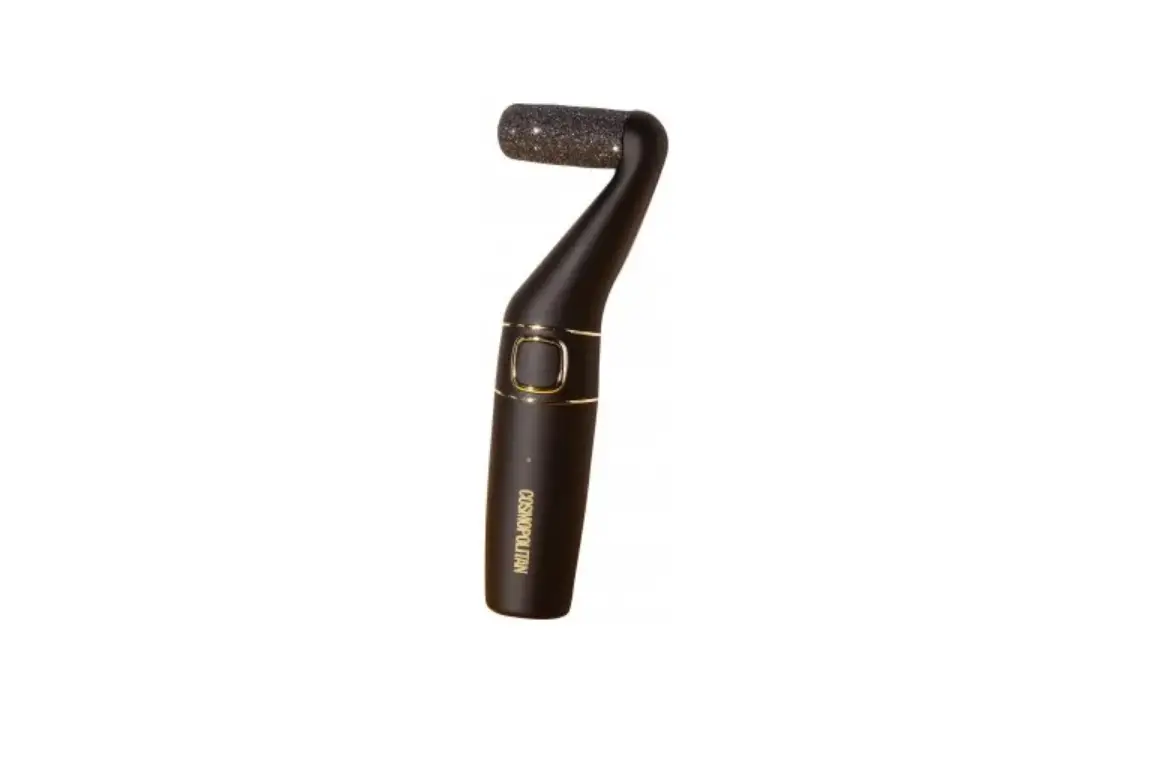
The Callus Remover (Model no.: BCM-1138Ali) is a handheld device
designed for removing calluses and exfoliating hard skin on the
feet. It comes with various features and attachments to provide
effective and safe usage.
The appliance contains non-replaceable batteries and should not
be shared with others for hygienic reasons. It is important to
follow the safety precautions listed in the instruction manual to
prevent electric shock, fire, or personal injury. The appliance
should not be immersed in water or other liquids, and the USB
charger and cable should be kept dry during use. The charger may
become warm while charging, which is normal. Only charge the
appliance with an Extra Low Voltage USB Charger that matches the
output rating indicated on the appliance. Use only the provided
attachments and detachable heads for cleaning.
When disposing of the product, contact your local waste
management authority for information on battery recycling and
disposal regulations in your area.
Product Usage Instructions
- Wash and clean the skin and ensure it is fully dry. Do not use
the callus remover on broken or bleeding skin. - Make sure the roller head is securely inserted into the
unit. - To turn on the unit, press the lock key, then push the On/Off
switch to position 1 or 2. Speed 1 is recommended for fine skin,
and speed 2 is recommended for coarse skin. - The light at the back of the unit will illuminate when it is
switched on, providing better visibility of the skin. - Run the roller head over hard skin to gently exfoliate.
- Wipe or rinse your feet to remove the exfoliated skin.
- After exfoliating, turn off the unit and replace the protective
cap for storage.
Changing Roller Heads
Change the roller heads as needed for the best results or when
they become less effective. Ensure that the unit is turned off
before replacing the roller heads.
- Press the eject button on both sides of the unit to remove the
roller head. - Insert the new roller head into the unit until it clicks into
place.
Callus Remover Instruction Manual
Model no.: BCM-1138Ali
SAFETY GUIDE
PLEASE READ CAREFULLY BEFORE USING THIS APPLIANCE
Please follow all the precautions listed below for safety and to reduce the risk of injury or electric shock.
WARNING: READ ALL INSTRUCTIONS; FAILURE TO FOLLOW ALL INSTRUCTIONS LISTED BELOW MAY RESULT IN ELECTRIC SHOCK, FIRE OR SERIOUS PERSONAL INJURY.
SAVE THESE INSTRUCTIONS FOR FUTURE REFERENCE
1. For hygienic reasons, do not share this appliance with other people. 2. This appliance contains batteries that are non-replaceable. 3. When switched ON, the appliance must never come-in contact with the hair on
your head, eyelashes, ribbons, etc. to prevent any danger or injury as well as to prevent blockage or damage to the appliance. 4. Only use the appliance as described in this manual. 5. Do not immerse the appliance in water or any other liquid. 6. Always check the appliance for damage prior to use. If any damage is observed, do not use the appliance. 7. The appliance is intended for indoor use only. 8. Always switch the appliance OFF after use. 9. This appliance has no user serviceable parts. Do not attempt to access the internal components in the appliance. 10. This appliance is for personal use only, not designed for commercial use. 11. Do not use it outdoors. 12. Do not use the appliance if it is not working properly, if it has been dropped or if it has been immersed in any liquid. 13. Before using the appliance, ensure that the roller head is securely fitted. 14. Keep the appliance out of reach of young children and pets. 15. Do not use it on children or allow children to play with the appliance. 16. The appliance is not to be used by persons (including children) with reduced physical, sensory or mental capabilities, or lack of experience and knowledge, unless they have been given supervision or instructions concerning use of the appliance by a person responsible for their safety. 17. Children must be supervised to ensure that they do not play with the appliance. 18. For electrical safety, when using an external USB charger, do not operate the charger with a damaged cord or plug, if it is not working properly, if it has been dropped or damaged or dropped into water. 19. IMPORTANT! Use only the original USB cable supplied with the product. 20. Check that your supply voltage is the same as that stated on the USB charger. 21. When charging the appliance, the power switch must be set to OFF.
VERY IMPORTANT: – Do not immerse the appliance in water or other liquids. – Ensure that the USB charger (not supplied) and/or USB cable does not get wet
during use, i.e., water splashes etc. – Do not use your USB charger (not supplied) or the USB cable with wet hands. – Keep away from pets. – The unit must not be left unattended when in use.
22. Only charge the appliance from an Extra Low Voltage USB Charger (not supplied) with an output rating the same as indicated on the appliance rating label.
23. It is normal for the charger to become warm to touch when charging. 24. Use only attachments provided with the product. 25. Keep the USB cable away from hot surfaces. 26. Do not replace the batteries with non-rechargeable batteries. 27. Detach the attachment heads for cleaning. Only the attachments can be washed
under tap water. 28. Do not submerge the appliance, nor make it flow under water-tap. 29. Do not use salt water or boiling water. Also, do not use cleaning products that are
designed for toilets, bathrooms or kitchen appliances.
This appliance contains batteries that are non-replaceable.
WARNING: Do not recharge non-rechargeable batteries.
WARNING: Do not use or store in temperatures above 40°C
Note: At the end of product lifecycle, before disposing the product, contact your local waste management authority for more information on Battery Recycling and disposal regulations in your area.
PARTS
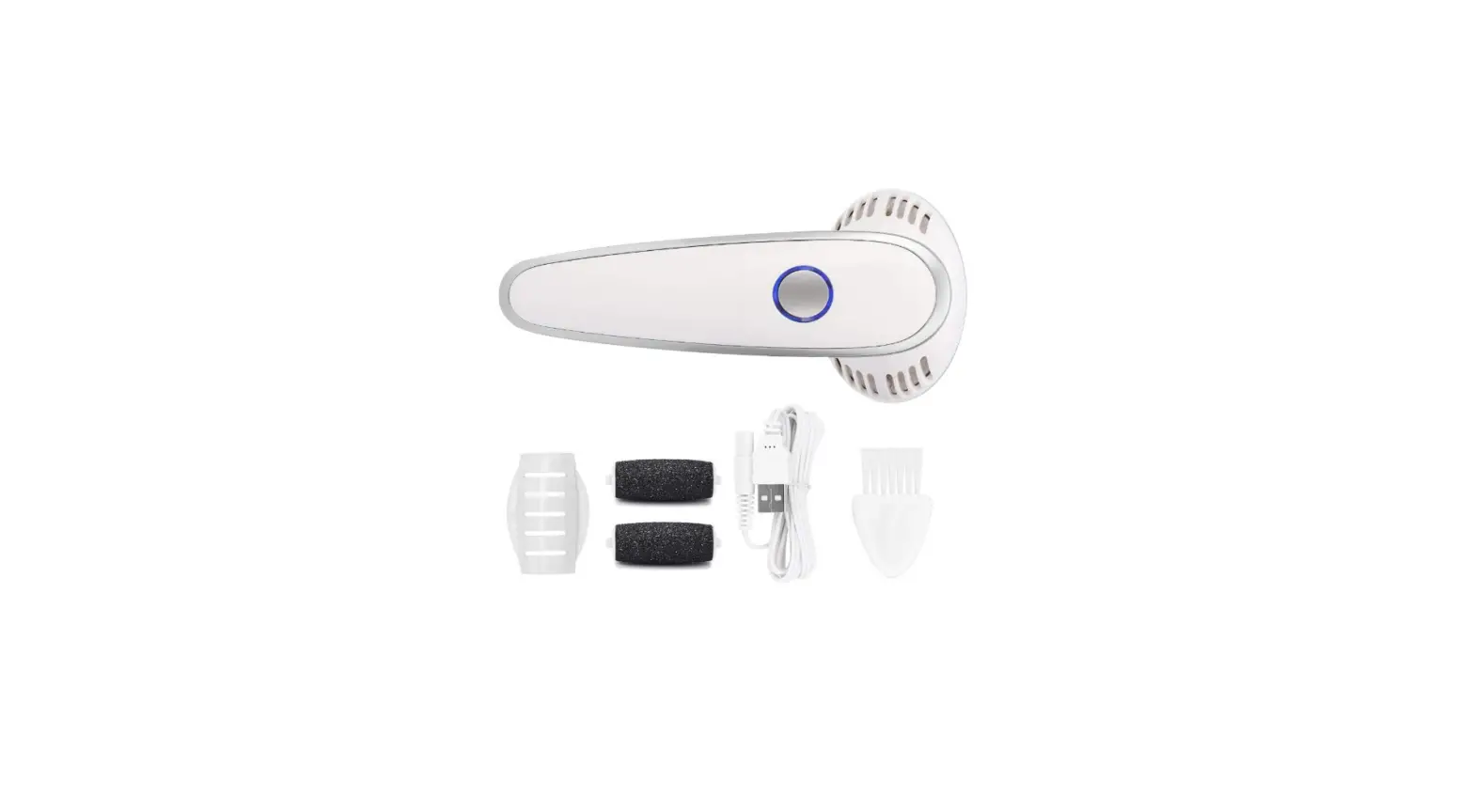
1 Protective Cover 2 Light (at the back) 3 On/Off switch 2 speeds 4 Charging indicator 5 Light coarse Roller
6 Regular Coarse Roller 7 Extra Coarse Roller 8 Cleaning brush 9 USB charging cable
CHARGING · Fully charge the appliance before first use. · Please make sure the power is to OFF before charging. · Charging indicator illustrates RED when charging; it turns GREEN when battery is
fully charged. · Charging time is approximately 1.5 hours and allows for up to 1 hour usage. · Charging indicator flashes RED when battery is low. Reconnect the unit to a
suitable USB charging port to recharge the appliance. · For best performance, always use when the battery is fully charged.
OPERATING INSTRUCTIONS WARNING: Stop using if skin becomes sore or inflamed. WARNING: Do not use on skin for more than 2-3 seconds at a time. WARNING: If you feel any discomfort or irritation during use, stop using the product.
1. Wash and clean the skin and dry fully. Note: Do not use on broken or bleeding skin.
2. Make sure the roller head is securely inserted into the unit. 3. To turn on the unit, press the lock key then push the On/Off switch to position “1” or
“2”. (Fig.1) 4. Speed “1” is recommended for fine skin and speed “2” is recommended for course
skin. 5. The light at back illuminates as long as the appliance is switched ON. This provides
better visibility of skin. 6. Run the roller head over hard skin to gently exfoliate (Fig.2). 7. Wipe or rinse your feet to remove the exfoliated skin. 8. After exfoliating, turn OFF the unit and replace the protective cap for storage. (Fig.3)
· Take a warm bath or shower before exfoliating. This will make your skin more pliable.
· To relax the skin, we recommend applying a moisture cream after exfoliation.
CHANGING ROLLER HEADS Change the roller heads as needed for best result or when it is less effective. Make sure the unit is turned OFF before replacing the roller heads. 1. Remove the roller head by pressing the eject button on both sides of the unit, then
pull out the roller head. 2. Place a new roller head into the unit until you hear a click sound. Ensure the new
head has been firmly installed.
Note: Check the Roller head is securely attached to the device before use.
CLEANING AND MAINTENANCE Note: Clean the appliance after each use to ensure better performance. This callus roller heads can be rinsed under water for cleaning. 1. Always switch OFF the unit before cleaning. 2. Roughly clean the roller head with the cleaning brush. (Fig.6) 3. Rinse the unit under the tap. (Fig.7) 4. Wipe the main unit with a clean dry cloth. 5. Replace the protective cover and store the unit in a dry place
BATTERY DISPOSAL The battery should be disposed safely. The appliance should be taken to a recycling facility and not disposed of with normal household waste. IMPORTANT: Always fully discharge the batteries before disposing and ensure the charger (not supplied) is disconnected.
TECHNICAL SPECIFICATIONS
Model no.
BCM-1138Ali
Working time
Up to 1 hour
Charging time Battery type
Approx. 1.5hr Li-ion, 600mAh, 3.7V x 1 cell
12 Month Warranty Thank you for your purchase from Kmart.
Kmart Australia Ltd warrants your new product to be free from defects in materials and workmanship for the period stated above, from the date of purchase, provided that the product is used in accordance with accompanying recommendations or instructions where provided. This warranty is in addition to your rights under the Australian Consumer Law.
Kmart will provide you with your choice of a refund, repair or exchange (where possible) for this product if it becomes defective within the warranty period. Kmart will bear the reasonable expense of claiming the warranty. This warranty will no longer apply where the defect is a result of alteration, accident, misuse, abuse or neglect.
Please retain your receipt as proof of purchase and contact our Customer Service Centre on 1800 124 125 (Australia) or 0800 945 995 (New Zealand) or alternatively, via Customer Help at Kmart.com.au for any difficulties with your product. Warranty claims and claims for expense incurred in returning this product can be addressed to our Customer Service Centre at 690 Springvale Rd, Mulgrave Vic 3170.
Our goods come with guarantees that cannot be excluded under the Australian Consumer Law. You are entitled to a replacement or refund for a major failure and compensation for any other reasonably foreseeable loss or damage. You are also entitled to have the goods repaired or replaced if the goods fail to be of acceptable quality and the failure does not amount to a major failure.
For New Zealand customers, this warranty is in addition to statutory rights observed under New Zealand legislation.
 Kmart.com.au
![Pedispa Vacuum Callus Remover Instruction Manual [vcal-1]](https://static-data1.manualsee.com/1/img/324/9477/2020/11/PediSpa-Vacuum-Callus-Remover.png "Pedispa Vacuum Callus Remover Instruction Manual [vcal-1]")