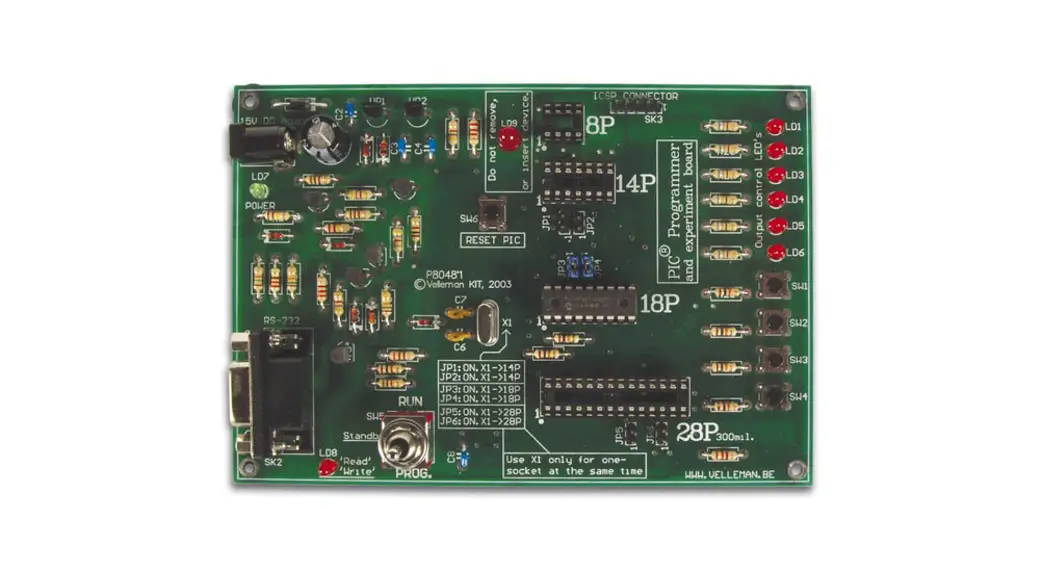
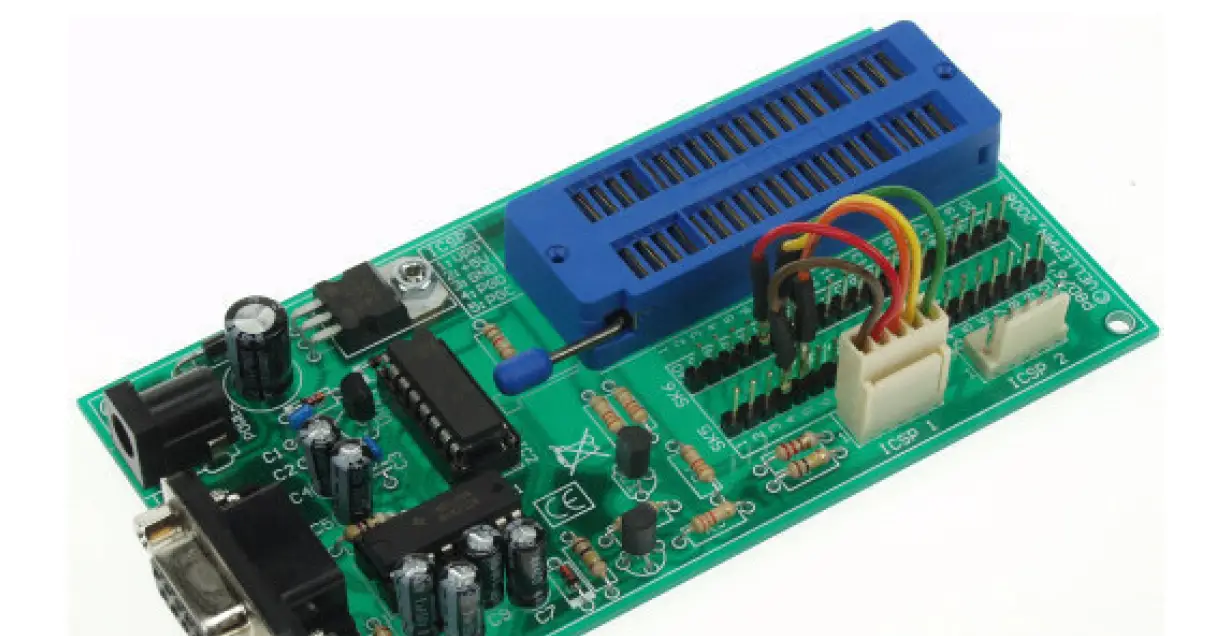
K8076 PIC Programmer Board
Product Information
The K8076 is an assembly kit with a total of 202 solder points.
It is designed for beginners with a difficulty level of 1-3, but
also suitable for advanced users. The device is compliant with Part
15 of the FCC Rules, as long as the enclosed instructions are
followed.
The K8076 features an onboard configurable 40 pin ZIF socket,
allowing for easy microcontroller selection using patch jumpers. It
comes with the PICprog2006TM software for programming and includes
a set of SUBD connectors. The power supply requirement is 15V DC
with a minimum of 300mA, and it can be connected using a PS1508
adapter. The dimensions of the device are 132x65x20mm. The
currently supported controllers are PIC10F200, PIC12C508A,
PIC12CE518, PIC12F629, PIC12F675, PIC16F54, PIC16F84A, PIC16F870,
PIC16F871, PIC16F872, PIC16F873, PIC16F874, PIC16F876, PIC16F877,
PIC16F627, PIC16F627A, PIC16F628, PIC16F628A, PIC16F648A,
PIC16F630, PIC16F676, and PIC18F2550.
The minimum system requirements for using the K8076 are an IBM
Compatible PC with a Pentium or better processor and Windows
98/ME/NT/2000/XP operating system. A CDROM drive and a free REAL
serial (RS232) port are also required. Please note that the
functioning of the PIC programmer card cannot be guaranteed through
a USB conversion cable.
Product Usage Instructions
Assembly Hints
1. Make sure you have the right tools, including a basic
multi-meter if required.
2. Mount the components against the PCB surface and carefully
solder the leads.
3. Ensure that the solder joints are cone-shaped and shiny.
4. Trim excess leads as close as possible to the solder
joint.
5. Remove the components from the tape one at a time, following
the correct mounting sequence for axial components.
Component Assembly
1. Diodes: Pay attention to the polarity of the diodes
(Cathode).
2. Resistors: Follow the specified resistance values for each
resistor.
3. Voltage regulator: Install the specified voltage regulator
component.
4. Capacitors: Install the specified capacitors, ensuring
correct polarity if electrolytic.
5. IC sockets: Pay attention to the position of the notch when
installing IC sockets.
6. Transistors: Install the specified transistors.
7. Headers: Install the specified headers.
8. Board to wire connector: Install the specified board to wire
connector.
9. LEDs: Pay attention to the polarity of the LEDs
(Cathode).
10. Voltage regulator: Install the specified voltage regulator
component.
11. DC – Jack: Install the specified DC – Jack component.
12. Electrolytic Capacitor: Pay attention to the polarity of the
electrolytic capacitor.
Note: Always refer to any last-minute manual updates indicated
as ‘NOTE’ on a separate leaflet.
Total solder points: 202 Difficulty level: beginner 1 2 3
4 5 advanced
PIC® programmer board
ILLUSTRATED ASSEMBLY MANUAL
K8076
Tohf iMs ibcoroacrdhicpa®nPpIrCoTMgrammicarowciodnetrroalnlegres
H8076IP-1
This device complies with Part 15 of the FCC Rules provided the enclosed instructions are followed to the letter. Use of the device is subject to the following conditions: (1) this device must not cause harmful interference and (2) the operation of this device should not be influenced by unwanted interference.
More information about FCC can be look at http://www.fcc.gov
FR Vous trouverez la traduction de cette notice sur le CD, avec d’autres informations NL Vertaling van deze handleiding, als ook meer gegevens kan men terugvinden op de CD. UK The translation of this manual and all other information can be found on the CD. D Dieübersetzung dieser anleitung und alle anderen Informationen finden Sie auf der CD. S Svensk Bruksanvisning och annan information finns på medföljande CD. SF Tämän käyttöohjeen sekä muun informaation suomenkielinen käännös on oheisella CD:llä. I La traduzione di questo manuale e tutte le informazioni concernenti l’unità possono essere trovate sul CD. DK Oversættelsen af denne manual, samt alle øvrige informationer vedrørende enhederne, kan findes på CD’en. SP La traducción de este manual de instrucciones y toda otra información sobre los dispositivos se encuentran en el CD P A tradução deste Manual e toda a informação referente às unidades pode ser encontrada no CD
Features & Specifications
Features:
onboard configurable 40 pin. ZIF socket Microcontroller selection using patch jumper easy to use programming PICprog2006TM software included SUBD connector set included
Specifications:
power supply: 15V DC, min. 300mA adapter (Ex. PS1508) serial port connector: 9 p. SUBD dimensions: 132x65x20mm / 5,23 x 2,57 x 0,79″ currently supported controllers (rev. 2.0.0.0) :
PIC10F200 PIC12C508A,PIC12CE518 PIC12F629,PIC12F675 PIC16F54 PIC16F84A PIC16F870,PIC16F871,PIC16F872,PIC16F873*,PIC16F874* PIC16F876,PIC16F877* PIC16F627,PIC16F627A,PIC16F628,PIC16F628A PIC16F648A* PIC16F630,PIC16F676 PIC18F2550,… (*): under test
Minimum system requirements:
IBM Compatible PC, Pentium or better Windows? 98/ME/NT/2000/XP CDROM drive free REAL serial (RS232) port required* (*) The functioning of the PIC programmer card cannot be guaranteed through a USB conversion cable.
4
Assembly hints
1. Assembly (Skipping this can lead to troubles ! ) Ok, so we have your attention. These hints will help you to make this project successful. Read them carefully.
1.1 Make sure you have the right tools:
· A good quality soldering iron (25-40W) with a small tip. · Wipe it often on a wet sponge or cloth, to keep it clean; then apply solder to the tip, to give it a wet look. This is called `thinning’ and will
protect the tip, and enables you to make good connections. When solder rolls off the tip, it needs cleaning. · Thin raisin-core solder. Do not use any flux or grease. · A diagonal cutter to trim excess wires. To avoid injury when cutting excess leads, hold the lead so they
cannot fly towards the eyes. · Needle nose pliers, for bending leads, or to hold components in place. · Small blade and Phillips screwdrivers. A basic range is fine.
0.000
For some projects, a basic multi-meter is required, or might be handy
1.2 Assembly Hints :
Make sure the skill level matches your experience, to avoid disappointments. Follow the instructions carefully. Read and understand the entire step before you perform each operation. Perform the assembly in the correct order as stated in this manual Position all parts on the PCB (Printed Circuit Board) as shown on the drawings. Values on the circuit diagram are subject to changes. Values in this assembly guide are correct* Use the check-boxes to mark your progress. Please read the included information on safety and customer service
* Typographical inaccuracies excluded. Always look for possible last minute manual updates, indicated as `NOTE’ on a separate leaflet.
5
Assembly hints
1.3 Soldering Hints : 1- Mount the component against the PCB surface and carefully solder the leads
2- Make sure the solder joints are cone-shaped and shiny 3- Trim excess leads as close as possible to the solder joint
REMOVE THEM FROM THE TAPE ONE AT A TIME !
AXIAL COMPONENTS ARE TAPED IN THE CORRECT MOUNTING SEQUENCE !
6
1. Diodes. Watch the polarity! 3. Metal film resistors
5. Capacitors
Construction
D1 : 1N4007 D2 : 1N4148 D3 : 1N4148 D4 : 1N4148
CATHODE
2. Resistors
R…
D…
R…
R10 : 47 (4 – 7 – 0 – B – 9) R11 : 220 (2 – 2 – 1 – B – 9) 4. Voltage regulator
C1 : 100nF (104, u1) C2 : 100nF (104, u1) C3 : 100nF (104, u1)
6. IC sockets, Watch the position of the notch!
R1 : 1K5 (1 – 5 – 2 – B) R2 : 3K3 (3 – 3 – 2 – B) R3 : 3K3 (3 – 3 – 2 – B) R4 : 3K3 (3 – 3 – 2 – B) R5 : 3K3 (3 – 3 – 2 – B) R6 : 100K (1 – 0 – 4 – B) R7 : 100K (1 – 0 – 4 – B) R8 : 100K (1 – 0 – 4 – B) R9 : 10K (1 – 0 – 3 – B)
VR1 : UA7812
IC1 : 16P IC2 : 16P
7
Construction 7. Transistors.
T1 : BC547 T2 : BC557
10. Headers
12. Board to wire connector
8. Voltage regulator VR2 : UA78L05
VR…
9. LEDs. Watch the polarity !
LD1: 3mm Green LD2: 3mm Yellow LD3: 3mm Yellow LD4: 3mm Red
CATHODE
COLOR= 2…5
L D …
8
SK5 : 20P SK6 : 20P 11. DC – Jack
SK1 : 15VDC (Power)
SK3 : 5 poles SK4 : 5 poles
13. Electrolytic Capacitor. Watch the polarity !
C4 : 10µF
C5 : 10µF
C6 : 1µF
C7 : 1µF
C8 : 1µF
C…
C9 : 1µF
C10 : 220µF
14. Sub D – connector
16. IC’s. Watch the position of the notch!
Construction
SK2 : RS232 (9p female) 15. ZIF socket
IC1 : MAX232 IC2 : CD4049
17. Rubber feet Mount the rubber feet on the solder side of the PCB, see fig 1.0.
SK5 : 40p
FIG 1.0
9
Construction
18. Serial cable Mount a SUBD connector on both sides of a shielded 6-core cable. Refer to fig. 2.0 below.
5 9
4 8
3 7
2 6
1 1 6 2 7 3 8 4 9 5
SK1 SUBD 9-POLE MALE
SK2 SUBD 9-POLE FEMALE
FIG 2.0
If you do not assemble cables with the included SUBD connectors, pay attention to the
.
following: all conductors must be connected “PIN to PIN”.
10
Construction Now, mount a enclosure over each SUBD connector according to fig. 3.0
FIG 3.0
. 11
Software
19. PIC – selection cable
Cut off a piece of each wire of the female ‘board-to-wire’ connector so there is 6cm of wire left on the connector. See fig. 4.0 Cut off 5 pieces of shrinkable tube with a lenght equal to 1cm. Slide the shrinkable tube over the wires of the female ‘board to wire’-connector (fig. 5.0) Solder each wire to a metal terminal
Attention: Always make sure to slide down the shrinking tube far enough from the soldering points!
Slide the shrinkable tube over the soldered joints and heat them using a hair dryer or, better still, using a paint stripper.
6cm
FIG 4.0
12
FIG 5.0
Software installation 20. Software installation · Place the Velleman® software CD in your CD-ROM player. · Select `Browse through this CD for other Velleman software’ (this message will not be displayed on your
screen if `AUTORUN’ is not activated). · Select the `K8076′ folder. · Run the `SETUP.EXE’ program in the ‘C:K8076’ folder. · Follow the indications on the screen until all files are installed.
For connecting, testing and using this kit please refer to the programme help file on the included CD.
13
SUBD9-P – IBM SERIAL INTERFACE PIC
Schematic diagram
21. Schematic diagram.
14
SK1 +
SW
15V DC
D1 1N4007
C10 220µF/35
VR1 UA7812
I
O
C1
GND
100n
C2 100n
VR2 UA78L05
I
O
GND
C4 10µF
R10
FB47 C3 100n
+VPP +5V
+VPIC C5 10µF
GND
GND
GND D2
D3 GND 1N4148
GND
GND GND
GND
1N4148 +5V
1
+VPIC IC2F CD4049B
14 VCC 15 VSS
5
8
IC2B 4
C6 1µFµ
IC1 MAX232N
16 VCC
SK2
1 6 2 7 3 8 4 9 5
C7
2 V+
6 V-
1µ
C1+ 1
C1C2+
3 4
14 7
13 8
T1OUT T2OUT R1IN R2IN
C2- 5
T1IN T2IN
11 10
R1OUT R2OUT
12 9
C8 1µFµ
C9 1µFµ
15 GND
9
IC2D 10
GND
IC2E
11
12
IC2C
6
7
IC2A
3
2
R2
R3
3K3
3K3
LD2
LD3
R9 10K
R8 100K GND
D4 1N4148
GND
GND
T1 BC547C
GND
+VPP
R6 100K
R5 3K3
+VPP
T2 BC557C R11
R4
FB220
3K3
LD4 DVPP
R7 100K
GND
GND
DPGD
DPGC
GND
GND
1
+VPIC
SK3 ICSP1
5 4 3 2 1
5 4 3 2 1
R1 1K5
LD1
PG. GND
SK4 ICSP2
GND
SK5
1 2 3 4 5 6 7 8 9 10 11 12 13 14 15 16 17 18 19 20
1 2 3 4 5 6 7 8 9 10 11 12 13 14 15 16 17 18 19 20
40 39 38 37 36 35 34 33 32 31 30 29 28 27 26 25 24 23 22 21
20PIN HEADER
40P ZIF-SOCKET
ICSP CONNECTORS
1 VPP 2 +VPIC (5V) 3 GND 4 PGM DATA (PGD) 5 PGM CLOCK (PGC)
SK6
20 19 18 17 16 15 14 13 12 11 10 9 8 7 6 5 4 3 2 1
20PIN HEADER
22. PCB
PCB 15
VELLEMAN Components NV Legen Heirweg 33 9890 Gavere Belgium Europe www.velleman.be
www.velleman-kit.com
Modifications and typographical errors reserved © Velleman Components nv. H8076IP’1 – 2006
5 410329 353353
 Velleman – Wholesaler and developer of electronics