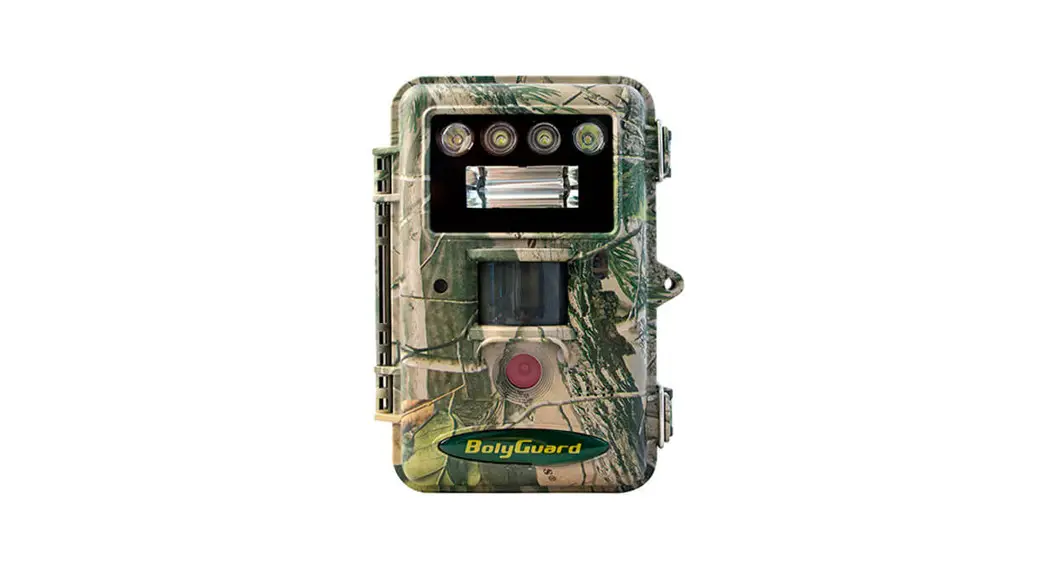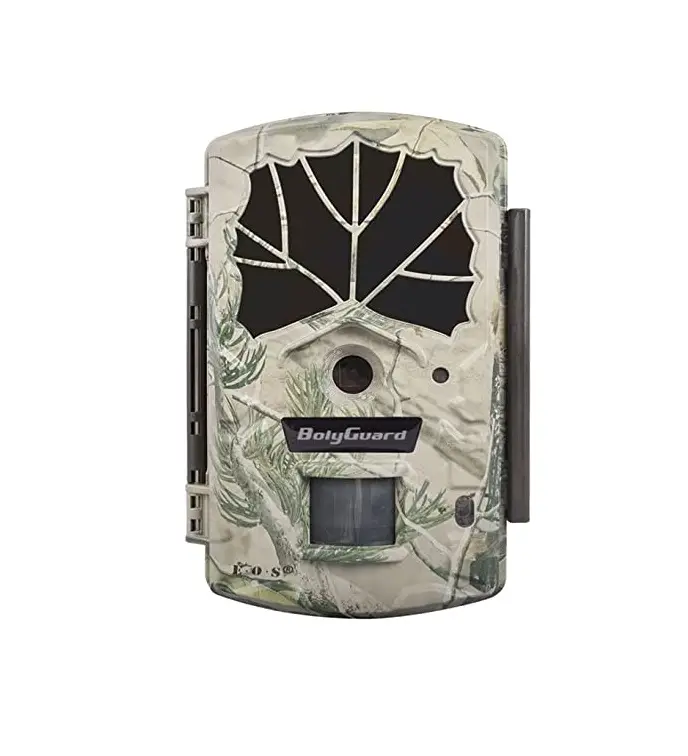
 BolyGuard BG590-K2 Night Vision Hunting Camera IP65 Waterproof Trail Wild Camera
 BolyGuard BG590-K2 Night Vision Hunting Camera IP65 Waterproof Trail Wild Camera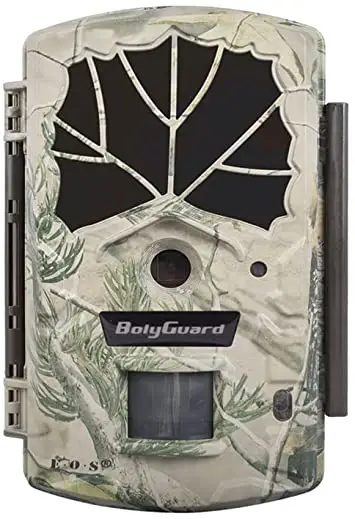
Getting Started
General Description
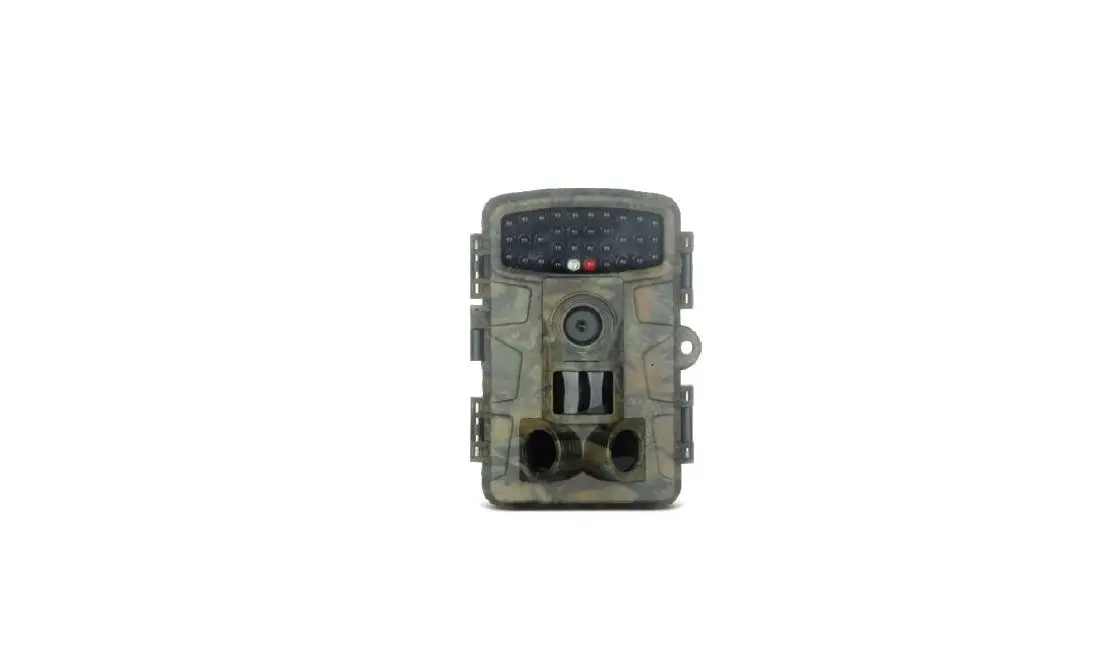
BG590-K2, is a digital infrared surveillance camera monitored by a highly sensitive Passive Infrared (PIR) motion sensor that can be triggered by any human or animal movements. After being triggered, the camera then automatically captures pictures or video clips.
This camera is powered by 4 or 8 AA batteries. It can sustain in stand-by mode alone for up to 6 months on 8 AA batteries, is designed for outdoor use, and resistant against rain and snow.
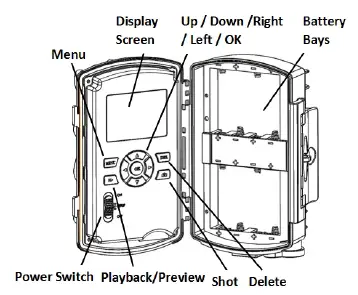
Has the following interfaces: a 2″ color LCD display screen, operation panel, USB connector, SD card slot and an external DC power connector.
Product View
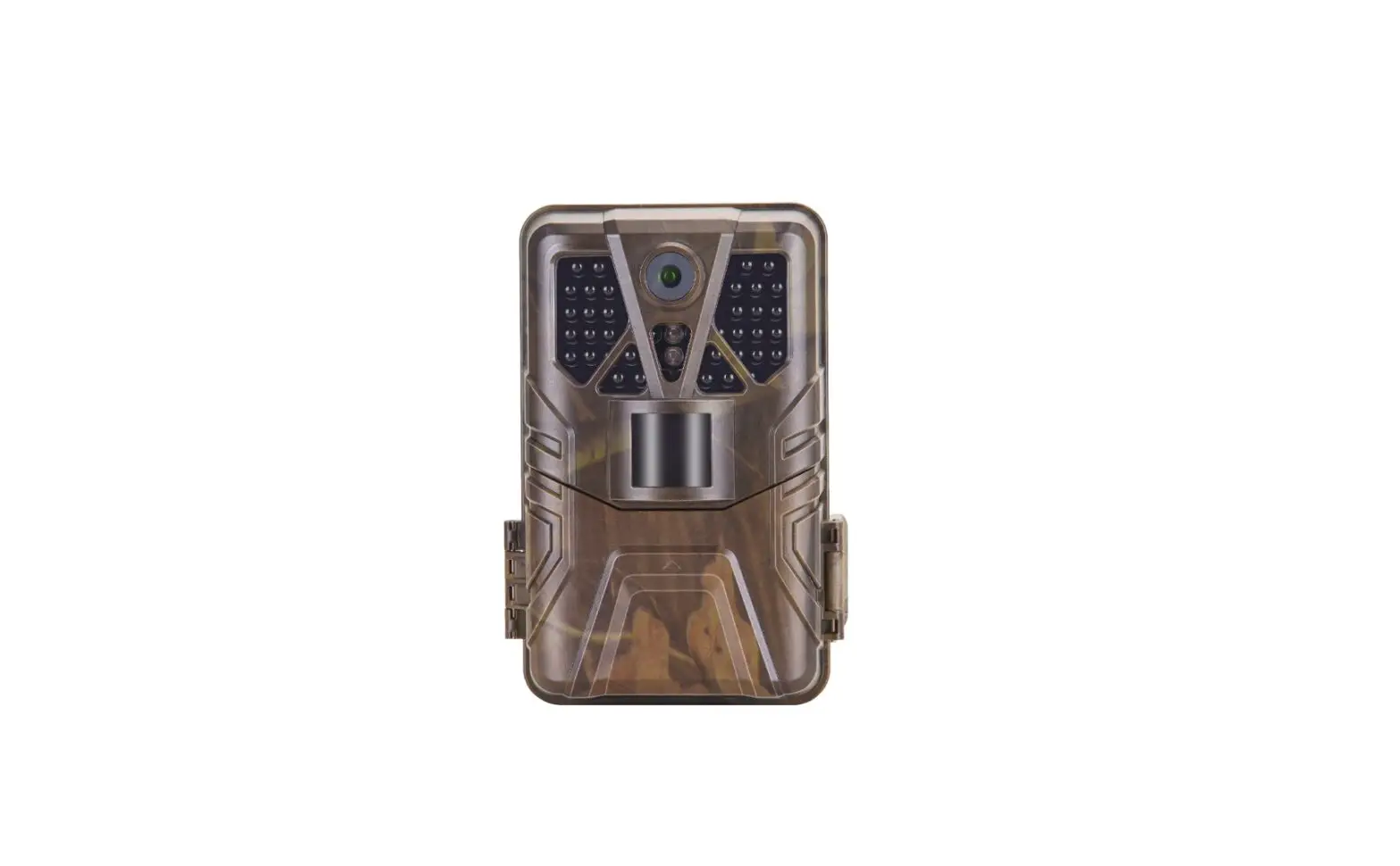
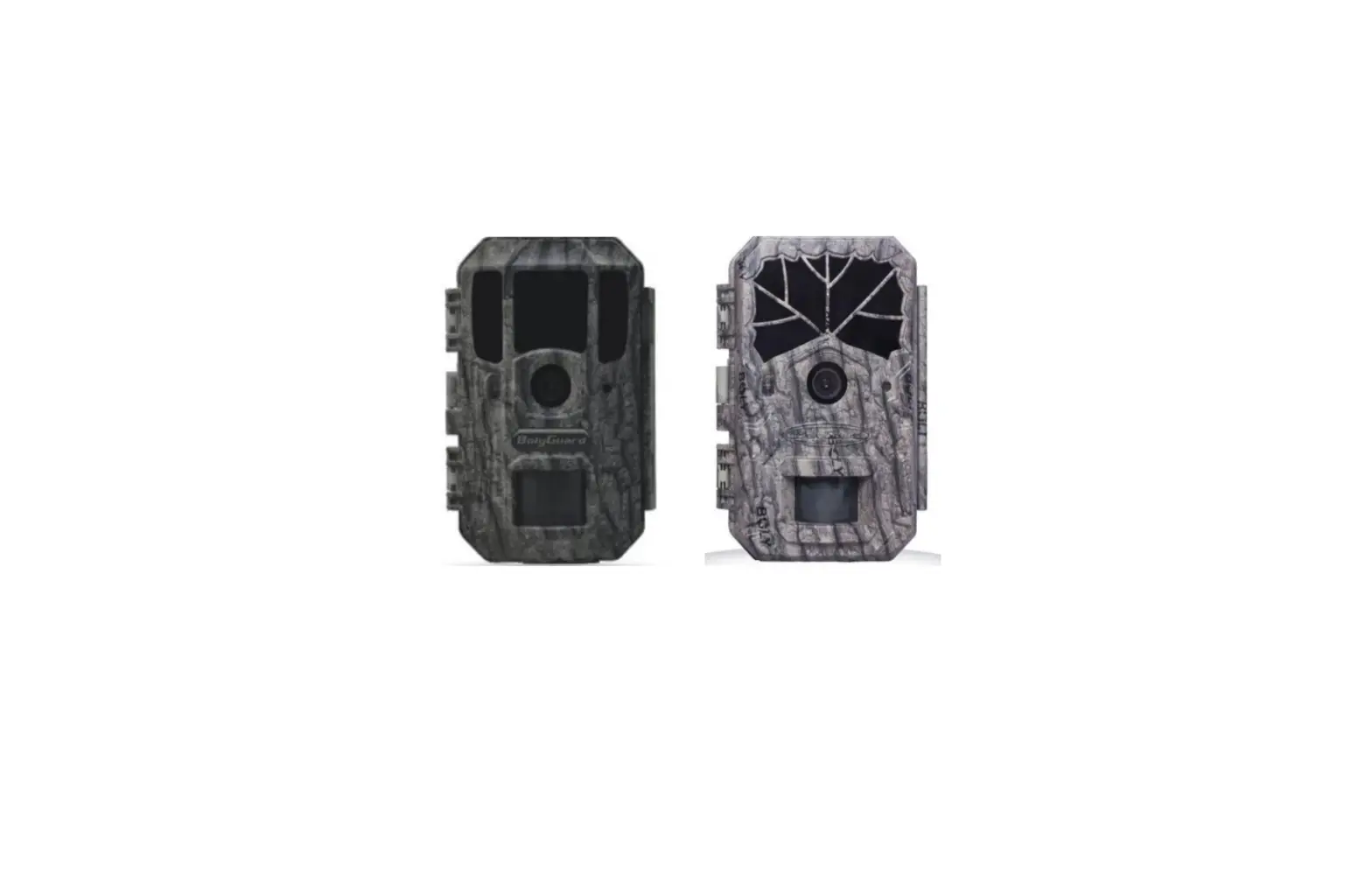
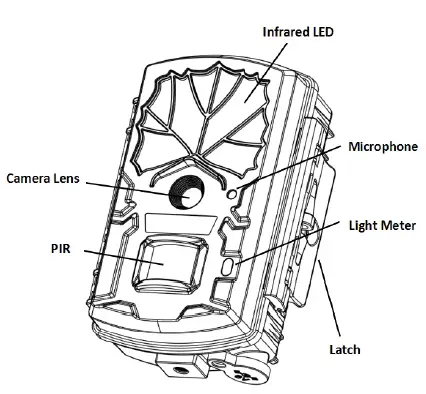
Front View
 Inner Panel View
 Bottom View
Camera Operations
Power Supply
4 or 8 AA batteries high-density, high-performance rechargeable or non-rechargeable alkaline batteries are recommended. You can also use NiMH batteries as well, but each battery should be above 1.5V.
SD Card Information
To take full advantage of the latest technologies, we recommend Class 10 SD cards or better, which have fast transfer speeds and long durability for extensive shooting in the most extreme outdoor conditions. Some SD cards are Secure Digital High Capacity (SDHC) PRO cards, which only work with SDHC compatible devices. Please check that your product is compatible with SDHC cards.
- Insert the SD card into the camera before turning on the camera
This camera supports up to a 64GB capacity SD card, and has no built-in internal memory. The camera will not function without the SD card properly inserted into the camera. - Make sure the SD card is unlocked before inserting it into the camera
- If you experience any problems with an inserted SD card, try reformatting the SD card through the camera’s main settings option.
Camera Modes
The different modes are according to the position of the power switch. The three basic operation modes as below:
OFF Mode
Switching the camera to the OFF position turns the camera off. The camera will still consume a small amount of power while in “OFF” mode. It is recommended to remove the batteries if the camera will not be used for a long period of time.
ON Mode
Switching the camera to ON position turns the camera on. When movement occurs within the monitored region, the camera will take pictures or record videos automatically according to the previous programmed settings. After switching the camera to the ON position, the motion indication LED (red) will blink for about 10 seconds. This time interval is for you to position the camera for automatic surveillance operation.
SETUP Mode
Switching the camera to the SETUP position allows you customize your camera settings or play back pictures and videos the camera has taken on the LCD display. The camera will automatically shut down after a few minutes of no operation.
Manual Image / Video Capturing
Place the camera in SETUP Mode and press SHOT to manually capture photos or record video. Press SHOT again to stop video capture.
Manage Images and Videos
Place the camera in SETUP Mode and press Playback/Preview to view images or videos. The latest image or video will be shown on the LCD screen.
To view:
Press ▲ or ▼ to view the previous or next image or video.
To delete:
Find the image or video you want to delete. Press the Delete key. Press OK to delete, or press MENU again if you decide not to delete the image or video.
Quickly Change Camera Mode
Place the camera in SETUP Mode and press ▲ or ▼ to quickly change the camera mode.
Trigger Modes
There are 3 trigger modes for the cameras.
PIR trigger: PIR trigger is constantly working when the camera is on. The camera takes photos/videos only when motion is detected. Time lapse: The time lapse default setting is OFF by default. If the timer trigger interval is manually set to a non-zero value, the cameras start to work at a preset interval.
PIR & Timer trigger: If you want both PIR trigger and time lapse, you need to set PIR trigger to “normal, high or low ” sensitivities according to the external environments. Be sure to also set the time lapse to a desired non-zero value. The cameras will capture pictures or videos in preset time intervals even if there is no motion detected, and will capture pictures and videos when motion is detected.
*Time Lapse and PIR Trigger cannot be set to off at the same time.
Additional PIR settings to note:
PIR Interval
This setting indicates how long the PIR sensor will be disabled after each camera triggering. During this time the PIR sensor will not react to any detected motion.
Remote Display & Settings
Basic Key Function & Display
To update the camera settings, place the power switch to the ON position.
- MENU: Enter the program menu in preview mode
- ▲▼◄►: Parameter settings as described in the user’s manual
- OK: Save parameter settings and play videos
- I►: Exchange between playback and preview
- DEL: Delete an image
- : Capture a photo or record a video manually
When the camera is on, the screen will activate and display the following:
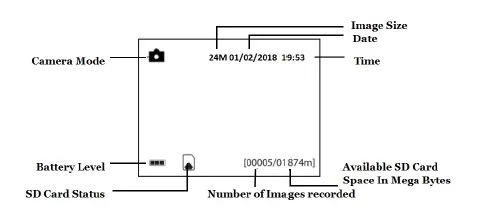 Camera Setup Options
To view the camera settings menu, you need to enter the SETUP Mode, and press MENU.
Use ▲or ▼keys to select the sub-menu.
Use ► keys to select the different options.
Press “OK” to save the settings.
After changing EACH setting in SETUP Mode, you must press OK or the camera will retain the previous setting.
| Menu Option | Description |
| Language | Choose the language you prefer. Language options include: English, French, Spanish. Default: English |
| Camera Mode | Choose between capturing images, videos or both at the same time: Photo, Video, Pic+Video. Default: Photo |
|
Set Clock | Setting the date and time of the camera. You can change the date and time of the device through this setting when necessary (battery replacement, daylight savings). The date format is month/day/year. The time the format is hour: minute: second. |
| The valid values for the year are between 2012 and 2050. Default:Enter | |
| Photo Size | Choose the image size: 5MP,12MP,18MP,24MPoptions are available. Default: 24 MP |
| Photo Burst | Choose the number of photos taken after the camera is triggered: 1 Photo, 2 Photos, or 3 Photos. Default: 1 Photo |
| Video Size | Choose the video size: VGA,720P, 1080P. Default: VGA |
|
Video Length | Choose the duration of the video recording: Valid values extend from 5 to 90 seconds, with a one second delay. Press ► to increase the video time by 10 seconds. Default: 10 seconds |
|
Time Lapse | Time-lapse means the camera can capture images or videos at a preset time interval regardless of whether motions are detected. The default parameter is off, which means the timer function is disabled. Changing this parameter to a non-zero value turns on the Time Lapse mode, and the camera will take photos at the given time interval. |
| Please note that if the PIR Trigger is set to off, then Time-Lapse can’t be set to off. Default: OFF | |
|
PIR Trigger | This setting is for the sensitivity of the PIR sensor. There are four sensitivity parameters: High, Normal, Low, OFF. It is recommended to use HIGH sensitivity in areas with little environmental interference and for warmer, humid climates. Use LOW sensitivity for areas that have a lot of interference. The sensitivity of the PIR is affected by temperature. Higher temperatures lead to a lower sensitivity. Please note that if Time Lapse is set to off, then PIR Trigger can’t be set to off. Default: Normal |
|
PIR Interval | This interval shows how long the PIR will be disabled after each triggering in the ON mode. During this time, the PIR sensor will not react to any detected motion or scheduled timer functions. The PIR Interval can be set between zero seconds to a maximum of 1 hour. Press ► to adjust the desired PIR Interval time. |
| Default: 5 seconds | |
|
Work Day | Choose the days of the week you want the camera to work. This setting is only available in Hunting Mode. Default: All |
|
Working Hour | This setting allows the camera to be active only during the set period of time per day. If activated, the camera will NOT take pictures or video outside of the specified working hour, regardless of any other setup option settings. The values are set to military time that range from 00:00 to 23:59. Default: OFF |
|
Camera Name | This is where you can change the camera name. If set ON,You can set 10 characters for your camera to help distinguish which photo was taken by which camera. Default: OFF |
|
Recycle Storage | If the SD card is full in hunting mode, the first images or videos will be overridden by new pictures or videos. This only takes effect in hunting mode. Default: OFF |
| Format SD | All information on the SD card will be deleted. Make sure you backup important data on the SD card before using this mode. |
| Default Set | Restores all settings back to default values. |
| Version | Version information. |
PIR Detection Zone
The PIR’s detection range can reach 70ft in an open environment. The following picture shows this camera’s PIR detection range compared to standard PIR detection range.
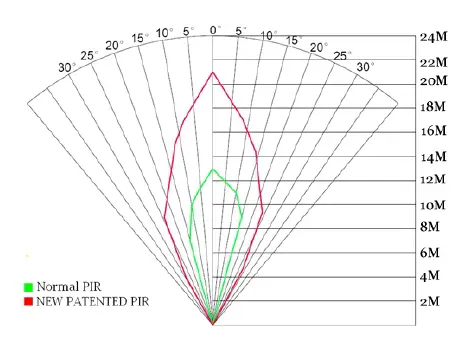 The PIR detection angle (α) is smaller than the field of view angle (β). The advantage of this design is to reduce empty picture rates and capture most, if not all, motion detected.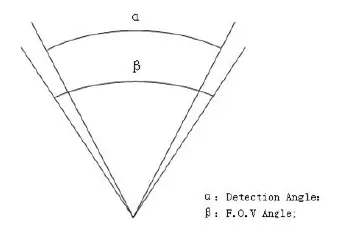
Technical Specifications
| Image Sensor | 5MP CMOS Sensor |
| Lens | F/NO=2.2 Field of View=55° |
| LED Type | 940Nm |
| LED Number | 2Pcs |
| Detection range | 100Ft. |
| Illumination Distance | 100Ft. |
| Display Screen on Remote Control | 2″ LCD |
| Memory Card | Up to 64 GB |
| Image Resolution | 5MP,12MP,18MP,24MP |
| Video Resolution | 1080P 720P VGA |
| PIR Trigger | High, Normal, Low, Off |
| Trigger Time | <0.7 Sec |
| PIR Interval | 0Sec – 60 Min. |
| Photo Burst | 1–3 |
| Video Length | 5–90 Secs |
| Power Supply | 4 or 8×AA |
| Stand-by Current | < 60uA |
| Sound Recording | Yes |
| Operating Temperature | -20℃ to + 60℃ |
| Storage Temperature | -30℃ to + 70℃ |
| Relative Humidity | 5% to 90% |
| Security Authentication | FCC, CE, RoHS |
Parts List
| Part Name | Quantity |
| Camera | 1 |
| USB Cable | 1 |
| Belt | 1 |
| User Manual | 1 |
| Warranty Card | 1 |
| Mounting Bracket | 1 |