

User Manual
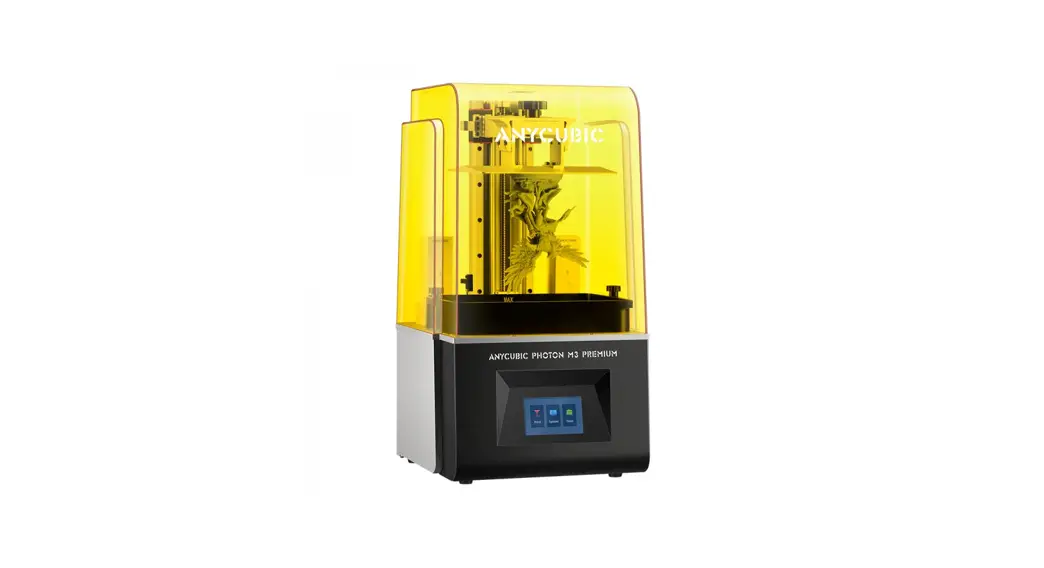
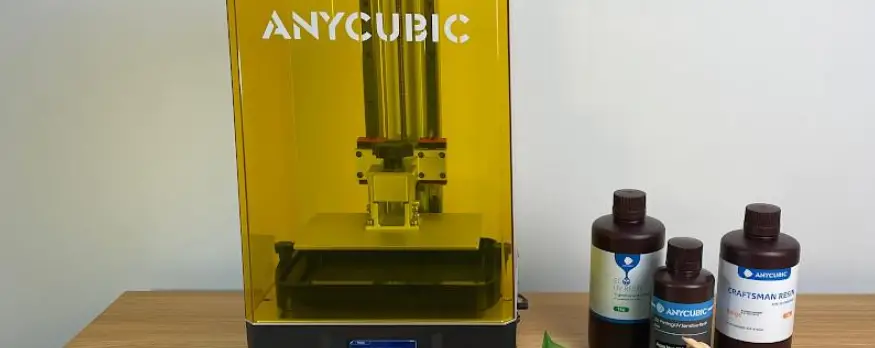
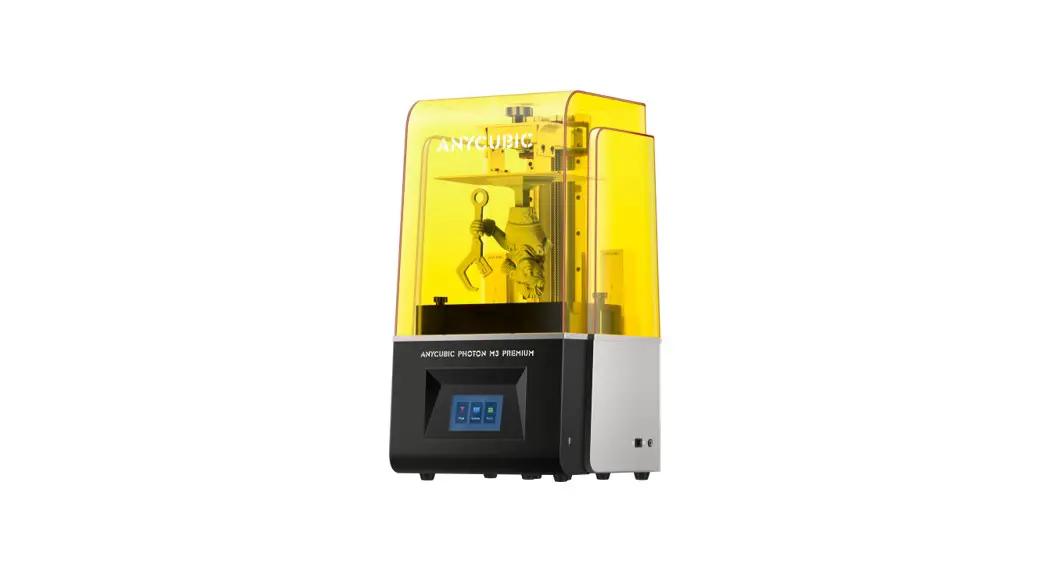
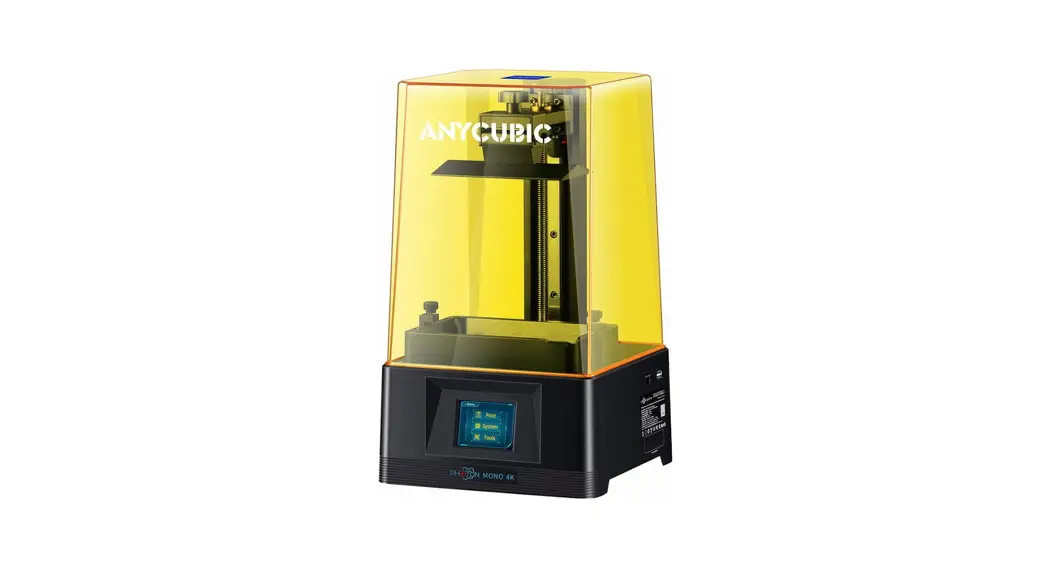
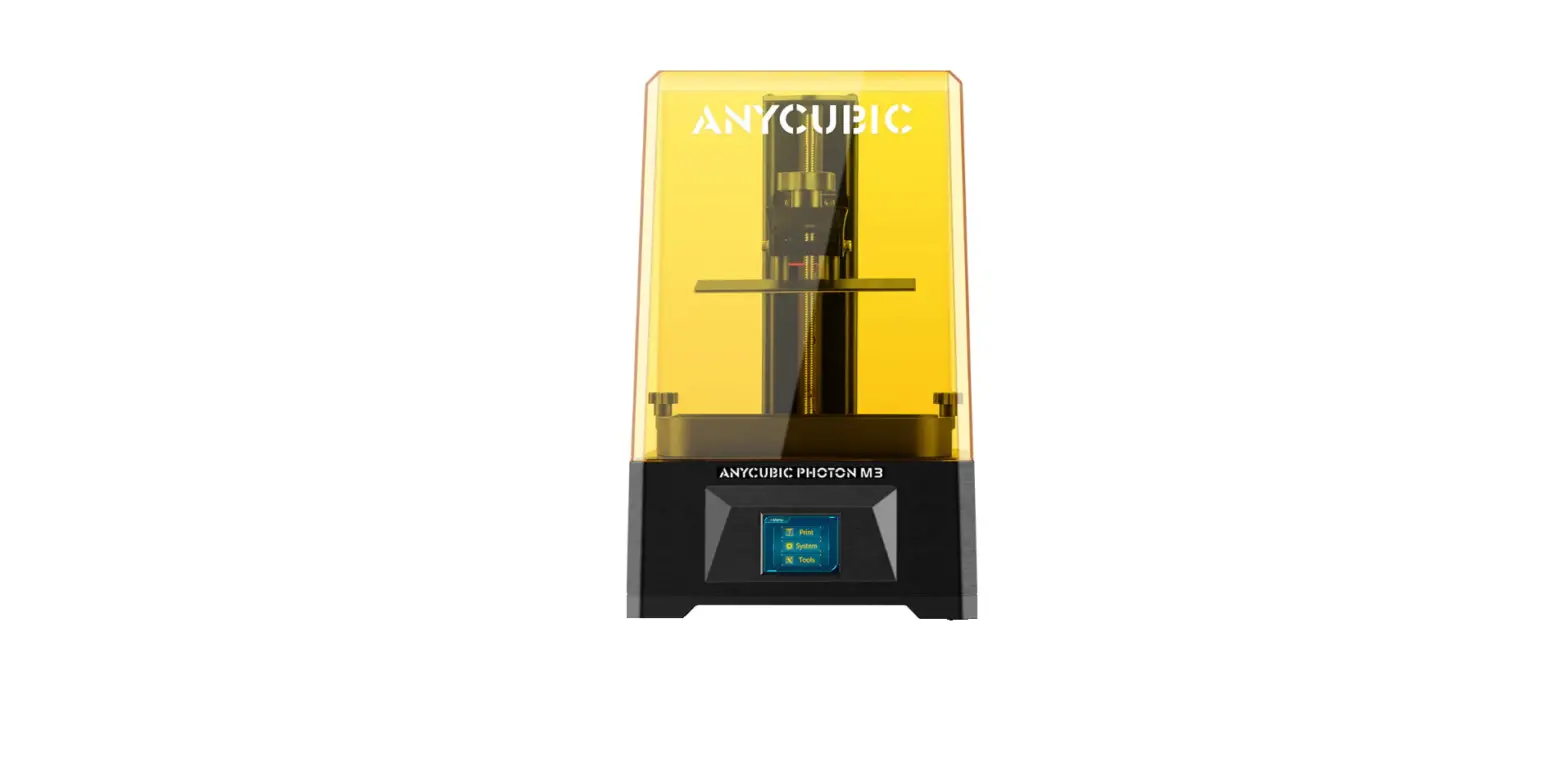
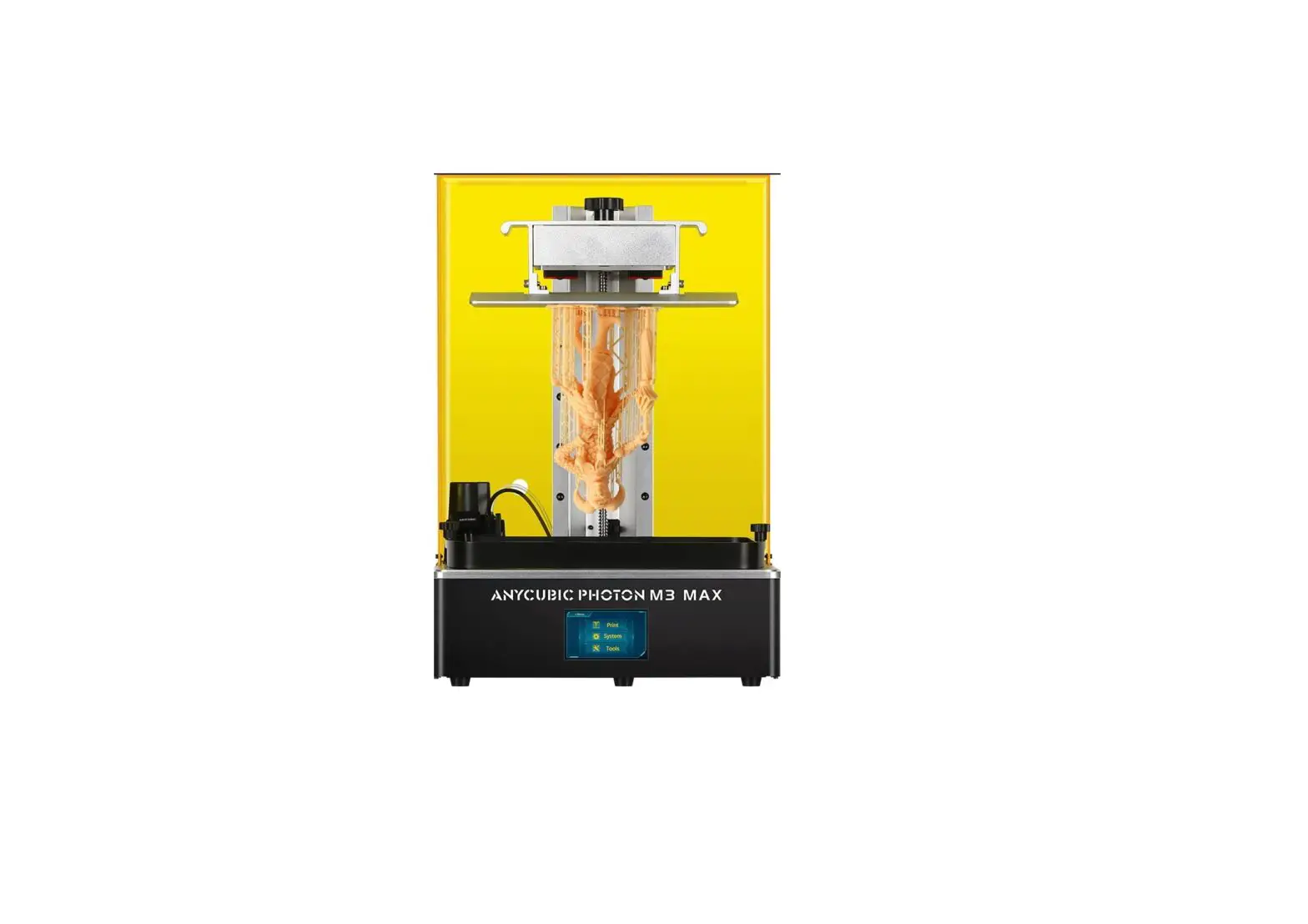
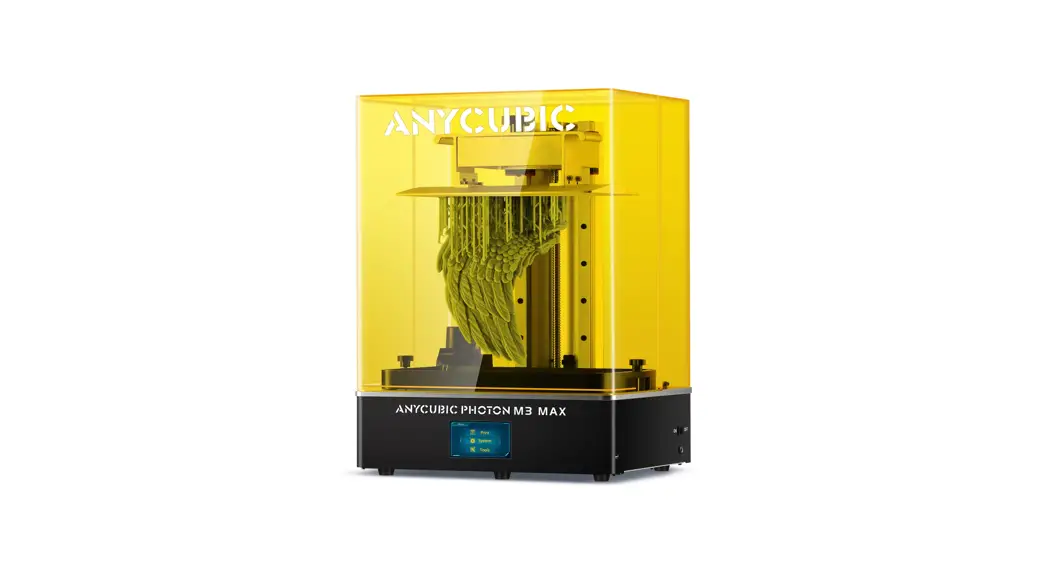
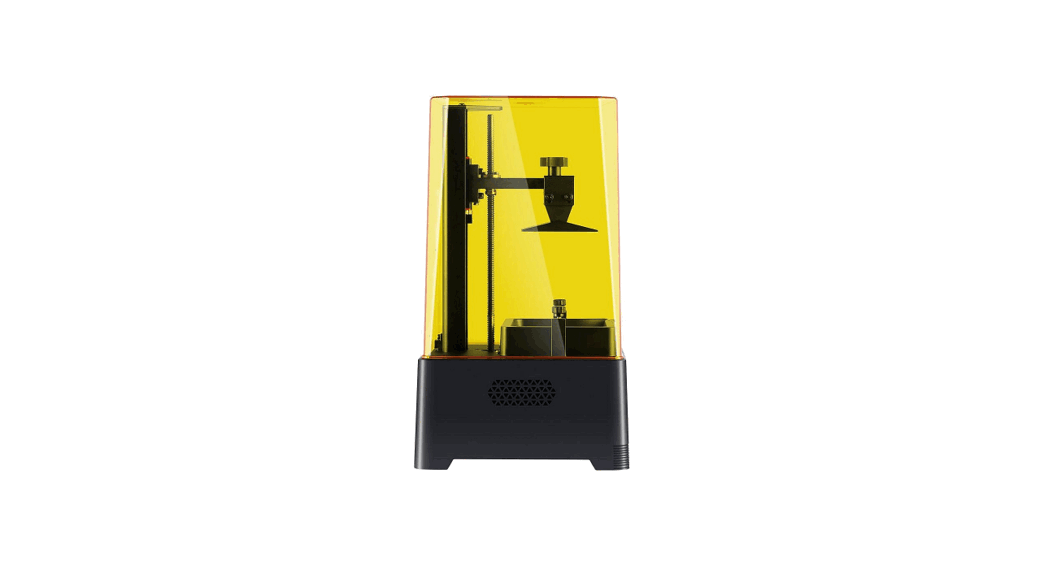
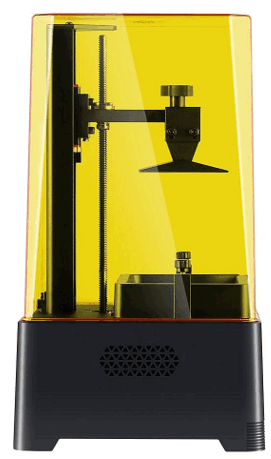
Photon Mono X2 High-Precision SLA 3D Printer
Dear customer,
Thank you for choosing Anycubic products.
Maybe you are familiar with 3D printing technology or have purchased Anycubic printers before. However, we still highly recommend you read this manual carefully, as the installation techniques and precautions can help you avoid any unnecessary damage or frustration.
Please visit https://support.anycubic.com to contact us if you have any questions. You can also learn more information from the website, such as software, videos, models.
Safety Instructions
Always follow the safety instructions during assembly and usage, to avoid unnecessary damage to the 3D printer or individual injury
 | Please contact our Customer Service first if you have any issues after receving the products. |
 | Be cautious when using the scraper. Never direct the scraper towards your hands. |
 | In case of emergency, please immediately cut off the power of the 3D printer and contact the technical support. |
 | Anycubic 3D printer includes components that can cause injury. |
 | It is recommended to use protective glasses when you sand the models to avoid eye contact with small particles. |
 | Keep the Anycubic 3D printer and its accessories out of the reach of children. |
 | Vapors or fumes may be irritating at operating temperatures. Always use the Anycubic 3D printer in an open and well ventilated area. |
 | Do not expose Anycubic 3D printer to any water or rain environment. |
 | Use Anycubic 3D printer in an environment with a temperature of 8°C- 40°C and a humidity of 20%-50%. For optimal performance, do not exceed this range. Also, avoid direct sunlight exposure. |
 | Do not disassemble Anycubic 3D printer, please contact technical support if you have any questions. |
Product Overview
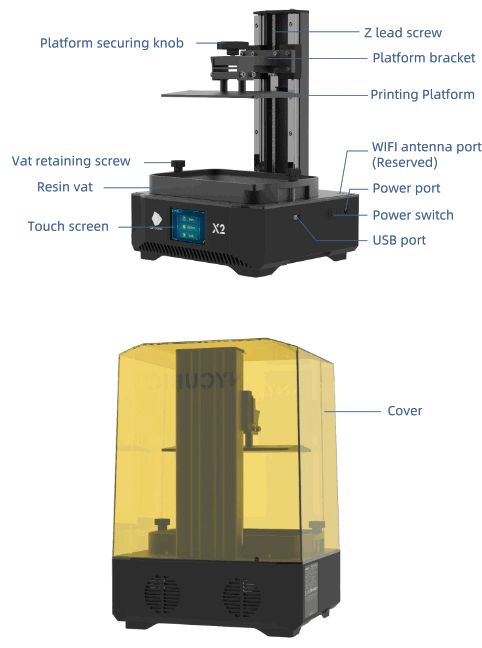
In the Box
 Technical Specification
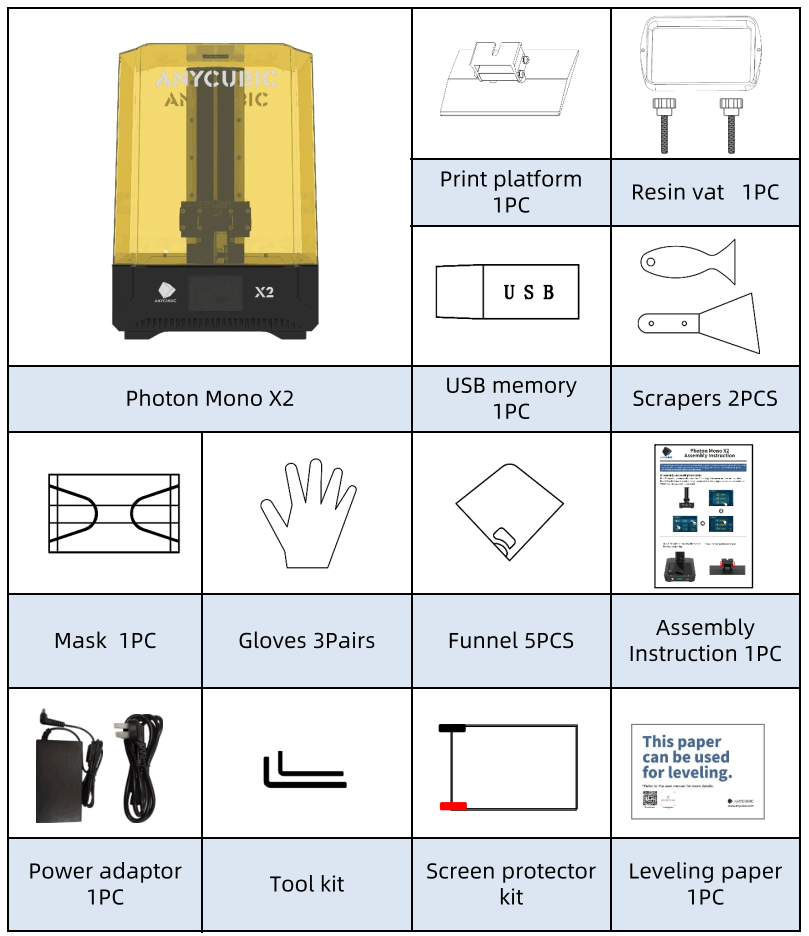 Technical Specification
Operating System
| System | Photon Mono X2 |
| Operation | 3.5-inch Color TFT Screen |
| Software | Anycubic Photon workshop |
| Connectivity | USB memory stick |
SpecificationsTechnique LCD Shadow Masking Light source UV-LED (wavelength 405nm) XY Resolution 48m 40962560 ( 4K) z axis Accuracy 0.01 mm Suggested Layer Thickness 0.01 ~ 0.15mm Suggested Print Speed MAX 60mm/h Rated power 100W
Physical Dimensions
| Dimension | 290mm(L) * 260mm(W) * 417mm(H) |
| Build volume | 196.7mm(L) 122.8mm(w) 200mm(H) |
| Materials | 405nm UV-resin |
| Net weight | ~7 kg |
Recommended Printing Parameters11
| Layer Thickness | 0.05 mm |
| Normal Exposure Time | 2.5 s |
| Off Time | 0.5 s |
| Bottom Exposure Time | 25-40 s |
| Bottom Layers | 5 |
| z Lift Distance | 8mm |
| z Lift Speed | 2 mm/s |
| z Retract Speed | 3 mm/s |
| Anti-alias | 1 |
Note:
- The recommended printing parameters above is for reference only, which is more suitable for Anycubic resin.
- The surf ace of printing platform may be worn after long-term use. It is suggested to increase the bottom exposure time appropriately to improve the print success rate.
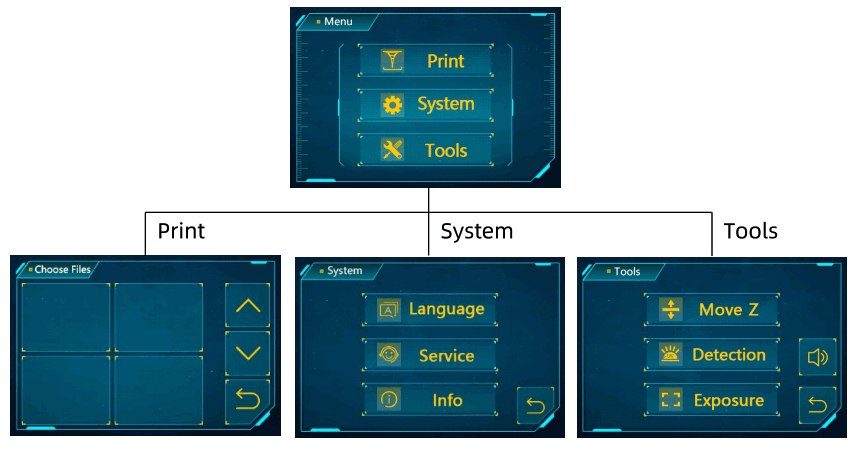
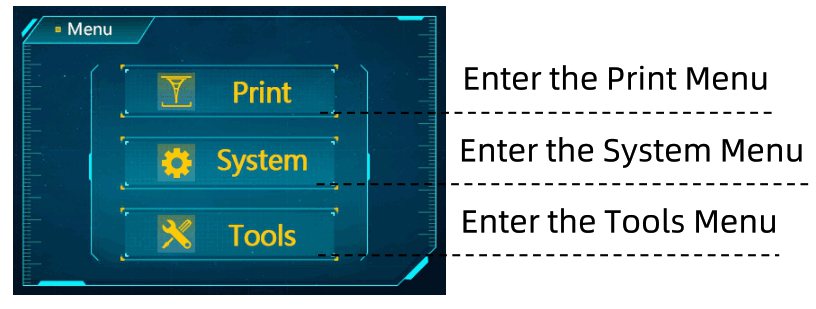
Home menu
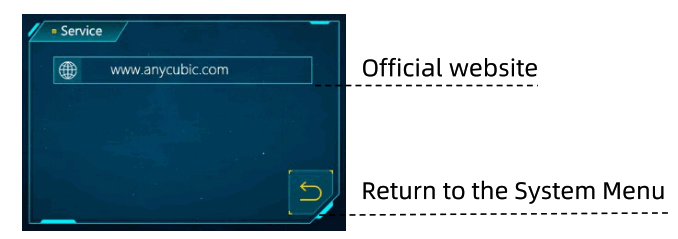
System
Language: Change language{English/Chinese)
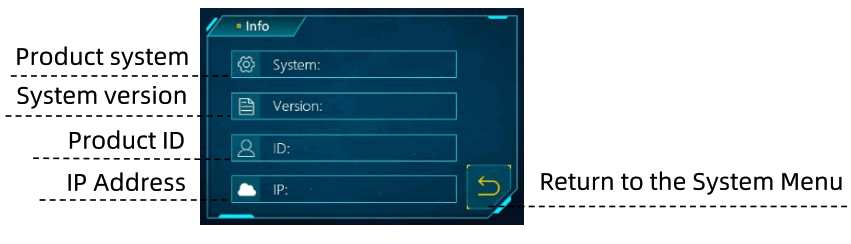
Information:
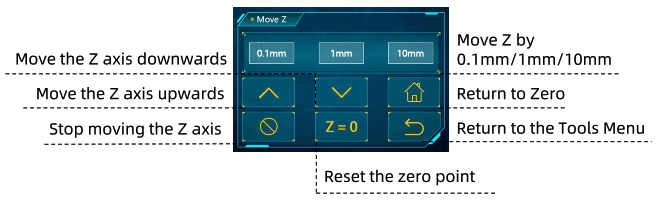
Tools
Move Z:
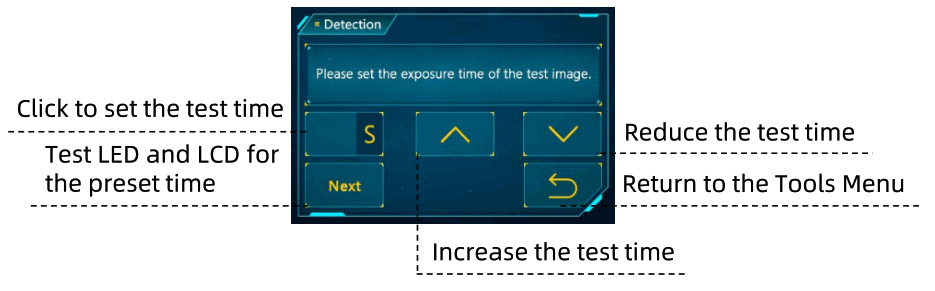
Detection:
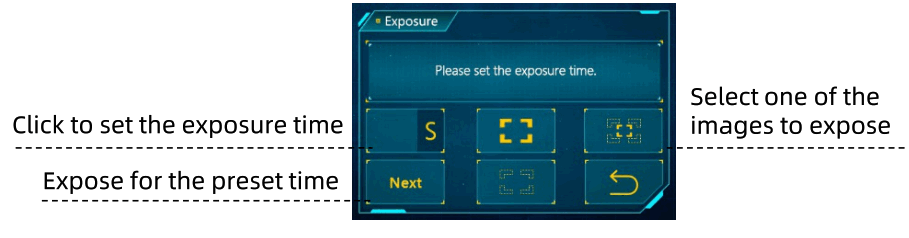
Exposure:
Horn icon: Turn on/off the screen sound
Assembly and Leveling Instructions
- Unpack the machine and take out the accessories. Then plug in the power cord and turn on the printer.

- Raise Z axis to a certain height that the LCD screen will not be scratched when the printing platform is installed.

- Tear off the protective film before leveling and printing.

- Loosen the four screws on the platform.

- Install the printing platform.

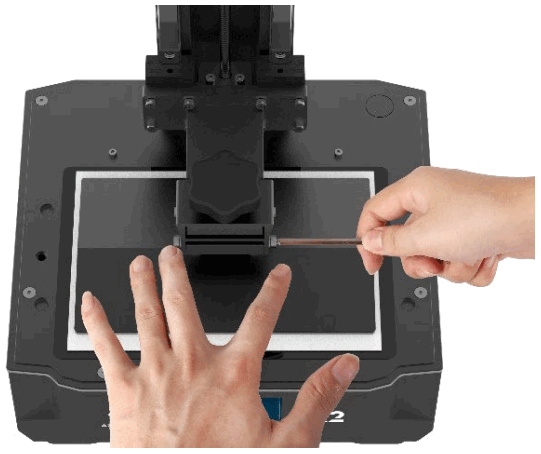
- Place a leveling paper on the curing screen. Then chick″
 ” on touch screen. Wait for the z axis to descend and stop automatically.
- Use your fingers to press the platform gently to let it fit evenly on the curing screen. Then tighten the four screws on the platform.

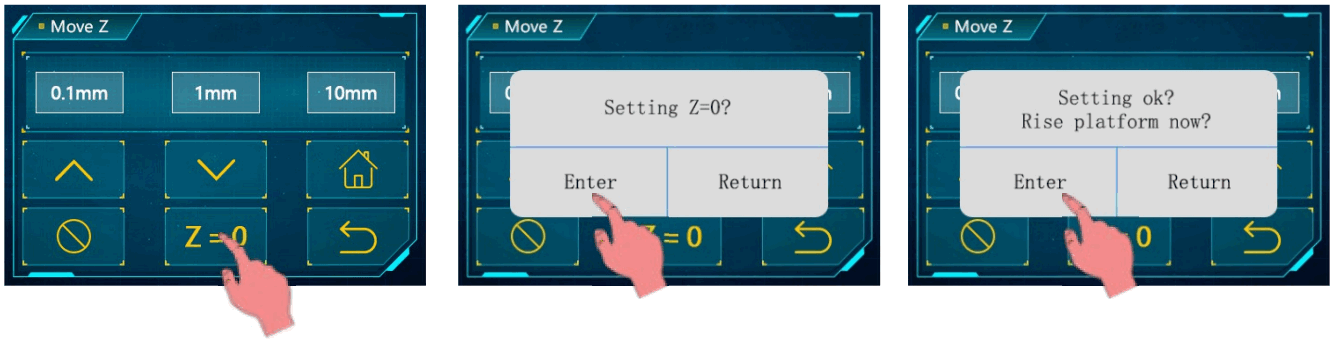
- Click “Z=O” to save the zero position, and then click “Enter” on the pop up window. Till now, the leveling process is finished. Click “Enter” again and take out the leveling paper.

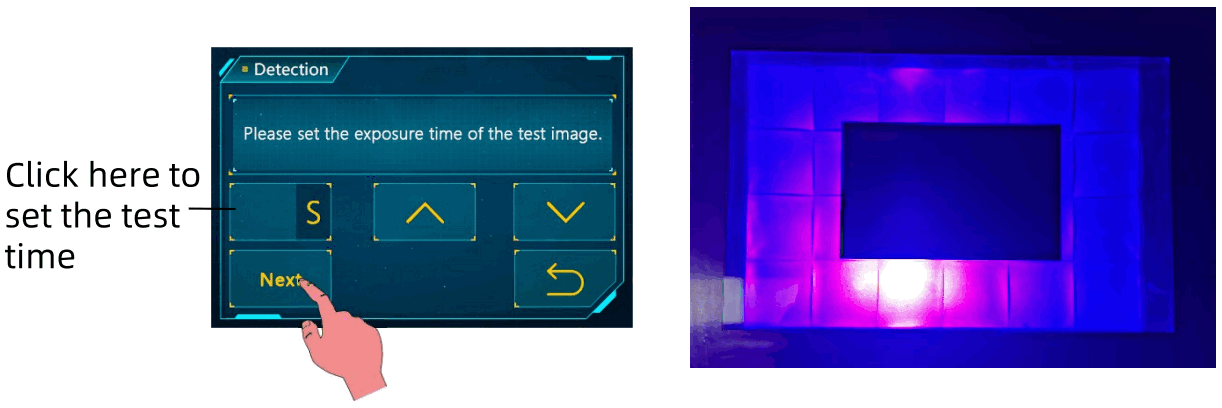
- Detection: Raise printing platform until the curing screen can be observed completely. Return to Tools menu and click “Detection”. Set the test time and then click “Next”. The curing screen should display a complete image as shown below.

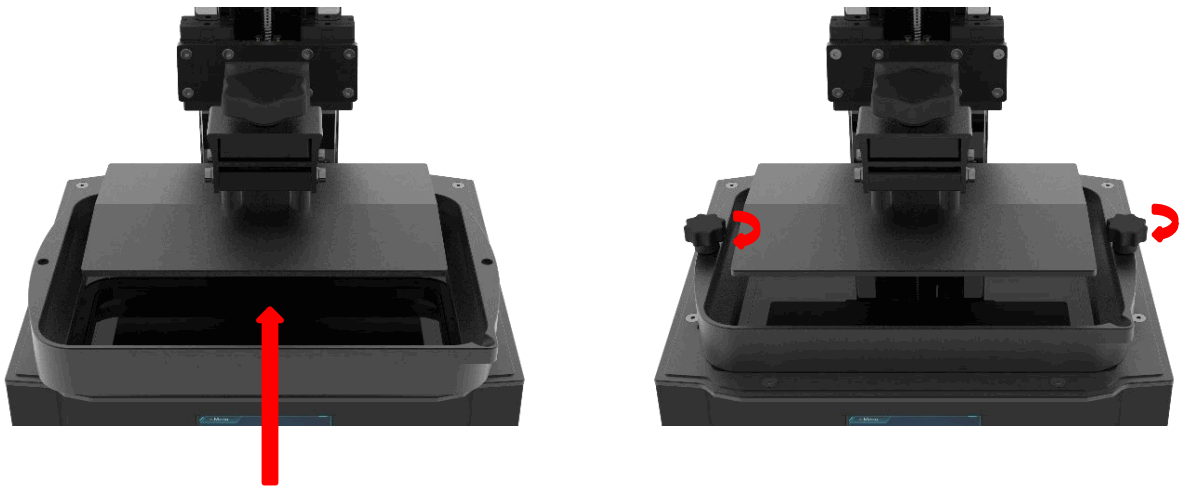
- Install the resin vat.

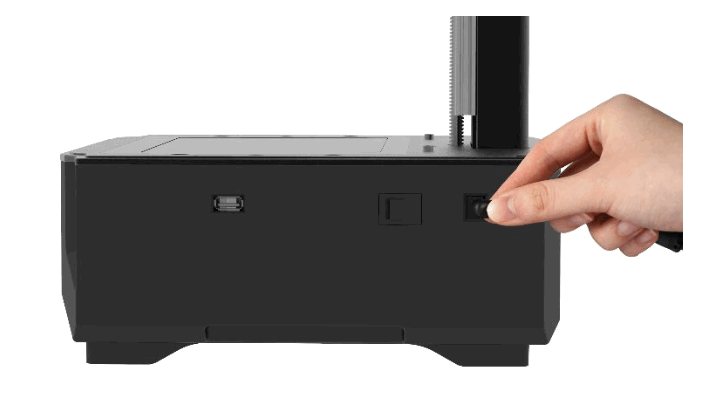
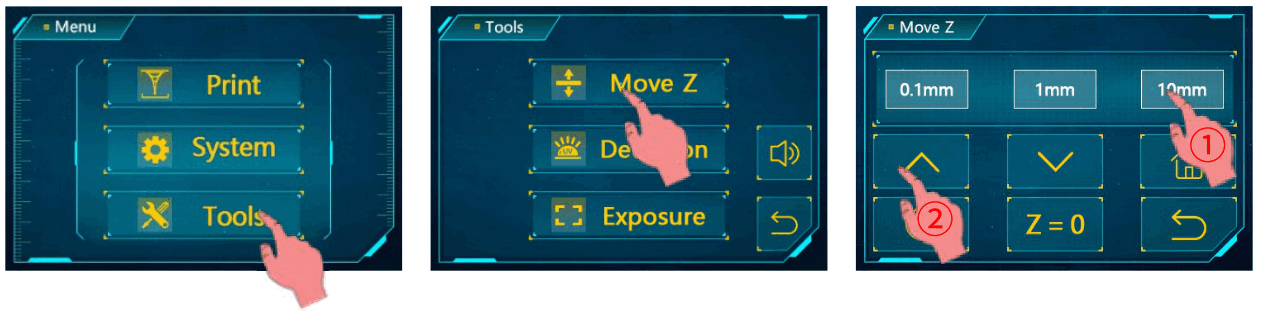
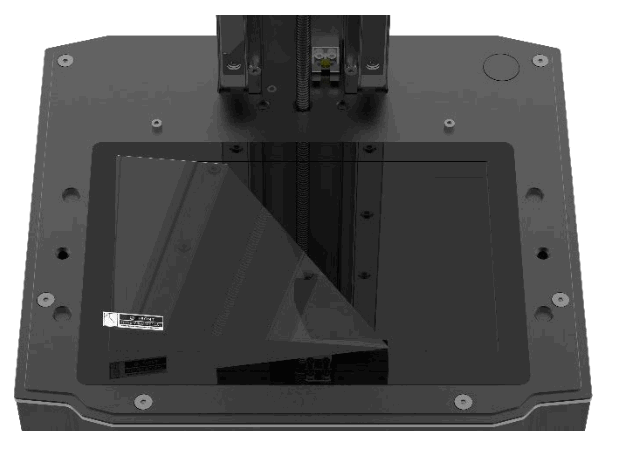
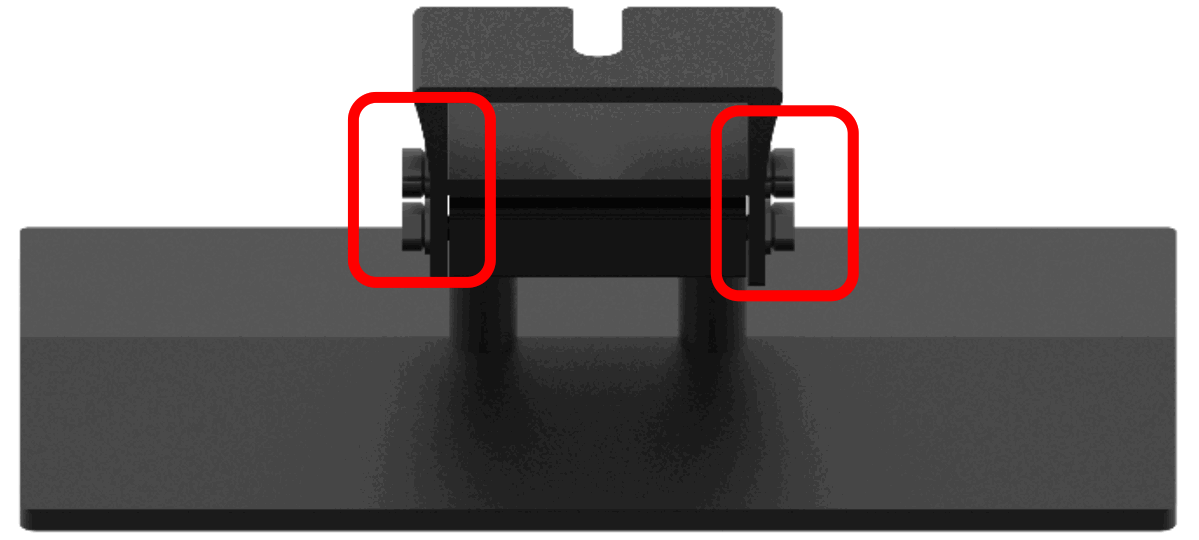
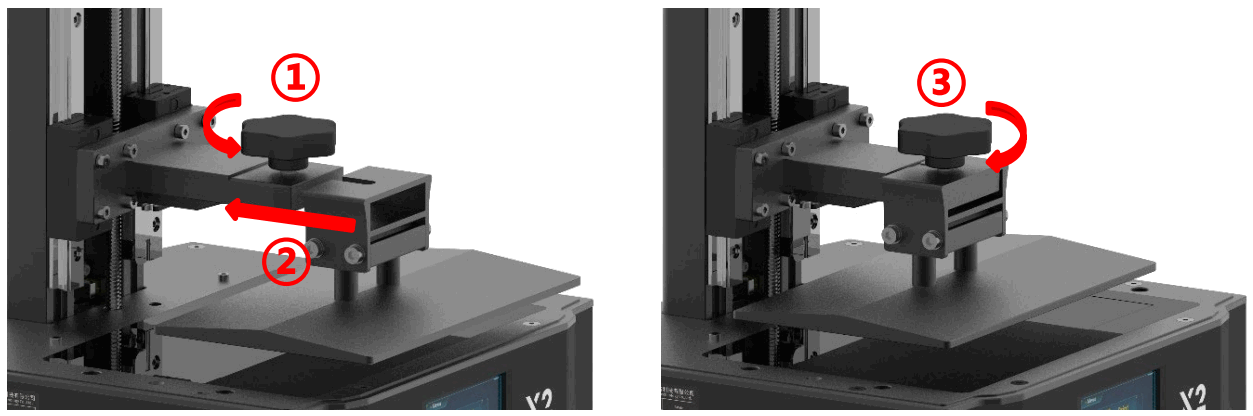
 ” on touch screen. Wait for the z axis to descend and stop automatically.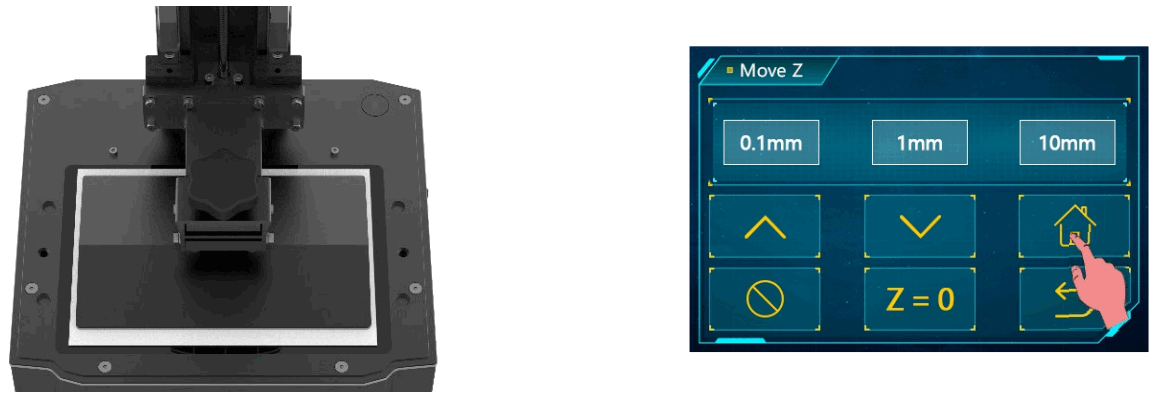
First Print Instructions
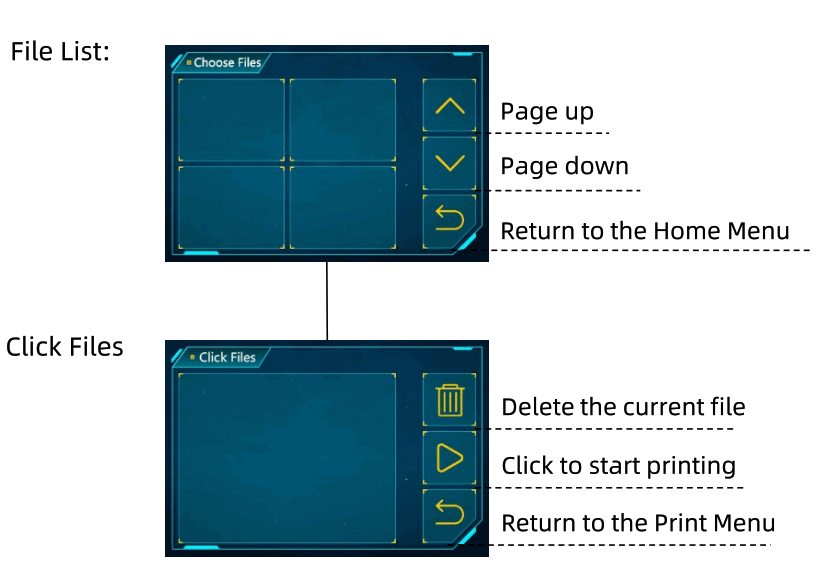
1. Print
please check the release film carefully before and after every printing. If the film is broken, replace it immediately to avoid further damage to machine.
Make sure you wear masks and gloves (to avoid direct skin contact with resin), and slowly pour resin into the vat with the resin level not exceeding the vat’s maximum scale. Then, put on the anti-UV cover. Insert the USB drive and print the test file. The print time is for reference only,
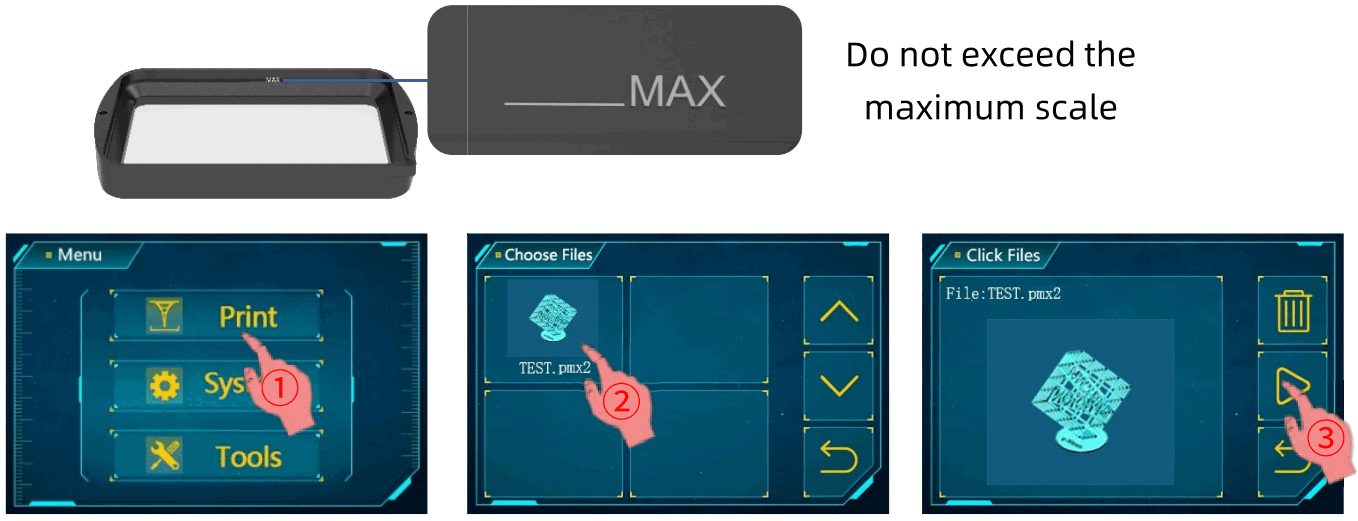
Notes:
- It is recommended that use the USB drive we provided. Otherwise, please use the USB drive whose memory size does not exceed 8G and ensure that it is formatted to FAT/FAT 32.
2 The print files should be placed at the root directory of USB drive to avoid read error.
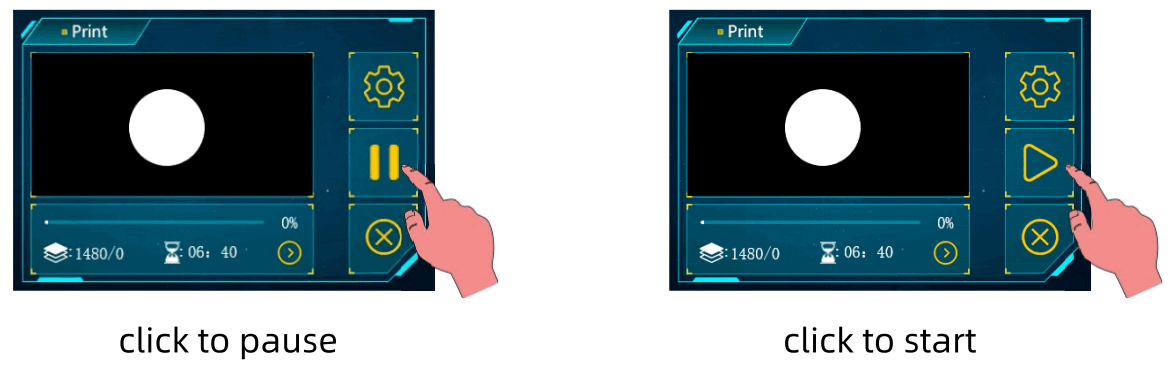
If it is necessary, click “Pause” to pause the printing and wait for platform rising up. Then click “Start” to resume printing.
2. Handling models and residues
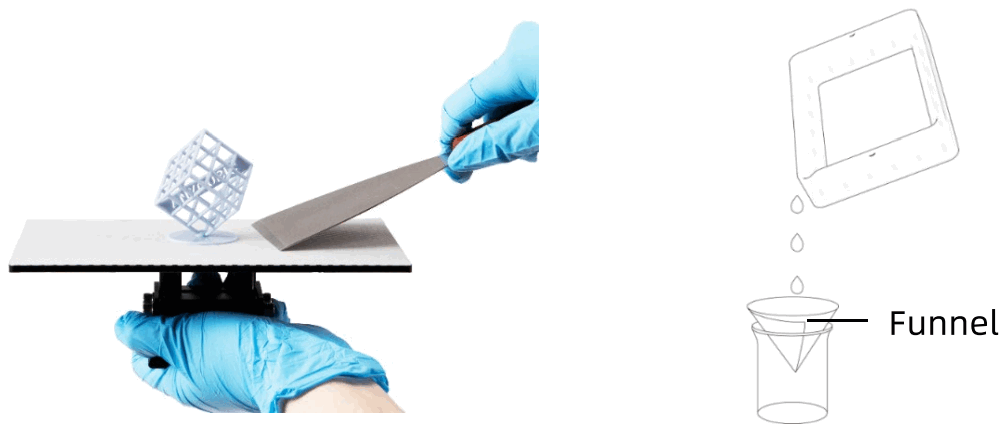
After printing, remove the platform when resin stop dropping from the platform. Remove the model by metal scrapper and then wash it with 95% alcohol or other detergent.
It may need post-curing to achieve better hardness by being exposed to sunlight or a UV-curing machine.
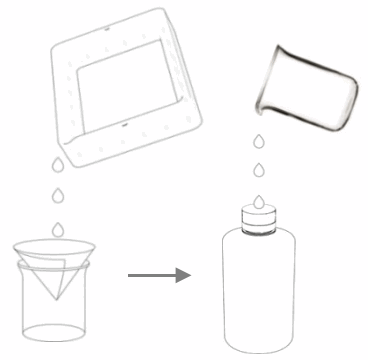
There might be some cured resin left in the vat. Please clean the vat timely, and filter the remaining resin by a funnel. Otherwise, it may cause damage to the release film. If you do not use the resin now, it is recommended to store it in an airtight container away from light.
Resin Exposure Range Finder
“R_E_R_F” is an abbreviation for “Resin Exposure Range Finder”. This function is used to find out the optimal exposure parameters for different resins.
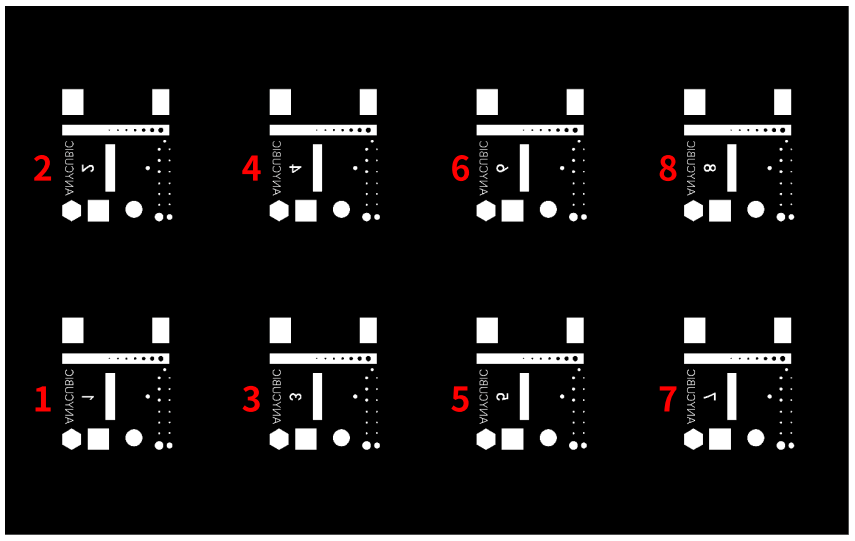
- Import the R_E_R_F file which is saved on USB drive into the slicing software. There are eight models in the file. The exposure time for model 1 is equal to “normal exposure time (s)” of the file, and the exposure time for other models will be increased by an increment of 0.25 s.
 The numbers on the models indicate their order
 - According to the personal requirement, adjust the exposure time of the models by modifying “normal exposure time (s)” of the file. When exposure time for Model No. 1 is changed, the exposure time for other models will be increased by an increment of 0.25 s.
- After printing, remove and clean the models. Compare the print effect of models and choose the model’s exposure time that meets your needs as the print parameter. Take a comparison of model A&B as an example.
 The numbers on the models indicate their order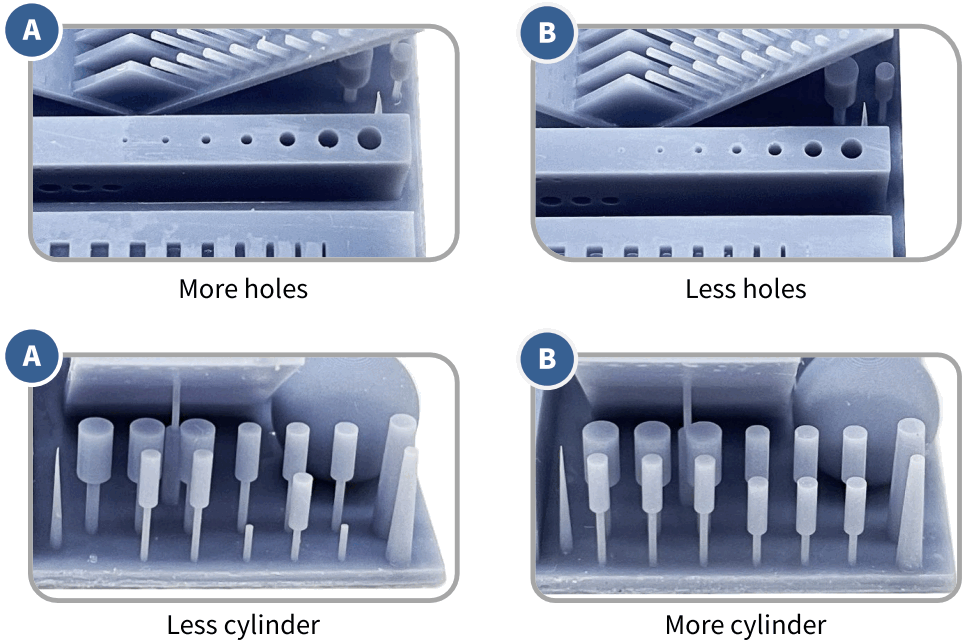
- Model A has more holes and fewer cylinder. If you print by the parameter of model A, more details of model can be printed with high risk of failure.
- Model B has fewer holes and more cylinder. If you print by the parameter of model B, model may be printed successfully yet with some details lost.
In addition, you can compare the bridges, needles or other parts to choose a proper model and find the parameter. If none of them can be chose, adjusting the “normal exposure time (s)” is suggested.
Notice: DO NOT change the file name of “R_E_R_F” , because Anycubic 3D printer can only recognize THIS file name to run this function. Also, do not name otherfileas “R_E.RF”.
FAQ and Machine Maintenance
1. FAQ
– Bottom exposure time is insufficient, increase the exposure time.
– Contact area between the model and platform is small, please add raft.
– Bad leveling.
– The machine is not stable during printing.
– FEP film in the vat is not tight enough or it need a change for new one.
– The printing platform or resin vat is not tightened.
– The lift speed is too fast.
– The printing object is hollowed without punching.
– Add supports.
– Reduce the lift speed.
– The printer must rest on workbench stably.
– The exposure time is too long. Reduce the normal exposure time and bottom exposure time.
2. Machine maintenance
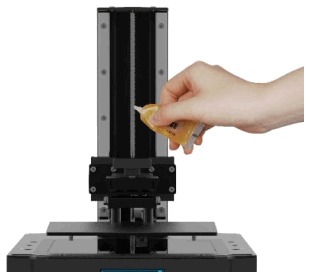
- If Z axis make noisy sound, please apply lubricant to Z lead screw.

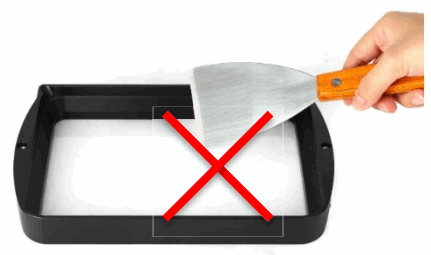
- Remove the cured resin from release film: Set full-screen exposure for 20s and then remove the cured resin sheet to protect the film. DO NOT use sharp objects to scrape off the residues on FEP film.

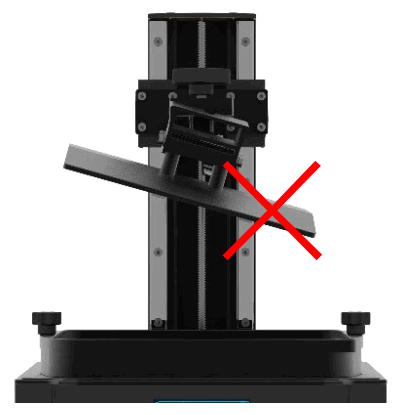
- Be careful when you remove the platform. Do not let it fall to damage the machine.

- Do not left resin in resin vat for over two days when it is unused. Please filter and store the resin properly.

- After printing, please clean up the platform (wipe with paper towels or wash with alcohol), and ensure no residue left (filter the residue with funnel).
- If the body of printer is stained with resin, use alcohol to clean. If platform securing knob or vat retaining screw is stained with resin, please clean it timely to avoid loose of screw. Otherwise, it may cause print failure or even damage to the printer.
- Please clean the resin vat first before you change resin.
Thank you for purchasing Anycubic products! Under normal usage and service, the products have a warranty period of up to one year. Please visit Anycubic support center(support.anycubic.com/en) to report any issues with Anycubic products. Our professional after-sale service team would respond within 24 hours and solve the issues.



https://support.anycubic.com/
Anycubic support center
Copyrighted by “Shenzhen Anycubic Technology Co., Ltd “,
All rights reserved.
Team Anycubic