 Resetting The Maintenance Hour Meter
Instruction Manual
The maintenance hour meter counts down 100 hours. Once completed the 100-hour maintenance, refer to below to reset the hour meter.
Refer to the scheduled maintenance chart for specific maintenance.
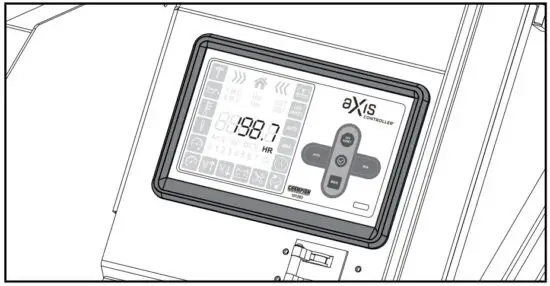
- Locate the aXis CONTROLLER.

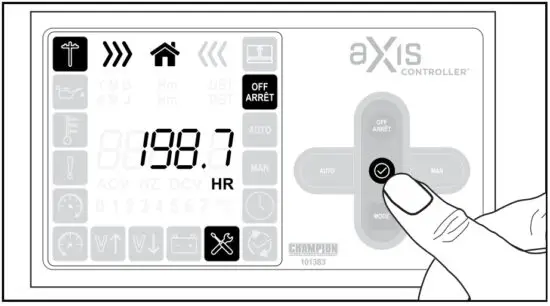
- Press OFF to take the generator off standby allowing you to enter setting mode.

- Press and hold for five
 seconds to enter setting mode.
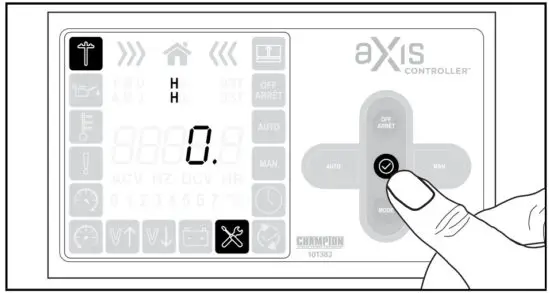
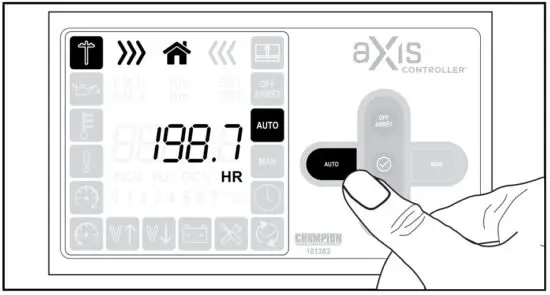
- Cycle through until you reach maintenance hours by pressing the button. Look for the maintenance icon to be highlighted, lower right. Example shows 0 hours left for maintenance. Time for resetting the count-down clock.

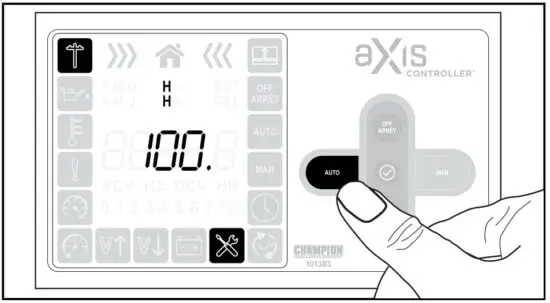
- Press and hold the AUTO button for approximately 5 seconds or until you see the hour meter reset to 100. Release button.
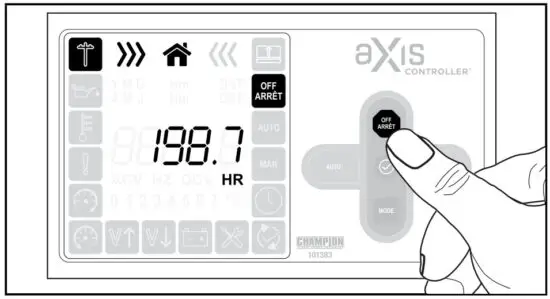
- You have now reset the maintenance hour meter to 100 hours and can press OFF to exit.

- Press AUTO once and the system goes into standby mode.

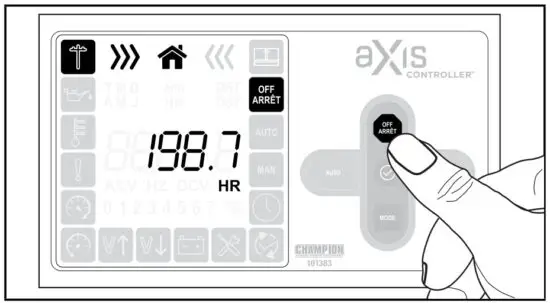
 seconds to enter setting mode.