Hydrophobia Ep-s Eyepiece Attachment Rain Cover Instructions

Hydrophobia Ep-s Eyepiece Attachment Rain Cover Instructions

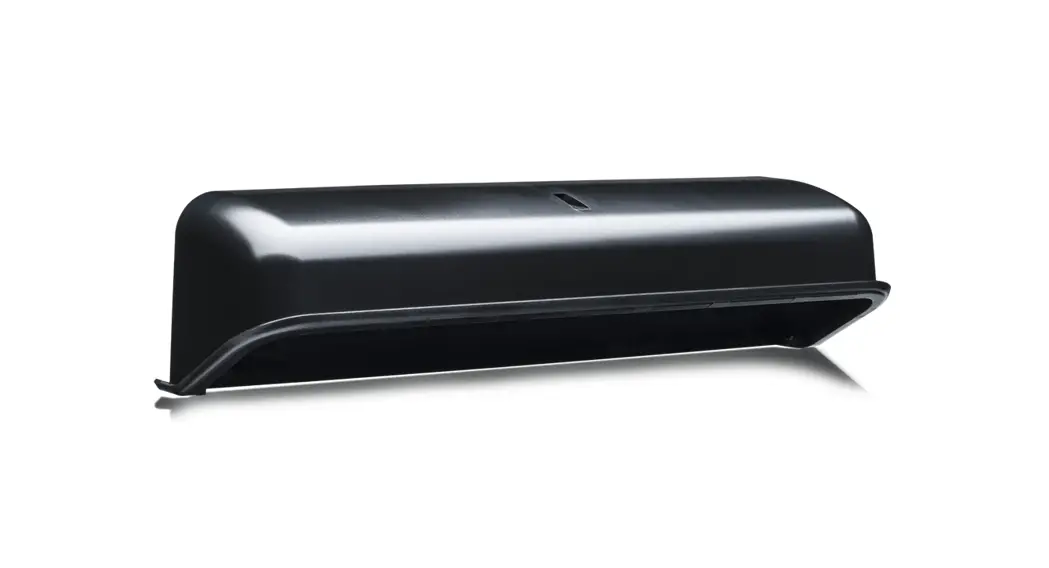
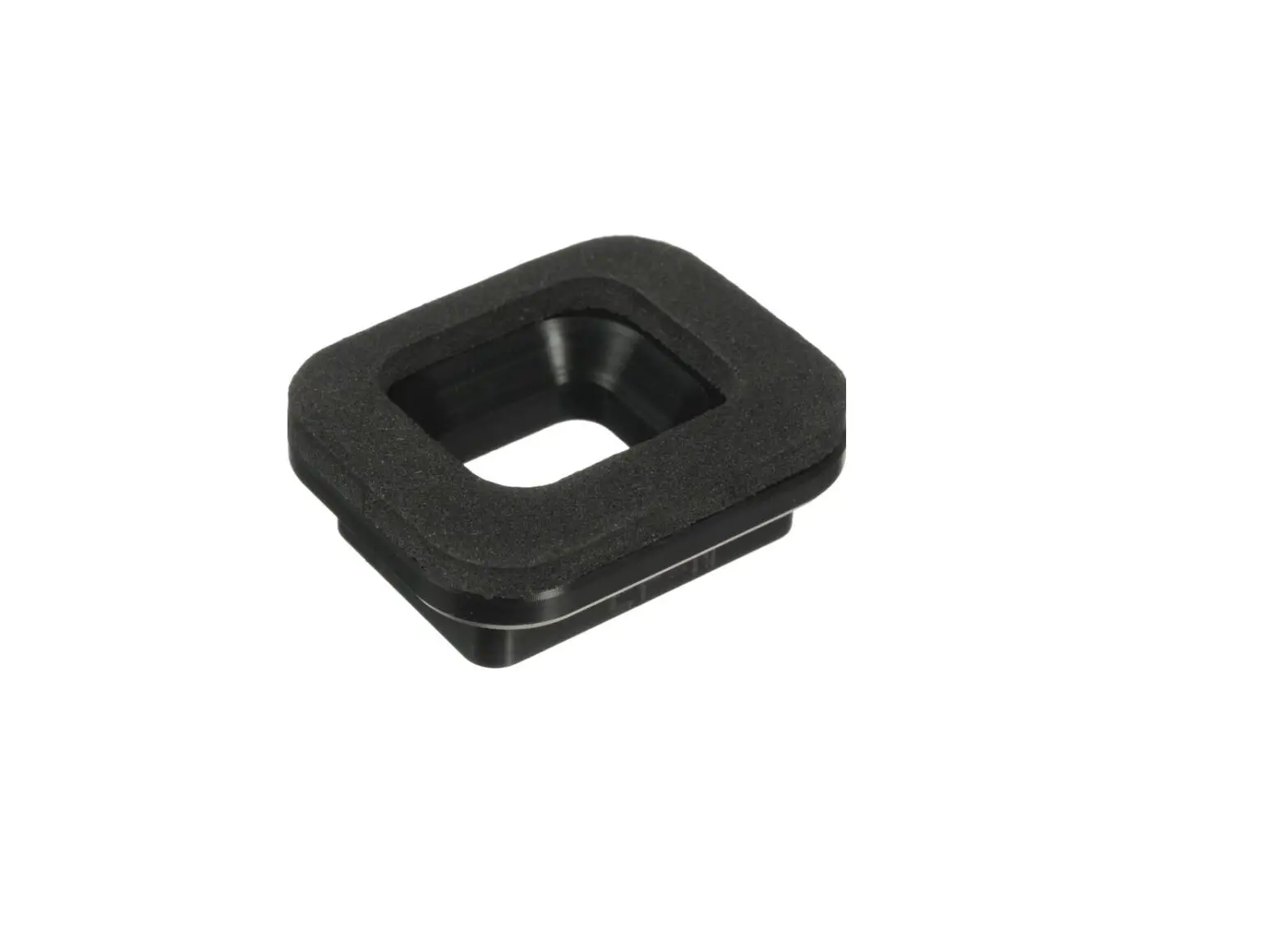
HYDROPHOBIA EP-S Eyepiece Attachment
Rain Cover Instructions

HYDROPHOBIA EP-S Eyepiece Attachment Rain Cover Instructions

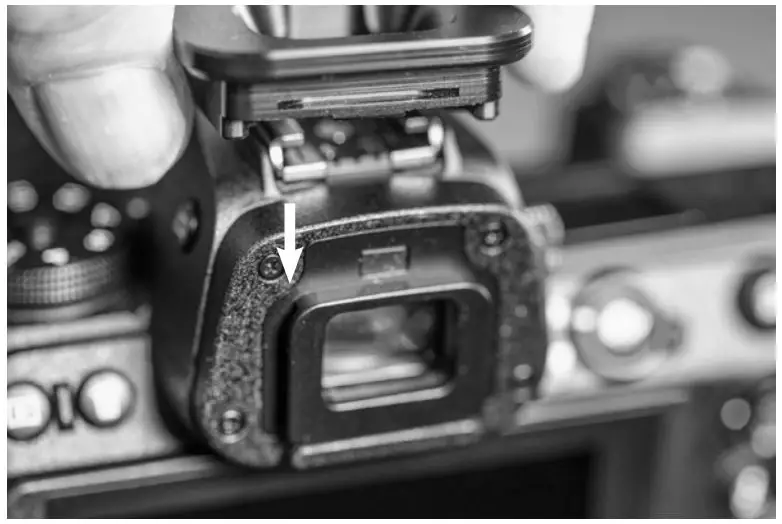
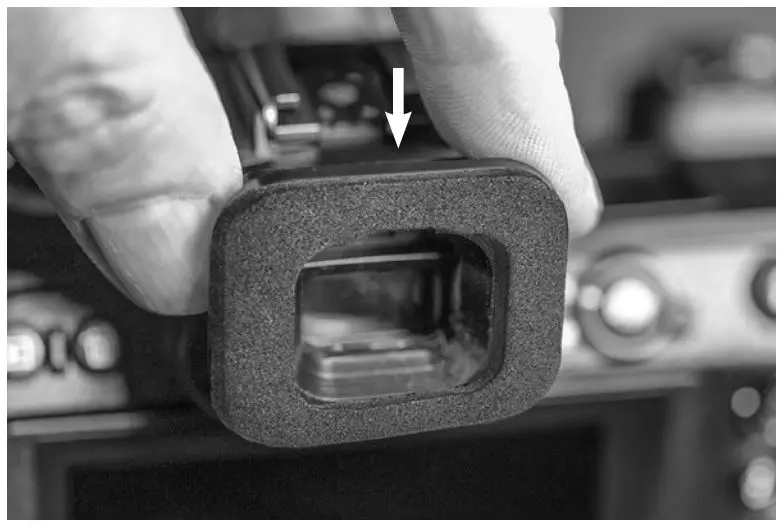
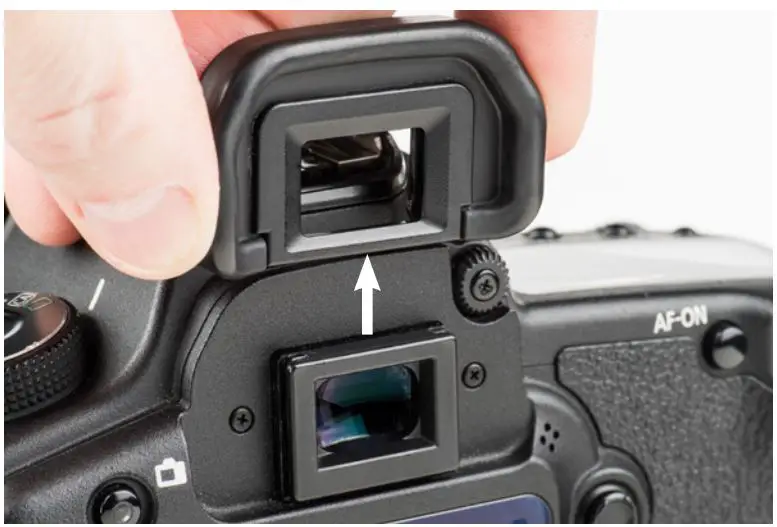
  1. Remove the camera’s eyepiece by sliding it upward and off the viewfinder.
    HYDROPHOBIA EP-S Eyepiece Attachment Rain Cover Instructions - Remove the camera’s eyepiece
  2. Align the groove on the EP-S with the rails on the camera’s viewfinder.
    HYDROPHOBIA EP-S Eyepiece Attachment Rain Cover Instructions - Align the groove on the EP-N
  3. Firmly slide the EP-S down on the viewfinder rails until fully seated.
HYDROPHOBIA EP-S Eyepiece Attachment Rain Cover Instructions - Firmly slide the EP-N down

Hydrophobia® Rain Cover EP-NSI Eyepiece Attachment

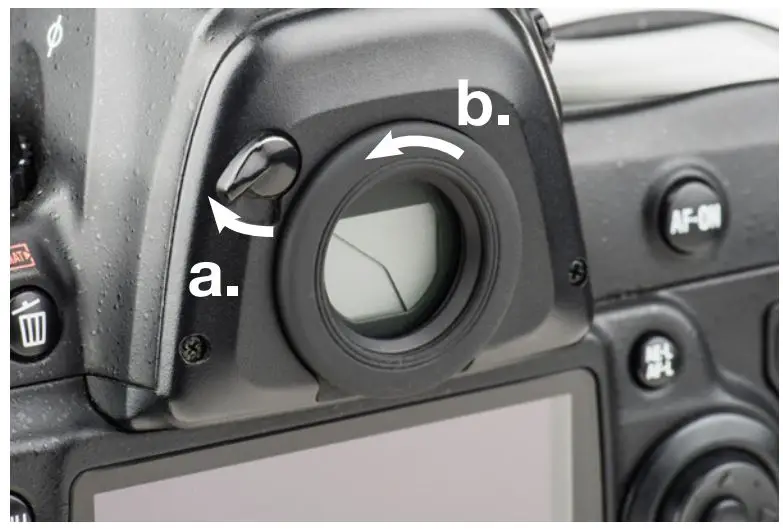
  1. (a) Remove the camera’s eyepiece by flipping the viewfinder shutter lever to the “closed” position. (b) Unscrew the eyepiece by turning it counter-clockwise.
    HYDROPHOBIA EP-S Eyepiece Attachment Rain Cover Instructions - Remove the camera’s eyepiece 2
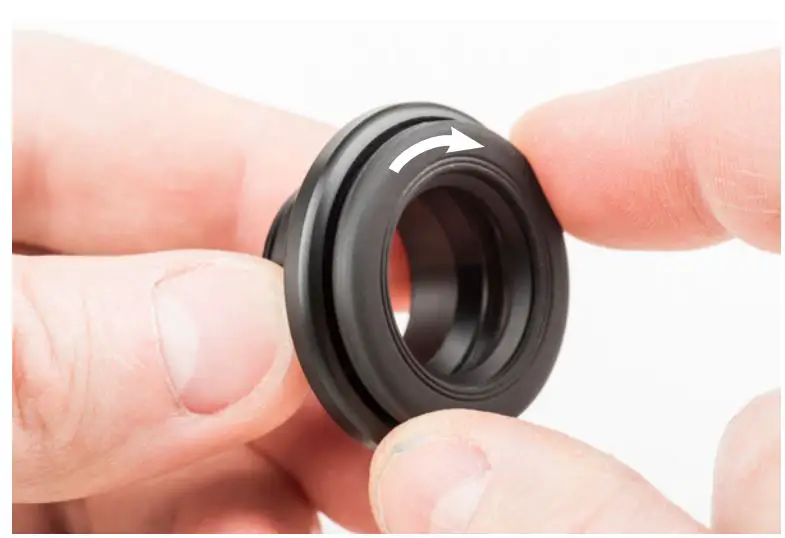
  2. Screw the Nikon eyepiece onto the EP-NSI.
    HYDROPHOBIA EP-S Eyepiece Attachment Rain Cover Instructions - Screw the Nikon eyepiece onto the EP NSI
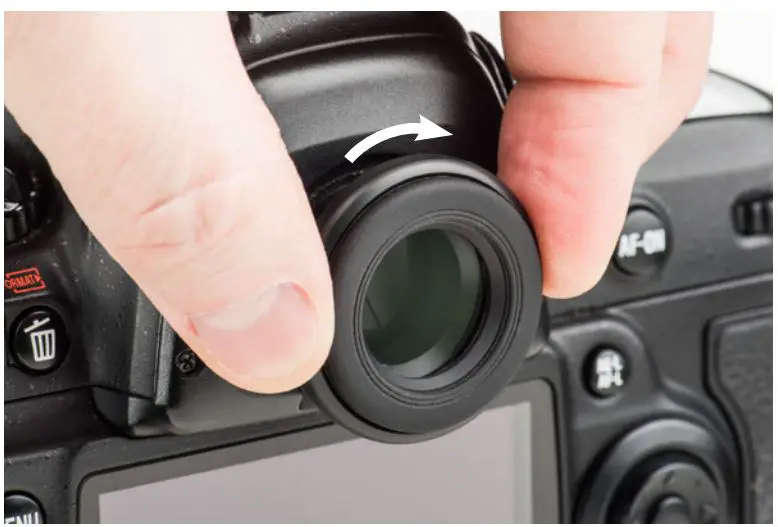
  3. Screw the EP-NSI into the camera until snug.

HYDROPHOBIA EP-S Eyepiece Attachment Rain Cover Instructions - Screw the EP-NSI into the camera until snug

Hydrophobia® Rain Cover EP-N Eyepiece Attachment

  1. Remove the camera’s eyepiece by sliding it upward and off the viewfinder.
    HYDROPHOBIA EP-S Eyepiece Attachment Rain Cover Instructions - Remove the camera’s eyepiece
  2. Align the groove on the EP-N with the rails on the camera’s viewfinder.
    HYDROPHOBIA EP-S Eyepiece Attachment Rain Cover Instructions - Align the groove on the EP-N
  3. Firmly slide the EP-N down on the viewfinder rails until fully seated.
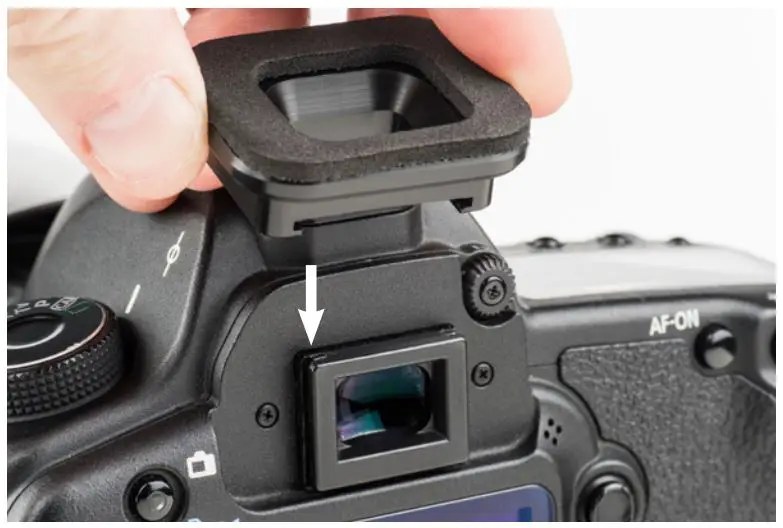
HYDROPHOBIA EP-S Eyepiece Attachment Rain Cover Instructions - Firmly slide the EP-N down

Hydrophobia® Rain Cover EP-15 Eyepiece Attachment

  1. Remove the camera’s eyepiece by sliding it upward and off the viewfinder.
    HYDROPHOBIA EP-S Eyepiece Attachment Rain Cover Instructions - Remove the camera’s eyepiece
  2. Align the groove on the EP-15 with the rails on the camera’s viewfinder.
    HYDROPHOBIA EP-S Eyepiece Attachment Rain Cover Instructions - Align the groove on the EP-N
  3. Firmly slide the EP-15 down on the viewfinder rails until fully seated.
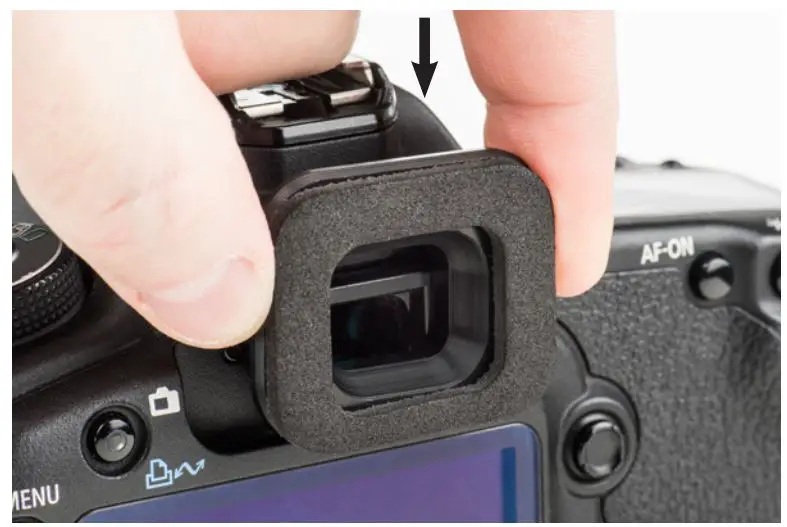
HYDROPHOBIA EP-S Eyepiece Attachment Rain Cover Instructions - Firmly slide the EP-N down

Hydrophobia® Rain Cover EP-20 Eyepiece Attachment

  1. Remove the camera’s eyepiece by sliding it upward and off the viewfinder.
    HYDROPHOBIA EP-S Eyepiece Attachment Rain Cover Instructions - Remove the camera’s eyepiece
  2. Align the groove on the EP-20 with the rails on the camera’s viewfinder.
    HYDROPHOBIA EP-S Eyepiece Attachment Rain Cover Instructions - Align the groove on the EP-N
  3. Firmly slide the EP-20 down on the viewfinder rails until fully seated.
    HYDROPHOBIA EP-S Eyepiece Attachment Rain Cover Instructions - Firmly slide the EP-N down

Hydrophobia® Rain Cover EP-NZ Eyepiece Attachment

  1. Remove the camera’s eyepiece by sliding it upward and off the viewfinder.
    HYDROPHOBIA EP-S Eyepiece Attachment Rain Cover Instructions - Remove the camera’s eyepiece
  2. Align the groove on the EP-NZ with the rails on the camera’s viewfinder.
    HYDROPHOBIA EP-S Eyepiece Attachment Rain Cover Instructions - Align the groove on the EP-N
  3. Firmly slide the EP-NZ down on the viewfinder rails until fully seated.
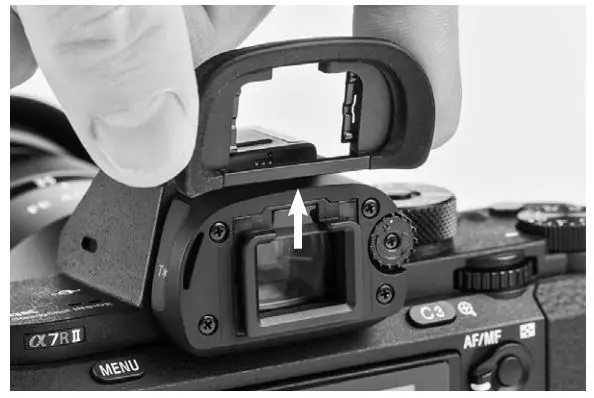
    HYDROPHOBIA EP-S Eyepiece Attachment Rain Cover Instructions - Firmly slide the EP-N down

Hydrophobia® Rain Cover EP-F Eyepiece Attachment

  1. Remove the camera’s eyepiece by sliding it upward and off the viewfinder.
    HYDROPHOBIA EP-S Eyepiece Attachment Rain Cover Instructions - Remove the camera’s eyepiece
  2. Align the groove on the EP-F with the rails on the camera’s viewfinder.
    HYDROPHOBIA EP-S Eyepiece Attachment Rain Cover Instructions - Align the groove on the EP-F
  3. Firmly slide the EP-F down on the viewfinder rails until fully seated.
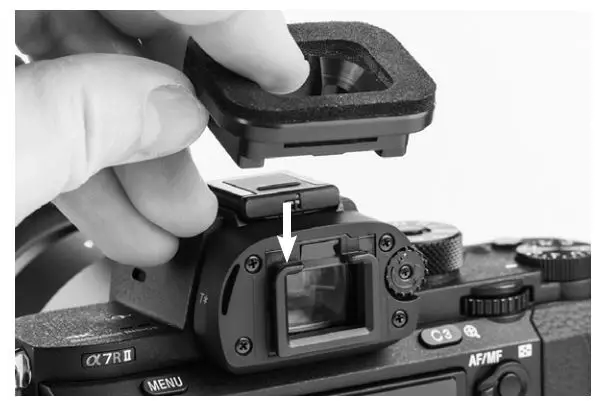
HYDROPHOBIA EP-S Eyepiece Attachment Rain Cover Instructions - Firmly slide the EP-F down

Hydrophobia® Rain Cover EP-SP Eyepiece Attachment

  1. Remove the camera’s eyepiece by sliding it upward and off the viewfinder.
    HYDROPHOBIA EP-S Eyepiece Attachment Rain Cover Instructions - Remove the camera’s eyepiece
  2. Align the groove on the EP-SP with the rails on the camera’s viewfinder.
    HYDROPHOBIA EP-S Eyepiece Attachment Rain Cover Instructions - Align the groove on the EP-F
  3. Firmly slide the EP-SP down on the viewfinder rails until fully seated.
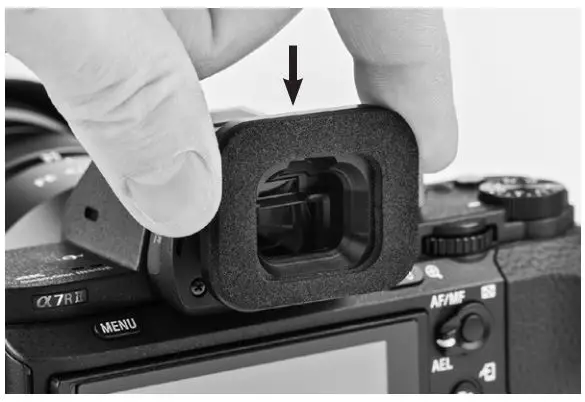
HYDROPHOBIA EP-S Eyepiece Attachment Rain Cover Instructions - Firmly slide the EP-F down

Hydrophobia® Rain Cover EP-NZP Eyepiece Attachment

  1. Remove the camera’s eyepiece by sliding it upward and off the viewfinder.
    HYDROPHOBIA EP-S Eyepiece Attachment Rain Cover Instructions - Remove the camera’s eyepiece
  2. Align the groove on the EP-NZP with the rails on the camera’s viewfinder.
    HYDROPHOBIA EP-S Eyepiece Attachment Rain Cover Instructions - Align the groove on the EP-NZP
  3. Firmly slide the EP-NZP down on the viewfinder rails until fully seated.
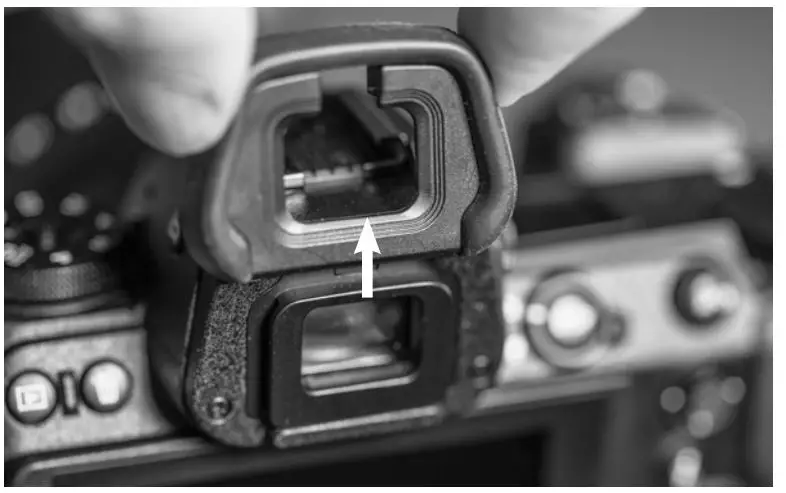
HYDROPHOBIA EP-S Eyepiece Attachment Rain Cover Instructions - Firmly slide the EP-NZP

Documents / Resouces

Download manual
Here you can download full pdf version of manual, it may contain additional safety instructions, warranty information, FCC rules, etc.


Related Manuals