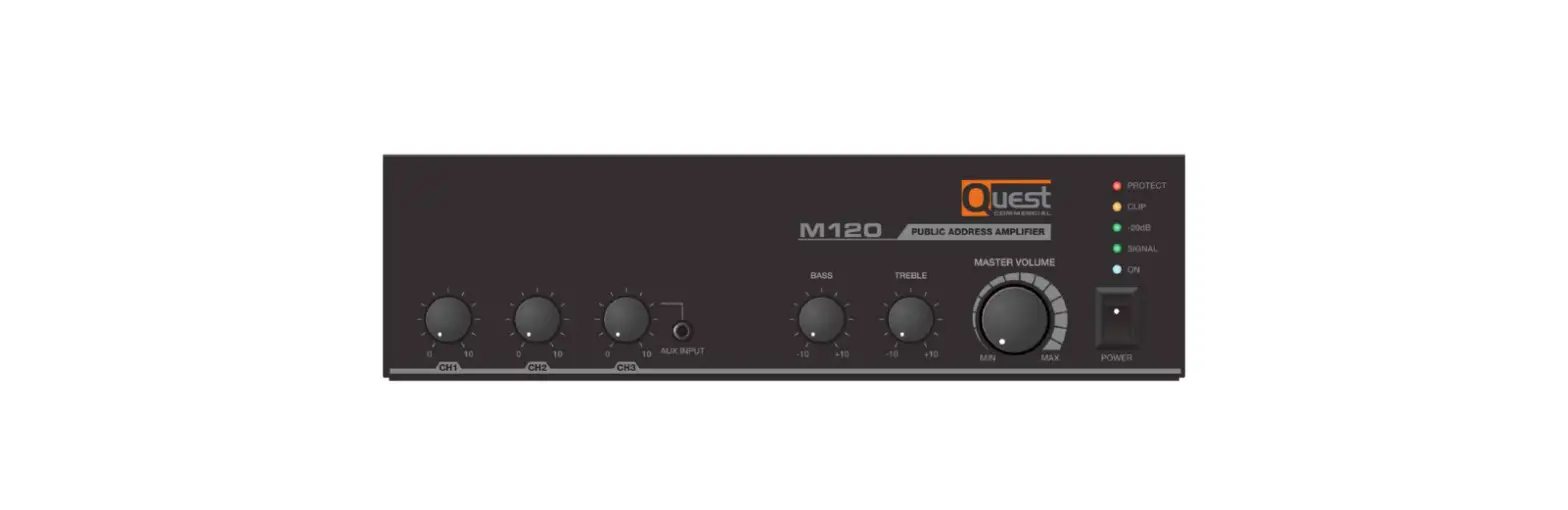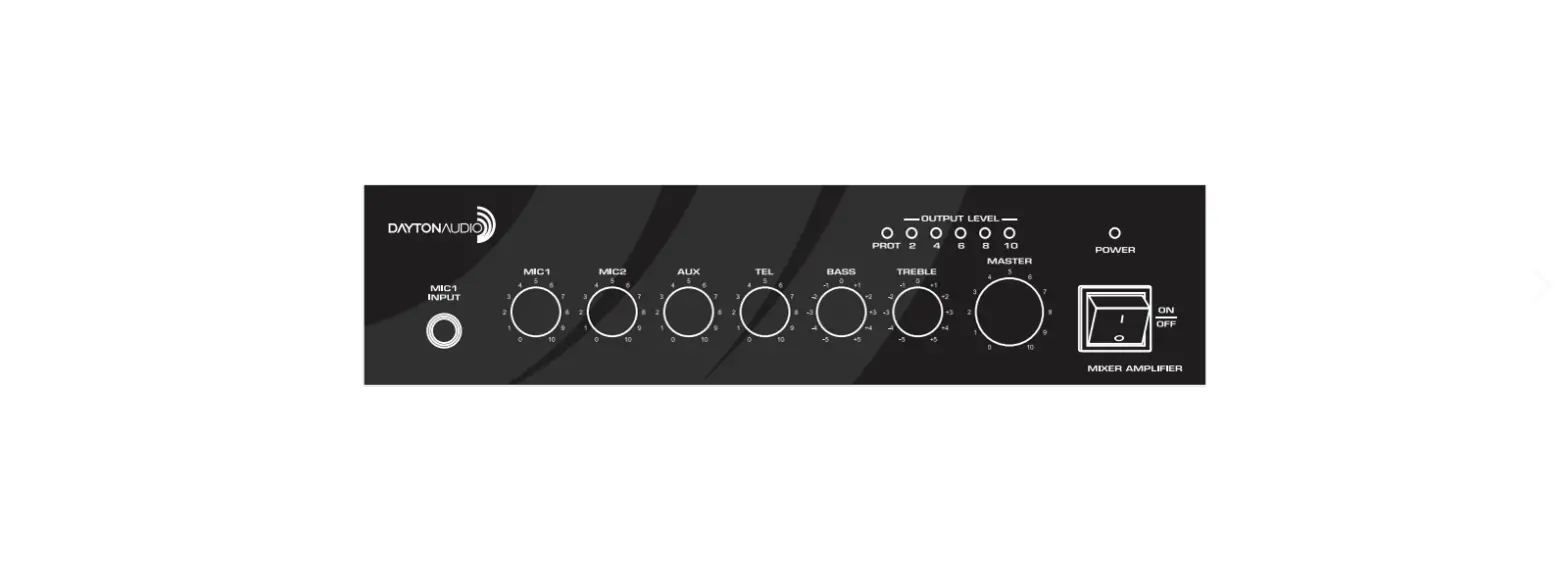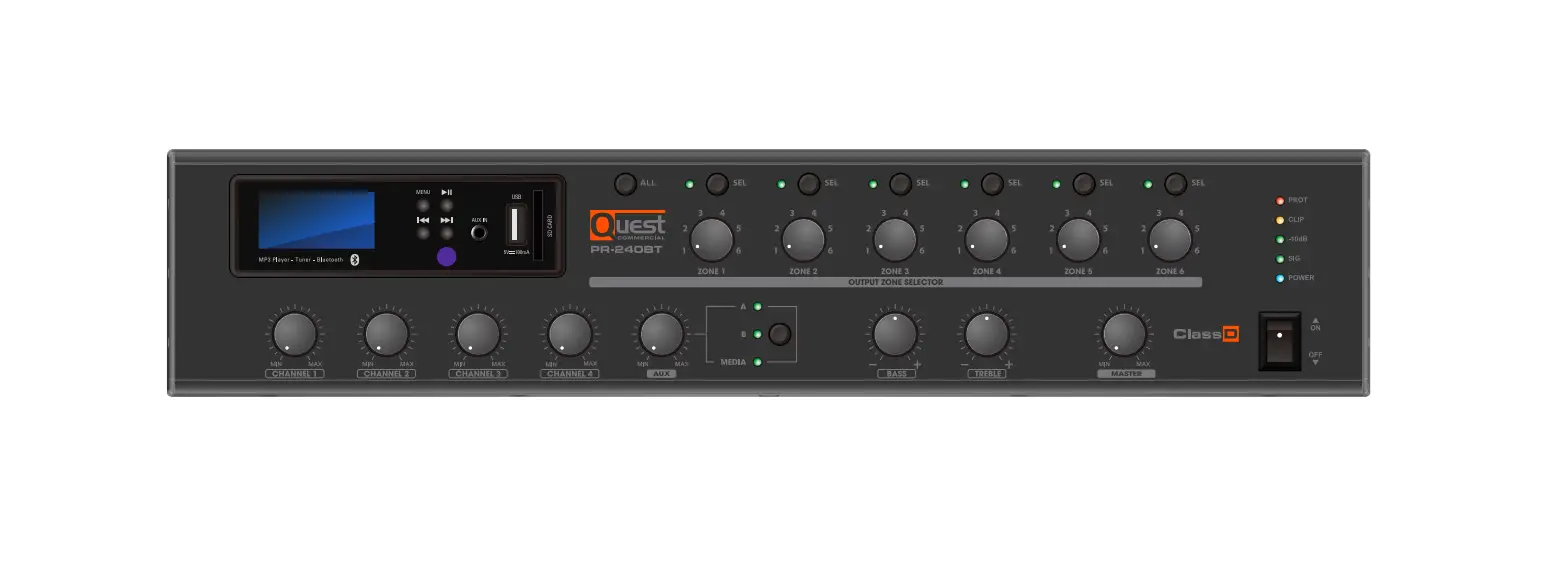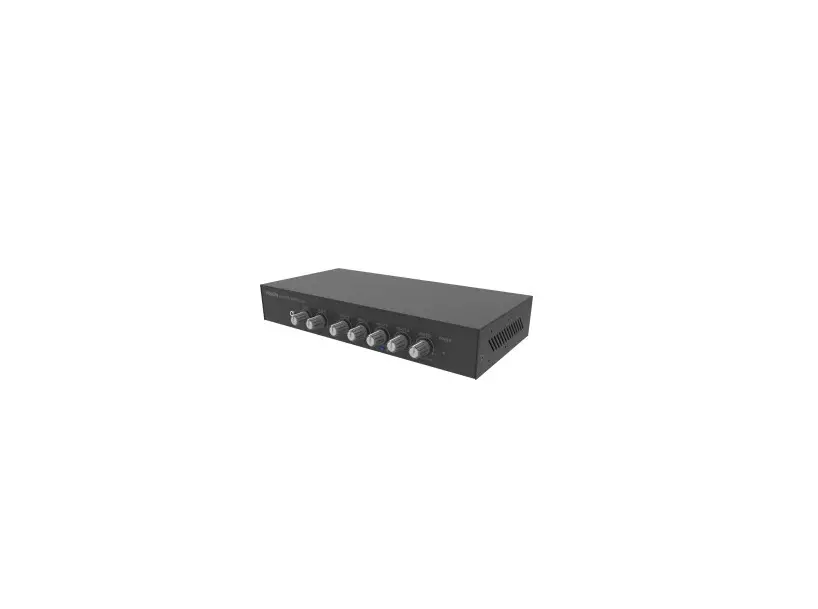
Azlan Logistics AV-1900 Mixer Amplifier User Manual

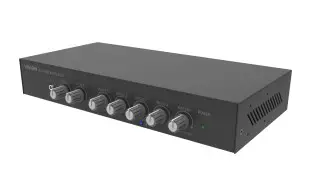
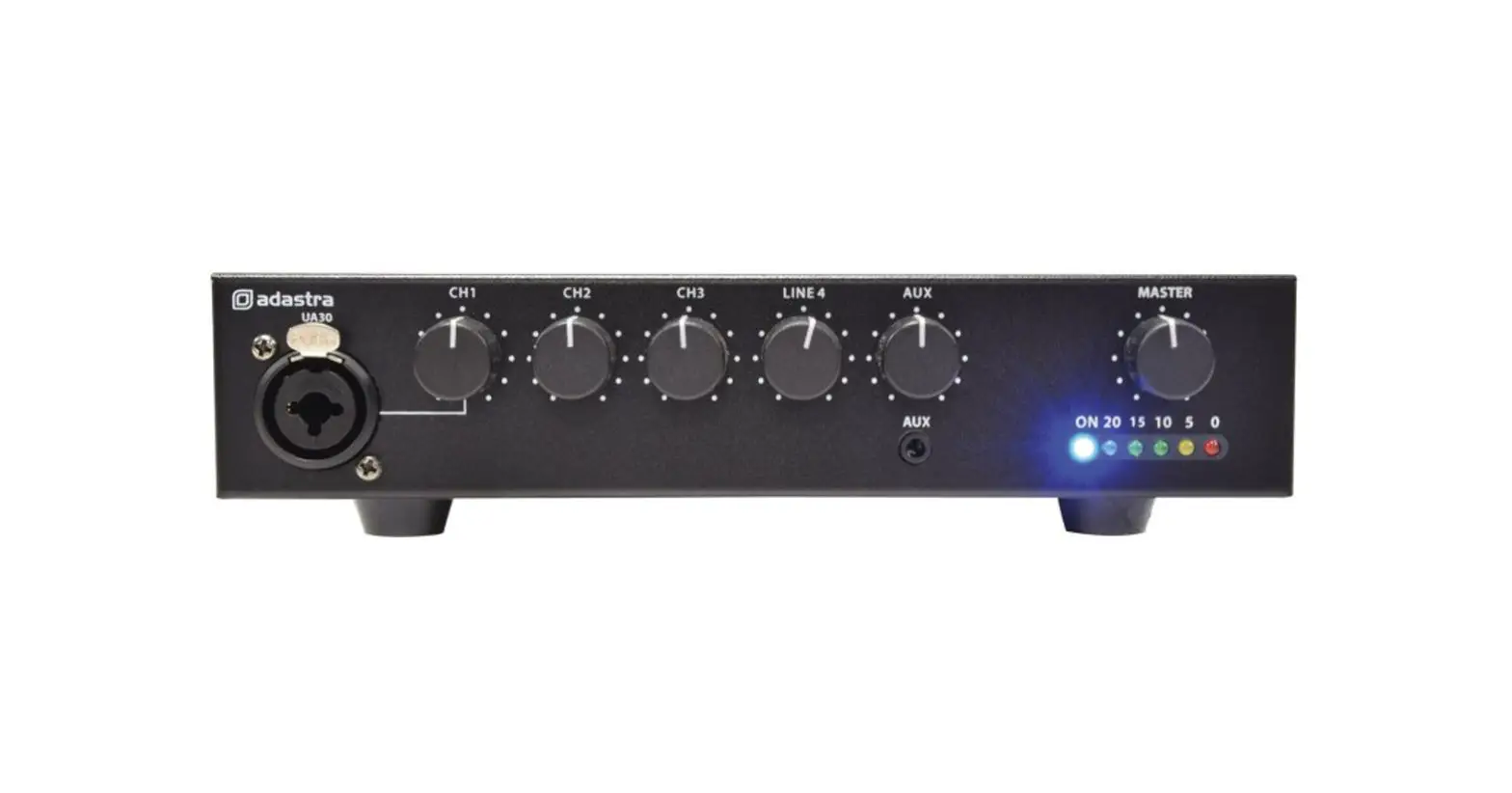
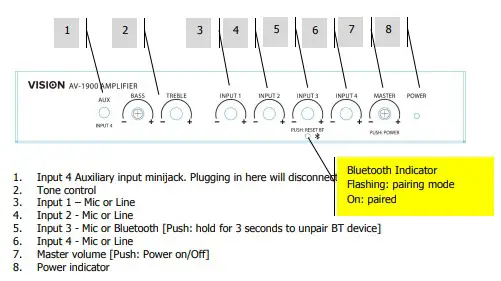
FRONT PANEL
[Type here]
INPUT SELECTOR
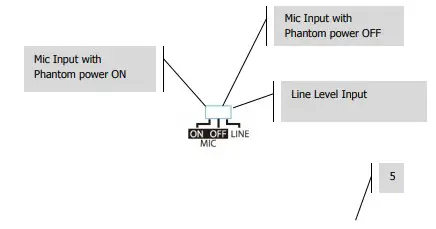
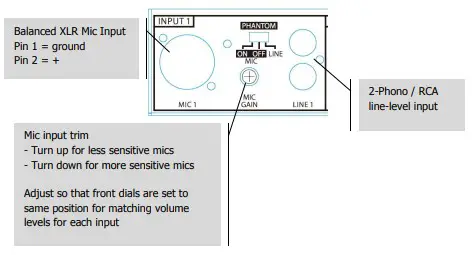
INPUT 1
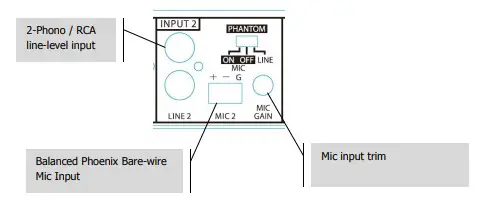
INPUT 2
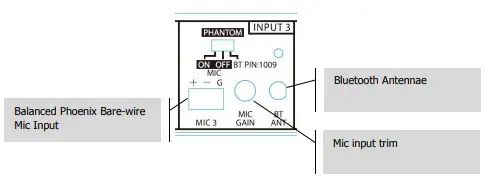
INPUT 3
BT Notes
- To disable set switch to left or centre positions
- AV-1900 has one BT memory slot. It will pair with the most recently paired device without requiring PIN.
- Resetting BT by holding down Input 3 dial will delete memory slot to allow new device to connect
[Type here]
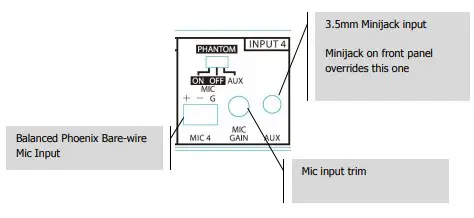
INPUT 4
OUTPUTS
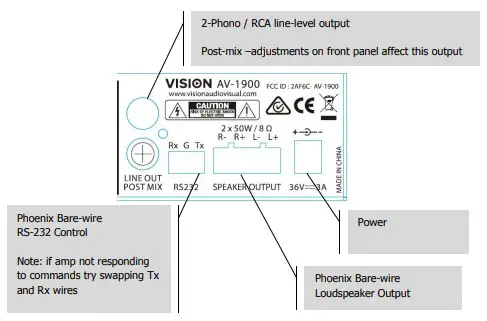
[Type here]
RS-232 CODES
Baud rate: 9600K
Stop Bit: 1
Delivery interval >80ms
No check digit
Table 1: Command Codes
| HEX Code | Function | Remarks | Return codes | |
|
97 45 45 |
ON |
Turn on/ bring out of standby | Working | 97 20 20 01 |
| INPUT1 Volume XX=00-14 | 97 31 31 XX | |||
| INPUT2 Volume XX=00-14 | 97 32 32 XX | |||
| INPUT3 Volume XX=00-14 | 97 33 33 XX | |||
| INPUT4 Volume XX=00-14 | 97 34 34 XX | |||
| Master Volume XX=00-14 | 97 23 23 XX | |||
| Master Bass XX=00-0E | 97 24 24 XX | |||
| Master Treble XX=00-0E | 97 25 25 XX | |||
| 97 46 46 | OFF | Turn off | Standby | 97 20 20 00 |
| 97 47 47 | MUTE | Mute on/off | Mute Off = 0 / Mute = 1 | 97 21 21 0X |
| 97 43 43 | INPUT1+ | INPUT1 volume + | INPUT1 Volume XX=00-14 | 97 31 31 XX |
| 97 09 09 | INPUT1- | INPUT1 volume – | ||
| 97 0D 0D | INPUT2+ | INPUT2 volume + | INPUT2 Volume XX=00-14 | 97 32 32 XX |
| 97 5E 5E | INPUT2- | INPUT2 volume – | ||
| 97 18 18 | INPUT3+ | INPUT3 volume + | INPUT3 Volume XX=00-14 | 97 33 33 XX |
| 97 0C 0C | INPUT3- | INPUT3 volume – | ||
| 97 11 11 | INPUT4+ | INPUT4 volume + | INPUT4 Volume XX=00-14 | 97 34 34 XX |
| 97 10 10 | INPUT4- | INPUT4 volume – | ||
| 97 1A 1A | BT Disconnect | / | 97 26 26 00 | |
| 97 15 15 | TREBLE+ | Increase treble gain by +1DB | Treble Gain XX=00-0E | 97 25 25 XX |
| 97 07 07 | TREBLE- | Decrease treble gain by -1DB | ||
| 97 19 19 | BASS+ | Increase bass gain by +1DB | Master Bass XX=00-0E | 97 24 24 XX |
| 97 16 16 | BASS- | Decrease bass gain by-1DB | ||
| 97 5A 5A | RESET | Reset tone | Bass/Treble | 97 24 24 07 97 25 25 07 |
| 97 40 40 | VOL+ | Volume +/ out of mute | Master Volume XX=00-14 | 97 23 23 XX |
| 97 44 44 | VOL- | Volume -/out of mute | ||
| 97 08 08 | AUTOSTA NDBY ON | AUTO STANDBY ON | 97 28 28 01 | |
| 97 1C 1C | AUTOSTA NDBY OFF | AUTO STANDBY OFF | 97 28 28 00 |
Table 2: Direct Address Volume Codes
| HEX | Function | Remarks | Return codes |
| 97 AX AX | X =0-F Set master volume to 0-15 | xx =01-14 | 97 23 23 xx |
| 97 BX BX | X =0-4 Set master volume to 16-20 | ||
| 97 CX CX | X =0-E Set Bass volume to 0-14 | xx =01 -0E | 97 24 24 xx |
| 97 DX DX | X =0-E Set Treble volume to 0-14 | xx =01 -0E | 97 25 25 xx |
| 97 EX EX | X =0-F Set INPUT1volume to 0-15 | xx =01-14 | 97 31 31 xx |
| 97 FX FX | X =0-4 Set INPUT1volume to 16-20 | ||
| 97 GX GX | X =0-F Set INPUT2volume to 0-15 | xx =01-14 | 97 32 32 xx |
| 97 HX HX | X =0-4 Set INPUT2volume to 16-20 | ||
| 97 IX IX | X =0-F Set INPUT3volume to 0-15 | xx =01-14 | 97 33 33 xx |
| 97 JX JX | X =0-4 Set INPUT3volume to 16-20 | ||
| 97 KX KX | X =0-F Set INPUT4volume to 0-15 | xx =01-14 | 97 34 34 xx |
| 97 LX LX | X =0-4 Set INPUT4volume to 16-20 |
Table 3: Return Codes
- Response from Unit = 97 ** ** 0X/XX 0A
- All responses end in \x0A or LineFee
- Sample commands and responses
- Power Query – Command -97 20 20
- Power Query – Response – STANDBY 97 20 20 01\x0A = On/No Faults
- Power Query – Response – STANDBY 97 20 20 00\x0A = Off/Standby
| HEX Code | Name | Function | Remarks | Return codes |
| 97 20 20 | STANDBY | Speaker working Status | Speaker OFF/Standby Speaker ON/Working | 97 20 20 00 |
| 97 20 20 01 | ||||
| 97 21 21 | MUTE | Mute On/Off | Mute Off = 0 Mute = 1 | 97 21 21 00 |
| 97 21 21 01 | ||||
| 97 23 23 | Master_GAIN_GET | Volume Gain | 20 steps total XX=00- 14 HEX code | 97 23 23 XX |
| 97 24 24 | Master_B_GAIN_GE T | Bass Gain | 14 steps total, XX=00- 0E HEX code | 97 24 24 XX |
| 97 25 25 | Master_T_GAIN_GE T | Treble Gain | 14 steps total XX=00- 0E HEX code | 97 25 25 XX |
| 97 26 26 | BT_BIT | Bluetooth status | BT unpaired = 0 BT paired , Pause= 1 BT paired, Play = 2 | 97 26 26 00 |
| 97 26 26 01 | ||||
| 97 26 26 02 | ||||
| 97 27 27 | BT Device | Bluetooth name | Length=0# Name= xxx HEX code | 97 27 27 0# xxx |
| 97 28 28 | AUTO_STANDBY | Auto standby Status | Auto standby OFF = 0 Auto standby ON = 1 | 97 28 28 00 |
| 97 28 28 01 | ||||
| 97 31 31 | INPUT1_GAIN_GET | INPUT1 Volume Gain | 20 steps total XX=00- 14 HEX code | 97 31 31 XX |
| 97 32 32 | INPUT2_GAIN_GET | INPUT2 Volume Gain | 20 steps total XX=00- 14 HEX code | 97 32 32 XX |
| 97 33 33 | INPUT3_GAIN_GET | INPUT3 Volume Gain | 20 steps total XX=00- 14 HEX code | 97 33 33 XX |
| 97 34 34 | INPUT4_GAIN_GET | INPUT4 Volume Gain | 20 steps total XX=00- 14 HEX code | 97 34 34 XX |
NOTE: Auto-Standby activates after 30 minutes of mute or no operation. Any adjustment turns standby off.
FCC STATEMENT
- This device complies with Part 15 of the FCC Rules. Operation is subject to the following two conditions:
- This device may not cause harmful
- This device must accept any interference received, including interference that may cause undesired
- Changes or modifications not expressly approved by the party responsible for compliance could void the user’s authority to operate the
NOTE: This equipment has been tested and found to comply with the limits for a Class B digital device, pursuant to Part 15 of the FCC Rules. These limits are designed to provide reasonable protection against harmful interference in a residential installation.
This equipment generates uses and can radiate radio frequency energy and, if not installed and used in accordance with the instructions, may cause harmful interference to radio communications. However, there is no guarantee that interference will not occur in a particular installation. If this equipment does cause harmful interference to radio or television reception, which can be determined by turning the equipment off and on, the user is encouraged to try to correct the interference by one or more of the following measures:
Reorient or relocate the receiving antenna.
Increase the separation between the equipment and receiver.
Connect the equipment into an outlet on a circuit different from that to which the receiver is connected.
Consult the dealer or an experienced radio/TV technician for help.
FCC Radiation Exposure Statement
This equipment complies with FCC radiation exposure limits set forth for an uncontrolled environment. This equipment should be installed and operated with minimum distance 20cm between the radiator & your body