
LSC-12
Landscape Series
USER MANUAL


TECHNICAL SPECIFICATIONS
| Luminosity | 2000 |
| SOLAR PANEL | |
| Type | Polycrystalline |
| Capacity | 18.5 W / 18V |
| Li-Ion BATTERY | |
| Capacity | 14.8 Vdc / 115.4WH / 2.600 mAH |
| Charge & Discharge Temp. | Charge/0 to/a 45 °C Discharge/20 to/a 65 °C |
| Recharge Time | 9 H |
| ILLUMINATION | |
| LED (OSRAM) | 48pcs |
| Light Color Temp. | 5700K to/a 6500K |
| Efficiency | 190 lm/W |
| OPERATION | |
| Backup (Cloudy days) | Up to 7 nights |
| Operation Modes | Mode 1: 15% Until Dawn Mode 2: 30%x5H + 15% Until Dawn Mode 3: 35% Until Dawn |
| Mode Indication LED | Mode 1: Red Mode 2: Green Mode 3: Orange |
| Capacity Indication | Green: ³ 70% Orange: 70% to/a 30% Red: < 30% |
| IP Codes | IP65 / IK10 |
| Directives | CE (IEC60598-1 / IEC60598-2-3 / EN55015 / EN61547) |
| Light Sensitivity | > 50 Lux: Off / Apagado < 10 Lux: On / Encendido |
| Installation Height & Spacing | 4 to/a 6 m, 18 m |

 WARNING
- Keep the device away from fire and fire risk
- There are no replaceable parts inside the lamp. If disassembled warranty will be void.
- Do not remove battery for any other use. If backup time is too short, lamp’s battery needs to be recharged under bright sunlight
- Clean solar panel regularly for more efficient operation and longer backup (Suggestion: At least every 6 months)
- Long term storage might cause battery damage and leakage, Leakage might cause battery spontaneous combustion
- Operation temperature for this lamp must comply with Technical Specifications
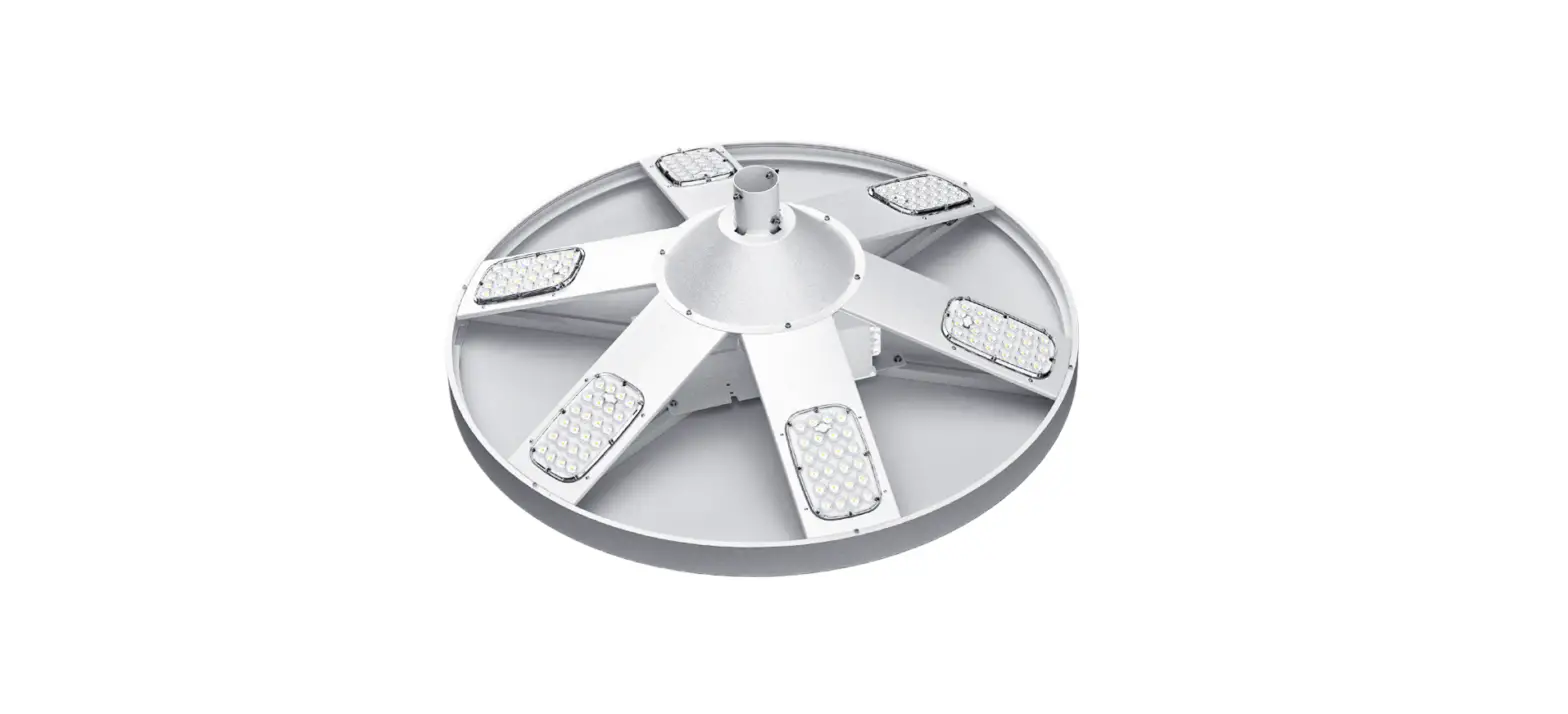
Parts Identification
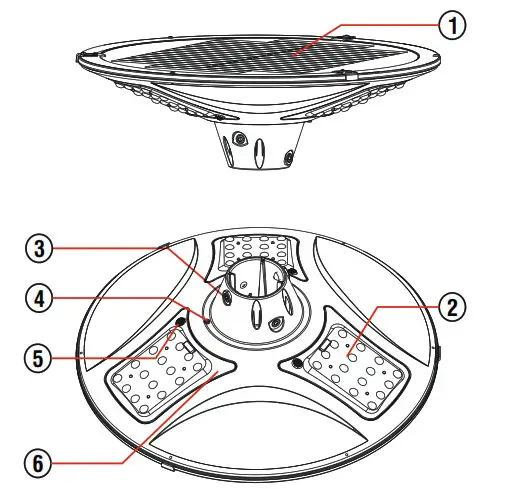
| 1. Solar Panel 2. LED Lamp 3. Assembling Bolt | 4. Switch 5. Indicator Light 6. Infrared Receiver |
Special Features:
Polycrystalline Solar Panel
Li-ion Rechargeable Battery
Configurable Operation Modes
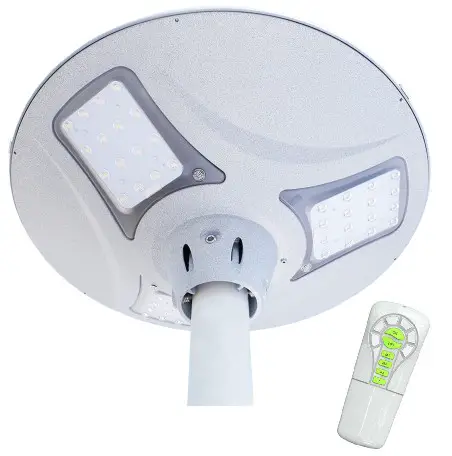
Equipped With Remote Control
Material: Aluminum alloy & PC
Installation Instructions
Fix the lamp to the pole with supplied screw
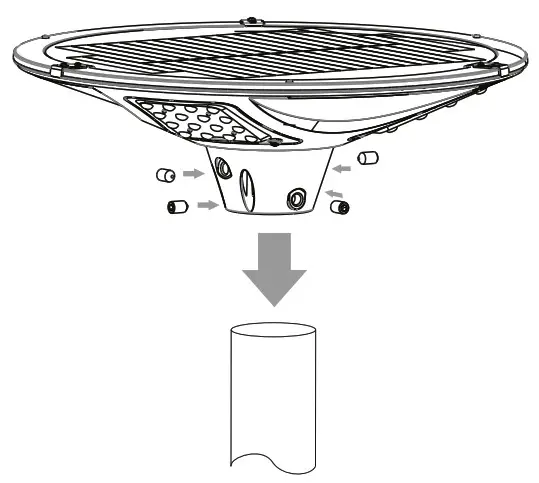
Solar Panel must be oriented toward sun and avoiding any shade for battery charging efficiency
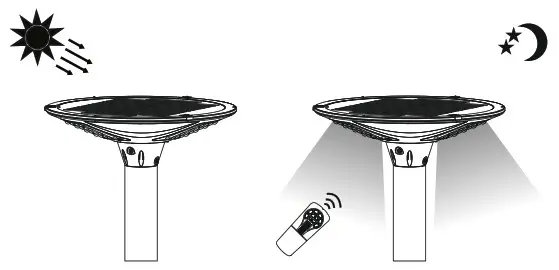
Auto turn-off for charging during daytime Auto turn-on for lightning at night
IMPORTANT
- Use standard installation accessories
- If stored, charge the lamp every 3 months, to avoid battery damage
- If stored for more than 1 year without charging, make a charge & discharge process to assure battery is in good condition, otherwise it is not allowed to use.
Operation Instructions
Power On/Off: Press switch for 1.5 Sec, approx.
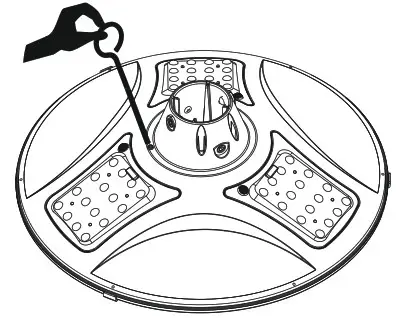 Mode Change: Press switch shortly to choose Mode 1, Mode 2, or Mode 3.
Available Modes:
Mode 1 (Red): 15% Untill dawn
Mode 2 (Green): 30% x 5Hrs + 15% Untill dawn
Mode 3 (Orange): 35% Untill dawn
Select Operation Mode according to your own requirements
Battery Power Indication:
Green:> 70%
Orange: Between 70% and 30%
Red: < 30%
Note: Indicator regularly shows Battery Capacity. When changing Operation Mode it shows selected mode for 5 Sec, then it returns to show Battery Capacity
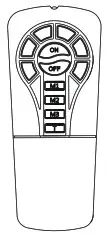
T Button on Remote Control
Short press once for 100% bright for 1 hour
Short press twice (or more) for 100% bright for 2 hours
After selected time, lamp will go back to previous mode.
Dimensions
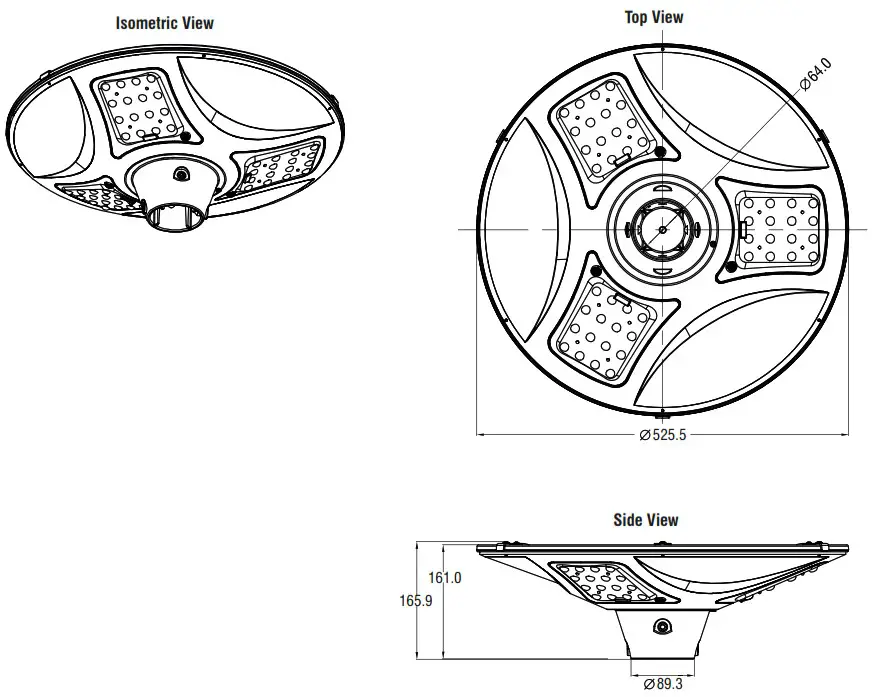
Packing Information
| Model | Packing Type | Packed Units | Dimensions/Carton (mm) | Carton Weight (Kg) | |
| Net | Gros | ||||
| LSC-12 | Inner Box | 1 | 560 x 210 x 560 | 7.8 | 8 |
| Carton | 2 | 580 x 440 x 580 | 15.6 | 16 | |
Net and Gross weight information is for reference purposes only
LSC-12
www.xmart-ups.com