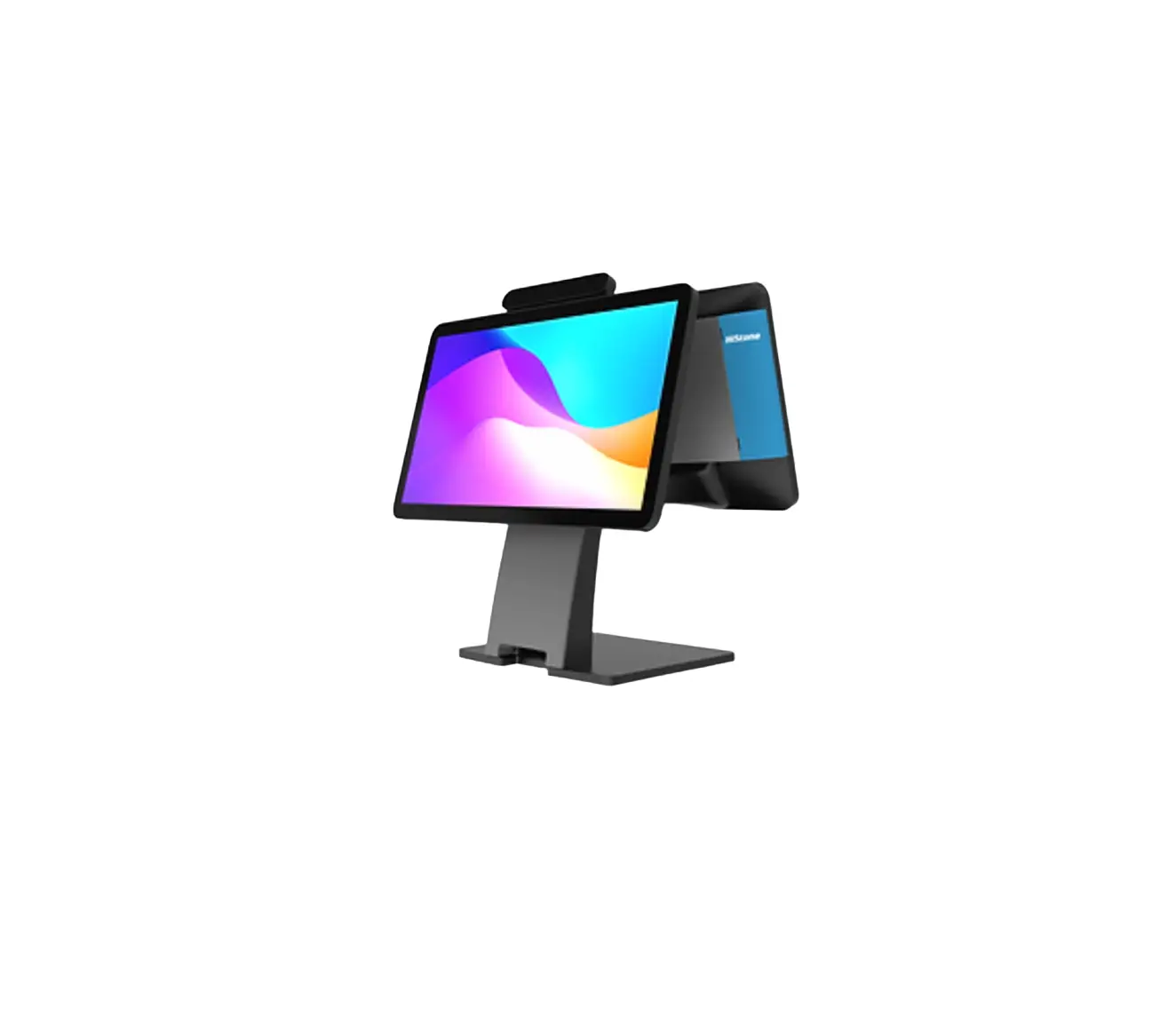
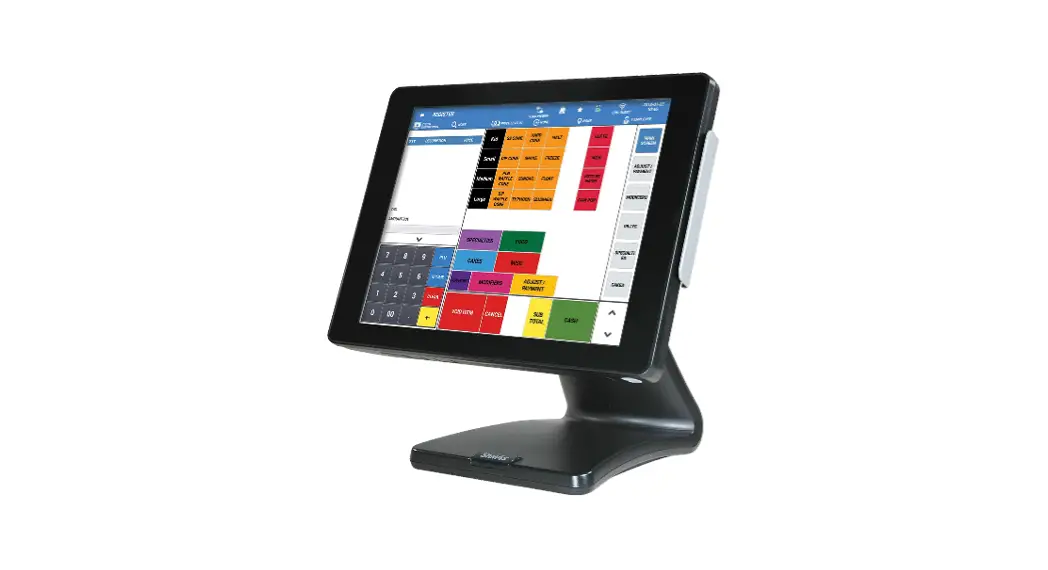
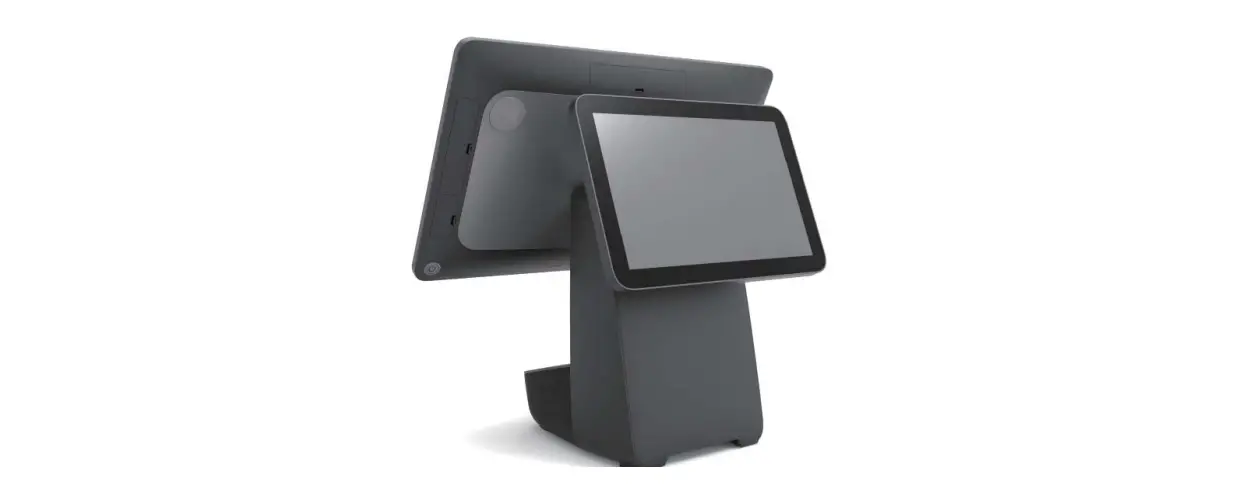
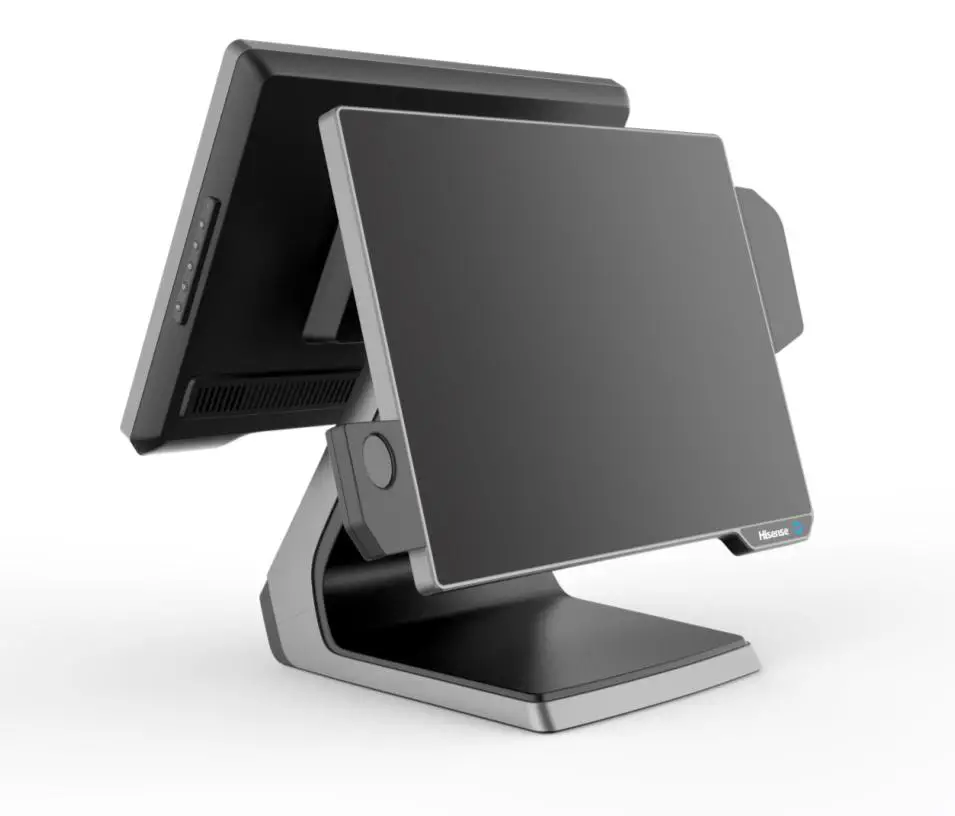
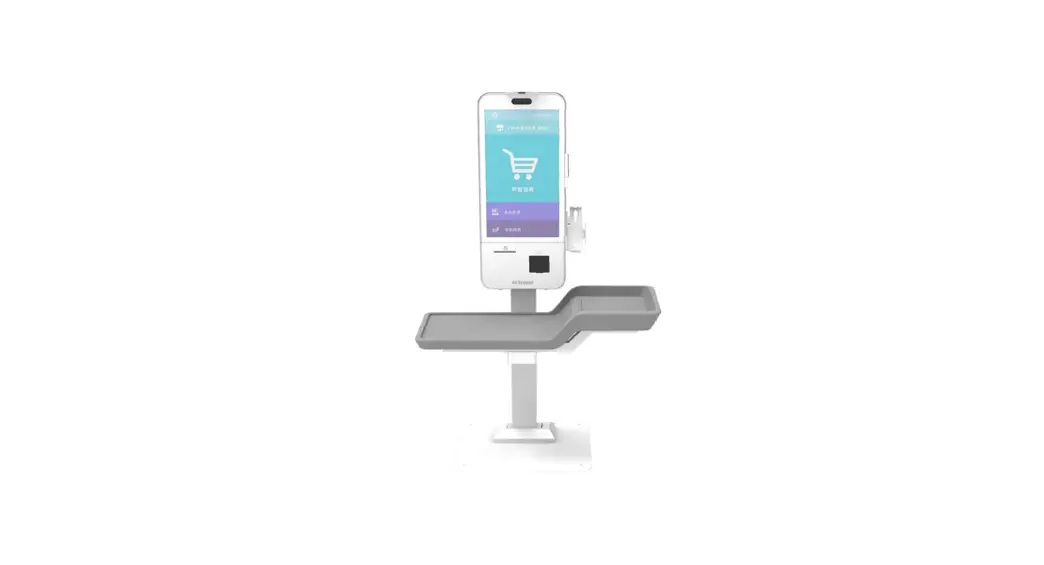
HK578USeries All In One POS Device
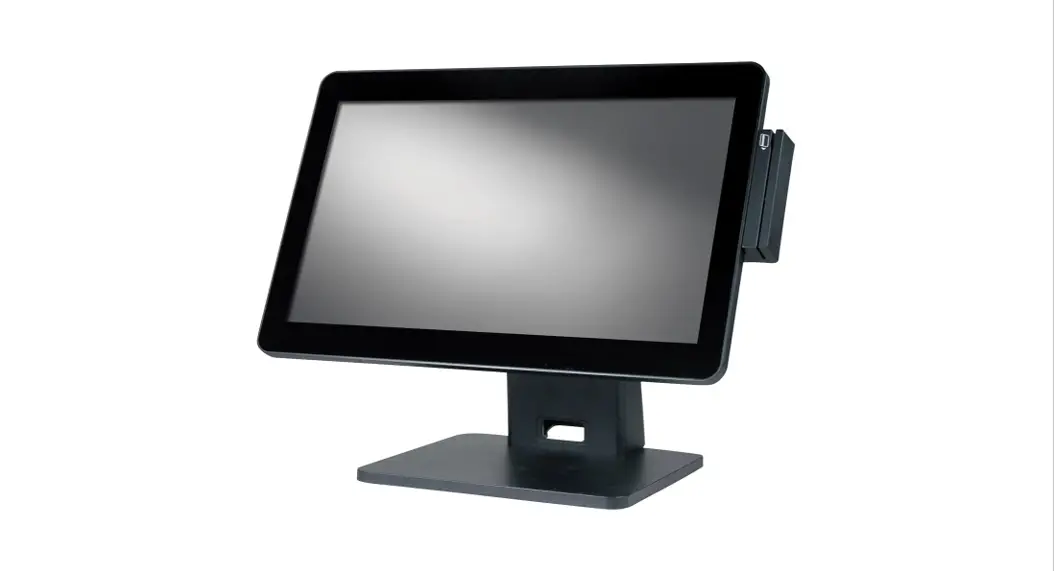
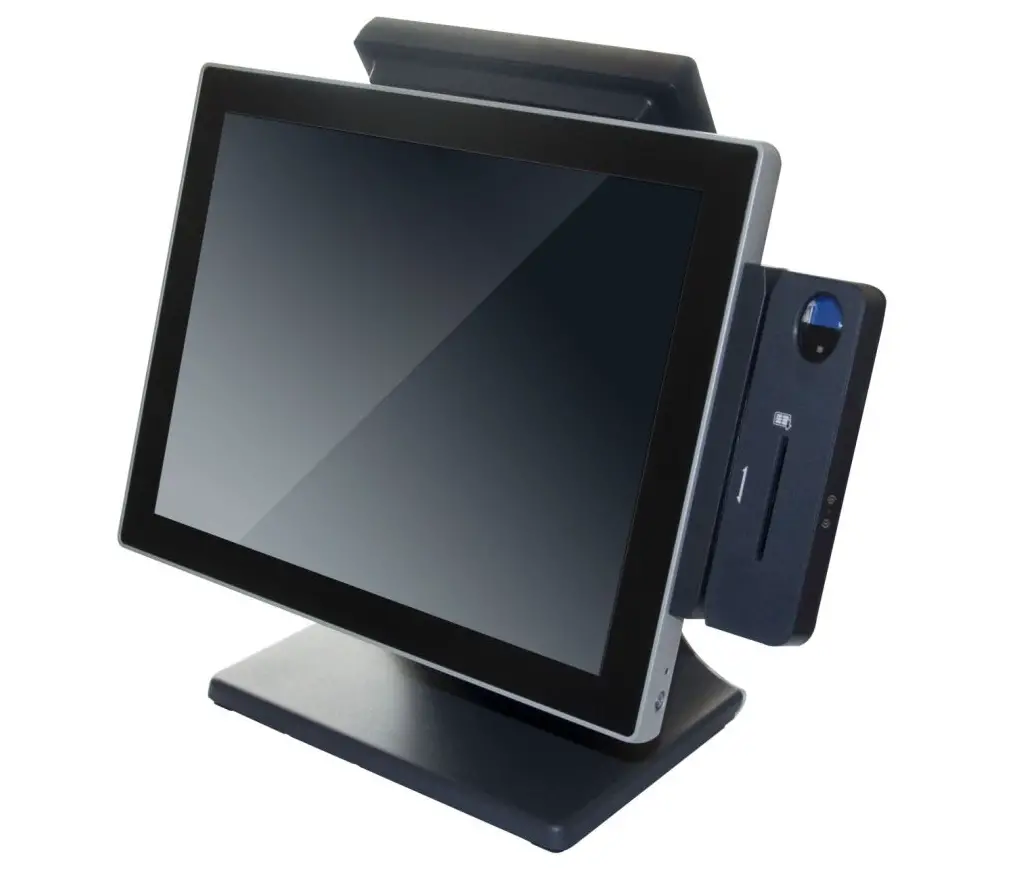
Histone HK578U Series All-in-One Point-of-Sale (POS)
Product Information
The Histone HK578U Series All-in-One Point-of-Sale (POS) is a
flexible and reliable system that adopts an open operating system,
standard peripheral interface, and a component structure. It can be
used both networking or stand-alone and is ideal for commercial
enterprises such as retail stores, supermarkets, convenience
stores, and hotels. The product is cost-effective and highly
competitive with similar products.
Basic Product Configuration
| Category | Parts | CPU | Memory | Storage | System | LCD Size | Resolution | Touch Screen | Ethernet | External Display (optional) | Audio | Card Reader (optional) | Fingerprint Reader (optional) |
|---|---|---|---|---|---|---|---|---|---|---|---|---|---|
| HK578U | I3-1115G4 I5-1145G7 I3-1115G4E I5-1145G7E | Dual core Up to 4.1Ghz Quad core Up to 4.4Ghz Dual core Up to 3.9Ghz Quad core Up to 4.1Ghz | 4GB DDR4 (Up to 16GB) | 128GB SSD (Up to 512GB) | 15′ LCD | 1024*768 | Capacitive touch screen | 1*RJ45 (1000M) | 15′ LCD 1024*768 10.4′ LCD 800*600 VFD | 1*3W | Magnetic card reader /RFID reader Support | Fingerprint Reader (optional) |
I/O Panel
The I/O panel includes an AC power input of AC 100~240V 50-60Hz
(grounding).
Environmental Absolute Grade
- Working Temperature: 0°C to 40°C
- Working Humidity: 20% to 80%
- Storage Temperature: -20°C to 60°C
- Storage Humidity: 10% to 90%
System Dimensions
The system dimensions are shown in the user manual.
Product Usage Instructions
Please read the user manual thoroughly before installing and
using the machine. Keep the user manual for future reference in
case of questions during use.
The machine installation must be carried out by a professional
technician or a dealer. Histone will not accept any responsibility
for damage arising out of unauthorized modification or failure to
follow the instructions to replace the connected peripherals and
cables.
Make sure to only replace the battery with the same or
equivalent type as recommended by the manufacturer (Histone).
Discard used batteries according to the manufacturer’s
instructions. Do not remove the peripheral device before you turn
off the system. Turn on the system after you turn on peripheral
devices and turn off the peripheral devices after you turn off the
system.
UserManual
HK578USeries All-in-OnePoint-of-Sale(POS)
Qingdao Histone Intelligent Commercial System Co.,Ltd.
HK578 Series All-in-One POS System
General User Notices
Thank you very much for choosing Histone HK578 Series POS System. Please read the user manual thoroughly and get to know deeper understandings before installing and using the machine. Keep the user manual for future reference in case of questions during the use.
In the interest of continuing product improvement, Histone reserves the right to change or update product specifications, functions, or software without notice. Features, functions, and operations described in this manual may not exactly the same since the products are sold in different regions. In some circumstances, pictures shown are illustrative protypes only and may differ from the actual product. Contact our customer service or your dealer for the latest information before reading this user manual.
The machine installation must be carried out by a professional technician or a dealer. Histone will not accept any responsibility for damage arising out of unauthorized modification or failure to follow the instructions to replace the connected peripherals and cables.
Warning:
Static may cause damage to the POS. Incorrectly replacing a battery can result in an explosion. Make sure to only
replace the battery with the same or equivalent type as recommended by the manufacturer (Histone). Discard used batteries according to the manufacturer’s instructions. Do not remove the peripheral device before you turn off the system. Turn on the system after you turn on peripheral devices and turn off the peripheral devices after you turn off the system.
The manufacturer reserves the right to change or modify any information or specifications contained in this manual without prior notice. Product Standard Number: Q/HSK J03001 Product NameHistone HK578U Series All-in-One Point-of-Sale (POS)
– 1 –
HK578 Series All-in-One POS System
1. System Introduction
The Histone HK578U Series All-in-One Point-of-Sale (POS) adopts an open operating system, flexible component structure, and standard peripheral interface. It can be used both networking or stand-alone and applies in commercial enterprises such as retail stores, supermarkets, convenience stores, and hotels. All major components are standard parts, so the quality is reliable, easy to maintain and upgrade, also cost-effectively making it more competitive with similar products.
Basic Product Configuration
Category
Parts CPU Memory
HK578U
I3-1115G4
Dual core Up to 4.1Ghz
I5-1145G7
Quad core Up to 4.4Ghz
I3-1115G4E
Dual core Up to 3.9Ghz
4GB DDR4 (Up to 16GB)
I5-1145G7E
Quad core Up to 4.1Ghz
Storage
128GB SSD (Up to 512GB)
System
LCD Size Resolution
15′ LCD 1024*768
Touch Screen Capacitive touch screen
External
Ethernet
1*RJ45 (1000M)
Second Display (optional)
15′ LCD 1024*768 10.4′ LCD 800*600 VFD
Audio
1*3W
Card Reader (optional)
Fingerprint Reader (optional)
Magnetic card reader /RFID reader Support
– 2 –
HK578 Series All-in-One POS System
2. I/O Panel
3. Environmental Absolute Grade
Category
Power Input
Working Temperature
Environment
Working Humidity
Storage Temperature
Storage Humidity
Description AC 100~240V 50-60Hz (grounding)
0°C – 40°C 35%80% -20°C – 55°C 20%93%
4. System Dimensions
– 3 –
HK578 Series All-in-One POS System
Single-screen 15 inch Device, W x D x H: 349 x 252 x 331, Main Display flip angle: 5-180°
Dual-screen 15+15 Device, W x D x H: 349 x 331 x 345mm, Main Display flip angle :5-50°second display flip angle: 0-30°
– 4 –
HK578 Series All-in-One POS System
Dual-screen Device15+10.4 W x D x H: 349 x 320 x 331Main Display flip angle :5-50°second display flip angle: 0-35°
Dual-screen Device15+10.4 W x D x H: 349 x 320 x 331, Main Display flip angle :5-50°second display flip angle: 0-25°
5. Unpacking and Inspection
1) Before unpacking, inspect the outer packing box is in good condition and check if there is any visible damage. Contact your dealer if you notice that the package is damaged as soon as possible.
2) The HK578U series product is carefully packed in an EPE cushion and in a carton box to protect it. Check the packaging bag for any damage before removing them.
3) When taking out the machine from the carton handle it carefully and avoid bumping.
4) Check the packing accessories and ensure the items are included: a power
– 5 –
HK578 Series All-in-One POS System
adapter, a power cable and connecting cables. 5) Check the machine and inspect it for obvious scratches or appearance damages. 6) The machine must be installed by a service technician or by an authorized dealer.
– 6 –
HK578 Series All-in-One POS System
6. Instruction for Usage
1) Switching Instruction Start-up: When the adapter is connected, press the Power button on the right
back side of the bottom of the machine, see the button indicator light on, then start-up can be achieved. 2) Instructions for using magnetic stripe cards When swiping the card, the machine should be placed on a hard horizontal plane. Please scratch the magnetic strip of the magnetic strip card inward from the swipe slot. The card swiping process should be smooth and uniform.
3) Instructions for using RFID contactless cards The RFID contactless card reader module is located behind the right side of the
Host. (with a contactless payment sign) When the induction card is not received, please place the card above the induction
area.
7. Safety Notes
1) The cash register requires that the external power supply should be grounded well. The ground resistance value should be less than 0.1 and the machine must
– 7 –
HK578 Series All-in-One POS System
connect to a grounded international three 3-pin power socket. If the power supply is ungrounded or improperly grounded may cause leakage current. It will be hazardous to the user and also affect the normal operation of the cash register.
2) During the operation, must use a three 3-pin power socket and a UPS that meet CCC certification national standards/ local National standards. It needs to be grounded well and the supply voltage shall be stable. Make sure the voltage of the outlet provides shall be in line with the voltage marked on the label of the unit.
3) The unit shall be used under dry, ventilated & clean environment away from sunlight. Avoid making the air vent of the host machine blocked or covered. Ensure the air vent has an exhaust outlet with a certain opening gap.
4) The product is a Level B one, it may cause radio interference in living environment. In such case, users may need to take practical & feasible measures against the interference.
5) Be sure neither to lengthen cable nor to replace parts at your will, if you have any demand, please contact with the reseller.
6) Be sure not to unplug or plug in any live part or external device when they are in energized state, and the connecting cables of the POS between parts shall be connected securely.
7) The RJ11 port on the rear side of the host should be connected to the cash drawer, it is not a network communication interface, and users cannot use this port to connect to a network cable or use it for dial-up Internet access.
8) When inserting USB flash or disk, you shall kill virus to prevent the host machine from virus. Android doesn’t support NTFS file system. If the USB flash drive you insert is NTFS file system, it won’t be supported.
9) Do not switch on or off the host frequently, because it is easy to result in damage on the machine.
10)Be sure not to sprinkle any liquid or fall any object into the unit.
11) Be sure not to keep heavy, strenuous movement, shake & heavy strike away from the POS.
12) If any liquid sprinkles or any sundry falls into the unit, please shut it down immediately & switch off power supply, take batteries down, dry the liquid or remove the sundry. If you take the batteries down, you shall reset CMOS.
13) In case of safety fault, such as peculiar smell, abnormal sound, leakage, and other faults, you must switch off the power supply at once and then contact with reseller.
– 8 –
HK578 Series All-in-One POS System
When the POS is not in use, you shall switch off power supply. Do not directly turn off the main power supply, you should exit the application program, turn off the machine, then turn off the main power supply, and put on a dust cover.
– 9 –
8. Product Environmental Protection Statement
1. This product meets the environmental protection requirements of the “Administrative Measures for the Restricted Use of Hazardous Substances in Electrical and Electronic Products”.
2. Within the environmental protection use period, there will be no leakage or precipitation of harmful substances that affect the health of consumers during the use of consumers, so they can be used with confidence.
3. Tips for waste recycling:
When this product is not needed or the product life is over, please abide by the relevant national laws and regulations on the recycling of waste electrical and electronic products, and hand it over to a local manufacturer with nationally recognized recycling qualifications for recycling. Recyclers need to properly dispose of components containing hazardous substances, and must not dispose of them arbitrarily.
4. Environmental protection use period:
The environmental protection use period of this product is 10 years
HK578 Series All-in-One POS System
Unit
Main Board
Internal Storage
Hard Disk Power
Main Display
Customer Display Keyboard Printer CPU Fan CPU Cables
Cash Drawer
Chassis
Packaging Carton
(Pb)
Condition of the Restricted Substances Marking
(Hg) (Cd)
(Cr6+) (PBB) (PBDE)
O
O
O
O
O
O
O
O
O
O
O
O
O
O
O
O
O
O
O
O
O
O
O
O
O
O
O
O
O
O
O
O
O
O
O
O
O
O
O
O
O
O
O
O
O
O
O
O
O
O
O
O
O
O
O
O
O
O
O
O
O
O
O
O
O
O
O
O
O
O
O
O
O
O
O
O
O
O
*SJ/T11364 This table is prepared in accordance with the provisions of SJ/T 11364.
O: GB/T26572 O: Indicates that this toxic or hazardous substance contained in all of the homogeneous materials for this part is below the limit requirement in GB/T 26572.
X: GB/T26572 X: Indicates that this toxic or hazardous substance contained in at least one of the homogeneous materials used for this part is above the limit requirement in GB/T 26572. Note: DIBP – diisobutyl phthalate
BBP-butyl phthalate
– 11 –
HK578 Series All-in-One POS System
DBP-dibutyl phthalate DEHP-di(2-ethylhexyl)phthalate
9. Accessories Annexes
No.
Item
1
POS
2
Adaptor
3
Power Cable
Qty
Note
1
1
1
10. Others
For the drivers of other peripheral devices, refer to the USB driver from the package. You can log in to Histone website or contact Histone via 24h customer service hotline. Websitehttp://hics.Histonetec.com 24h customer service hotline4006-585-111
11. FCC Statement:
This device complies with part 15 of the FCC Rules. Operation is subject to the following twoconditions:(1)Thisdevicemaynotcauseharmfulinterference,and(2)thisdevice must accept any interference received, including interference that may cause undesiredoperation. This equipment has been tested and found to comply with the limits for ac Class B digital device, pursuant to part 15 of the FCC Rules. These limits are designed to provide reasonable protection against harmful interference in a residential
– 12 –
HK578 Series All-in-One POS System
installation.Thisequipmentgenerates,usesandcanradiateradiofrequencyenergy and,ifnotinstalledandusedinaccordancewiththeinstructions,maycauseharmful interference to radio communications. However ,there is no guarantee that interference will not occur in a particular installation. If this equipment does cause harmful interference to radio or television reception, which can be determined by turning the equipment off and on, the user is encouraged to try to correct the interferencebyoneormoreofthefollowingmeasures: –Reorientorrelocatethereceivingantenna. –Increasetheseparationbetweentheequipmentandreceiver. –Connecttheequipmentintoanoutletonacircuitdifferentfromthattowhichthe receiverisconnected –Consultthedealeroranexperiencedradio/TVtechnicianforhelp. Caution: Any changes or modifications not expressly approved by the party responsible forcompliancecouldvoidtheuser’sauthoritytooperatetheequipment. This equipment complies with FCC radiation exposure limits set forth for an uncontrolled environment. This transmitter must not be co-located or operating in conjunctionwithanyotherantennaortransmitter. This equipment should be installed and operated with minimum distance 20cm betweentheradiator&yourbody.
– 13 –
24h
Serving
24h customer service hotline
4006-585-111
QC
QINGDAO HISTONE INTELLIGENT COMMERCIAL SYSTEM CO.,LTD.
HQ Office: Qingdao, China Phone: 0086-532-55751230 Fax: 0086-532-55751234 Website: http://hics.Histonetec.com/
 Point Of Sale Manufacturer | HiStone POS | Qingdao