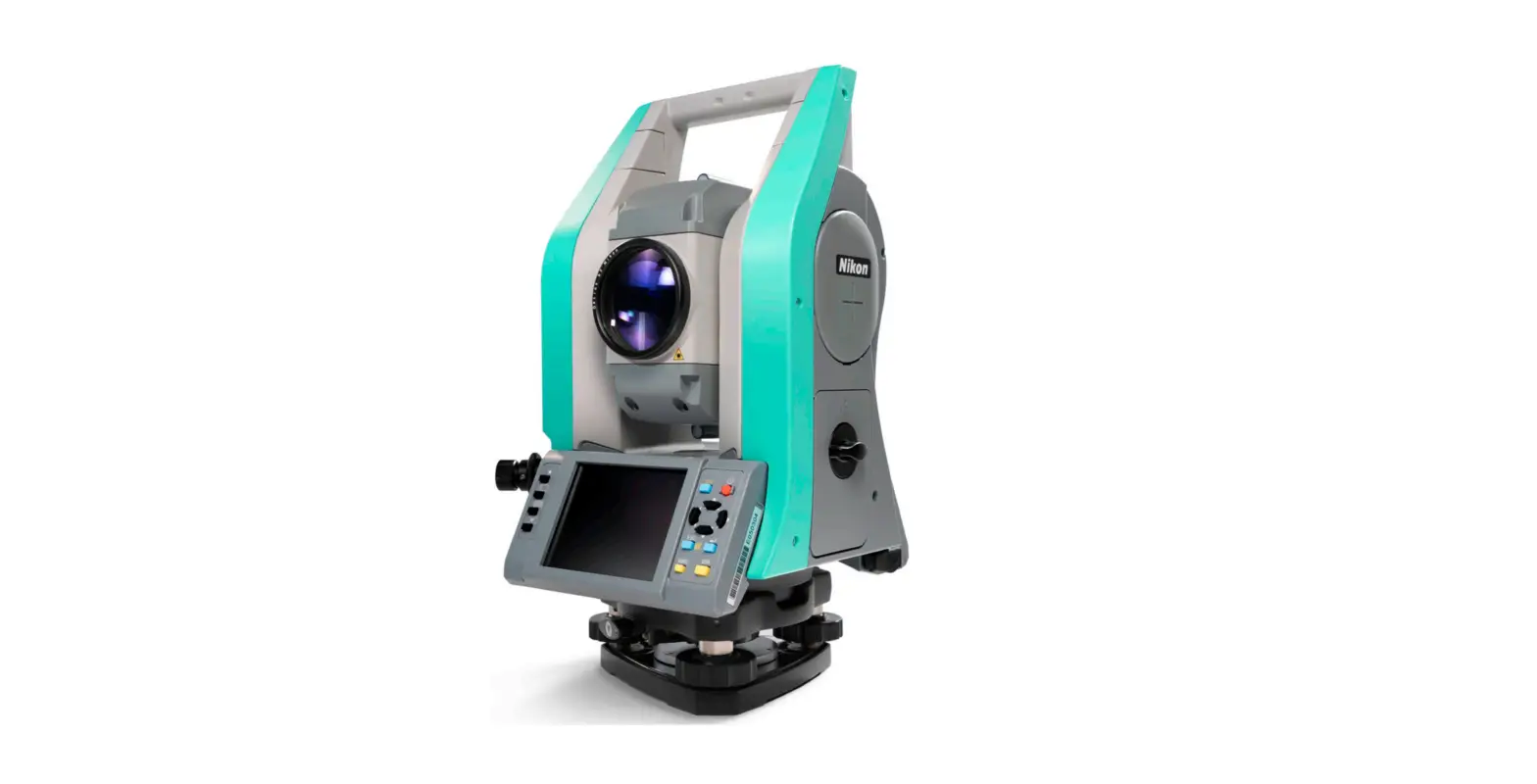
Nikon 114465-01 XF Series Total Station User Guide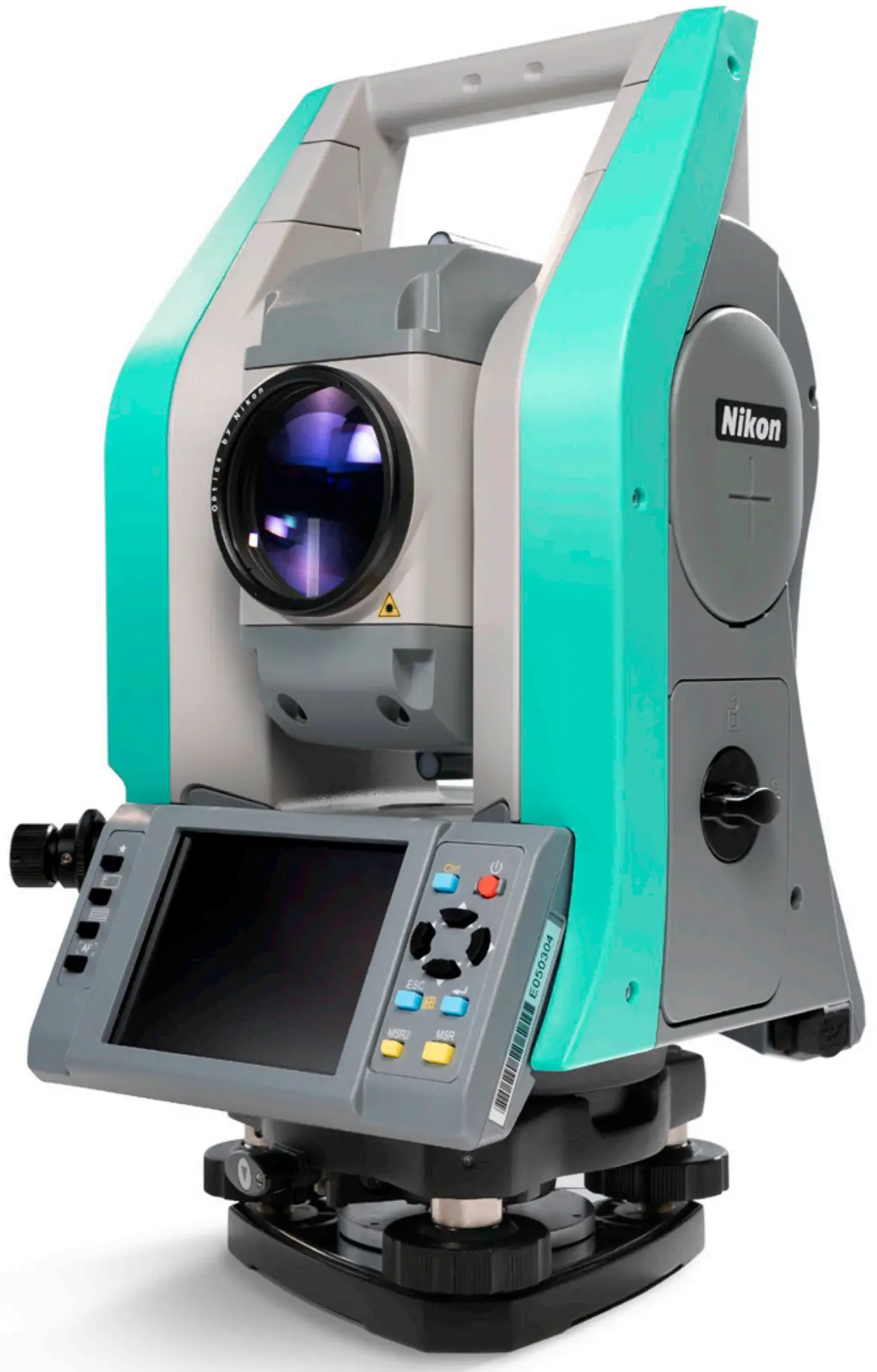
Product Overview
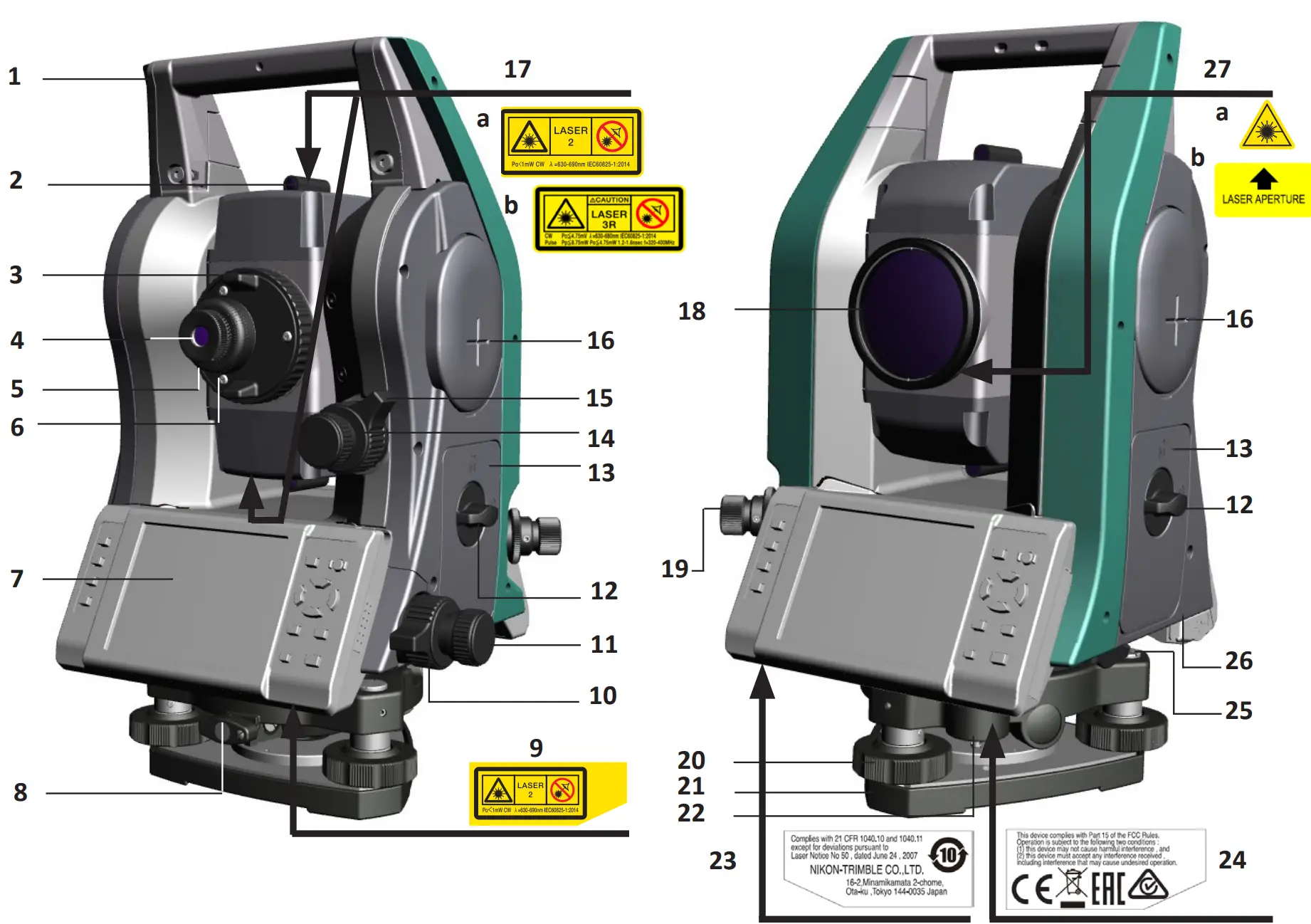
| Item | Description |
| 1 | Carrying handle |
| 2 | Optical sight (Finder) |
| 3 | Telescope focusing ring |
| 4 | Telescope eyepiece |
| 5 | Diopter ring |
| 6 | Reticle plate cover |
| 7 | Face-1 display / keyboard |
| 8 | Tribrach clamp knob |
| 9 | Laser Safety label. Attached underside when the instrument is laser plummet model. |
| 10 | Horizontal clamp |
| 11 | Horizontal tangent screw |
| 12 | Battery box release knob |
| 13 | Battery box |
| 14 | Vertical tangent screw |
| 15 | Vertical clamp |
| 16 | Horizontal axis indication mark |
| 17 | Laser Safety label. Attached to the telescope. a. Class 2 – XF Series b. Class 3R – XF HP Series |
| 18 | Objective. LASER LIGHT IS EMITTED FROM THIS PART. |
| 19 | Optical or optional laser plummet. (This picture shows the optical plummet.) |
| 20 | Leveling screw |
| 21 | Tribrach |
| 22 | Circular level |
| 23 | CFR label. Attached to the underside of the keyboard. |
| 24 | FCC label. Attached to the underside of the keyboard. |
| 25 | Data output / external power / input connector. CAUTION: Input voltage shall be 4.5 to 5.2 V DC |
| 26 | USB ports (x2) |
| 27 | Laser Safety label. Attached to the telescope. a. XF Series; b. XF HP Series |
Standard components
- Instrument main body
- Battery pack (x 2)
- Battery charger
- AC adapter
- Adjustment pin, Allen wrench
- Objective lens cap
- Rain/dust cover
- Carrying case
- Shoulder strap (x 2)
- USB cable
Charging the battery pack
Warning: Before charging or connecting the battery, please refer to the battery safety information in the Nikon XF & XF HP Series Total Station Instruction Manual.
The battery pack is supplied partly charged. Before using the battery for the first time, charge the battery completely using the supplied battery charger.
Conditioning/Calibrating the battery
Battery calibration is necessary about once every six months or more often, if required. Calibration ensures the reported battery charge remaining is accurate.
Inserting the battery pack
Before inserting the battery pack, clear any dust or other foreign particles from the battery contacts.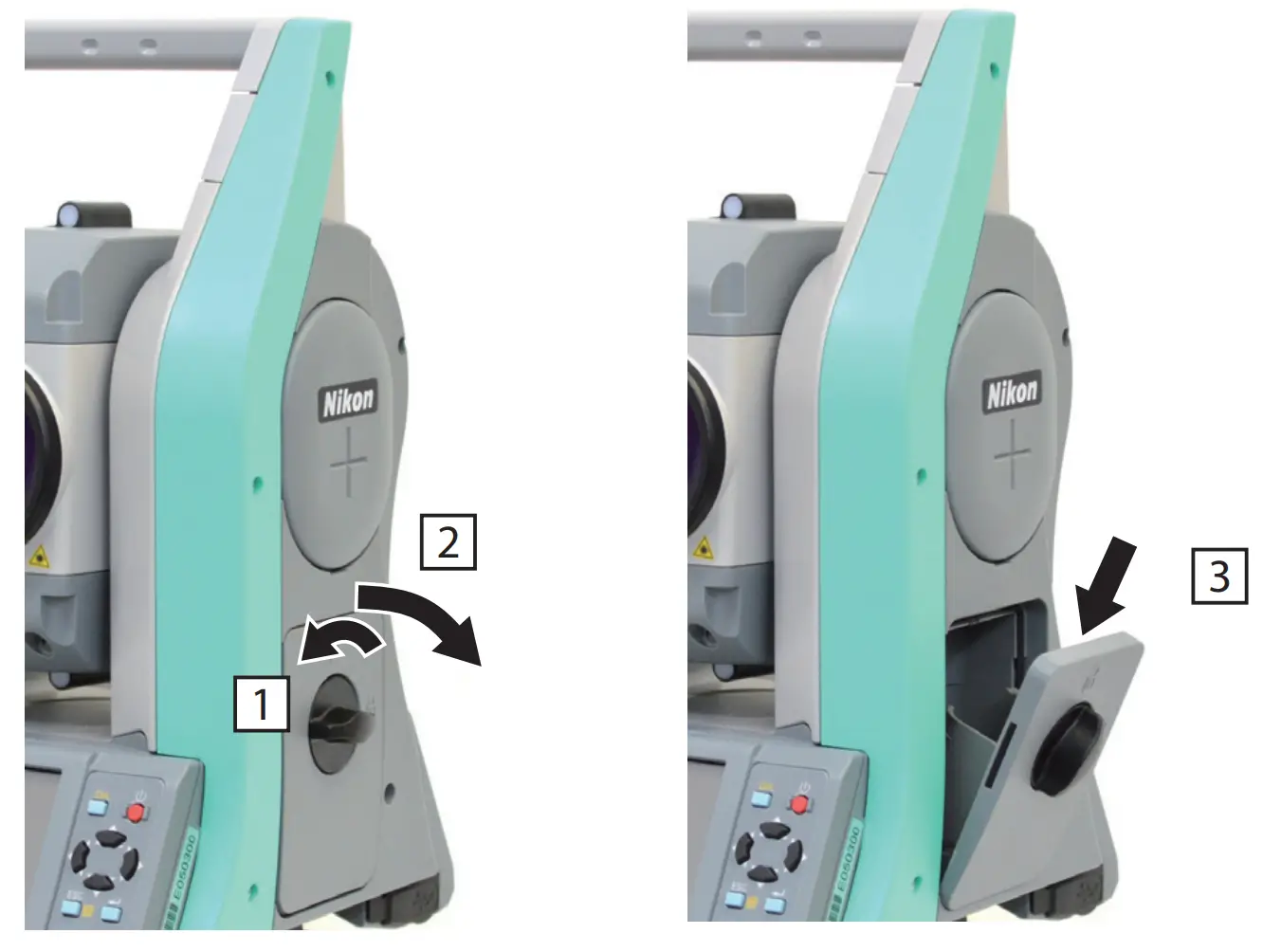
- Turn the battery box release knob counterclockwise and open the battery box cover.
- Put the battery pack into the battery box. Insert the battery pack with the connectors bottom first, facing inside.
- Close the battery box cover and turn the knob clockwise until the secure click sound is heard.
CAUTION: If the battery box cover is not closed, this could adversely affect the watertightness of the instrument.
Safety information
The Nikon XF Series Total Station is a Class 2 Laser Product, and the XF HP Series Total Station is a Class 3R Laser Product in accordance with: IEC60825-1:2014: Safety of Laser Products.
Precautions: To counteract hazards, it is essential for all users to pay careful attention to the safety precautions and control measures specified in the standard IEC60825-1:2014. For further information please refer to the Nikon XF & XF HP Instruction Manual.
Note – This product complies with IEC 60825-1:2014 and IEC 60825-1:2007 and 21 CFR 1040.10 and 1040.11 except for deviations pursuant to Laser Notice no. 50, dated June 24, 2007.
Warnings: Only qualified and trained persons should be assigned to install, adjust and operate the laser equipment. Precautions should be taken to ensure that persons do not look directly, with or without an optical instrument, into the beam. Laser beam path should be located well above or below eye level wherever practicable.
Table 1.1 Specifications for laser emission
XF Series | XF HP Series |
| Laser pointer Class 2: Wave length Output power: 630 to 680 nm CW Po ≤ 1 mW | Laser pointer Class 3R: Wave length Output power: 630 to 680 nm CW Po ≤ 4.75 mW |
| Distance meter Class 1 Wave length Output power Pulse width 850 to 890 nm Pulse Po ≤ 22 W < 5 ns | Distance meter in Reflectorless mode Class 3R Wave length Output power Pulse width: 630 to 680 nm Pp |
| Laser plummet Class 2: Wave length Output power 635 nm CW Po < 1.0 mW | Distance meter in Reflectorless mode Class 3R: Wave length Output power Pulse width 630 to 680 nm Pp <8.75 mW Po <4.75 mW 1.2 ns/400 MHz to 1.6 ns/320 MHz |
| Laser plummet Class 2: Wave length Output power 635 nm CW Po < 1.0 mW | Distance meter in Prism mode Class 1 Wave length Output power Pulse width630 to: 680 nm Pp <0.037 mW Po <0.02 mW 1.2 ns/400 MHz to 1.6 ns/320 MHz |
Table 1.2 Conforming standards
XF Series | XF HP Series | |
| E.U. | EC60825-1:2014 Laser Pointer: Class 2 Distance Meter: Class 1 Laser plummet: Class 2 | IEC60825-1:2014:class 3R |
| USA | FDA21CFR Part 1040 Sec.1040.10 and 1040.11 (except for deviations pursuant to Laser Notice No.50, dated June 24, 2007) | FDA21CFR Part 1040 Sec.1040.10 and 1040.11 (except for deviations pursuant to Laser Notice No.50, dated June 24, 2007) |
For details regarding the features and operations of this instrument, and to access the latest information including instruction manuals and application software, please go to www.spectrageospatial.com.
Support
© 2017–2022, Trimble Inc. All rights reserved. Trimble is a trademark of Trimble Inc., registered in the United States Patent and Trademark Office and other countries. Nikon is a registered trademark of Nikon. All other trademarks are the property of their respective owners.
This is the April 2022 release version 3.00 of the Nikon XF & XF HP Series Total Station Quick Start Guide, P/N 114465-01. It applies to the Nikon XF & XF HP total stations.
Spectra Geospatial
10368 Westmoor Dr.
Westminster, CO, 80021
USA
www.spectrageospatial.com