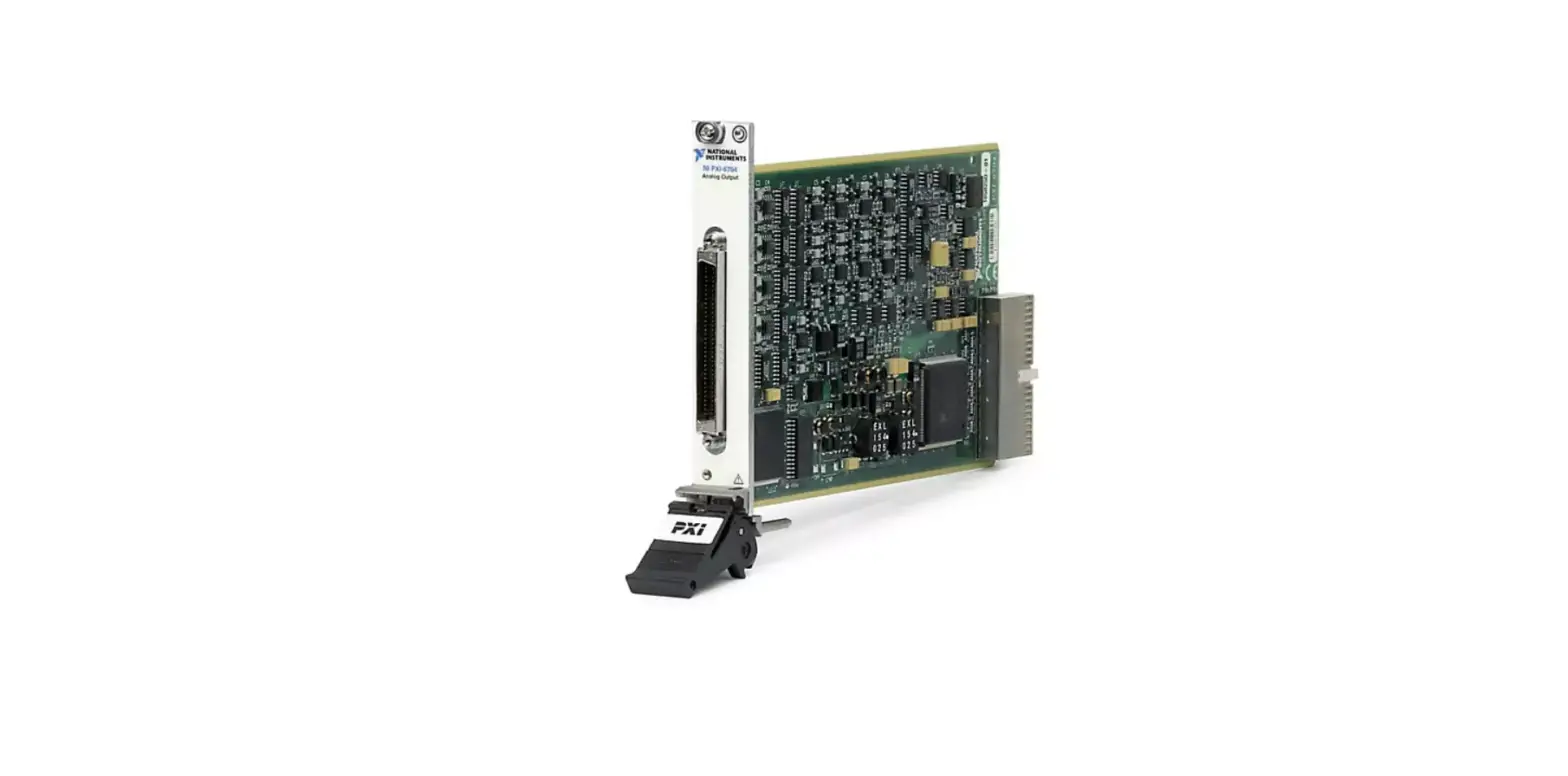
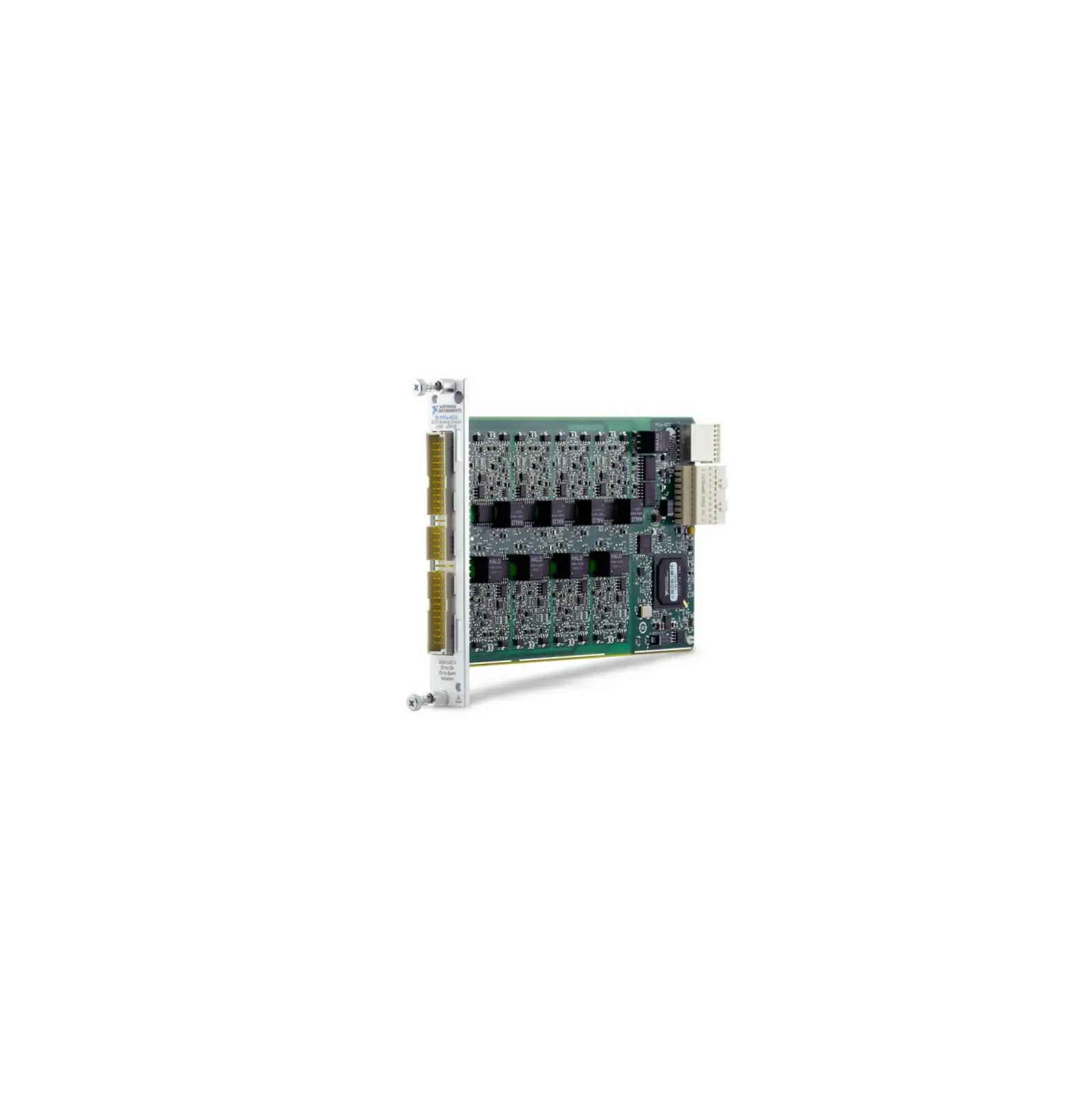
PXIe-4302 32-Channel 24-Bit 5 kS-s-ch PXI Analog Input Module
Product Information:
The PXIe-4303 is a data acquisition module manufactured by
National Instruments. It is a 32-channel, 24-bit module with the
capability to acquire data at either 5 kS/s or 51.2 kS/s. It
features simultaneous filtered data acquisition, making it suitable
for various applications.
The module is designed to be used in conjunction with the
TB-4302C terminal block, which provides additional connectivity
options for the module.
The PXIe-4302/4303 module and the TB-4302C terminal block are
both verified and adjusted using the calibration procedure
described in the user manual.
Product Usage Instructions:
To calibrate the PXIe-4302/4303, you will need to install the
NI-DAQmx software on your calibration system. Ensure that you have
NI-DAQmx version 15.1 or later installed. You can download NI-DAQmx
from the ni.com/downloads website.
NI-DAQmx supports various application software such as LabVIEW,
LabWindows/CVI, C/C++, C#, and Visual Basic .NET. During the
installation of NI-DAQmx, you only need to install support for the
application software that you intend to use.
The operation of the TB-4302C does not require any additional
software verification.
Documentation:
For detailed information about the PXIe-4302/4303 module,
NI-DAQmx software, and your application software, refer to the
following documents:
- NI PXIe-4302/4303 and TB-4302/4302C User Guide and Terminal
Block Specifications - NI PXIe-4302/4303 User Manual
- NI PXIe-4302/4303 Specifications
- NI-DAQmx Readme
- NI-DAQmx Help
- LabVIEW Help
- NI-DAQmx C Reference Help
- NI-DAQmx .NET Help
PXIe-4302/4303 Verification and Adjustment:
To verify and adjust the PXIe-4302/4303, follow the calibration
procedure outlined in the user manual. This section provides
information on the required test equipment, which is listed in
Table 1 of the manual.
If the recommended test equipment is not available, you can
select suitable substitutes based on the requirements specified in
Table 1.
Please refer to the complete user manual for detailed
instructions and reference materials.
PXIe-4303
CALIBRATION PROCEDURE
PXIe-4302/4303 and TB-4302C
32 Ch, 24-bit, 5 kS/s or 51.2 kS/s Simultaneous Filtered Data Acquisition Module
Français
Deutsch ni.com/manuals
This document contains the verification and adjustment procedure for the National Instruments PXIe-4302/4303 module and the verification procedure for the National Instruments TB-4302C terminal block.
Contents
Software…………………………………………………………………………………………………………………… 1 Documentation………………………………………………………………………………………………………….. 2 PXIe-4302/4303 Verification and Adjustment………………………………………………………………. 3
Test Equipment………………………………………………………………………………………………….. 3 Connecting the TB-4302 ……………………………………………………………………………… 4
Test Conditions………………………………………………………………………………………………….. 5 Initial Setup……………………………………………………………………………………………………….. 6 Accuracy Verification…………………………………………………………………………………………. 6 Adjustment………………………………………………………………………………………………………… 8 EEPROM Update ………………………………………………………………………………………………. 10 Reverification ……………………………………………………………………………………………………. 10 TB-4302C Verification………………………………………………………………………………………………. 10 Test Equipment………………………………………………………………………………………………….. 10 Accuracy Verification…………………………………………………………………………………………. 11 Specifications……………………………………………………………………………………………………………. 14 World Wide Support and Services ………………………………………………………………………………. 14
Software
Calibrating the PXIe-4302/4303 requires the installation of NI-DAQmx on the calibration system. Driver support for calibrating the PXIe-4302/4303 was first available in NI-DAQmx 15.1. For the list of devices supported by a specific release, refer to the NI-DAQmx Readme, available on the version-specific download page or installation media.
You can download NI-DAQmx from ni.com/downloads. NI-DAQmx supports LabVIEW, LabWindowsTM/CVITM, C/C++, C#, and Visual Basic .NET. When you install NI-DAQmx, you only need to install support for the application software that you intend to use. No other software is required to verify the operation of the TB-4302C.
Documentation
Consult the following documents for information about the PXIe-4302/4303, NI-DAQmx, and your application software. All documents are available on ni.com, and help files install with the software.
NI PXIe-4302/4303 and TB-4302/4302C User Guide and Terminal Block Specifications NI-DAQmx driver software installation and hardware setup.
NI PXIe-4302/4303 User Manual PXIe-4302/4303 usage and reference information.
NI PXIe-4302/4303 Specifications PXIe-4302/4303 specifications and calibration interval.
NI-DAQmx Readme Operating system and application software support in NI-DAQmx.
NI-DAQmx Help Information about creating applications that use the NI-DAQmx driver.
LabVIEW Help LabVIEW programming concepts and reference information about NI-DAQmx VIs and functions.
NI-DAQmx C Reference Help Reference information for NI-DAQmx C functions and NI-DAQmx C properties.
NI-DAQmx .NET Help Support for Visual Studio Reference information for NI-DAQmx .NET methods and NI-DAQmx .NET properties, key concepts, and a C enum to .NET enum mapping table.
2 | ni.com | PXIe-4302/4303 and TB-4302C Calibration Procedure
PXIe-4302/4303 Verification and Adjustment
This section provides information for verifying and adjusting the PXIe-4302/4303.
Test Equipment
Table 1 lists the equipment recommended for the performance verification and adjustment procedures of the PXIe-4302/4303. If the recommended equipment is not available, select a substitute using the requirements listed in Table 1.
Table 1. Recommended Equipment for PXIe-4302/4303 Verification and Adjustment
Equipment DMM
PXI Express Chassis Connection Accessory SMU
Recommended Model PXI-4071
PXIe-1062Q TB-4302 PXIe-4139
Requirements
Use a DMM that has an accuracy of 13 ppm or better when measuring the 10 V range, an accuracy of 30 ppm or better when measuring the 100 mV range, and an offset error of 0.8 V or better at 0 V.
If this chassis is unavailable, use another PXI Express chassis, such as the PXIe-1082 or PXIe-1078.
—
Noise (0.1 Hz to 10 Hz, peak to peak) is 60 V or better at 10 V.
Noise (0.1 Hz to 10 Hz, peak to peak) is 2 V or better at 100 mV.
PXIe-4302/4303 and TB-4302C Calibration Procedure | © National Instruments | 3
Connecting the TB-4302
The TB-4302 provides connections for the PXIe-4302/4303. Figure 1 shows the pin assignments of the TB-4302.
Figure 1. TB-4302 Circuit Board Parts Locator Diagram
C6
8
J4
S/N
158016B-01L
AI7AI7+ AI6AI6+ AI5AI5+ AI4AI4+ AI3AI3+ AI2+ AI2+ AI1AI1+ AI0AI0+
J3
AIGND J5
AIGND
R3
U4
CR1
R5R6 R4
CR2
R8
AIGND J6
NI TB-4302
COPYRIGHT 2015
AI15-
AI15+
AI14-
AI14+
AI13CR3
AI13+
18
AIGND J8
AI12-
J9
AI12+
AI11-
AI11+
U6
AI10-
AI10+
AI9-
J7
AI9+
AI8-
AI8+
8 1 J10
1 U5
8
U7 8 1 J12
AI23AI23+ AI22AI22+ AI21AI21+ AI20AI20+ AI19AI19+ AI18AI18+ AI7AI7+ AI6AI6+
C2
AIGND J11
AIGND J13
J18
R1
U2
R2
U3 R7
C1 U1
C4 DGND PFI0
J17
J15
AIGND
AIGND
FOR PATENTS: NI.COM/PATENTS
J14
J16
C3 C5
UL94V-0
AI31AI31+ AI30AI30+ AI29AI29+ AI28AI28+ AI17AI17+ AI16AI16+ AI5AI5+ AI4AI4+
8
18
1
81
J2
1
Each channel consists of two terminal connections specific to that channel as shown in Table 2. You can verify or adjust the accuracy for any or all channels depending on the desired test coverage. Refer to Figure 2 and only connect the input channels required for verification or adjustment in parallel.
Refer to Table 2 for the analog signal names of the TB-4302.
Table 2. TB-4302 Analog Signal Names
Signal Name AI+ AI-
AIGND
Signal Description Positive input voltage terminal Negative input voltage terminal Analog ground input
Complete the following steps to connect the TB-4302.
1. Install the PXIe-4302/4303 and the TB-4302 in the PXI Express chassis according to the instructions in the NI PXIe-4302/4303 and TB-4302/4302C User Guide and Terminal Block Specifications.
2. Configure the PXIe-4139 to voltage output mode and enable remote sensing. Connect the PXIe-4139 output to the TB-4302 as shown in Figure 2.
4 | ni.com | PXIe-4302/4303 and TB-4302C Calibration Procedure
3. Use two 10 k resistors with 1% or better tolerance to build a voltage divider to bias the PXIe-4139 output and set the common-mode input of the PXIe-4302/4303 to zero volts. Connect one resistor between AI+ and AIGND and the other between AI- and AIGND as shown in Figure 2.
4. Connect the PXI-4071 to measure the differential voltage across the TB-4302 AI+ and AIterminals. A detailed wiring diagram is shown in Figure 2.
Figure 2. Connecting the TB-4302
4139
HI SENSE HI
LO SENSE LO
AI0+
AI0 AI1+ AI1
4071
HI LO
10 k
AI31+ AI31 10 k
TB-4302
Test Conditions
The following setup and environmental conditions are required to ensure the PXIe-4302/4303 meets published specifications.
· Keep connections to the PXIe-4302/4303 as short as possible. Long cables and wires act as antennas, picking up extra noise that can affect measurements.
· Verify that all connections to the TB-4302 are secure.
· Use shielded copper wire for all cable connections to the TB-4302. Use twisted-pair wire to eliminate noise and thermal offsets.
· Maintain an ambient temperature of 23 °C ±5 °C. The PXIe-4302/4303 temperature will be greater than the ambient temperature.
· Keep relative humidity below 80%.
· Allow a warm-up time of at least 15 minutes to ensure that the PXIe-4302/4303 measurement circuitry is at a stable operating temperature.
· Ensure that the PXI/PXI Express chassis fan speed is set to HIGH, that the fan filters are clean, and that the empty slots contain filler panels. For more information, refer to the Maintain Forced-Air Cooling Note to Users document available at ni.com/manuals.
PXIe-4302/4303 and TB-4302C Calibration Procedure | © National Instruments | 5
Initial Setup
Refer to the NI PXIe-4302/4303 and TB-4302/4302C Installation Guide and Terminal Block Specifications for information about how to install the software and hardware and how to configure the device in Measurement & Automation Explorer (MAX).
Note When a device is configured in MAX, it is assigned a device identifier. Each function call uses this identifier to determine which DAQ device to verify or to verify and adjust. This document uses Dev1 to refer to the device name. In the following procedures, use the device name as it appears in MAX.
Accuracy Verification
The following performance verification procedures describe the sequence of operations and provides the test points required to verify the PXIe-4302/4303. The verification procedures assume that adequate traceable uncertainties are available for the calibration references.
The PXIe-4302/4303 has 32 independent analog input channels. The input range of each channel can be set to 10 V or 100 mV. You can verify the accuracy of either range for any or all of the channels depending upon your desired test coverage.
Complete the following steps to verify the voltage mode accuracy of the PXIe-4302/4303. 1. Set the PXIe-4139 voltage output to zero volts. 2. Connect the PXIe-4139 and PXI-4071 to the TB-4302 as shown in Figure 2. 3. Use Table 3 to configure the PXIe-4139 to output a Test Point value for the appropriate
range shown in Table 6, beginning with the values in the first row.
Table 3. PXIe-4139 Voltage Output Setup
Configuration Function Sense Range
Current Limit Current Limit Range
Value Voltage output Remote 600 mV range for test points less than 100 mV 60 V range for all other test points 20 mA 200 mA
6 | ni.com | PXIe-4302/4303 and TB-4302C Calibration Procedure
4. Refer to Table 4 to configure the PXI-4071 and acquire a voltage measurement.
Table 4. PXI-4071 Voltage Measurement Setup
Configuration
Value
Function
DC measurement
Range
1 V range for test points less than 100 mV.
10 V range for all other test points.
Digital Resolution
7.5 digits
Aperture Time
100 ms
Autozero
On
ADC Calibration Input Impedance
On > 10 G
DC Noise Rejection
High Order
Number of Averages
1
Power Line Frequency
Dependent upon the local power line characteristics.
5. Acquire a voltage measurement with the PXIe-4302/4303. a. Create a DAQmx task. b. Create and configure the AI channel according to the values shown in Table 5.
Table 5. AI Voltage Mode Setup
Configuration
Value
Channel Name
Dev1/aix, where x refers to the channel number
Task
AI voltage
Sample Mode
Finite samples
Sample Clock Rate
5000
Samples per Channel
5000
Maximum Value
Appropriate maximum range value from Table 6
Minimum Value
Appropriate minimum range value from Table 6
Units
Volts
c. Start the task. d. Average the readings that you acquired.
PXIe-4302/4303 and TB-4302C Calibration Procedure | © National Instruments | 7
e. Clear the task.
f. Compare the resulting average to the Lower Limit and Upper Limit values in Table 6. If the result is between these values, the device passes the test.
Table 6. Voltage Measurement Accuracy Limits
Range (V) Minimum Maximum
Test Point (V)
Lower Limit (V)
Upper Limit (V)
-0.1
0.1
-0.095 DMM Reading – 0.0007 V DMM Reading + 0.0007 V
-0.1
0.1
0
DMM Reading – 0.000029 V DMM Reading + 0.000029 V
-0.1
0.1
0.095 DMM Reading – 0.0007 V DMM Reading + 0.0007 V
-10
10
-9.5
DMM Reading – 0.004207 V DMM Reading + 0.004207 V
-10
10
0
DMM Reading – 0.001262 V DMM Reading + 0.001262 V
-10
10
9.5
DMM Reading – 0.004207 V DMM Reading + 0.004207 V
6. For each value in Table 6, repeat steps 3 through 5 for all channels. 7. Set the PXIe-4139 output to be zero volts. 8. Disconnect the PXIe-4139 and PXI-4071 from the TB-4302.
Adjustment
The following performance adjustment procedure describes the sequence of operations required to adjust the PXIe-4302/4203.
Complete the following steps to adjust the accuracy of the PXIe-4302/4203. 1. Set the PXIe-4139 output to be zero volts. 2. Connect the PXIe-4139 and PXI-4071 to the TB-4302 as shown in Figure 2. 3. Call the DAQmx Initialize External Calibration function with the following parameters:
Device In: Dev1 Password: NI1 4. Call the 4302/4303 instance of the DAQmx Setup SC Express Calibration function with the following parameters: calhandle in: calhandle output from DAQmx Initialize External Calibration rangeMax: Appropriate Range Max starting with the value in the first row of Table 7 rangeMin: Appropriate Range Min starting with the value in the first row of Table 7 physical channels: dev1/ai0:31
1 The default password is NI, which can be changed. Refer to the NI-DAQmx Help for details.
8 | ni.com | PXIe-4302/4303 and TB-4302C Calibration Procedure
Table 7. Voltage Mode Adjustment Test Points
Range (V)
Max
Min
Test Points (V)
0.1
-0.1
-0.09
-0.06
-0.03
0
0.03
0.06
0.09
10
-10
-9
-6
-3
0
3
6
9
5. Refer to Table 3 to configure the PXIe-4139. Set the PXIe-4139 output equal to the first Test Point for the corresponding range in Table 7 that was configured in step 4.
6. Enable the PXIe-4139 output. 7. Refer to Table 4 to configure the PXI-4071 and acquire a voltage measurement. 8. Call the 4302/4303 instance of the DAQmx Adjust SC Express Calibration function with
the following parameters: calhandle in: calhandle output from DAQmx Initialize External Calibration reference voltage: DMM measurement value from step 7
9. Repeat steps 5 through 8 for the remaining Test Point values from Table 7 for the corresponding range that was configured in step 4.
10. Repeat steps 4 through 9 for the remaining ranges from Table 7. 11. Call the 4302/4303 instance of the DAQmx Adjust SC Express Calibration function with
the following parameters: calhandle in: calhandle output from DAQmx Initialize External Calibration action: commit
PXIe-4302/4303 and TB-4302C Calibration Procedure | © National Instruments | 9
EEPROM Update
When an adjustment procedure is completed, the PXIe-4302/4303 internal calibration memory (EEPROM) is immediately updated.
If you do not want to perform an adjustment, you can update the calibration date without making any adjustments by initializing an external calibration and closing the external calibration.
Reverification
Repeat the Accuracy Verification section to determine the As-Left status of the device.
Note If any test fails Reverification after performing an adjustment, verify that you have met the Test Conditions before returning your device to NI. Refer to World Wide Support and Services for assistance in returning the device to NI.
TB-4302C Verification
This section provides information for verifying the performance of the TB-4302C.
Test Equipment
Table 8 lists the equipment recommended for verifying the shunt value of the TB-4302C. If the recommended equipment is not available, select a substitute using the requirements listed in Table 8.
Table 8. Recommended Equipment for PXIe-4302/4303 Verification and Adjustment
Equipment DMM
Recommended Model PXI-4071
Requirements
Use a DMM with an accuracy of 136 ppm or better when measuring 5 in 4-wire mode.
10 | ni.com | PXIe-4302/4303 and TB-4302C Calibration Procedure
Accuracy Verification
The TB-4302C has a total of 32, 5 shunt resistors, one for each channel. The reference designators of the shunt resistors range from R10 to R41 as shown in Figure 3.
Figure 3. TB-4302C Circuit Board Shunt Resistor Locator Diagram
R3 C6
U4 CR1
C1 B1 A1
1
J4 8
J1 S/N
158141A-01L
R17
RT8
AI7 VSUP
AI6 VSUP
AI5 VSUP
AI4 VSUP
AI3 VSUP
AI2 VSUP
AI1 VSUP
AI0 VSUP
RT1
RT2 RT3 RT4
RT5 RT6
RT7
AISENSE AISENSE
AISENSE AISENSE
R10
R11 R12 R13
R14 R15
R16
J3
J7
J5
J9
NI TB-4302C
VSUP AI15
RT13
R22
VSUP
RT15 RT14
R24 R23
AI4 VSUP
R19 R18
R25
AISENSE AISENSE
AISENSE AISENSE
RT10 RT9 RT16
AI3 VSUP
AI2 VSUP
AI1 VSUP
AI0 VSUP
RT11
R20
A9
VSUP AI8
RT12
R21
AISENSE AIGND
J21 8 J6
18
J8 1 J12 8
R1 R5 R6 R4
CR2
R8 C4
C3 C5
U3 R7
C1 U1
C2 U2
R2
COPYRIGHT 2014
R33
J18
RT24
CR3
J19
1 J10
U9
U11 8
U10
1
AI23
RT29
R38
R30 R31 R32
J13
RT21 RT22 RT23
VSUP AI22 VSUP
PFI0 GND
VSUP AI31
AI21
VSUP
RT32 RT31 RT30
R41 R40 R39
VSUP AISENSE AI20 AISENSE VSUP
AI30 VSUP AI29
R29
J17
RT20
AI19 VSUP AI18
AISENSE AISENSE
VSUP AI28 VSUP
RT19 R28
J11
R36 R35 R34 RT27 RT26 RT25
VSUP AISENSE
AI27
AI17 AISENSE
VSUP
RT17 RT18 R26 R27
J15
VSUP
AI26
AI16
AISENSE
VSUP
VSUP
AISENSE
A25
AISENSE
VSUP
R37 RT28
VSUP
AI24
FOR PATENTS: NI.COM/PATENTS
18
81
8 J14
1J2
1
2
1 R10, R11, R12, R13, R14, R15, R16, R17 (Bottom to Top)
2 R21, R20, R19, R18, R25, R24, R23, R22 (Bottom to Top)
3
4
3 R26, R27, R28, R29, R30, R31, R32, R33 (Bottom to Top)
4 R37, R36, R35, R34, R41, R40, R39, R38 (Bottom to Top)
PXIe-4302/4303 and TB-4302C Calibration Procedure | © National Instruments | 11
Table 9 shows the correlation between the AI channels and the shunt reference designators.
Table 9. Channel to Shunt Reference Designator Correlation
Channel CH0 CH1 CH2 CH3 CH4 CH5 CH6 CH7 CH8 CH9 CH10 CH11 CH12 CH13 CH14 CH15 CH16 CH17 CH18 CH19 CH20 CH21 CH22 CH23 CH24 CH25 CH26 CH27 CH28 CH29 CH30 CH31
Shunt Reference Designator R10 R11 R12 R13 R14 R15 R16 R17 R21 R20 R19 R18 R25 R24 R23 R22 R26 R27 R28 R29 R30 R31 R32 R33 R37 R36 R35 R34 R41 R40 R39 R38
12 | ni.com | PXIe-4302/4303 and TB-4302C Calibration Procedure
The following performance verification procedure describes the sequence of operations to verify the shunt values of the TB-4302C. 1. Open the TB-4302C enclosure. 2. Configure the PXI-4071 for 4-wire resistance measurement mode as shown in Table 10.
Table 10. PXI-4071 Voltage Measurement Setup
Configuration
Value
Function Range
4-wire resistance measurement 100
Digital Resolution
7.5
Aperture Time
100 ms
Autozero
On
ADC Calibration Input Impedance
On > 10 G
DC Noise Rejection
High order
Number of Averages
1
Power Line Frequency
Dependent upon the local power line characteristics.
Offset Compensated Ohms
On
3. Locate R10 on the TB-4302C. Refer to Figure 3.
4. Hold the HI and HI_SENSE probes of the PXI-4071 to one pad of R10 and hold the LO and LO_SENSE probes to the other pad of R10.
5. Acquire a resistance measurement with the PXI-4071.
6. Compare the results to the Lower Limit and Upper Limit values in Table 11. If the results are between these values, the device passes the test.
Table 11. 5 Shunt Accuracy Limit
Nominal 5
Upper Limit 5.025
Lower Limit 4.975
7. Repeat steps 3 through 6 for all other 5 shunt resistors.
Note If the TB-4302C fails verification, refer to World Wide Support and Services for assistance in returning the terminal block to NI.
PXIe-4302/4303 and TB-4302C Calibration Procedure | © National Instruments | 13
Specifications
Refer to the NI PXIe-4302/4303 Specifications document for detailed PXIe-4302/4303 specification information.
Refer to the NI PXIe-4302/4303 and TB-4302/4302C User Guide and Terminal Block Specifications document for detailed TB-4302C specification information.
World Wide Support and Services
The National Instruments website is your complete resource for technical support. At ni.com/ support you have access to everything from troubleshooting and application development self-help resources to email and phone assistance from NI Application Engineers.
Visit ni.com/services for NI Factory Installation Services, repairs, extended warranty, and other services.
Visit ni.com/register to register your National Instruments product. Product registration facilitates technical support and ensures that you receive important information updates from NI.
National Instruments corporate headquarters is located at 11500 North Mopac Expressway, Austin, Texas, 78759-3504. National Instruments also has offices located around the world. For telephone support in the United States, create your service request at ni.com/support or dial 1 866 ASK MYNI (275 6964). For telephone support outside the United States, visit the Worldwide Offices section of ni.com/niglobal to access the branch office websites, which provide up-to-date contact information, support phone numbers, email addresses, and current events.
Refer to the NI Trademarks and Logo Guidelines at ni.com/trademarks for more information on National Instruments trademarks. Other product and company names mentioned herein are trademarks or trade names of their respective companies. For patents covering National Instruments products/technology, refer to the appropriate location: Help»Patents in your software, the patents.txt file on your media, or the National Instruments Patents Notice at ni.com/patents. You can find information about end-user license agreements (EULAs) and third-party legal notices in the readme file for your NI product. Refer to the Export Compliance Information at ni.com/legal/export-compliance for the National Instruments global trade compliance policy and how to obtain relevant HTS codes, ECCNs, and other import/export data. NI MAKES NO EXPRESS OR IMPLIED WARRANTIES AS TO THE ACCURACY OF THE INFORMATION CONTAINED HEREIN AND SHALL NOT BE LIABLE FOR ANY ERRORS. U.S. Government Customers: The data contained in this manual was developed at private expense and is subject to the applicable limited rights and restricted data rights as set forth in FAR 52.227-14, DFAR 252.227-7014, and DFAR 252.227-7015.
© 2015 National Instruments. All rights reserved.
377005A-01
Sep15
References
 Engineer Ambitiously - NI
-
Engineer Ambitiously - NI
-
Software and Driver Downloads - NI
-
Trade Compliance - NI
-
Product Documentation - NI
-
Contact Us - NI
-
National Instruments Patents - NI
-
Log In - National Instruments
-
NI Services - NI
-
Support - NI
-
NI Trademarks and Logo Guidelines - NI
-
Engineer Ambitiously - NI
-
Software and Driver Downloads - NI
-
Contact Us - NI
-
Log In - National Instruments
-
NI Services - NI
-
Support - NI
 PXIe-4303 National Instruments PXI Analog Input Module | Apex Waves
 Engineer Ambitiously - NI
 Engineer Ambitiously - NI
 PXIe-4303 National Instruments PXI Analog Input Module | Apex Waves