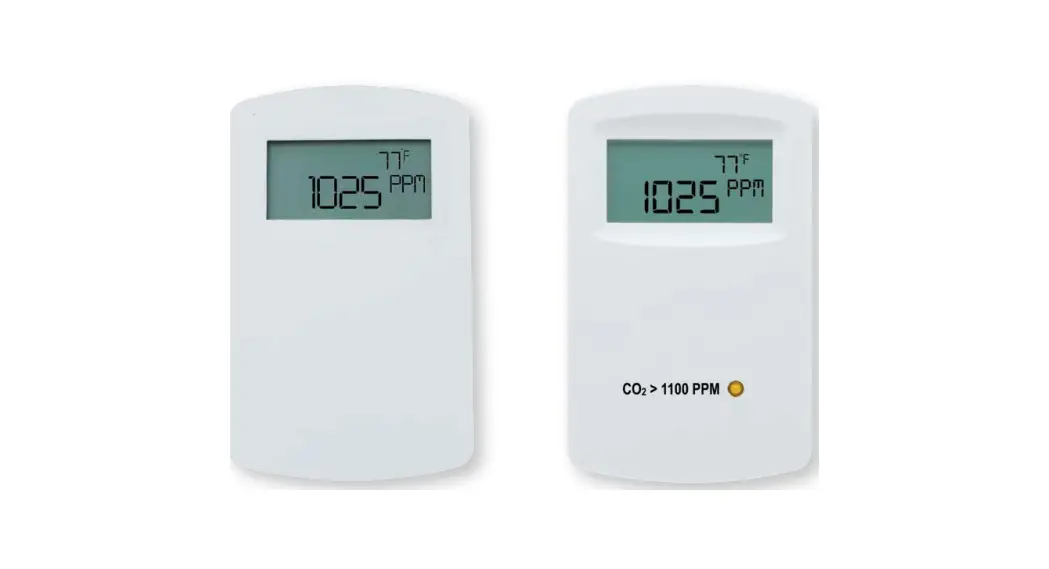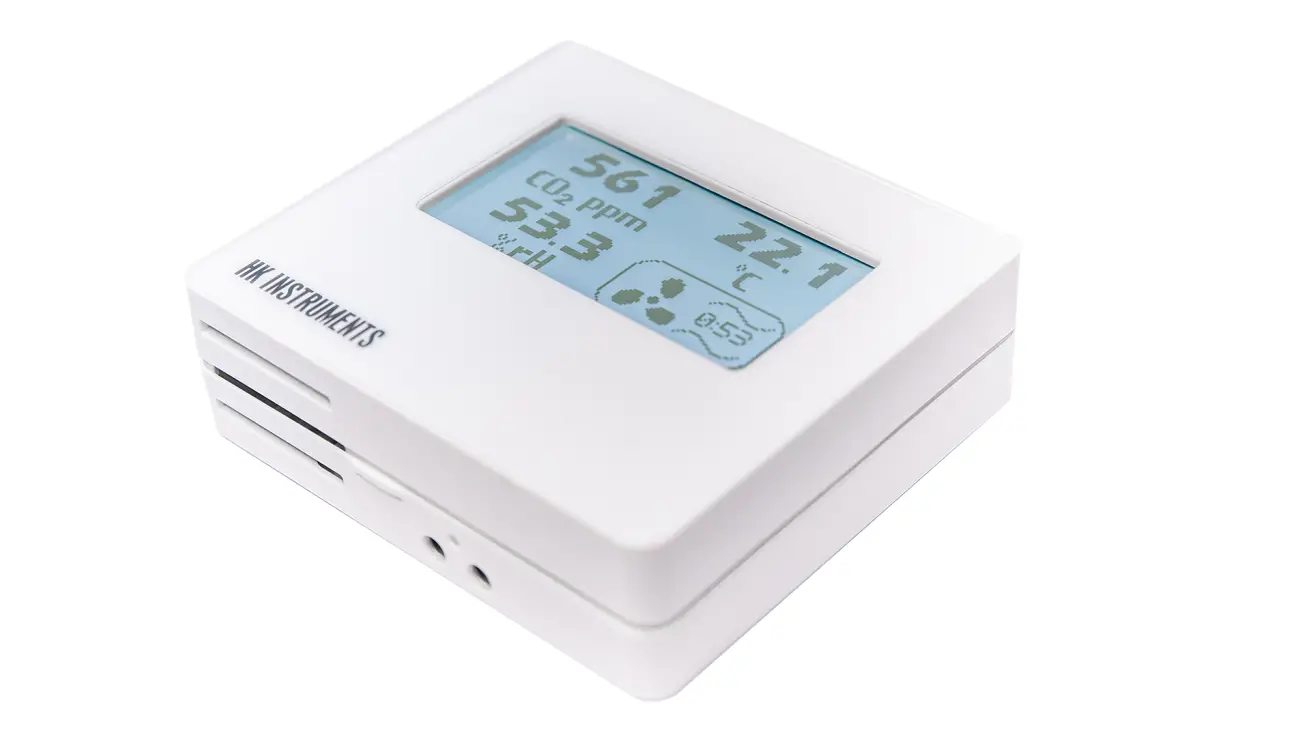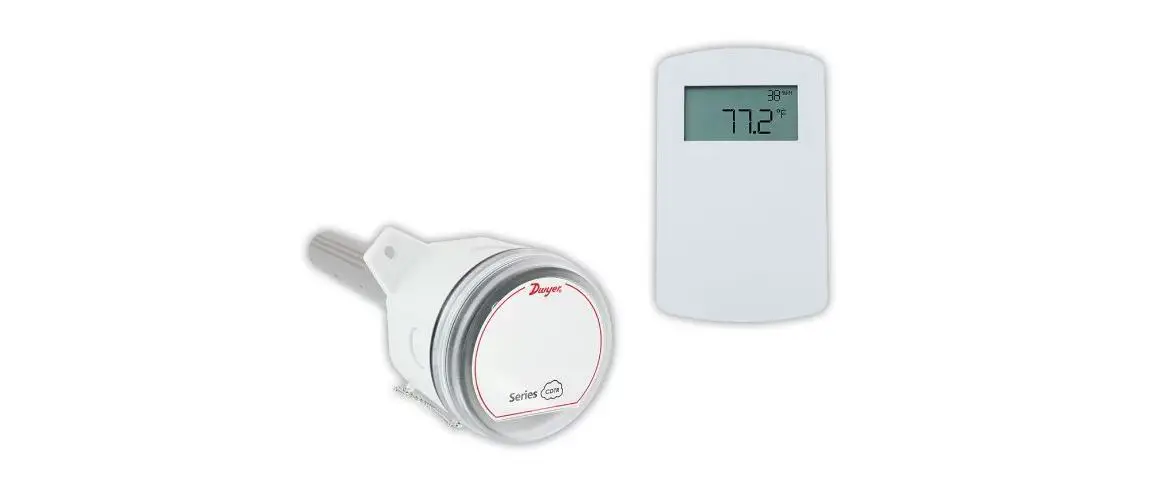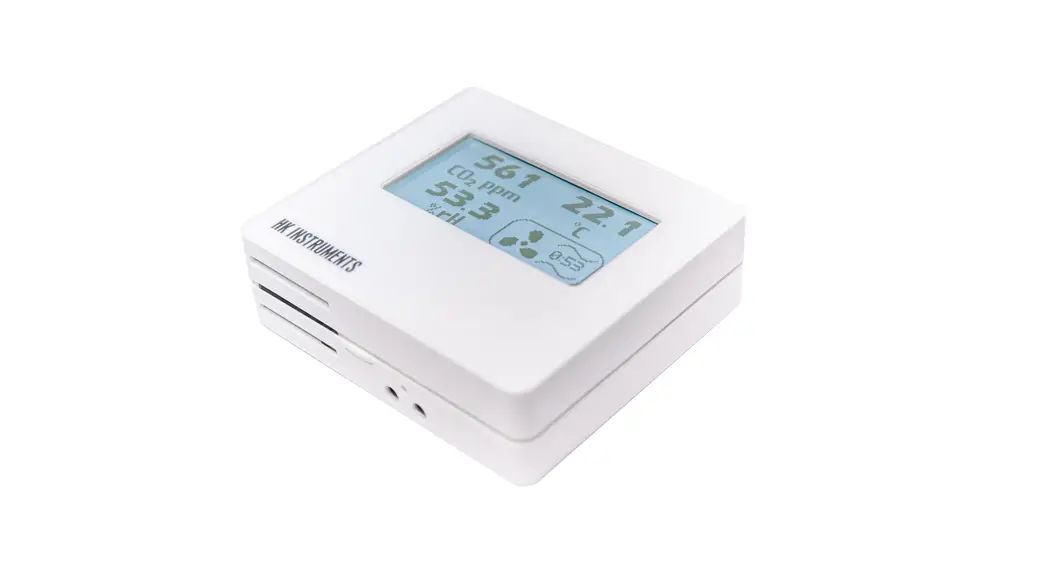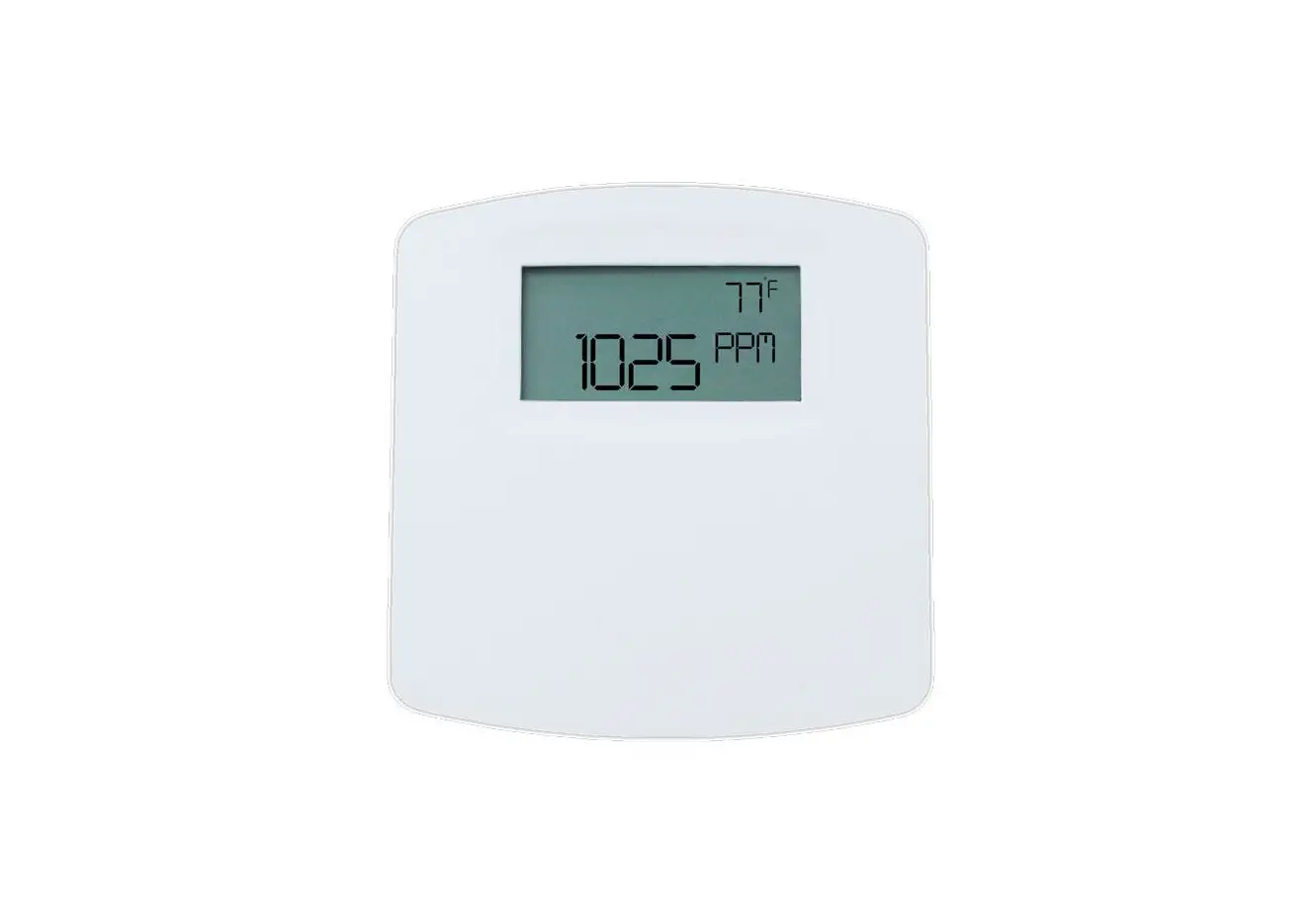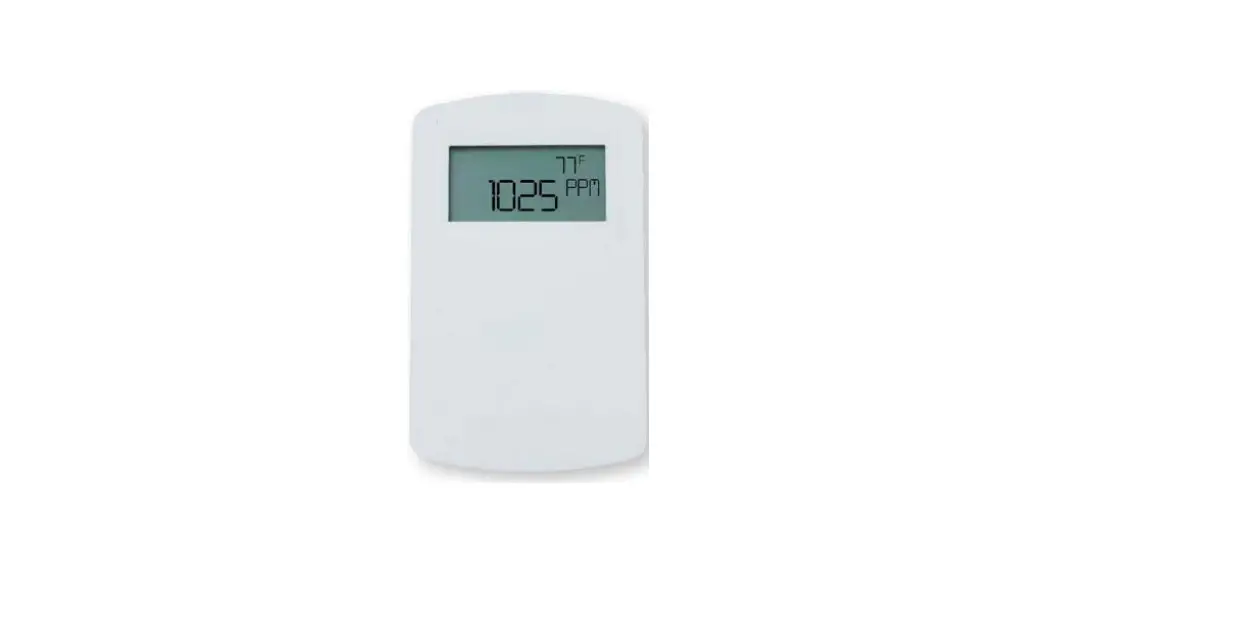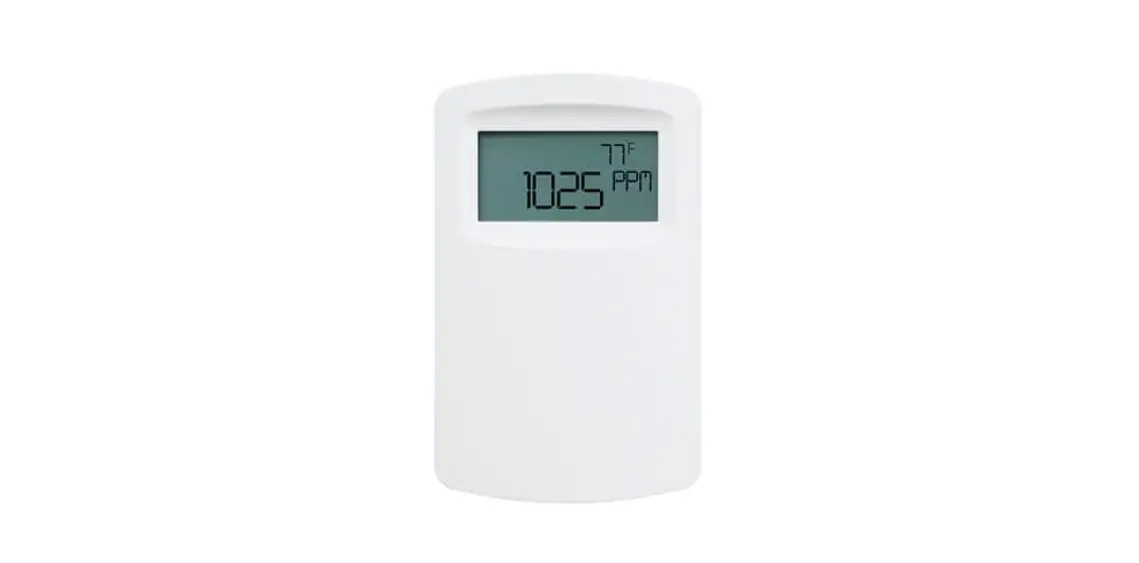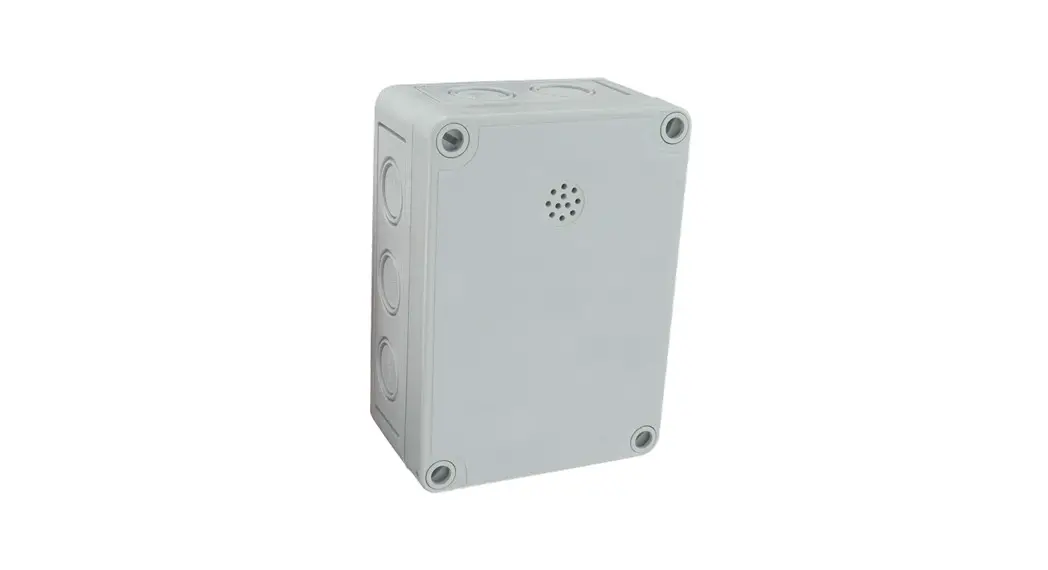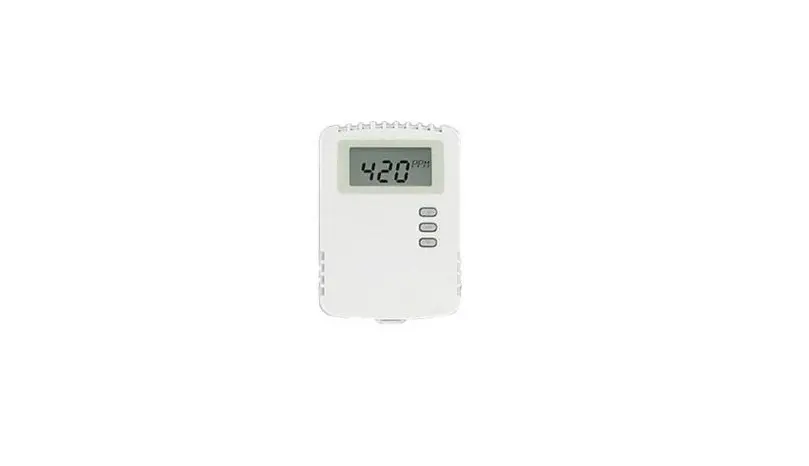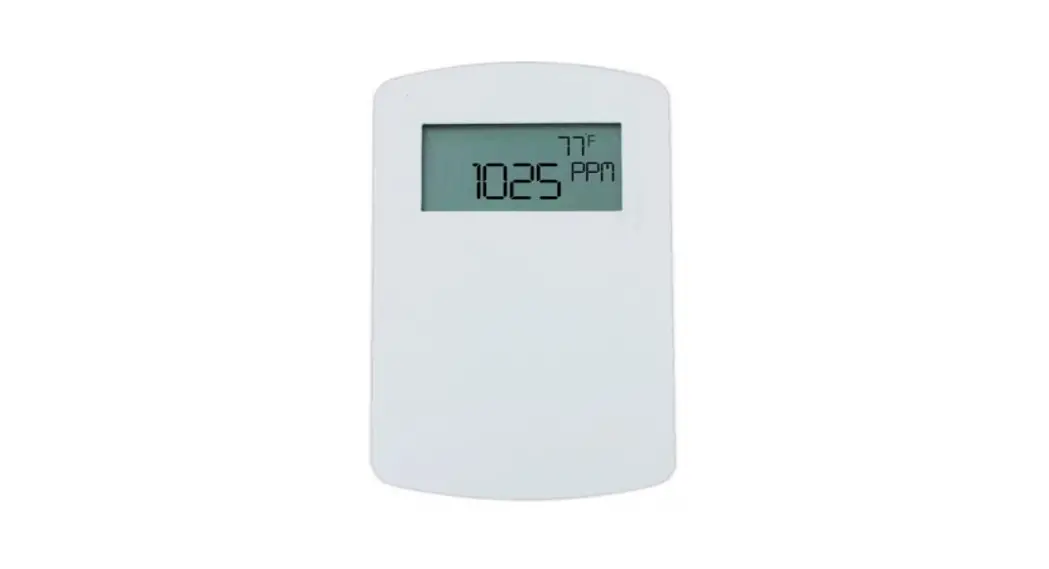
 CDT-2N44 Wall Mount Carbon Dioxide Temperature Transmitter
Instruction Manual Bulletin AQ-CDT/CDTR-E/N-3
Series CDT and CDTR Wall Mount Carbon Dioxide/
Temperature Transmitter
Specifications – Installation and Operating Instructions

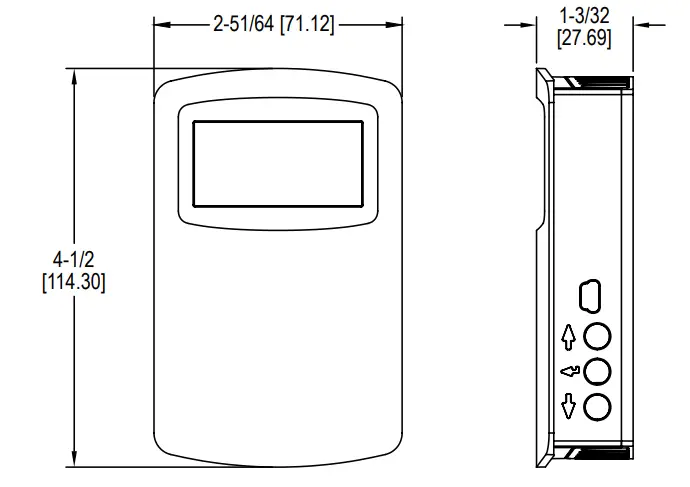 Series CDT and CDTR Wall Mount Carbon Dioxide Temperature Transmitters accurately monitor the CO2 concentration and temperature in schools, office buildings, and other indoor environments to help achieve LEED® certification. Additionally, the Series CDTR also measures ambient relative humidity. In order to achieve a higher level of accuracy, the Series CDT includes digital barometric pressure adjustment.
Universal outputs allow users to select the transmitter output to be 4-20 mA, 0-5 VDC, or 0-10 VDC to work with virtually any building management controller. An optional relay with user adjustable set points can be used to control exhaust fans, open actuated windows or dampers, or signal a light or horn.
For applications that require visual indication, the Series CDT and CDTR can be ordered with an integral LCD display, Model A-449 or Model A-449A remote LCD display that can plug into the mini-connector port on the side of the transmitter. Both the CDT and CDTR can be configured to display temperature only, CO2 only, or CO2 and temperature together. The Series CDTR can also display relative humidity or CO2 and relative humidity together. Push buttons are standard on the transmitters for access to the menu structure in models with displays. To prevent tampering, the action of the buttons can be locked out using an internal dip switch selection. Menu items that can be accessed include: engineering units, relay output set points, display configuration, transmitter output scaling, ambient barometric pressure and field calibration of the transmitter.
The Series CDT and CDTR CO2 transmitters are available with a -S option that provides the necessary attributes and parameters to be e with DSA requirements for monitoring CO2 levels in schools. There is a front facing LED that illuminates when the CO2 level exceeds 1100 PPM.
Automated CO2 Baseline Correction (ABC)
The Series CDT and CDTR CO2 transmitters are maintenance free instruments with the ability to adjust the CO2 calibration by using the on-board ABC logic for intermittently occupied spaces. The ABC algorithm accounts for long term drift by making small adjustments to it’s zero calibration point based on the lowest CO2 readings it measures. CO2 calibration adjustments are made every eight days by the ABC algorithm. For environments occupied 24 hours per day it is recommended to periodically expose the CO2 sensor to outside ambient air.
SPECIFICATIONS
Sensor: NDIR, 15 year life expectancy.
Range: CO2: 0 to 2000 or 0 to 5000 PPM (depending on model); Temperature: 32
to 122°F (0 to 50°C).
Accuracy**: CO2: ±40 PPM + 3% of reading (2000 PPM CO2); ± 50 PPM + 5% of reading (5000 PPM CO2); RH: ±2% (10 to 90% RH) (for units configured with
humidity output); Temperature: ±1°C @ 25°C.
Response Time: 2 min for 90% step change.
Temperature Limits: 32 to 122°F (0 to 50°C).
Humidity Limits: 0 to 85% (non-condensing).
Power Requirements: 16-35 VDC or 19-28 VAC.
Power Consumption: Average: 2 w; Peak: 3.75 w.
Output: Current: 4-20 mA (max. 500 Ω); Voltage: 0-5 VDC or 0-10 VDC (min. 500
Ω); Relay: SPST NO rated 2A @ 30 VDC; RTD or thermistor per r-t curves on page 4 (depending on model).
Compliance: CE.
**The specified CO2 accuracy is only guaranteed after three weeks of continuous operation in environments which are intermittently occupied.
*Division of the State Architect – California
INSTALLATION
 CAUTION
Disconnect power supply before installation to prevent electrical shock and equipment damage.
Make sure all connections are in accordance with the job wiring diagram and in accordance with national and local electrical codes. Use copper conductors only.
NOTICE
Use electrostatic discharge precautions (e.g., use of wrist straps) during installation and wiring to prevent equipment damage.
NOTICE
Avoid locations where severe shock or vibration, excessive moisture or corrosive fumes are present.
NOTICE
Do not exceed ratings of this device, permanent damage not covered by warranty may result.
NOTICE
Upon powering the transmitter, the firmware version will flash on the display. A warm up period of 30 minutes is required for the transmitter to adjust to the current CO2 concentration.
NOTICE
Self calibration feature of the transmitter requires exposure to normal outdoor equivalent carbon dioxide level once every thirty days.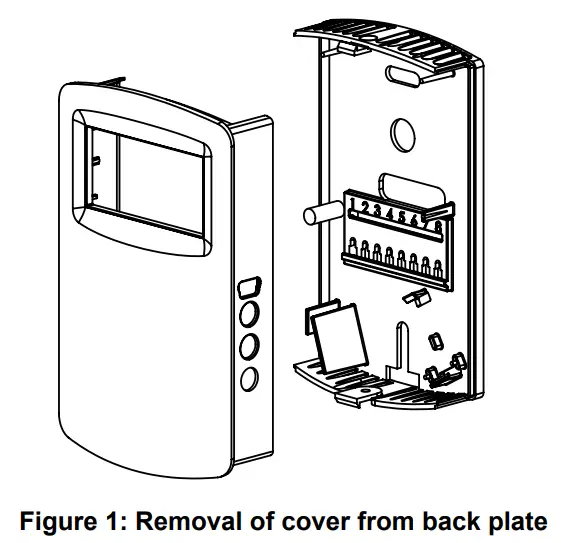 MOUNTING
- Push tab on top and bottom of cover and lift cover from back plate (see Figure 1).
- Select the mounting location, away from diffusers, lights or any external influences.
- Mount transmitter on a vertical surface to a standard electrical box using the two #6 M2C type screws provided.
- Pull wires through sub base hole and make necessary connections.
- Reattach cover to base plate.
WIRING
Use maximum 18 AWG wire for wiring to terminals. Refer to Figure 4 for wiring information.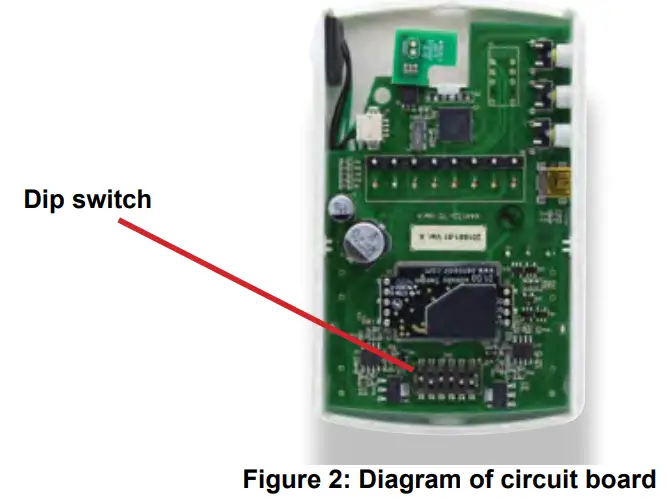 DIP SWITCH SETTINGS
To access the DIP SWITCH, remove the cover of the unit as shown in Figure 2. The DIP SWITCH is located on the back of the circuit board. 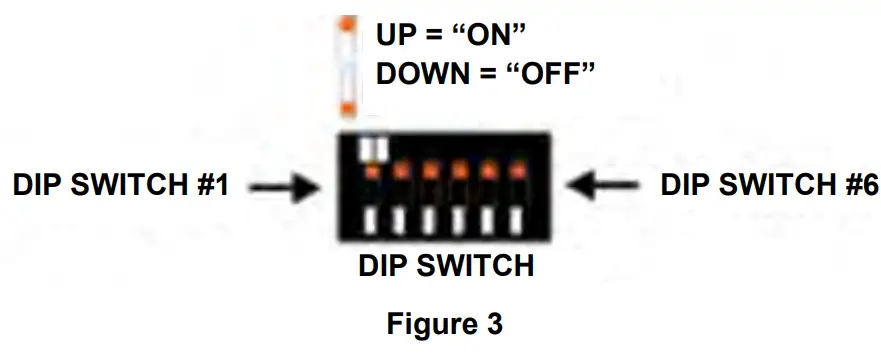 DIP Switch Position 1: CO2 Output Selection
ON: Output set to voltage output
OFF: Output set to current output
DIP Switch Position 2: Temperature (CDT models)/Humidity (CDTR models)
Output Selection
ON: Output set to voltage output
OFF: Output set to current output
DIP Switch Positions 3 & 4: Current or Voltage Output Range Selection
| Output Range | DIP Switch 3 Position | DIP Switch 4 Position |
| 2-10 V 4-20 mA | ON | OFF |
| 0-10 V 0-20 mA | OFF | OFF |
| 0-5 V 0-10 mA | OFF | ON |
| 1-5 V 2-10 mA | ON | ON |
Dip Switch Position 5: Menu Access
ON: Menu Enabled
OFF: Menu Disabled
Current/Voltage Outputs
On the Series CDT, the transmitter may be wired for current or voltage output for both carbon dioxide and temperature. On the Series CDTR, the transmitter may be wired
for current or voltage output for both carbon dioxide and humidity. The transmitter can be powered with either 16-35 VDC or 19-28 VAC. Wire the transmitter according to
Figure 4.
NOTICE
Optional relay can be used as either a dry contact or low voltage switched circuit up to 2 A at 30 VDC 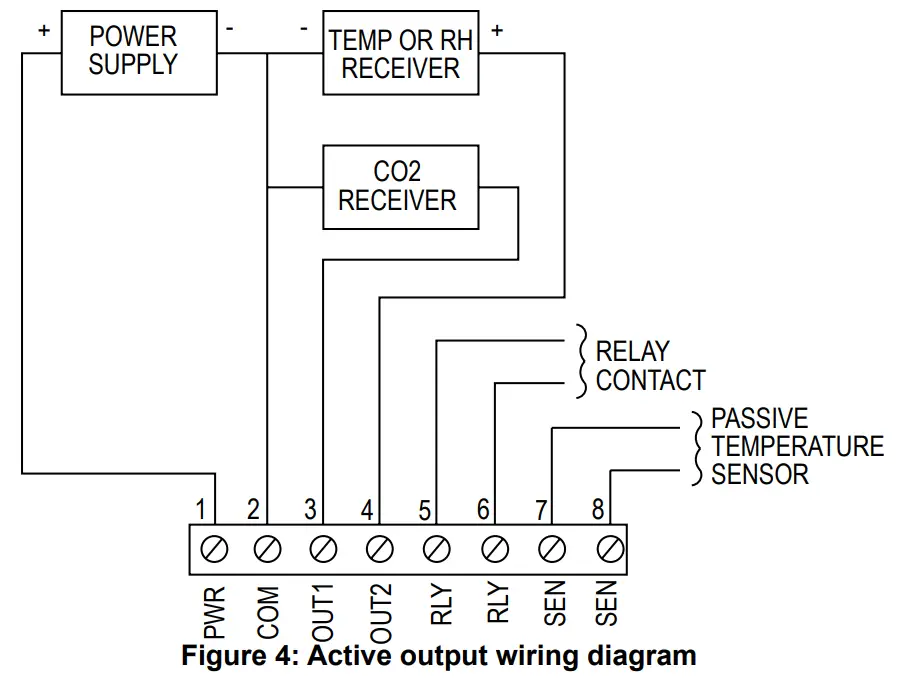 Remote Display
For models that are ordered without an integral LCD display, remote display Model A-449 can be used to display the temperature, humidity, and carbon dioxide. The mini USB plug of the remote display plugs into the receptor on the side of the housing. After a short warm up time, the display will begin to show the current temperature and carbon dioxide measurements unless configured by the user to show humidity and carbon dioxide, only temperature, only humidity, or only carbon dioxide.
EDITING MENU PARAMETERS
Before any adjustment can be made to the transmitter, the Menu Lockout Dip Switch must be set to the ˝On˝ position (See Figure 3).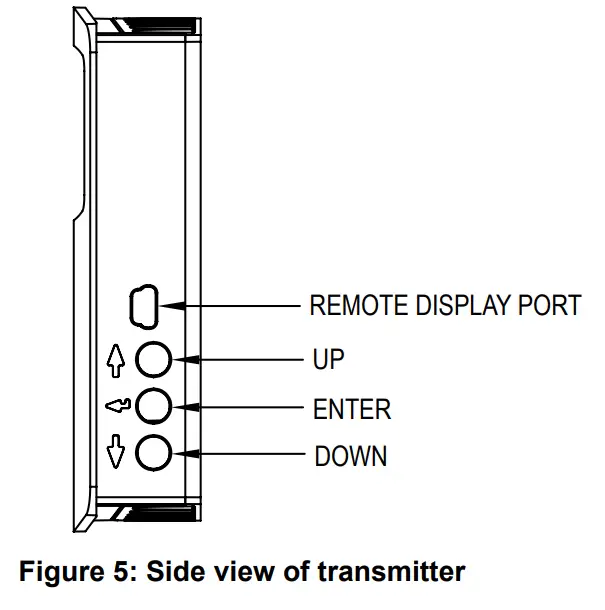
Step 1: To enter the menu structure, press Up button and Down button simultaneously for 5 seconds (display will show MAX parameter).
Step 2: Press Up button or Down button to cycle between menu items.
Step 3: Press Enter to edit the value for the displayed menu item (SET will appear on display).
Step 4: Press Up button or Down button to adjust the value of the menu item.
Step 5: Press Enter button to save the changes (SET will disappear).
Step 6: Repeat Steps 2 through 5 for each of the parameters.
Step 7: To exit the menu at any time, press and hold Up button and Down button simultaneously for 5 seconds or wait 10 seconds without pushing any buttons.
Menu Descriptions
MAX
Maximum CO2 Value
Displays the highest CO2 concentration value observed by the sensor since the last power cycle or reset.
Reset the MAX CO2 concentration by pressing and holding the ENTER button for 1 second.
RON
Relay on set point
Sets the CO2 concentration which the optional relay is energized (also concurrently energizes the front facing LED for -S models).
| Low limit: | 0 PPM |
| Factory setting: | 1100 PPM |
| High limit: | 2000/5000 PPM (depending on model) |
ROF
Relay off set point
Sets the CO2 concentration which the optional relay is de-energized (also concurrently de-energizes the front facing LED for -S models). Setting value lower than RON provides direct action for detecting high concentrations of CO2. Setting value higher than RON provides indirect action for detecting low concentrations of CO2. Up button and Down button on the LCD display will be lit to indicate when the relay is energized.
| Low limit: | 0 PPM |
| Factory setting: | 1050 PPM |
| High limit: | 2000/5000 PPM (depending on model) |
DSP
Display configuration
Determines the LCD display configuration during normal operation. The LCD display can indicate the CO2 concentration, temperature, relative humidity (Series CDTR only) and CO2 concentration combined with temperature or relative humidity (Series CDTR only).
| CH | CO2 concentration and relative humidity (Series CDTR only) |
| CT | CO2 concentration and temperature |
| TH | Temperature and relative humidity (Series CDTR only) |
| C | CO2 concentration only |
| T | Temperature only |
| H | Relative humidity only (Series CDTR only) |
UNI
Units selection
Temperature and barometric pressure measurements can be displayed in US
engineering units or SI engineering units. The factory default is to display US engineering units.
US units °F for temperature and in Hg for barometric pressure
SI units °C for temperature and hPa for barometric pressure
OFT
Temperature Offset
Allows the user to add an offset to the measured temperature.
| Range: | ±5°C in 0.5°C increments (±9°F in 1°F increments) |
| Factory Default: | 0°C |
OFH
Humidity Offset (CDTR only)
Allows the user to add an offset to the measured relative humidity.
| Range: | ±10% in 1% increments |
| Factory Default: | 0% RH |
COL
CO2 low output range
Sets the CO2 concentration for the lowest output (4 mA or 0 VDC).
| Low limit: | 0 PPM |
| Factory setting: | 0 PPM |
| High limit: | 2000/5000 PPM (depending on model) |
COH
CO2 high output range
Sets the CO2 concentration for the highest output (20 mA, 5 VDC or 10 VDC). When COH is set above COL, the transmitter is direct acting and the output will increase with an increase in CO2 level. When COH is below COL, the transmitter is reverse acting and the output will increase with a decrease in CO2 level.
| Low limit: | 0 PPM |
| Factory setting: | 2000/5000 PPM (depending on model) |
| High limit: | 2000/5000 PPM (depending on model) |
TOL
Temperature low output range (Series CDT with active temperature only)
Sets the temperature for the lowest output (4 mA or 0 VDC).
| Low limit: | 32.0°F/0.0°C |
| Factory setting: | 32.0°F/0.0°C |
| High limit: | 122.0°F/50.0°C |
TOH
Temperature high output range (Series CDT with active temperature only) Sets the temperature for the highest output (20 mA, 5 VDC or 10 VDC). When TOH is set above TOL, the transmitter is direct acting and the output will increase with an increase in temperature. When TOH is below TOL, the transmitter is reverse acting and the output will increase with a decrease in temperature.
| Low limit: | 32.0°F/0.0°C |
| Factory setting: | 122.0°F/50.0°C |
| High limit: | 122.0°F/50.0°C |
HOL
Humidity low output range (Series CDTR only)
Sets the humidity for the lowest output (4 mA or 0 VDC).
| Low limit: | 0.0% |
| Factory setting: | 0.0% |
| High limit: | 100.0% |
HOH
Humidity high output range (Series CDTR only)
Sets the humidity for the highest output (20 mA, 5 VDC or 10 VDC).
When HOH is set above HOL, the transmitter is direct acting and the output will increase with an increase in humidity. When HOH is below HOL, the transmitter is reverse acting and the output will increase with a decrease in humidity.
| Low limit: | 20.0 in Hg/677 hPa |
| Factory setting: | 29.9 in Hg/1013 hPa |
| High limit: | 32.0 in Hg/1084 hPa |
ABC
Automated Baseline Correction
Enables/disables the Automated Baseline Correction algorithm for disabling in locations that experience elevated levels of CO2 due to constant occupancy of the area. Select “ON” to enable ABC and select “OFF” to disable ABC.
Factory Default: ………………….ON
RST
Reset to Factory Defaults
Resets all menu settings to their default value, and clears zero and span.
YES – Press and hold –– button for several seconds to reset settings
NO – Press — button to exit this menu item without resetting
MAINTENANCE/REPAIR
Upon final installation of the Series CDT and CDTR, no routine maintenance is required. The Series CDT and CDTR are not field serviceable and should be returned if repair is needed. Field repair should not be attempted and may void warranty.
WARRANTY/RETURN
Refer to “Terms and Conditions of Sales” in our catalog and on our website. Contact customer service to obtain a Return Materials Authorization number (RMA) before shipping the product back for repair. Be sure to include a brief description of the problem plus any additional application notes. This symbol indicates waste electrical products should not be disposed of with household waste. Please recycle where facilities exist. Check with your Local Authority or retailer for recycling advice.
| US Customary Units | |
| ft | in Hg |
| 0 | 29.92 |
| 400 | 29.5 |
| 800 | 29.1 |
| 1200 | 28.69 |
| 1600 | 28.29 |
| 2000 | 27.9 |
| 2400 | 27.51 |
| 2800 | 27.13 |
| 3200 | 26.76 |
| 3600 | 26.39 |
| 4000 | 26.02 |
| 4400 | 25.66 |
| 4800 | 25.3 |
| 5200 | 24.95 |
| 5600 | 24.6 |
| 6000 | 24.26 |
| 6400 | 23.93 |
| 6800 | 23.6 |
| 7200 | 23.27 |
| 7600 | 22.94 |
| 8000 | 22.63 |
| 8400 | 22.31 |
| 8800 | 22 |
| 9200 | 21.7 |
| 9600 | 21.4 |
| 10000 | 21.4 |
| SI Units | |
| m | hPa |
| 0 | 1013 |
| 100 | 1002 |
| 200 | 990 |
| 300 | 979 |
| 400 | 968 |
| 500 | 957 |
| 600 | 946 |
| 700 | 935 |
| 800 | 924 |
| 900 | 914 |
| 1000 | 904 |
| 1100 | 893 |
| 1200 | 883 |
| 1300 | 873 |
| 1400 | 863 |
| 1500 | 853 |
| 1600 | 844 |
| 1700 | 834 |
| 1800 | 824 |
| 1900 | 815 |
| 2000 | 806 |
| 2100 | 797 |
| 2200 | 787 |
| 2300 | 779 |
| 2400 | 770 |
| 2500 | 761 |
Figure 7: Elevation chart
RESISTANCE VS TEMPERATURE TABLE
| Temperature | Resistance Curves (in Ω) | ||||||
| °C | °F | A | B | C | D | E | F |
| -55 | -67 | 607800 | 963849 | 289154.7 | 78.32 | 783.2 | 2394000 |
| -50 | -58 | 441200 | 670166 | 201049.8 | 80.31 | 803.1 | 1646200 |
| -45 | -49 | 323600 | 471985 | 141595.5 | 82.29 | 822.9 | 1145800 |
| -40 | -40 | 239700 | 336479 | 100943.7 | 84.27 | 842.7 | 806800 |
| -35 | -31 | 179200 | 242681 | 72804.3 | 86.25 | 862.5 | 574400 |
| -30 | -22 | 135200 | 176974 | 53092.2 | 88.22 | 882.2 | 413400 |
| -25 | -13 | 102900 | 130421 | 39126.3 | 90.19 | 901.9 | 300400 |
| -20 | -4 | 78910 | 97081 | 29124.3 | 92.16 | 921.6 | 220600 |
| -15 | 5 | 61020 | 72957 | 21887.1 | 94.12 | 941.2 | 163500 |
| -10 | 14 | 47540 | 55329 | 16598.7 | 96.09 | 960.9 | 122280 |
| -5 | 23 | 37310 | 42327 | 12698.1 | 98.04 | 980.4 | 92240 |
| 0 | 32 | 29490 | 32650 | 9795 | 100 | 1000 | 70160 |
| 5 | 41 | 23460 | 25392 | 7617.6 | 101.95 | 1019.5 | 53780 |
| 10 | 50 | 18780 | 19901 | 5970.3 | 103.9 | 1039 | 41560 |
| 15 | 59 | 15130 | 15712 | 4713.6 | 105.85 | 1058.5 | 32340 |
| 20 | 68 | 12260 | 12493 | 3747.9 | 107.79 | 1077.9 | 25360 |
| 25 | 77 | 10000 | 10000 | 3000 | 109.74 | 1097.4 | 20000 |
| 30 | 86 | 8194 | 8057 | 2417.1 | 111.67 | 1116.7 | 15892 |
| 35 | 95 | 6752 | 6531 | 1959.3 | 113.61 | 1136.1 | 12704 |
| 40 | 104 | 5592 | 5326 | 1597.8 | 115.54 | 1155.4 | 10216 |
| 45 | 113 | 4655 | 4368 | 1310.4 | 117.47 | 1174.7 | 8264 |
| 50 | 122 | 3893 | 3602 | 1080.6 | 119.4 | 1194 | 6722 |
| 55 | 131 | 3271 | 2986 | 895.8 | 121.32 | 1213.2 | 5498 |
| 60 | 140 | 2760 | 2488 | 746.4 | 123.24 | 1232.4 | 4520 |
| 65 | 149 | 2339 | 2083 | 624.9 | 125.16 | 1251.6 | 3734 |
| 70 | 158 | 1990 | 1752 | 525.6 | 127.08 | 1270.8 | 3100 |
| 75 | 167 | 1700 | 1480 | 444 | 128.99 | 1289.9 | 2586 |
| 80 | 176 | 1458 | 1255 | 376.5 | 130.9 | 1309 | 2166 |
| 85 | 185 | 1255 | 1070 | 321 | 132.8 | 1328 | 1822.6 |
| 90 | 194 | 1084 | 915.5 | 274.65 | 134.71 | 1347.1 | 1540 |
| 95 | 203 | 939.3 | 786.6 | 235.98 | 136.61 | 1366.1 | 1306.4 |
| 100 | 212 | 816.8 | 678.6 | 203.58 | 138.51 | 1385.1 | 1112.6 |
| 105 | 221 | 712.6 | 587.6 | 176.28 | 140.4 | 1404 | 951 |
| 110 | 230 | 623.6 | 510.6 | 153.18 | 142.29 | 1422.9 | 815.8 |
| 115 | 239 | 547.3 | 445.3 | 133.59 | 144.18 | 1441.8 | 702.2 |
| 120 | 248 | 481.8 | 389.6 | 116.88 | 146.07 | 1460.7 | 606.4 |
| 125 | 257 | 425.3 | 341.9 | 102.57 | 147.95 | 1479.5 | 525.6 |
| 130 | 266 | 376.4 | 301 | 90.3 | 149.83 | 1498.3 | N/A |
| 135 | 275 | 334 | 265.8 | 79.74 | 151.71 | 1517.1 | N/A |
| 140 | 284 | 297.2 | 235.3 | 70.59 | 153.58 | 1535.8 | N/A |
| 145 | 293 | 265.1 | 208.9 | 62.67 | 155.46 | 1554.6 | N/A |
| 150 | 302 | 237 | 186.1 | 55.83 | 157.33 | 1573.3 | N/A |
Figure 8: Resistance vs temperature
LEED® is a registered trademark of the U.S.
Green Building Council
©Copyright 2023 Dwyer Instruments, LLC
Printed in U.S.A. 1/23
FR# 444656-00 Rev. 3
1.888.610.7664 www.calcert.com
[email protected]
 Calcert