 INSTALLATION GUIDE
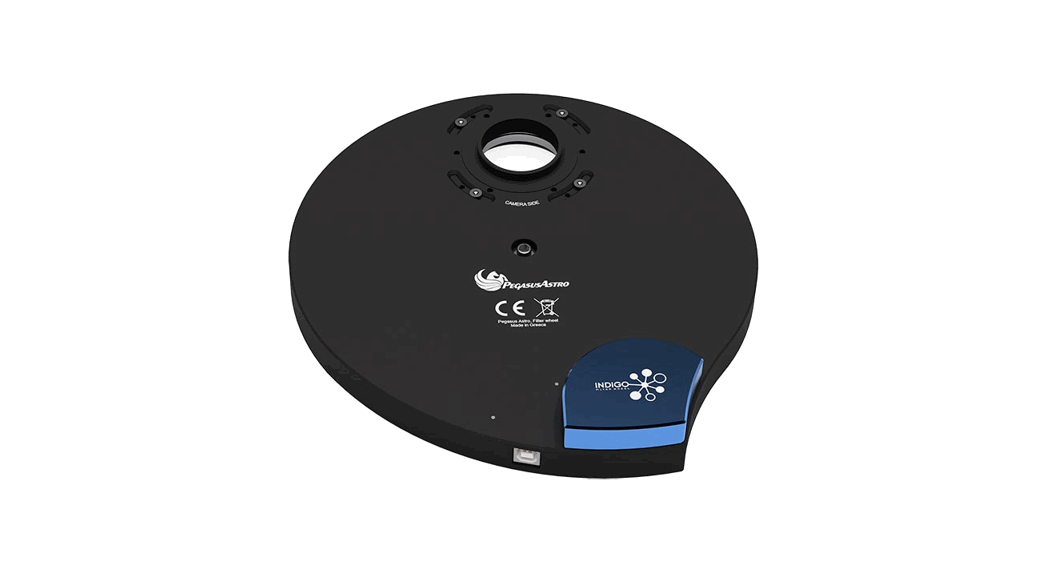
Thank you for purchasing the Indigo Filter Wheel.
The wheel includes a 7-position carousel and can house 2-inch mounted or 50mm unmounted filters.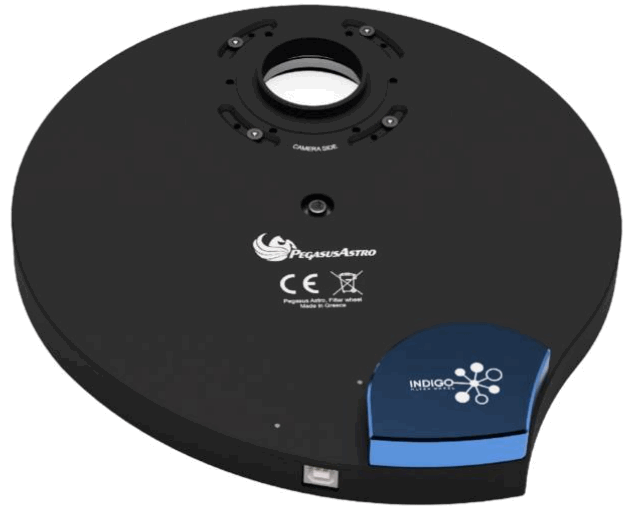
How to mount your filters into the wheel
Untie the seven (7) hex screws with an Alen key and remove the lid of the filter wheel.
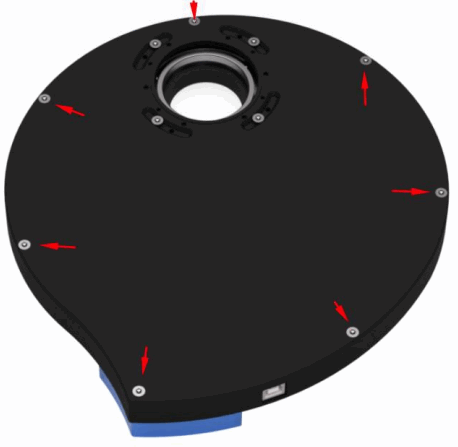
Place your filters into each filter number slot. Numbers are increased clockwise and there is a visible engraved number for each filter set.
If you have unmounted filters make sure to secure and grip them with the included M2 screws. (4 for each filter).
➢ It is highly advised to wear gloves so you won’t accidentally touch the filters and transfer any sweat or oil from your fingertips to the optical surface of your filters.
➢ It is also advised to mount and dismount filters inside a room, away, as possible, from dusty environments.
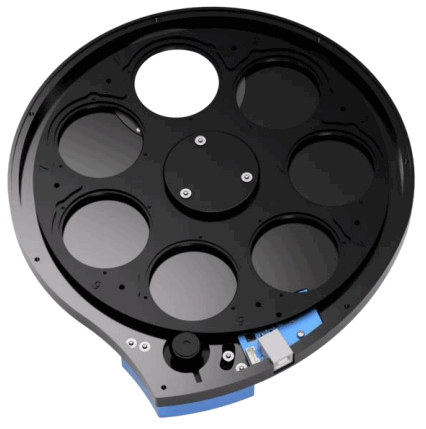
- Carefully close the lid and place back the seven hex screws.
- Tie the screws in a diagonal way so you will not cause any tilt to the filter wheel (it is unlikely to happen but this is a golden rule in mechanics)
- Insert the USB2 cable to the filter wheel and to your PC or USB Hub.
- The device will load the firmware and after 4 seconds the wheel will spin in order to find the initial position and sync the optical path opening with filter number one (1) of your carousel.
Accurate Filter Selection
Filter Wheel rotates clock or counter-clockwise direction for filter selection. The wheel uses a combination of a direct drive stepper motor and an optical encoder to ensure that your filter selection is precise, and deadly accurate on every filter location
Camera Connection
The 6 screw holes on the camera side allow direct connection with astronomical cameras that follow the same 6 x hole pattern (62mm diameter pattern). A neat feature allows you to reduce the total back focus instead of placing adapters.
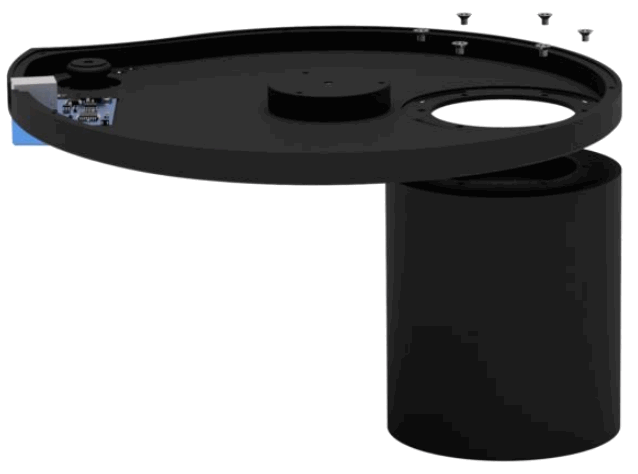
Orientation on both adapters
Both sides of the filter wheel have M54 (pitch 0.75mm) openings. The screw slide adapter allows you to properly align the orientation of your camera or telescope side. Just untie or remove the screws and rotate the adapter to the desired orientation. (Don’t forget to put them back and securely tight them)
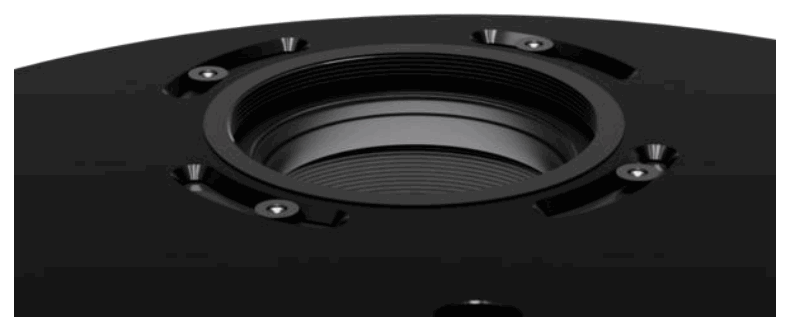
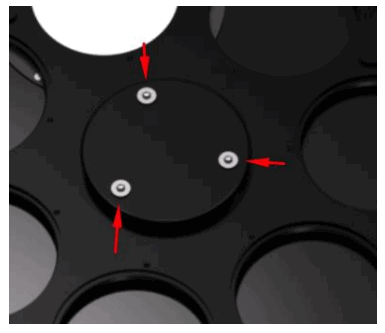
If you would like to orient the telescope side adapter of your filter wheel then you have to remove the carousel. In order to do that:
- Remove the three (3) hex screws and rise the carousel.
- Adjust the adapter placement
- Carefully place the carousel back along with the 3 screws. Don’t forget to securely tight them.
Mechanical Design
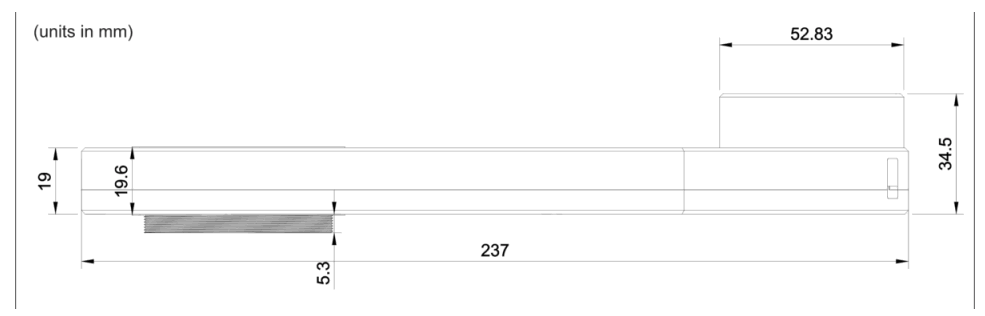
The body of the Indigo filter wheel is aluminum CNC milled. High-quality aluminum alloy allowed us to design the filter wheel as thin as possible (19.0mm, 19.6mm with adapters installed on both sides).
Maintenance
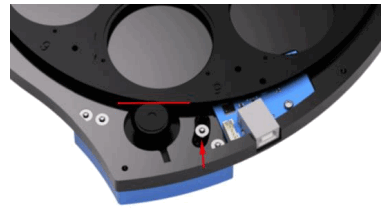
The wheel requires very little maintenance. Grease or any other lubricant on filter wheel’s bearings is not required for lots of years. The motor shaft has a small rubber pulley that turns and by friction, it moves the large filter carousel. If you find that there is not enough friction to securely grip the carousel, please untie the Alen key screw (ref arrow from the image below) from the motor and move the motor closer to the carousel to increase the grip force.
If you would like to clean the surface, please use a few drops of alcohol on a soft cloth.
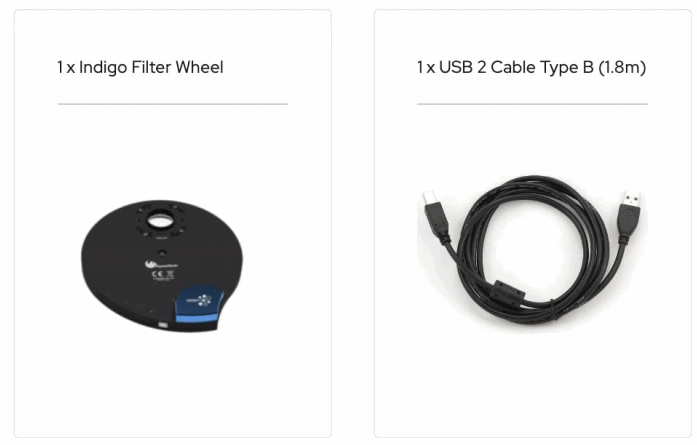
What is in the box:
Technical Specification
| Thickness | 19.6 mm |
| Weight | 900 grams |
| Power | 5 Volts from USB Cable (Type B) / 300mA during slewing |
| Positions | 7 |
| Filters | 2-inch Mounted or 50mm unmounted (default carousel) |
| Telescope Side | M54 / 0.75mm pitch |
| Camera Side | M54 / 0.75mm pitch |
| Filter Lock | Stepper Motor and IR Sensor for accurate lock position |
Indigo Filter Wheel Serial Command Language Firmware >= v.1.1
The device is discovered as a USB to Serial Port with Device ID: FTDIBUS\VID_0403+PID_6015+FWXXXXXXX\0000
Connection Settings: 9600, 8N1
(All commands should be terminated by new line /n)
Abbreviations used:
n = a digit
b = boolean (0 or 1 digit)
| Command | Description | Response |
| W# | Status | FW_OK |
| WA | status:filter_position:filter_wheel_is_moving | FW_OK:n:b |
| WF | Report Filter Position. If the response is -1 then the filter wheel is moving | WF:n I I WF: -1 |
| WV | Report Firmware Version | WV:n.n |
| WM | Move carousel to filter number | WM:n |
| WR | Report if filter wheel motor is moving (0 = idle, 1= is moving) | WR:b |
| WI | unit Filter Wheel (this initializes the wheel to filter position #1. Same when you plug USB and the wheel finds filter #1) | Wl:1 |
| WQ | Reboot / Reset Filter Wheel |
The device is covered by two (2) a years warranty
Designed and Assembled in Greece
For any questions, feedback, and support please contact: [email protected]