 Installation Manual
PCSK-03
Introduction
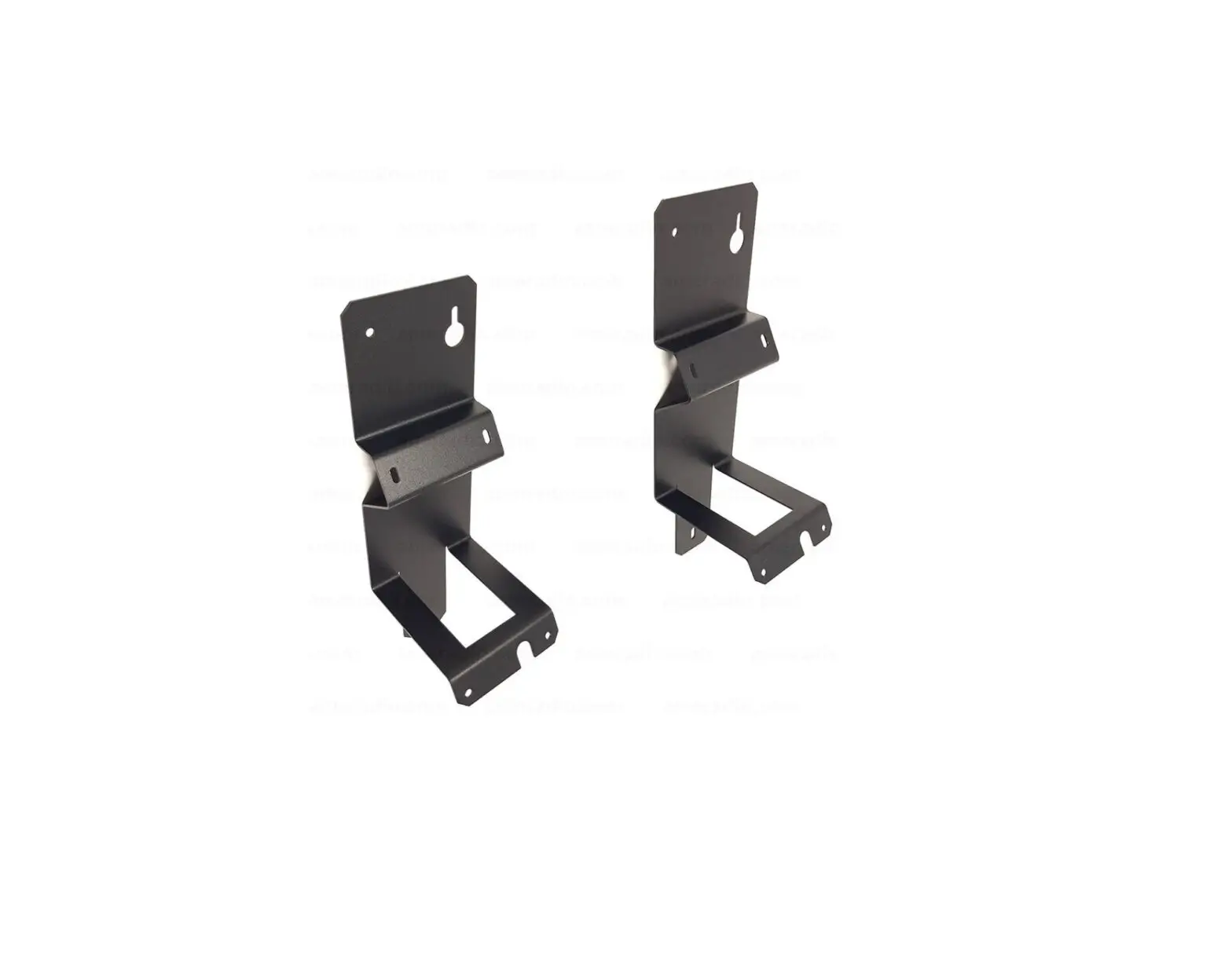
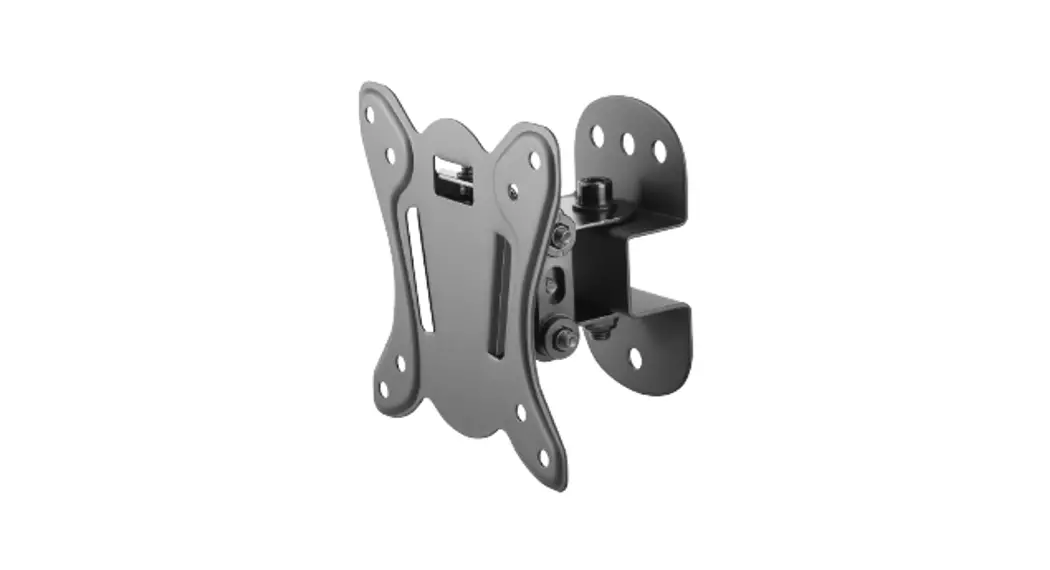
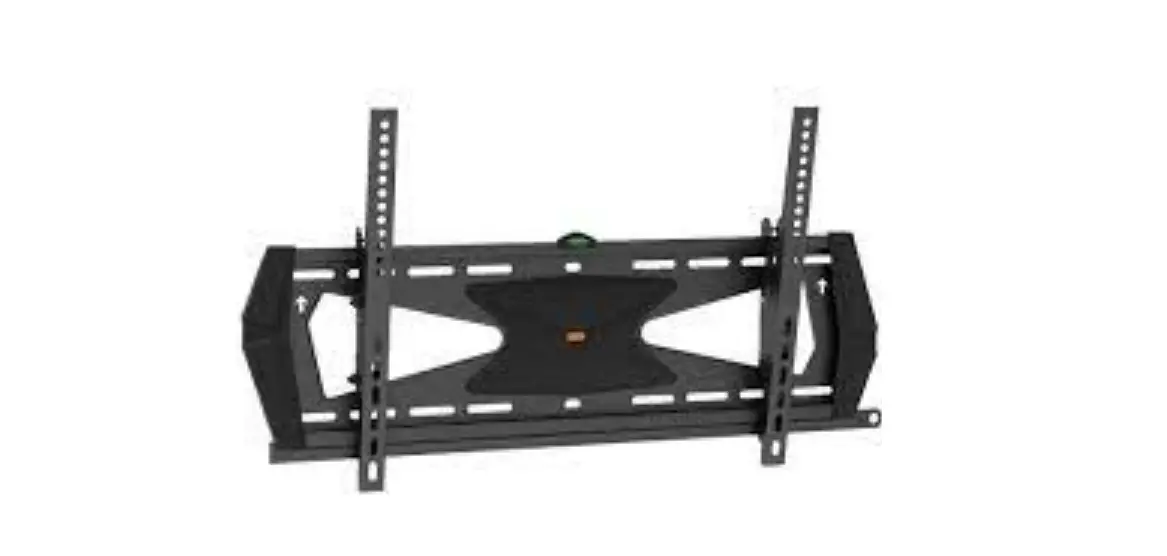
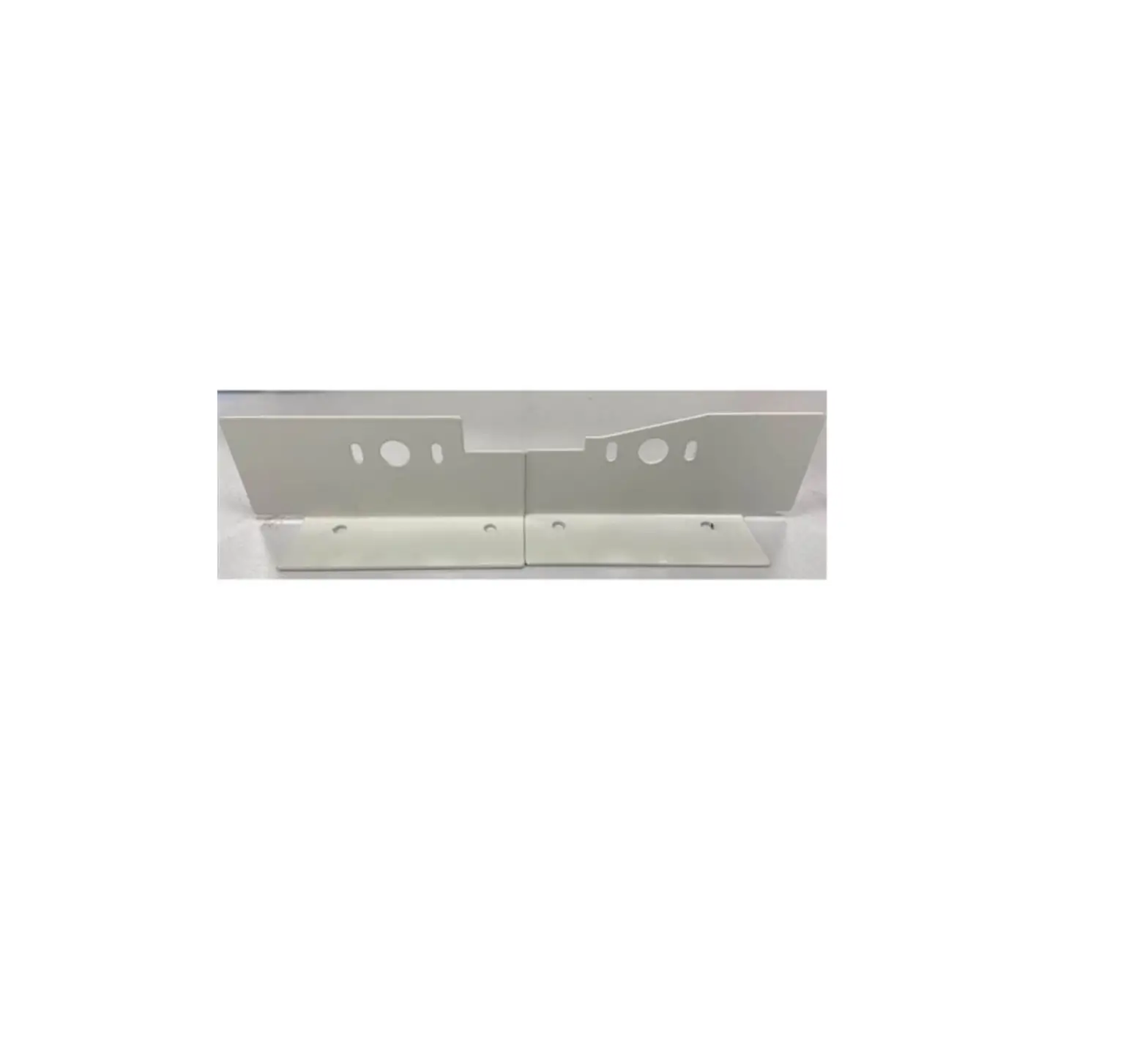
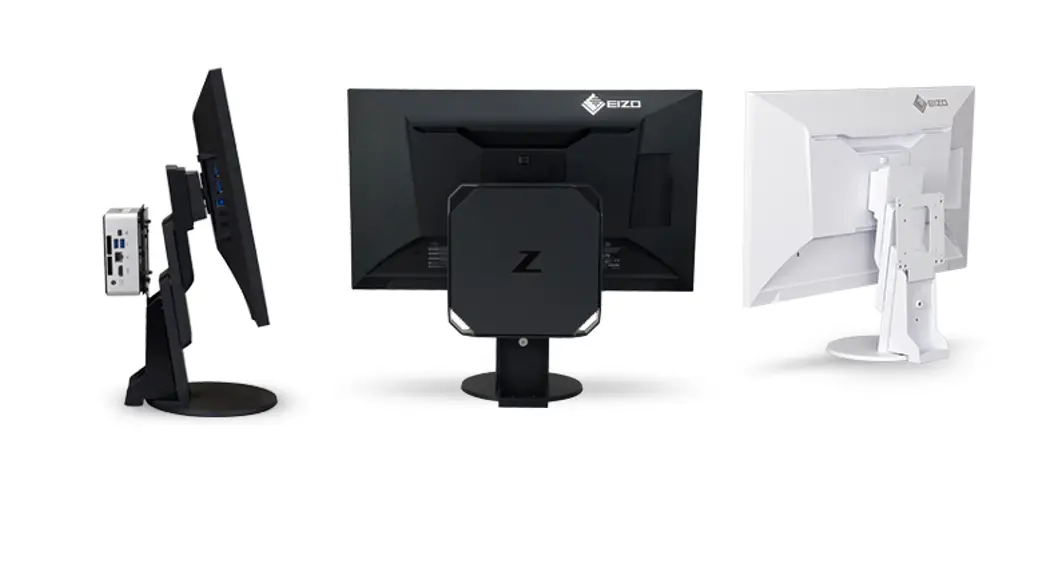
This Installation Manual explains the procedure to install a PC compatible with PCSK-03.
HP is a registered trademark of HP Hewlett Packard Group LLC.
EliteDesk and Elite Slice have registered trademarks of Hewlett-Packard Development Company, L.P.
Dell is a registered trademark of Dell Inc.
Wyse is a trademark or a registered trademark of Dell Inc.
GIGABYTE is a registered trademark of GIGA-BYTE Technology Co., Ltd.
Lenovo, ThinkCentre, and ThinkStation are registered trademarks of Lenovo Corporation.
TORX is a registered trademark of Acument Intellectual Properties, LLC.
FUTRO is a registered trademark of Fujitsu Client Computing Limited.
EIZO, the EIZO Logo, and DuraVision are registered trademarks of EIZO Corporation in Japan and other countries.
All other company names, product names, and logos are trademarks or registered trademarks of their respective companies.
How to Install a PC on a Monitor
- FlexScan EV2495 / EV2795 / EV2760 / EV2480
Attention
- Using the below figure as a reference, attach part C to part B beforehand. The method for attaching part C is not included in the explanation of the attachment method for each computer.
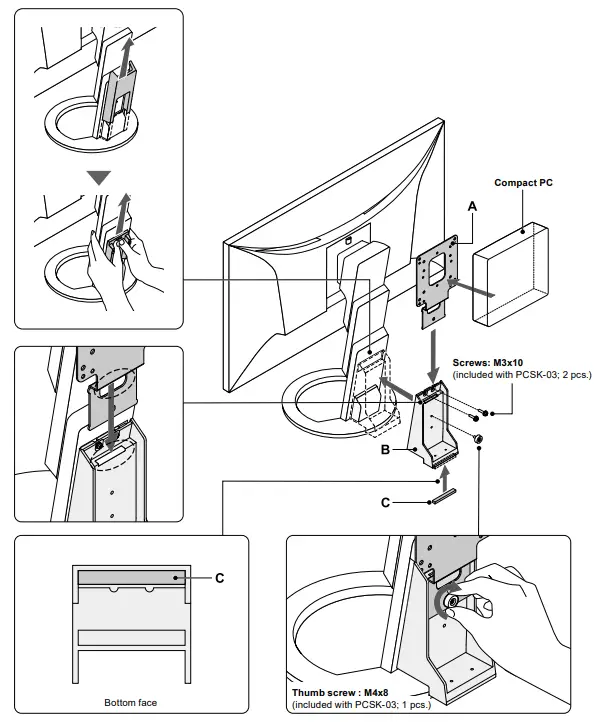
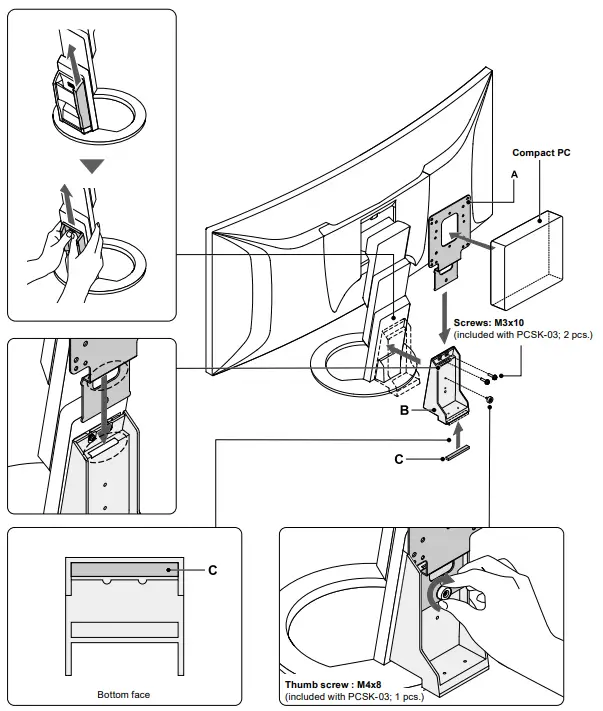
- FlexScan EV3895
Attention
- Using the below figure as a reference, attach part C to part B beforehand. The method for attaching part C is not included in the explanation of the attachment method for each computer.
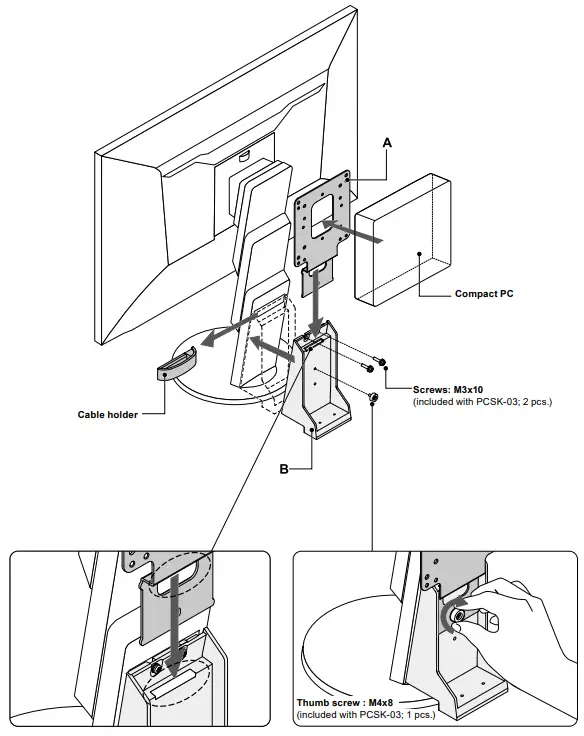
- For other compatible monitors
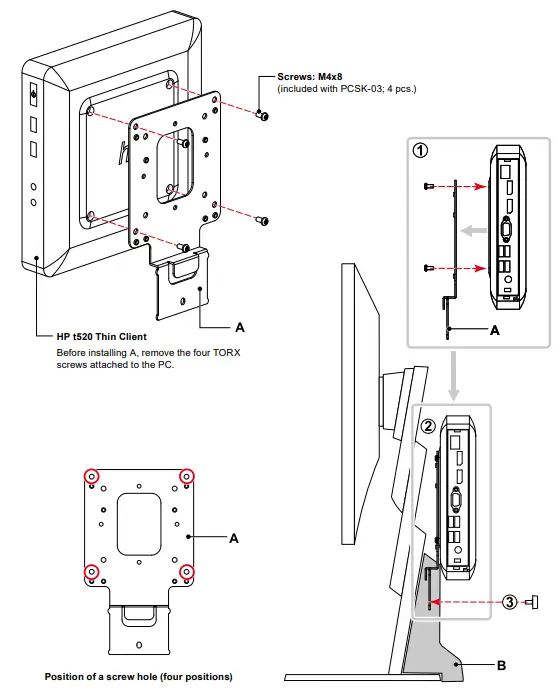
HP t520 Thin Client
Parts required
- Screws: M4x8 (included with PCSK-03; 4 pcs.)
Tools required
- Phillips screwdriver (#2)
- TORX driver (T10)
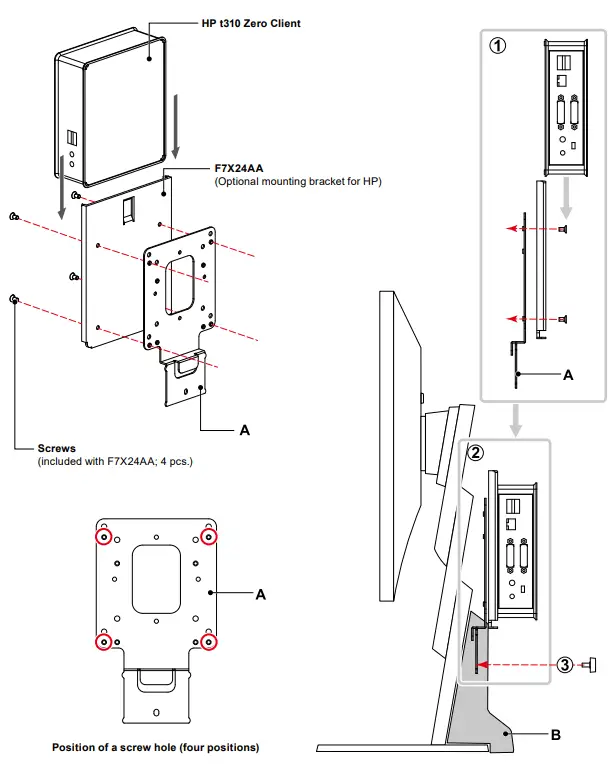
HP t310 Zero Client
Parts required
- F7X24AA (Optional mounting bracket for HP)
- Screws (included with F7X24AA; 4 pcs.)
Tools required
- Phillips screwdriver (#2)
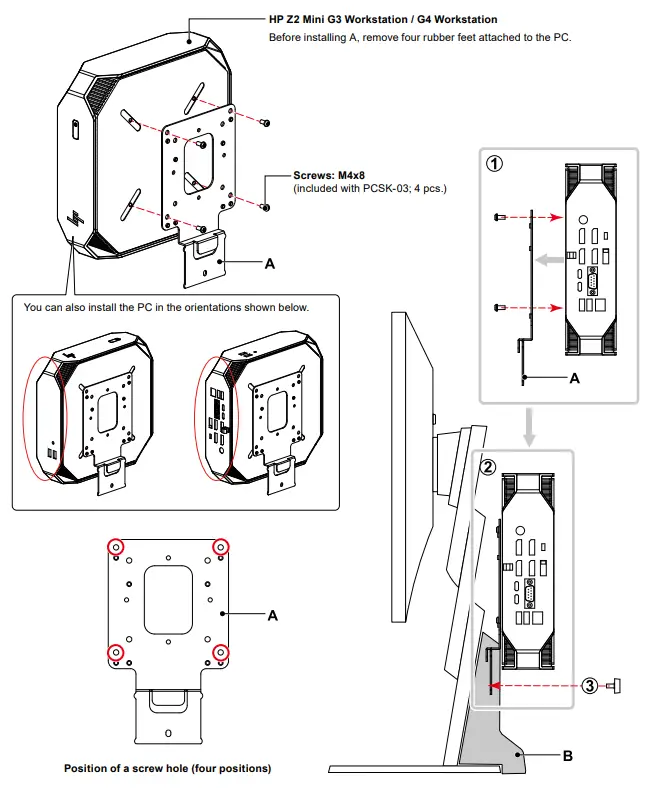
HP Z2 Mini G3 Workstation / G4 Workstation
Parts required
- Screws: M4x8 (included with PCSK-03; 4 pcs.)
Tools required
- Phillips screwdriver (#2)
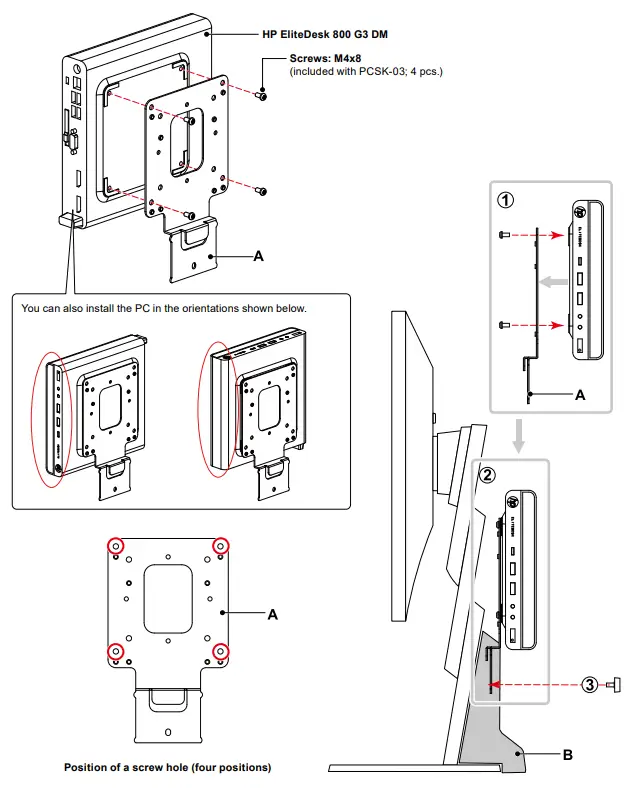
HP EliteDesk800 G3 DM
Parts required
- Screws: M4x8 (included with PCSK-03; 4 pcs.)
Tools required
- Phillips screwdriver (#2)
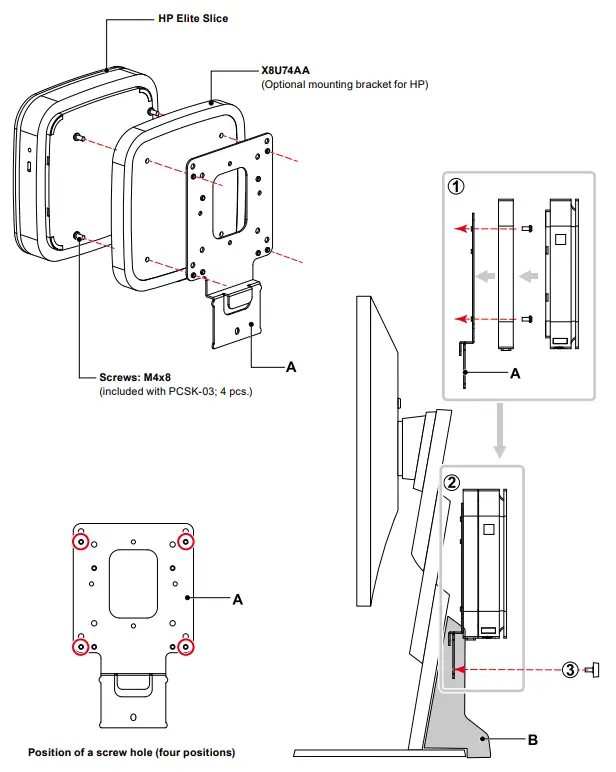
HP Elite Slice
Parts required
- X8U74AA (Optional mounting bracket for HP)
- Screws: M4x8 (included with PCSK-03; 4 pcs.)
Tools required
- Phillips screwdriver (#2)
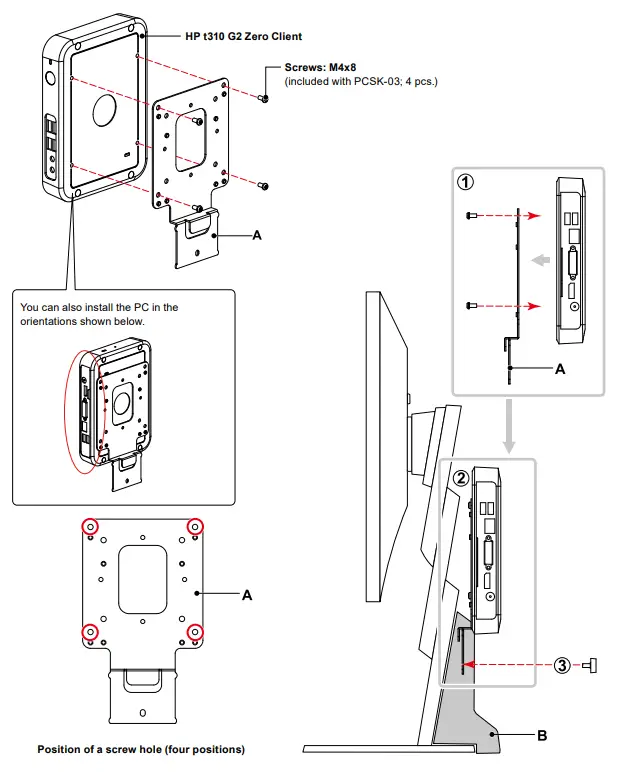
HP t310 G2 Zero Client
Parts required
- Screws: M4x8 (included with PCSK-03; 4 pcs.)
Tools required
- Phillips screwdriver (#2)
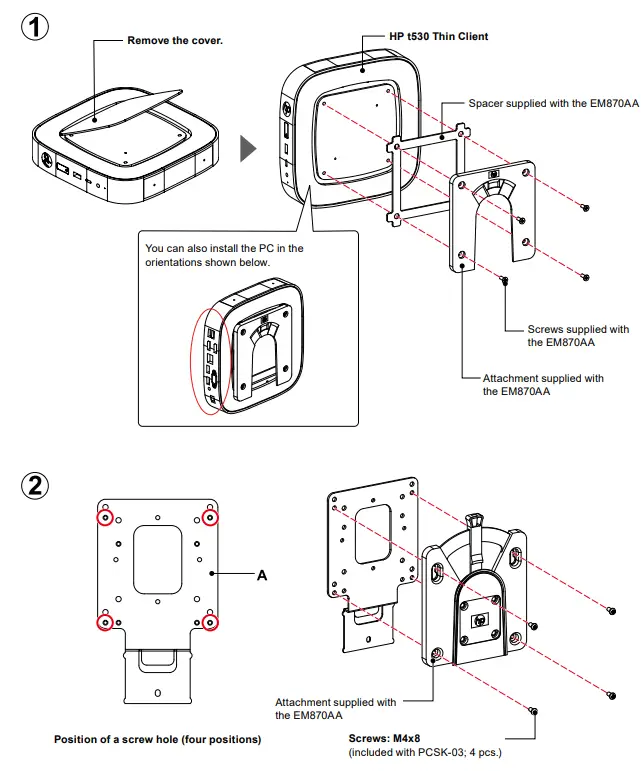
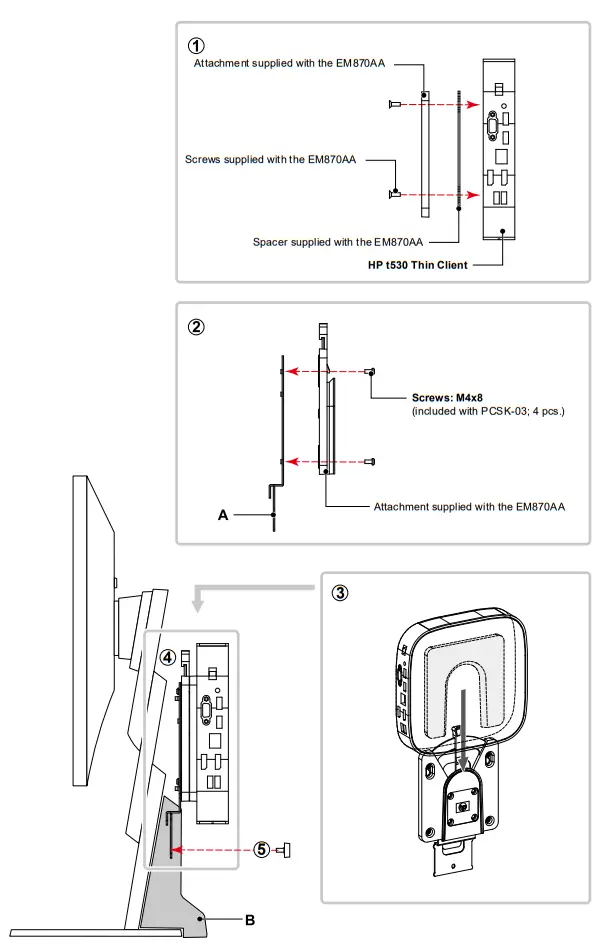
HP t530 Thin Client
Parts required
- EM870AA (Optional HP Quick Release Attachment)
– Quick Release Attachment (2 types)
– Screws: M4x12 (4 pcs.)
– Spacer with a thickness of 2 mm - Screws: M4x8 (included with PCSK-03; 4 pcs.)
Tools required
- Phillips screwdriver (#2)
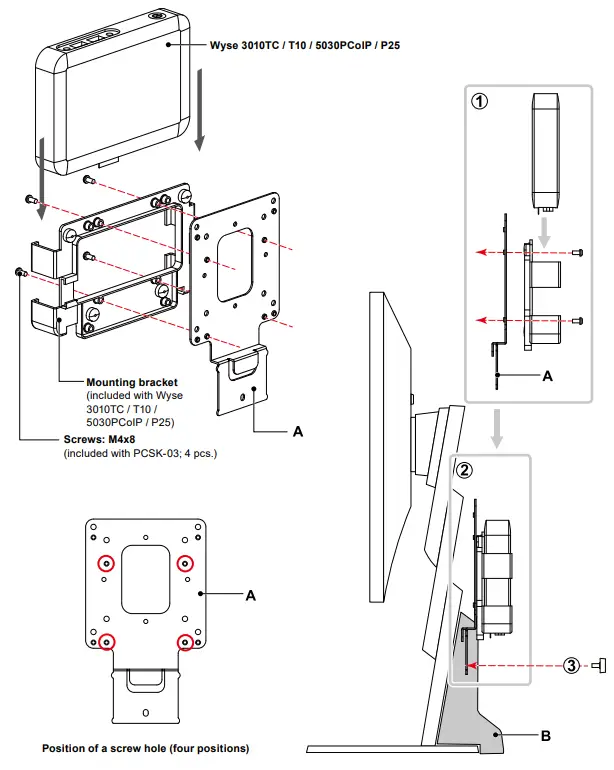
Dell Wyse 3010TC / T10 / 5030PCoIP / P25
Parts required
- Mounting bracket (included with Wyse 3010TC / T10 / 5030PCoIP / P25)
- Screws: M4x8 (included with PCSK-03; 4 pcs.)
Tools required
- Phillips screwdriver (#2)
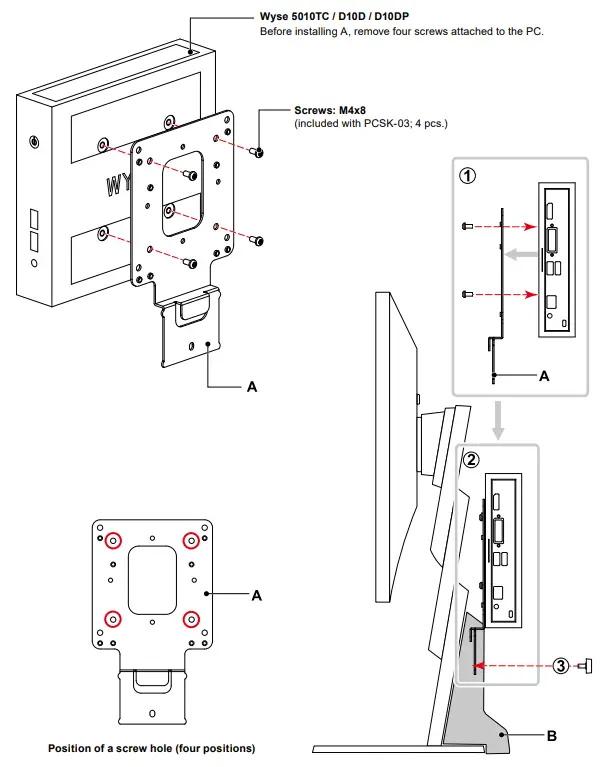
Dell Wyse 5010TC / D10D / D10DP
Parts required
- Screws: M4x8 (included with PCSK-03; 4 pcs.)
Tools required
- Phillips screwdriver (#2)
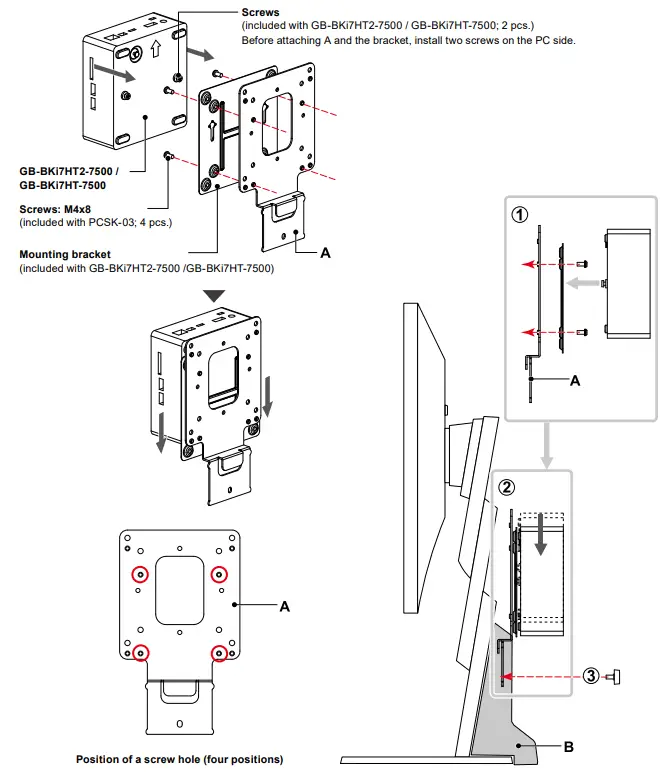
GIGABYTE GB-BKi7HT2-7500 / GB-BKi7HT-7500
Parts required
- Mounting bracket (included with GB-BKi7HT2-7500 / GB-BKi7HT-7500)
- Screws (included with GB-BKi7HT2-7500 / GB-BKi7HT-7500; 2 pcs.)
- Screws: M4x8 (included with PCSK-03; 4 pcs.)
Tools required
- Phillips screwdriver (#2)
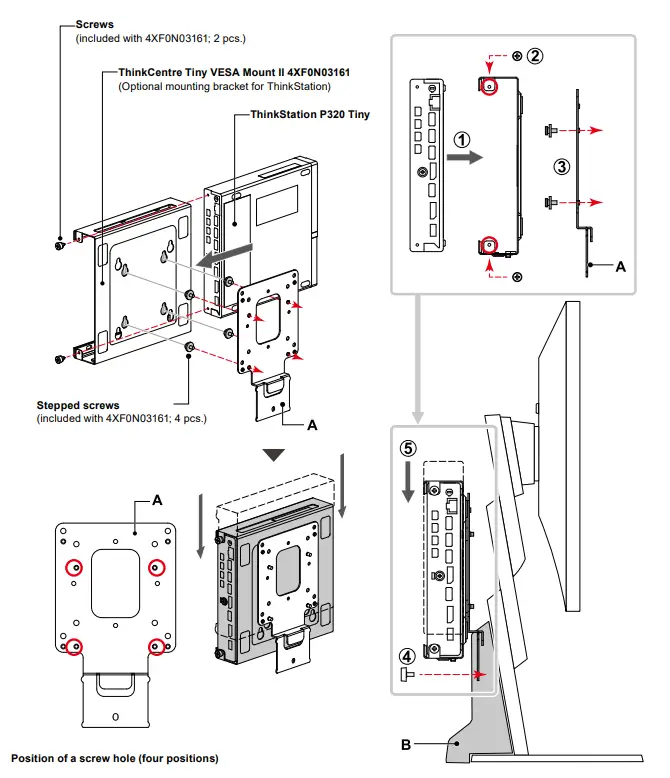
Lenovo ThinkStation P320 Tiny
Parts required
- ThinkCentre Tiny VESA Mount II 4XF0N03161
(Optional mounting bracket for ThinkStation) - Screws (included with 4XF0N03161: 2 types; a total of 6 pcs.)
Tools required
- Phillips screwdriver (#2)
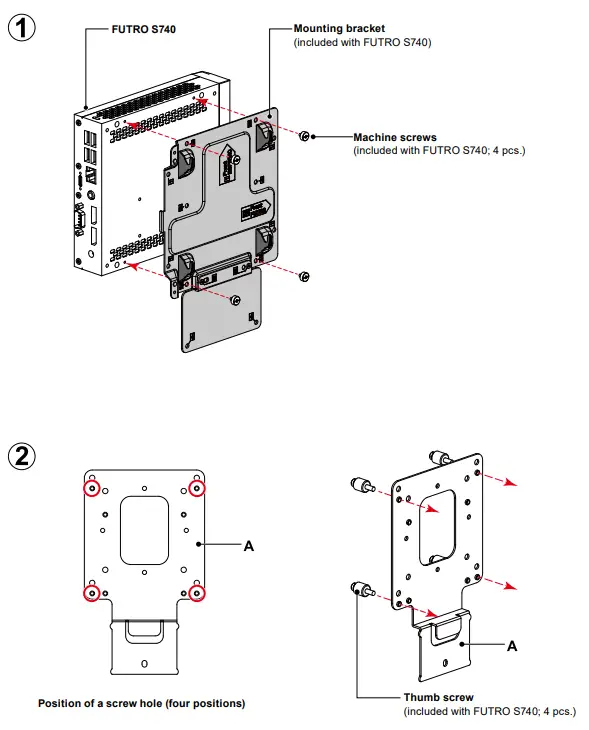
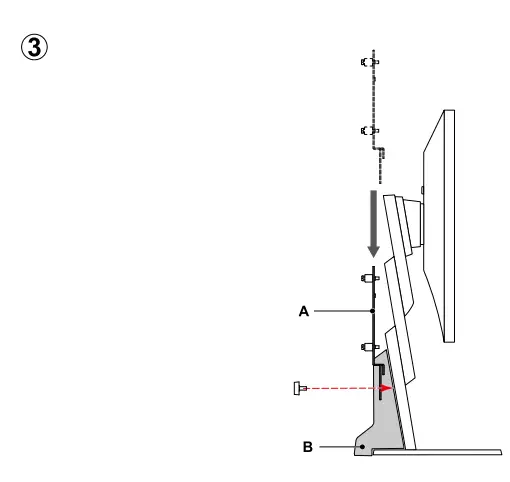
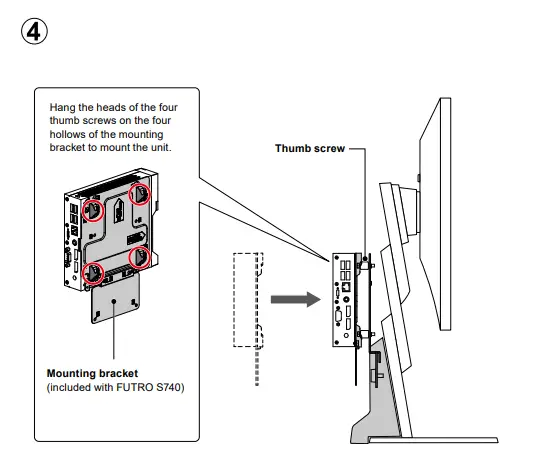
FUJITSU FUTURE S740
Parts required
- Mounting bracket (included with FUTRO S740)
- Screws (included with FUTRO S740: 2 types; a total of 8 pcs.)
Tools required
- Phillips screwdriver (#2)
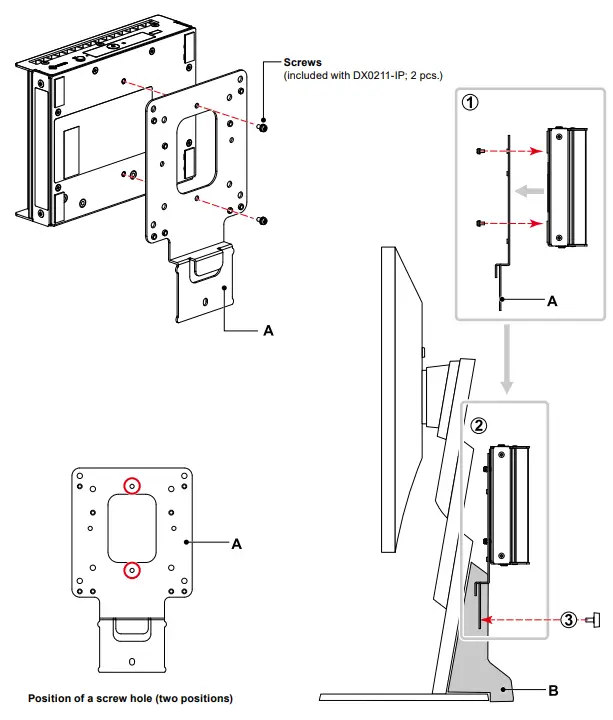
EIZO DuraVision DX0211-IP
Note
- Applies to products with Ver.5.2 of the software or newer versions.
Parts required - Screws (included with DX0211-IP; 2 pcs.)
Tools required - Phillips screwdriver (#2)
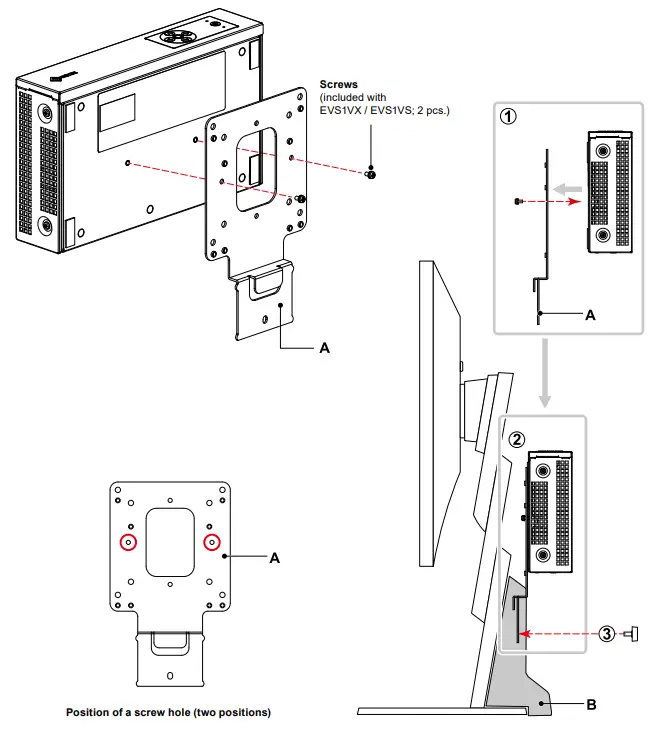
EIZO DuraVision EVS1VX / EVS1VS
Parts required
- Screws (included with EVS1VX / EVS1VS; 2 pcs.)
Tools required - Phillips screwdriver (#2)
EIZO Corporation
www.eizoglobal.com
Copyright © 2016 – 2021 EIZO Corporation. All rights reserved.
03V26736N1
IM-PCSK-03-2-AL
13th Edition – January, 2021