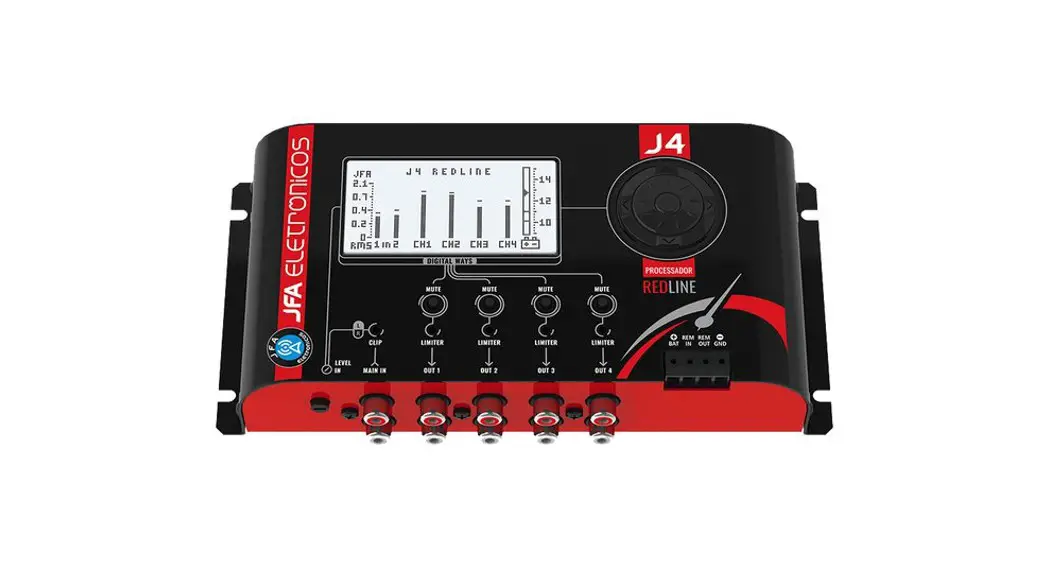

J4 REDLINE AUDIO PROCESSOR
 |  |
INSTRUCTION MANUAL
PRESENTATION
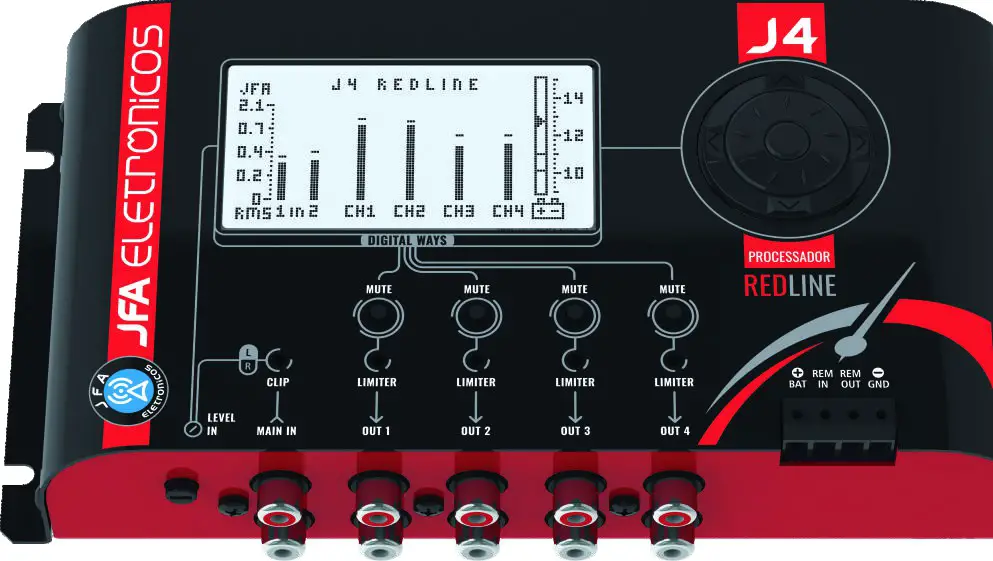
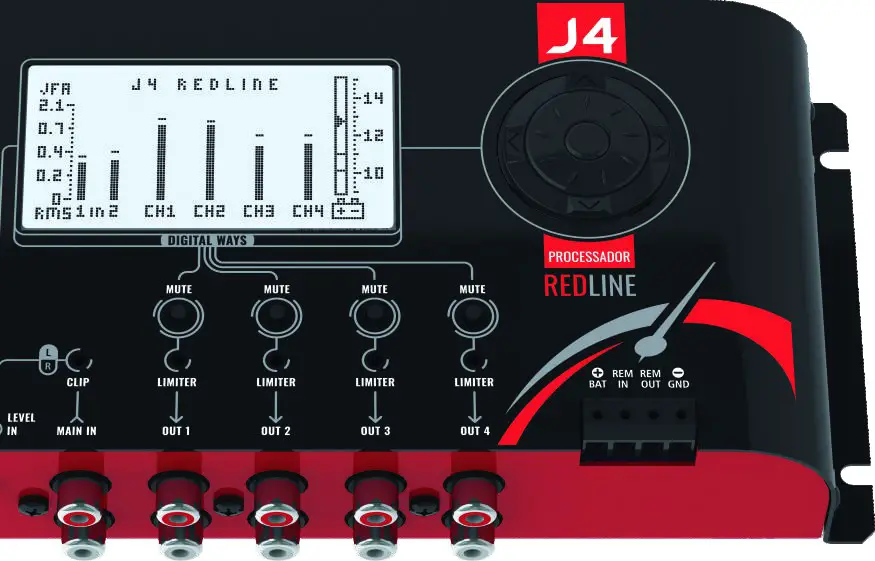
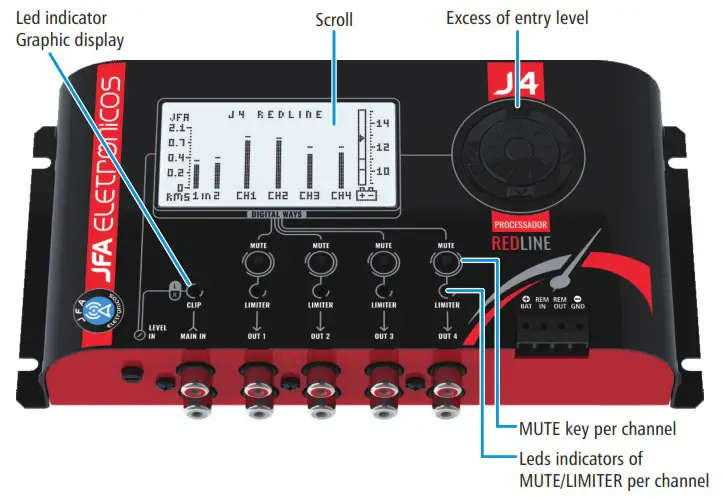
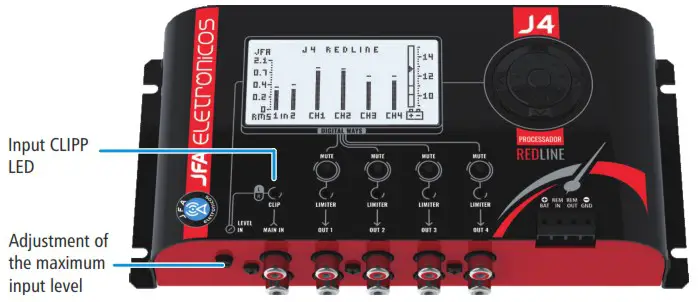
The J4 REDLINE Processor is a digital audio processor with 2 inputs and 4 outputs, which make it possible to congure independently. It has a display for real-time visualization of the input and output levels, simulating the function of an oscilloscope, and a potentiometer to adjust the maximum input audio level.
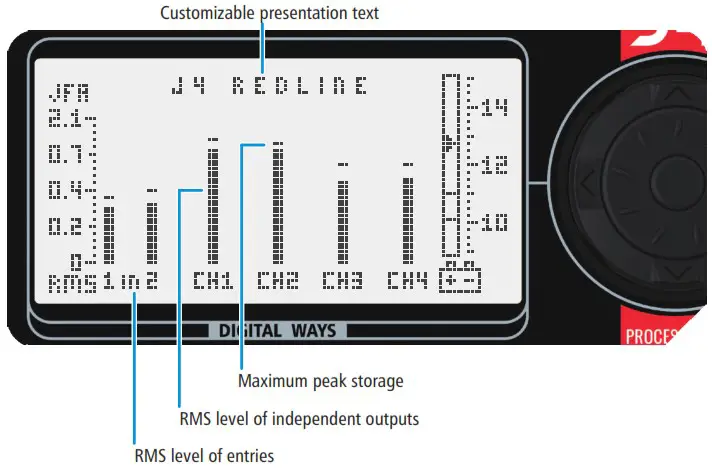
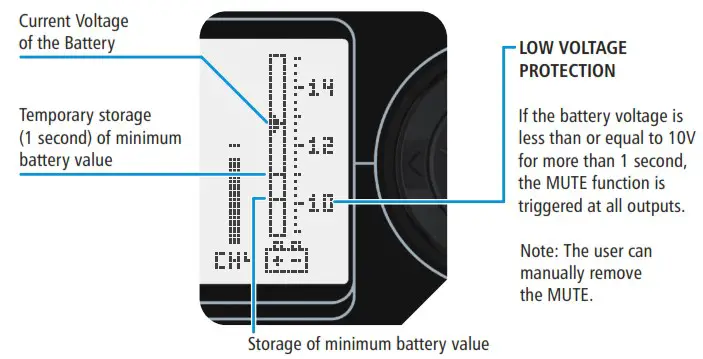
The model also has a voltmeter on its screen.
CONNECTING DIAGRAM
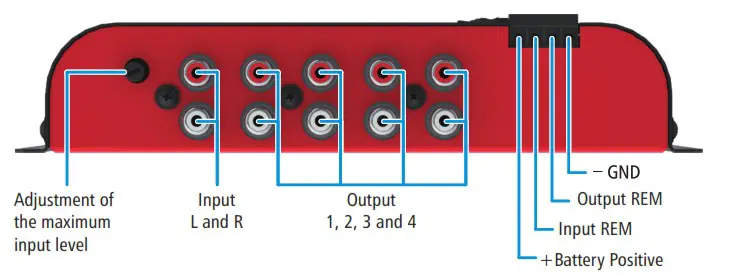
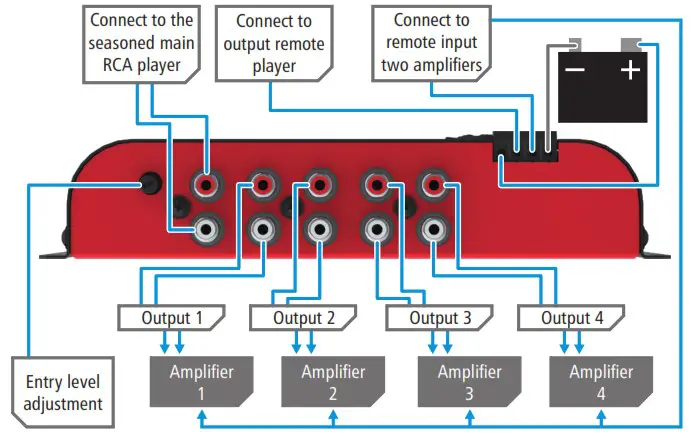
Connect the power cables according to the diagram below.
Check out the example of how the outputs can be configured, remembering that the outputs can be configured in other ways.
IMPORTANT RECOMMENDATIONS:
The recommended wiring gauge is 1.5mm² for the positive-negative wires and 0.50mm² for the remote wires. The J4 REDLINE Processor should be fixed on a stable and easily accessible base (support) away from heat sources. It is not recommended to install the product on the sides of loudspeakers, due to vibration. Do not fix directly on the Vehicle Housing. Never power the J4 REDLINE Processor from the original vehicle wiring. To avoid noise pickup, use shielded signal cables. They must not pass together to the power lines and must be as short as possible. Observe the cable crossing points. Sharp edges of Ataria or living corners can cut them, causing future problems.
The J4 REDLINE Processor must be connected before the amplifiers. If this procedure is not followed, damage to the speakers may occur. For the purpose of safe activation of the amplifiers the J4 REDLINE Processor has a REMOTE OUT output, which sends the +12V signal seconds after the crossover is triggered.
 IMPORTANT: Any connection in the power, input or output connectors must be made only with the device switched off.
We recommend that, when working with the J4 REDLINE Processor, always keep the instruction manual handy so that you can consult it whenever necessary.
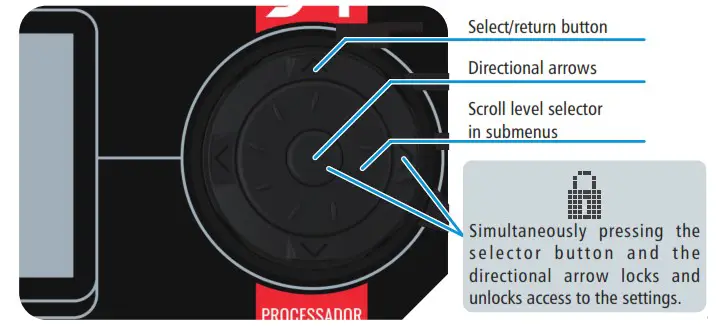
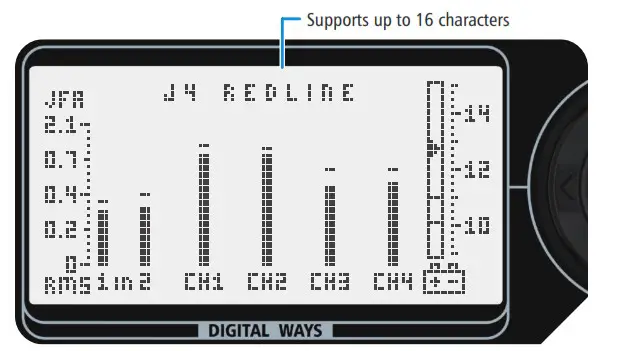
LEVEL METER
VOLTMETER FUNCTION
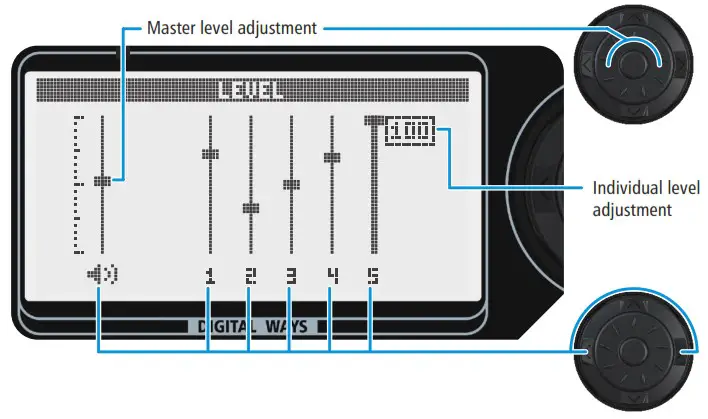
LEVEL
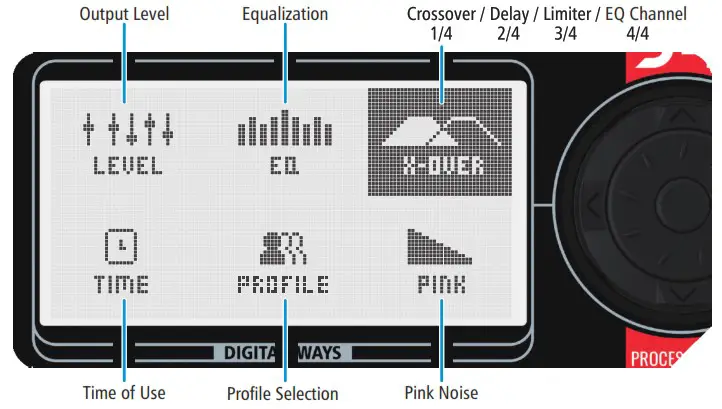
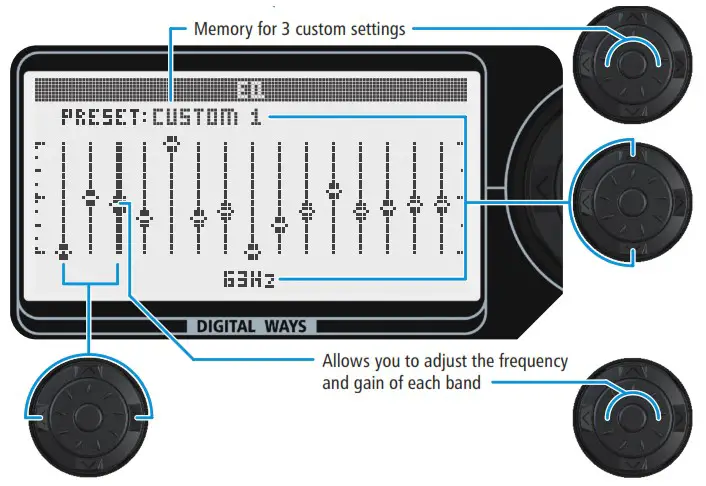
PARAMETRIC MEDIUM EQUALIZER
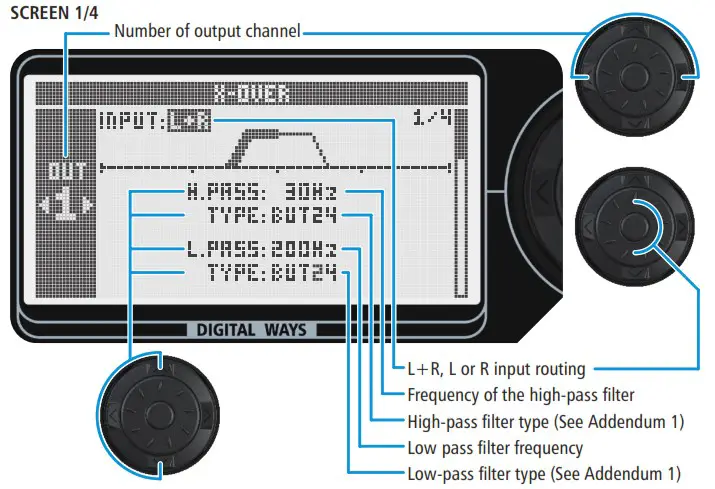
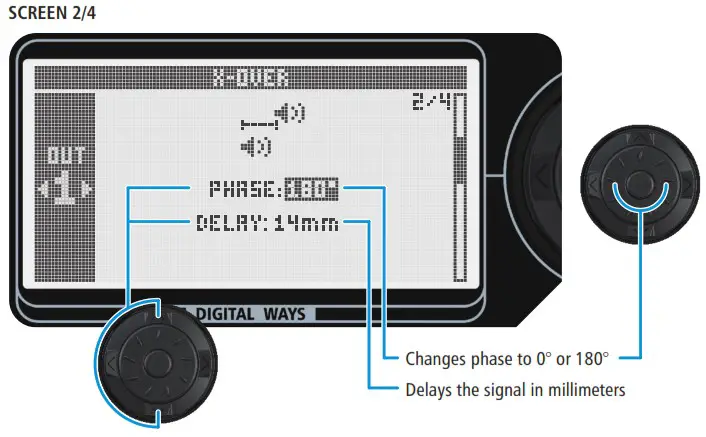
X-OVER
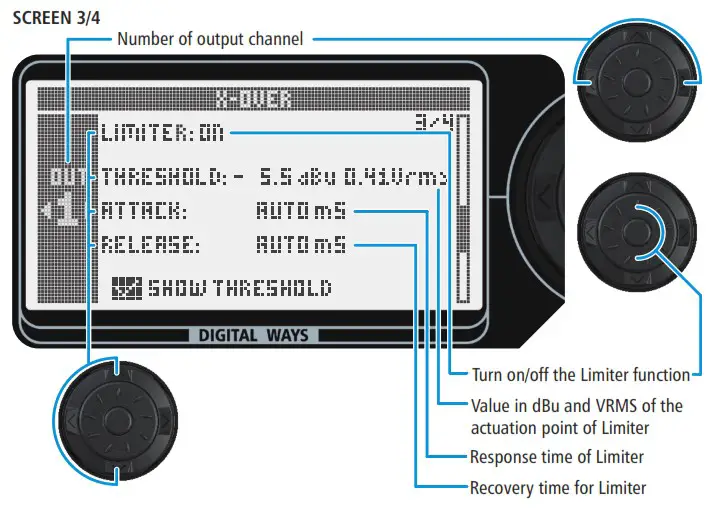
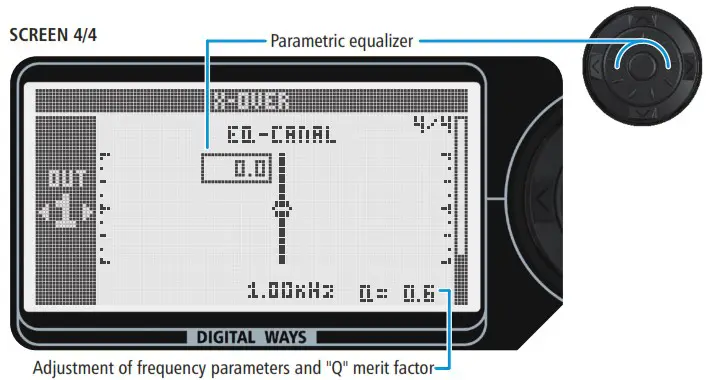
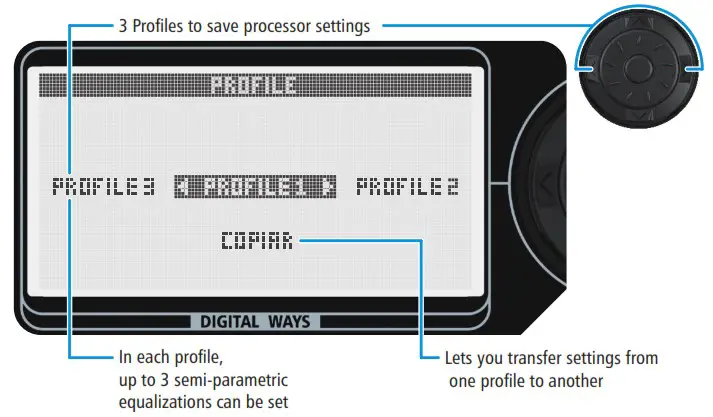
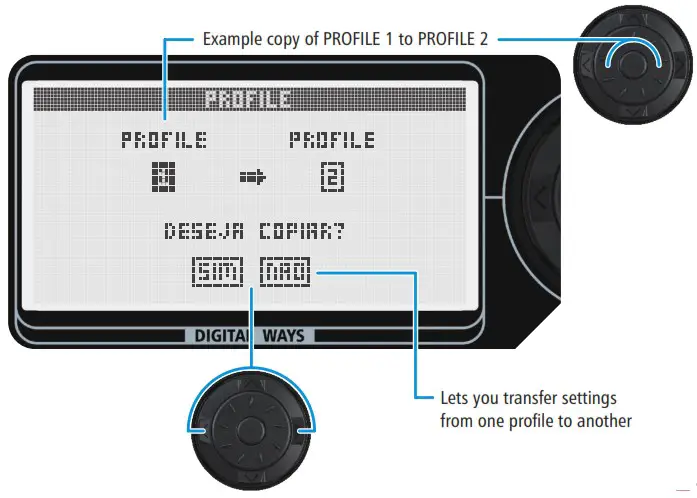
PROFILE
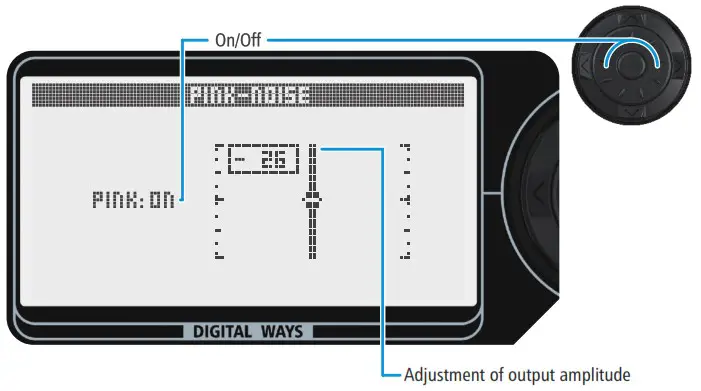
PINK NOISE
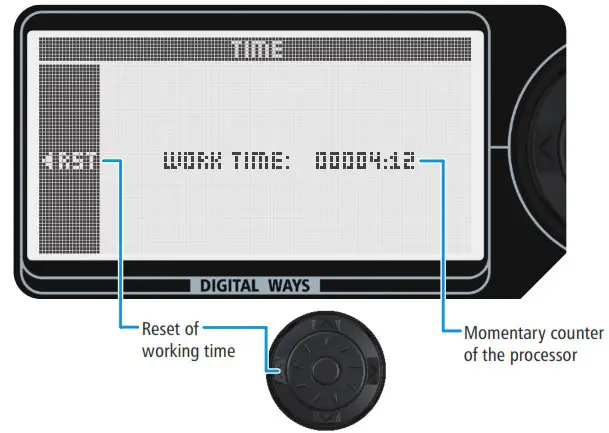
TIME
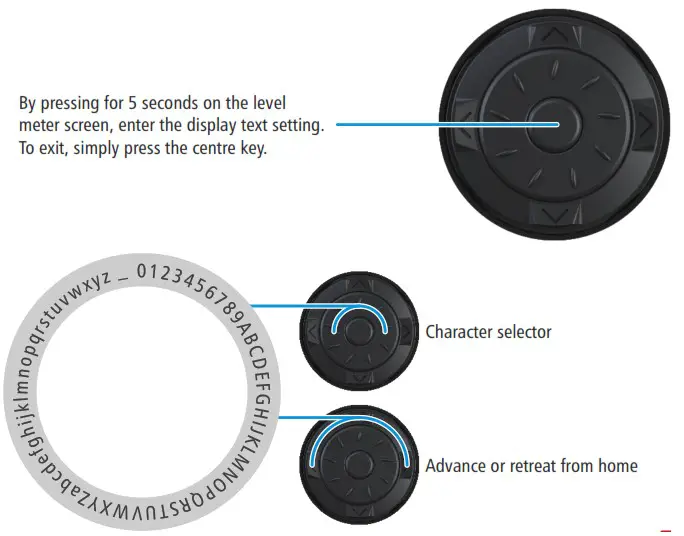
PRESENTATION TEXT CUSTOMIZABLE
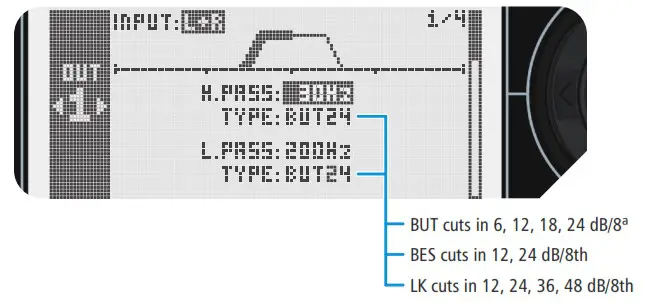
ADDENDUM 01 – X-OVER FILTER OPTIONS
ADDENDUM 02 – LIMIT USE OF THRESHOLD, ATTACK AND RELEASE
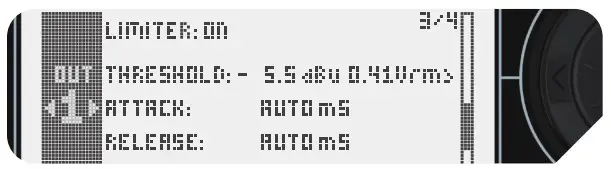
ATTACK – Is the response time of Limiter. When in AUTO (recommended), the time is defined as follows:
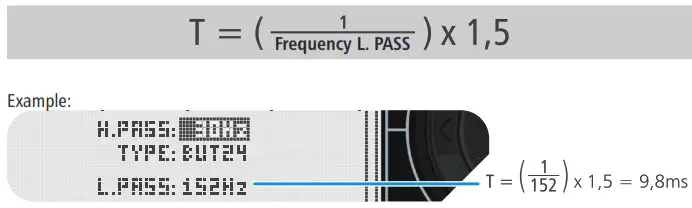
RELEASE – It is the limiter recovery time. When in AUTO (recommended), this time is 16 times longer than the ATTACK time.
See table of values below:
| ATTACK Fast+ RELEASE Slow (Mode AUTO of 14 Pro) | Advantage | 1 – Efficient Peak Control with discrete actuation of the audio compressor |
| Desvantagem | 1 – The system receives a first Peak until it enters into action | |
| Recomendado | 1 – For all types of audio where you want a reproduction closest to the original | |
| ATTACK Slow+ RELEASE Slow | Advantage | 1- Preserves the dynamics and “Robust” of the audio 2 – Discreet and smooth performance 3 – The music peaks are preserved |
| Desvantagem | 1 – Low protection against audio peaks | |
| Recomendado | 1 – In audios with longer musical notes 2 – With low battery presence | |
| ATTACK Slow+ RELEASE Fast | Advantage | 1 – Back firmness, impact and “punch” the audio beats |
| Desvantagem | 1 – The system receives a first Peak until it enters into action | |
| Recomendado | 1 – For audios that have a following sequence of fast transients. | |
| ATTACK Fast+ RELEASE Fast | Advantage | 1 – System protection against Clipp |
| Disadvantage | 1 – Loss of audio dynamics | |
| Recommended | 1 – When you want more protection 2 – When you want to highlight less audible harmonics, increasing the feeling of the environment |
Table with suggestions of Fc cut frequencies and Attack and release times recommended by XTA (American Audio Entity).
| Lower Court Frequency Fc, in Hz, from Crossover | Time Attack (Mili seconds) | Release Time = 16 x Attack time |
| <10 a 31 | 45 | 720 |
| 31 a 63 | 16 | 256 |
| 63 a 125 | 8 | 128 |
| 125 a 250 | 4 | 64 |
| 250 a 500 | 2 | 32 |
| 500 a 1000 | 1 | 16 |
| 1000 a 2000 | 0,5 | 8 |
| 2000 a 32000 | 0,3 | 4 |
ADDENDUM 03 – AUDIO NOISE
To decrease the noise level, we suggest the following processor configuration/settings.
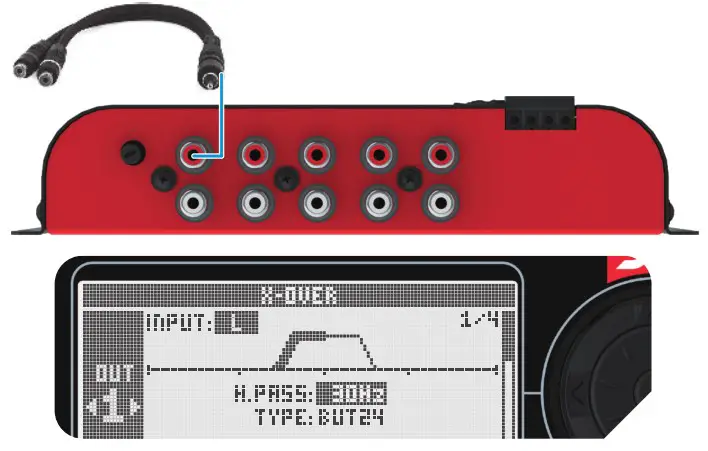
- Merge the player’s L and R channels into a Y cable and enter the processor’s L channel. Place the input routing in the L channel (screen ¼).

- Put the player to play at a volume close to maximum, and keep the adjustment of the input gain as much as possible, without lighting the input clipping led.

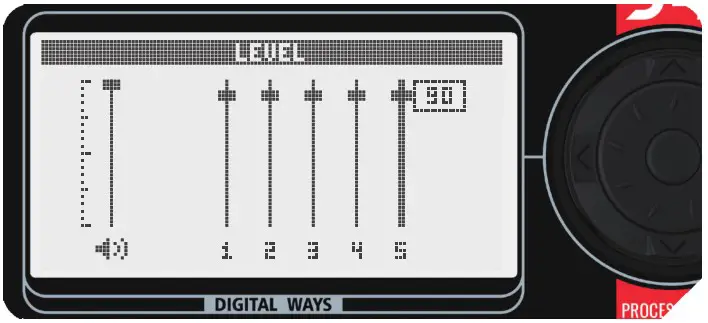
- Level screen
• Keep Master gain at 100%.
• Put channel gain at 90%.
With the player close to the maximum volume and the gain of the amplifier at least, increase the gain of the amplifier until reaching the maximum power.
If necessary, one-tune the channel gain by maintaining its value between 80 and 100%.
- Make a unique power supply for the 12V direct processor of the battery poles.
TECHNICAL CHARACTERISTICS
| Input channels | 2 |
| Output channels | 4 |
| Frequency response | 20Hz to 20kHz |
| Master semi-parametric equalizer | 15 bands -10 to +10dB |
| Parametric equalizer per channel | 1 band -12 to +12dB |
| DSP, 24-bit hi-pass and low-pass filter | 20Hz to 20KHz, (off/6/12/18/24/36 and 48dB/8°) |
| Total Harmonic Distortion (THD) | 0.002% at 1 kHz |
| Signal/Noise Ratio from 20Hz to 30kHz | >90dB |
| Phase | 0 and 180° |
| Delay | 0 to 287cm |
| Maximum level of entry | 0,62VRMS/ 10K0 (with aj. input at most) |
| Maximum level of output | 4,6VRMS / 470 |
| Bar Graph | 0 to 2.1VRMS with “hold peaks” |
| Dimensions in millimetres (L x A x P) | 202 x 103 x 43 |
| Weight in grams | 480 |
TECHNICAL CHARACTERISTICS OF THE GRAPHIC SCREEN
| Display resolution | 128 x 64 dots | |
| Level | Audio = 0,04 to 2,1Vrms | Voltmeter = 9 to 15Vdc |
| Function peaks “hold” | 1 second (Maximum audio) | – Show minimum pressure for 1s – Stores the minimum voltage |
| Resolution of the measures | Up to 0,4VRMS – 40nnVrms >0,4 < =0,7Vrms – 60mVrms >0,7Vrms – 280mVrms | 250mV* |
| Precision | >95% | > 97%* |
| Sampling frequency | 33Hz | 33Hz |
 JFA Eletrônicos - Automotivo e Telecomunicações -