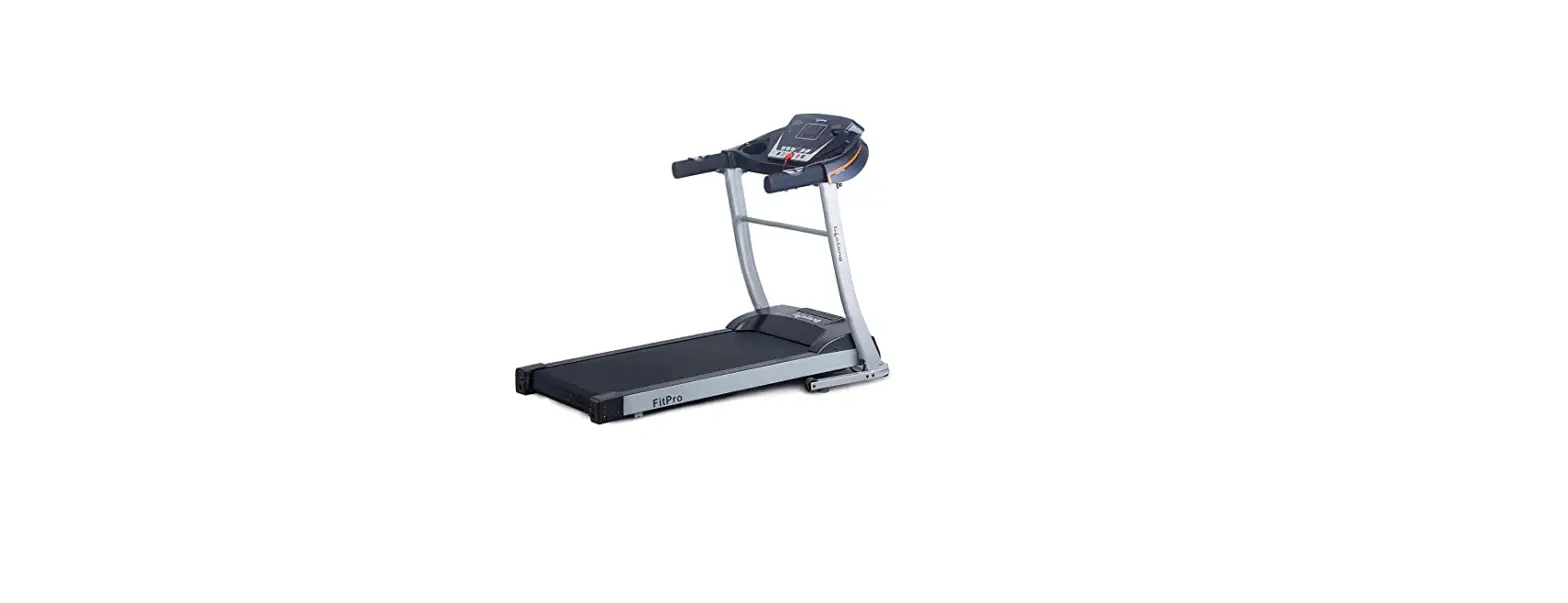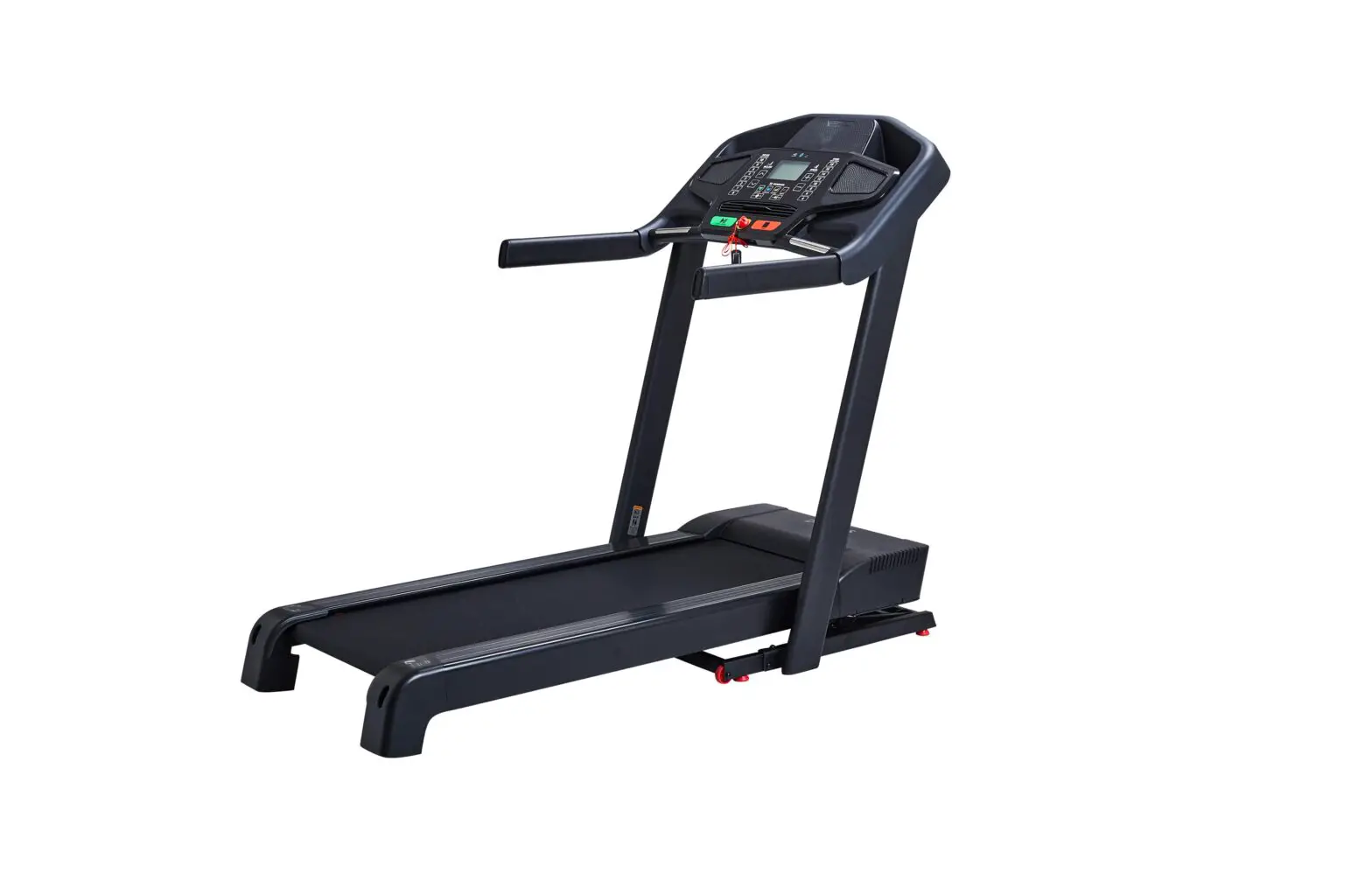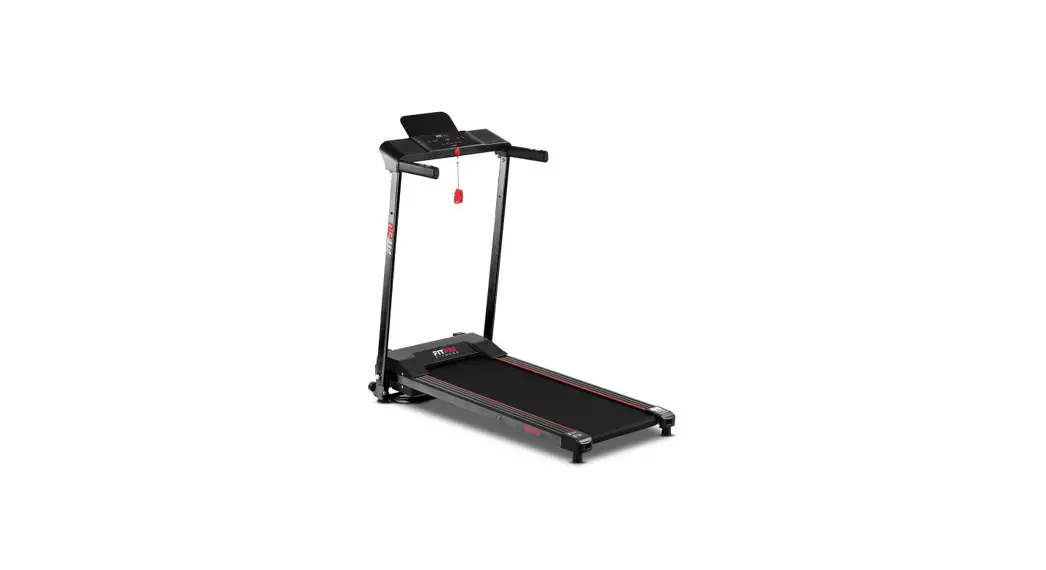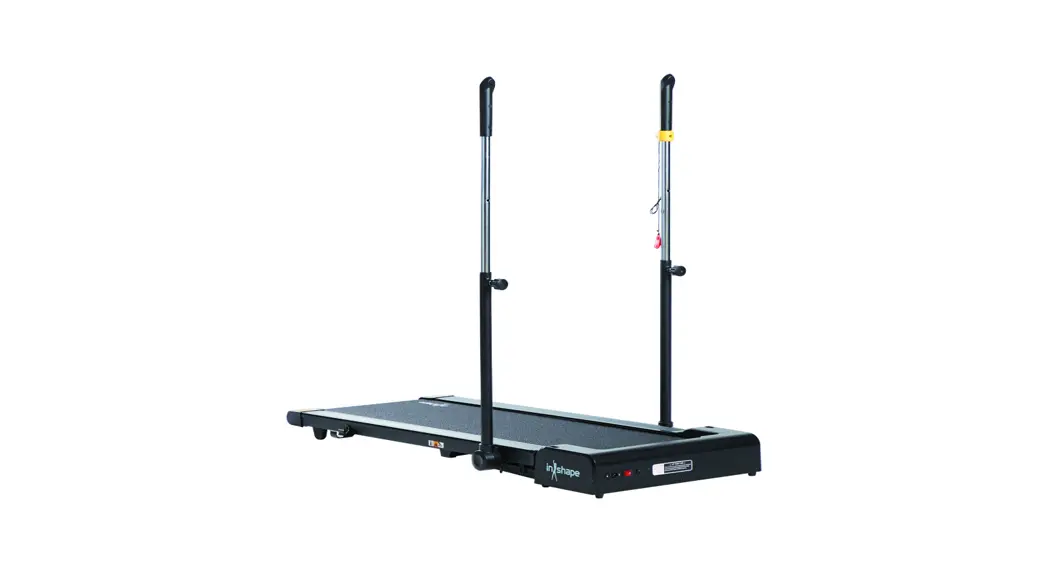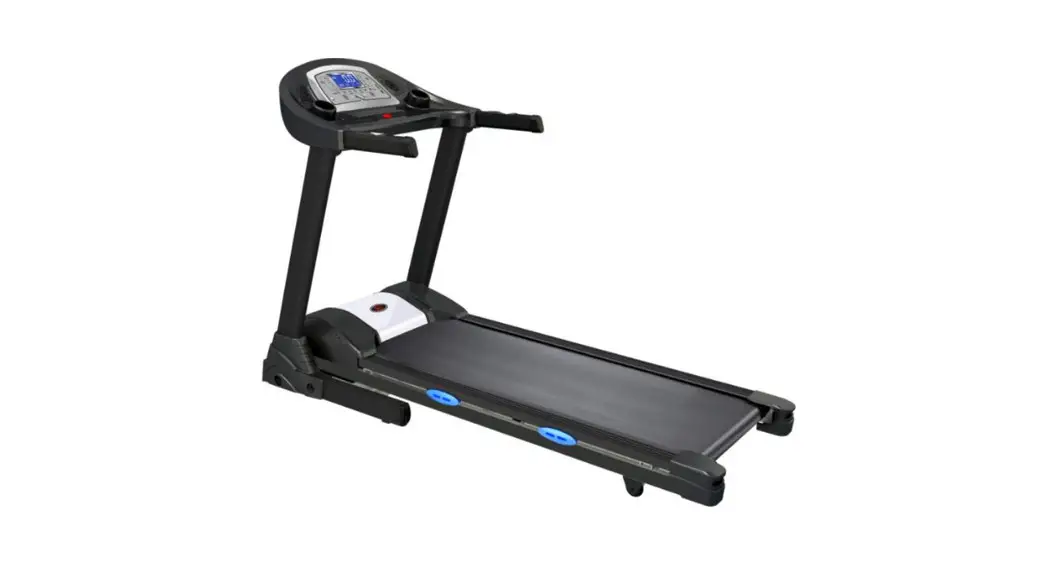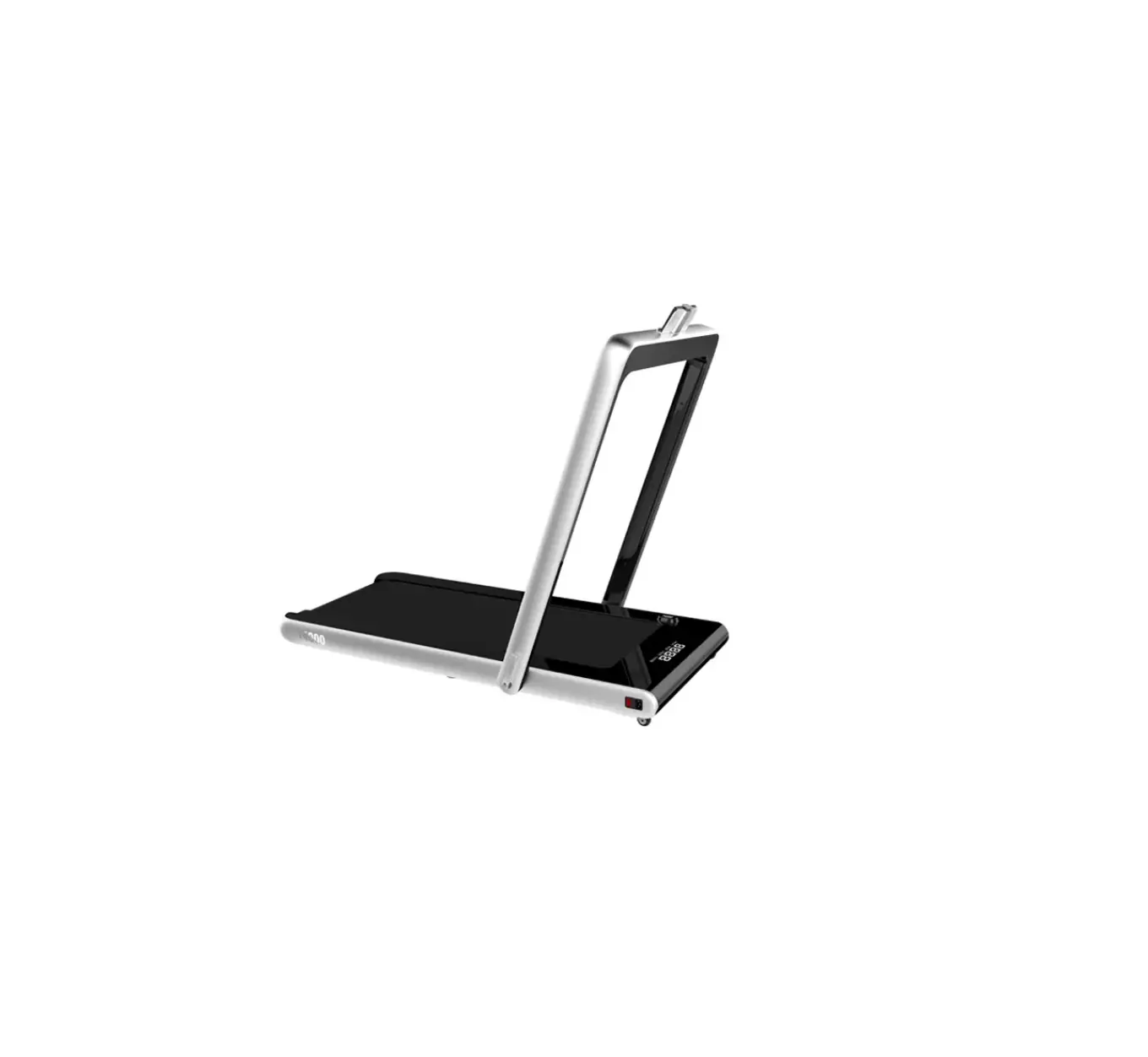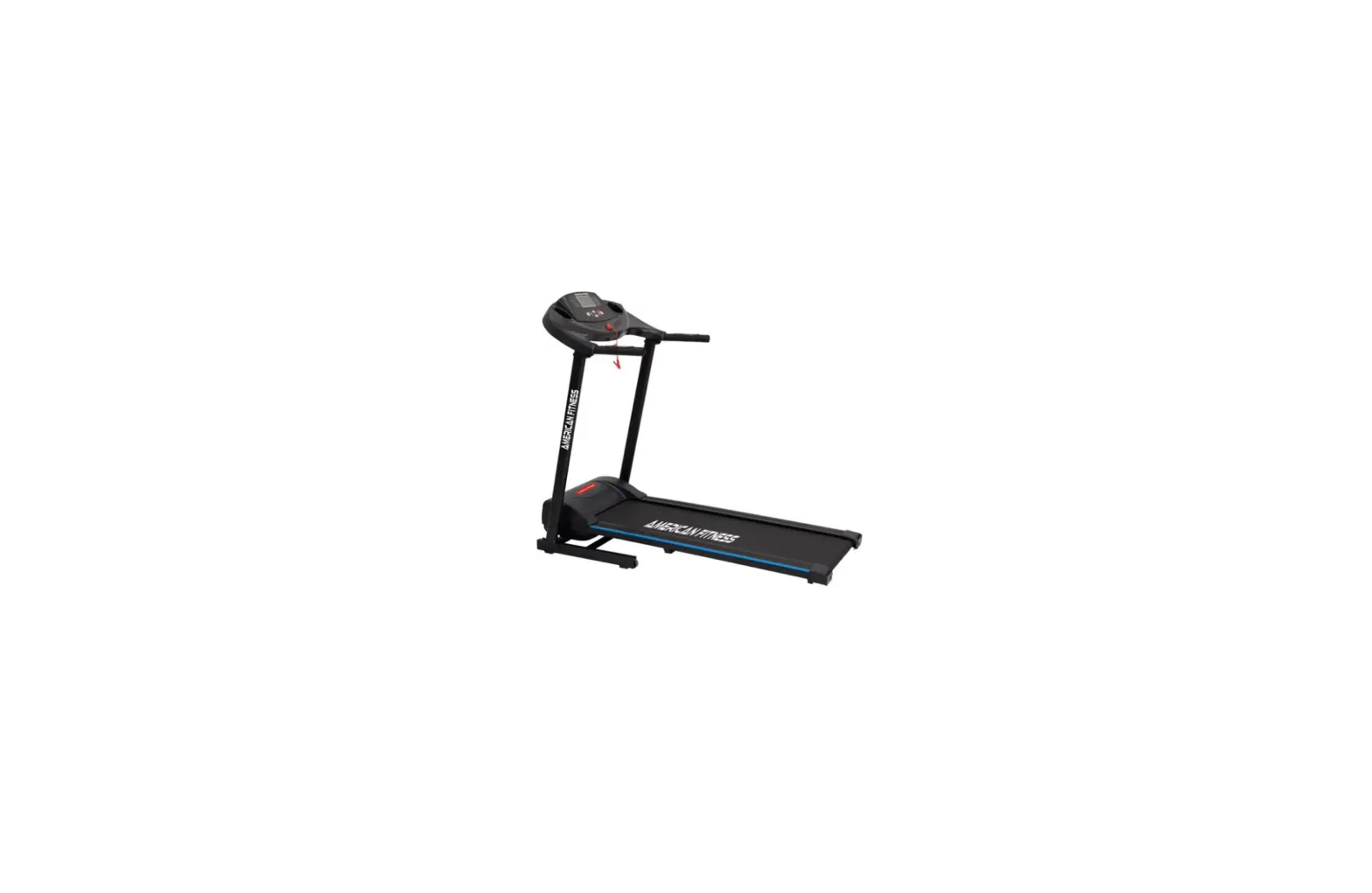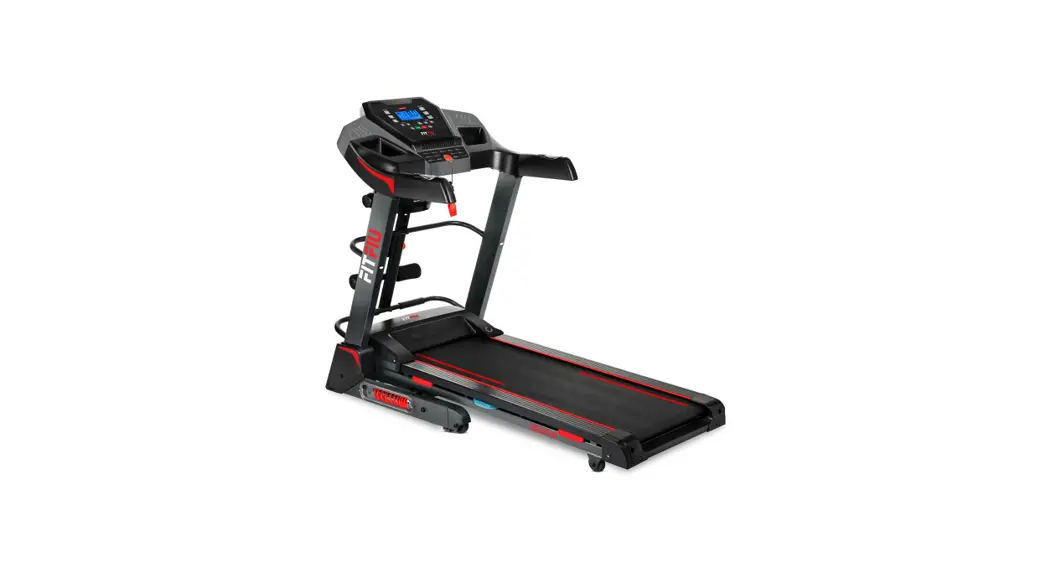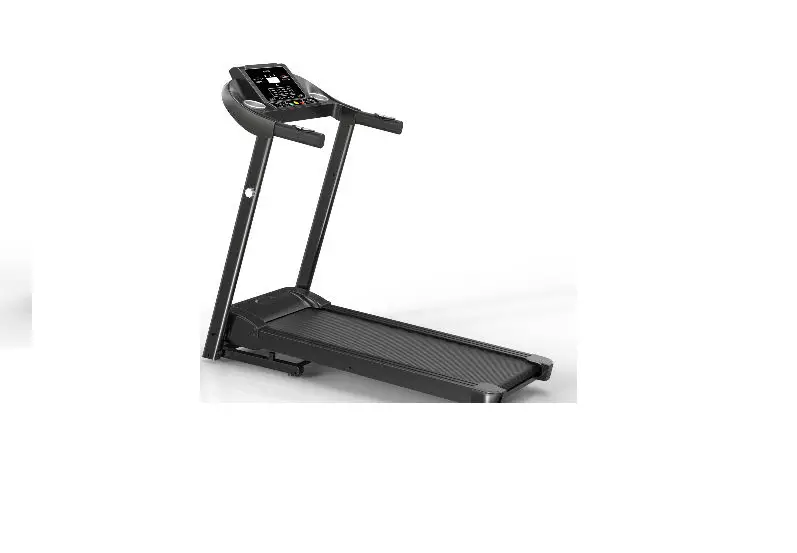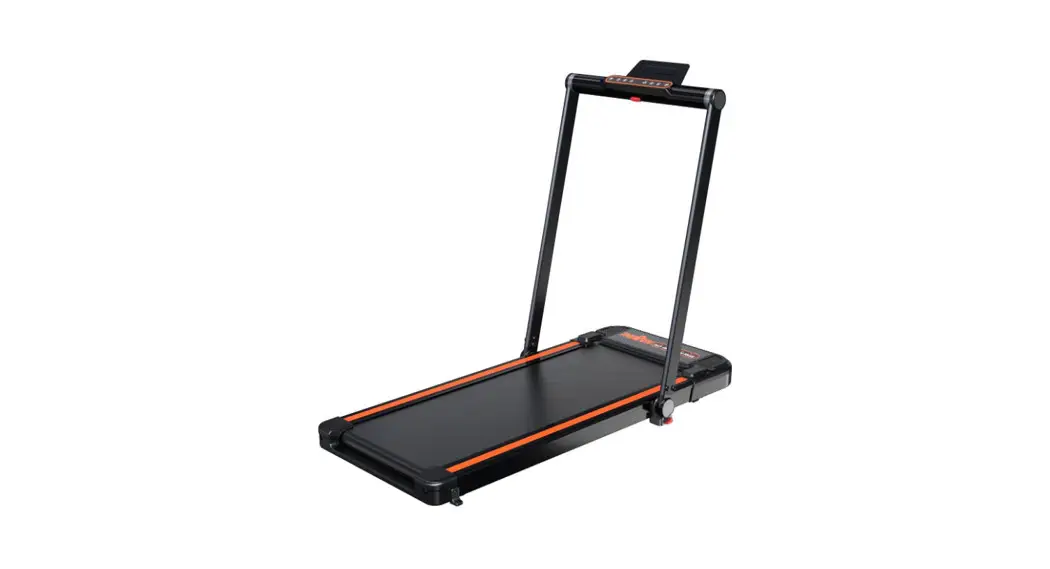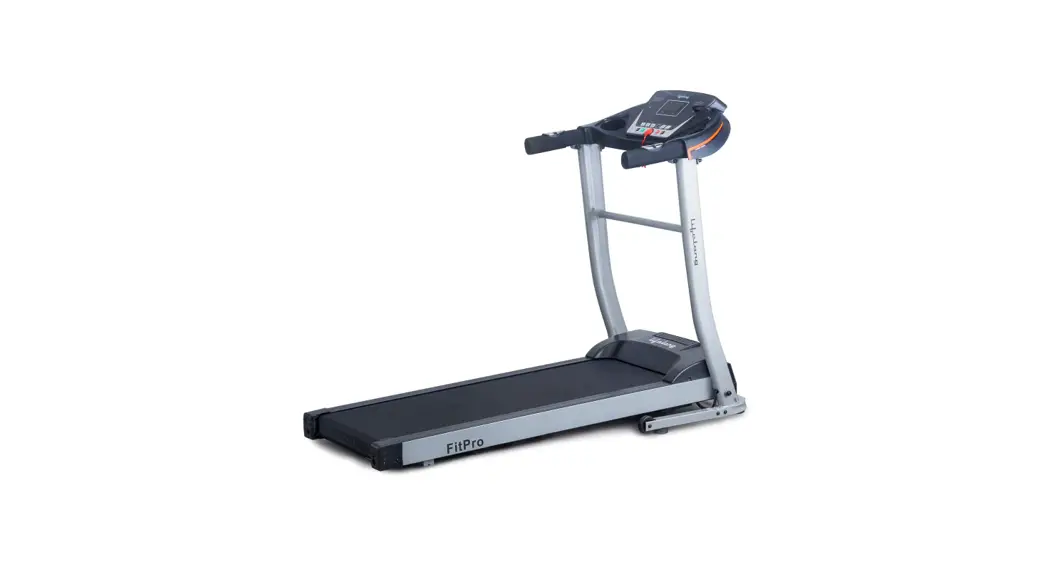

FitPro Treadmill
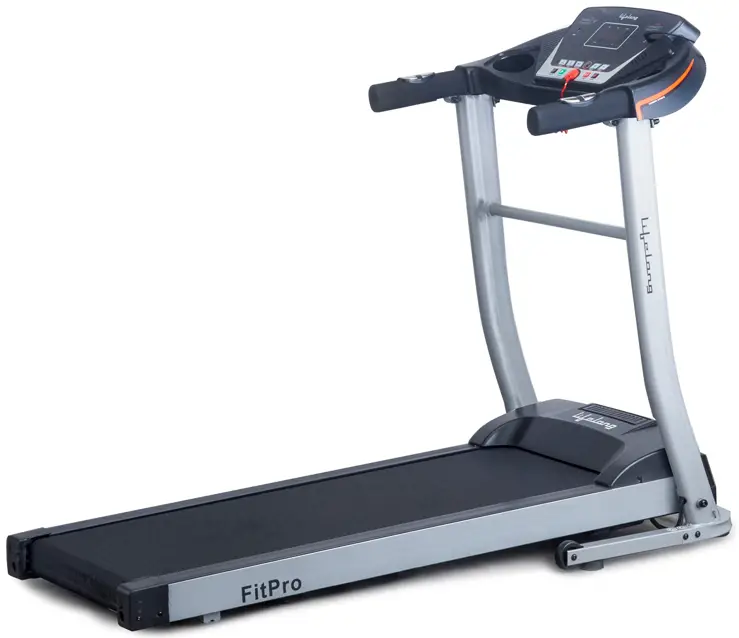

FitPro Treadmill LLTM09 PRODUCT BRIEF:
Treadmill for indoor use: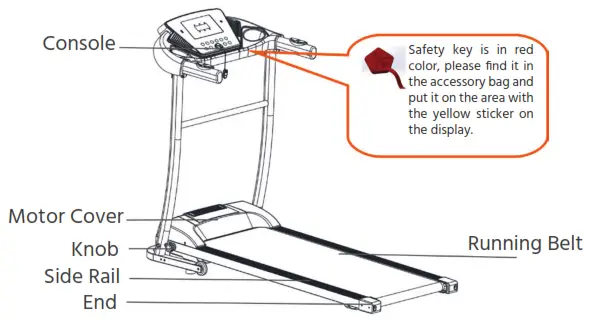
| Main Parameters And Parts List | ||||
| No. | Parameters Names | Description | ||
| 1 | Input power voltage | AC220-240V; 50-60Hz | ||
| 2 | Motor power | 1.0/2.5HP | ||
| 3 | Speed | 1.0-10 Km/h | ||
| 4 | Real H.P. | 0.7 H.P. | ||
| 5 | Show Power | 2.5 H.P. | ||
| 6 | Functions | Running | ||
| Packing List | ||||
| No. | Name | Units | Qty | |
| 1 | Complete machine | set | 1 | |
| 2 | Supporting base | pc | 2 | |
| 3 | Accessory Bag | pc | 1 | |
| Accessory Bag List | ||||
| No. | Name | Qty | ||
| 1 | Inner hexagon spanner 5mm | 1 | ||
| 2 | Inner hexagon spanner 6mm | 1 | ||
| 3 | Combination wrench | 1 | ||
| 4 | Safety key | 1 | ||
| 5 | Silicone oil | 1 | ||
| 6 | User manual | 1 | ||
| 7 | MP3 cable | 1 | ||
| 8 | ScrewM8*25 | 2 | ||
| 9 | Screw M6*12 | 4 | ||
RUNNING BELT ADJUSTMENT:
- This Treadmill is for indoor usage only, avoid moisture and dust.
- Please wear suitable clothes and sneakers before exercising. It is prohibited to exercise on the treadmill barefoot.
- Keep children away from the machine to avoid accidents.
- Avoid overloading or using it for a very long time, otherwise, it could cause damage to the motor and controller and will accelerate the deterioration of the treadmill, running belt, and running board. It is advised to maintain the machine on a regular basis.
- Keep the machine away from dust.
- Please switch off the electric current after using it.
- Please maintain good ventilation while running.
- Please clamp the security lock cable on your clothing to make sure the machine stops in emergency conditions.
- If you feel unwell while using this machine, please stop and consult a doctor.
- Silicone oil must be kept away from children.
- If the power cord is damaged, please contact our qualified maintenance personnel for service rather than disassembling it at your own discretion. tell me if you feel overexerted. If you feel any pain or discomfort, please consult your physician.
FORBIDDEN:
- Do not use the machine in the status of a shell break in or break off (the internal structure exposed)or under the condition wherein the welding parts may fall off, otherwise, an accident or injury can happen.
- Don’t jump up and down in the process of movement. It may cause injuries.
- Don’t keep machines in or near a moist areas such as the bathroom.
- Don’t place the machine in direct sunlight, or in high-temperature places such as near a stove or a heating appliance. It may cause leakage and may burst into flames.
- Don’t use it when the power cord is damaged or the power plug pin is loose, otherwise will lead to an electric shock, short circuit, or fire.
- Don’t damage or bend the power cord by force or reverse it. Don’t place heavy objects on the machine, and don’t clamp the power line, otherwise will cause fire or an electric shock.
- The machine should not be used by more than 1 person at the same time.
Don’t go close to the machine when it is in use. It may cause an accident or injury. - Avoid drinking water or pouring water when the machine is in operation. It may cause electric shock and fire.
- People who don’t exercise frequently shouldn’t suddenly do intense exercise.
- Do not use this machine, after eating or when tired.
- This product is suitable for family use ONLY. Not to be used by schools, institutions, etc.
- Do not use it when the power plug is near the needle or water. This may cause electric shock, short circuit, or fire. Do not use it with wet hands.
- When not in use, pull out the power plug from the socket. The dust and moisture can deteriorate the insulation, and result in leakage or fire.
- This appliance is not intended for use by persons (including children) with reduced physical, sensory or mental capabilities, or lack of experience and knowledge unless they have been given supervision or instruction concerning the use of the appliance by a person responsible for their safety.
- Children should be supervised to ensure that they do not play with the appliance.
- This product must be grounded. If the machine is dysfunctional, grounding will provide a good channel for electric current, in order to reduce the electric shock risk.
- This product is equipped with a power plug with a grounding conductor and plug. Completely insert the plug into a standard socket.
- If the equipment grounding conductor’s connection is improper, it will cause an electric shock. If you have doubts about whether your product is grounded correctly or not, please entrust professionals to check.
- Please use the socket which has the same shape as the grounding plug. Don’t use a plug adapter.
This appliance can be used by children aged 8 years and above and persons with reduced physical, sensory or mental capabilities or lack of experience and knowledge if they have been given supervision or instruction concerning the use of the appliance in a safe way and making them understand the hazards involved. Children should not play with the appliance. Cleaning and user maintenance should not be done without supervision.
INSTALLATION INSTRUCTIONS:
When installing, simply fix all the screws first, then tighten the screws only when the installation of the frame is done.
- Put the machine flat on the ground. Remove the knob in the direction shown, in the picture below. Keep the columns and console in the direction shown in the picture below.
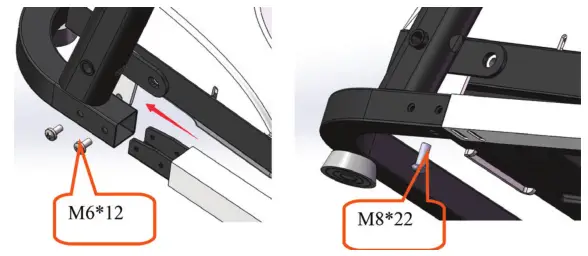
- Remove the preinstalled screws M8*22 on the supporting frame and then tighten the supporting frame with screw M6*12 on the base. Use #6 hexagon wrench and screw M6*12 to lock and fix the base(two screws for each side).

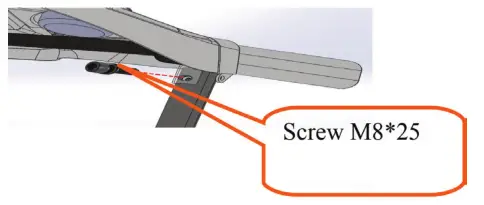
- Hold left & right columns, use the #6 hexagon wrench, and screw M8*25 to lock the console frame on the columns (Tighten all screws in the above steps, and please notice not to clamp the cable by column).

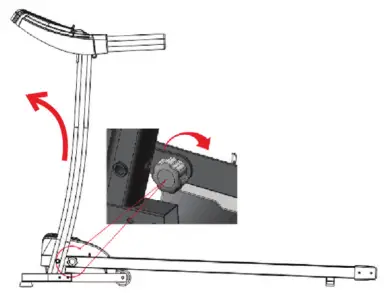
- Use the knob in step one to lock the main base and columns (Rotate clockwise, please refer to the arrow point direction). The uneven ground may cause trouble when rotating the knob, please lift the column slightly to the left side (as shown below).In order to fold the machine easily next time, please don’t rotate the knob too tight.

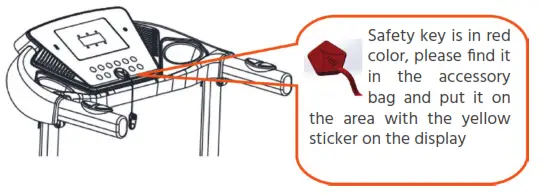
- Put the safety key on the picture showing the yellow area, then press the start button to start the treadmill. (Notice: The treadmill can only start when the safety key is put on the yellow area on the console.)

NOTE: please confirm that all screws are locked uniformly according to the requirements after installation, and check no part is left out before plugging electricity.
Folding Instructions (Massager for option)
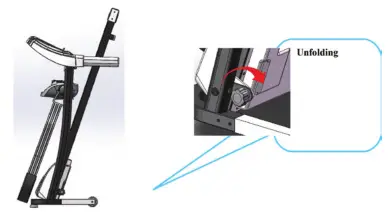
When the treadmill is not in use, you can lift the running deck and then use the knob to lock the running deck and base, as shown in the picture below.
Instructions
Please hold the running deck with your right hand before unfolding the treadmill, and use your left hand to remove the knob (in the counterclockwise direction), then lower the running deck slowly and install the plum lock back.
USING INSTRUCTIONS:
- Using treadmill: Insert the power plug properly and turn on the switch (in red color) When the light is on, there will be a beep sound, and then the screen will light up.

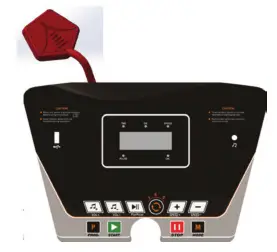
- Safety key Introduction: The treadmill can only start when the safety key is put on, in the yellow area of the console. Clip the safety key on your clothes when using the treadmill to prevent accidents. Put the safety key back when not using the treadmill.

- Console instructions Overlay

Button instructions
Start: When the treadmill is in standby condition, press “Start” to start the treadmill
Stop: When the treadmill is running, press “Stop” to stop the treadmill.
All the data will be cleared and the treadmill goes to manual mode.
Program: In standby mode, press Program to change the options from manual mode to automatic programs. Manual mode is the system’s default running mode.
Mode: In standby mode, press Mode to change the options of 3 different countdown running modes: time countdown running mode, distance countdown running mode, and calorie countdown running mode. When choosing any mode, speed-adjusting buttons can be used to set the value. Press “Start” to start the treadmill after setting the value.
Play/Pause: When playing music, press Play/Pause to pause the music, and press the button again to play music again.
Volume+ -: Can be used to adjust the volume. If there is no sound, press Volume + to increase the volume.
Speed + –: Can be used to adjust the speed of the treadmill. Speed direct selection: When the treadmill starts, press the 3, 6, and 9 buttons to change the speed directly.
Display Function
Speed display: Display the current running speed value.
Time display: Display the time of manual mode and the countdown time under automatic modes and programs.
Distance display: Display cumulative distance under manual mode and programs. Display the distance countdown in automatic mode.
Calorie display: Display cumulative calories under manual mode and programs. Display the calorie countdown in automatic mode.
Heart rate display: A heart rate signal will be detected, and the screen shows the heart rate number.
Heart rate measure function(optional): In case the treadmill is energized, hold the heartbeat sensor piece for a while and the heart rate will be shown on the screen. (This data is for reference only, it cannot be considered medical data. )
AUTOMATIC PROGRAM:
| Programs Time | Set time / 10 = running time of each period | ||||||||||
| 1 | 2 | 3 | 4 | 5 | 6 | 7 | 8 | 9 | 10 | ||
| P1 | SPEED | 3 | 3 | 6 | 5 | 5 | 4 | 4 | 4 | 4 | 3 |
| P2 | SPEED | 3 | 3 | 4 | 4 | 5 | 5 | 5 | 6 | 6 | 4 |
| P3 | SPEED | 2 | 4 | 6 | 8 | 7 | 8 | 6 | 2 | 3 | 2 |
| P4 | SPEED | 3 | 3 | 5 | 6 | 7 | 6 | 5 | 4 | 3 | 3 |
| P5 | SPEED | 3 | 6 | 6 | 6 | 8 | 7 | 7 | 5 | 5 | 4 |
| P6 | SPEED | 2 | 6 | 5 | 4 | 8 | 7 | 5 | 3 | 3 | 2 |
| P7 | SPEED | 2 | 9 | 9 | 7 | 7 | 6 | 5 | 3 | 2 | 2 |
| P8 | SPEED | 2 | 4 | 4 | 4 | 5 | 6 | 8 | 8 | 6 | 2 |
| P9 | SPEED | 2 | 4 | 5 | 5 | 6 | 5 | 6 | 3 | 3 | 2 |
| P10 | SPEED | 2 | 5 | 7 | 5 | 8 | 6 | 5 | 2 | 4 | 3 |
| Programs Time | Set time / 10 = running time of each period | ||||||||||
| P11 P12 | SPEED SPEED | 1 2 2 | 2 5 3 | 3 6 5 | 4 7 6 | 5 8 8 | 6 9 6 | 7 10 9 | 8 5 6 | 9 3 5 | 10 2 3 |
TRANSLATION OF ERROR CODES:
| Error code | Description | Solution |
| E1 | Communication Abnormal: when the power is on, the connection between the lower controller and the console is abnormal. | Possible Cause: The communication between the lower controller and console is blocked, check each joint between the controller and console, and ensure that each core is fully plugged in. Check the connection line, and replace it if it’s damaged. |
| E2 | No signal from the motor. | Possible Cause: Check the motor cable to see whether it is connected well or not, if not, connect the motor wire again. Check the motor cable to see whether it is damaged or has a burnt smell, if yes, replace the motor. Check the speed sensor to see whether it is correctly installed or damaged |
| E5 | Over current protection: In working, the lower controller detects the current to be over 6A for more than 3 seconds. | Possible Cause: Overloading leads to excessive current, and the system stops out of self-protection, or some part is stuck, causing the motor to stop. Adjust the treadmill and restart it. Check if there is a liquid or burnt smell while the motor is running, if yes, replace the motor; check if the controller has a burned smell, if yes, replace the controller; check the power supply voltage, if it does not match the specifications, change into correct voltage and test the machine again. |
| E6 | Explosion-proof impact protection: the abnormal voltage or motor causing the faulty circuit that drives the motor. | Possible Cause: Check if the power supply voltage is 50% lower than normal voltage, use the correct voltage and test the machine again; check if the controller has a burnt smell and replace the controller; Check if the motor cable is connected and connect the motor wire again. |
| E7 | No safety key | Put the safety key in the right place. |
ROUTINE MAINTENANCE:
Warning: Before cleaning or maintaining products, please be sure the power plug of the treadmill is pulled out.
Cleaning: Comprehensive cleaning will extend the life of the electric treadmill. Remove dust periodically in order to keep the parts clean. Be sure to clean both sides of the running belt exposed portion, which will reduce the accumulation of impurities. Make sure to wear clean athletic shoes to avoid carrying the dirt onto the running board and belt. Treadmill belts shall be cleaned with a damp cloth with soap. Please pay attention to avoid spilling any liquids on the electrical components and running belt.
Warning: Make sure the power plug is disconnected before moving the motor cover away. Clean the motor at least once a year.
Running Belt Alignment
- Put electric treadmill flat on the ground.
- Make the treadmill run at a speed of about 6-8km/hour.
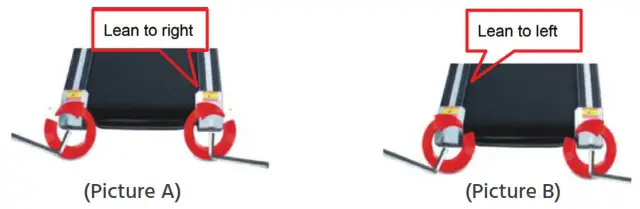
- If the running belt is lean to the right, rotate the right adjusting bolt with 1/2 turn clockwise, then rotate the left adjusting bolt with 1/2 turn counter-clockwise. (Picture A)
- If the running belt is lean to the left, rotate the left adjusting bolt with 1/2 turn clockwise, then rotate the right adjusting bolt with 1/2 turn counter-clockwise. (Picture B)
RUNNING BELT TENSION ADJUSTING:
When you use the treadmill for a long time, the running belt or the multi-wedge belt becomes loose because of the abrasion. To facilitate safe use, an appropriate adjustment is needed.
Judgment: The feeling of running with the occasional pause phenomenon, which indicates that the treadmill belt or multi-wedge belt is a little loose then further affirmations need to be made.
Step 1: Remove the motor cover, make the treadmill run at a speed of 1 km/h, and then stand on the running belt, hold the handlebar, and tread the treadmill belt slightly.
A. If the instantaneous step cannot stop the belt, then the tightness is appropriate.
B. If your instantaneous step stops the running belt, but the multi-wedge belt and front roller are still running, which indicates that the running belt is loose and appropriate adjustments must be made to facilitate safe use.
C. If you observe that the instantaneous step makes the treadmill belt and multi-wedge belt stop, but the motor is still running, it indicates that the multi-wedge belt is loose and appropriate adjustments have to be made to facilitate safe use.
Step 2: Use a wrench to adjust the screws on the motor base according to the condition. Meanwhile, gently flip the multi-wedge belt between the motor shaft and the front roller, if it is too loose, you can flip the multi-wedge belt by 100%; if it is too tight, the degree to flip the belt is very limited. It is appropriate to flip the multi-wedge belt by 80% after adjustment. Please adjust the tightness of the multi-wedge belt to the state that it could be flipped by 80%.
Step 3: Finally lock the motor base, and install the motor cover.
USING SILICONE OIL:
Step 1: Lift the running belt slightly.
Step 2: Open the silicone oil bottle, and spray the silicone oil on the sides of the running board, as shown in the following figure:
 Manufactured for & Marketed by :
Lifelong Online Retail Private Limited
For queries and complaints:
please contact: [email protected]
www.lifelongindiaonline.com
 Lifelong | Lifelong India Online – Lifelong Online