 1060-0850L
Ovation Pipettes Electronic Multichannel
Installation Guide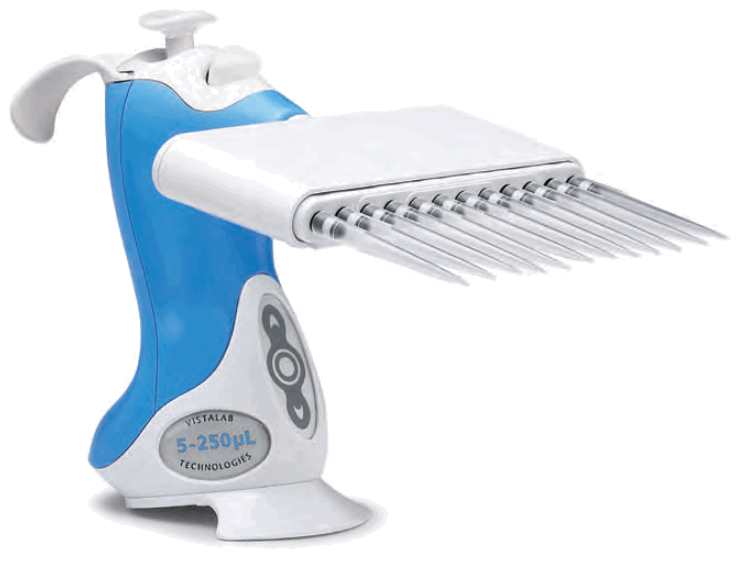
INTRODUCTION TO THE OVATION MULTICHANNEL
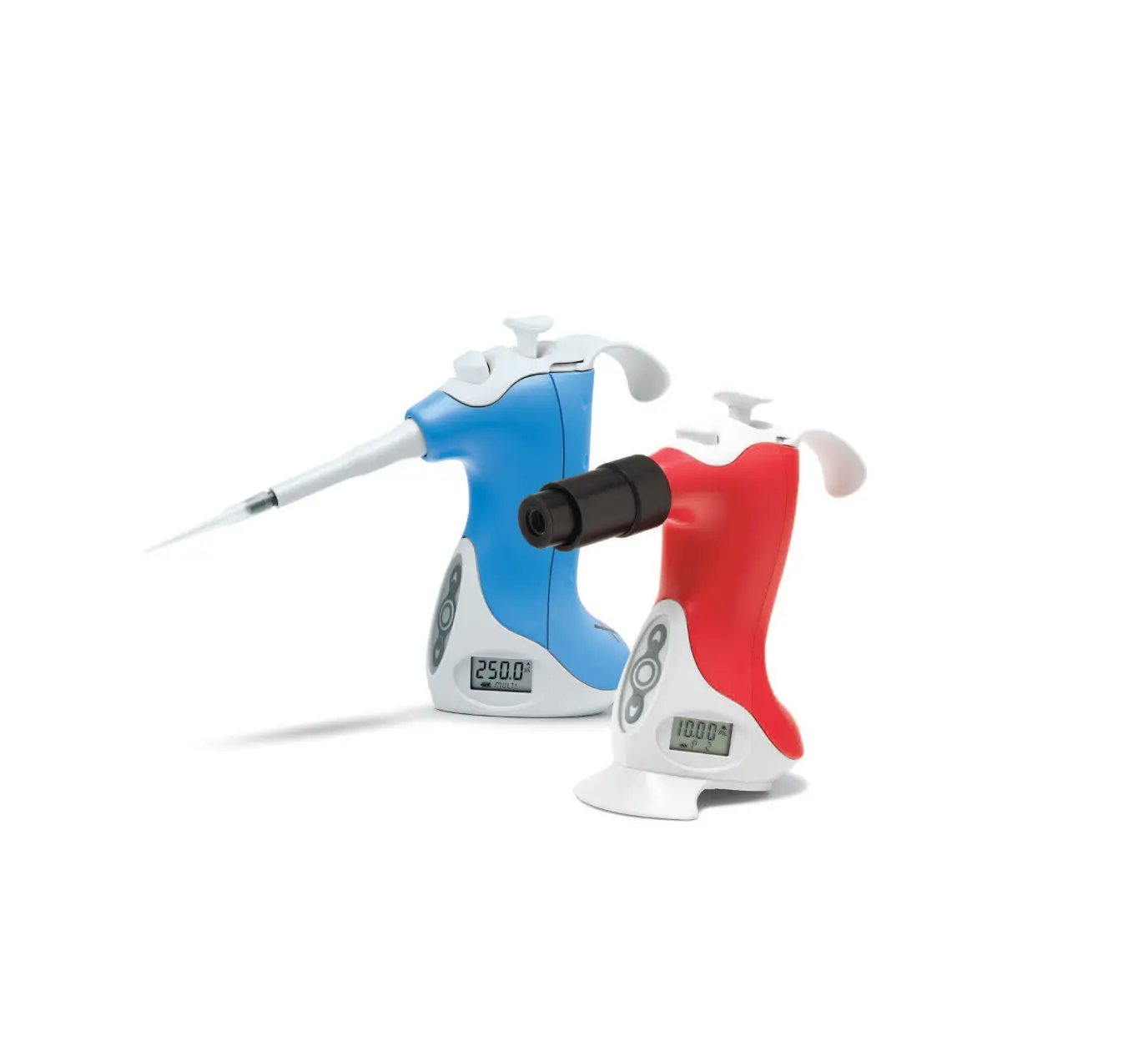
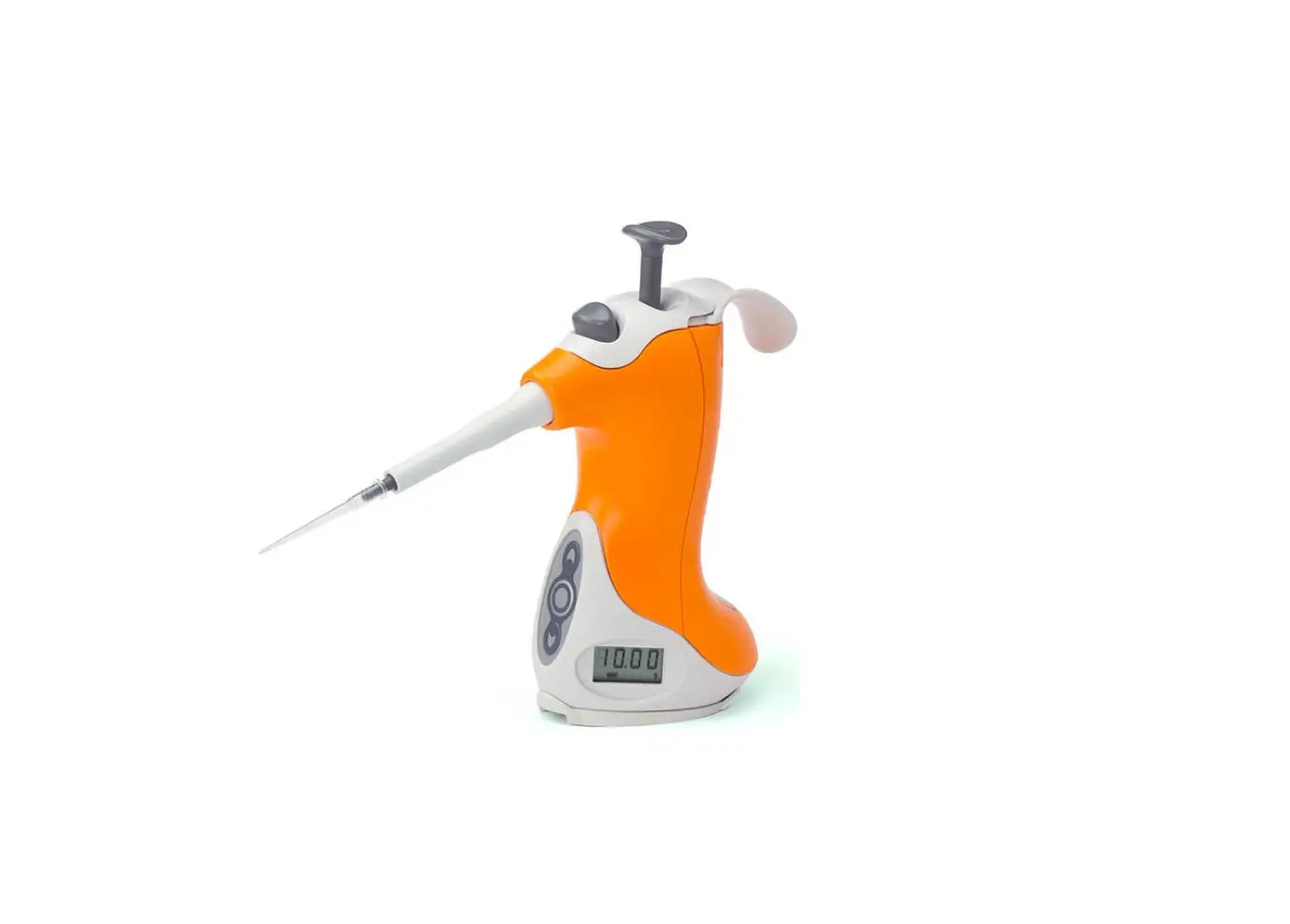
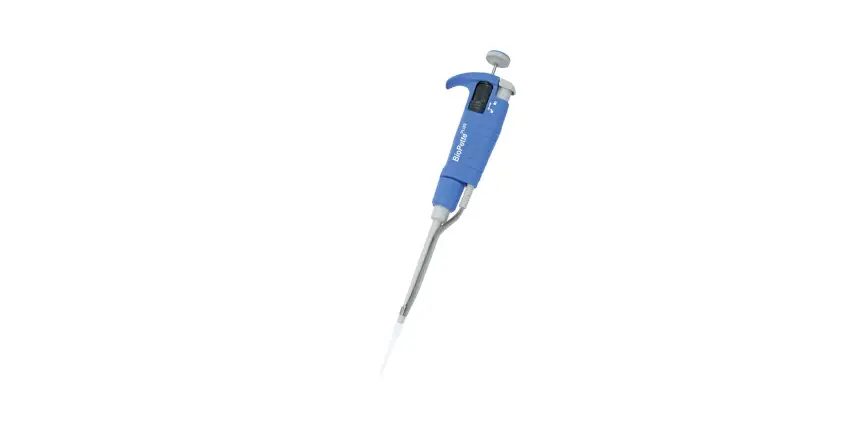
Ovation BioNatural™ pipettes are the ideal ergonomic solution for handling repetitive and complex liquid handling tasks that contribute to repetitive stress injuries in today’s laboratory. Ovation pipettes increase laboratory efficiency through automated liquid handling routines, while reducing fatigue and the effect of poor postures.
This manual describes how to use and care for your Ovation multichannel pipette.
As you can see from its appearance, it is different from every pipette that you have used before, therefore please read the instructions carefully.
Upon initial receipt of the pipette, the battery must be recharged for 90 minutes prior to use. (See instructions on page 5–2). Also, please activate the warranty on the VistaLab Technologies web site – www.vistalab.com. The required on-line form can be found in the “support” menu. Retain all packing materials in the event that the pipette is to be sent back to VistaLab Technologies for calibration verification or service.
Product Description
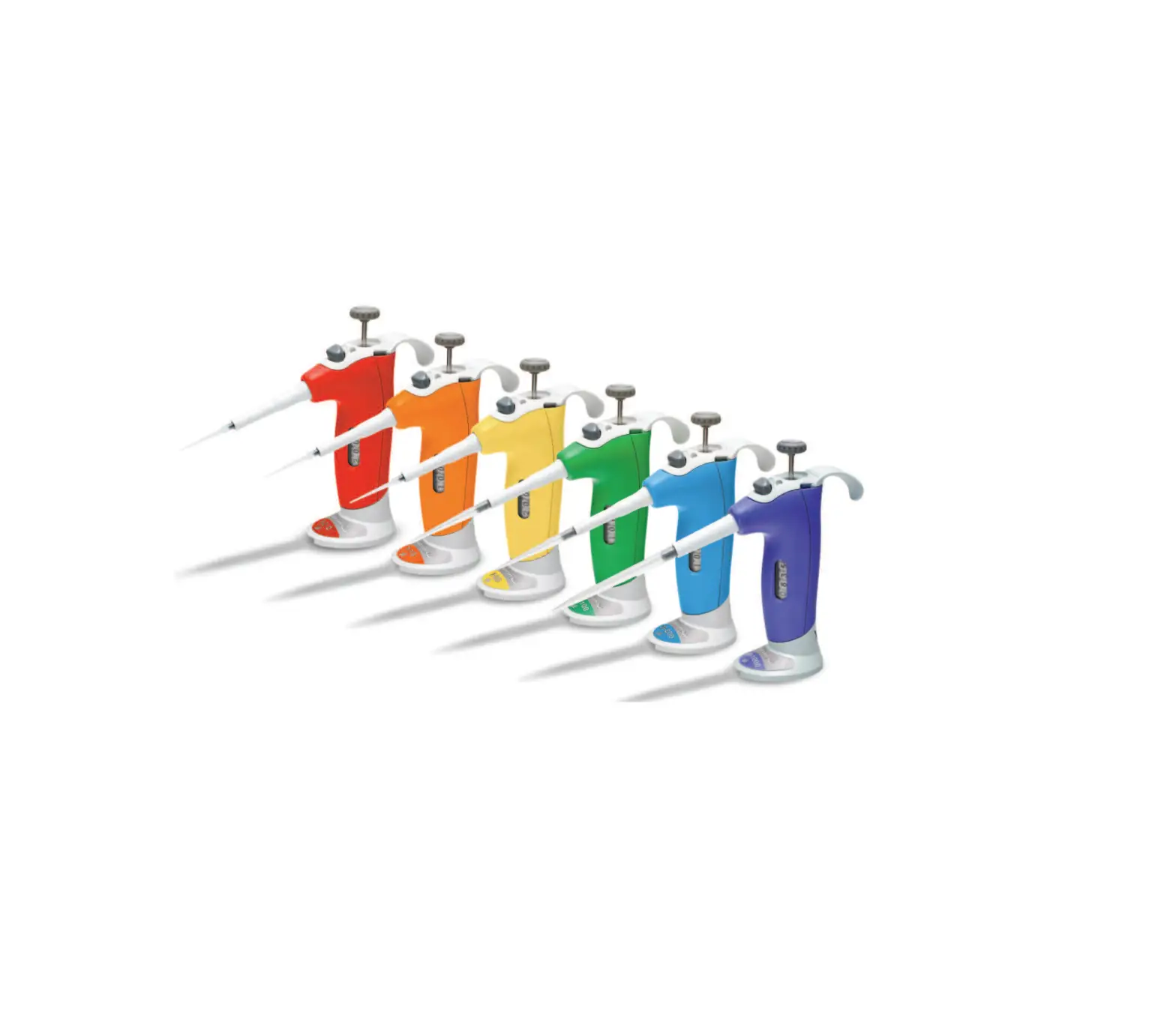
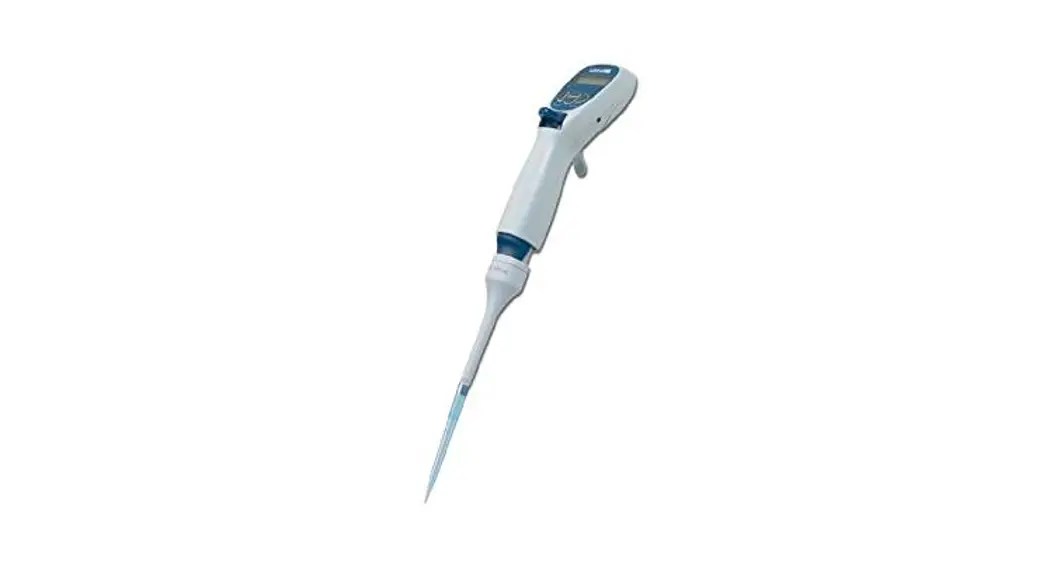
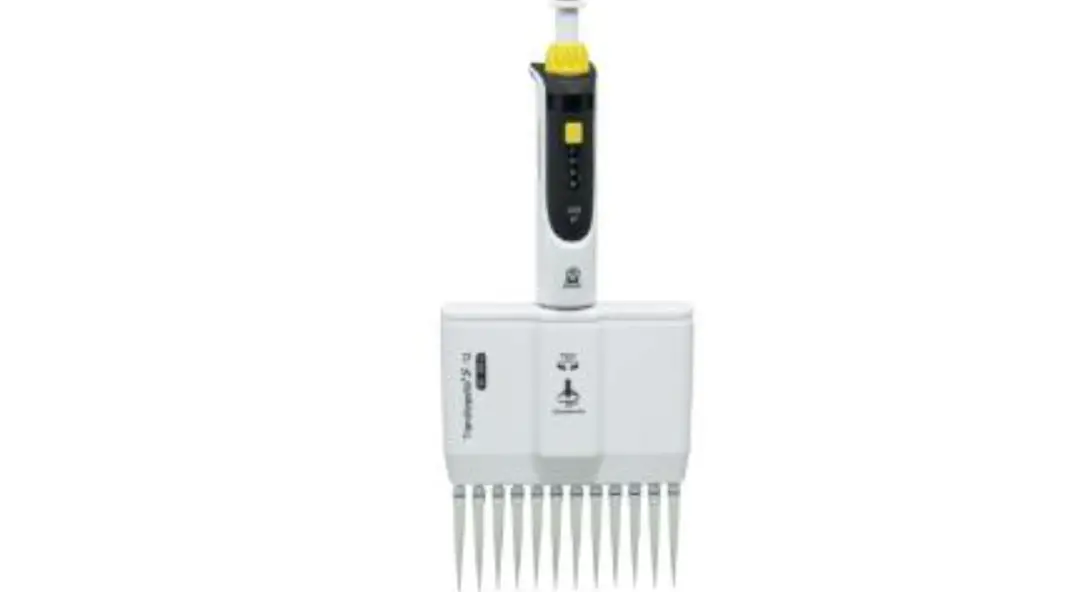
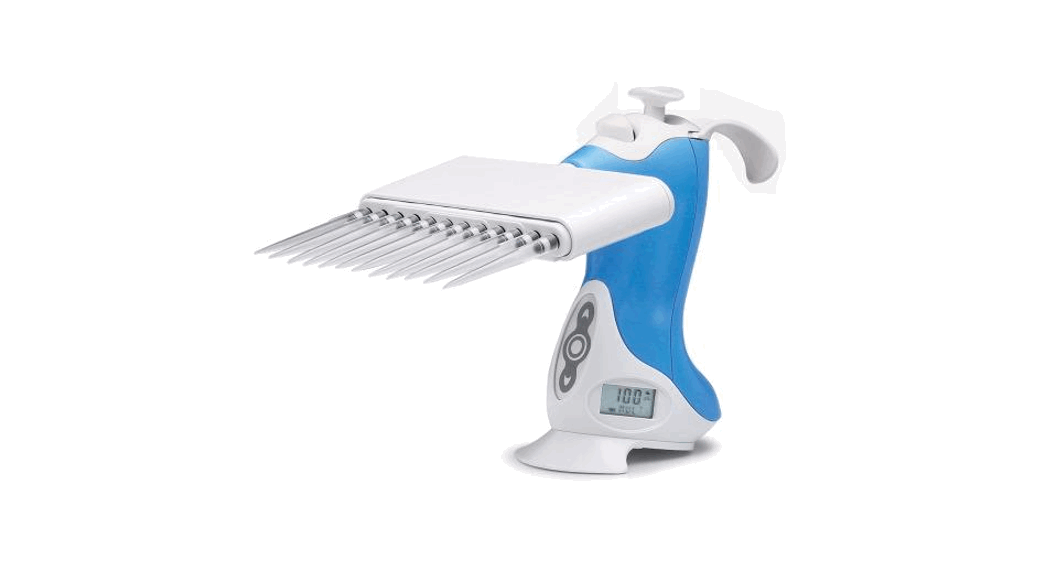
The multichannel Ovation BioNatural Pipette is an adjustable volume, air displacement, fully electronic motor-driven pipette intended to aspirate and dispense precise fluid volumes. 8 and 12-channel models, in both left and right-handed configurations, are available to cover liquid dispensing needs between 0.5 and 1250µL.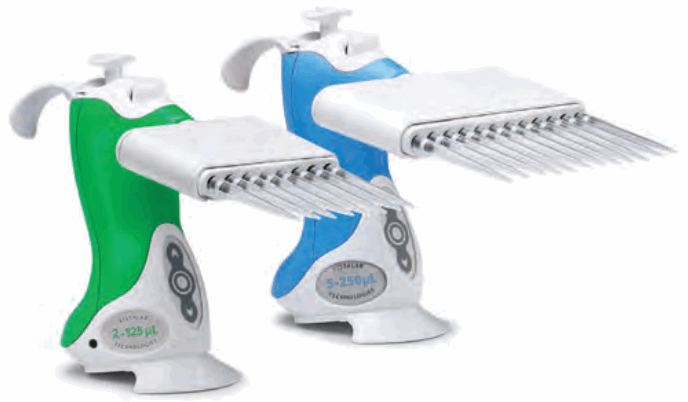
| Catalog # | Color | Volume | Dispensing | Accuracy* | Precision* | |
| 8 Channel | 12 Channel | Range | Increments | |||
| 1160-0020 1160-0020L | 1060-0020 1060-0020L |  Yellow Yellow | 0.5 – 20µL | 0.05µL | ±1.0% at 20µL ±1.5% at 10µL ±3.0% at 2µL | 0.40% at 20µL 0.80% at 10µL 1.80% at 2µL |
| 1160-0125 1160-0125L | 1060-0125 1060-0125L |  Green Green | 2 – 125µL | 0.5µL | ±0.8% at 125µL ±1.0% at 62.5µL ±3.0% at 12.5µL | 0.25% at 125µL 0.30% at 62.5µL 1.25% at 12.5µL |
| 1160-0250 1160-0250L | 1060-0250 1060-0250L |  Blue Blue | 5 – 250µL | 1µL | ±0.8% at 250µL ±1.0% at 125µL ±2.5% at 25µL | 0.25% at 250µL 0.40% at 125µL 1.00% at 25µL |
| 1060-0850 1060-0850L |  Gray Gray | 25 – 850µL | 5µL | ±1.0% at 850µL ±1.25% at 425µL ±3.5% at 85µL | 0.30% at 850µL 0.40% at 425µL 1.00% at 85µL | |
| 1160-1250 1160-1250L |  Purple Purple | 25 – 1250µL | 5µL | ±0.8% at 1250µL ±1.0% at 625µL ±3.5% at 125µL | 0.20% at 1250µL 0.30% at 625µL 0.80% at 125µL | |
Note: Catalog numbers ending in “L” are left-handed models – the LCD screen is on the opposite side of the pipette.
*Specifications subject to change
Pipette Components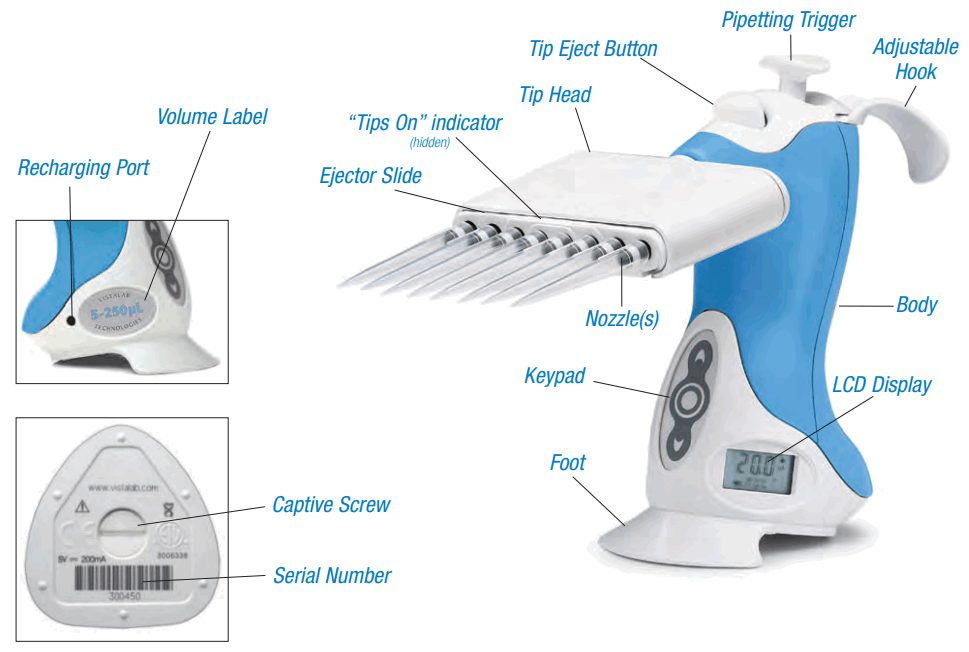
| Description | Function |
| Pipetting Trigger | Initiates pipetting action |
| Tip Eject Button | Ejects disposable pipette tips with minimal thumb force |
| Adjustable Hook | Accommodates left and right handed users |
| Tip Head | Houses nozzles and tip acquisition/discard system. If needed, pressure can be applied to textured upper surface during tip acquisition. |
| “Tips On” Indicator | Becomes hidden when tips are applied, indicating proper tip acquisition |
| Ejector Slide | Stored energy from tip installation releases tips |
| Nozzles | Tapered, chemically resistant couplings that secure pipette tips |
| Body | Larger grip surface for comfort, eliminating tight hand grip |
| Keypad | Selects and sets up liquid handling functions, settings and calibration |
| LCD | Indicates liquid handling functions, status, settings, and remaining battery power |
| Battery | Lithium ion rechargeable, located in base of pipette (not shown) |
| Foot | Balances pipette |
| Volume Label | Identifies volume range |
| Recharging Port | Power supply connection for battery recharging |
| Power Supply | AC adapter for recharging battery (not shown) |
| Captive Screw | When loosened, allows access to inside of pipette for battery replacement |
BIONATURAL PIPETTING
Introduction
Studies have shown that pipetting is the #1 cause of musculoskeletal disorders in the laboratory – it is, by nature, a repetitive process that puts strain on the body. While we can’t change how repetitive pipetting is, we can and did change how comfortable you are while doing it.
The Ovation BioNatural Pipette is the only pipette designed to keep your hand in the neutral position recommended by ergonomics experts. We call this BioNatural™ pipetting – it allows a lower hand location to ease stress in the shoulder, and a relaxed wrist angle eliminates uncomfortable extension and radial deviation movements in the arm. Force, velocity and exertion from repetition or duration have also been neutralized because of the Ovation pipette’s unique working position and reduced forces required during operation.
Some practice may be required to change years of posture and habits developed using standard axial pipettes; the physical benefits of BioNatural pipetting are worth the practice! When using the Ovation pipette, arm/hand elevation should not exceed 12” from the work surface, wrist rotation should not exceed 90º, and hand posture should remain relaxed with the wrist and back of hand slightly flexed.
Posture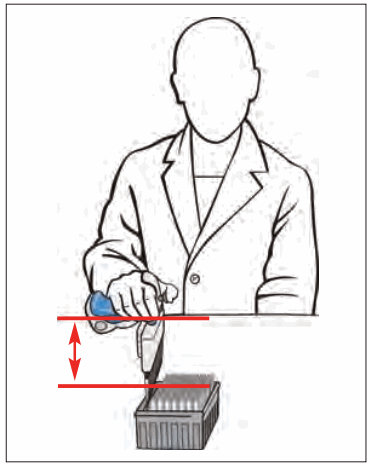 Arm elevation remains low, minimizing stress to elbow, shoulder and neck
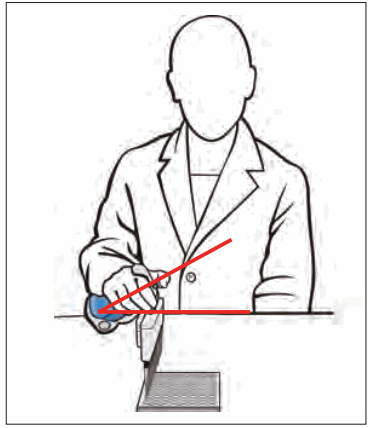 Wrist remains in a neutral range of motion throughout all pipetting operations
 A loose, relaxed grip increases available strength in the hand, improving endurance and productivity during pipetting
Keep a “comfort zone” for pipetting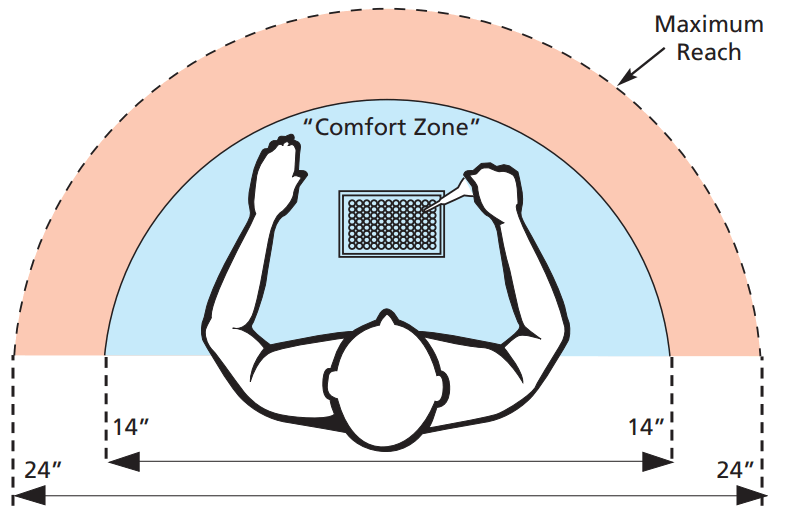 Ergonomics experts recommend establishing a “comfort zone” of movement for the task of pipetting. Position your body within 9” of the counter surface, and keep the items needed within easy reach. Ideally this should be 14” or less, and should not exceed 24” of occasional reaching. Wrist rotation should not exceed 90˚ from the work surface, and arm/hand elevations should not exceed 12”.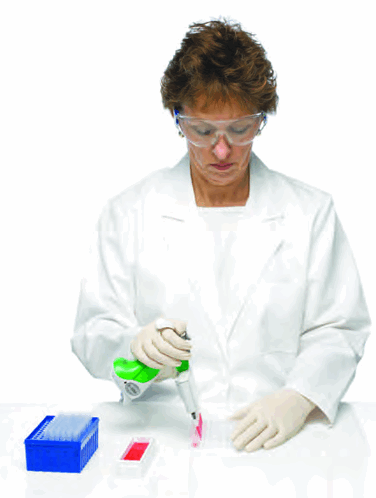
- Relaxed shoulders and upper arms
- Low thumb forces
- Relaxed hand grip
- Neutral forearm and wrist rotation
- Low arm and elbow height
Ovation comfort-zone benefits:
- Minimized tension and fatigue
- Minimized exertion and contact stress
- Low contact pressure
- Lowest pressure in carpal tunnel and to median nerve
- Minimized tension to shoulder and elbow
Picking Up the Pipette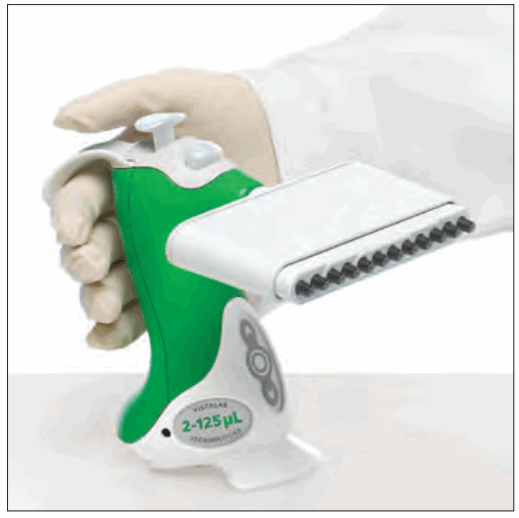 The Ovation pipette has been designed to allow the body of the pipette to fill your palm. Rotate the adjustable hook to rest comfortably on your forefinger. The texture of the unit’s back helps reinforce correct hand positioning.
The unique ergonomic design and adjustable hook is compatible for both right and left-handed use.
Keep hand posture relaxed – there’s no need for a “firm grip” when using an Ovation pipette.
Selecting Liquid Handling Functions and Changing Settings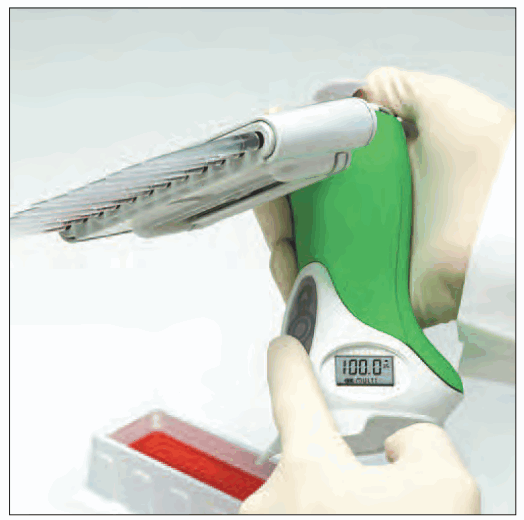 The Ovation Multichannel pipette’s keypad is easy to use and provides access to all liquid handling functions and settings. Simply press the buttons on the keypad, monitoring the selection of functions or changes to settings on the LCD display.
Complete information and examples of all liquid handling functions and settings are included in “Operating Procedures” – Chapter 3 of this guide.
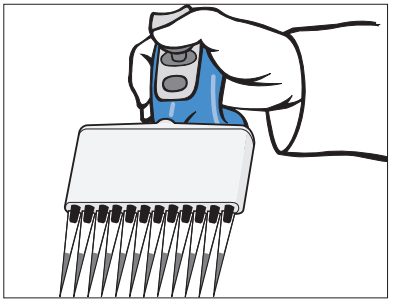
Acquiring Tips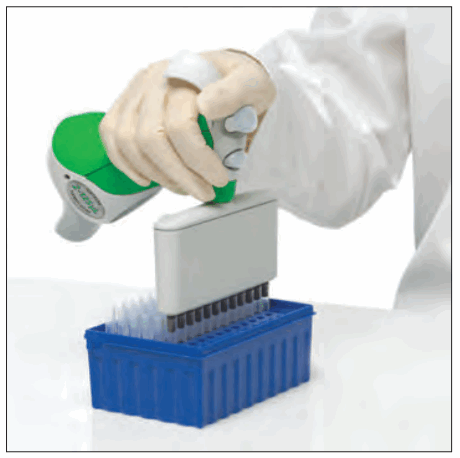 While maintaining a flat wrist-hand posture, insert the Ovation pipette nozzles into a row of tips. If desired, place other hand on the textured surface (top) of the tip head and press down until you hear or feel a “click” and the indicator line on the tip head is hidden. This indicates that the tips are properly seated and ready for use.
The Ovation multichannel pipette has been especially designed to reduce muscular stress and fatigue commonly associated with single-handed tip acquisition devices. The Ovation design, recommmended by ergonomists and governmental agencies, allows the user to gently press on the tip head – thereby distributing forces and reducing fatigue and effort. Other pipettes do not offer this feature, and on many models pushing on the head would eject the tips.
Aspirating and Dispensing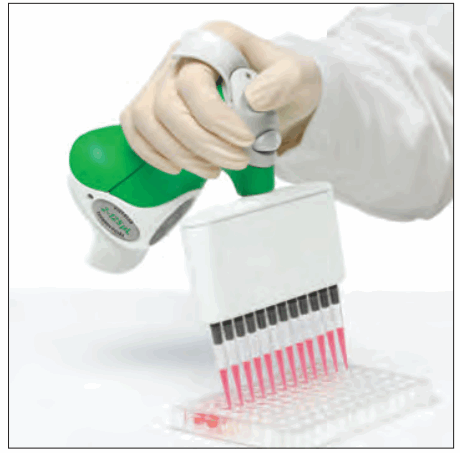 Smooth gliding movements of the upper extremities with proper posture and minimal stress is the key to ergonomically correct pipetting. Maintain a low forearm elevation and neutral wrist posture throughout the pipetting cycle. Immerse pipette tips to an appropriate depth (1mm for 0.5–20µL, 2 to 3mm for 2µL–125µL & 5-250µL, and 2 to 4mm for 25–850µL).
Press & release the pipetting trigger to aspirate sample. Press pipetting trigger again to dispense or mix sample.
Ejecting Tips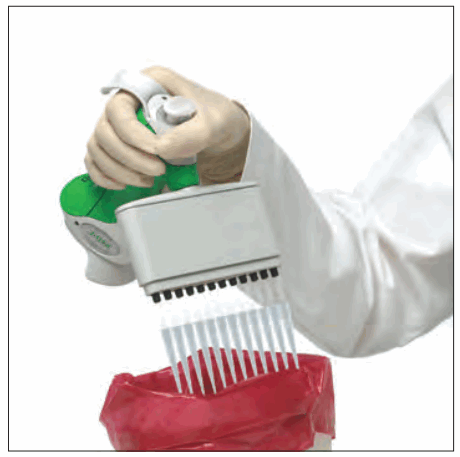 The Ovation multichannel pipette stores energy captured during the acquisition of tips, and uses it to discard tips when the tip eject button is pressed. Point pipette tips into a suitable waste container and gently press the button. The ejector slide is activated, discarding all tips simultaneously.
OPERATING PROCEDURES
Getting Started
The general steps to set up and operate the Ovation pipette are:
- Select a liquid handling function
- Review and change settings as required
- Acquire tips
- Run the liquid handling function according to its protocol
- Eject disposable tips into a proper waste container.
Familiarize yourself with the use of the keypad, display prompts, set-up and use of the pipette’s liquid handling functions in this chapter before use.
| Pipette Keypad | Button | Description |
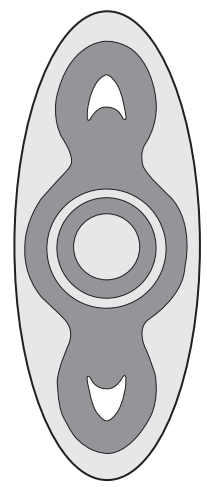 | 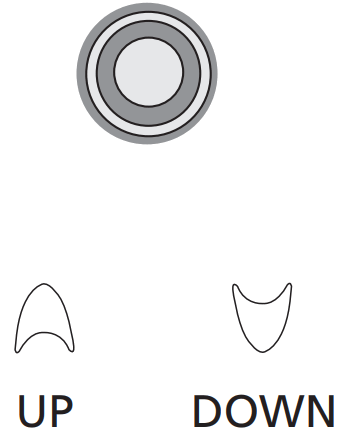 | Advances display to next liquid handling function in the run mode. When in set-up, the  button advances display to the next setting within the liquid handling function that can be changed. button advances display to the next setting within the liquid handling function that can be changed.When changing the setting(s) within a liquid handling function, pressing the or button adjusts the settings. When pressed together and held, they are used to access pipette settings. |
Pipette Display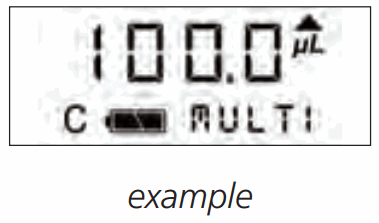 Description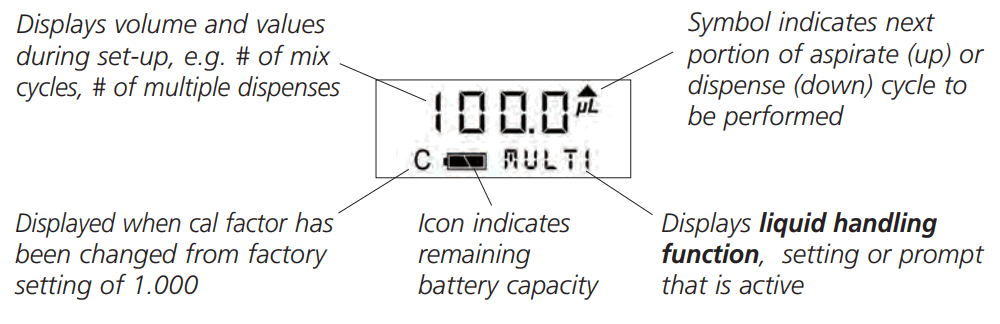
| Function Indicator | Function | Description |
 | Pipette | Routine aspirating and dispensing at stored (user-defined) volumes (also known as TC or “to contain” pipetting). Sample volume is dispensed with overblow to expel all liquid. |
| (no function shown) | Pipette | Aspirating and dispensing in pipette function at a dynamic user-defined volume. |
 | Multiple Dispense | Repetitive dispensing function of equal volumes. The pipette calculates and aspirates the total volume required, then dispenses in multiple aliquots. An automatic repetitive dispensing utility, PACE, can be activated by holding the pipette trigger while dispensing. |
 | Serial Dilute | A sequence of dilutions. Sample is aspirated, dispensed into diluent and mixed. Diluted sample is automatically aspirated for addition to the next diluent. |
 | Mix | Repetitive cycles of aspirating and dispensing. |
 | Reverse Pipette | A sample transfer function based on delivered dispense volume (also known as TD or “to deliver” pipetting). Sample volume is aspirated with slight overage and the desired volume is dispensed, leaving some liquid in the tip that is then purged. |
| Setting Indicator | Description |
 | Volume to be dispensed (when using  , ,  or or  , this is also the volume that will be aspirated). , this is also the volume that will be aspirated). |
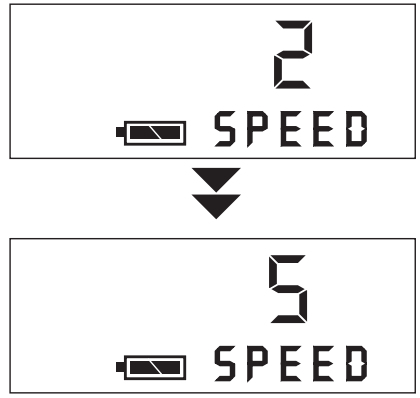
 | Speed at which the pipette aspirates, dispenses and mixes within a liquid handling function. 5 settings are available. (1 is the slowest and 5 is the fastest) |
 | Shows the number of dispenses remaining when using the function. |
 | The volume of individual dispense(s) when setting up the function. |
| The volume of the dilution to be mixed when using the function. |
 | The volume to be mixed when using the function. |
 | The number of dispenses when using the function, or the number of mix cycles (1-9) when using or functions. |
 | Interrupts and ends any function or is the last step in some Liquid Handling Functions. |
 | Indicates that the pipette pistons are at the overblow or lowest position at the end of a function. |
 | Pace is an adjustable timed interval delay between automatic repetitive dispenses when using the function (1 is slowest setting, 4 is fastest). |
 | Ovation pipettes use “beep” tones to indicate various actions, or can be disabled. • A single beep tone indicates the end of a pipetting step. • A double beep tone indicates the completion of the (last) dispense cycle when using the function and .• A triple beep tone indicates the end of a liquid handling function. • An alert tone indicates the pipetting trigger was pressed before set-up was completed, or an illegal action or programming error has occurred. |
 | The contrast on the liquid crystal display can be adjusted as needed. |
 | After 10 minutes of inactivity, the pipette automatically enters to conserve battery power. Press any button or the pipetting trigger to resume operation. |
 | When the pipette is first activated from , the prompt is displayed while the plungers are automatically reset. |
Set-up of Liquid Handling Functions
Introduction
The Ovation multichannel pipette’s keypad is easy to use and provides access to all liquid handling functions and settings. Simply press the buttons on the keypad to step through the various functionss and make changes to settings. When a setting indicator is flashing, this indicates that the setting has been changed from a previously “saved” setting.
A number of settings, such as speed, count, and mix, appear in each liquid handling function. While their set-up is similar in all cases, they must be established independently within each liquid handling function.
Liquid Handling Functions
Pipette
The Ovation multichannel pipette provides three user-defined pre-sets for routine pipetting at exact volumes with overblow (TC or “to contain” pipetting). Volume and speed are stored for easy recall and use.
To set-up and run a P1, P2 or P3 liquid handling function, follow these steps:
Example: Pipette 200µL of sample
- Press and release until
 ,
,  or
or  , appears on the display.
- Press
 or
or  and the
  appears on the display with the current volume setting. Press and hold or to rapidly scroll to the desired setting, or press and release or to step the volume measurement to the desired setting.
- Press and release
 to lock-in the new volume setting and advance to the current
  setting.
- Press and release or until the desired speed is displayed. (1 is slowest setting, 5 is fastest).
- Press and release to lock-in the setting and exit setup.
- Aspirate sample by pressing and releasing the pipetting trigger.

- Press the pipetting trigger to dispense sample with overblow to expel all liquid.

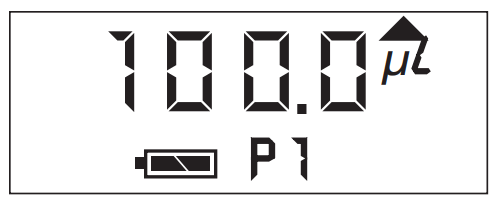
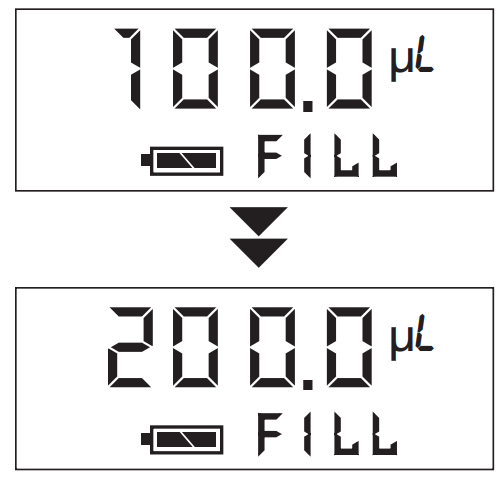
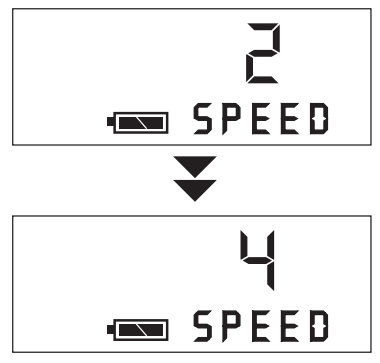
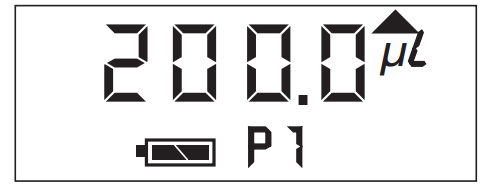
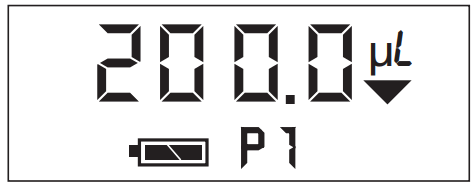
 To prevent accidental re-aspiration of sample after overblow, the pipetting trigger can be held down during dispensing. Move tips away from the dispensing area before releasing the pipetting trigger.
Setting a dynamic volume 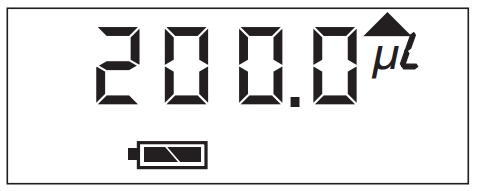 To aspirate and dispense any volume, it is not necessary to store the new volume setting. Simply press and release until , or , appears on the display, then press
  or
or  until the desired volume is displayed. Press and or to change speed if desired. Press and release the pipetting trigger to begin pipetting.
Note: P1, P2 or P3 will not appear on the display. This volume will remain active until another liquid handling function or volume is selected; pre-set volumes for , or , remain unchanged.
Multiple Dispense
Multiple Dispense is a repetitive pipetting function for dispensing equal volumes.
Once a dispense volume and the number of dispenses are established, the Ovation pipette automatically calculates the total fill volume required.
To set-up and run a Multiple Dispense liquid handling function, follow these steps:
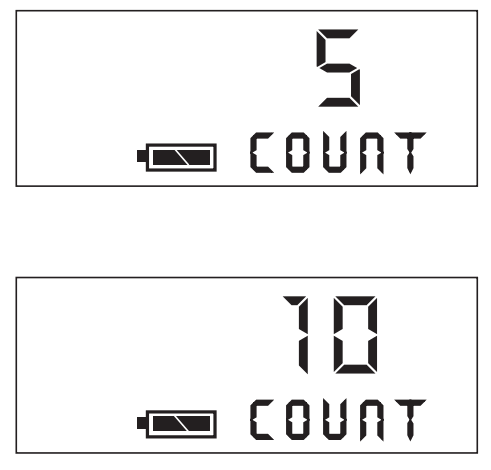
Example: Dispense a 50µL aliquot, 10 times
- Press and release until
 appears on the display.
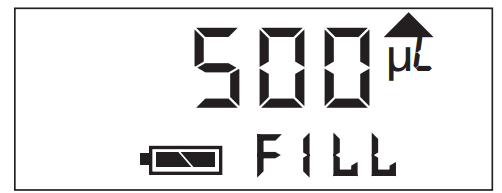
- Press or and
 appears on the display with the current volume setting for individual dispenses. Press or until the desired volume is displayed.
- Press and release to lock-in the new volume setting and advance to the current
 setting.
Note: The count setting will either be the last number of dispenses used or the maximum number of full dispenses that can be performed at the new volume setting. - Press and release or until the desired number of dispenses is displayed.

- Press and release to lock-in the new setting and advance to the current speed setting.
- Press and release or until the desired is displayed (1 is slowest speed, 5 is fastest).

- Press and release to lock-in the setting and exit setup.
- Aspirate sample by pressing and releasing the pipetting trigger. The total volume required to complete all dispenses and is displayed while the volume is being aspirated.

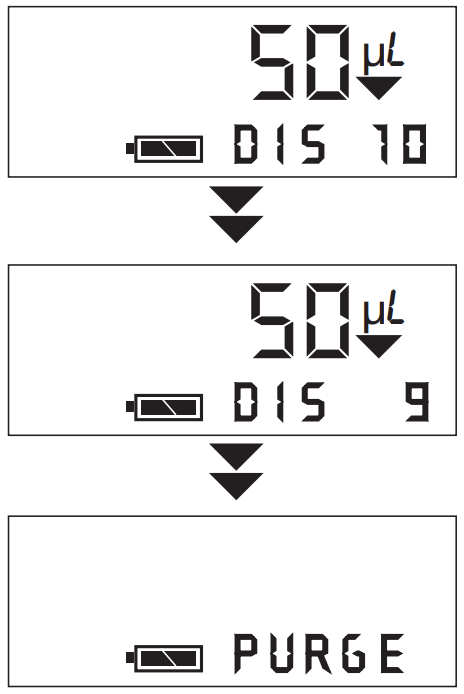
- Press and release the pipetting trigger to dispense each aliquot. The display will indicate the volume being dispensed, and the number of dispenses remaining.
To activate , press and hold the pipetting trigger when dispensing, and aliquots will be dispensed automatically at a timed interval until the pipetting trigger is released or the last dispense is performed. See the instructions to set-up or change the interval setting (page 3-9).
- After the final volume is dispensed, purge appears on the display. Press and release the pipetting trigger to discard any remaining liquid in the tips.
Note: purge can be used at any time to end any liquid handling function by pressing. To cancel purge, press again and resume dispensing.
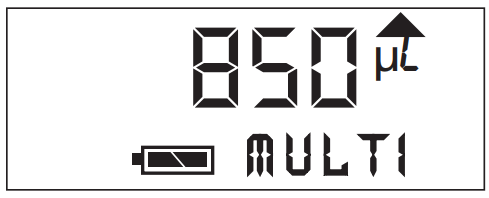
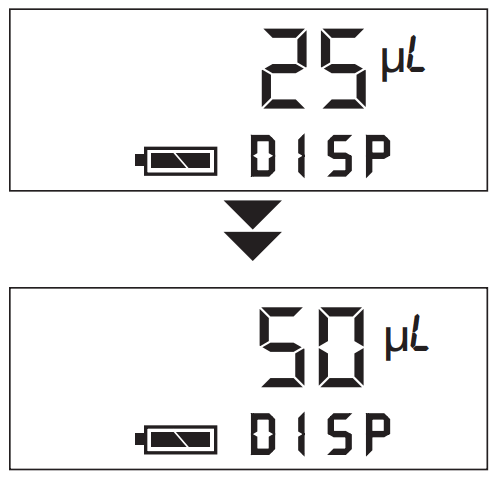
Serial Dilute
The liquid handling function performs sequential dilutions. An initial sample volume is aspirated, dispensed into diluent and then mixed. The diluted sample is then aspirated for addition to the next diluent.
To set-up and run a Serial Dilute liquid handling function, follow these steps:
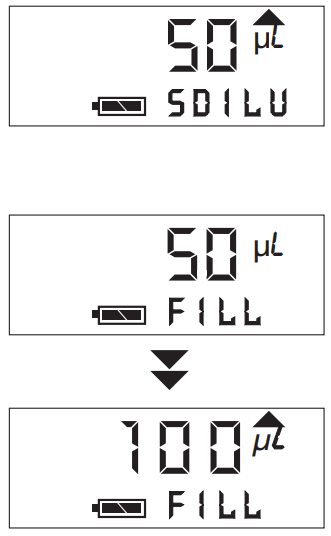
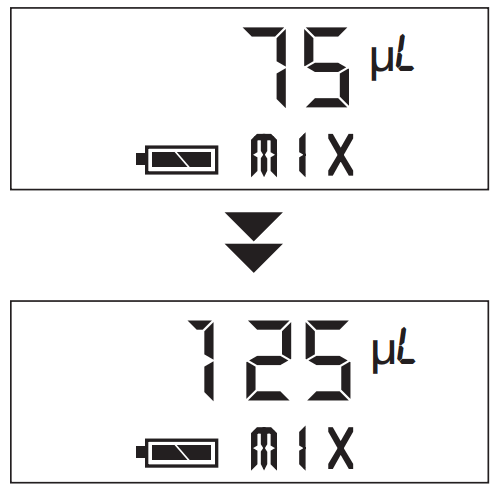
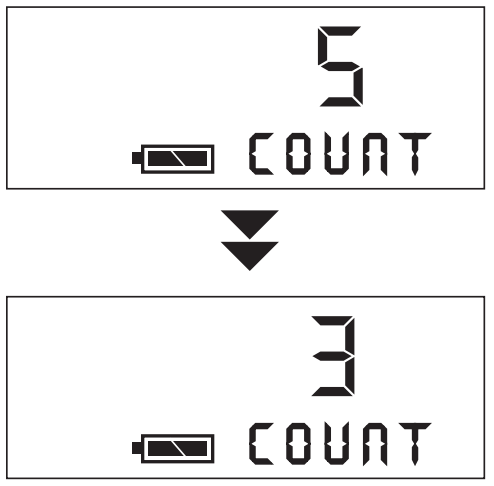
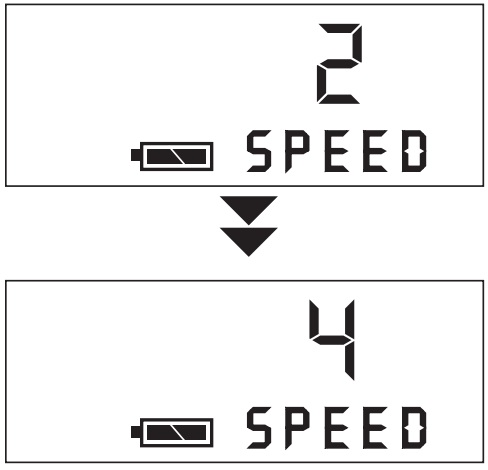
Example: Prepare a 1:2, 1:4, ,1:8 . . . serial dilution using a sample volume of 100µL. Mix 125µL of each dilution three times.
- Use the liquid handling function to dispense 100µL of diluent into each sample well.
- Press and release until
 appears on the display.
 - Press or and appears on the display with the current volume setting for aspiration. Press or until the desired setting is displayed.
- Press and release to lock-in the new volume setting and advance to the current
 volume.
- Press or until the desired mix volume is displayed.
- Press and release to lock-in the new mix volume and advance to the current setting.

- Press or until the desired number of mix cycles (1-9) is displayed.
- Press and release to lock-in the new setting and advance to the current speed setting.

- Press and release or until the desired speed is displayed (1 is slowest, 5 is fastest).
- Press and release to lock-in the setting and exit setup.

- Aspirate 100µL of sample by pressing and releasing the pipetting trigger.

- Place (filled) tips into the first diluent-filled row, and press and release the pipetting trigger to dispense sample into the diluent, followed by three mix cycles. After mixing, 100µL of the diluted sample is automatically aspirated. Move tips to next row and press pipetting trigger to dispense and mix the next dilution. Continue until all dilutions are prepared.
- To empty the tips of liquid after the final dilution is made, press and
 appears on the display (or to cancel PURGE, press again). Press and release the pipetting trigger to dispense liquid into an appropriate container.

Mix
Mix is a liquid handling function with repetitive cycles of aspirating and dispensing of the same sample. The function can be used independently of other functions and is included within the  function.
To set-up and run the Mix liquid handling function, follow these steps:
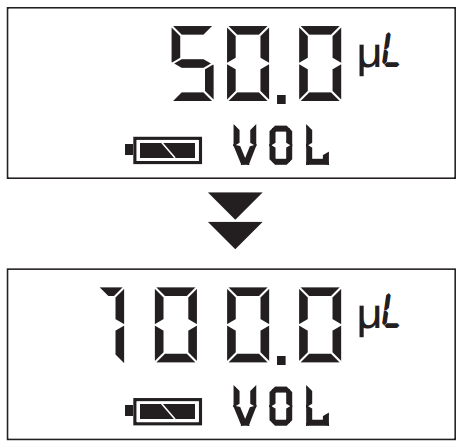
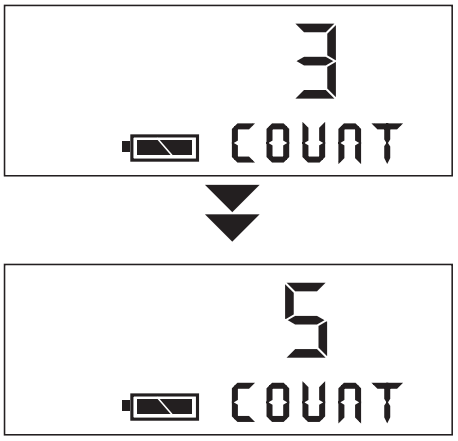
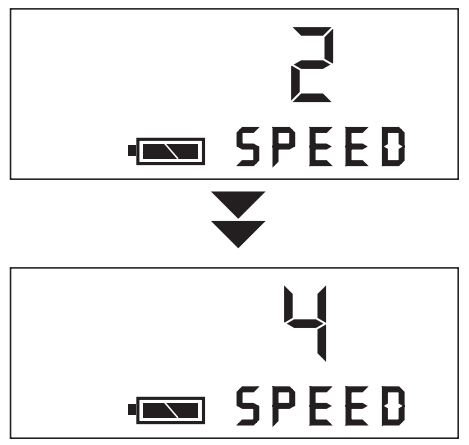
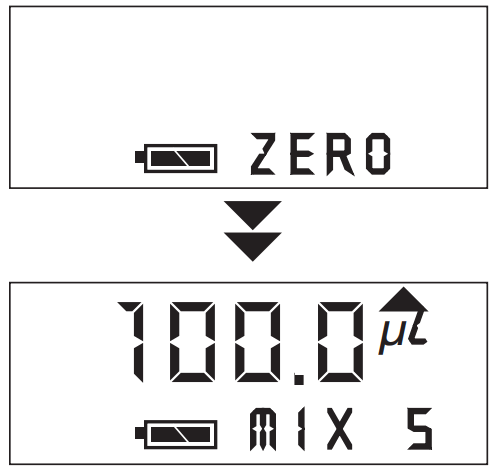
Example: Mix 100µL of solution 5 times
- Press and release until appears on the display.

- Press or and
 appears on the display with the current volume setting for mixing. Press or to scroll to the desired setting.
 - Press and release to lock-in the new volume setting and advance to the current setting.

- Press and release or until the desired number of mix cycles is displayed (1-9).
- Press and release to lock-in the new setting and advance to the current setting.

- Press and release or until the desired speed is displayed (1 is slowest, 5 is fastest).

- Press and release to lock-in the setting and exit setup.
- Mix 100µL of sample by pressing and releasing the pipetting trigger.

- When
 appears on the display, remove tips from solution and press the pipetting trigger. The pipette is now ready to perform the next Mix function.


Reverse Pipette
Reverse Pipette is a sample transfer function based on an exact dispense volume (TD or “to deliver” pipetting). Sample volume is apirated with a slight overage and the exact amount is dispensed, leaving some liquid in the tip that is purged with the next press of the pipetting trigger. This method of pipetting is commonly used for highly volatile or viscous samples, and/or when working with small microvolumes.
To set-up and run a Reverse Pipette liquid handling function, follow these steps:
Example: Pipette 50µL of sample
- Press and release until
 appears on the display.
- Press or and appears on the display with current volume setting. Press or tuntil the desired setting is displayed.
- Press and release to lock-in the new volume setting and advance to the current setting.

- Press and release or until the desired speed is displayed (1 is slowest, 5 is fastest).
- Press and release to lock-in the setting and exit setup.
- Aspirate sample by pressing and releasing the pipetting trigger.

- Press and release the pipetting trigger to dispense sample.
- The prompt is displayed after sample is dispensed. Press and release the pipetting trigger to purge liquid remaining in the tips into a suitable container.
 The pipette is now ready to perform the next Reverse Pipette function.
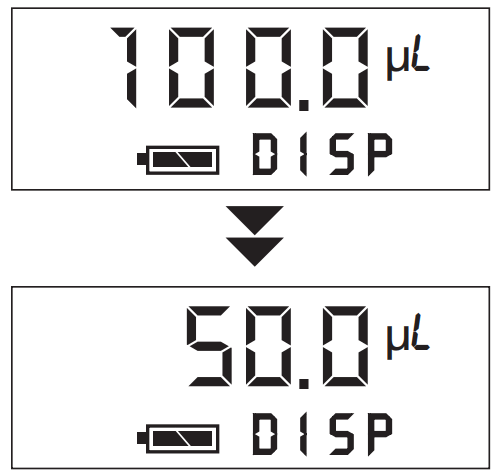
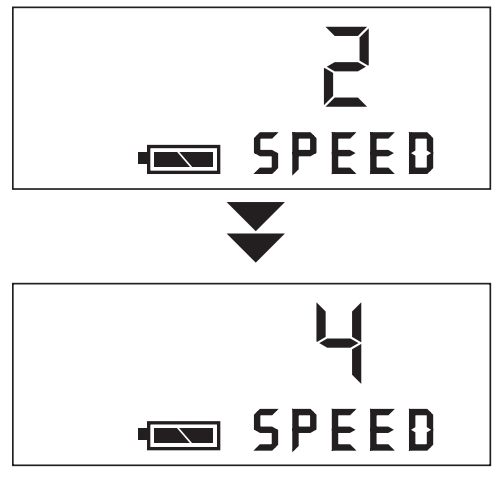

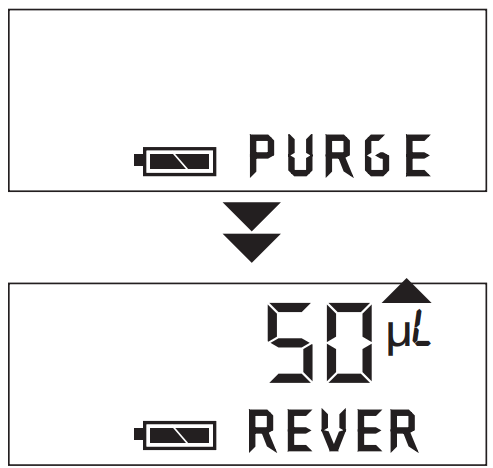 The pipette is now ready to perform the next Reverse Pipette function.
Set-up of Pipette Settings
Tone
Ovation pipettes use “beep” tones to indicate various actions. A single beep tone indicates the end of a pipetting step. A double beep tone indicates the completion of the (last) dispense cycle when using the multiple dispense or reverse pipette function.
A triple beep tone indicates the end of a liquid handling function. An alert tone indicates the pipetting trigger was pressed before set-up was completed or an illegal action or programming error has occurred.
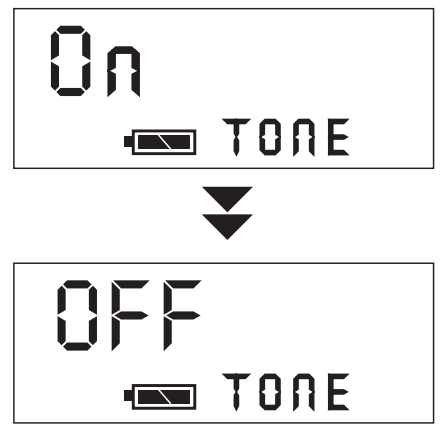
Beep tones can be disabled if desired as follows:
- Simultaneously press and hold the buttons until
 appears on the display.
- Press or to toggle the “beep” setting ON or OFF. Press to step to
 or press the pipetting trigger to return to routine operation.
LCD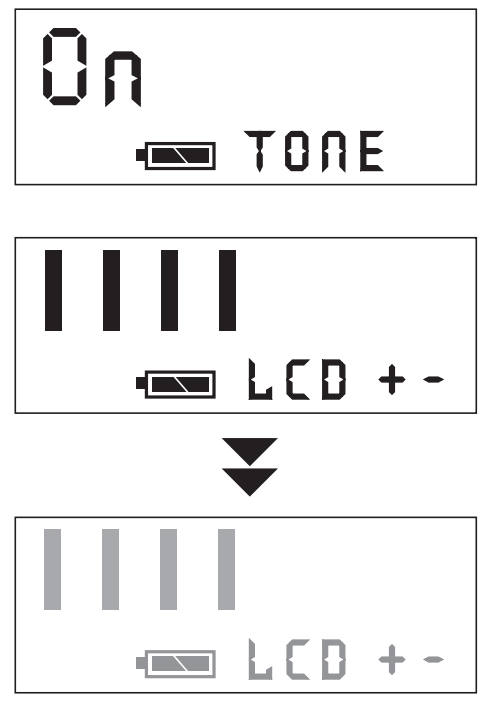 The contrast on the pipette’s liquid crystal display can be adjusted as needed:
- Simultaneously press and hold the buttons until appears on the display.
- Press and release until appears on the display.
- Press or to increase or decrease the contrast to desired level. Press to step to
 or press the pipetting trigger to return to routine operation.
Pace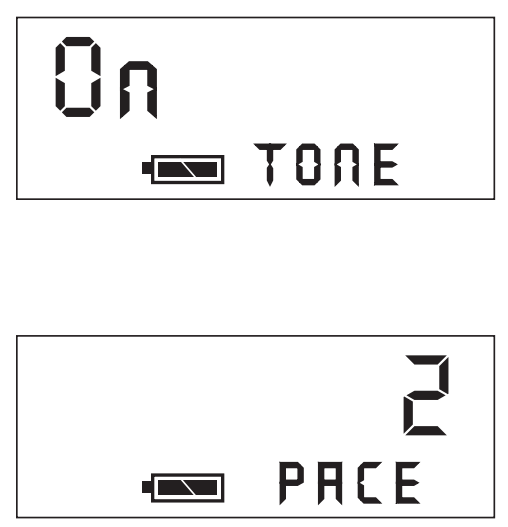 The
The  setting represents the pause time between automatic repetitive dispenses while using the Multiple Dispense function.
To change setting, follow the steps below:
- Simultaneously press and hold the buttons until appears on the display.
- Press and release until and a numeric value is displayed (1, 2, 3 or 4).
Press the or button until the desired pause interval is displayed (1 is slowest, 4 is fastest). The lower the number, the shorter the delay in milliseconds between automatic dispenses. - Press and release to step to
 or press the pipetting trigger to return to routine operation.
Note: To use when in the Multiple Dispense liquid handling function, press and hold the pipetting trigger when dispensing; aliquots will be dispensed automatically at the specified interval setting. To interrupt , release the pipetting trigger.
CALIBRATION
Introduction
Each Ovation pipette is factory calibrated to manufacturing specifications and a Certificate of Calibrtation traceable to NIST is enclosed in the unit’s original packaging. The pipette is calibrated at 21.5˚C (±2˚) and relative humidity of 45%-75% using distilled water. It is recommended that calibration be verified every six months or on an as-needed basis, whichever is applicable.
The Ovation pipette can be easily in-lab calibrated ±10% for optimum performance at your operating conditions. In addition, the calibration factor can be pre-determined and set at the appropriate value for a liquid to be dispensed. Changing the calibration factor is quick and easy. Returning the calibration factor to 1.000 will re-set the Ovation pipette to its original factory calibration.
For optimum performance over the entire pipetting range, verify and calibrate the pipette using the maximum volume setting. For a specific liquid at one volume, verify and calibrate at that volume.
With the pipette set to the desired volume, determine the actual volume dispensed*.
Then use Ovation’s calibration software to determine an appropriate calibration factor.
When the calibration factor is changed from the factory setting of 1.000, a “C” appears on the display screen. It is recommended that whenever the calibration factor is changed from the factory setting, that the current factor be recorded in the laboratory’s quality control log.
Determining a New Calibration Factor
- Perform a verification at the desired volume.
- Simultaneously press and hold the buttons (about 3 seconds) until appears on the display. Press and release until CAL appears.
Note: To interrupt the calibration sequence at any time, depress and release the pipetting trigger. No changes will be saved. - Press or and
 (target) and the pipette’s maximum volume is displayed.
 - Press or to change the volume, but only if calibrating at other than the maximum.
- Press and
 (measured) and the maximum volume is displayed.
 - Press or to enter the actual volume dispensed during verification. (See Step 1)
- Press and
 (factor) and a new calibration factor is displayed. Record this factor.
 - Press again and
 (set) appears on the display. After one second, the pipette accepts and stores the new calibration factor. A “C” may now appear on the display.
 - Re-verify volume delivery with this new calibration factor.
 (target) and the pipette’s maximum volume is displayed.
 (measured) and the maximum volume is displayed.
 (factor) and a new calibration factor is displayed. Record this factor.
 (set) appears on the display. After one second, the pipette accepts and stores the new calibration factor. A “C” may now appear on the display.
* For additional information on calibration verification, go to our documentation library under Support at www.vistalab.com
Entering a Calibration Factor
Ovation allows the user to enter a known calibration factor for a specific liquid or volume, or return to the factory setting.
- Repeat Step 2 under “Determining a New Calibration Factor. Press until appears on the LCD.
Note: To interrupt the calibration sequence, press and release the plunger.
No changes will be saved. - Press or , followed by (2 times) to advance to
 on the display.
Record this factor. - Press or to enter the known calibration factor.
- Press and (set) then appears on the display while the pipette homes the plungers. The pipette has accepted and stored the new calibration factor.
- Verify volume delivery at this new factor, or begin to use the pipette.
 on the display.
MAINTENANCE & TROUBLESHOOTING
The Ovation pipette requires minimal maintenance. Always store it in its “standing” position or on the Ovation Pipette Stand (Catalog No. 9058-4003) when not in use.
Cleaning Exterior
The Ovation pipette requires minimal maintenance. Always store it in its “standing” position or on the Ovation Pipette Stand (Catalog No. 9058-4003) when not in use.
Clean outer surfaces as needed with a soft cloth dampened with warm water. To decontaminate outer surfaces, wipe with a 70% aqueous solution of ethanol or isopropranol. WARNING! Before cleaning or decontaminating the pipette, make sure the power supply is disconnected.
Disinfecting Nozzles
The replaceable nozzle contains an internal aerosol/liquid barrier filter to prevent liquid from being aspirated into the pipette. Additionally, the nozzle filter offers protection to internal parts from routine exposure to hazardous liquids and vapors. If this filter becomes wet, the pipette will not aspirate fluid until a new nozzle is installed or the nozzle filter is replaced.
Wipe the exterior surface of nozzles with disinfectant or a 10% bleach solution.
Care should be taken not to get the barrier filter inside the nozzle wet, as the channel will not aspirate and dispense properly until corrective action is taken.
Nozzle Removal and Installation
If any channels are not aspirating and dispensing properly, it could be caused by (a) poor fitting alternate source tips, (b) a nozzle is loose and needs to be tightened by turning it clockwise, (c) a nozzle or nozzle filter needs to be replaced as liquid has been aspirated into it, or (d) a nozzle seal is worn or torn.
NOTE: Wear gloves when doing this procedure.
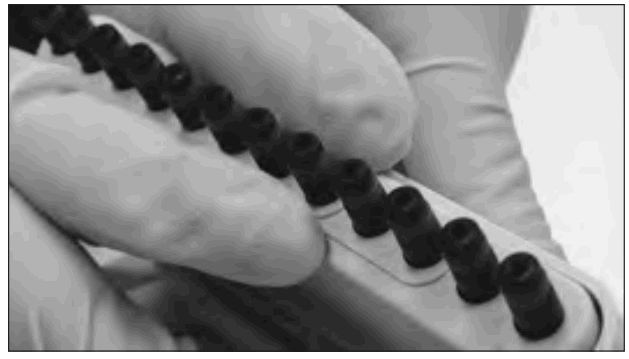
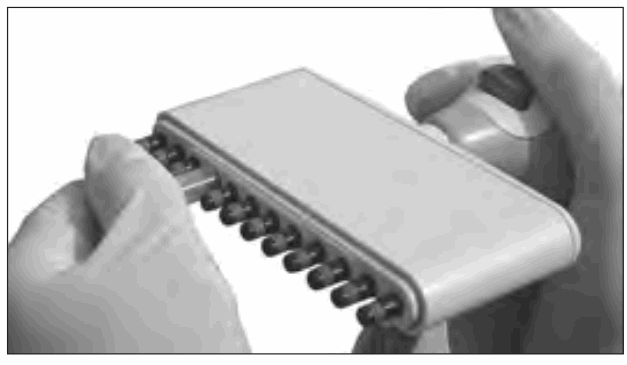
- Push the ejector slide in until it clicks to fully expose the pipette’s nozzles. (For 0.5-20µL models, see note below)

- Remove the affected nozzle(s) by placing the rubber tubing provided onto nozzle, and unscrew it in a counterclockwise direction. If it is suspected that the air tube has been contaminated, gently wipe the end of the air tube with a tissue, then dry it off. To remove a nozzle(s) on 0.5–20 L models, use the nozzle removal tool supplied with
Replacement Nozzles or the Nozzle Reconditioning Kit.
- Place rubber tubing onto a new nozzle (or nozzle where filter has been replaced), and screw the nozzle onto the pipette in a clockwise direction. Firmly tighten and remove tubing from nozzle.
Replacing a Nozzle Filter
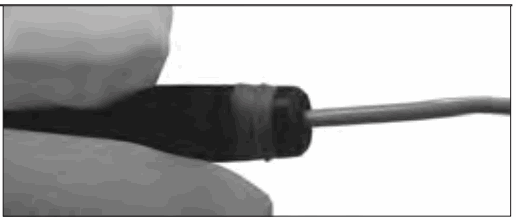
- Remove the filter inside the nozzle(s) by inserting a straightened paperclip into the small hole in the tip end of the nozzle, and push the filter out through the wide (threaded) opening.

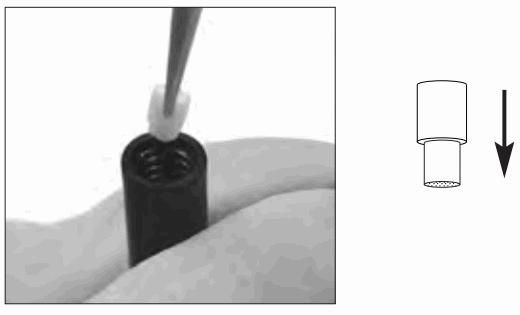
- Pick up a new nozzle filter with tweezers and place it into the wide (threaded) end of the nozzle.
NOTE: Make sure the narrow end is inserted first
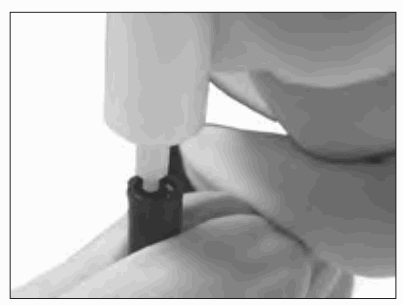
- Use the filter insertion tool to push the filter into position. Press down until the end of the tool makes contact with the inside bottom of the nozzle.

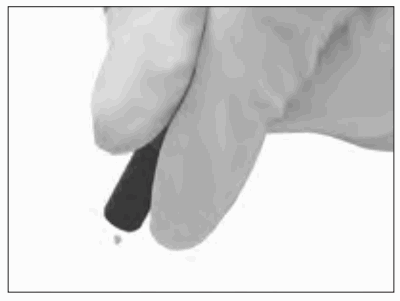
- Tap the nozzle on the counter to remove any loose cellulose material.

- The nozzle is ready for re-installation.
General Battery Information
Note: To extend battery life, the pipette will automatically enter “sleep” mode after 10 minutes of inactivity. Press any key or the pipetting trigger to resume operation.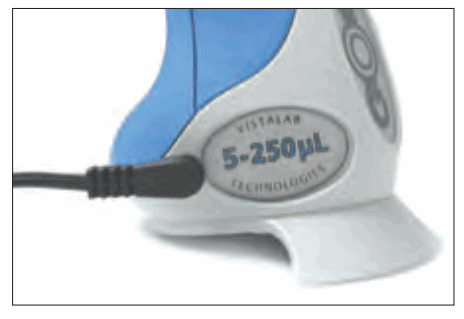 The Ovation pipette’s battery must be recharged for approximately 90 minutes when the pipette is first received, and whenever the battery icon on the LCD is flashing which indicates a low charge. Insert the power plug into recharging port and connect power supply to AC outlet. Recharging a fully drained battery takes approximately 90 minutes. To ensure the pipette always has a full charge, it may be left connected to the power supply indefinitely when not in use.
When a battery is fully discharged or needs to be replaced, settings for all liquid handling functions and the current calibration factor remain stored in the pipette’s internal memory. They are available for use during recharging or following replacement of the battery.
When fully charged, the pipette can perform approximately 600 cycles at full stroke at the highest speed setting. The number of cycles may vary, depending on pipette model, pipetting volume, and speed setting.
To recharge the battery:
- Insert the power supply pipette plug into the recharging port and connect the power supply to an AC outlet. Recharge a fully drained battery for approximately 90 minutes.
Replacing the Battery
Note: To extend battery life, the pipette will automatically enter “sleep” mode after 10 minutes of inactivity. Press any key or the pipetting trigger to resume operation.
Note: If no battery is installed for an extended time and/or the volume display is blank, when the unit is recharged or the new battery is installed, the volume display will show an “r” value. To return the LCD to its routine display, press once. The LCD will display all character sets and then return to the last liquid handling function.
Note: When the battery is removed, the LCD contrast returns to the factory setting. To adjust the contrast, refer to page 3–9.
The lithium ion battery is a user replaceable part. When the battery requires more frequent charging, is not recharging or holding a charge, it should be replaced. Ordering information is available at www.vistalab.com. Use of any other battery can cause damage to the pipette and void its warranty.
To replace the battery:
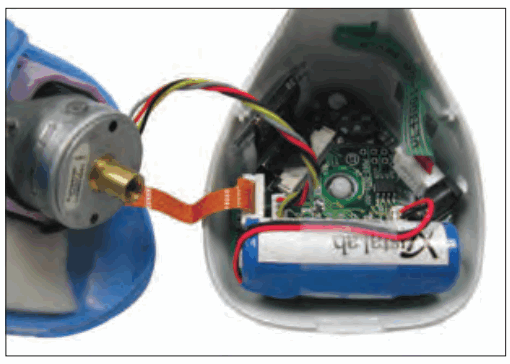
- Loosen the captive screw on the base of the pipette and gently lower the base away from the body, being careful not to stretch, loosen or disconnect the cable from the circuit board.

 Do not separate the front and back sections of the pipette body at any time.
Doing so will void the pipette warranty. - Note the orientation of the battery. Lift the battery and gently disconnect it.
- Reconnect a new battery and place the battery in the base of the unit.
- Carefully fit the base onto the body of the pipette and tighten the captive screw. Be certain that cables and wires do not get pinched. Do not overtighten the screw.
- Recharge the new battery before using the pipette or plug into power supply.
Troubleshooting
If the Ovation pipette fails to function as expected, review the following.
Symptom: Pipette display is blank
Probable cause:
Battery is drained, connector not tight, crimped or broken connector wire, faulty AC power supply or AC power source, or LCD contrast may need to be adjusted.
Recommended action:
If battery was recently replaced, check connector and wires for crimps or broken wire.
Plug into an AC power supply and AC source. If Ovation display functions normally, then problem is a broken battery wire or the replacement battery is inoperative. Send to VistaLab for repair. See LCD contrast instructions on page 3-9 and adjust if possible.
Symptom: Pipette makes “alert” sound
Probable cause:
Pipetting trigger was pressed before set-up of a liquid handling function was complete or an illegal action was performed (e.g. trying to enter set-up before a liquid handling function was completed).
Recommended action:
Continue setting up function or exit setup. Continue pipette operation until liquid handling function is completed.
Symptom: Aspirating and dispensing is slow
Probable cause:
The pipette speed is set to a low setting
Recommended action:
Go to setup of the Liquid Handling Function and increase speed setting
Symptom: Battery icon is flashing
Probable cause:
The remaining battery charge is low
Recommended action:
Plug AC power supply into Ovation and to an AC source. Begin to use and allow to recharge at a convenient time.
Symptom: The pipette does not aspirate or dispense properly
Probable cause:
Aerosol/liquid barrier filter in nozzle(s) is plugged due to aspiration of fluid into nozzle, a nozzle is loose or the battery is low.
Recommended action:
Replace the nozzle for any channel(s) not aspirating. Check the battery status, and if necessary, recharge or operate with the pipette is connected to the AC power supply.
Symptom: Not all tips are releasing from nozzles
Probable cause:
Non-Ovation tips are being used, or nozzle seals are tight
Recommended action:
Use Ovation tips. Continue to use and seals will soften
Symptom: A channel(s) leaks during pipetting
Probable cause:
Non-Ovation tips are being used, tip is not on securely, nozzle is loose, nozzle seal is worn or town, or inner piston or nozzle seal is worn
Recommended action:
Use Ovation tips. If a single tip leaks, tighten and/or replace that channel’s nozzle. If it continues to leak, inner piston seal may need to be replaced. Send to VistaLab for maintenance.
Symptom: ERROR 1 or ERROR 2 on display
Probable cause:
Motor stalled during aspirate (Error 1) or dispense (Error 2) cycle
Recommended action:
Press any keypad button and the pipette will automatically home its pistons. If error message continues, contact VistaLab Technical Service for assistance.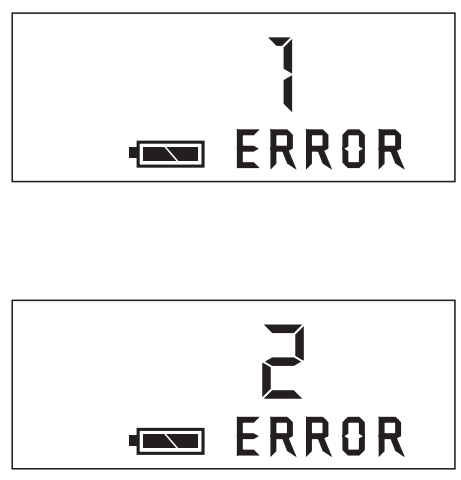 Symptom: ERROR 3 on display
 Probable cause:
Sensor did not detect “home” position
Recommended action:
Press any keypad button and the pipette will automatically home its pistons. If error message continues, disconnect the battery for 3 seconds and retry.
(Note: The LCD contrast returns to the factory setting when the battery is removed. See page 3-9 to change).
If error message continues, contact VistaLab Technical Service.
Symptom: ERROR 4 on display Probable cause:
Based on values entered for target and measured volumes, calculated  factor would exceed limits of .900 –1.100.
Recommended action:
Verify entered values and change as needed.
Symptom: ERROR 20 on display Probable cause:
Data corruption or check-sum error
Recommended action:
Contact VistaLab Technical Service for assistance.
A. APPENDIX
Warranty
VistaLab Technologies, Inc. warrants the Ovation BioNatural Pipette against defects in materials and workmanship for one year from the date of purchase. To register your pipette and activate the warranty, register on the VistaLab Technologies web site at www.vistalab.com.
This warranty is void if failure or damage is the result of improper handling, unauthorized modification, or use of ancillary products not supported by VistaLab Technologies. This warranty is exclusive; no other warranty is expressed or implied. Should the pipette need to be returned for calibration verification or service, go to support area of www.vistalab.com and follow the instructions for sending the pipette to VistaLab Technologies. Repack the pipette in its original packaging.
Customer is responsible for shipping and insurance charges. If original packaging is unavailable, contact VistaLab Technologies for alternative packaging instructions.
Note: Damage to the pipette as a result of improper packaging is the responsibility of the customer.
Safety Compliance
Ovation pipettes have been tested and approved for safety labels:
EN 61010-1:1992 Safety Requirements CSA C22.2, No. 1010.1-92
EN 61326 EMC Requirements
UL 3111-1 Contact Information
To place an order for factory maintenance and/or calibration verification, go to the support area of www.vistalab.com. Pipettes should be sent to: VistaLab Technologies, Inc.
Attn: Pipette Repair Department
2 Geneva Road
Brewster, NY 10509 USA
For additional assistance with warranty repairs or other technical assistance, contact us at: 1-914-244-6226 (Worldwide) or (888) 652-6520 (North America only), or send an email to [email protected]
Hazards and Precautions
Proper use of Ovation pipettes as specified in this manual will ensure safe operation.
However, please be aware of the following situations that can damage the device or cause serious personal injury. WARNING! Connect power supply to a compatible power source. Refer to the voltage configurations shown below. Use of an incompatible power source can cause shock and fire hazard. WARNING! Unplug power supply before cleaning the exterior. The power supply should be positioned for easy access so in case of emergency it can be quickly disconnected from the pipette. Fluid contact with internal components can cause shock hazard. WARNING! If the pipette is used in a manner not specified, the protections provided may be impaired. CAUTION! Use only the power supply and batteries provided by VistaLab Technologies, Inc. Use of other power supplies can damage the pipette and invalidate the warranty. CAUTION! Do not immerse pipette in liquid. Fluid contact with internal components can damage the electronics and display. CAUTION! Pipette is not intended for autoclaving. Autoclaving will damage the electronics and display. CAUTION! Use only cleaning solutions specified in this manual to clean the exterior of the pipette. Use of other solvents can damage the exterior surface and keypad.
Operating Temperature & Environment Conditions
Indoor use / Pollution Degree 2
Altitude up to 2000m
Temperature Range: 15˚–35˚C
Relative Humidity Range, non-condensing: 10%–85%
Atmospheric Pressure: 70–106kPa
Power Supply and Battery Specifications
Use only the power supply and batteries provided by VistaLab Technologies, Inc. Use of other power supplies can damage the pipette and invalidate the warranty.
Mains voltage fluctuation ±10%
Direct Plug in class II power supply
Installation class 2 for direct plug in power supply
Ingress protection normal (IPX0)
Battery: lithium ion
Power Supply:
Catalog #: 9060-9005 – Universal Power Supply, 100-240VAC, 50-60Hz. (Equivalent to 9060-9001, -9002, -9003 & -9004)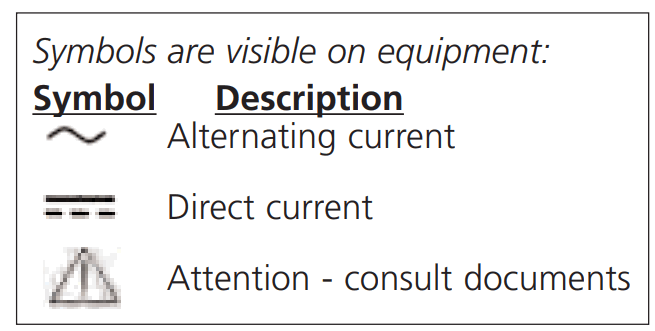 Pipette Body Chemical Compatibility
Water, diluted ethanol or isopropanol, diluted bleach. For more information about chemical compatibility with internal seals or pipette tips, see the documentation library in the support area of our web site – www.vistalab.com.
B APPENDIX
Tips & Accessories
Catalog number
4060-1332
Ovation – Multichannel models:
| TIP SIZE: | MICRO | SMALL | LARGE | |
| NON-STERILE
| VistaRak™ 192 tips/rack, 5 racks | 4060-1002 | 4060-2004 | 4060-3004 |
| VistaStak™, 192 tips/layer, 5 layers (small size) or 3 layers (micro and large size) | 4060-9024 | 4060-9025 | 4060-9026 | |
| STERILE
| VistaRak, Sterile, Pyrogen-free, RNase/DNase certified, 192 tips/rack, 5 racks | 4060-1032 | 4060-2132 | 4060-3132 |
| VistaRak, Filtered, Sterile, Pyrogen-free, RNase/DNase certified, 192 tips/rack, 5 racks | 4060-1332 | 4060-2332 | 4060-3332 | |
| ACCESSORIES | Nozzles, 4/box | 9060-1010 | 9060-2010 | 9060-3010 |
| Replacement Nozzle Filters, 48/bag | 9060-4005 | |||
| Replacement Nozzle Seals, 4/bag | 9060-1013 | 9060-2013 | 9060-3013 | |
| Replacement Nozzle Seals, 24/bag | 9060-1012 | 9060-2012 | 9060-3012 | |
| Nozzle Reconditioning Kit: contains 2 nozzles 24 seals, 24 filters & tool | 9060-1011 | 9060-2011 | 9060-3011 | |
| Nozzle Removal Tool | 9060-9006 | |||
| Ovation Pipette Stand | 9057-4003 | |||
| Power Supply, 90-264VAC, 47-63Hz | 9060-9005 | |||
| Power Supply w/4 pipette connections | 9060-9006 | |||
| Base Screw with “O” ring | 9057-4006 | |||
For the most complete information about specifications, tips, accessories and operating instructions, see our web site – www.vistalab.com
 Adjustable Ergonomic Ovation Pipettes – Accuracy & Precision – Think Differently