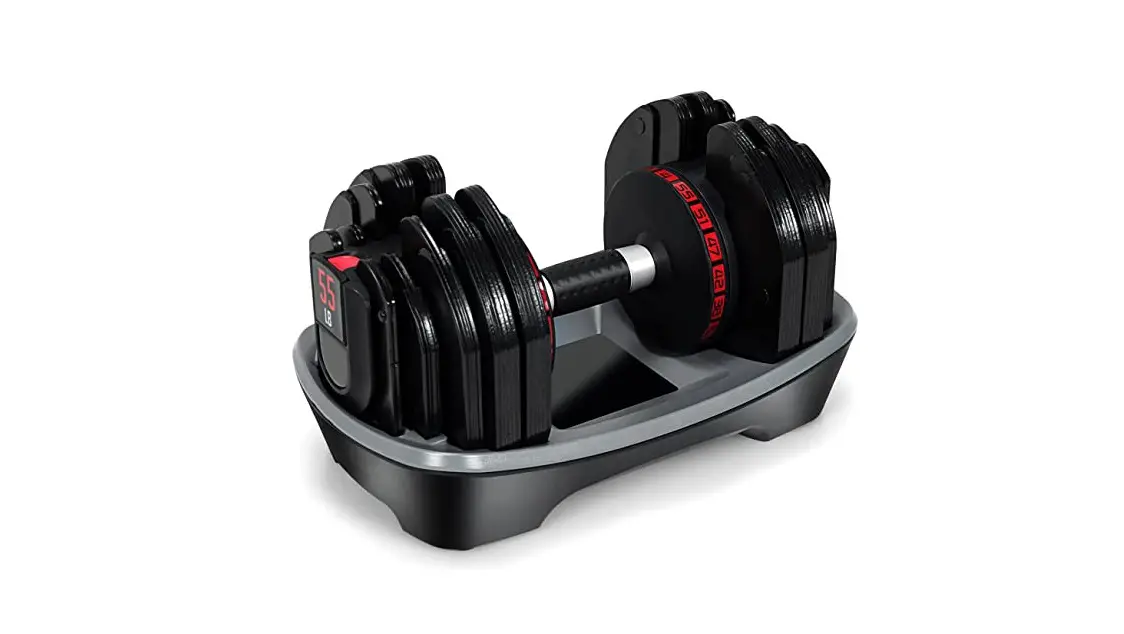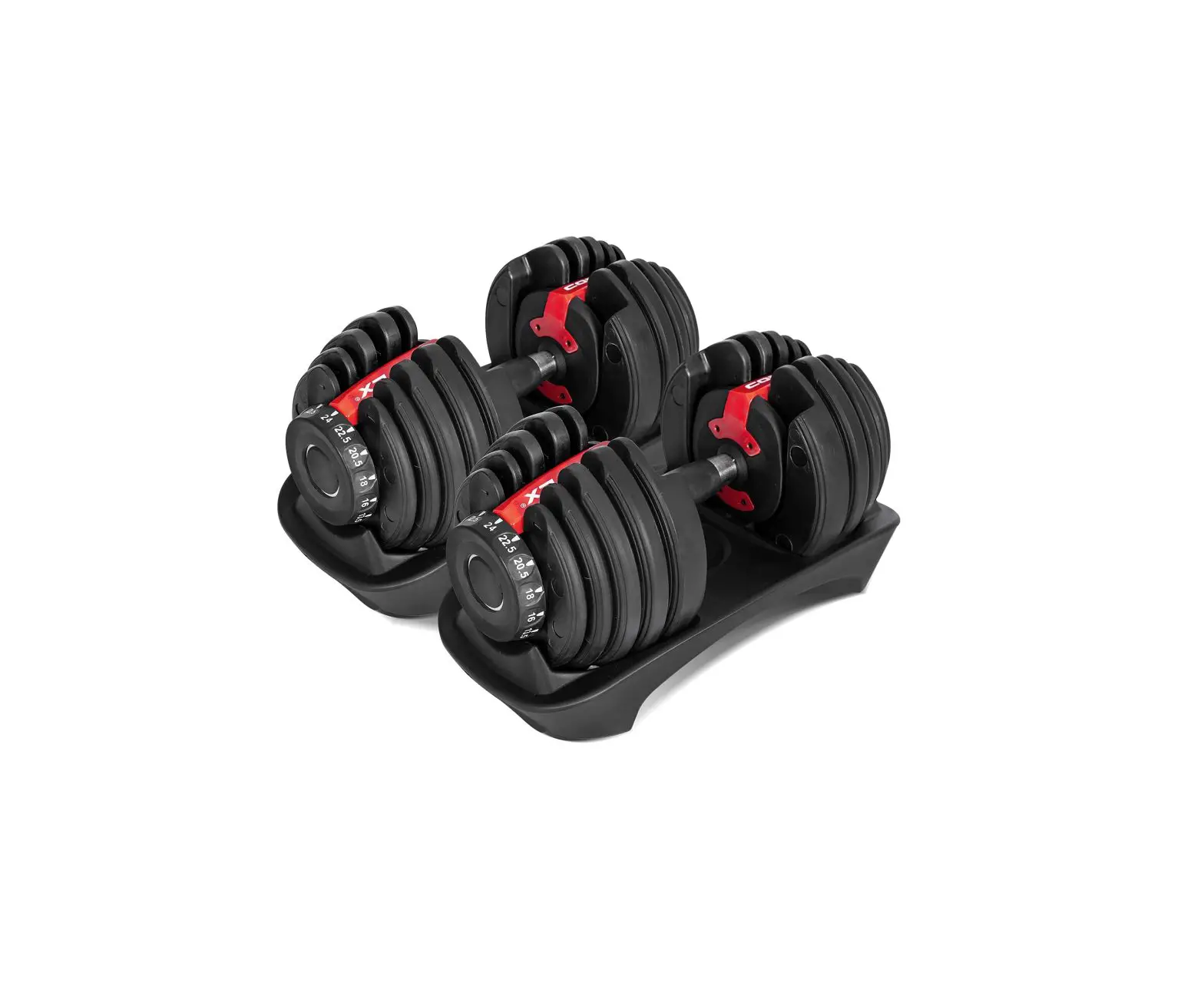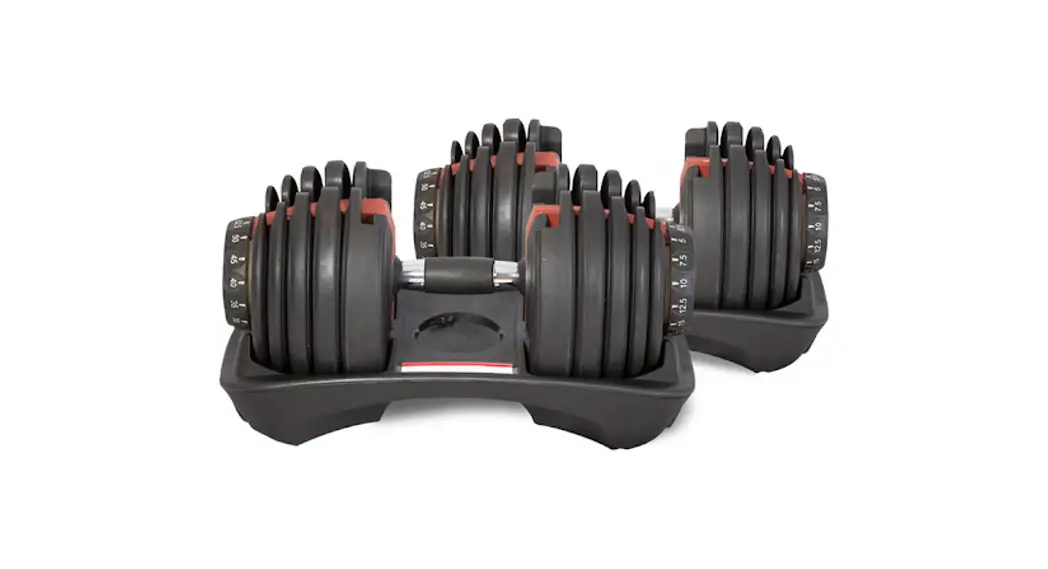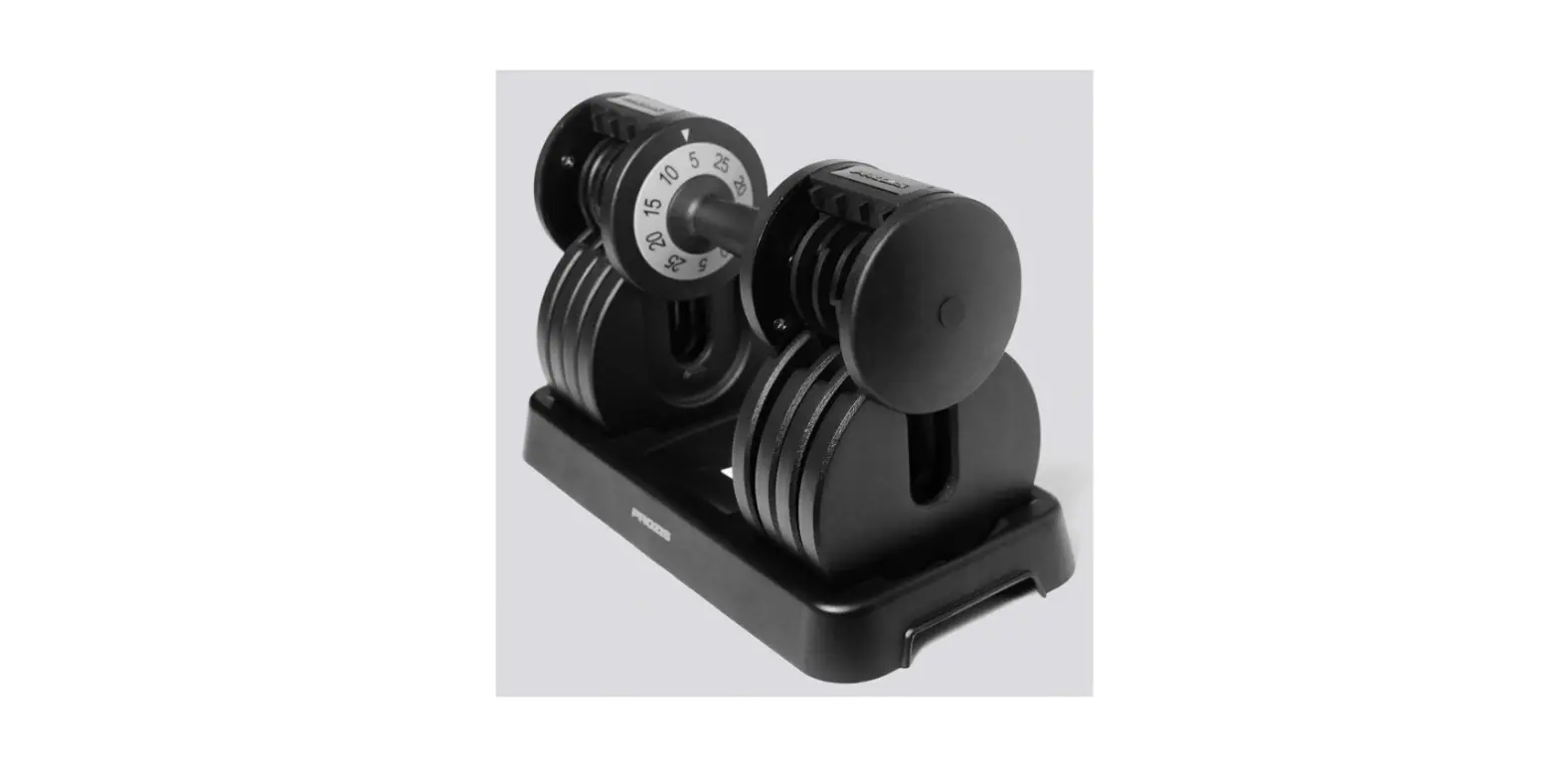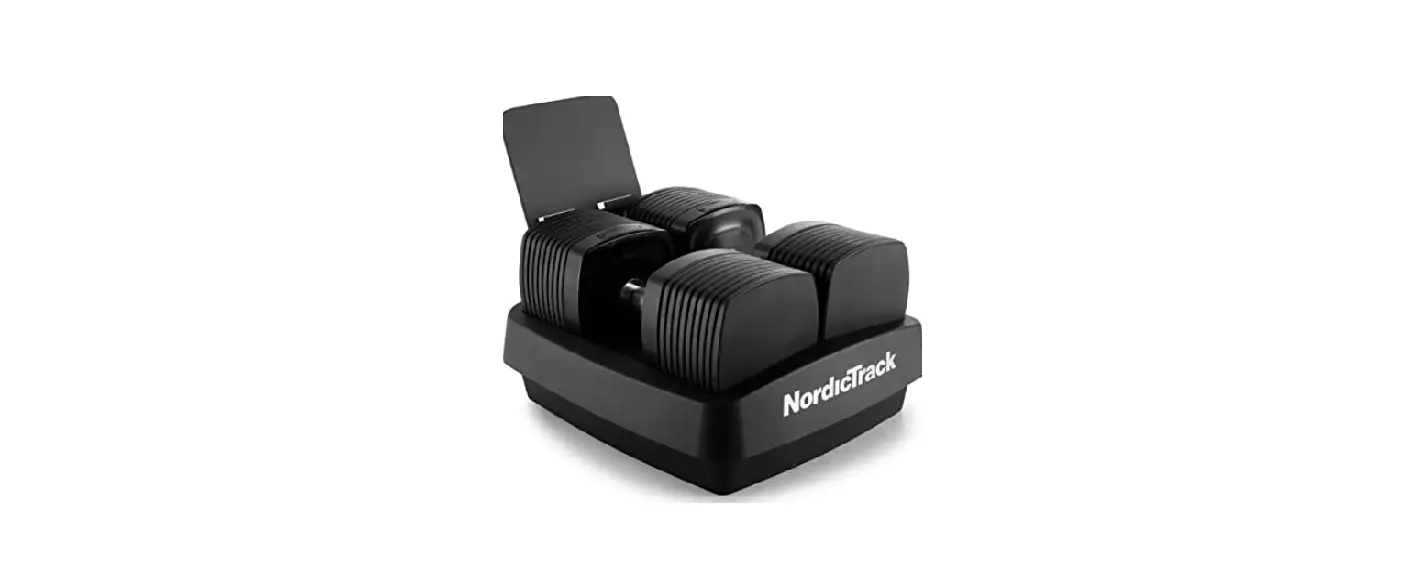

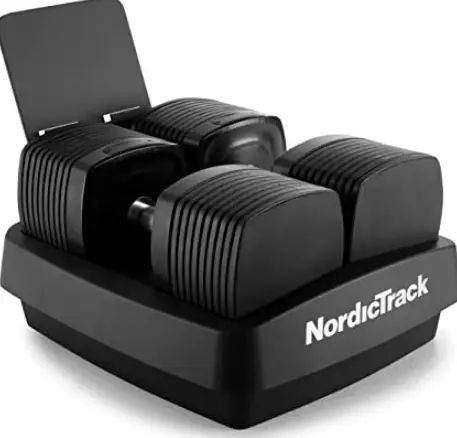
Nordic Track NTSAW23020 iSelect Adjustable Dumbbells
IMPORTANT PRECAUTIONS
- It is the responsibility of the owner to ensure that all users of the adjustable dumbbells are adequately informed of all precautions.
- Before beginning any exercise program, consult your physician.
- This is especially important for persons over age 35 or persons with pre-existing health problems.
- The adjustable dumbbells are not intended for use by persons with reduced physical, sensory, or mental capabilities or lack of experience and knowledge, unless they are given supervision or instruction about use of the product by someone responsible for their safety.
- Use the adjustable dumbbells only as described in this manual.
- The adjustable dumbbells are intended for indoor, and home use only.
- Do not use the adjustable dumbbells in a commercial, rental, or institutional setting.
- Use the adjustable dumbbells on a level surface with adequate clearance around Inspect the adjustable dumbbells before each use.
- Do not use the adjustable dumbbells or try to repair them if they are damaged.
- Keep children under age 16 and pets away from the adjustable dumbbells.
- Always wear protective footwear while using the adjustable dumbbells.
- Never place your fingers between the dumbbells and the base.
- Do not remove the handles from the base while the display is flashing red and the weight is being adjusted; if the handles are removed while the weight is being adjusted, the weight plates will become misaligned and may fall
- Over exercising may result in serious injury or death. If you feel faint, if you become short of breath, or if you feel pain while exercising, stop immediately and cool down
PROTECT YOUR FITNESS EQUIPMENT WITH AN EXTENDED SERVICE PLAN
Your new fitness equipment is not an ordinary purchase; it is an investment in your health and well being for years to come. As the leading provider of manufacturer’s extended service plans, ICON strives to protect your equipment and your future. Please review the following service plans and find one that best fits your needs.
PREVENTIVE MAINTENANCE SERVICE PLANS
| Equipment Price | 3-Year Plan | 5-Year Plan |
| $0.00 to $1000.00 | $199.99 | $289.99 |
| $1001.00 to $1500.00 | $259.99 | $379.99 |
| $1501.00 to $2500.00 | $339.99 | $489.99 |
| (Bikes/Systems Only) $0.00 to $2500.00 | $139.99 | NA |
Features
- Includes an annual preventive maintenance and performance check at your convenience
- Unlimited in-home repairs; no shipping required
- Covers parts and labor on all manufacturer’s defects, as well as wear and tear on parts
- Up to 5 years of coverage available
STANDARD SERVICE PLANS
| Equipment Price | 1-Year Plan | -Year Plan | -Year Plan |
| $0.00 to $300.00 | $29.99 | $39.99 | $59.99 |
| $301.00 to $1000.00 | $89.99 | $119.99 | $149.99 |
| $1001.00to $2000.00 | $109.99 | $139.99 | $179.99 |
| $2001.00 to $3000.00 | $179.99 | $209.99 | $239.99 |
Features
- Unlimited in-home repairs; no shipping required
- Covers parts and labor on all manufacturer’s defects, as well as wear and tear on parts
- Up to 3 years of coverage available
BEFORE YOU BEGIN
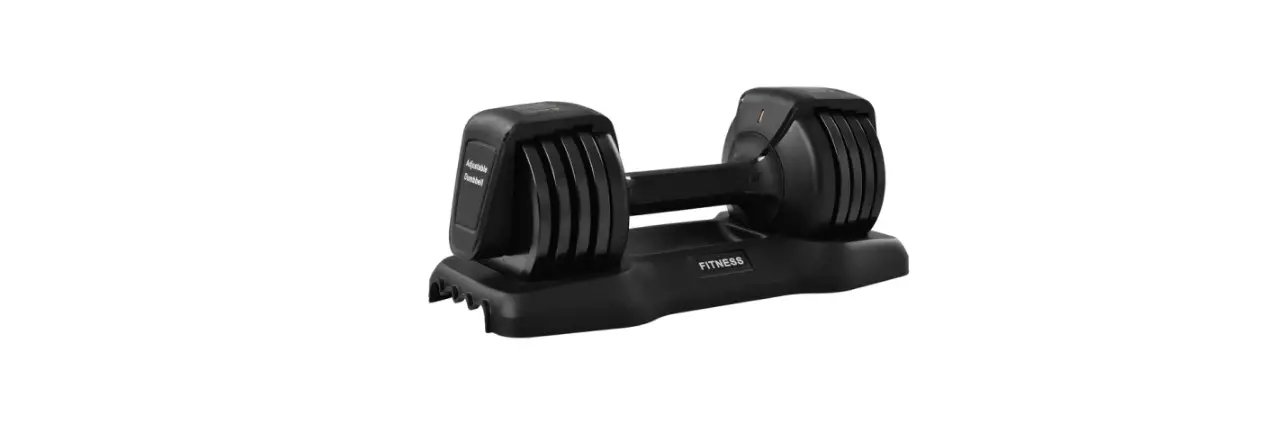
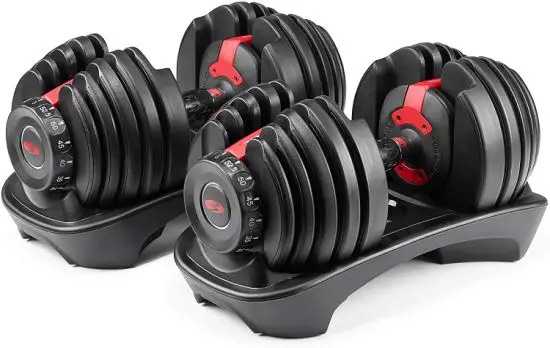
Congratulations for selecting the revolutionary NORDICTRACK® ISELECT VOICE-CONTROLLED ADJUSTABLE DUMBBELLS. For your benefit, read this manual carefully before you use the adjustable dumbbells. If you have questions after reading this manual, please see the front cover of this manual. To help us assist you, note the product model number and serial number before contacting us. The model number and the location of the serial number decal are shown on the front cover of this manual. Before reading further, please familiarize yourself with the parts that are labeled in the drawing below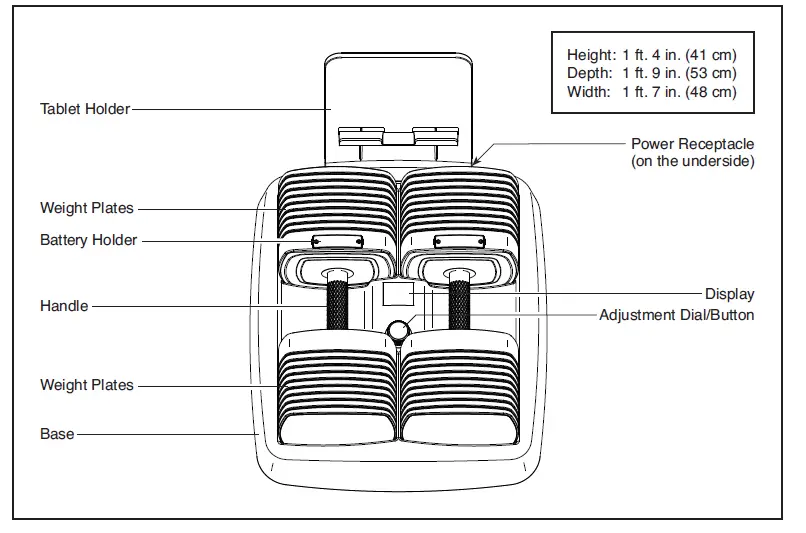
ASSEMBLY
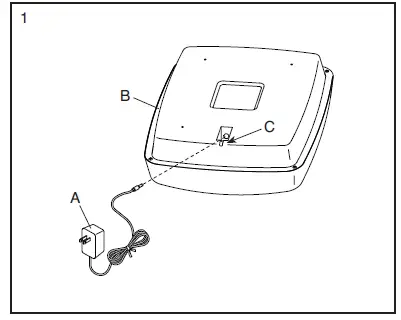
- Plug the power adapter (A) into the receptacle on the underside of the base (B). Route the wire on the power adapter through the notch (C) in the base.
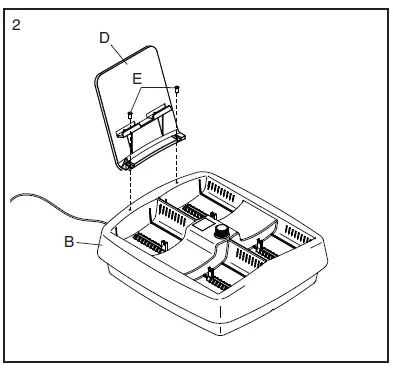
Attach the tablet holder (D) to the base (B) with two screws (E).
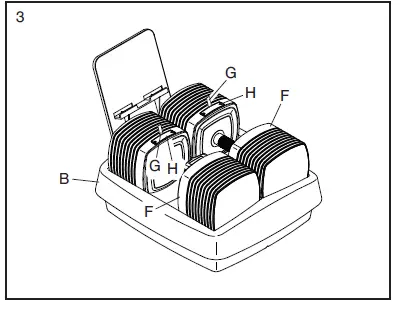
- Set the dumbbells (F) in the base (B). Locate the plastic tab (G) in the battery holder (H) on a dumbbell (F). Pull the plastic tab out of the battery holder to activate the batteries. Repeat this step for the other dumbbell (F).

- After the adjustable dumbbells are assembled, inspect them to make sure that they are assembled correctly. Make sure that all parts are properly tightened before you use the adjustable dumbbells. Extra parts may be included. Place a mat beneath the adjustable dumbbells to protect the floor

HOW TO USE THE ADJUSTABLE DUMBBELLS
FEATURES OF THE ADJUSTABLE DUMBBELLS
- Basic Adjustment
- You can use the dial and the display on the base to adjust the weight of the adjustable dumbbells.
- Works With Alexa
- For voice-controlled weight adjustment, you can set up the adjustable dumbbells to work with Alexa.
- iFit Video Workouts
- You can access unlimited iFit video workouts, including workouts for the adjustable dumbbells, when you download the iFit app to your smart device.
- The iFit app offers a large and varied library of iFit video workouts. Each iFit video workout features an iFit coach who guides you through an immersive and effective video workout.
- To use the power adapter, see this page. To use the tablet holder, see this page.
- To adjust the weight of the adjustable dumbbells, see page 9.
- To set up the adjustable dumbbells to work with Alexa, see page 9.
- To adjust the weight with voice commands to Alexa, see page 10. To use an iFit video workout, see page 10.
HOW TO USE THE POWER ADAPTER
Plug the power adapter (A) into the receptacle on the base (see assembly step 1 on page 6). Then, plug the power adapter into an appropriate outlet that is properly installed in accordance with all local codes and ordinances.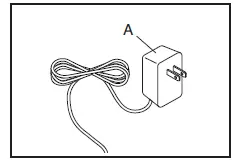
HOW TO USE THE TABLET HOLDER
To insert a tablet into the tablet holder (B), set the bottom edge of the tablet in the tray. Make sure that the tablet is firmly secured in the tablet holder. Reverse these actions to remove the tablet from the tablet holder.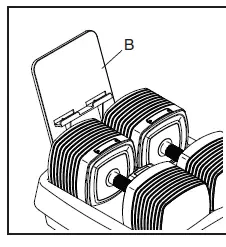
BASIC ADJUSTMENT The weight of each handle can be adjusted from 5 to 50 pounds in 5-pound increments. To adjust the weight of the adjustable dumbbells, fi rst place the dumbbells in the base. Then, simply turn the dial on the base until the desired amount of weight appears in the display. The display will fl ash red and the base will adjust the number of weight plates engaged with the handles.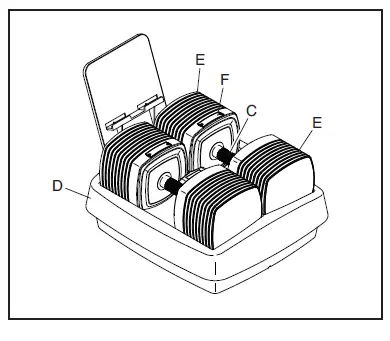
ADVANCED SETUP
- Download and install the iSelect Dumbbell Setup app on your smart device
- Connect the adjustable dumbbells to your wireless network.
- Set up the adjustable dumbbells to work with Alexa.
- Complete the setup process
HOW TO ADJUST THE WEIGHT WITH VOICE COMMANDS TO ALEXA
The weight of each handle can be adjusted from 5 to 50 pounds in 5-pound increments. Speak these commands to adjust the weight of the adjustable dumbbells with your voice:
“ Alexa, set weight to [number of] pounds.” “ Alexa, increase/decrease weight by [number of] pounds.”
HOW TO USE AN IFIT VIDEO WORKOUT
- You will have access to a large and varied library of iFit workouts when you download the iFit app to your smart device.
- Download and install the iFit app on your smart device.
- Select an iFit workout from the home screen or the workout library
- Start the iFit workout and follow your progress
- Schedule an iFit workout on the calendar if desired
- Create a list of favorite iFit workouts if desired
- When you are finished exercising, exit the iFit app if desired
MAINTENANCE AND TROUBLESHOOTING
MAINTENANCE
Regular maintenance is important for optimal performance and to reduce wear. Inspect and properly tighten all parts each time the adjustable dumbbells are used. Replace any worn parts immediately. Use only manufacturer-supplied parts. To clean the adjustable dumbbells, use a damp cloth and a small amount of mild soap. IMPORTANT: To avoid damage to the adjustable dumbbells, keep liquids away from the adjustable dumbbells.
TROUBLESHOOTING
Handles
When the batteries in the handles are low, promptly replace the batteries (see HOW TO REPLACE THE BATTERIES on page 14). Make sure to clean the contacts on the batteries and the contacts in the battery holders each time you install batteries. If the handles will not be used for an extended period of time, remove the batteries from the handles.
iFit App
If you have questions about the iFit app or about iFit video workouts, go to support.iFit.com for assistance.
Power Adapter
If the adjustable dumbbells do not turn on, make sure that the power adapter is fully plugged in. If a replacement power adapter is needed, call the telephone number on the cover of this manual. IMPORTANT: To avoid damaging the adjustable dumbbells, use only a manufacturer-supplied regulated power adapter.
Works with Alexa
- If your voice commands to Alexa are not working properly, follow the steps listed below.
- Use the iSelect Dumbbell Setup app to confirm that the adjustable dumbbells are connected to your wireless network.
- Use the Alexa app to confirm that the iSelect skill is active. In the Alexa app, select Skills & Games, and then select Your Skills. Check to see if the
- iSelect skill is listed. If it is not, select the search option, search for the iSelect skill, and launch it.
- If the iSelect skill is active and voice commands are still not working, check to see if the adjustable dumbbells are listed as a device in the Alexa app.
- Select Devices, and then look for the word “Weight” in the list. If it is not there, ask Alexa to discover the adjustable dumbbells. To do this, say,
- “Discover my devices,” or select Add Device and follow the prompts to add the adjustable dumbbells as a device.
EXERCISE GUIDELINES
EXERCISE INTENSITY
Whether your goal is to burn fat or to strengthen your cardiovascular system, exercising at the proper intensity is the key to achieving results. You can use your heart rate as a guide to find the proper intensity level. The chart below shows recommended heart rates for fat burning and aerobic exercise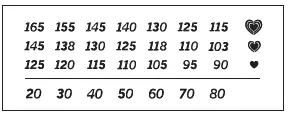
Burning Fat—To burn fat effectively, you must exercise at a low intensity level for a sustained period of time. During the first few minutes of exercise, your body uses carbohydrate calories for energy. Only after the first few minutes of exercise does your body begin to use stored fat calories for energy. If your goal is to burn fat, adjust the intensity of your exercise until your heart rate is near the lowest number in your training zone. For maximum fat burning, exercise with your heart rate near the middle number in your training zone.
Aerobic Exercise—If your goal is to strengthen your cardiovascular system, you must perform aerobic exercise, which is activity that requires large amounts of oxygen for prolonged periods of time. For aerobic exercise, adjust the intensity of your exercise until your heart rate is near the highest number in your training zone.
HOW TO MEASURE YOUR HEART RATE
To measure your heart rate, exercise for at least four minutes. Then, stop exercising and place two fingers on your wrist as shown. Take a six-second heartbeat count, and multiply the result by 10 to find your heart rate. For example, if your six-second heartbeat count is 14, your heart rate is 140 beats per minute.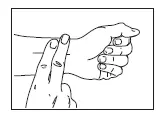
WORKOUT GUIDELINES
Warming Up—Start with 5 to 10 minutes of stretching and light exercise. A warm-up increases your body temperature, heart rate, and circulation in preparation for exercise.
Training Zone Exercise—Exercise for 20 to 30 minutes with your heart rate in your training zone. (During the first few weeks of your exercise program, do not keep your heart rate in your training zone for longer than 20 minutes.) Breathe regularly and deeply as you exercise; never hold your breath. Cooling Down—Finish with 5 to 10 minutes of stretching. Stretching increases the flexibility of your muscles and helps to prevent post-exercise problems.
ORDERING REPLACEMENT PARTS
Some replacement parts are available. To order replacement parts, please see the front cover of this manual. To help us assist you, be prepared to provide the following information when contacting us:
- the model number and serial number of the product (see the front cover of this manual)
- the name of the product (see the front cover of this manual)
- the description of the replacement part(s) that you need
LIMITED WARRANTY
ICON Health & Fitness, Inc. (ICON) warrants this product to be free from defects in workmanship and material, under normal use and service conditions. Parts are warranted for one (1) year from the date of purchase. This warranty extends only to the original purchaser (customer) and is not transferrable. ICON’s obligation under this warranty is limited to repairing or replacing, at ICON’s option, the product through one of its authorized service providers. All repairs for which warranty claims are made must be preauthorized by ICON. If replacement parts are shipped while the product is under warranty, the customer will be responsible for a minimal handling charge. For in-home service, the customer may be responsible for a minimal trip charge. This warranty does not extend to freight damage to the product. This warranty will automatically be voided by the following conditions: (1) if the product is used as a store display model, (2) if the product is purchased or transported outside the USA, (3) if any instruction or warning in this manual is not followed, (4) if the product is abused or improperly or abnormally used, (5) if the product is modifi ed to alter functionality or capability without the written permission of ICON, or (6) if the product is used for commercial or rental purposes. No other warranty beyond that specifi cally set forth above is authorized by ICON. ICON is not responsible or liable for the following damages: (1) indirect, special, or consequential damages arising out of or in connection with the use or performance of the product; (2) damages with respect to any economic loss, loss of property, loss of revenues or profi ts, loss of enjoyment or use, or costs of removal or installation; or (3) other consequential damages of any kind. Some states do not allow the exclusion or limitation of incidental or consequential damages. Accordingly, the above limitation may not apply to the customer. The warranty extended hereunder is in lieu of any and all other warranties, and any implied warranties of merchantability or fi tness for a particular purpose are limited in their scope and duration to the terms set forth herein. Some states do not allow limitations on how long an implied warranty lasts. Accordingly, the above limitation may not apply to the customer. This warranty provides specifi c legal rights; the customer may have other rights that vary from state to state. For warranty service, please call the telephone number on the front cover of this manual. Please be prepared to provide the model number and serial number of the product (see the front cover of this manual).
FCC
This equipment has been tested and found to comply with the limits for a Class B digital device, pursuant to part 15 of the FCC Rules. These limits are designed to provide reasonable protection against harmful interference in a residential installation. This equipment generates, uses, and can radiate radio frequency energy and, if not installed and used in accordance with the instructions, may cause harmful interference to radio communications. However, there is no guarantee that interference will not occur in a particular installation. If this equipment does cause harmful interference to radio or television reception, which can be determined by turning the equipment off and on, try to correct the interference by one or more of the following measures:
- Reorient or relocate the receiving antenna.
- Increase the separation between the equipment and the receiver.
- Connect the equipment into an outlet on a circuit different from that to which the receiver is connected.
- Consult the dealer or an experienced radio/TV technician for help.
FAQS
Is it 25 pounds total for each dumbbell or each dumbbell goes up to 50 pounds?
Each dumbbell goes from 5 lbs up to 50 lbs (100 lbs total) in 5 lb increments per dumbbell.
How do i Factory reset the system?
With the base plugged in to power, press and hold the knob for 8 seconds until the display shows “8.8.”, then release.
Is this a set of 2?
Yes this a set of 2
Where can you buy the pictured stand?
It was a lot of work. About 60 minutes on the phone. Chris Cogsdil Was my rep. Worked out free shipping for me.
Can I adjust the weights mechanically?
You could turn the knob to change the weight other than Echo control. But it’s kind of mechanical and electrical as well because you still need power for that.
what happens if you do not have electricity?
You need to have electricity to connect to Alexa and have the weight selections.
you can’t change weights without plugging it in?
It needs to be plugged in because it changes through the electronic dial.
Does it support the Google assistants or just Alexa?
It support Alexa Only .
How do you move the metal sliders on the base?
If the weights get off you can take the black plates off one at a time, then put them back on correctly.
What is the purpose of the aaa battery in each dumbbell?
Probably to retain the setting when the dumbbells are unplugged.
How does it get heavier or lighter?
It has a pin that is in the base that slides to add or lessen the weights.
With only a 1 year warranty, do you feel comfortable spending this much on weights?
Only if you plan to use them every day and are not affraid of doing some repairs on your own
Is this two 25 pound dumbells or two 50 pound dumbells?
Answered elsewhere, but each handle goes from 5-50lbs for a total of 100lbs for the pair.
How big is the base??
The base is small at 16″W x 18″H, but the upper part is a bit larger at 17.5″W by 19″H.
Do these make any noise due to the multiple plates?
There’s a slight rattle when using the dumbbells. I find it similar to when I combine multiple weight plates on a typical bar.