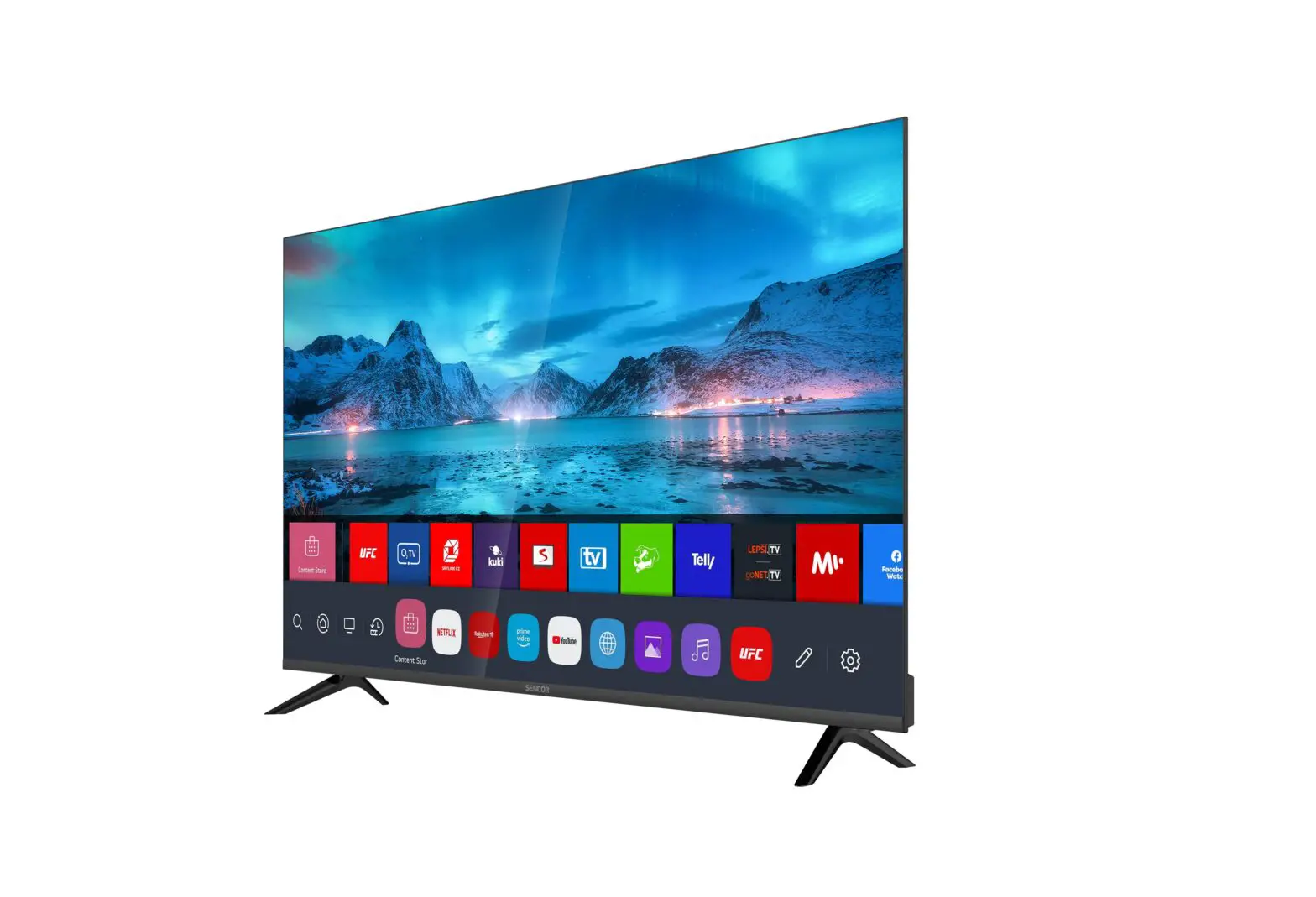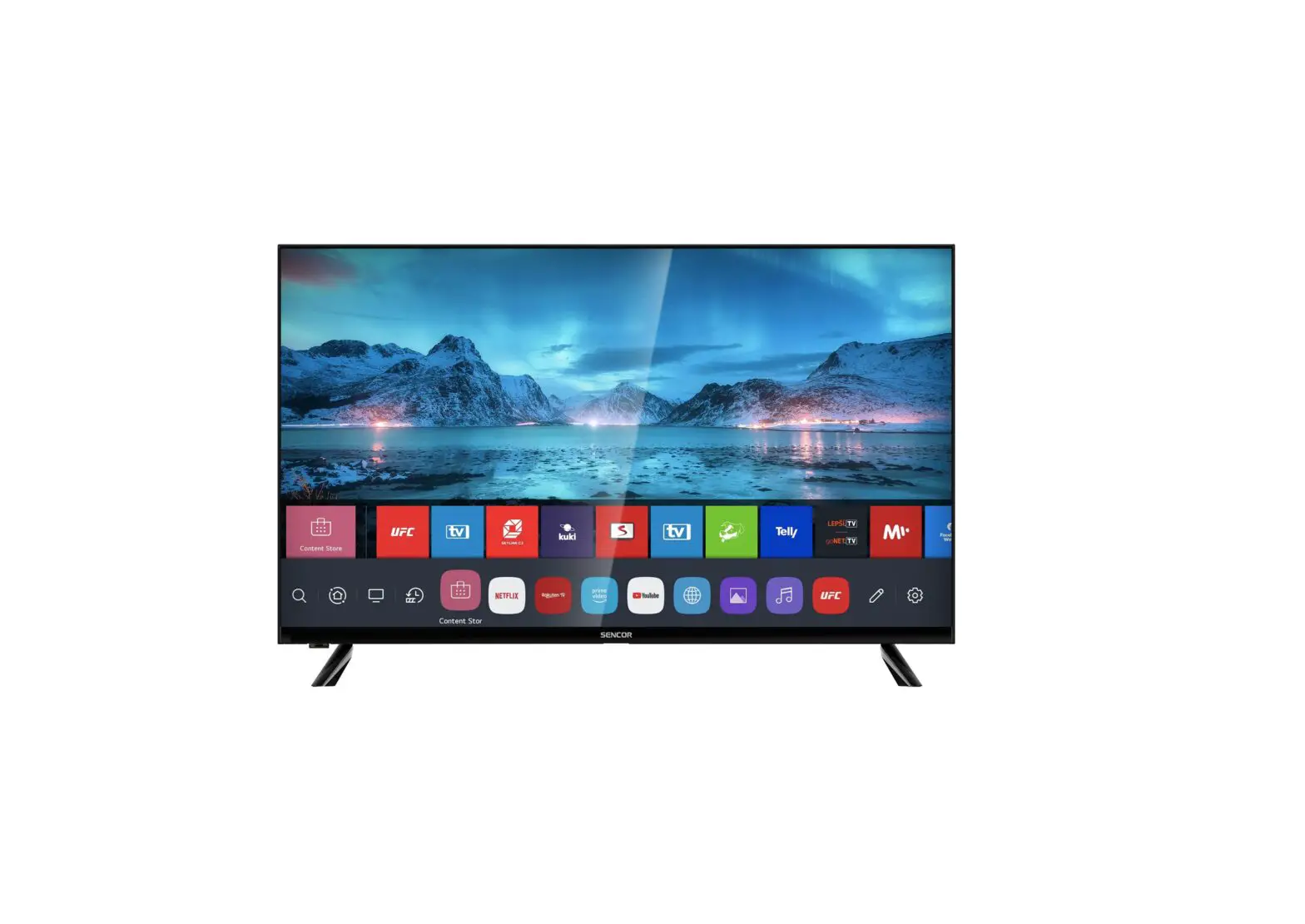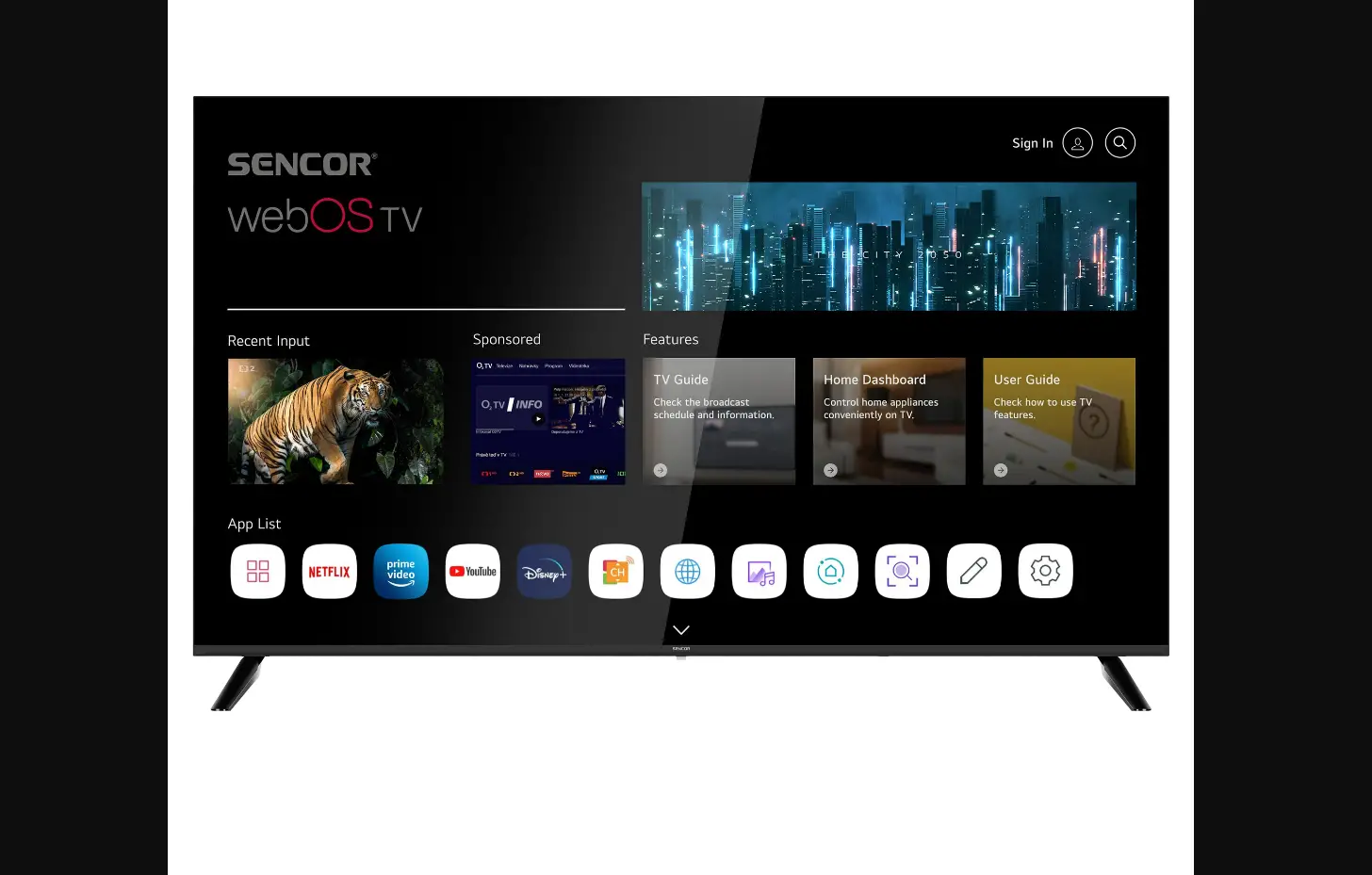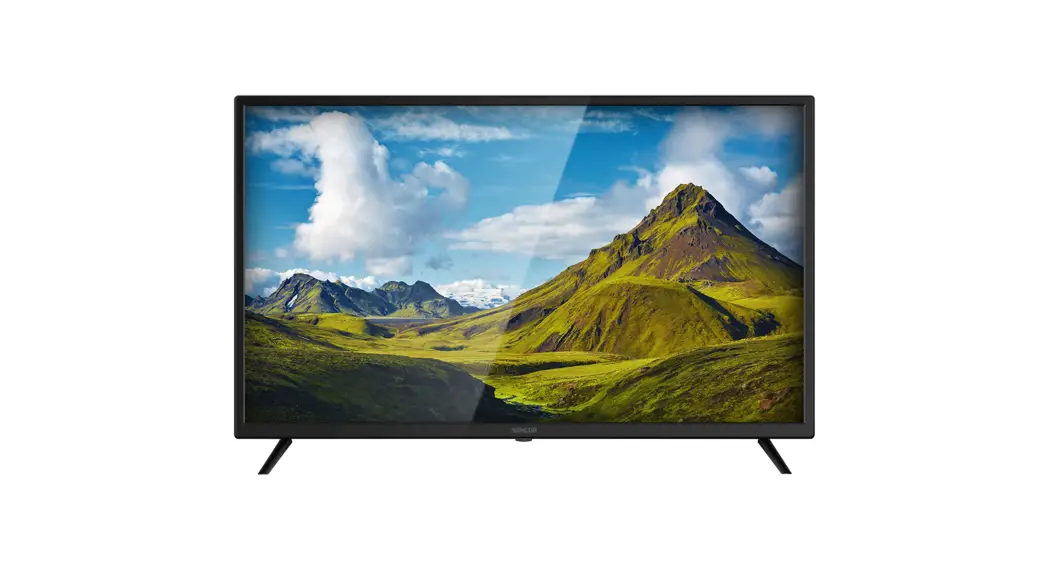
 SLE XXX801TCSB
QUICK GUIDE 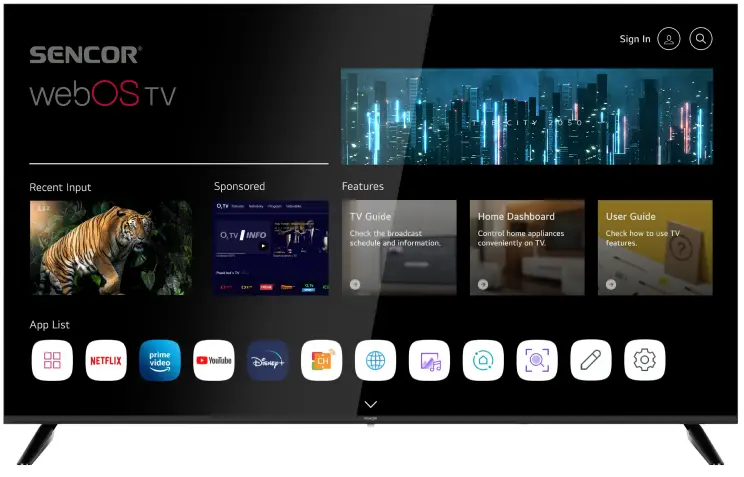
Safety instructions
To be able to use this product properly, read this user’s manual carefully and keep it for future reference. If you plan to give (sell) this device to a third person, include all documentation, including this manual, with the transaction. The lightning symbol inside a triangle indicates the device has dangerous voltage that may cause electric shock.
 The exclamation point symbol inside an isosceles triangle indicates important operation and repair instructions in the included device documentation.
WARNING
RISK OF ELECTRIC SHOCK – DO NOT OPEN!
TO REDUCE THE RISK OF ELECTRIC SHOCK, DO NOT REMOVE THE COVER (OR BACK SIDE).
THERE ARE NO PARTS INSIDE THE DEVICE REPLACEABLE BY THE USER. FOR REPAIRS, CONTACT AND AUTHORIZED SERVICE PROVIDER.
WARNING:
To prevent risk of fire or electric shock, do not expose the device to rain or moisture. The batteries must not be exposed to excessive heat, for example sunlight, fire, etc. This symbol indicates the device has double insulation between dangerous voltage from the network and useraccessible parts.
Replace parts with identical spare parts only.
- Do not leave a static image on the LCD panel for more than 2 hours. The panel might get damaged.
- LCD screens are made using precision technology to provide even the finest image details. Several defective pixels can appear on the screen from time to time, indicated as red, blue, green or black dots (up to 0.001% of the total pixel count of the screen). This does not affect the characteristics and the effectiveness of your TV set.
Before use, please read the detailed safety information in the full user manual available on the website www.sencor.com
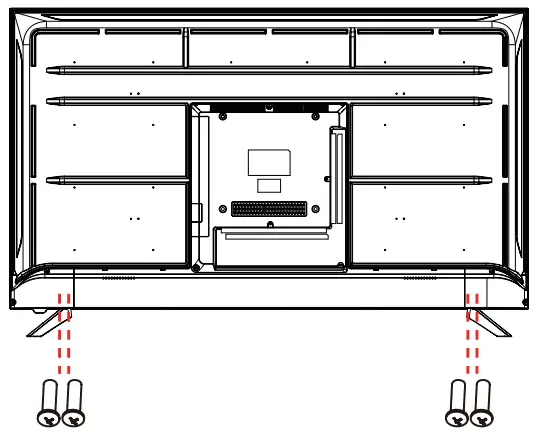
Installing the stand
Use the supplied or recommended screws to attach the stand. Make sure the supports are properly attached to keep the TV stable. Then connect the TV to the power supply.
Inserting batteries
Open the battery compartment. Insert two AAA batteries. Place the cover back on.
Insert two AA batteries into the Magic controller (UHD models only).
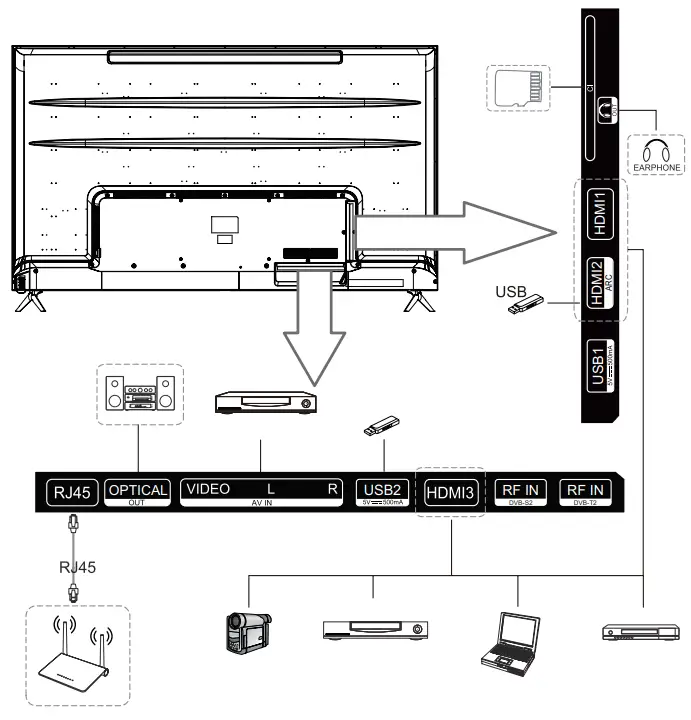
TV connectors
Remote controller
| POWER: power ON/OFF. TV/RAD: Switch to TV or radio.  : Search. : Search.SUBTITLE: Subtitles On/Off.  : Enter the quick setup menu. : Enter the quick setup menu. : Input source selection. : Input source selection.0-9: Numeric keys. LIST: Channel list. ··· : Show other actions. : Setting the volume. : Setting the volume. : Channel switching. : Channel switching.AD: Enabling / disabling the AD function. GUIDE: TV programme display.  : Mute. : Mute. : Play. : Play. : Shows main menu. : Shows main menu. : Pause. : Pause.BACK: Back to the previous step. EXIT: Closes the menu.  : Selects the currently highlighted option. : Selects the currently highlighted option. : The RIGHT/LEFT/UP/DOWN buttons to move through the menu. : The RIGHT/LEFT/UP/DOWN buttons to move through the menu.TEXT: Opens teletext. T.OPT: Open the teletext function menu. MOVIES: Movie search. REC: Starts recording.  : Starts live playback. : Starts live playback. : launches Netflix. : launches Netflix. : launches Prime video. : launches Prime video. : Correspond various color functions in the menu or in the teletext. : Correspond various color functions in the menu or in the teletext. | 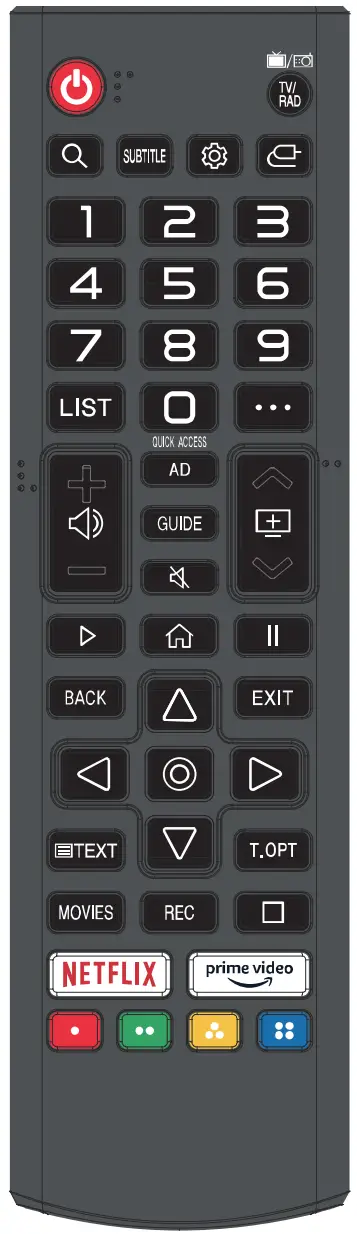 |
Magic Controller
When paired with the TV, the Magic controller offers an additional cursor for control.
 : TV ON/OFF. : TV ON/OFF. : STB ON/OFF. : STB ON/OFF.1–9: numeric keys  : Channel list : Channel list : Short press: Number button / Long press: Quick access : Short press: Number button / Long press: Quick access : Short press: Other actions : Short press: Other actionsLong press: Audio description : Mute. : Setting the volume. : Channel switching. : Activates voice recognition. : Shows main menu. : Enter the quick setup menu. : Activates voice recognition. : Shows main menu. : Enter the quick setup menu.WHEEL UP: Scroll up / Go to a higher channel PRESSING THE WHEEL: Confirmation WHEEL DOWN: Scroll down / Go to a lower channel : The RIGHT/LEFT/UP/DOWN buttons to move through the menu. : Go back. : Go back.GUIDE: TV programme display.  : Input source selection. : Input source selection.MOVIES : Movie selection menu. : Play. : Pause. : launches Netflix. : launches Prime video. : Correspond various color functions in the menu or in theteletext. | 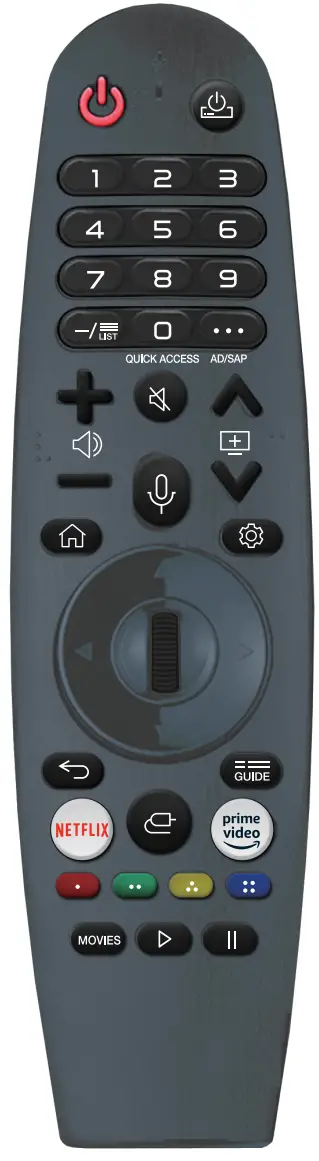 |
The icons and positions of the remote control buttons may vary depending on the model.
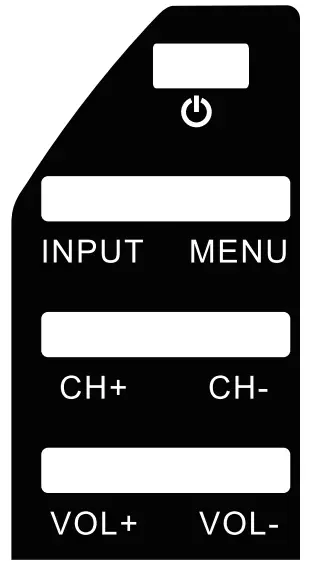
: TV ON/OFF.
INPUT: Source selection.
MENU: Enters main menu.
CH+: Channel selection.
CH-: Channel selection.
VOL+: Volume up.
VOL-: Volume down.
After you first turn on the TV
When you first turn on your TV, you’ll see a welcome screen where you can select your language and country. Next, select the signal source and perform the initial tuning as instructed on the screen.
Included accessories
- Magic Remote (UHD models only)
- Basic remote controller
- Quick guide
- 2 AAA batteries, 2 AA batteries (for Magic controller only)
- Stand and fixing screws
Playing from USB disc
Connect a USB device. Press HOME on the remote controller. Open the Photo & Video app.
Select the desired storage device. Select and view the desired photo or video.
Compatibility with all USB devices is not guaranteed. Use file system FAT32/NTFS, single partition, no protection. Formatting permanently erases all contents of the memory device! First, test the speed and reliability of each USB device. When the result is unsatisfactory, replace it with another one, mainly faster. The speed of a USB storage device is a prerequisite for reliable recording and time-shifting.
Supported USB formats
Video: AVI, MP4, MPG, MKV, MOV, DAT, VOB
Audio: MP3, WAV, OGG, FLAC
Pictures: JPEG, JPG, PNG
Full text of the operating instructions
The full instruction manual is available at www.sencor.com or directly on the TV.
INSTRUCTIONS AND INFORMATION REGARDING THE DISPOSAL OF USED PACKAGING
Dispose of the packaging material at a public waste disposal site.
DISPOSAL OF USED ELECTRICAL AND ELECTRONIC EQUIPMENT The symbol on the product, its accessories or packaging indicates that the product must not be disposed of in household waste. Dispose of the equipment at an appropriate collection point for the recycling of electrical and electronic equipment. Alternatively, in some European Union states or other European countries you may return your products to your local retailer when buying an equivalent new product.
Correct disposal of this product will help save valuable natural resources and prevent any potential negative impacts on the environment and human health, which could otherwise be caused by improper waste disposal. Contact your local authority or nearest waste collection centre for more details. Improper disposal of this type of waste may be subject to national rules on fines.
For business entities in the European Union
To dispose of electrical or electronic device, request the necessary information from your vendor or supplier.
Disposal in other countries outside the European Union
To dispose of this product, request the necessary information about the correct disposal method from local government departments or from your vendor. Hereby FAST CR, a.s. declares that the type of SLE 65US801TCSB, SLE 55US801TCSB, SLE 50US801TCSB, SLE 43US801TCSB, SLE 43FS801TCSB, SLE 32S801TCSB and SLE 24S801TCSB are in compliance with Directive 2014/53/EU.
The full text of the EU Declaration of Conformity is available at the following website: www.sencor.com
Text, design and technical specifications are subject to change without notice and we reserve the right to make changes.
Product Information Sheet
COMMISSION DELEGATED REGULATION (EU) 2019/2013
| # | INFORMATION | Value | Value | Value | Value | Unit | |
| 1 | Supplier name or trademark | SENCOR | SENCOR | SENCOR | SENCOR | ||
| 2 | Model identifier | SLE 32S801TCSB | SLE 43FS801TCSB | SLE 43US801TCSB | SLE 50US801TCSB | ||
| 3 | Energy Efficiency Class for standard Dynamic Range (SDR) | E | F | F | G | ||
| 4 | On mode power demand for Standard Dynamic Range (SDR) | 25 | 43 | 51 | 68 | W | |
| 5 | Energy Efficiency Class for standard Dynamic Range (HDR) | G | G | G | G | ||
| 6 | On mode power demand in High Dynamic Range (HDR) mode | 39 | 59 | 69 | 103 | W | |
| 7 | Off mode, power demand | 0 | 0 | 0 | 0 | W | |
| 8 | Standby mode power demand | 0.3 | 0.4 | 0.3 | 0.3 | W | |
| 9 | Networked standby mode power demand | 0.7 | 0.5 | 0.4 | 0.5 | W | |
| 10 | Electronic display category | Television | Television | Television | Television | ||
| 11 | Size ratio | 16 : 9 | 16 : 9 | 16 : 9 | 16 : 9 | ||
| 12 | Screen resolution (pixels) | 1366 x 768 | 1920 x 1080 | 3840 x 2160 | 3840 x 2160 | pixels | |
| 13 | Screen diagonal | 80 | 108 | 108 | 126 | cm | |
| 14 | Screen diagonal | 32 | 43 | 43 | 50 | inches | |
| 15 | Visible screen area | 27,4 | 49,8 | 49,9 | 67,6 | dm2 | |
| 16 | Panel technology used | LED LCD | LED LCD | LED LCD | LED LCD | ||
| 17 | Automatic Brightness Control (ABC) available | No | No | No | No | ||
| 18 | Voice recognition sensor available | No | No | No | No | ||
| 19 | Room presence sensor available | No | No | No | No | ||
| 20 | Image refresh frequency rate | 60 | 60 | 60 | 60 | Hz | |
| 21 | Minimum guaranteed availability of software and firmware updates (years) | 8 | 8 | 8 | 8 | ||
| 22 | Minimum guaranteed availability of spare parts (years) | 7 | 7 | 7 | 7 | ||
| 23 | Minimum guaranteed product support (years) | 8 | 8 | 8 | 8 | ||
| Minimum duration of the general guarantee offered by the supplier | 2 | 2 | 2 | 2 | |||
| 24 | Power supply type: | Internal | Internal | Internal | Internal | ||
| i. | External standardised power supply (included in the product box) | Standard name | N/A | N/A | N/A | N/A | |
| Input voltage | N/A | N/A | N/A | N/A | V | ||
| Output voltage | N/A | N/A | N/A | N/A | V | ||
| ii. | External standardised suitable power supply (if not included in the product box) | Standard name | N/A | N/A | N/A | N/A | |
| Required output voltage | N/A | N/A | N/A | N/A | V | ||
| Required delivered current | N/A | N/A | N/A | N/A | A | ||
| Required current frequency | N/A | N/A | N/A | N/A | Hz | ||
| # | INFORMATION | Value | Value | Unit | |
| 1 | Supplier name or trademark | SENCOR | SENCOR | ||
| 2 | Model identifier | SLE 55US801TCSB | SLE 65US801TCSB | ||
| 3 | Energy Efficiency Class for standard Dynamic Range (SDR) | G | G | ||
| 4 | On mode power demand for Standard Dynamic Range (SDR) | 82 | 105 | W | |
| 5 | Energy Efficiency Class for standard Dynamic Range (HDR) | G | G | ||
| 6 | On mode power demand in High Dynamic Range (HDR) mode | 122 | 114 | W | |
| 7 | Off mode, power demand | 0 | 0 | W | |
| 8 | Standby mode power demand | 0.3 | 0.3 | W | |
| 9 | Networked standby mode power demand | 0.3 | 0.5 | W | |
| 10 | Electronic display category | Television | Television | ||
| 11 | Size ratio | 16 : 9 | 16 : 9 | ||
| 12 | Screen resolution (pixels) | 3840 x 2160 | 3840 x 2160 | pixels | |
| 13 | Screen diagonal | 139 | 164 | cm | |
| 14 | Screen diagonal | 55 | 65 | inches | |
| 15 | Visible screen area | 82,3 | 114,8 | dm2 | |
| 16 | Panel technology used | LED LCD | LED LCD | ||
| 17 | Automatic Brightness Control (ABC) available | No | No | ||
| 18 | Voice recognition sensor available | No | No | ||
| 19 | Room presence sensor available | No | No | ||
| 20 | Image refresh frequency rate | 60 | 60 | Hz | |
| 21 | Minimum guaranteed availability of software and firmware updates (years): | 8 | 8 | ||
| 22 | Minimum guaranteed availability of spare parts (years) | 7 | 7 | ||
| 23 | Minimum guaranteed product support (years) | 8 | 8 | ||
| Minimum duration of the general guarantee offered by the supplier | 2 | 2 | |||
| 24 | Power supply type: | Internal | Internal | ||
| i. | External standardised power supply (included in the product box) | Standard name | N/A | N/A | |
| Input voltage | N/A | N/A | V | ||
| Output voltage | N/A | N/A | V | ||
| ii. | External standardised suitable power supply (if not included in the product box) | Standard name | N/A | N/A | |
| Required output voltage | N/A | N/A | V | ||
| Required delivered current | N/A | N/A | A | ||
| Required current frequency | N/A | N/A | Hz | ||
www.sencor.cz
Designed in Europe by Sencor®, Made in China
LICENSES:
 Design and quality for you | Sencor
 Design and quality for you | Sencor
 Od televizorů přes mobilní telefony až po kuchyňské roboty, vše pro radost | Sencor
 Design and quality for you | Sencor