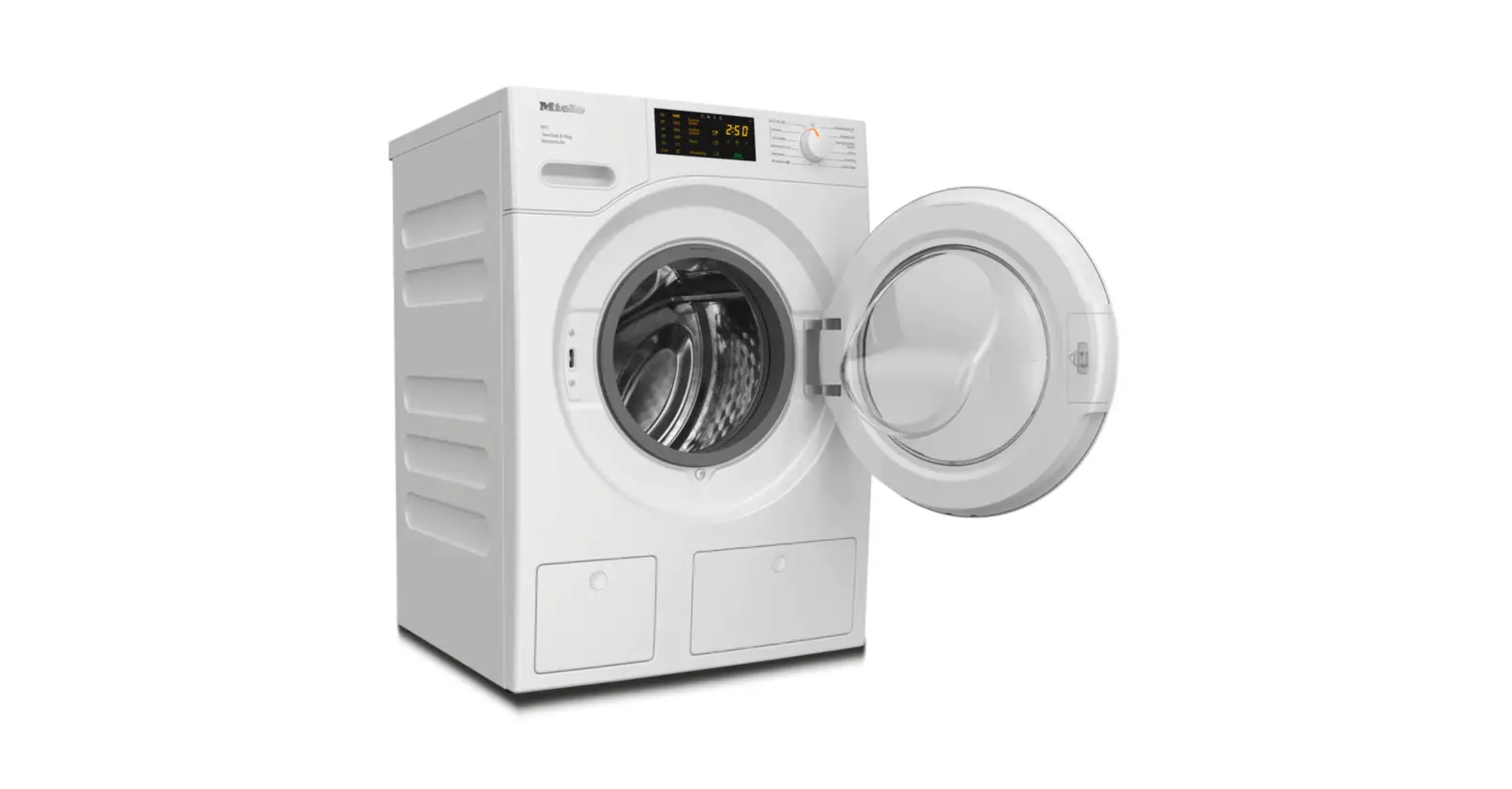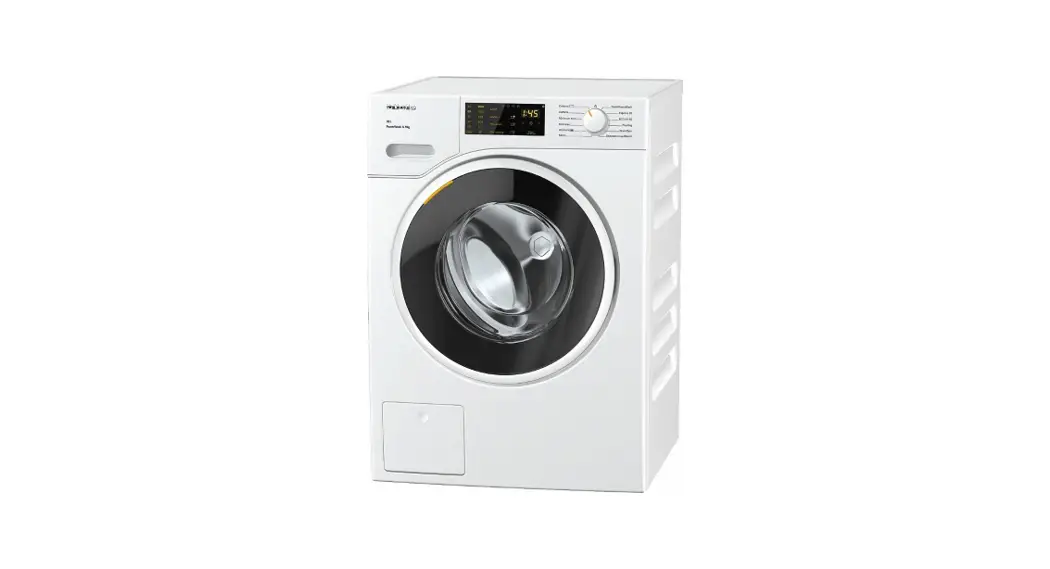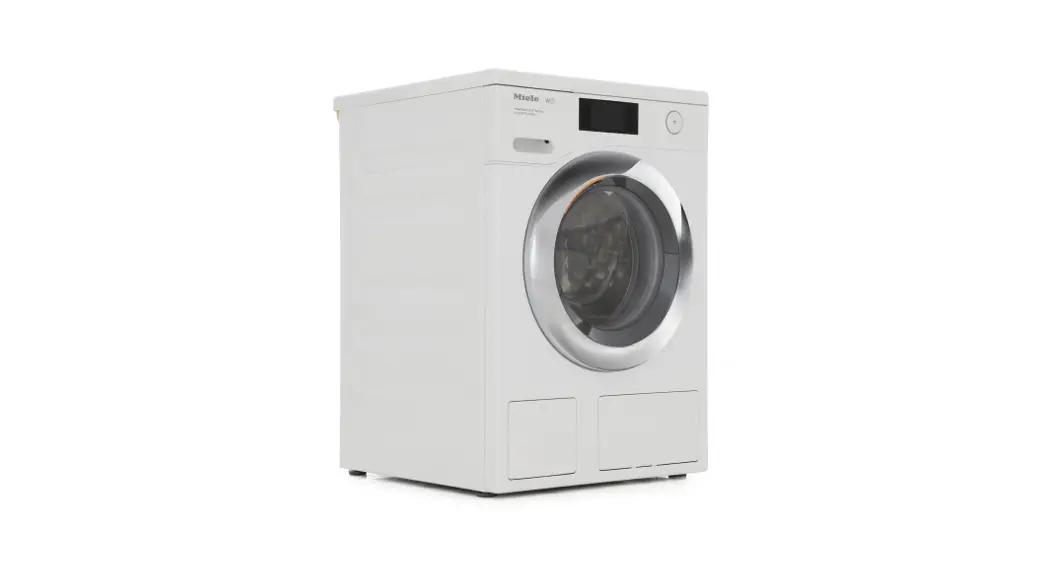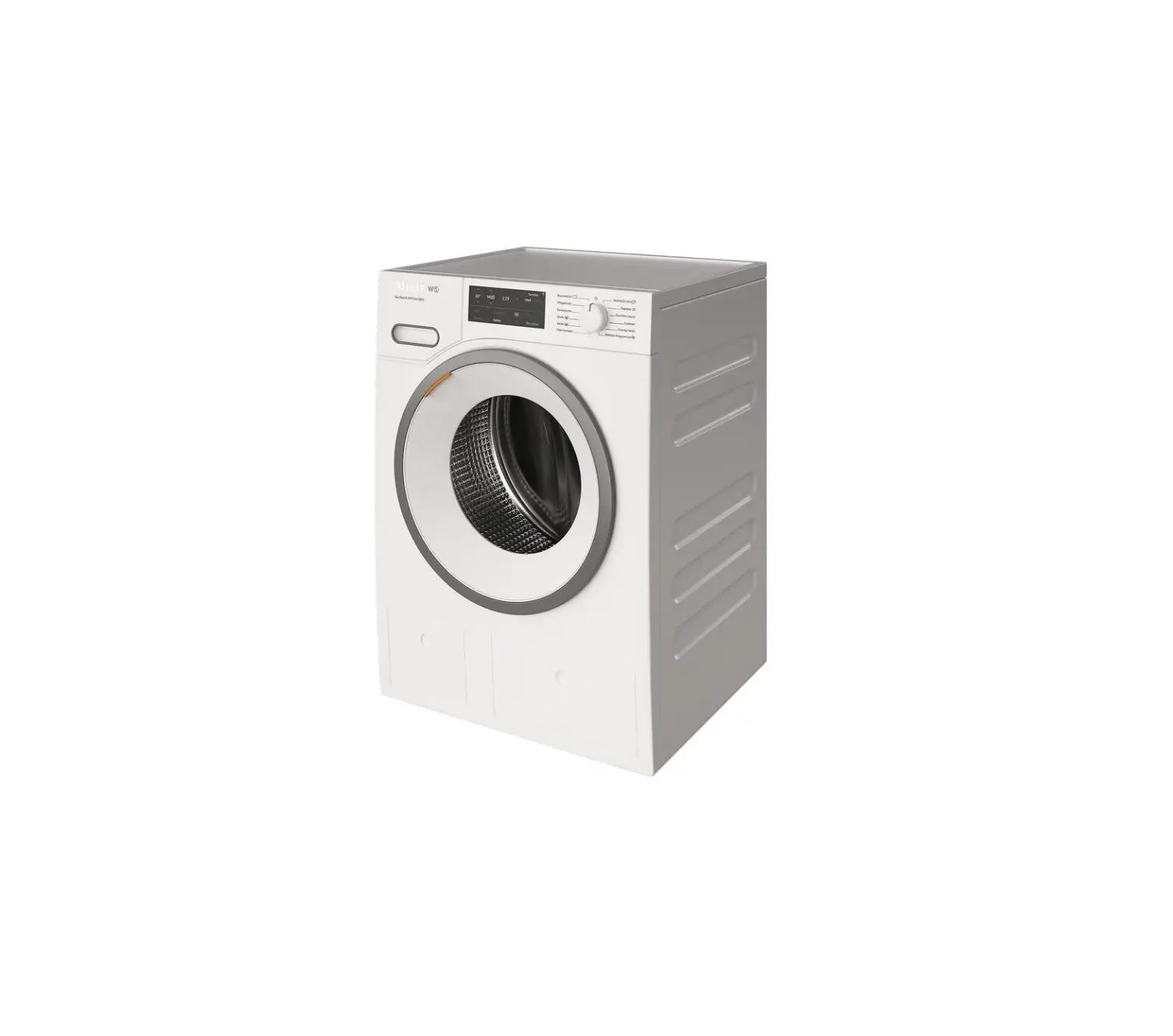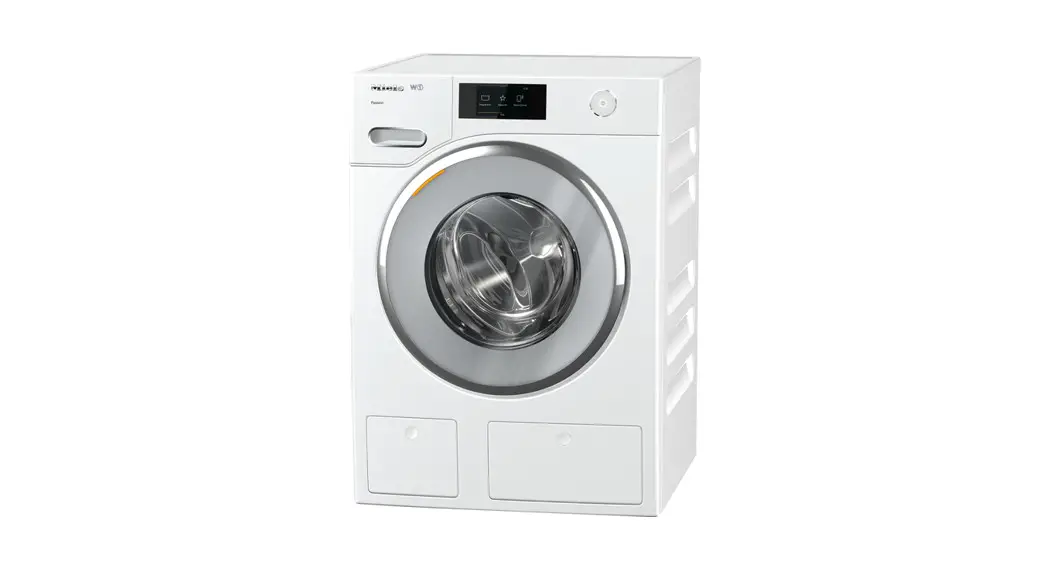
Miele WXF660 Washing Machine User Guide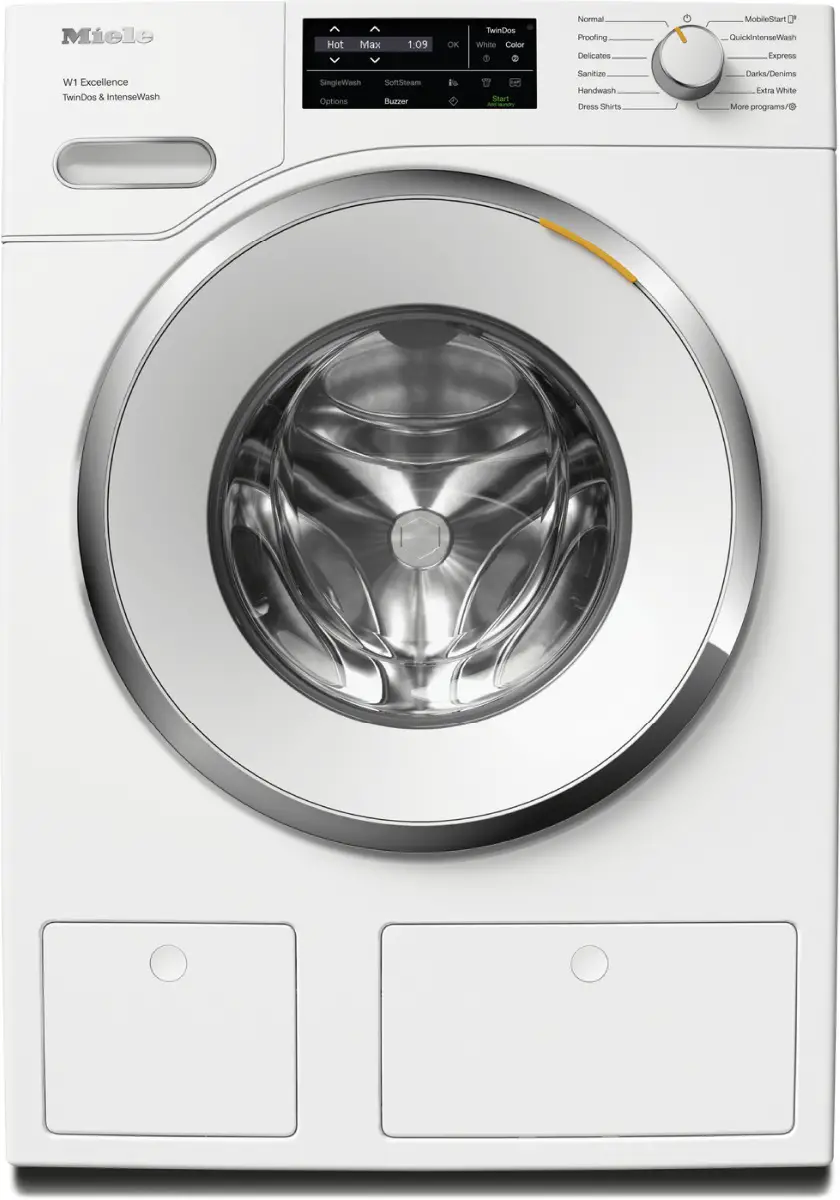
Before the first use
 Damage from incorrect installation and connection.
Installing and connecting the washing machine incorrectly will cause serious damage to property.
See “Installation”.
Damage resulting from failure to remove the shipping struts.
Failure to remove the shipping struts can result in damage to the washing machine and to adjacent cabinetry or appliances.
Remove the shipping struts as described in “Installation and connection”.
Switching on the washing machine
- Turn the program selector to the Normal program.
The welcome tone will sound and the welcome screen will light up.
The display will now guide you through the initial commissioning process, which is divided into 5 steps.
For additional information, please refer to the separate operating instructions supplied.
Operation
Operating the sensor buttons
The sensor buttons react to fingertip contact. If a sensor button is illuminated, it can be selected.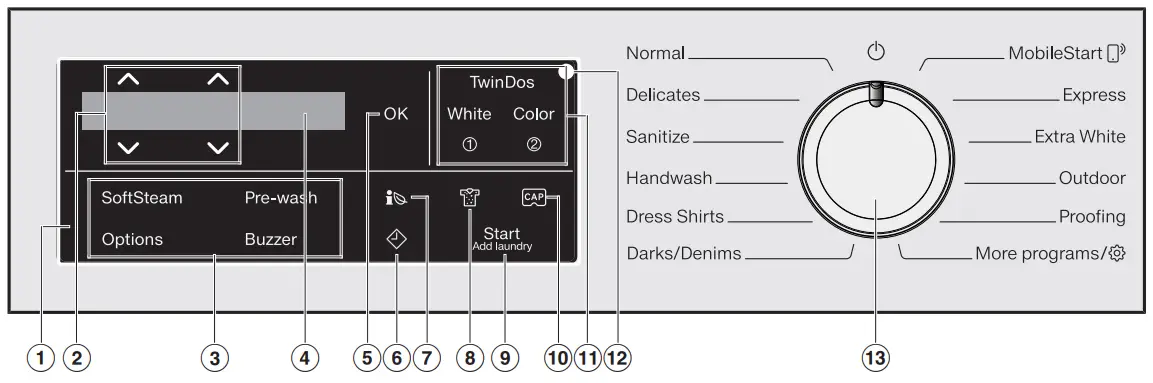
If a sensor button is brightly lit, this means:
currently selected
If a sensor button is dimly lit, this means:
selection possible
- Control field
The control field consists of a display and various sensor buttons. - Display
Various values are displayed and/or selected on the display.  sensor buttons
The values in the display can be changed with the sensor buttons.- OK sensor button
Confirm the selected values with the OK sensor button. - TwinDos sensor button with the additional Whites and Colors sensor buttons
Deactivate or activate automatic detergent dispensing via the TwinDos sensor button. - Optical interface
This is used by the Service department as a transmission point. - Sensor buttons for options
You can supplement the wash programs with options.  sensor button
You can view information about the energy and water consumption of your washing machine with the sensor button. sensor button
The sensor button starts the Delay Start function. sensor button
You can specify the degree of soiling of the load in 3 settings. This sensor button is only active when the TwinDos option is activated.- Start/Add laundry sensor button
- Touching the Start/Add laundry sensor button starts the selected program. The sensor button lights up constantly.
- Once the program has been started, the Start/Add laundry sensor button allows you to add laundry.
 sensor button
Activates CapDosing via the detergent drawer.- Program selector
For selecting programs and for switching the machine off. The washing machine is switched on when you select a program, and switched off by turning the program selector to the position.
 sensor buttons
 sensor button
 sensor button
 position.
Environmentally friendly washing
- Make use of the maximum load that the wash program can accommodate. This will keep energy and water consumption to a minimum in relation to the size of the load.
- Use the Express program for small, lightly soiled loads.
- Modern detergents make it possible to wash at lower temperatures (e.g., 70°F/20°C). Using the corresponding temperature settings will save energy.
- Washing at low temperatures and/or using liquid detergents can cause bacteria and odors to build up in the washing machine. Miele therefore recommends cleaning the washing machine once every month.
The washing machine provides you with a reminder with the message Sanitize info: Run the “Sanitize” or “Clean Machine” program in the display
Preparing the laundry/Selecting a program
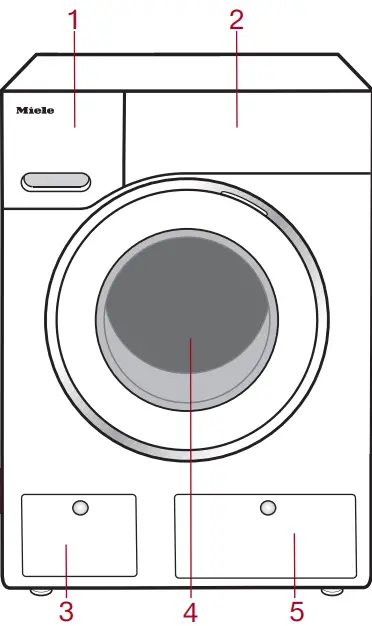
- Detergent drawer
- Control panel
- Drain filter
- Door
- TwinDos dispensing
Preparing the laundry
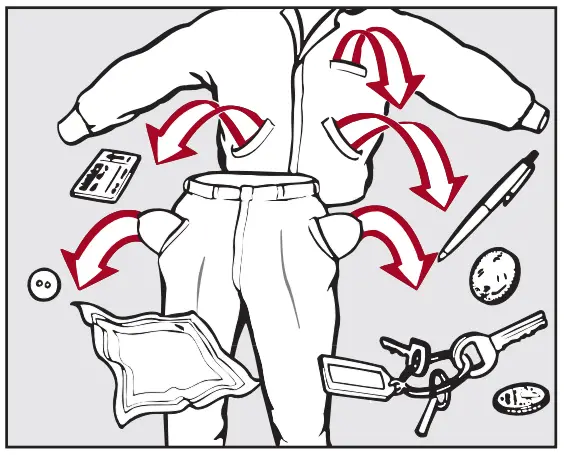
- Empty all pockets.

 Damage due to foreign objects.
Nails, coins, paper clips, and so on can cause damage to garments and components in the machine.
Check the laundry before washing and remove any such foreign objects. - Sort the laundry by color and by care label. Most garments have a textile care label in the collar or side seam.
- Pre-treat stains and badly soiled areas.
Selecting a program
There are three possible ways to select a program.
- Selecting the standard programs with the program selector dial
- Turn the program selector to the required program. The selected program will be shown in the display. This will then be replaced by the standard display.
- Selecting additional programs by setting the program selector to “Additional programs/
 ” and using the display.
- Turn the program selector to the Additional programs/ position. The following appears in the display: Table Linens/Drapes
- Touch the sensor buttons until the program you want appears in the display.
- Confirm the program with the OK sensor button.
- Turn the program selector to the Additional programs/
- Selecting additional programs by setting the program selector to MobileStart
 and using the Miele app
- Turn the program selector to the MobileStart position.
The following appears in the display:
Load laundry, close the door and press “Start”. Appliance can be remotely controlled - Follow the instructions in the display and start the program.
The following appears in the display: MobileStart
The washing machine can now be operated with the Miele app.
- Turn the program selector to the MobileStart
 ” and using the display.
 and using the Miele app
Loading the washing machine
Opening the door
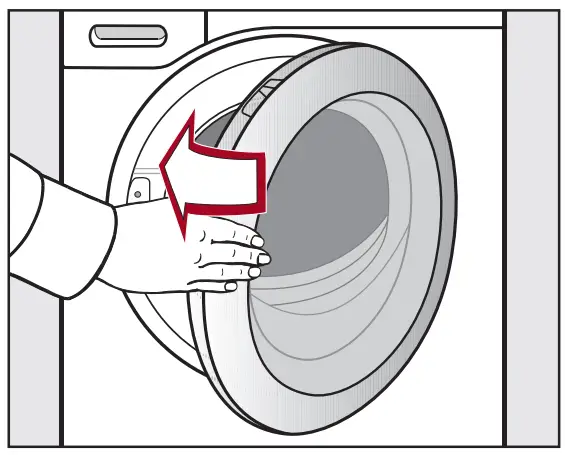
- Take hold of the door and pull it open.
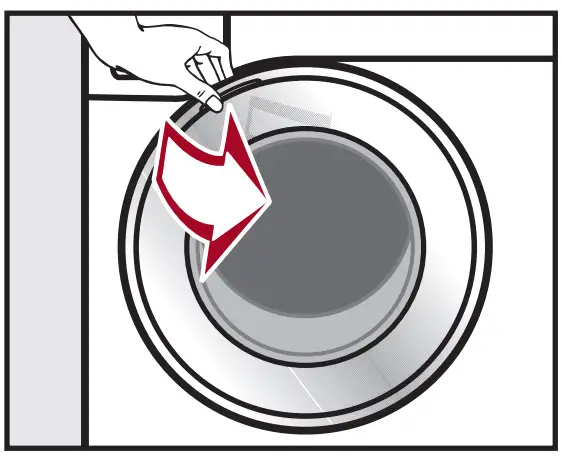
- Unfold the laundry and load loosely into the drum.

Closing the door
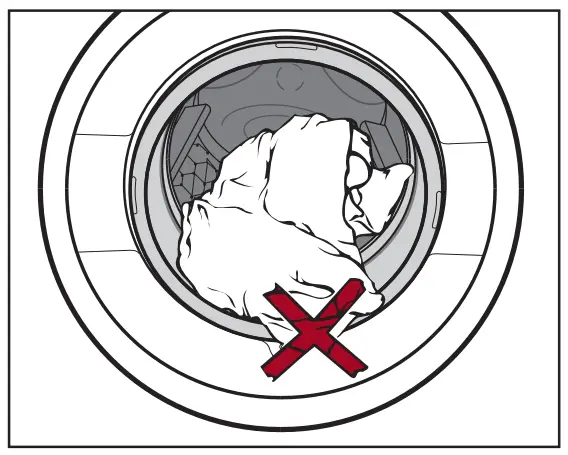
- Make sure that no items are caught between the door and the seal.

- Shut the door gently.
Selecting program settings
Selecting a temperature/spin speed
- Touch the sensor buttons above or below the temperature or spin speed value in the display until the temperature/spin speed you want appears in the display.
Selecting options
There are 2 ways of selecting options.
- Directly via the sensor buttons
- Touch the sensor button for the required option. It will then light up brightly.
- Via the Options sensor button and the display
- Touch the Options sensor button. The following appears in the display: No Options
- Touch the sensor buttons until the option you want appears in the display and confirm this with the OK sensor button.
Degree of soiling
The  sensor button is only active when the TwinDos sensor button is activated.
 Light
Light
No visible soiling or stains- Normal
Visibly soiled and/or just a few slight stains - Heavy
Heavily soiled and/or stains clearly visible
 Light
Light Normal
 Delay Start/SmartStart
Delay Start
With the Delay Start function, you can delay the start of the program. The start of the program can be delayed from 15 minutes up to a maximum of 24 hours.
SmartStart
The SmartStart function lets you define a time period during which your washing machine will start automatically. The washing machine is started via a signal, e.g., from your energy supplier, that indicates that the electricity rate is particularly economical.
Add detergent
There are several options for adding detergent to the washing machine.
TwinDos
TwinDos dispensing is automatically activated for all programs in which dispensing is possible.
Changing TwinDos dispensing
You can change the suggested color composition of the laundry.
- Touch the Whites or Colors sensor button.
Deactivating TwinDos dispensing
- Touch the TwinDos sensor button. The sensor button is only dimly lit and dispensing is deactivated.
Filling with detergent
This washing machine requires particularly efficient detergent. Add detergent in accordance with the value in the pull-down dosage display.
Ensure that TwinDos dispensing is deactivated.
- Pull out the detergent drawer and add detergent to the compartments.

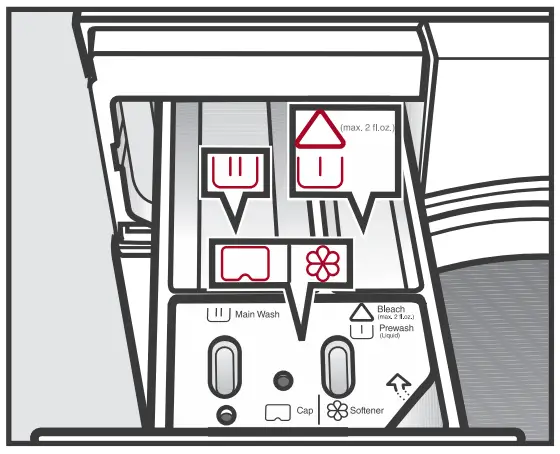

 Chlorine bleach for removing stains or liquid detergent for the pre-wash
 Detergent for the main wash, including Soak if selected
 Fabric softener, liquid starch, or caps
CapDosing
If you selected CapDosing when setting the program, detergent will be dispensed via the capsule for this wash program.
Using powder detergent
The detergent drawer contains an insert for liquid detergent in the compartment. This insert must be removed to use powder detergent. It is not possible to use powder detergent in the compartment.
Starting a program
Using chlorine bleach
Damage due to chlorine bleach.
Textiles may be discolored or their fibers damaged.
Only use chlorine bleach on suitable textiles.
Chlorination must be activated in the settings before chlorine bleach is first used.
The Pre-wash option must not be selected.
- Pour max. 1/4 cup (60 ml) of bleach into the

 chamber.
The chlorine bleach is added automatically 10 minutes before the end of the main wash.
Start the program
- Touch the flashing Start/Add laundry sensor button.
The door will lock and the wash program will start.
The program status will appear in the display.
Adding laundry during a program sequence
Laundry can be added or removed at any time, provided that the  symbol is not illuminated in the display.
- Touch the Start/Add laundry sensor button.
The following appears in the display: Please wait
- Wait until the following display lights up:
 Door can be opened
 - Open the door and add or remove laundry.
- Close the door.
- Touch the Start/Add laundry sensor button.
The wash program will continue.
Program end
The door is locked in the Anti-crease phase. The display alternates between:
End/Anti-Crease and  Press Start button
- Unlock the door either by touching the Start/Add laundry sensor button or by turning the program selector to the position.
The door will unlock.
Tip: After the Anti-crease phase, the door will unlock automatically.
- Take hold of the door and pull it open.
- Remove the laundry.

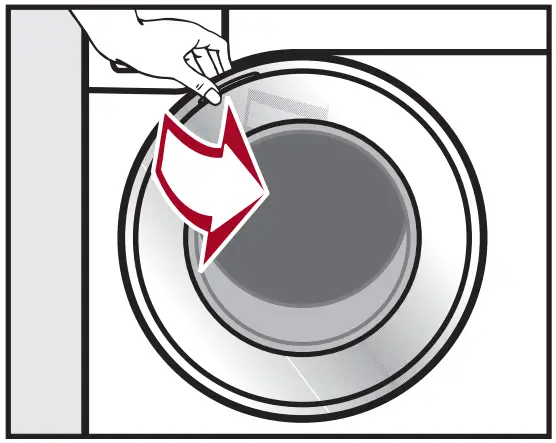
Items left in the drum could discolor other items in the next wash or become discolored themselves.
Remove all items from the drum.
- Check the folds in the door seal for any foreign objects.

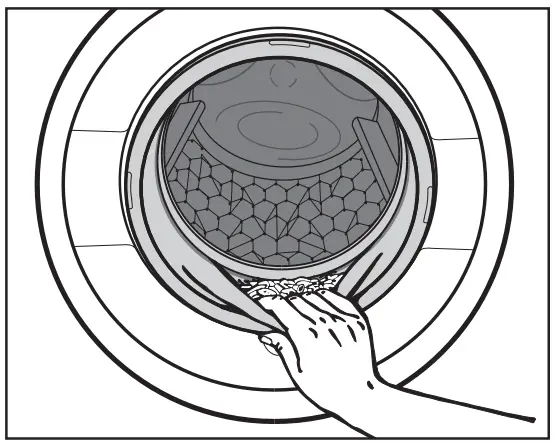
Tip: Leave the door slightly open.
- If you used a capsule, remove it from the detergent drawer.
Tip: Leave the detergent drawer slightly open.
Options
You can supplement the wash programs with options.
SoftSteam
In order to reduce creasing, the laundry undergoes a smoothing process at the end of the program. Reducing the maximum load by 50% will give a better result.
Please note the load information in the display. Small loads achieve a better result.
| without SoftSteam | with SoftSteam | |
| Full load |  | Half load |
 | Small load |
| Small load | | Very small load |
The garments must be suitable for drying in a tumble dryer 
 and suitable for ironing
 .
.
Pre-wash
For laundry with large amounts of dirt, e.g., dust and sand.
Pre-wash and the use of bleach are not possible.
The chlorine bleach is added too early.
Only liquid detergent may be added to the chamber of the detergent drawer.
Powder detergent clogs up the chamber and water can escape from the detergent drawer.
Buzzer
A buzzer sounds at the end of the program. The buzzer sounds until the washing machine is switched off.
Gentle
Drum rotation and wash duration is reduced. Lightly soiled items are washed more gently.
ExtraRinse
An extra rinse can be activated to achieve a more thorough wash result.
Soak
For heavily soiled and stained items with protein stains. A duration of between 30 minutes and 6 hours can be selected for the soak process. See “Settings” for more information.
The factory default setting is 30 minutes.
AllergyWash
This option should be used where high standards of hygiene are required. Energy consumption is increased to lengthen temperature holding times and water consumption is increased to improve rinsing efficiency. The items must be suitable for drying in a tumble dryer and suitable for ironing .
Program overview
| Program | Temperature | Speed | Load |
| Normal | Hot +, Hot, Warm +, Warm, Cold | Max,  | Full load (17.6 lb/8 kg) |
| Cotton, linen, and mixed-fiber fabrics made of both cotton and linen. | |||
| Delicates | Hot +, Hot, Warm +, Warm, Cold | Med, Slow,  | Small load (6.6 lb/3 kg) |
| For delicate fabrics made from synthetic fibers | |||
| Sanitize | Sanitize | Max, High, | Full load (17.6 lb/8 kg) |
| Cotton or linen fabrics with direct skin contact or for which special hygiene requirements apply | |||
| Handwash | Hot, Warm +, Cold | High, Med, Slow, | Small load (4.4 lb/2 kg) |
| For delicate fabrics which are only suitable for hand washing | |||
| Dress Shirts | Hot +, Hot, Warm +, Warm, Cold | Med, Slow, | Small load (4.4 lb/2 kg) |
| Pre-treat collars and cuffs depending on the level of soiling. | |||
| Darks/Denims | Warm +, Warm, Cold | High, Med, Slow, | Small load (4.4 lb/2 kg) |
| Black and dark garments made from cotton, mixed fibers, and denim. | |||
| MobileStart | |||
| The Miele app is used to select programs and operate the appliance. | |||
| Express | Hot + | High, Med, Slow, | Half load (7.7 lb/3.5 kg) |
| Cotton fabrics that have hardly been worn or are only very lightly soiled. | |||
| Extra White | Warm +, Warm, Cold | Max, High, | Full load (17.6 lb/8 kg) |
| For white fabrics made of cotton or linen without special hygiene requirements. | |||
| Outdoor | Warm + | Med, Slow, | Small load (5.5 lb/2.5 kg) |
| Performance outerwear (e.g., jackets and pants) made from membrane fabric such as Gore-Tex®, SYMPATEX®, WINDSTOPPER®, etc. | |||
| Proofing | Hot +, Hot, Warm +, Warm, Cold | High, Med, Slow, | Small load (5.5 lb/2.5 kg) |
| Treating microfiber fabric, ski wear, or table linens/drapes made from mainly synthetic fibers to provide a finish which is resistant to water and dirt | |||
| Table Linens/Drapes | Hot +, Hot, Warm +, Warm, Cold | High, Med, Slow, | Full load (13.2 lb/6 kg) |
| Table linens and drapes made of cotton and linen. | |||
| Sportswear | Warm, Cold | High, Med, Slow, | Half load (6.6 lb/3 kg) |
| Sportswear such as jerseys and leggings, as well as microfiber and fleece garments | |||
| Woolens | Warm, Cold | High, Med, Slow, | Small load (4.4 lb/2 kg) |
| Wool or wool-blend fabrics. | |||
| Silks | Hot +, Hot, Warm +, Warm, Cold | High, Med, Slow, | Very small load (2.2 lb/1 kg) |
| Silks and other hand-washable fabrics with no wool content. Place tights, bras, etc., in a laundry bag | |||
| Wrinkle-free | Hot +, Hot, Warm +, Warm, Cold | Max, High, Med, Slow, | Half load (8.8 lb/4 kg) |
| Synthetic or mixed-fiber fabrics, or wrinkle-free cotton. | |||
| Baby Clothes | Hot +, Hot, Warm +, Warm, Cold | Max, High, Med, Slow, | Full load (13.2 lb/6 kg) |
| Baby clothes, baby towels, bath gowns, toweling items, bibs made from cotton. | |||
| Towels | Hot +, Hot, Warm +, Warm, Cold | Max, High, Med, Slow, | Full load (11 lb/5 kg) |
| For linen or cotton towels used for personal hygiene. | |||
| Downs | Hot +, Hot, Warm +, Warm, Cold | High, Med, Slow, | Small load (4.4 lb/2 kg) |
| Jackets, sleeping bags, pillows, and other down-filled items. | |||
| Pillows | Hot +, Hot, Warm +, Warm, Cold | High, Med, Slow, | 2 pillows (40 x 80 cm) or 1 pillow (80 x 80 cm) |
| Washable pillows with synthetic filling. | |||
| Clean Machine | Sanitize | Slow | Without load |
| With frequent washing at low temperatures there is a danger of a build-up of bacteria in the washing machine. Cleaning the washing machine will significantly reduce bacteria and prevent the build-up of unpleasant odors. | |||
Detergent
Detergents recommended by Miele
| Miele UltraPhase 1 and 2 | Miele Capsules | |||
 |  |  | ||
| Normal | √ | – | √ | √ |
| Delicates | √ | √ | √ | – |
| Sanitize | √ | – | √ | √ |
| Handwash | – | √ | √ | – |
| Dress Shirts | √ | – | √ | √ |
| Darks/Denims | √ | – | √ | – |
| Express | √ | – | √ | – |
| Extra White | √ | – | √ | √ |
| Outdoor | – | √ | – | – |
| Proofing | – | – | √ | – |
| Table Linens/Drapes | √ | – | √ | √ |
| Sportswear | – | √ | – | – |
| Woolens | – | √ | – | – |
| Silks | – | √ | – | – |
| Wrinkle-free | √ | – | √ | √ |
| Quick Rinse | – | – | √ | – |
| Baby Clothes | √ | – | √ | √ |
| Towels | √ | – | √ | √ |
| Downs | – | √ | – | – |
| Pillows | √ | – | – | – |
- √ Recommendation
- – No recommendation
 Special-purpose detergents (e.g., WoolCare)
 Fabric care (e.g., fabric softener)
- Additives (e.g., booster)
Cleaning and care
Cleaning the detergent drawer
Washing at low temperatures and the use of liquid detergent can lead to a build-up of bacteria in the detergent drawer.
- Clean the entire drawer at regular intervals for hygiene reasons, even if you are using the TwinDos system exclusively.
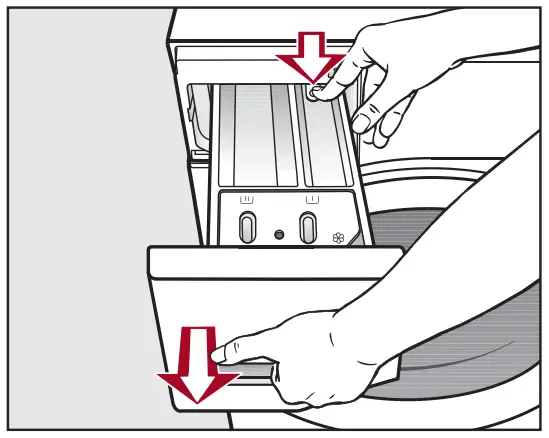
- Pull out the detergent drawer until a resistance is felt.

- Press down the release button and, at the same time, pull the drawer completely out of the machine.
Removing and cleaning the insert for liquid detergents
An insert for liquid detergents is located in the compartment of the detergent drawer.
- Remove the insert. Clean the insert thoroughly with warm water.
Cleaning the siphon inside the compartment
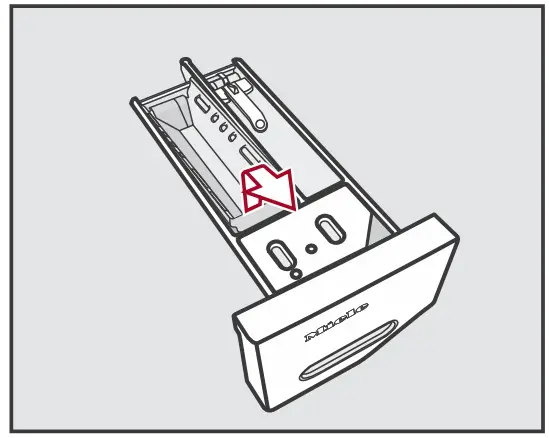
Compartment 1 has a siphon for better dispensing of the chlorine bleach.
- Remove the release catch.

- Remove the siphon and clean under warm running water.

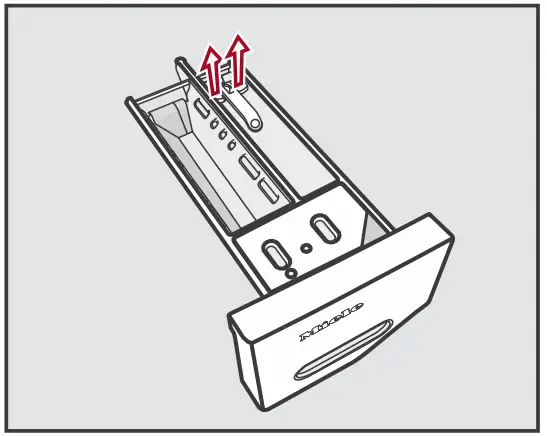
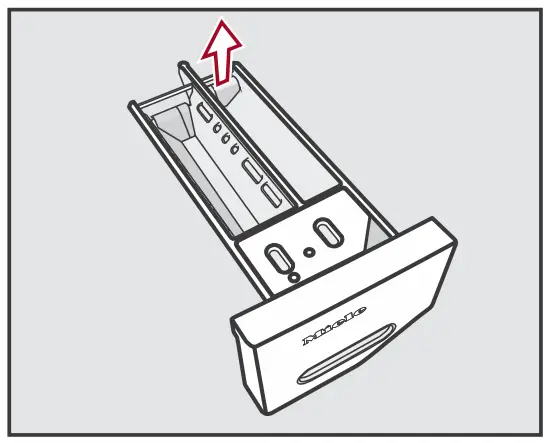
Cleaning the siphon inside the  compartment
- Remove the siphon from the
 compartment and clean under warm running water.
- Clean all compartments with warm water.
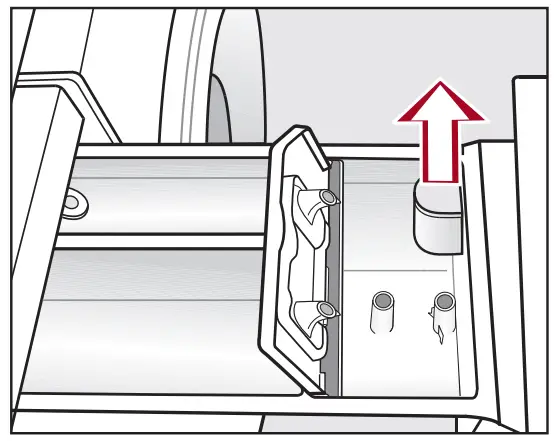
Cleaning the detergent-drawer housing
- Use a bottle brush to remove detergent residues and limescale from the jets inside the detergent-drawer housing.

- Replace the detergent drawer.
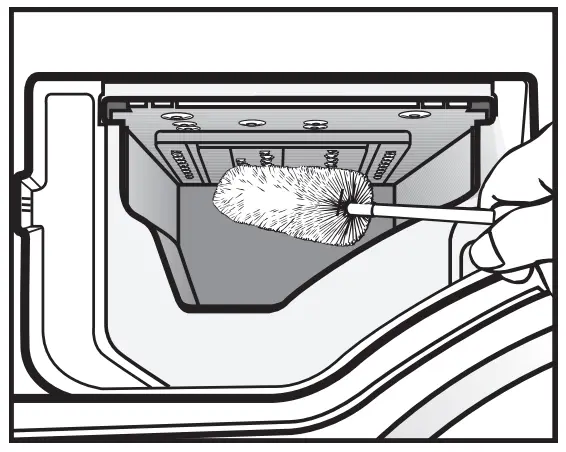
Tip: Leave the detergent drawer slightly open to allow it to dry.
Sanitize info (cleaning the drum)
Washing at low temperatures and/or using liquid detergents can cause bacteria and odors to build up in the washing machine.
Use the Clean Machine program to clean the washing machine. Note the message in the display: Sanitize info: Run a high temp. program or the “Clean Machine” program
Frequently asked questions …
| Problem | Possible cause and solution |
| The control field remains dark. | There is no power to the machine.
|
The washing machine has switched off automatically to save energy.
| |
The following appears in the display: Service Door release ťafllt F35 Service Door release ťafllt F35 | The door is not closed properly. The door lock could not engage.
If the fault message appears again, contact Miele Customer Service. |
Draiflage See  | The drain is blocked or restricted. The drain hose has been fixed too high.
|
| Water ifltake See | The water intake is blocked or restricted.
|
The filter in the water intake is blocked.
| |
Waterprooť system Tflrfl oťť  Service Service | The water protection system has reacted.
|
| Service Fafllt F | There is a fault.
If the fault message appears again, contact Miele Customer Service. |
| Check fiosage | Excessive foam has built up during washing.
|
| Saflitize iflťo: Rflfl a high temp. program or the “Cleafl Machifle” program | When washing, a wash program using a temperature above 60°C (140°F) has not been run for a long time.
The washing machine is cleaned which prevents bacteria and odor buildup. |
| Aligfl the washiflg machifle | The SoftSteam extra option which runs at the end of the program could not be carried out properly.
|
| If the fault message appears again, contact Miele Customer Service. The washing machine can still be used, but without the SoftSteam extra option. | |
| 1 is almost empty. Oflly a ťew more cycles are possible | The detergent in the cartridge is running low. There is enough left for approx. 4 to 8 wash programs.
|
| The following appears in the display: Service Door release ťafllt F35 | The door lock has jammed.
|