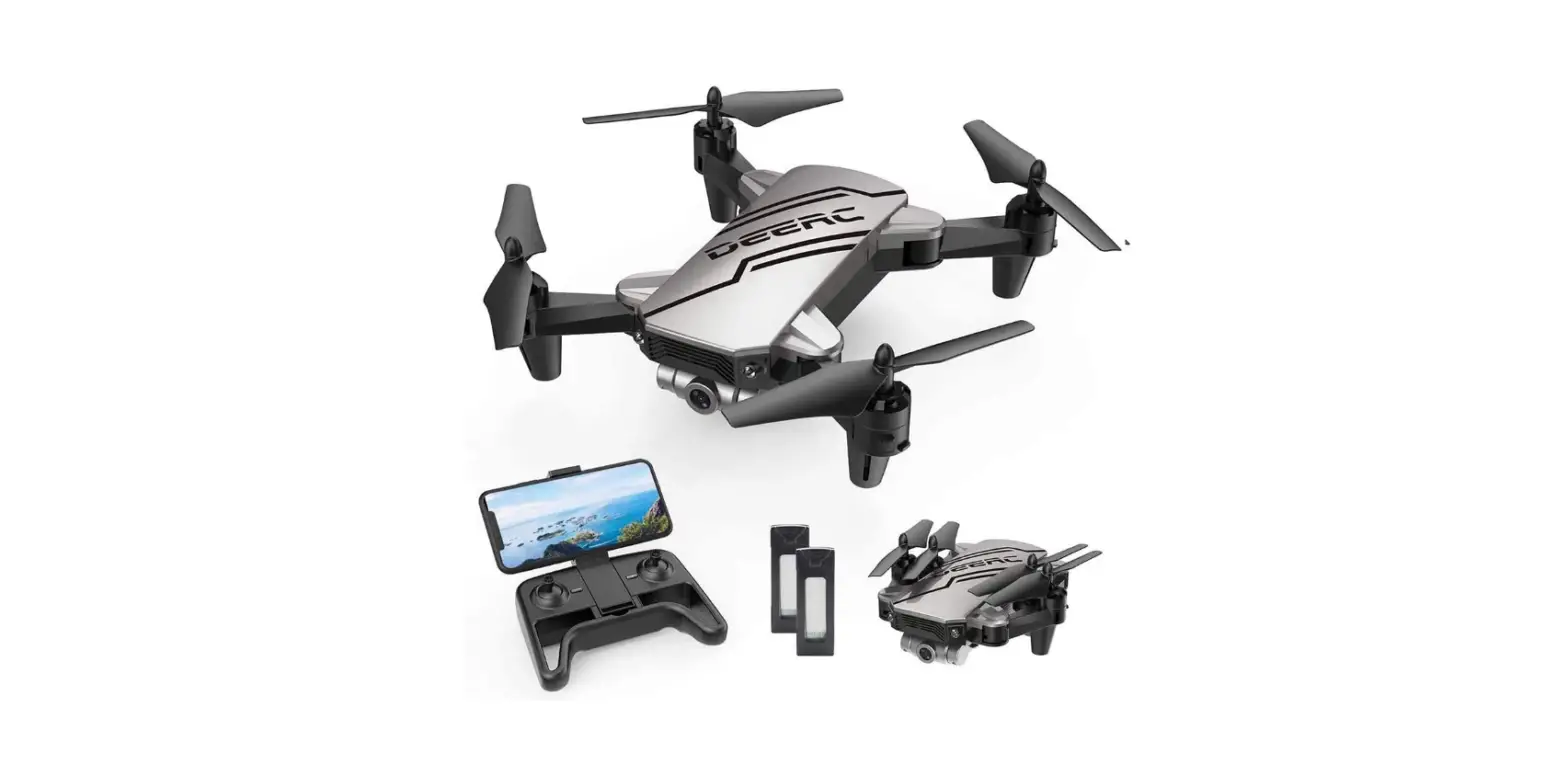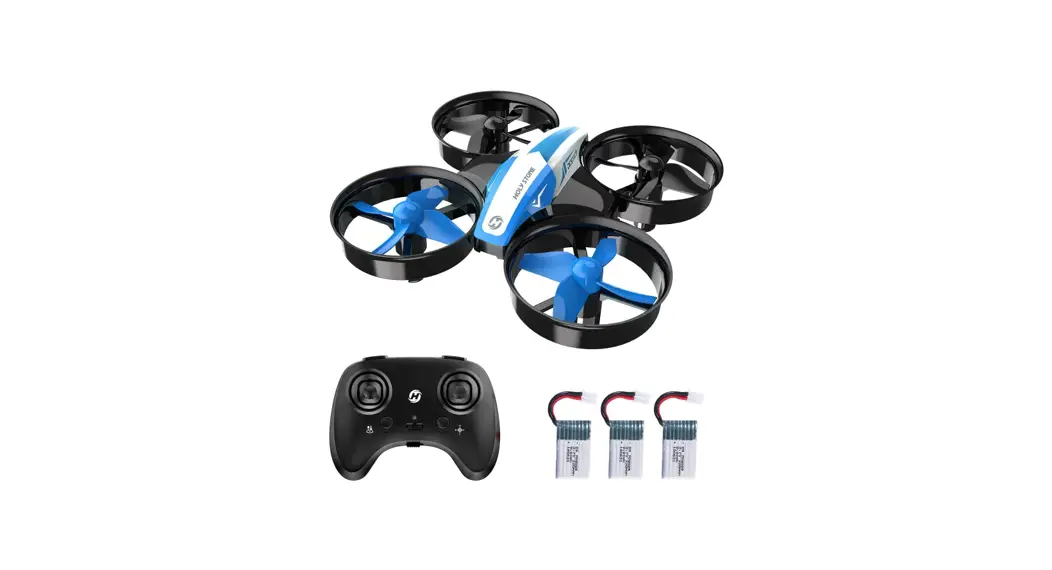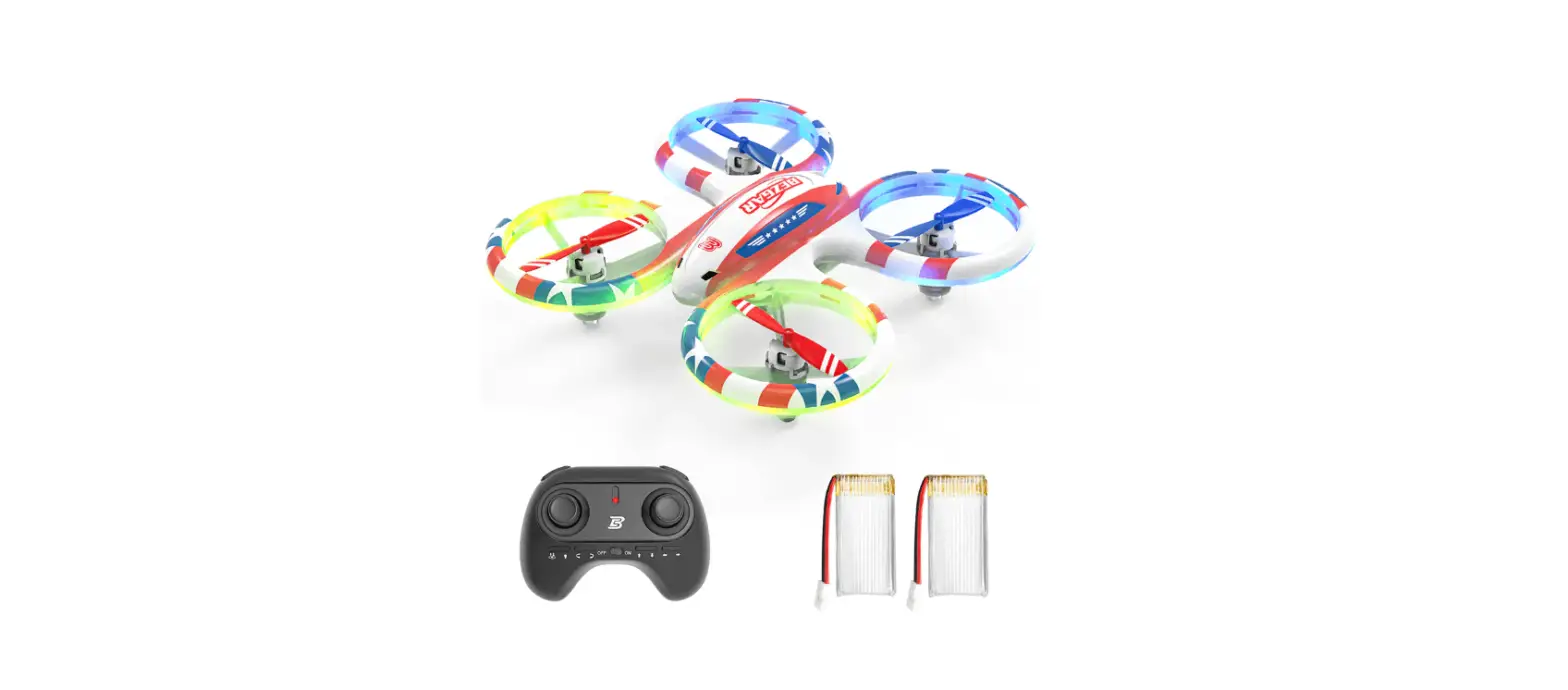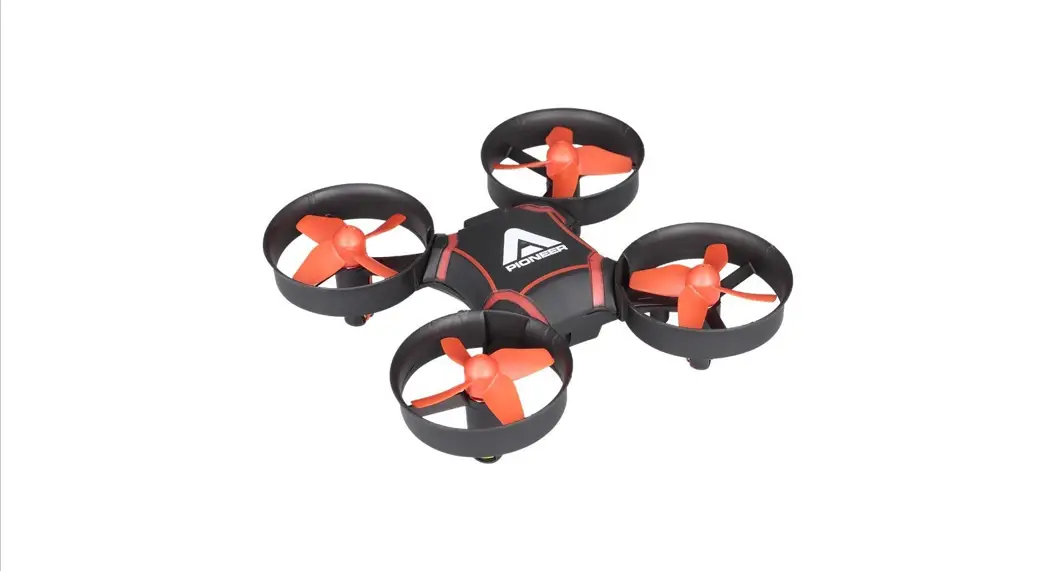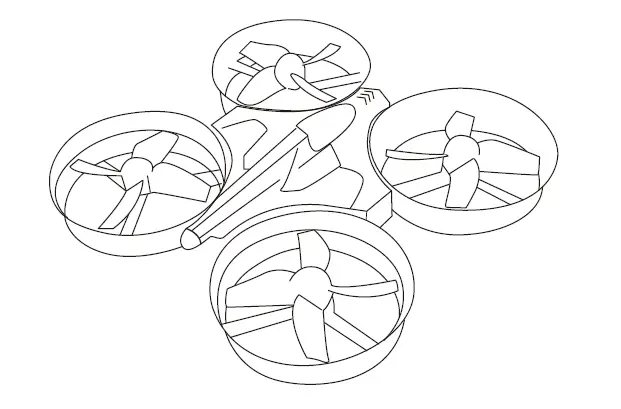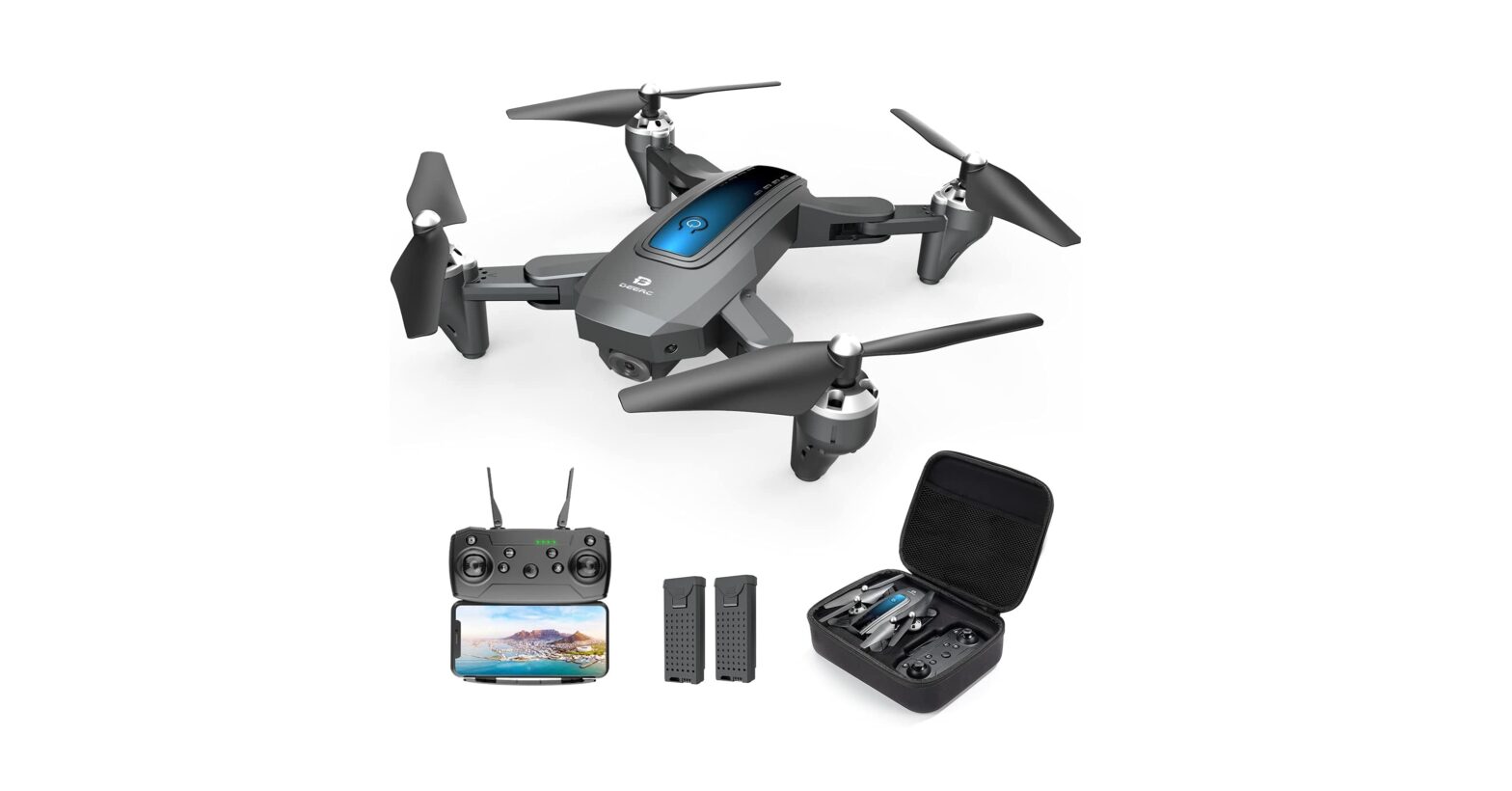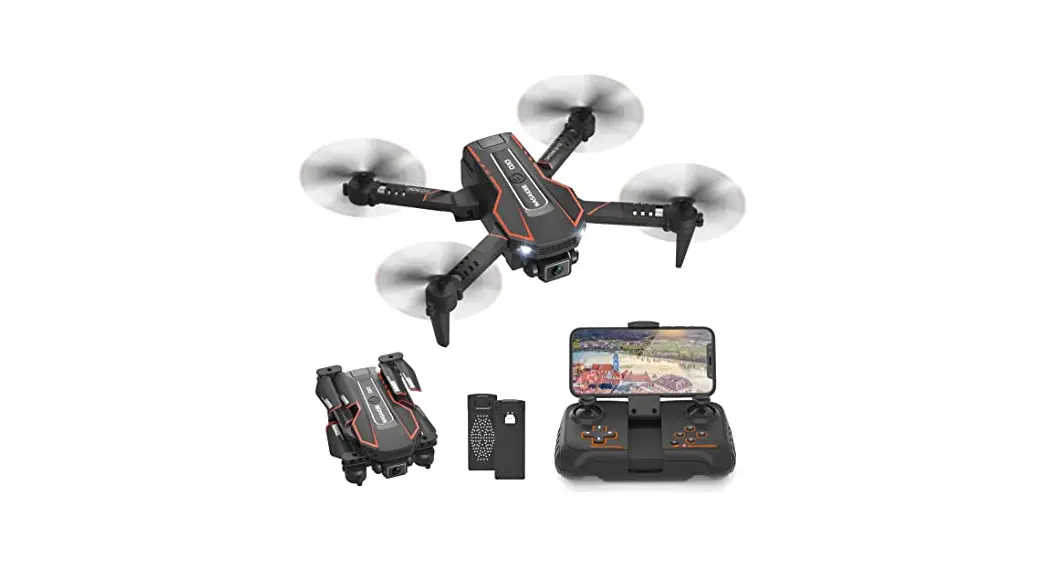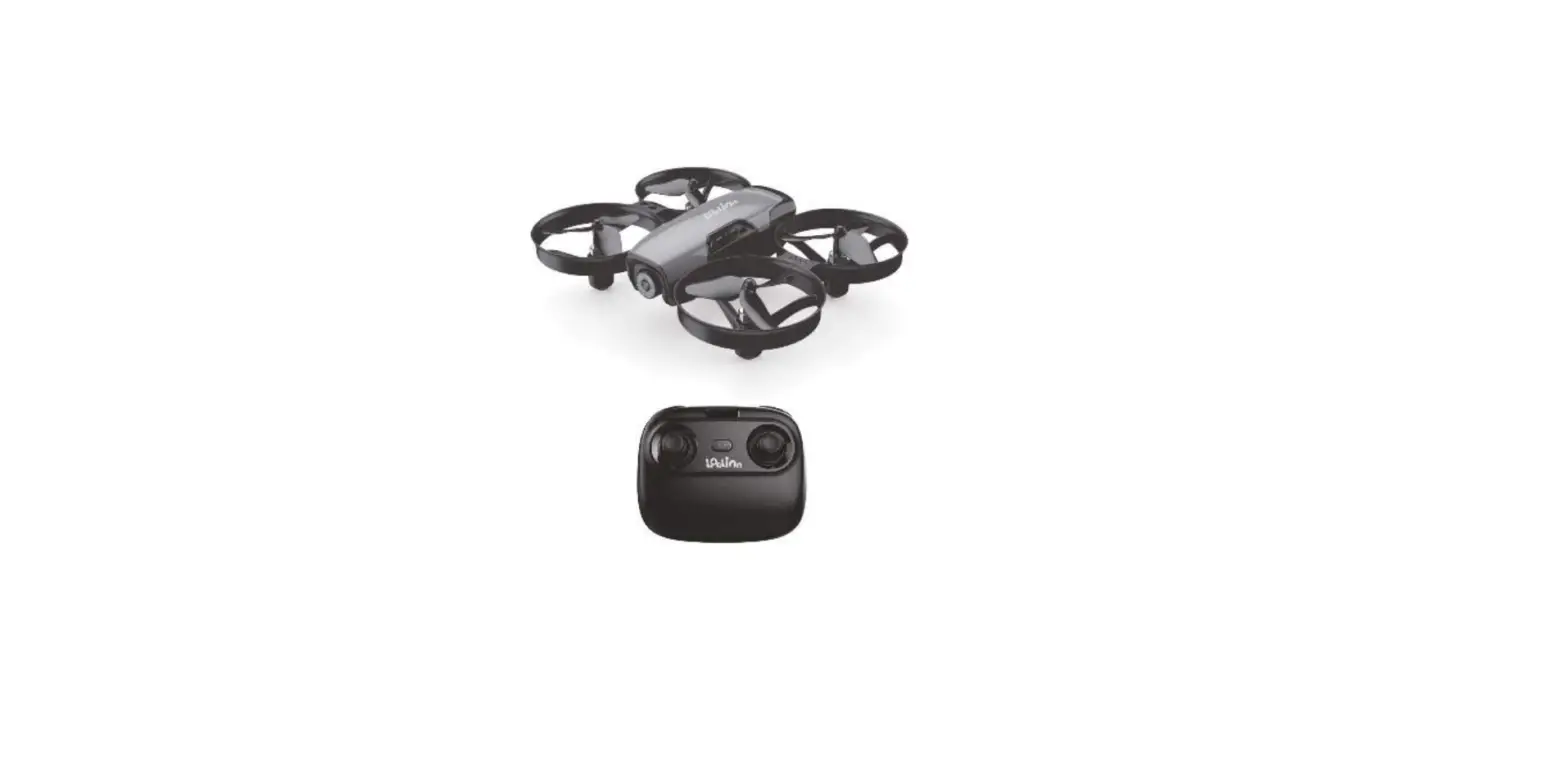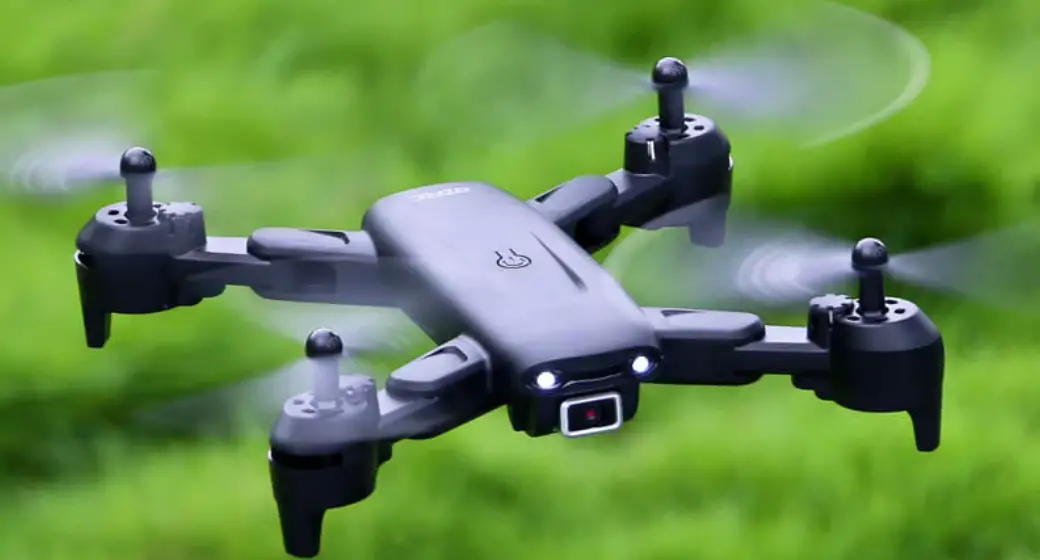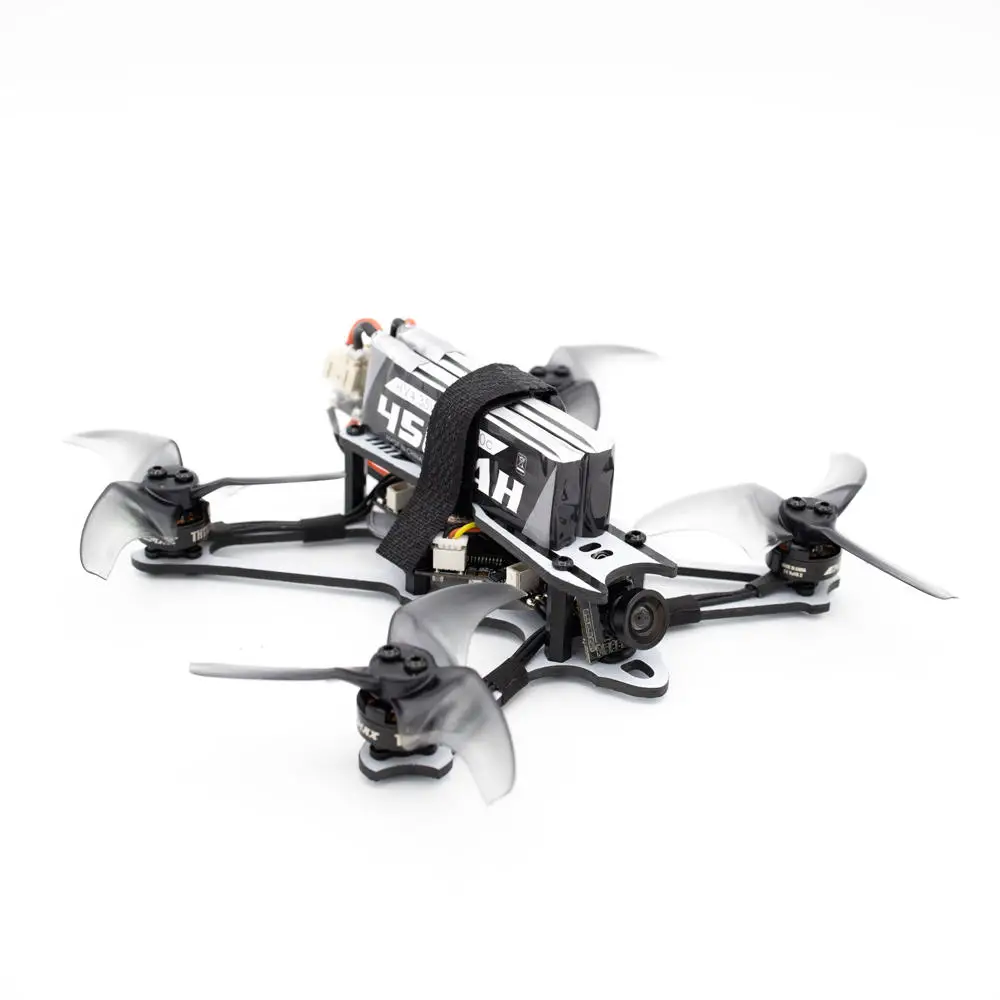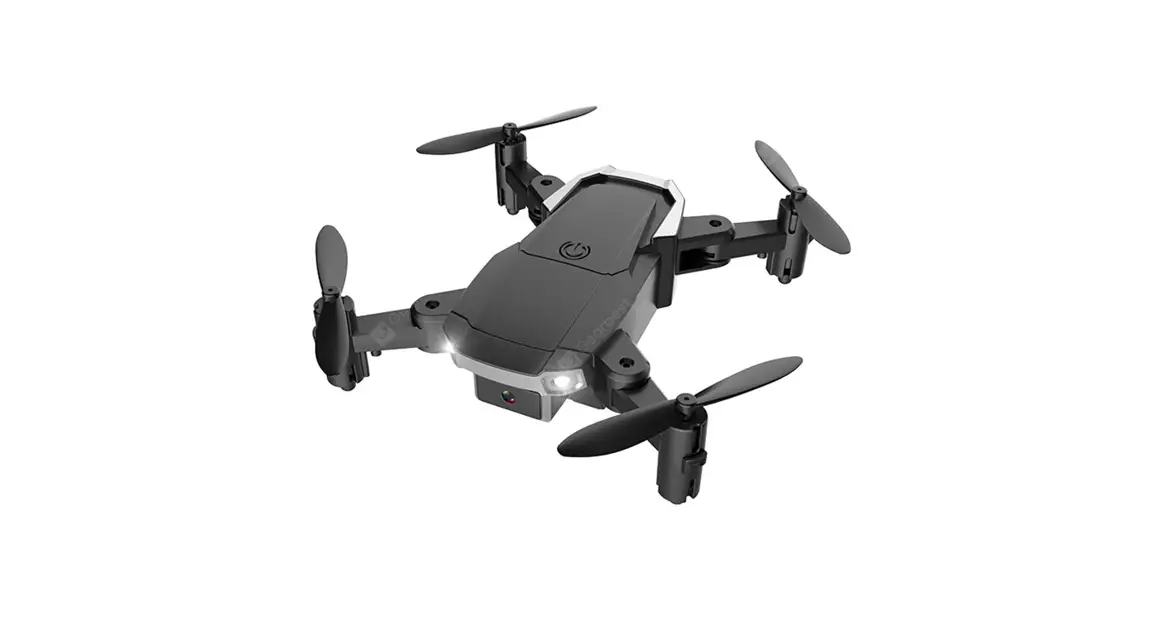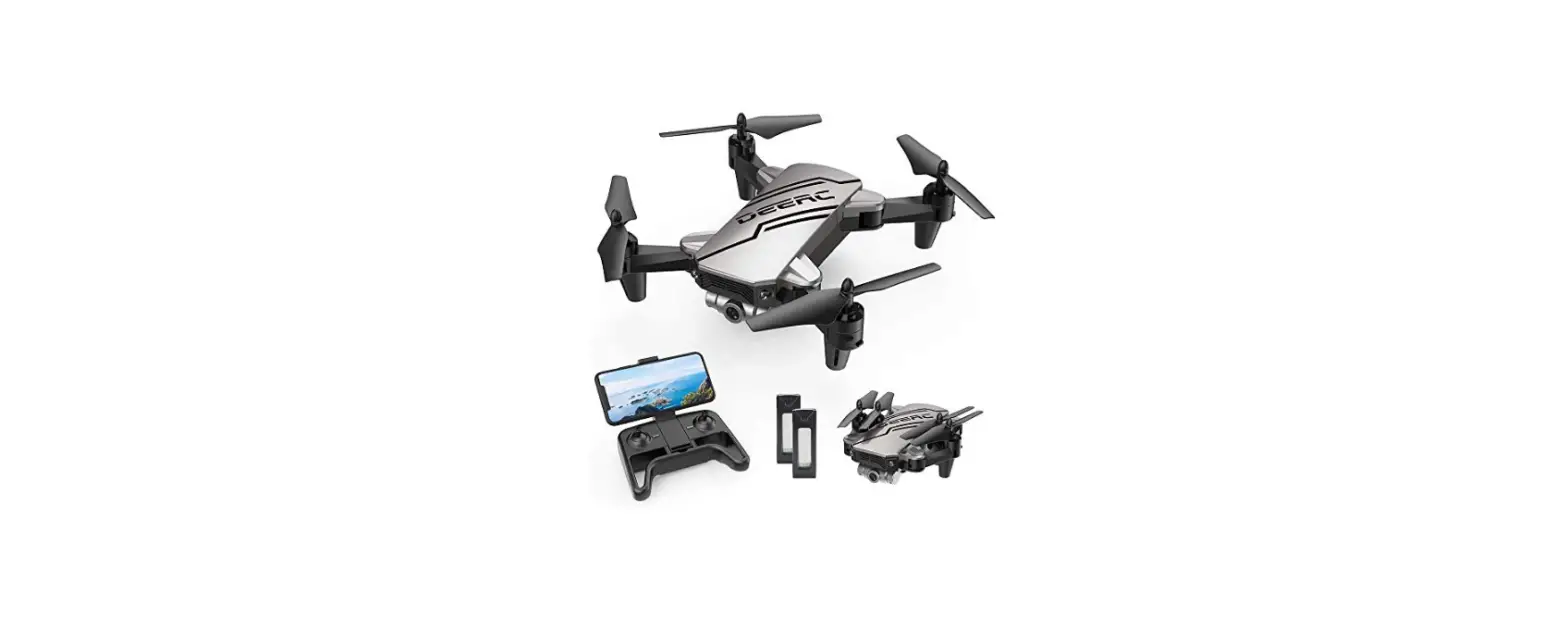
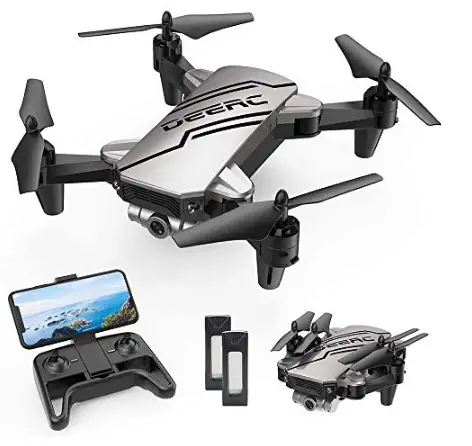
 DEERC D20 Mini Drone for Kids User Manual
 DEERC D20 Mini Drone for Kids User Manual
DISCLAIMER & WARNING
- Please read this Disclaimer & Warning and Safety Guidelines carefully before using our product. This product is not recommended for people under the age of 14. By using this product, you hereby agree to this disclaimer and signify that you have read it fully. You agree that you are responsible for your own conduct and any damage caused while using this product, and its consequences. You agree to use this product only for purposes that are proper and in accordance with local regulations, terms, and all applicable policies and guidelines Deere may make available.
- When using this product, please be sure to strictly abide by the specification requirements and safety guidelines stated in this document. Any personal injury property damage, legal disputes, and all other adverse events caused by the violation of the safety instructions or due to any other factor WILL NOT be Deere’s responsibility.
SAFETY GUIDELINES
Check Before Use
- This product is a high-precision drone that integrates various electronic stability and control mechanisms. Please be sure to set up this drone carefully and correctly to ensure safe, accident-free operation.
- Please be sure that the batteries of the drone and transmitter are clean, undamaged and, fully charged.
- Please be sure that all the propellers are undamaged and are installed in the correct orientation.
- Please do a thorough check of the product before each use. Inspect the integrity of the parts, any signs of cracks and wear of the propeller, battery power and effectiveness of the indicator, etc. If after doing a complete check any issues are found, please refrain from using the product until the issue has been resolved.
Flight Environment
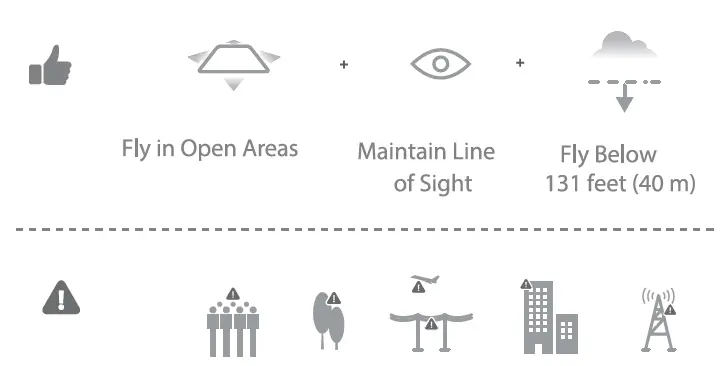
Avoid flying over or near obstacles, crowds, high-voltage power lines, trees, airports, or bodies of water. DO NOT fly near strong electromagnetic sources such as power lines and base stations as it may affect the onboard compass.

DO NOT use the drone in adverse weather conditions such as rain, snow, fog, and strong wind.
Operations Requirements
- CD Do not follow moving vehicles.
- During the flight, only turn off the motor in case of an emergency.
- Please fly the drone back to you as soon as possible when the battery is running low.
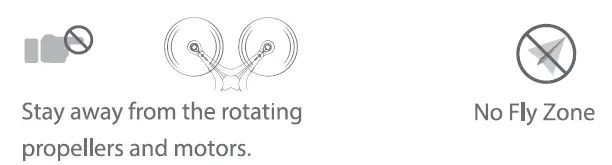
- Beware of the noise volume the drone produces. Keep your distance to avoid ear damage.

Use of Battery
CD Please ensure batteries are fitted in the correct orientation as shown in the instruction manual.
- Avoid short circuits by fitting the batteries incorrectly, and do not crush or squeeze the batteries as this could carry the risk of an explosion.
- Do not mix new and old batteries as this can lead to poor performance of the product.
- Dispose of used batteries carefully, and do not litter.
- Please keep dead batteries away from heat and fire.
- If the device is not going to be used for an extended period of time, remove the batteries to prevent potential damage from battery leakage.
- If the device is not going to be used for an extended period of time, remove the batteries to prevent potential damage from battery leakage.
- It is recommended to only use the USB charging cable that comes with the drone to charge the battery.
- Don’t connect the battery directly to wall outlets or car cigarette-lighter sockets.
- Don’t attempt to disassemble or modify the battery in any way.
- Don’t use the battery if it gives off an odor, generates heat, becomes discolored or deformed, or appears abnormal in any way. If the battery is in use or
- ing charged, remove it from the device or charger immediately and discontinue use.
- don’t pierce the battery casing with a nail or other sharp object, break it open with a hammer, or step on it!
- Always charge the batteries in a fireproof container and away from combustible materials. Don’t charge on surfaces that can catch fire. This includes wood, cloth, carpet, or in the application’s device.
- Don’t immerse the battery in water or allow it to get wet.
- don’t solder the battery terminal directly.
- Keep the battery out of reach of children or pets.
- Don’t short-circuit the battery by connecting wires or another metal object to the positive(+) and negative(-) terminals.
Li-Po Battery Disposal & Recycling
Waste Lithium-polymer batteries must not be placed with household trash. Please contact the local environmental or waste agency or the waste agency or the supplier of your model or your nearest Li-Po battery recycling center.
MAINTENANCE
- Clean the product after each use with a clean, soft cloth.
- Avoid prolonged exposure to direct sunlight and avoid the buildup of heat on the drone.
- This device is not waterproof and must not be submerged in water under any circumstance. Failure to maintain the device completely dry will result in the failure of the unit.
- Check the charging plug and other accessories for signs of damage frequently. If any part of the device is damaged, refrain from flying until maintenance can be carried out.
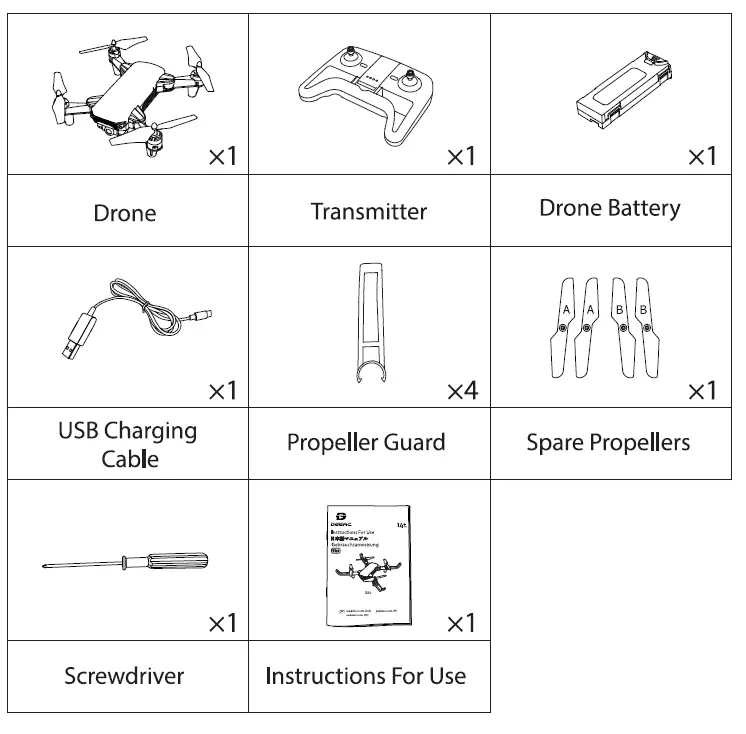
PACKAGE CONTENTS
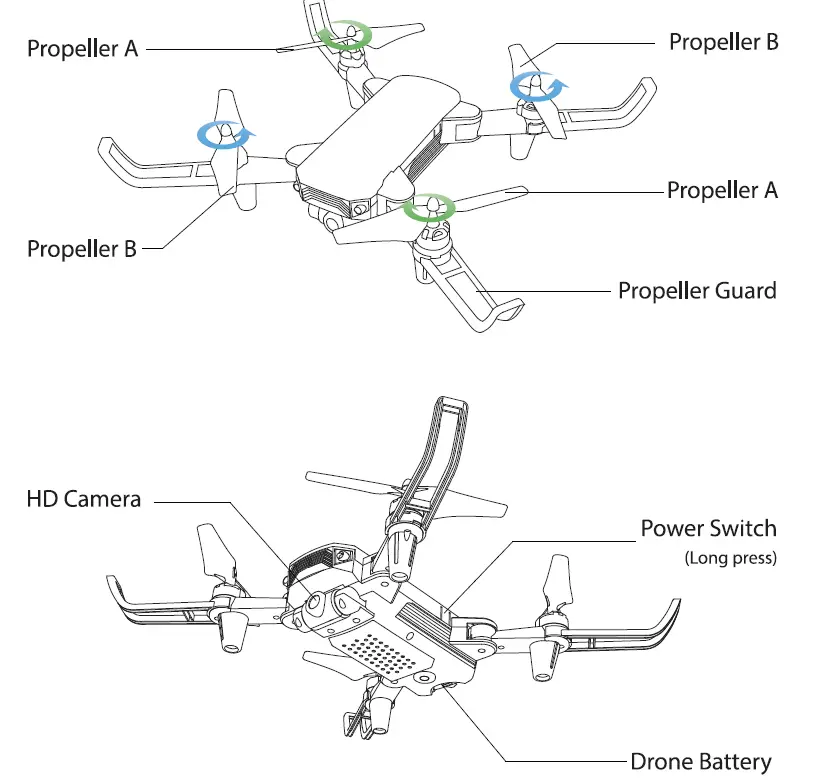
DRONE’S DETAILS
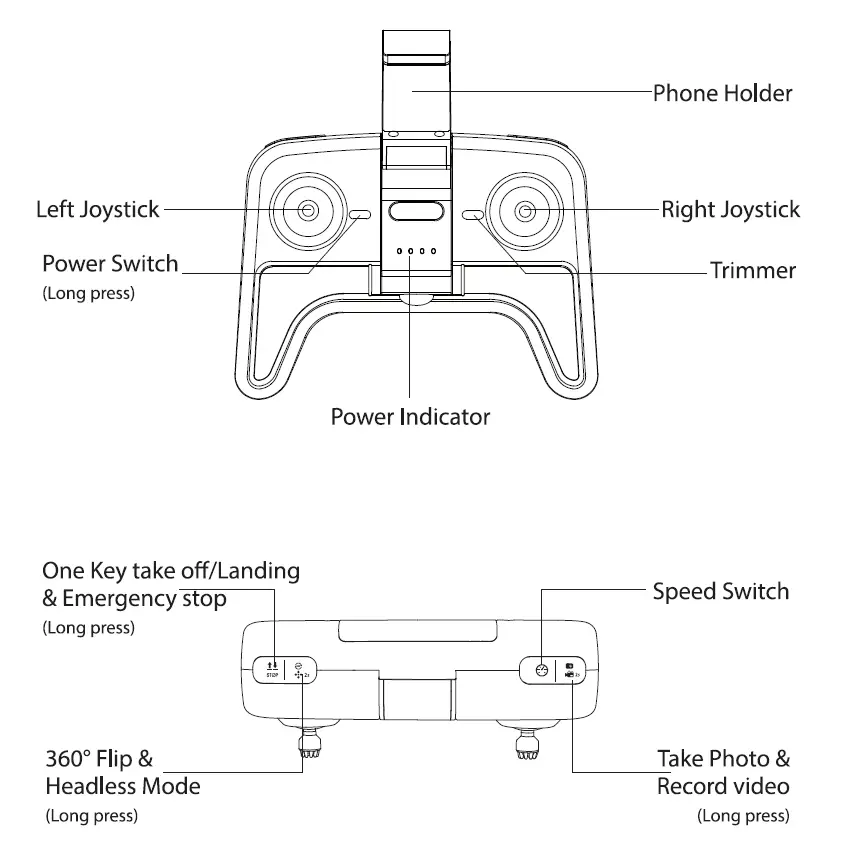
TRANSMITTER DETAILS
JOYSTICK MODE
MODE 2 (Default Setting)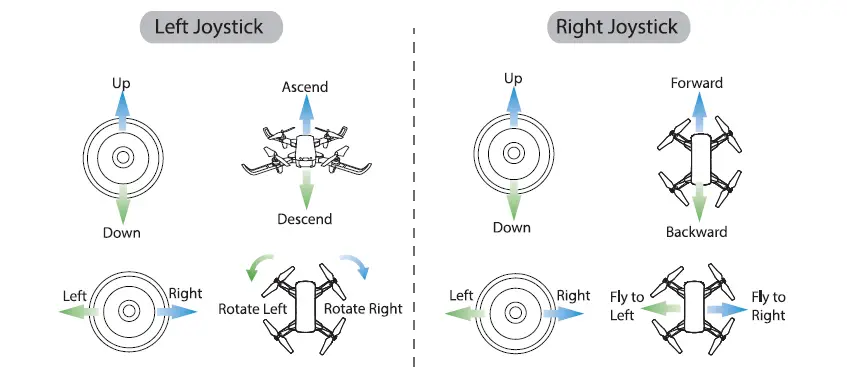
MODE 1
To enter MODE 1, turn on the transmitter while holding the “Speed Switch” button. (Please do not release the “Speed Switch”button until the transmitter is powered on.) 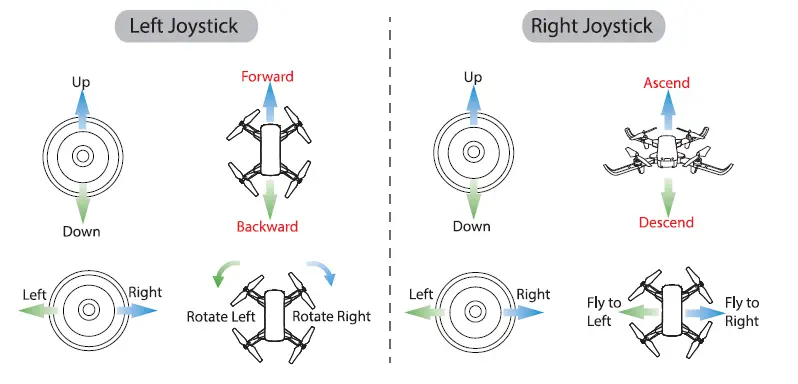
CHARGING THE BATTERY
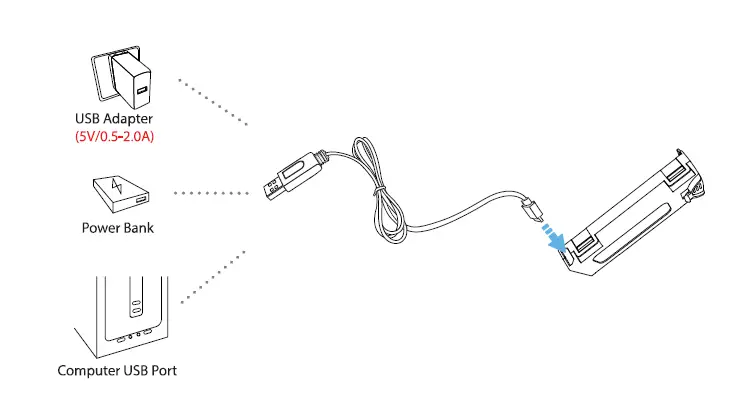
- When the drone battery runs low, the indicator lights on the drone will blink continuously. In about one minute the drone will automatically land on low battery power.
- Remove the battery and connect the USB charging cable to the battery charging interface.
- Plug the USB charging cable into a USB charging port on the computer, power bank or USB adapter (5V / 0.5 to 2.0A ).
- The red indicator light on the USB charging cable will turn on when the battery is charging and will turn off when the battery is fully charged.
- Charging time: about 80 minutes. Before charging, please check the contents of the ” Use of Battery” section of the ” Safety Guidelines” carefully!
INSTALLATION
Propeller
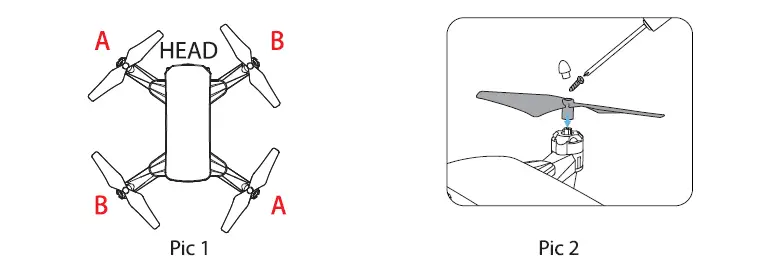
- CD Install the propeller on the motor shaft according to the “A / B” corresponding position. (Piel)
- Use a screwdriver to twist and tighten the screw by pressing the clockwise direction. (Pic2)
Propeller Guard
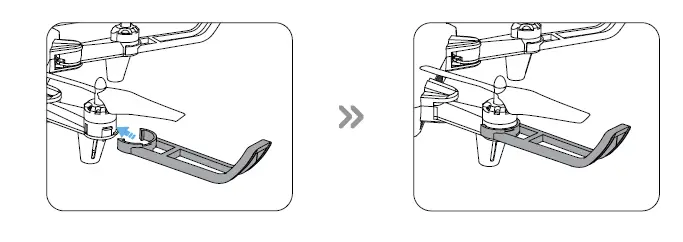
As shown in the picture, install the propeller guard on the motor base. Make sure that the propeller guard are clamped to the motor base to avoid unnecessary loss and damage during flight.
Drone’s Battery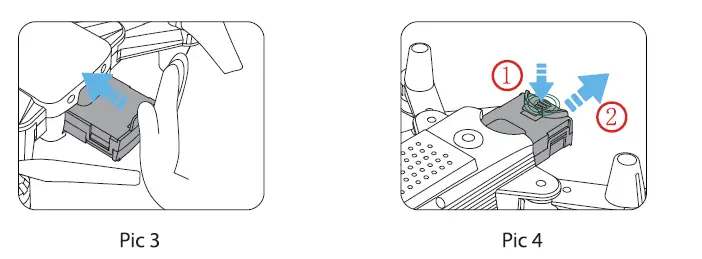
Installation: Push the battery correctly into the drone battery compartment. Make sure the battery is in place to ensure that the battery is jammed in the battery compartment. (Pic3) Removal: Press the lock on the bottom of the battery and pull it back to remove the battery from the fuselage. (Pic4)
Camera Angle Adjustment
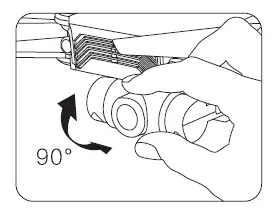
By rotating the drone’s camera manually, the shooting angle of the camera will be adjusted. Please adjust the angle according to the using situation. (The camera has a 90° tilt range.)
Transmitter’s Battery
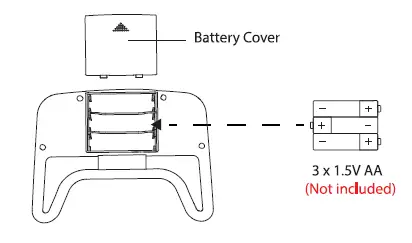
As shown above, insert the battery into the transmitter. Please pay attention to the positive and negative polarity of the battery to ensure the correct installation of the battery. When the transmitter battery runs low, the power indicator of the transmitter will blink continuously.
Install the Phone Holder
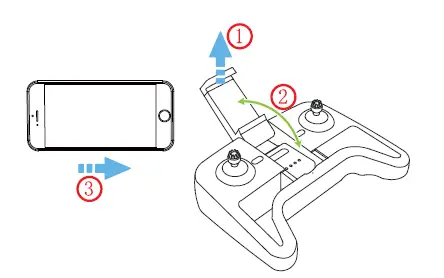
As shown above, open the Phone Holder and put the phone. Then you can use the FPV real-time transmission function.
OPERATION GUIDE
Download APP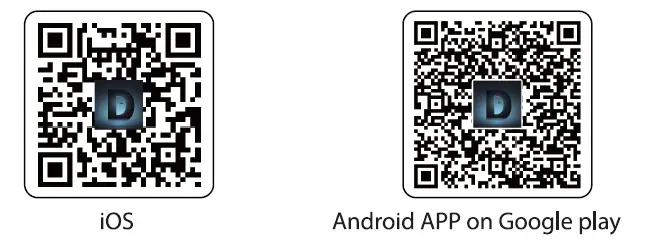
Scan the QR code, connect to the App Store™ or Google Play and download the” DE FPV” application for free. Required Operating Systems: iOS 9.0 or later/ Android 5.1 or later
Connect Wi-Fi Networks
Connect your smartphone to the Wi-Fi of the Drone and check the drone’s status on the” DE FPV” App.
- Your smartphone will launch a search of the available Wi-Fi networks;
- Select the Wi-Fi network: DeercFPV-******.
- Wait for your smartphone for several seconds to connect to the Wi-Fi network of the drone.
- This connection is generally represented by the Wi-Fi logo appearing on your smartphone’s screen. Enter the “DE FPV” application.
- The connection between your smartphone and the Drone is established automatically.
All of the following operations on this manual take MODE 2 for example.
Pairing
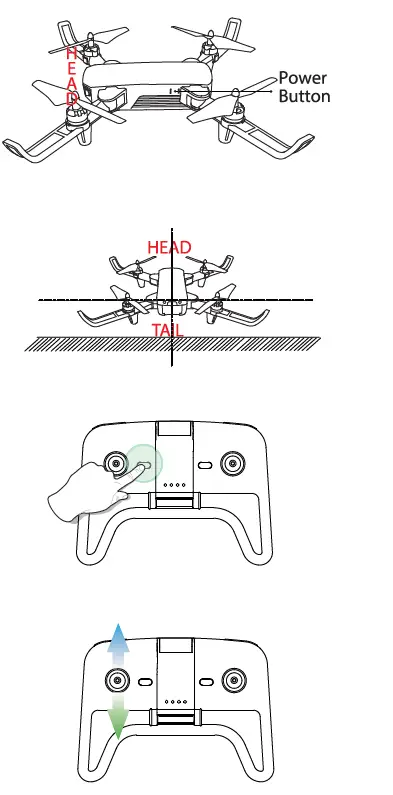
- CD Press and hold the Power Button for 3 seconds to turn on the drone and the indicator lights on the drone begin to flash.
- Place the drone on a flat and level surface with the head forward and the tail towards the pilot.
- Long press the Power Button ( oN}<l1ffl the transmitter to turn it on and you will hear “Di”, then the indicator light on the transmitter begins to flash.
- Push the left joystick up and then down to pair the drone with the transmitter. The indicator lights on the drone and transmitter will turn solid if the drone is paired successfully.
Calibrating the Gyro
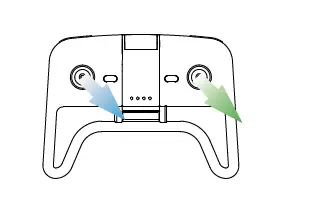
Tips: To ensure a stable flight, we suggest that the pilot calibrates the gyro every time after pairing the drone and after a crash.
One Key Takeoff/ Landing
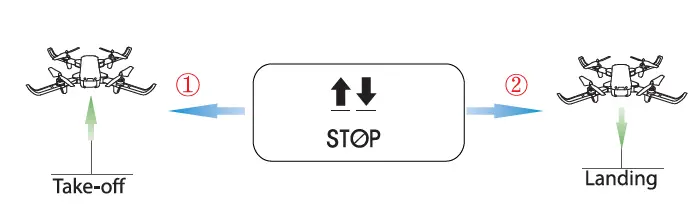
- Short press the One Key Takeoff/ Landing button(!;), and the drone will automatically take off and hover at 5 feet altitude.
- When the drone is flying, short press the One Key Takeoff/ Landing button ( !! ), and the drone will automatically land on the ground.
FUNCTIONS DETAILS
Emergency Stop The Emergency Stop function can be only used in case of emergency during the flight to avoid any of damage or injury. 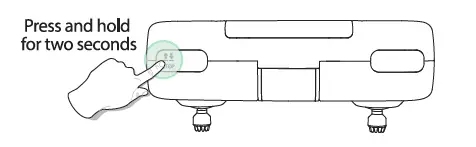
Press and hold the Emergency Stop button ( t!) of the transmitter for 2 seconds, and the motors will stop immediately.
Speed Switch
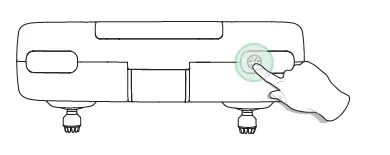
This drone comes with 3-speed modes (Low/ Medium/ High). Short press the Speed Switch button ( 0 ) on the transmitter to switch the speed. “Di” indicates Low speed, “Di Di” indicates Medium speed, and “Di Di Di” indicates High speed. (The Low Speed is the default speed mode.)
Trimmer Function
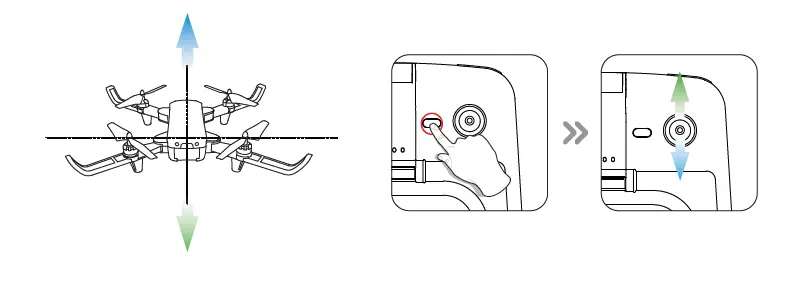
F/B Sideward Fly Trim: Short press the Trimmer button ( Triml to enter the Trimmer function. If the drone drifts forward, push the direction joystick down to balance the drone. If the drone drifts backward, push the direction joystick up to balance the drone.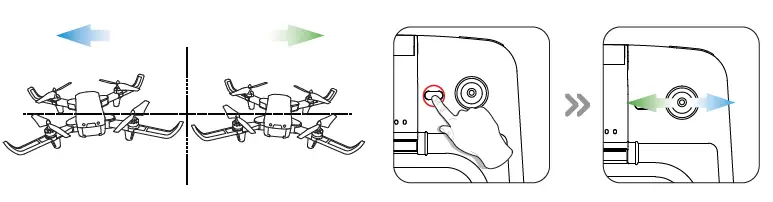
UR Sideward Fly Trim: Short press the Trimmer button (Triml to enter the Trimmer function. lf the drone drifts left, push the direction joystick right to balance the drone. If the drone drifts right, push the direction joystick left to balance the drone.
- When you hear a long beep from the transmitter, it indicates that it has been adjusted to the limit.
- If you do not push the direction joystick after entering the Trimmer function, the drone will automatically exit the Trimmer function after about two seconds.
Take Photos/ Video
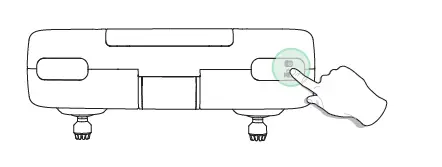
Take Photo
Press the PhotoNideo button ( ,:,J on the transmitter to take pictures. One beep can be heard from the transmitter, and the light flashes once indicating the camera has successfully taken a picture.
Record Video
Press and hold the PhotoNideo button transmitter for 2 seconds, one long beep from the transmitter will be heard and the indicator lights will flash twice. This tells you that the camera has started recording video. You can exit the recording by long pressing the same button again.
360° Flip
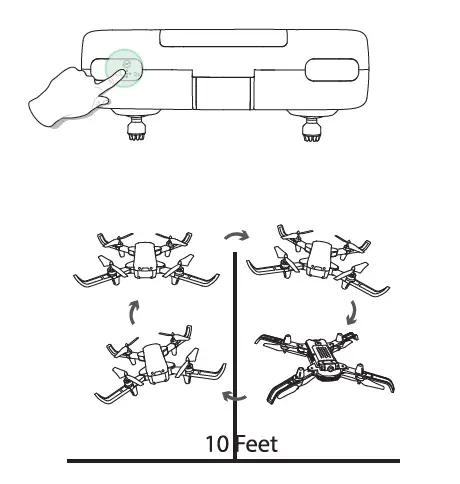
When you get familiar with all the functions of the drone, you can try this amazing flip mode. When you fly the drone at least 1 O foot, short press the
°360 Flip button ) on the transmitter, then push the right joystick Forward/ Backward or Left/ Right, and the drone will do a flip toward the corresponding direction. If you are in MODE 1, push the right joystick Left/ Right or push the left joystick Forward/ Backward, and the drone will do a flip toward the
corresponding direction. Tips: This function will perform better when the battery is fully charged.
Headless Mode
- After pairing/calibration, long press the Headless Mode button &, 2,) on the transmitter to enter the Headless Mode. The indicator lights on the drone continue to flash to indicate that it is in Headless Mode.
- Press the Headless Mode button again, and you will hear a beep, the indicator lights on the drone will turn solid which indicates the drone exits Headless Mode.

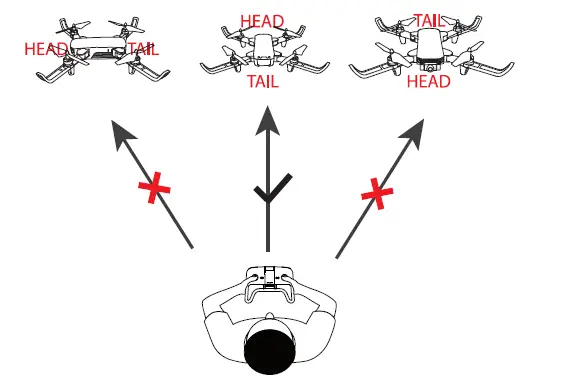
Please make sure the pilot stays in the same orientation as the drone head faces when the drone is pairing. Under Headless Mode, the forward direction is the direction that the head of the drone faces when the drone is pairing. In order to make sure the pilot can tell the drone’s direction, we recommend that pilots to stay in the same orientation as the drone’s head faces when the drone takes off. When the pilot pushes the direction joystick forward, the drone will fly forward. If the pilot pushes the direction joystick backward, the drone will fly toward him/her. If the pilot moves the right stick left/right, the drone will move left/right relative to you.
SPECIFICATIONS
- DRONE
- Model: D20
- Weight: 69g/2.4oz
- Max Flight Time: 1 0 minutes (per battery)
- Motor Model: 716
- Operating Temperature Range: 32″ to 1 04″F (0″ to 40″0
- Size: 196*162*43 mm
- DRONE BATTERY
- Capacity: SOOmAh
- Voltage: 3.7 V
- Battery Type: Li-Po Battery
- Charging Temperature Range: 41″ to 1 04″F (S” to 40″0
- Charging Time: about 80 minutes (depends on charging power and remaining battery power)
- TRANSMITTER
- Operating Frequency: 2.4 GHz
- Max Flight Distance: 131 feet I 40m (outdoors and unobstructed)
- Operating Temperature Range: 32″ to 1 04″F (0″ to 40″C)
- Battery Type: 1.5V AA Battery
- CAMERA
- Lens Angle: 80
- Video/ Photo Resolution: HD1280 x 720P
- Max Transmission Distance: 98 feet I 30m (outdoors and unobstructed)
- Photo Formats: JPEG
- Video Formats: A VI/ MP4
- Operating Temperature Range: 32″ to 1 04″F (0″ to 40″C)
- USB CHARGING CABLE
- Voltage: SV
- Rated Power: s 1 0 W
TROUBLESHOOTING
| Problems | Reasons | Solutions |
| The indication lights of the drone are flashing and does not respond to the transmitter. | 1. Communication between the drone and transmitter is not correct. 2. Battery power is low. | 1. Refer to the preparation for flight and pair again. 2. Recharge the battery. |
| The propellers spin but the drone is unable to take off. | 1. The propellers are assembl- ed in wrong orientation. 2. The propellers are damaged. | 1. Replace the propellers accor- ding to the motors. 2. Replace the propellers |
| The drone shakes hard- ly in flight. | The propellers are damaged. | Replace the propellers |
| The drone becomes out of control after crashing. | Gyro sensor lose it’s balanc- e after crashing. | Place drone on a level surf- ace for 5-1o seconds, and re calibrate the gyro. |
Please do not hesitate to contact us if you need further support.
GENERAL INFORMATION
FCC Notice
This device complies with Part 15 of the FCC Rules. Operation is subject to the following two conditions:
- This device may not cause harmful Interference.
- This device must accept any interference received, including interference that may cause undesired operation.
NOTE: This equipment has been tested and found to comply with the limits for a Class B digital device, pursuant to Part 15 of the FCC Rules. These
limits are designed to provide reasonable protection against harmful Interference In a residential Installation. This equipment generates uses
and can radiate radio frequency energy and, if not installed and used in accordance with the instructions, may cause harmful interference to radio
communications. However, there is no guarantee that interference will not occur in a particular installation. If this equipment does cause harmful
interference to radio or television reception, which can be determined by turning the equipment off and on, the user is encouraged to try to correct the interference by one or more of the following measures:
- reorient or relocate the receiving antenna.
- Increase the separation between the equipment and the receiver.
- Connect the equipment to an outlet on a circuit different from that to which the receiver is connected.
- Consult the dealer or an experienced radio/TV technician for help.
WARNING: Changes or modifications not expressly approved by the party responsible for compliance could void the user’s authority to operate the
equipment.
RF Exposure For Quadcopter
The equipment complies with FCC radiation exposure limits set forth for an uncontrolled environment. This device should be installed and operated
with a minimum distance 20cm between the radiator & your body.
RF Exposure For Controller
The device has been evaluated to meet the general RF exposure requirements. The device can be used In portable exposure conditions without restriction.
HOW TO RECYCLE THIS PRODUCT
This symbol on the product or its documentation indicates that it must not be disposed of with household waste. Uncontrolled waste disposal may harm the environment or human health. Please separate your device from other types of waste to recycling it responsibly. This will help to foster the sustainable reuse of material resources. We invite you to contact your retailer or inquire in your local town halite find out where and how the drone can be recycled.
BATTERY WARNING
- Failure to follow all the instructions may result in serious injury, and irreparable damage to the battery and may cause a fire, smoke, or explosion.
- Always check the battery’s condition before charging or using it.
- Replace the battery If It has been dropped, or In case of odor, overheating, discoloration, deformation, or leakage.
- Never use anything other than the approved LiPo charger for the battery. Always use a balancing charger for LiPo cells or a LiPo cell balancer. It is recommended that you do not use any other charger than the one provided with the product.
- The battery temperature must never exceed 60″C(1 40″F) otherwise the battery could be damaged or ignited.
- Never charge on a flammable surface, near flammable products or inside a vehicle(preferably place the battery in a non-flammable and nonconductive
container). - Never leave the battery unattended during the charging process. Never disassemble or modify the housing’s wiring, or puncture the cells. Always ensure
that the charger output voltage corresponds to the voltage of the battery. Do not short-circuit the batteries. - Never expose the LiPo battery to moisture or direct sunlight, or store it in a place where temperatures could exceed 60″C(car in the sun, for example).
- Always keep it out of reach of children.
- Improper battery use may result in a fire, explosion or another hazard.
- Non-rechargeable batteries are not to be recharged. Rechargeable batteries are only to be charged under adult supervision.
- Different types of batteries or new and used batteries are not to be mixed.
- Batteries are to be inserted with the correct polarity.
- The supply terminals are not to be short-circuited. Regular examination of transformer or battery charger for any damage to their cord, plug, enclosure, and other parts and they must not be used until the damage has been repaired.
- The packaging has to be kept since it contains important information.
- The toy is only to be connected to Class II equipment bearing the symbol.
Caution
- The max operating of the EUT is 45″C. and shouldn’t be lower than
- The device complies with RF specifications when the device is used at Omm from your body.
- Declaration of Conformity We, Xiamen Huoshiquan Import & Export CO.,LTD hereby, declare that the essential requirements of compliance with the
Directive 2014/53/EU, the RoHS Directive 201 1 /65/EU, and Safety Directive 2009/48/EC have been fully fulfilled on our product with
Indication below
- Product Name: Remote control four-axis series
- Model/Mark: D20/Deerc
- The Statement of Compliance Is available at the following address: http://www.holystone.com/docs/D20_EU_DOC.pdf
- This product can be used across EU member states.
MANUFACTURER INFORMATION
Manufactured by Xiamen Huoshiquan Import & Export Co., LTD
Room 703, No. 813-2 Xi he Road, Sim ing District, XIAMEN, China + 1 (855} 888-6699