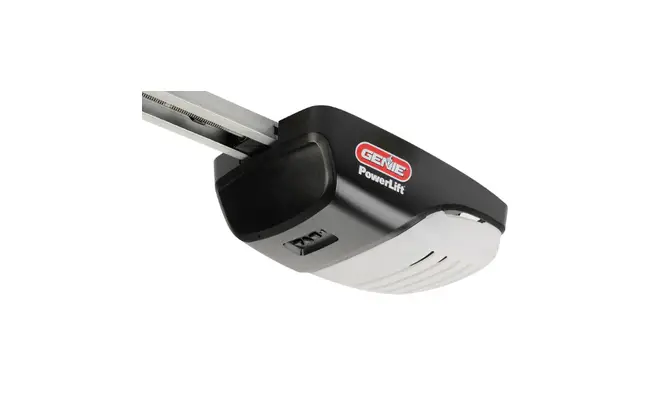
Commercial Operator
Product Information:
The Commercial Operator is a device used for operating fire
doors and other commercial doors. It comes with various run codes
and error codes that indicate different actions and conditions of
the door. The device has multiple inputs, including pushbuttons,
radio, and auxiliary open, which can be activated to control the
door’s movement. It also has safety features such as stop buttons,
safety beams, and monitored edges to ensure safe operation.
Product Usage Instructions:
To use the Commercial Operator, follow these steps:
- Identify the desired action code from the “Run Codes” section
of the user manual. - Refer to the “Detailed/Expanded Description” column to
understand the specific action associated with the code. - If there is a corrective action mentioned, follow the
instructions provided to resolve any issues or malfunctions. - If required, refer to the “Error Codes” section of the user
manual for troubleshooting guidance. - For fire door operation, refer to the “Fire Door Operator
Codes” section for specific codes and instructions.
Note: It is important to ensure the door balance and mechanical
components are in good condition for proper operation. If any
issues persist, consult a professional or contact customer support
for further assistance.
Commercial Operator Troubleshooting Codes
Genie® Commercial Operators GCL Medium, Standard, Heavy Duty and GCX Operator
Run Codes: p. 1-3 Error Codes: p. 3-9 Fire Door Operator Codes: p. 10
Run Code
10 11 12
13
14
20 21 22
Display
OPENING > OPEN BTN
OPENING > ONE BTN
OPENING > RADIO
OPENING > AUX OPEN
OPENING > OPEN KEY
CLOSING > CLOSE PB
CLOSING > ONE BTN
CLOSING > RADIO
Commercial Operator Run Codes
Detailed/Expanded Description
The Open Pushbutton input was activated
causing the door to move in the opening None direction.
The 1- Button input was activated causing
the door to move in the open direction.
None
The External Radio input was activated causing the door to move in the open direction.
None
The Auxiliary Open input (on the TCM
Module) was activated causing the door to None move in the open direction.
The Open Key (on the circuit board) was activated causing the door to move in the open direction.
None
The Close Pushbutton input was activated
causing the door to move in the close
None
direction.
The 1- Button input was activated causing
the door to move in the close direction.
None
The External Radio input was activated causing the door to move in the close direction.
None
Corrective Action
1
Run Code
24
2A
2B
Display
Detailed/Expanded Description
CLOSING > CLOSE KP
The Close Key (on the circuit board) was activated causing the door to move in the close direction.
None
The TCM Module sent a close signal
CLOSING > TCM causing the door to move in the close
CLS
direction.
None
The Fire Door Module sent a signal causing
CLOSING > FDM the door to move in the close direction. CLS
None
Corrective Action
HALT > WALL The door stopped because the Stop
30
BUTTON Pushbutton was activated.
None
HALT > ONE The door stopped (and /or reversed)
31
BUTTON because the 1-Button input was activated. None
The door stopped and reversed because
32
HALT > RADIO the Radio input was activated.
None
33
HALT > AUX.
The door stopped (and /or reversed) because the Auxiliary Open input on the
OPEN
TCM Module was activated.
None
HALT > KEYPAD The door stopped because the Stop Key
34
KEY
was activated.
None
The door stopped and reversed because
35
HALT > N-O the Normally Open Reverse input was
SAFETY
activated.
None
The door stopped and reversed because
36
HALT > ODC the Safety Beam or Monitored Edge with
STB
the Monitored Edge Interface Module was
None
activated.
The door stopped and reversed because
37
HALT > N-C the Normally Close Reverse input on the
SAFETY
TCM Module was activated.
None
The door stopped and reversed because
38
HALT > MON. the Monitored Edge input on the TCM
EDGE
Module was activated.
None
Check the door balance. Check the
39
HALT > DOOR FORCE
The door stopped because the Speed of the Limit Assembly slowed down (Trolley Models only).
Clutch adjustment to make sure it’s not slipping. Check for mechanical issues. Replace the Limit Module.
Replace the Main Control Board.
The door stopped (and/or reversed)
3A
HALT > LOSS OF because the constant contact activation
C/C
was removed before the door reached a
limit.
None. User input was removed.
2
Commercial Operator Run Codes (continued)
Run Code
3B
3C
Display
Detailed/Expanded Description
Corrective Action
HALT > SHUTDOWN
HALT > DOWN LIMIT
The door stopped because the Hoist Interlock, External Interlock circuit became active (opened) or the motor overheated.
The door stopped because it reached the Down limit position.
Check the Hoist Interlock switch and wires. Check External Interlock switch and wires. If no External Interlock is in use check the gray jumper between the two EXT INTLK terminals. Check for a hot motor.
None
3D
HALT > UP LIMIT
The door stopped because it reached the Up limit position.
None
3E
HALT > MID The door stopped because it reached the None
STOP
Mid-Stop limit position.
Commercial Operator Error Codes
Error Code
3F
40 41 42 43
Display
Detailed/Expanded Description
Corrective Action
HALT > MODULE FAIL
REV > OPEN BUTTON
REV > ONE BUTTON
REV > RADIO
REV > AUX OPEN
The door stopped because it determined there was a problem with an Expansion Module. (Timer Close or Auxiliary Output Module)
The door stopped traveling down and reversed and is now traveling open because the Open Pushbutton was activated.
The door stopped traveling down and reversed and is now traveling open because the 1-Button input was activated.
The door stopped traveling down and reversed and is now traveling open because the External Radio input was activated.
The door stopped traveling down and reversed and is now traveling open because the Auxiliary Open input on the Timer Close Module was activated.
Check Expansion Module LED Status. Power the operator off, remove the module and re-apply power, if the operator starts working replace the module.
Check the Open Pushbutton and Open Pushbutton wires for a closed circuit.
Check the 1-Button and 1-Button wires for a closed circuit.
Check the External Radio for a short circuit.
Check the Auxiliary Open Input on the Timer Close Module and the Auxiliary Open Input wires for a closed circuit.
3
Error Code
44
Commercial Operator Error Codes (continued)
Display
Detailed/Expanded Description
REV > OPEN KEY
The door stopped traveling down and reversed and is now traveling open because the Open Key (on the circuit board) was activated.
Corrective Action
Power the unit down and back up. If the error persists then replace the main circuit board.
The door stopped traveling down and
reversed and is now traveling open
45
REV > N-O SAFETY
because the Normally Open Reverse input was activated.
Check the N-O Reverse input and NO Reverse wires for a closed circuit.
The door stopped traveling down and
reversed and is now traveling open
46
REV > ODC STB
because the Monitored Safety Beam (STB) or Monitored Edged with the Monitored Edge Interface Module input
Check the ODC STB input and ODC STB wires for an open or shorted (closed) circuit.
was activated.
The door stopped traveling down and
Check the Normally Closed Safety
47
REV > N-C SAFETY
reversed and is now traveling open
Input on the Timer Close Module and
because the Normally Close Safety Input the Normally Closed Safety Input
on the Timer Close Module was activated. wires for a open circuit.
The door stopped traveling down and
Check the Monitored Edge Input on
48
REV > MON. reversed and is now traveling open
the Timer Close Module and the
EDGE
because the Monitored Edge Input on the Monitored Edge Input wires for an
Timer Close Module was activated.
Open or shorted (closed) circuit.
Check the door balance. Check the
The door stopped traveling down and
Clutch adjustment to make sure it’s
49
REV > DOOR reversed because the Speed of the Limit
FORCE
Assembly slowed down (Trolley Models
not slipping. Check for mechanical issues. Replace the Limit Module.
only).
Replace the Main Control Board.
The door stopped traveling down and
4A
REV > LOSS reversed because the constant contact
OF C/C
activation was removed before the door
User input was removed.
reached the down limit.
Check the door balance. Check the
4B
REV > MAX RUN TMR
The door stopped traveling down and
Clutch adjustment to make sure it’s
reversed because the Maximum Run Time not slipping. Re-record the Max Run
between Limits was exceeded.
Timer values in both directions.
4
Error Code
4F 50 51 52 57 58
59
5A 5B 5C
Display
Detailed/Expanded Description
Corrective Action
REV > EXP MOD FAIL
The door stopped traveling down because it determined there was a problem with an Expansion Module. (i.e; limit module, TCM or AOM board, receiver board)
Review the menu looking for a missing menu item. For example, if the limit module is defective there will not be any limit setting information in the menu.
STOP > HOT The door stopped moving because the
MOTOR
motor overheated.
Check for a hot motor. Check the motor plug on the main board making sure the plug and wires are seated.
STOP > OPEN MRT
The door stopped traveling open because the Maximum Run Time between Limits was exceeded.
Check the door balance. Check the Clutch adjustment to make sure it’s not slipping. Re-record the Max Run Timer values in both directions.
STOP > CLOSE MRT
The door stopped traveling close because the Maximum Run Time between Limits was exceeded.
Check the door balance. Check the Clutch adjustment to make sure it’s not slipping. Re-record the Max Run Timer values in both directions.
STOP > OPEN INTLK
The door stopped because the Hoist Interlock or the External Interlock circuit became active (open).
Check the Hoist Interlock switch and wires. Check External Interlock switch and wires. If no External Interlock in use check the gray jumper between the two EXT INTLK terminals.
STOP > WRONG GDO
STOP > DOOR FORCE
The door stopped because the circuit board is set as a J-Shaft (side-mounted unit) but is installed on a Trolley unit.
Review the “GDO TYPE” in the calibration setting of the unit.
The door stopped traveling up because the Speed of the Limit Assembly slowed down (Trolley Models only).
Check the door balance. Check the Clutch adjustment to make sure it’s not slipping. Check the GDO Type in the set-up menu for the proper setting for the model installed (Trolley or J Shaft). Check for mechanical issues. Replace the Limit Module. Replace the Main Control Board.
STOP > WRONG LIMIT
The door stopped traveling because the unit was looking for the Up Limit and the Down Limit became active or the unit was looking for the Down Limit and the UP limit became active.
Review the calibration setting. Reset motor direction and limits.
STOP > WRONG DIR
The door stopped traveling because the unit was looking for Limit direction input in one direction but received input in the opposite direction.
Review the calibration setting. Reset motor direction and limits.
STALL > DOWN LIMIT
The door stopped traveling because it expected the Down Limit to clear (door moved off the down limit position) but it did not receive that signal.
Check door balance. Review the calibration setting. Reset motor direction and limits.
5
Error Code 5D 5E
60 61 62
63 64 65 66 67 68 69
Display
Detailed/Expanded Description
Corrective Action
STALL > UP LIMIT
STALL > MIDSTOP
The door stopped traveling because it expected the Up Limit to clear (door moved off the up limit position) but it did not receive that signal.
The door stopped traveling because it expected the Mid Stop Limit to clear (door moved off the mid stop limit position) but it did not receive that signal.
Check door balance. Review the calibration setting. Reset motor direction and limits.
Check door balance. Review the calibration setting. Reset motor direction and limits.
CHECK STOP BTN
The door will not move because the Stop Circuit (normally closed circuit) is not completed.
Check the Stop Pushbutton and Stop Pushbutton wires.
TCM DISABLED
NO RADIO >> C/C
The door will not time out and close because there are no Monitored Sensing or Safety devices enabled and/or not working.
Check the ODC STB and its wires. Check the Monitored Edge, review the set-up in the menu to ensure proper setting for the installed safety input.
The door will not move with a radio input (transmitters) because the unit is set for
Review the calibration setting. Reset Open and Close Modes to
Constant Contact in the Open and/or Close Momentary
Modes.
CHECK AUX OPEN
The unit determined the Auxiliary Open input on the Timer Close Module is active. This input will be ignored until it changes state.
Check the Auxiliary Input device wired into the Timer Close Module and Auxiliary Input device wires for a closed circuit.
The unit will not run because it determined Power the unit down and back up. If the
CHECK STOP the Stop Key input on the circuit board is error persists then replace the main
KEY
active.
circuit board.
CHECK N-O SAFETY
CHECK ODC STB
CHECK N-C SAFETY
The unit will not close because it
Check the N-O Reverse device wired
determined the Normally Open Reverse into the main board and the N-O
input on the circuit board is active (shorted). Reverse Input device wires for a closed
circuit.
The unit will not close because it determined the ODC Safe-T-Beam input
Check the ODC STB and ODC STB
on the circuit board is active.
wires.
The unit will not close because it determined the Normally Closed Reverse input on the Timer Close Module is active (Open circuit).
Check the Normally Close (N-C Safe) Input device wired into the Timer Close Module and device wires for a open circuit.
CHECK MON. EDGE
The unit will not close because it determined the Monitored Edge (MON EDGE) input on the Timer Close Module is active.
Check the Monitored Edge (MON EDGE) Input device wired into the Timer Close Module and device wires.
OVERHEATED MOTOR
The unit will not run because it determined the Thermal Overload in the motor is active.
Check the door balance. Check the wires in the motor connector that plugs into the circuit board. Replace the motor.
6
Error Code
6C
Display
NO RUN > DOWN LIM
Detailed/Expanded Description
Corrective Action
The unit will not run because the
Down/close input was activated but the unit
was already at the Down Limit position.
User input error
The unit will not run because the Up/open
6D
NO RUN > UP LIMIT
input was activated but the unit was already User input error at the Up Limit position.
The unit will not run because the Up/open
input was activated but the unit was already
6E
NO RUN > MID STOP
at or beyond the Mid Stop Limit position. This active input is preventing the unit from
User input error
closing as well.
The unit may not run because it had lost Review the menu looking for a missing
communication with one or more Expansion menu item. For example, if the limit
6F
EXP MODULE Modules (Limit Module, Onboard Radio,
FAIL
Timer Close Module and/or
module is defective there will not be any limit setting information in the
Auxiliary Output Module)
menu.
The unit may not run because it has
determined that is has lost communication Review the menu looking for a missing
85
EXP PORT PROBLEM
with one or more Expansion Modules (Limit menu item. For example, if the limit
Module, Onboard Radio, Timer Close
module is defective there will not be
Module and/or
any limit setting information in the
Auxiliary Output Module)
menu.
Check the ribbon cable connection.
The unit has determined that the Timer
Power the unit down and back up. If
88
TCM FAILURE Close Module has stopped
the error persists then replace the
communicating.
Timer Close Module.
The unit has determined that the Fire
Check the ribbon cable connection.
89
FDM FAILURE
Door Module has stopped communicating. Power the unit down and back up. If the error persists then replace the Fire
Door Module.
Check the ribbon cable connection.
The unit has determined that the Auxiliary Power the unit down and back up. If
8A
AOM FAILURE Output Module has stopped
the error persists then replace the
communicating.
Auxiliary Output Module.
8B
SPARE MOD FAILURE
Not Used
Contact Technical Services
Check supply voltage to the unit.
8C
LOW SYSTEM VOLTS
The unit has determined that the secondary voltage is less than acceptable.
Make sure the Motor Connector is plugged into the correct socket for the voltage supplied.
7
Error Code
8D
8E
Display
Detailed/Expanded Description
Corrective Action
HI SYSTEM VOLTS
REV INTERRUPTED
The unit has determined that the Line Voltage input to the unit is too high for the configuration of the unit.
The unit did not complete a 2 second reversal before it had encountered an issue and stopped.
Check supply voltage to the unit. Make sure the Motor Connector is plugged into the correct socket for the voltage supplied. Contact an Electrician
None
Check the limit cable connection.
8F
LIMIT MOD. FAIL
The unit has determined that the Limit Module has stopped communicating.
Power the unit down and back up. If the error persists then replace the
Limit Module.
A0
OPEN BTN BAD > PU
The unit determined that the Open Pushbutton input was active (shorted) when power was applied. This input will be ignored until it changes state.
Check the Open Pushbutton and Open Pushbutton wires for a closed circuit.
The unit determined that the Close
A1
CLOSE BTN BAD > PU
Pushbutton input was active (shorted)
Check the Closed Pushbutton and
when power was applied. This input will be Close Pushbutton wires for a closed
ignored until it changes state.
circuit.
The unit determined that the 1- Button
A2
ONE BTN BAD input was active (shorted) when power
> PU
was applied. This input will be ignored
Check the 1-Button and 1-Button wires for a closed circuit.
until it changes state.
The unit determined that the External
A3
RADIO BAD > Radio input was active when power was
PWR UP
applied. This input will be ignored until it
Check the External Radio for a short circuit.
changes state.
The unit determined that the Auxiliary
Open input on the Timer Close Module
Check the Auxiliary Input device wired
A4
AUX OPEN BAD was active (shorted) when power was
> PU
applied. This input will be ignored until it
into the Timer Close Module and Auxiliary Input device wires for a
changes state.
closed circuit.
The unit determined that the Open Key
A5
input on the circuit board was active
OPEN KEY BAD (shorted) when power was applied. This
> PU
input will be ignored until it changes state.
Power the unit down and back up. If the error persists then replace the Main Circuit Board.
The unit determined that the Close Key
A6
CLOSE KEY BAD > PU
input on the circuit board was active
Power the unit down and back up. If
(shorted) when power was applied. This the error persists then replace the
input will be ignored until it changes state. Main Circuit Board.
8
Error Code
A7
Display
Detailed/Expanded Description
Corrective Action
MULT KEYS BAD > PU
The unit determined that more than one input on the circuit board keypad was active (shorted) when power was applied. These inputs will be ignored until they change state.
Power the unit down and back up. If the error persists then replace the Main Circuit Board.
B0
B1 B2 B3
I2C Comm Error
OPENING > XMTR #
The unit received a valid input from a “Learned” transmitter and the door is traveling open. The transmitter ID is displayed.
CLOSING > XMTR #
The unit received a valid input from a “Learned” transmitter and the door is traveling close. The transmitter ID is displayed.
The unit received a valid input from a
HALT > XMTR # “Learned” transmitter and has stopped the door. The transmitter ID is displayed.
Rev > XMTR# NO XMTR > CC
The unit received a valid input from a “Learned” transmitter and the closing door stopped and reversed and is now traveling open
I2C Comm Error
The system cannot communicate on the I2C communication line.
None
None
None
None
While the operator is powered start unplugging the expansion devices one at a time (Timer Close Module, Auxiliary Output Module, On-board Radio, Limit Module), allow the unit to try to re-initiate, if the operator is able to re-initiate the LCD will update with the current status. If this happens then the last device you unplugged is defective and needs to be replaced. If all devices have been unplugged and the operator still displays I2C Comm Error, replace the main control board.
9
Fire Door Operator FDM Module Diagnostic LED
Trouble Code Blinks 1 5 6 7 8 10 11 12 15 16 17
19
20
LCD Displays
FDM Troubleshooting
Corrective Action
CLUTCH FAULT
Wiring from the FDM to the electric clutch Inspect cable harness wiring to the
is disconnected or broken.
clutch.
BATTERY NOT PRESENT
CHARGER VOLTAGE FAIL
Lead acid batteries are not charging or are disconnected.
FDM battery charger is not working because the supply voltage has failed.
Troubleshoot batteries to see if they hold a charge. Replace if necessary.
Troubleshoot batteries to see if they hold a charge. Replace if necessary.
BATTERY LOW Lead acid batteries are discharged.
Troubleshoot batteries to see if they hold a charge. Replace if necessary.
EXTERNAL POWER LOSS
NOTIFICATION CIRCUIT OPEN NOTIFICATION
CIRCUIT SHORT ALARM CIRCUIT OPEN
TEST REQUIRED
REAL TIME CLOCK ERROR
STUCK RESET
COMM LOSS WITH MAIN BOARD
COMM LOSS WITH POWER
SUPPLY MONITOR
Primary input power to the FDM is not present.
Test the power supply board and power cable harness to the FDM from the power supply board.
Wiring from the FDM to the notification appliance is disconnected or broken, or the end-of-line device is not connected.
Troubleshoot wiring from the FDM board to the notification devices to find the source of the open circuit.
FDM connection to the appliance is short circuited.
notification
Test wiring from the FDM board to the notification devices to find source of
the short circuit.
Wiring from the FDM to the smoke detector is disconnected or broken, or the end-of-line device is not connected.
Troubleshoot wiring from the FDM board to the alarm devices to find the source of the open circuit.
Test of the fire door and fire door operator Perform test of the fire door close
is required.
function using the test key switch.
FDM clock is not working.
Disconnect battery and primary power to the operator. Reconnect battery and primary power. If error remains, replace the FDM board.
The Test/Reset key-switch is stuck in the Troubleshoot the wiring to the test key
`RESET’ position.
reset switch.
FDM has lost communication with the main control board.
Disconnect battery and primary power to the operator. Ensure I2C bus cable is correctly installed. Reconnect battery and primary power. If error remains, replace the FDM board.
Disconnect battery and primary power
to the operator. Ensure cables from
the FDM to the power supply board
FDM HAS LOST COMMUNICATION WITH THE POWER SUPPLY PANEL
are connected. Test battery voltage. If battery will not hold a charge, replace the batteries. Ensure batteries are
fully charged. Reconnect battery and
primary power. If error remains,
replace the power supply board.
10