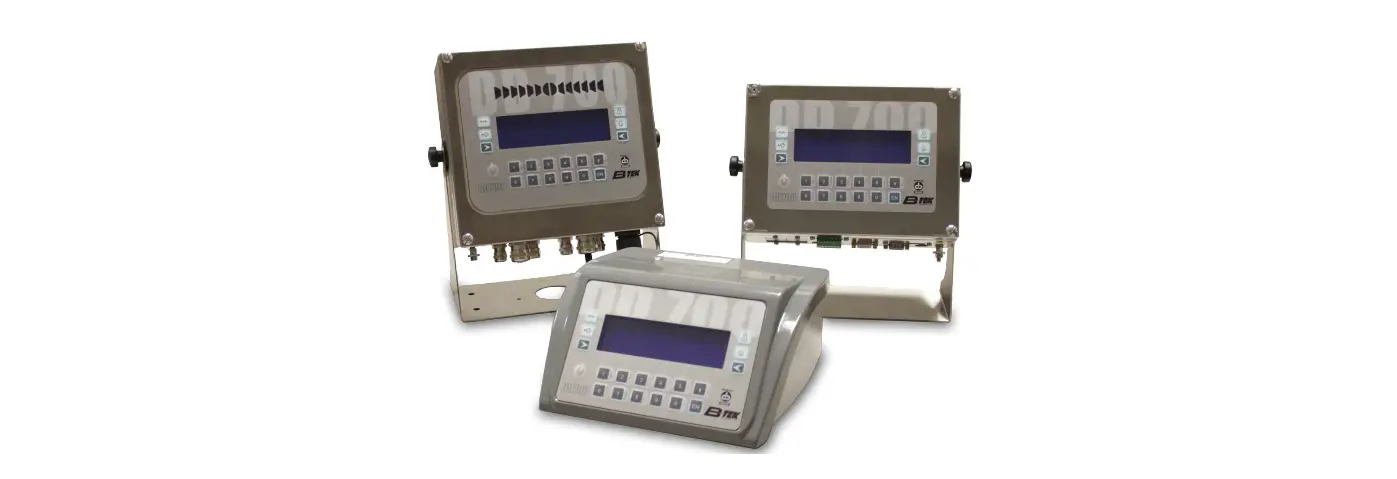

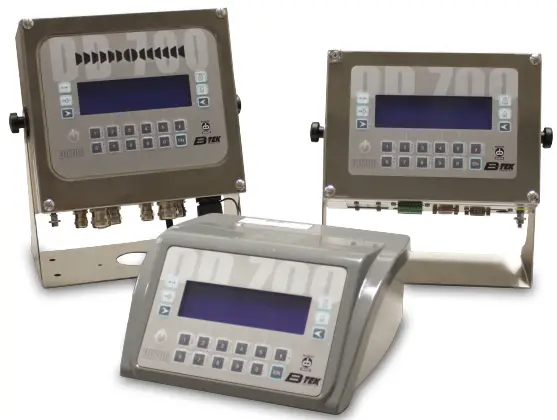
B-TECH DD 700 Weighing Terminal
Unpacking and Installation
Take the terminal, quick start guide, USB with manual, and sealing screws out of the package.
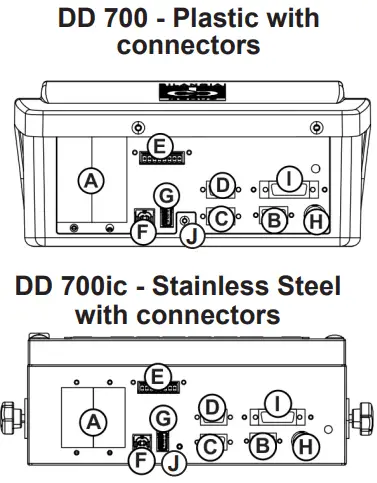
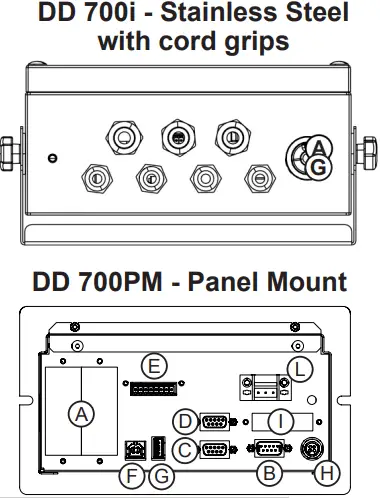
Available connections
- A. Optional board slots
- B. Scale 1
- C. COM1 port
- D. COM2 port
- E. Terminal board for I/O.
- F. Serial USB port
- G. HOST USB port
- H Power supply 12 V (by means of external power supply)
- I Digital scale (optional) or Analog scale 2 (optional)
- J. Calibration Switch
- K. N/A
- L. 12V Power Supply Input
Install the terminal. Press  to turn on the terminal.
Display
 | Stable weight |  | Zero |
 | Tare |  | Tare entered from keyboard |
 | Minimum weight |  | Gross weight in pounds |
 | Weighing range indication |  | Net weight |
 | Weight within range indication |  | Weight below range indication |
 | Weight above range indication |
Keyboard
 | Zero scale |  | Entering and deleting tare weight |
 | Entering and deleting tare weight |  | Printing and/ or starting transmission |
 | Customizable keys |  | Enter |
 | Alphanumeric keys and symbols |  | On/Off |
Truck In and Out (ID#)
Inbound
- Truck pulls on scale (light or heavy)
- Press “I.D. #” key (
 on keypad)
 - Key in truck’s ID# (keys are alphanumeric like cellphone, so you may have to press a key repeatedly toget desired character or use the USB keyboard)
- Press Enter
 key
key - Display returns to weight on scale withExample “RcD ID: 1234” below the weight.
- Press Print
 key.
key. - Ticket prints with time, date, ID# and inbound weight
 on keypad)
 key
key key.
key.Outbound
- Truck returns to scale (heavy or light)
- Press “I.D.#” key ( key on keypad)
- Key in truck’s ID# **If ID# is the same, just pressENTER, you don’t have to key it in again.**
- Press Enter key
- Display returns to weight on scale with
Example “RcD ID: 1234” and “Inbound W eight: 15000lb” below it. - Press Print key.
- Ticket prints with time, date, ID# and Gross, Tare, andNet weights.
**After outbound print, truck ID# is erased from memory and can be used again.**
800.266.8900 • Fax: 330.471.8909 Monday – Friday 7:00 AM – 5:00 PM www.B-TEK.com • [email protected] Technical Support: 330 754-3880 x2
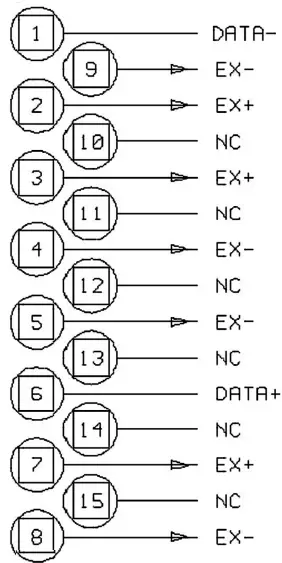
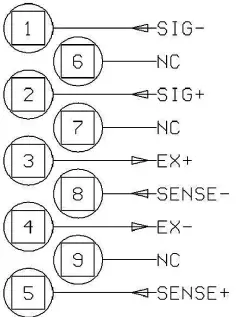
Connection of Analog Load Cells (Female DB9 Connector
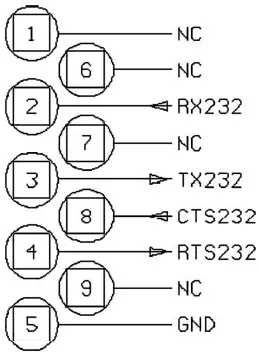
COM1 & COM2 Serial Port Connection in RS232 (Male DB9 Connector)
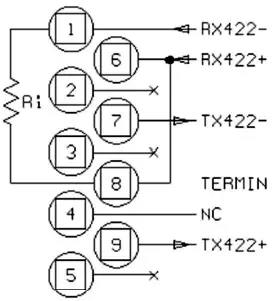
Connection of COM2 in RS422 Configuration (Male DB9 Connector)
800.266.8900 • Fax: 330.471.8909 Monday – Friday 7:00 AM – 5:00 PM www.B-TEK.com • [email protected] Technical Support: 330 754-3880 x2
 Test and Measurement Equipment | Tektronix
 B-TEK Scales & Industrial Weighing Solutions - B-TEK Scales, LLC