
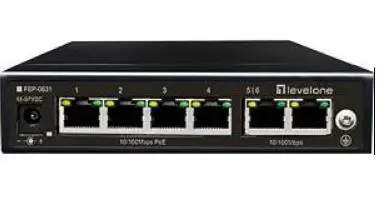
levelone FEP-0631 PoE Switch User
Overview
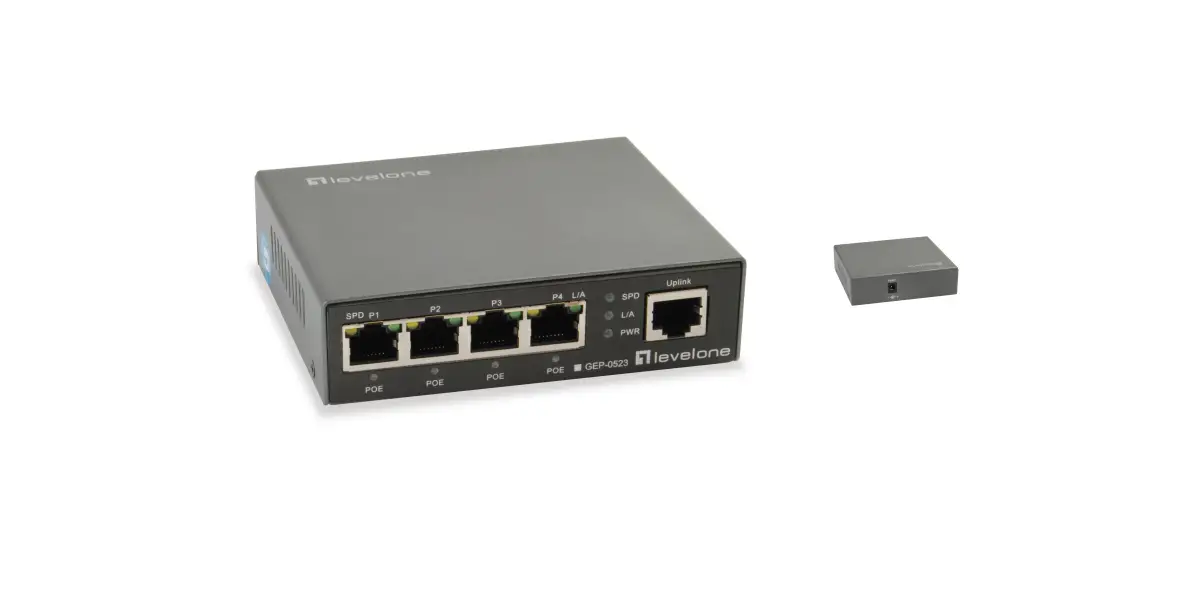
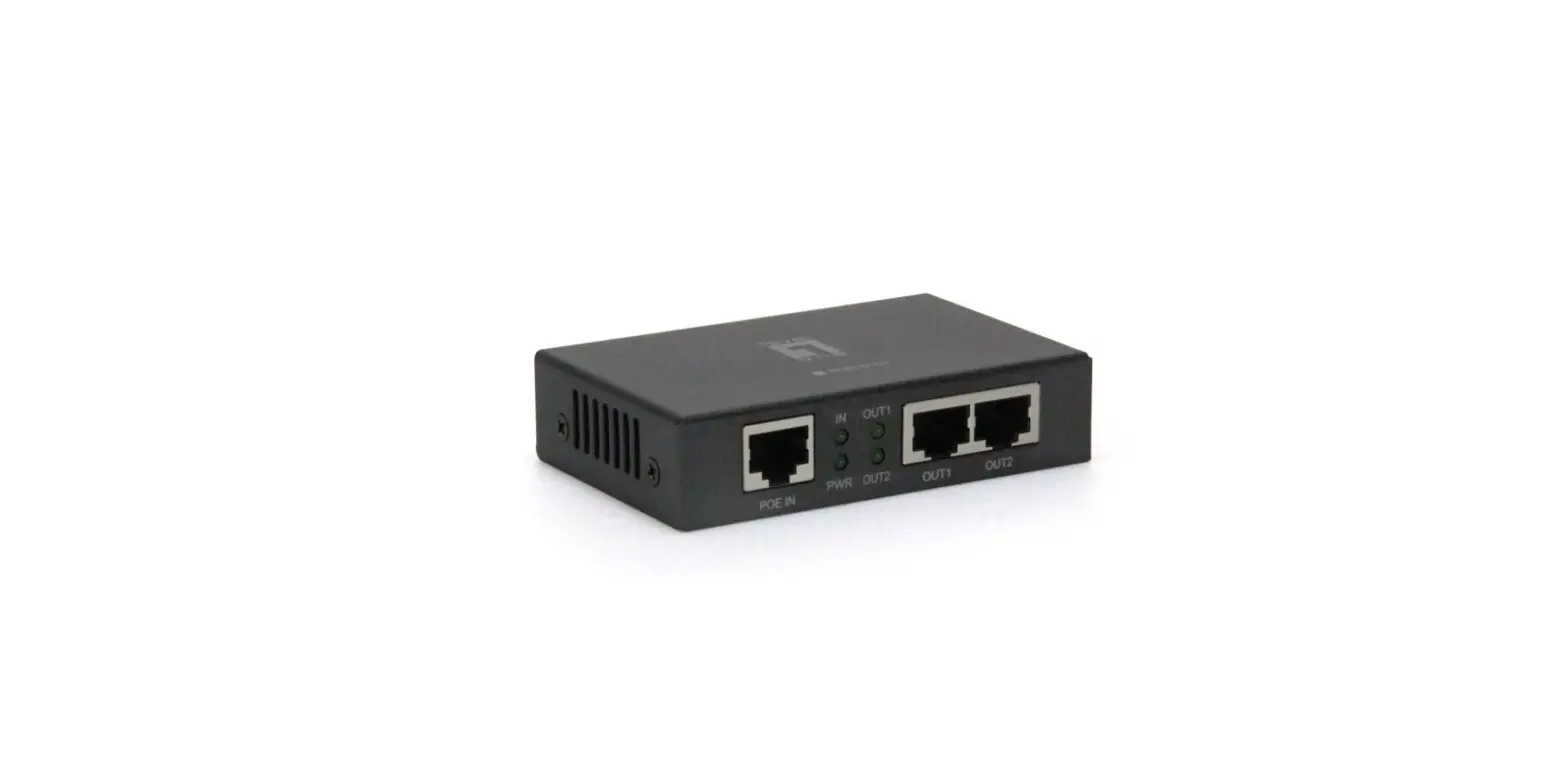
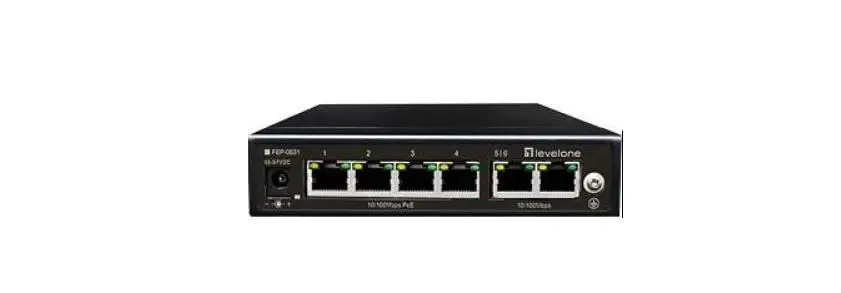
FEP-0631 unmanaged switch that supports up to 4*10/100M PoE ports and 2*10/100M uplink ports. 4*10/100M ports support PoE+, conforming to IEEE 802.3af/at standard, single port PoE power up to 30W, the maximum whole machine power is 60W.It provides three modes, Extend, Default and VLAN, to adapt to various complex environments. At the same time, it supports the PoE Auto-check function, which is specially designed to solve the problem of equipment frozen and restart the frozen equipment automatically, which greatly reduces the difficulty of project maintenance. It has a high anti-interference ability, the product supports 6KV surge protection, and 6KV contact / 8KV air ESD protection. It supports wall hanging and desktop installation, reliable and durable, and can be used in security network video monitoring, network engineering and other occasions.
Feature
- With 4*10/100M PoE downlink ports and 2*10/100M uplink ports;
- The maximum PoE power of single port is 30W, and the maximum PoE power of the whole machine is 60W;
- Provides three modes of Extend, Default and VLAN to adapt to various complex environments;
- Supports PoE Auto-check function, which is specially designed to solve the problems of equipment frozen. It can automatically detect the frozen PD equipment and restart the ports’ output of PSE, and restart the PD device. It greatly reduces the maintenance difficulty of engineering;
- 6KV surge protection, 6KV contact / 8KV air ESD protection.
Application
Panel diagram
Front panel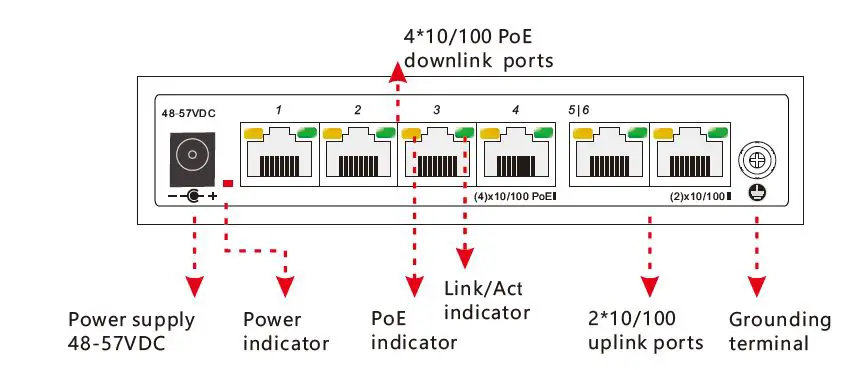
Attention 1:This product must be well-grounded against lightning, please use better than 20# cable to connect the grounding terminal and ground.
Back panel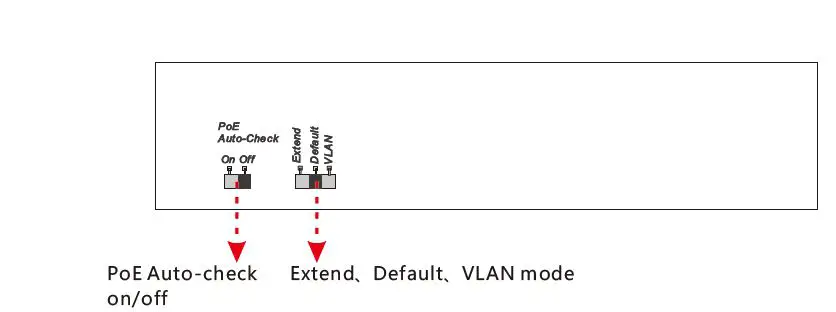
Attention 2:
Extend, Default, VLAN mode: It can be selected by dip switch.
Extend: 1~4 ports Max. 250m transmission; 1~4 ports are isolated, only can communicate with the uplink ports; restrain the network storm; close flow control.
Default: Normal switch.
VLAN: 1~4 ports are isolated, only can communicate with the uplink ports; restrain the network storm; close flow control.
Attention 3:
POE Auto-check: PoE Auto-check fuction is open/ closed by dip switch. The switch always auto detect 1~4 ports whether frozen, if some ports are frozen, the switch will restart them, but other ports are unaffected.
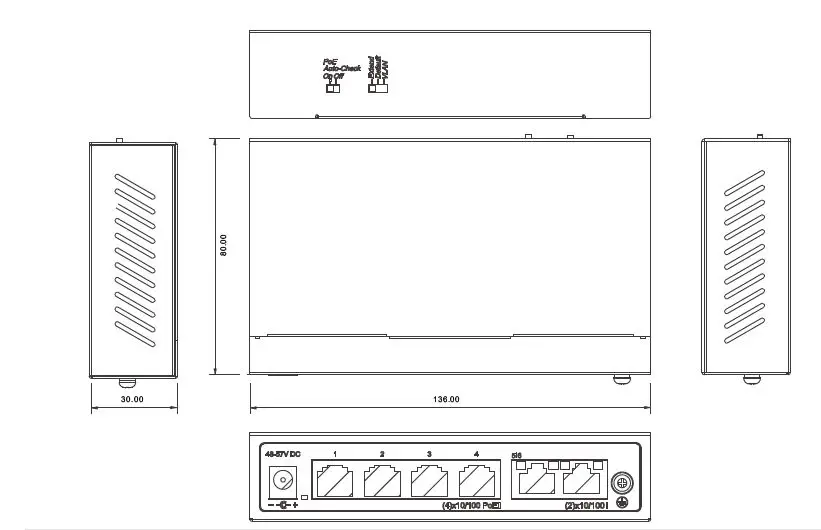
Structure dimension
Package list
Please check the following items before installation,if any missing , please contact your local dealer.
| FEP-0631 | 1 pc |
| Power adaptor+AC cable | 1 set |
| Wall hanger+screw | 1 set |
| User manua/QIGl | 1 pc |
Installation
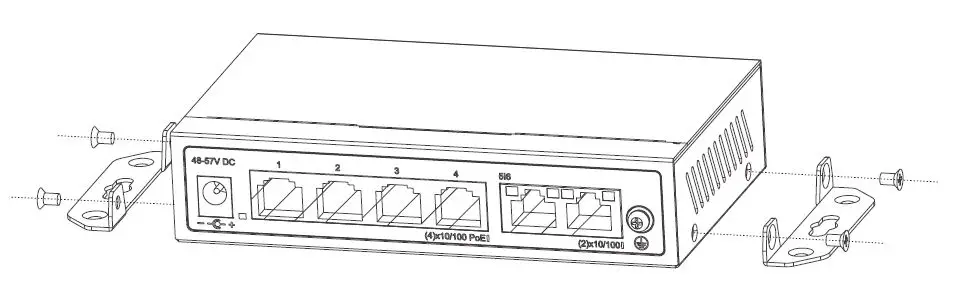
Installation on the wall
- Use the screws to fix the hanger, follow the figure below;
- Drill holes on a strong position of wall and then drive the rubber plug into the hole;
- Drive these screws into the holes.

Installation step
Please follow the following steps( take video monitoring for example);
- Please turn off the signal source and the device’s power, installation with power on may damage the device;
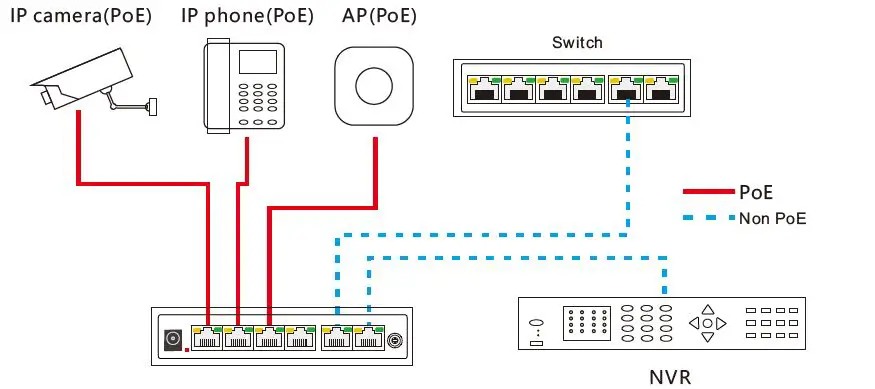
- Use 4 pcs network cables to connect 4 pcs IP cameras with the product’s 1~4 RJ45 ports;
- Use 1 network cable to connect port 5 with NVR, another network cable to connect port 6 with other switch;
- Connect switch with power adapter;
- Check if the installation is correct and device is good, make sure all the connection is reliable and power up the system;
- Make sure every network device power supply works normally.
Specification
| Item | ||
|
Power | Power supply | Power adapter |
| Range of voltage | DC48V~57V | |
| Consumption | Self-consumption<5W, PoE output Max.60W | |
|
Ethernet ports parameter | Ethernet ports parameter | 1~4 ports: 10/100Base-TX 30W PoE RJ45(IEEE802.3af/at PSE) 5~6 ports: 10/100Base-TX RJ45 |
| POE Auto-check | If detect PD device frozen, restart the device | |
|
Working mode | Extend: 1~4 ports Max. 250m transmission, 1~4 ports are isolated, only can communicate with the uplink ports; restrain the network storm; close flow control. Default: common switch. VLAN: 1~4 ports are isolated, only can communicate with the uplink ports; restrain the network storm; close flow control. | |
| 1~4 PoE ports | Support IEEE 802.3af/at, end-span, single port≦30W | |
| Cable and distance | Use cat5e/6, 100m max.(Extend mode max.250m) | |
|
Switch parameter | Standard | IEEE802.3, IEEE802.3u, IEEE802.3z |
| Switch fabric | 1.2Gbps | |
| Thoughput | 0.9Mpps | |
| Buffer | 448K | |
| MAC address table | 1K | |
|
Indicator | Power | 1 *red |
| Uplink5, 6 | On RJ45 yellow and green LEDs indicate Link/Act | |
| Downlink 1~4 | On RJ45 green LEDs indicate Link/Act, yellow LEDs indicate PoE | |
| Protection | Surge | 6KV, standard: IEC61000-4-5 |
| ESD | 6KV: contact / 8KV: air, standard: IEC61000-4-2 | |
|
Enviroment | Working temperature | -10℃~50℃ |
| Storage temperature | -40℃~85℃ | |
| Humidity | 0~95%(No condensation) | |
|
Structure | Dimension(L×W×H) | 136mm×80mm×30mm |
| Material | Metal | |
| Colour | Black | |
| Net-weight | 300g | |