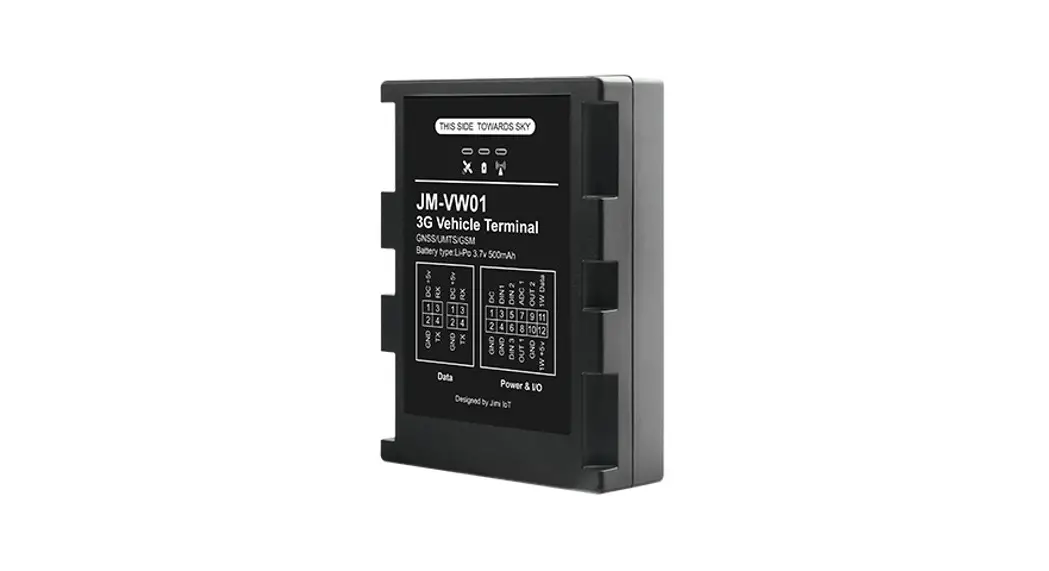
 TMS3.0 Type A GLOBAL
(Vehicle Control Terminal)
Installation Manual
version 4.0
This manual describes how to install the product. Read carefully this manual before using this product and install the product according to the guidelines. And after reading this manual, keep it well and, if the person in charge is changed, be sure to hand over this manual to the successor and let he/she use the product correctly. The content and image in his manual can be changed without notice by reason of product’s function improvement or etc. The content of this manual is protected by copyright. Therefore, do not change the content of this manual without the permission of our company.
Copyright © 2020
Issued by
DASAN Networks
Revision history of document
Version | Date | Description |
| V1.0 | 2019-02-19 | Initial release |
| V2.0 | 2019-07-01 | 2nd release
|
| V3.0 | 2020-09-14 | 3rd release
|
| V3.1 | 2020-09-16 | 4th release
|
| V3.2 | 2020-10-20 | 5th release
|
| V3.3 | 2020-10-23 | 6th release
|
| V3.4 | 2020-12-28 | 7th release
|
| V4.0 | 2021-01-13 | 8th release
|
Precautions in Product Handling
Read carefully the following contents before handling this product and use this product correctly according to guidelines. And after understanding the precautions well, keep this manual well and let the manager or user use this manual before and after installing the product or before handling the product. If the person in charge is changed, be sure to hand over this manual to the successor and let he/she use the product correctly. Caution & Warning
Installation Qualifying Condition
Only the person who is qualified for handling designated installation equipment or only a skilled technician can install this product.
Prohibition of Product Disassembly
Disassembly of this product can cause loss of life and property by electric shock, breakdown, malfunction, static electricity, etc. Do not disassemble, repair, or remodel this product recklessly.
If repair is needed, call Helpdesk (+82-1588-7080).
Strict Observance of Operation Condition
This product normally operates in the condition described in the product specification. However, if the product keeps operating in conditions that it is close to the minimum or maximum value, the probability of loss of life and property increases. Therefore, be sure to predict/check environmental change that each condition range may not approach the minimum or maximum value, and manage that the equipment operates in the median value of the operation condition range.
Maintaining Cleanliness of Installation Place
Be sure to tidy up the product installation place before and after installation, and do not leave working tools or components alone on the moving path to prevent accidents.
System Overview
Enables real-time monitoring of equipment operating information and state information in a remote place through mobile communication or satellite communication, and, through the real-time monitoring, user, dealer, and customer can raise the efficiency of equipment management.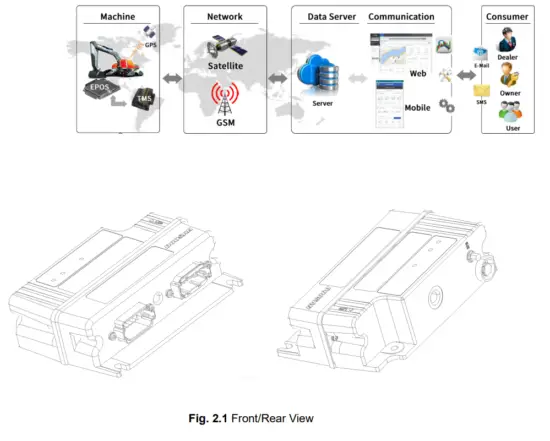
Product Interface & Specification
This page describes the product interface and specifications.
3.1 Classification by Product
| Type-A | Type-B | Type-C | Type-D | |
| Satellite | 0 | 0 | ||
| LTE(2G/3G/LTE) | 0 | 0 | 0 | 0 |
| GPS | 0 | 0 | 0 | 0 |
| Wi-Fi/BT | 0 | 0 | ||
| 100BASE-T1 (BroadR-Reach) | 0 | 0 |
Tab. 3.1 TMS3.0 Classification by Product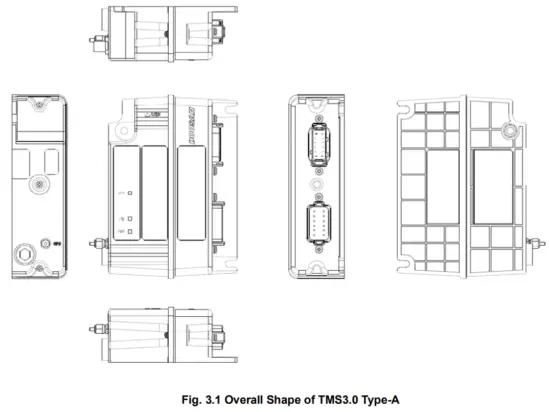
3.2 Product Specification
Item | Detail Function | Remarks |
Interface | ||
| INTERFACE | 1 x Mandatary Connector | |
| 1 x Secondary Connector | ||
| 1 x GPS Antenna Connector | ||
LED Indicator | ||
| LEDs | ||
Power | ||
| DC Input Voltage | 12/24VDC | |
| Consumption Power Internal Battery | Max 10.18W | |
| DC Input Voltage |
| |
| * Limited Temperature for Charger and Discharge: -20℃ ~ +50℃(±5℃) Cell Surface Temperature when charged and discharge with Maximum current. | ||
Physical Specification | ||
| Size (H x W x D) | 174 x 122 x 52.4mm | |
| Operation Temperature | -30 ~ +75℃ | |
| Operation Humidity | 10 ~ 95% RH | |
| Storage Temperature | -40 ~ +85℃ | |
3.3 LTE/3G/2G Frequency Range
No. | LTE Band | Duplex Mode | Uplink(MHz) | Downlink(MHz) |
| 1 | 2 | FDD | 1850-1910 | 1930-1990 |
| 2 | 25 | FDD | 1850-1915 | 1930-1995 |
| 3 | 4 | FDD | 1710-1755 | 2110-2155 |
| 4 | 7 | FDD | 2500-2570 | 2620-2690 |
| 5 | 12 | FDD | 699-716 | 729-746 |
| 6 | 13 | FDD | 777-787 | 746-456 |
| 7 | 5 | FDD | 824-849 | 869-894 |
| 8 | 26 | FDD | 814-849 | 859-894 |
| 9 | 38 | TDD | 2570-2620 | 2570-2620 |
| 10 | 41 | TDD | 2496-2690 | 2496-2690 |
- LTE Module: EG25-G
- Modulation : UL(QPSK,16QAM) / DL(QPSK,16QAM)
Tab. 3.3 TMS3.0 LTE Band
No. | WCDMA Band | Tx (MHz) | Rx (MHz) |
| 1 | 2 | 1850-1910 | 1930-1990 |
| 2 | 4 | 1710-1755 | 2110-2155 |
| 3 | 5 | 824-849 | 869-894 |
- LTE Module: EG25-G
- Modulation UL/DL(QPSK,16QAM)
Tab. 3.4 TMS3.0 WCDMA Band
No. | GSM Band | Tx (MHz) | Rx (MHz) |
| 1 | GSM850 | 824.2-849.2 | 869.2-893.8 |
| 2 | GSM 1900 | 1850.2-1909.8 | 1930.2-1989.8 |
- LTE Module: EG25-G
- Modulation : GMSK(GSM/GPRS) / 8PSK(EGPRS)
Tab. 3.5 TMS3.0 GSM Band
3.4 Product Interface
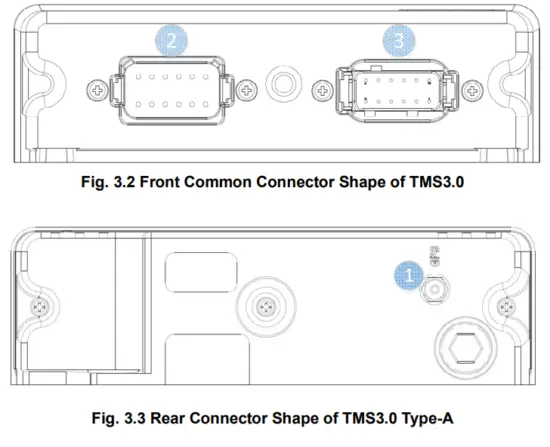
1 | Item | FunctiOn | Connector Type |
| GPS | GPS Antenna Connection | 5510-2573 | |
| 2 | Mandatary Connector | Power Alternator Key OnCAN Security Serial RX/TX Cold Reset | DT13-12PA |
| 3 | Secondary Connector | CM Solenoid Digital Input 100BASE-T1 x 2 Serial RX/TX | DTM13-12PA |
Tab. 3.6 TMS3.0 Interface Specification
3.5 Product Antenna Specification..
Item | Part No. | Connector Type | Length [mm] |
| GPS | HGPS-AX-0108A-04 | SMA-Male | 3320 |
Tab. 3.7 TMS3.0 Antennal Specification|
3.6 LED Specification
| Item | Color | State | Interval | Description |
| Power (Key on) | Green | Blinking | 1000ms | Key On |
| Green | Lighting | Engine On | ||
| Yellow | Lighting | Internal Battery Charge & Under 50% Capacity | ||
| Yellow | Blinking | 500ms | Undefined Model | |
| Red | Lighting | Harness Failure | ||
| Red | Blinking | 500ms | Fault Code | |
| Power (Key off) | Yellow | Blinking | 1,000ms | Mbit Sleep (Sleep Vbat Event) |
| Yellow | Blinking | 1,000ms | Deep mode (Sleep Deep Event) | |
| Yellow | Blinking | 1,000ms | Wake up (in Mbat Sleep status) | |
| LTE | Red | Blinking | 500ms | LTE Module / USIM Fault |
| Yellow | Lighting | Unregistered (Roaming Failed) | ||
| Yellow | Blinking | 1,000ms | Registering | |
| Green | Lighting | Normal – Standby | ||
| Green | Lighting | 500ms | Data Sending / Receiving | |
| GNSS | Yellow | Lighting | GPS Satellite is not sensed. | |
| Green | Lighting | Normal | ||
| Red | Lighting | Antennal Non-Connection | ||
| Red | Blinking | 500ms | GNSS Module Fault |
Tab. 3.8 TMS3.0 LED Specification
4. Installation Preparation
4.1 Installation Method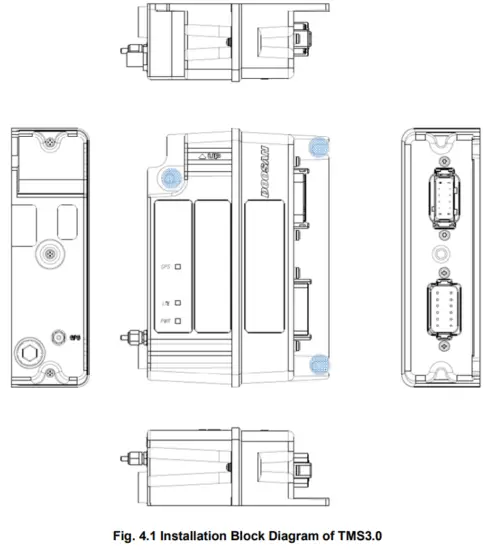
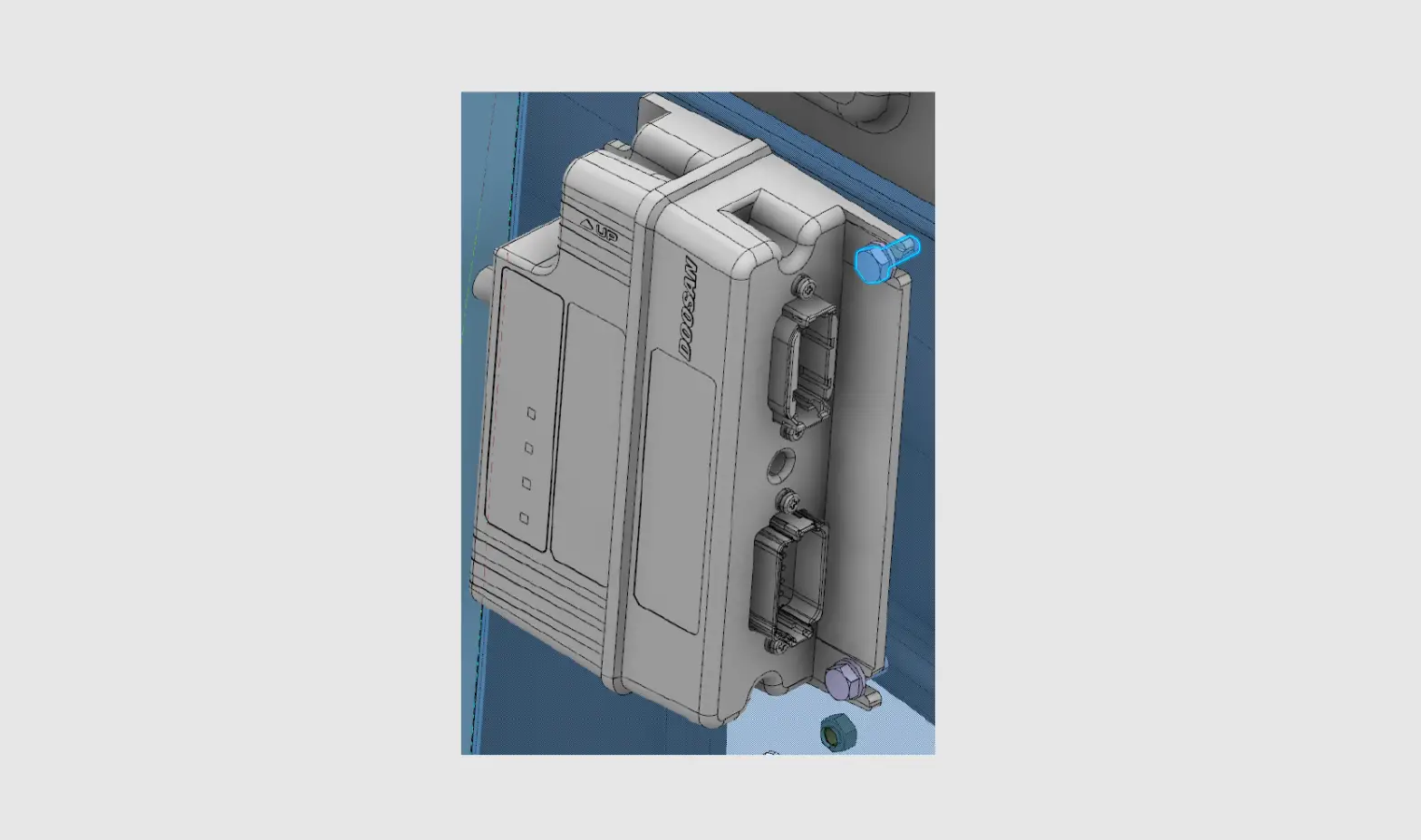
* Blue Colored Location: Screw Hole Installation
* Mounting Height: Under 2m (Wall installation in the CABIN)
* The installation location of this equipment depends on the heavy equipment model, and the distance from the person must be at least 20cm when installing the product on the heavy equipment.
* Screw Specification
PN: S0504653 (M6X1.0X16)
Surface treatment: Black
Strength: 8.8
Material: SM45C/SM50C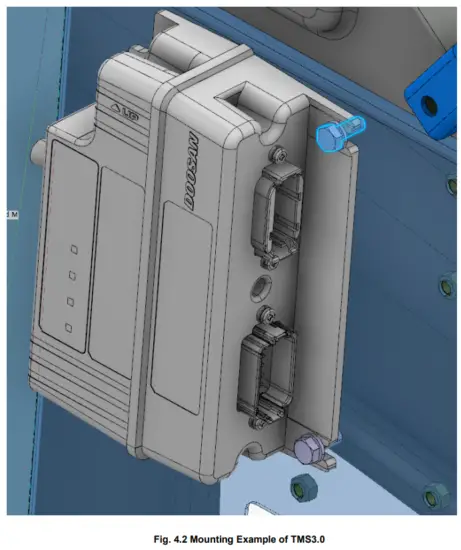
FCC Compliance
This device complies with part 15 of the FCC Rules.
Operation is subject to the following two conditions:
(1) This device may not cause harmful interference, and
(2) this device must accept any interference received, including interference that may cause undesired operation.
This equipment has been tested and found to comply with the limits for a Class B digital device, pursuant to part 15 of the FCC Rules. These limits are designed to provide reasonable protection against harmful interference in a residential installation. This equipment generates, uses, and can radiate radio frequency energy and, if not installed and used in accordance with the instructions, may cause harmful interference to radio communications. However, there is no guarantee that interference will not occur in a particular installation. If this equipment does cause harmful interference to radio or television reception, which can be determined by turning the equipment off and on, the user is encouraged to try to correct the interference by one or more of the following measures:
- Reorient or relocate the receiving antenna.
- Increase the separation between the equipment and receiver.
- Connect the equipment into an outlet on a circuit different from that to which the receiver is connected.
- Consult the dealer or an experienced radio/TV technician for help.
Any changes or modifications not expressly approved by the party responsible for compliance could void the user’s authority to operate the equipment. The antenna should be installed and operated with a minimum distance of 20 cm between the radiator and your body.
IC Compliance
This device contains a license-exempt transmitter(s)/receiver that complies with Innovation, Science, and Economic Development Canada’s license-exempt RSS(s). Operation is subject to the following two conditions:
(1) This device may not cause interference.
(2) This device must accept any interference, including interference that may cause undesired operation of the device.
The antenna should be installed and operated with a minimum distance of 20 cm between the radiator and your body.