 FUV User PIN Vehicle
User Guide
Overview
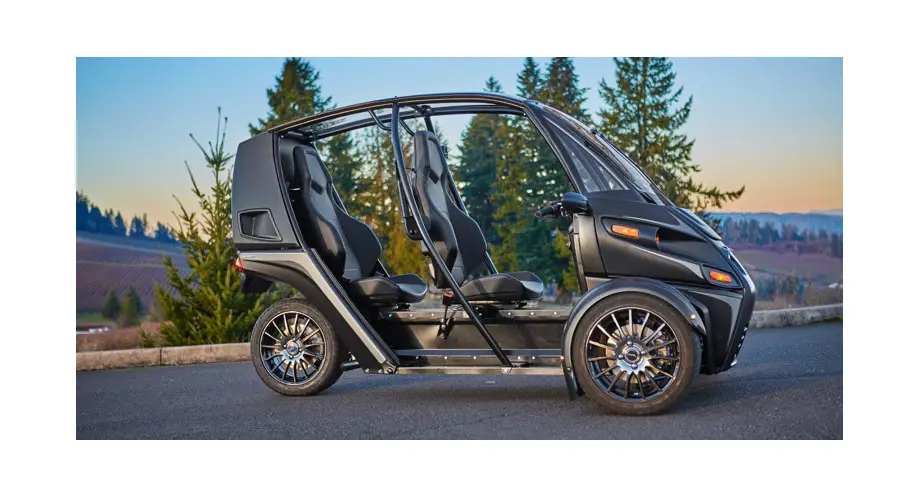
Each FUV is assigned a unique 6-digit PIN (Personal Identification Number) at the factory. This PIN can be used to turn the FUV on and off without using a key (refer to the FUV Owner’s Guide for details).
The Factory-Assigned PIN for your FUV is:
(write-in below, and keep this card for your reference)
- This factory-assigned PIN cannot be changed or deleted.
- Keep this PIN information in a safe and secure location.
- Do not share the factory-assigned PIN with anyone.
Setting a User PIN on your FUV
Although the factory-assigned PIN cannot be changed, a custom User PIN can be added to the FUV. Once a User PIN has been added, it can also be used to turn the FUV on and off. Further, the User PIN can be changed at any time.
Note that even after a custom User PIN has been added, the factory-assigned PIN also still works.
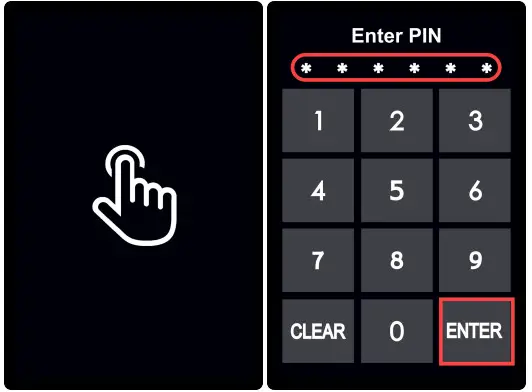 | 1. Press anywhere on the Display to invoke the Enter PIN keypad. 2. Enter the 6-digit factory-assigned PIN. 3. Press ENTER to start the FUV. |
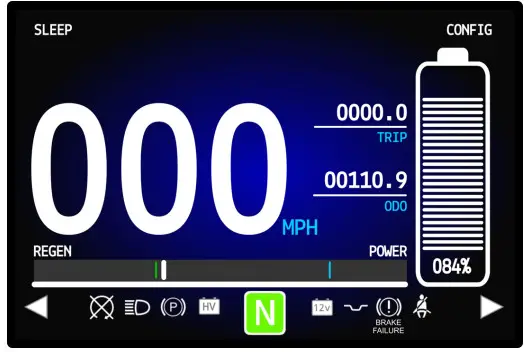 | 4. Hold the trigger on the left grip and cycle the brake pedal to access the Drive screen. |
 | 4. Hold the trigger on the left grip and cycle the brake pedal to access the Drive screen. |
 | 6. Press PIN on the left side of the screen. 7. The system will prompt you to verify that you are changing the PIN. Press CONFIRM to proceed. |
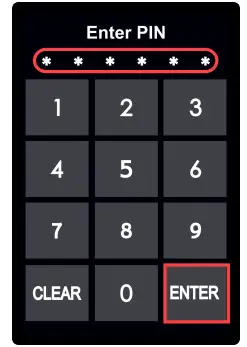 | 8. Enter a new 6-digit User PIN and press ENTER. 9. When prompted, re-enter the User PIN to confirm and press ENTER. 10. The Display indicates that the PIN change was successful. |
The new User PIN can now be used to start the FUV. Note that the User-PIN can be changed at any time.
The User PIN for your FUV is:
Record your User PIN below, and keep this card for your reference. Since you can easily change your User PIN, use this form to record each new User PIN assignment:
Read the FUV Owner’s Guide for details on safely operating the FUV and on using all of the features and functions.
| Customer Support | Contact Information |
| Customer Support:(541) 780-0032 Roadside Assistance: (866) 235-3920 [email protected] | 2034 W. 2nd Ave. Eugene, OR 97402 (541) 683-6293 [email protected] |
© 2021 Arcimoto. All rights reserved. All information contained within this publication is based on the latest product information available at the time of publication. Product improvements or other changes may result in differences between this Guide and the vehicle. Arcimoto® and FUV® are trademarks of Arcimoto, Inc.
Last Revised: 1/15/2021
004883B
 Arcimoto - Ultra Efficient Electric Vehicles