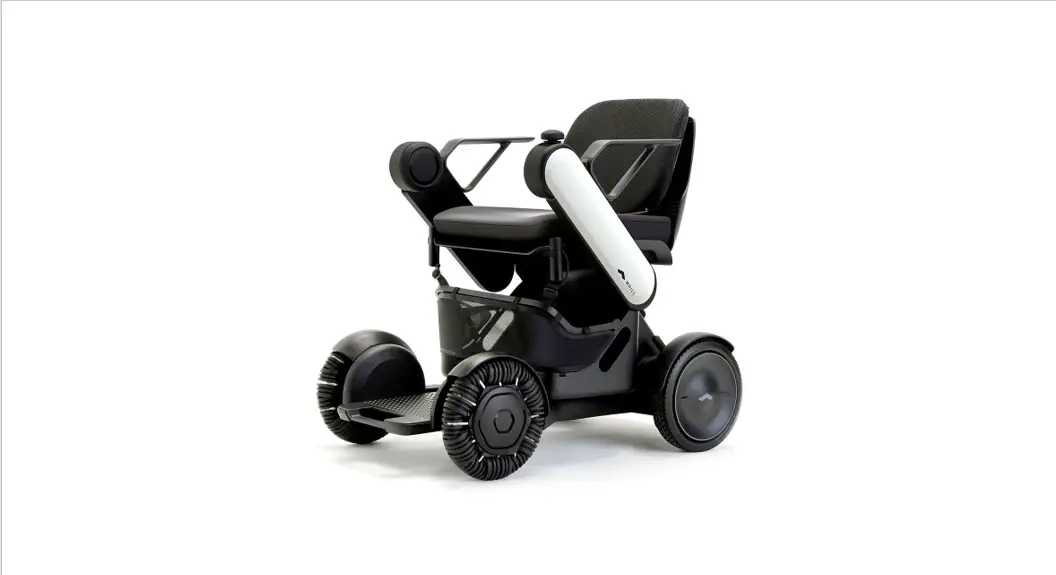

Operating Guide
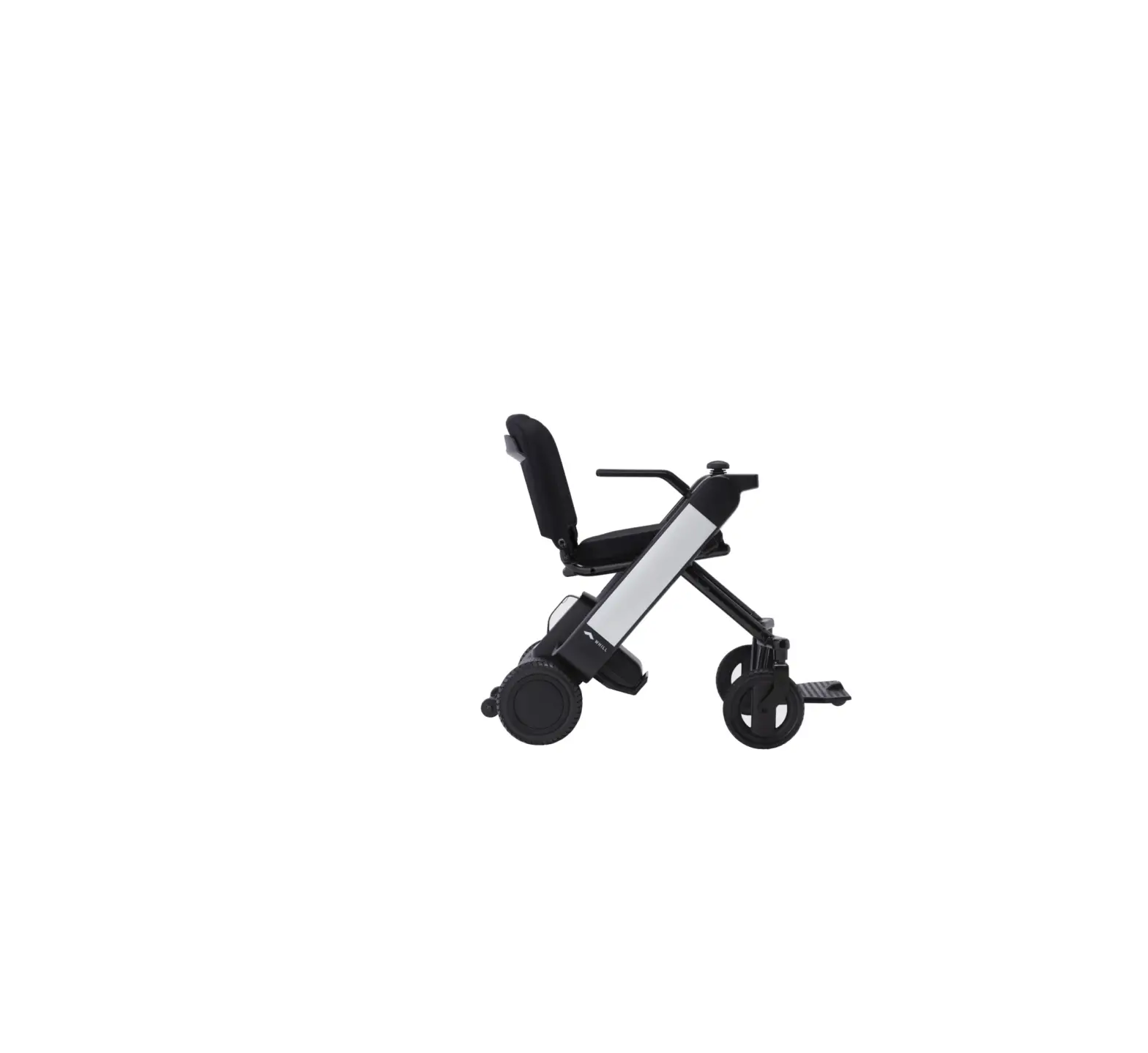
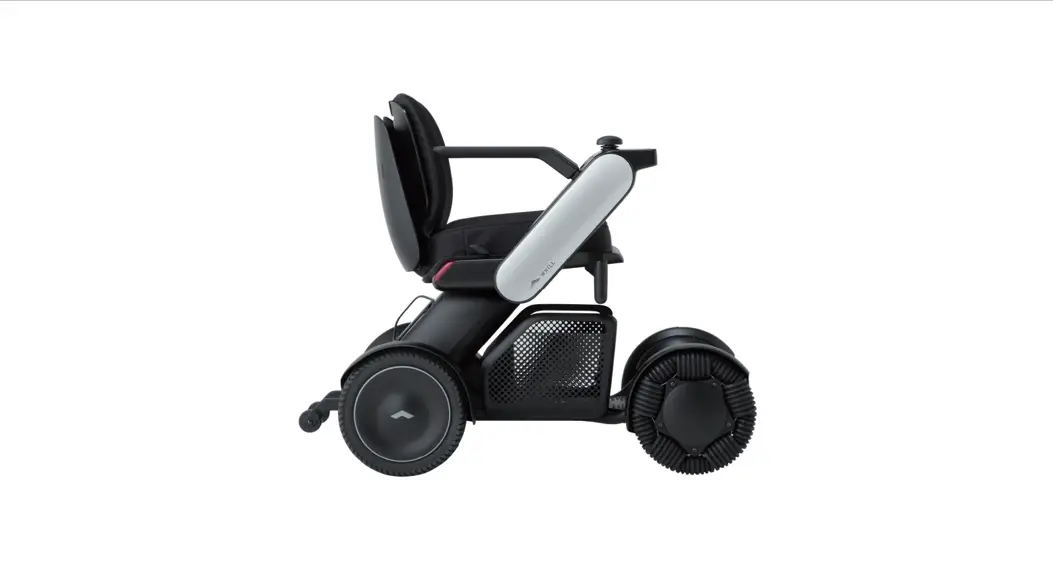
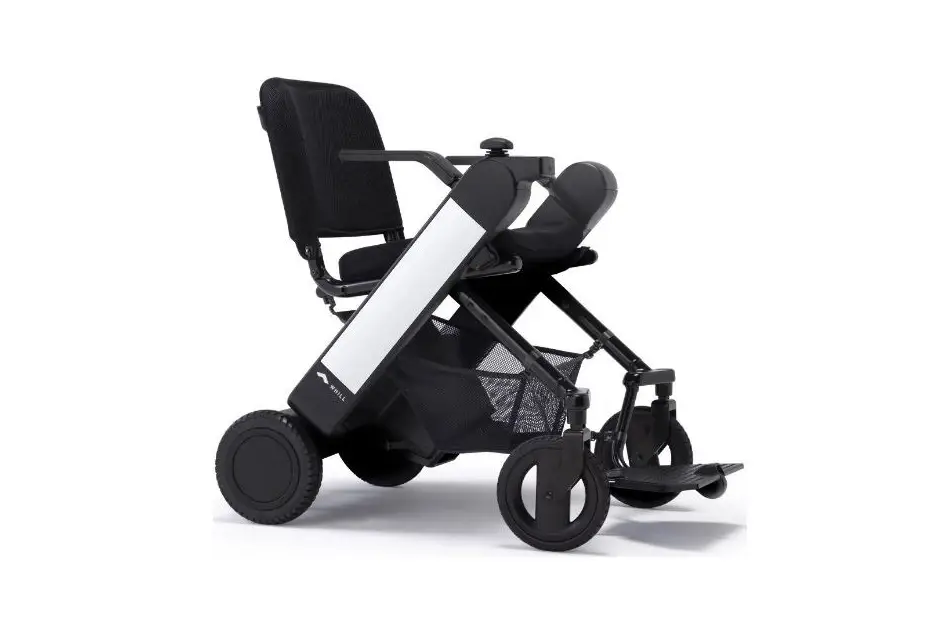
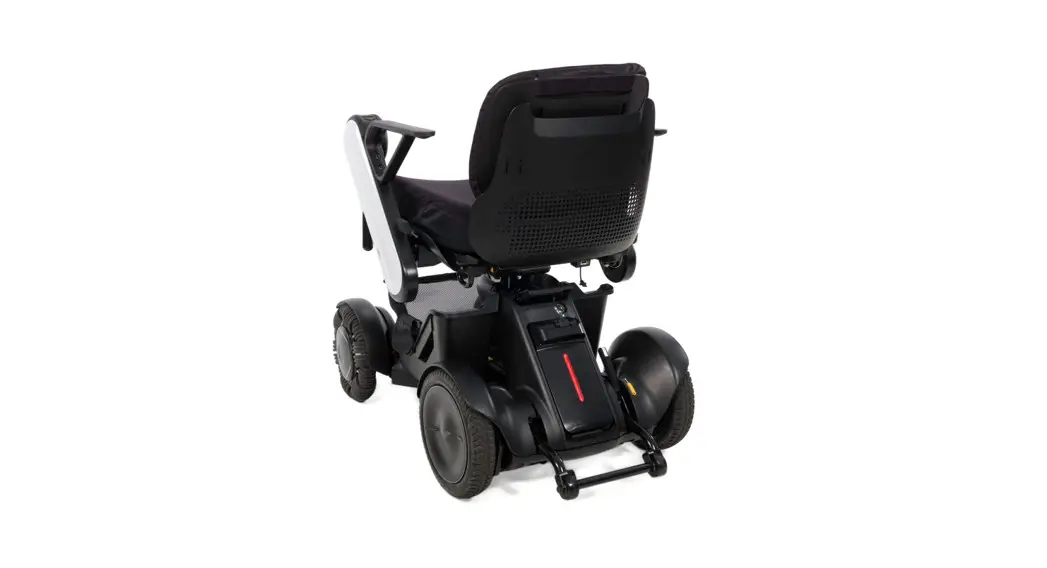
WHILL Model F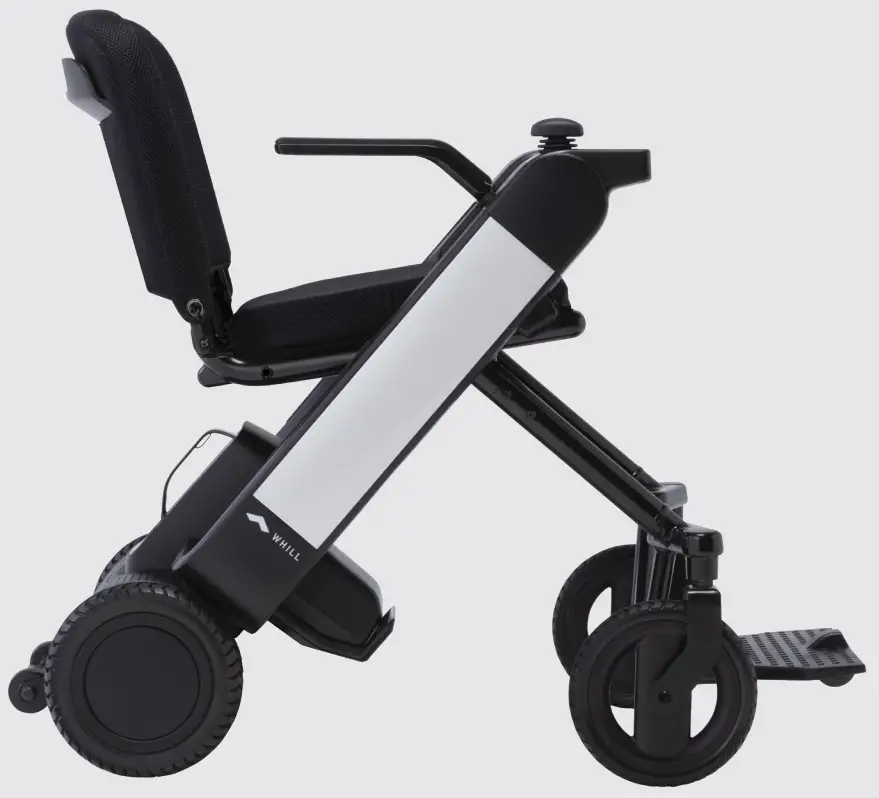
This Operating Guide is intended to provide instructions on the basic usage of the device.
To operate the device safely, please ensure to carefully read this guide before use.
It is recommended to keep this guide on hand at all times for your reference.
Major precautions for use
The WHILL Model F is a mobility vehicle. Persons who find it difficult to use a powered wheelchair should refrain from using the device.
- The maximum load weight for this device is 253.5lb I115kg1. It includes both the occupant and any luggage. Ensure the load weight does not exceed the maximum during use.
- Turn off the device power when getting in and out of the device.
- Keep your feet on the footrest while driving to avoid feet or clothing getting caught in moving components.
- Avoid the traffic and narrow spaces, and follow the traffic rules to drive safely.
Dress appropriately for driving.
- There is a risk that clothing such as long scarves, loose pants, skirts, and raincoats may be caught in tires or other parts of the device, resulting in injury.
- When wearing gloves, be careful to avoid getting them caught in the device, such as in the control components.
Drive carefully in the following areas.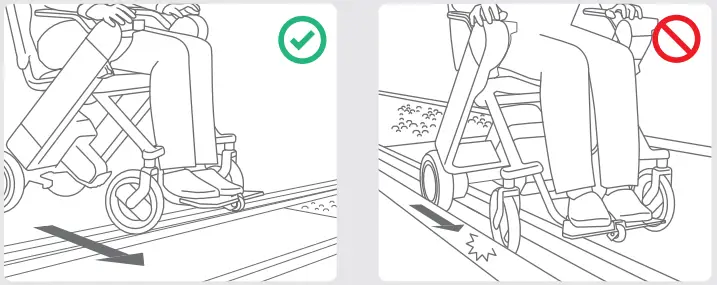
When crossing railroad crossings or tram tracks, approach and cross perpendicular to the tracks.
Ensure the device does not get stuck in the groove of the tracks.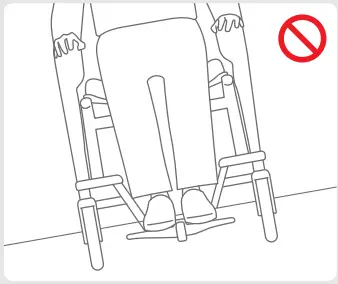
Do not drive at places where the device may lean significantly.
 Avoid railroad crossings and take a safer route whenever possible.
If you must pass a railroad crossing, ensure you understand how to manually release the brakes (p4) and ask a caretaker to accompany you.https://static-data1.manualsee.com/1/img/65/2114238/2022/02/WHILL-F-Mobility-Vehicle-icon.png
Do not drive the device in areas with soft surfaces such as sand, mud, snow, or frozen paths. There is a risk that accidents may occur.
 Unsafe in the Magnetic Resonance IMRI Environment The WHILL Model F is MR Unsafe. The device presents a projectile hazard.
Basic operations
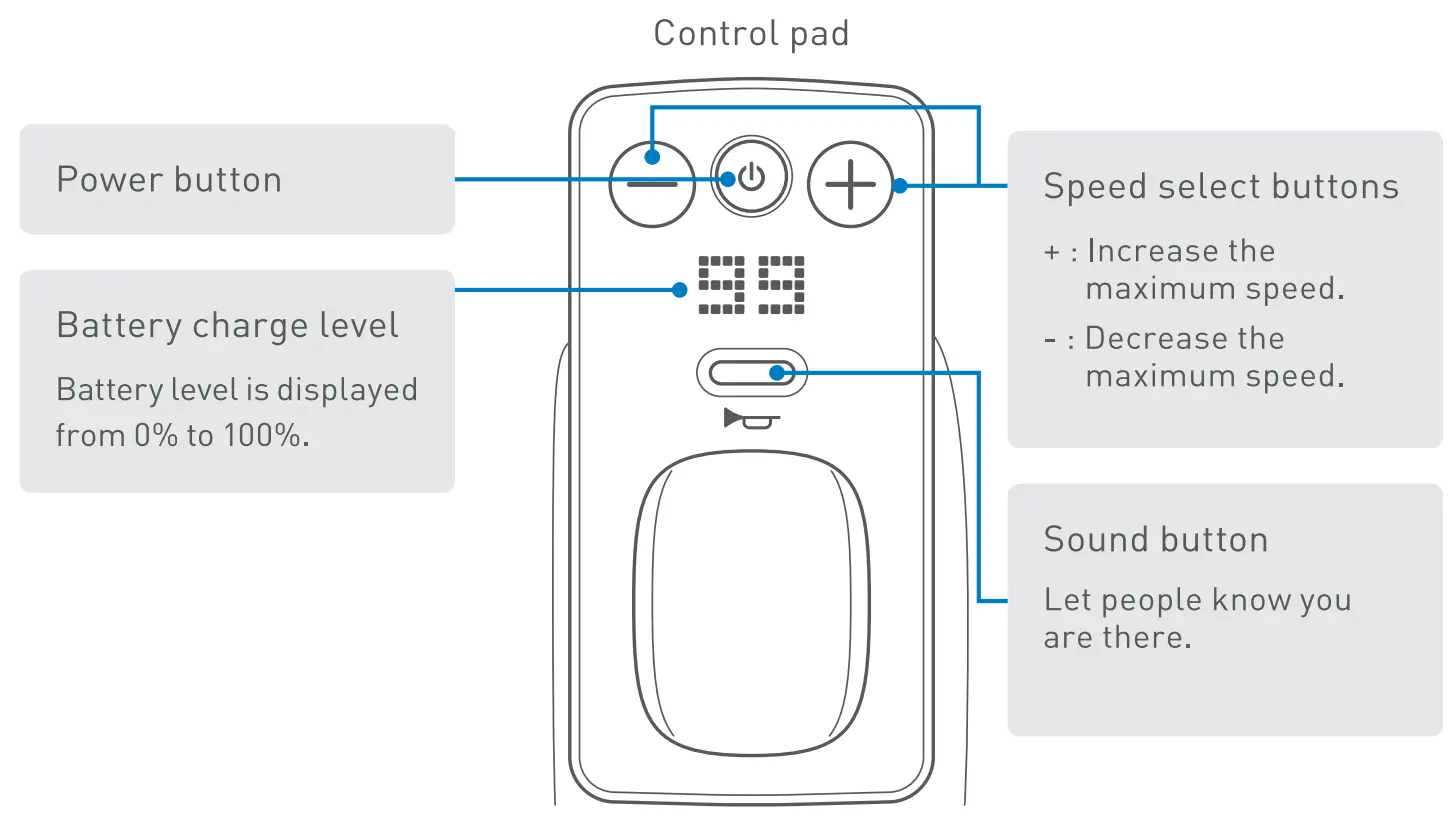
| 1 | Get in the device | Confirm the device power is off before getting into the device. |
| 2 | Turn on the power | Press the power button and confirm the display turns on. |
| 3 | Set speed | Adjust the speed setting from 1 to 4 by using speed select buttons. |
| 4 | Move and turn around | Move the joystick slowly in the desired direction. |
| 5 | Stop | Release the joystick. |
| 6 | Turn off the power | Press the power button and confirm the display turns off. |
| 7 | Get out of the device | Confirm the display is off, and then get out of the device. |
Ensure to turn off the device power when getting in and out of the device.
Driving tips > Basic operations
How to stop
Release the joystick to stop. Releasing the joystick automatically applies the brakes and stops the device even on an uphill or downhill slope.
How to hold the joystick
Place fingers on the joystick.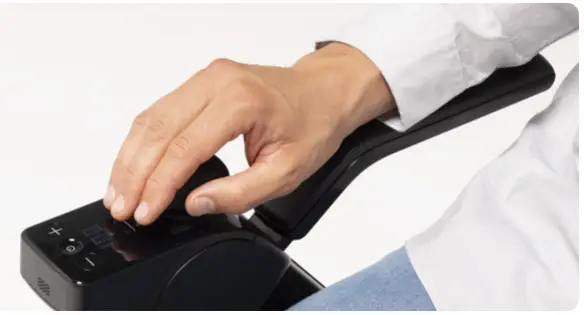
How to move the joystick
Adjusting the speed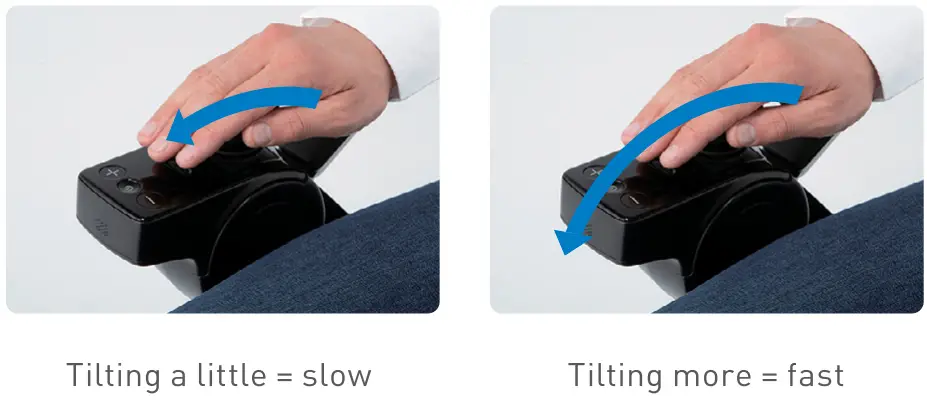 The device speed can be controlled by the tilting degree of movement of the joystick.
In the beginning, ensure to operate the joystick gently and drive slowly.
Climbing over a step
When climbing over a step, approach at a right angle to the step.
Stop right before the step and slow down after the front wheels have climbed over it.
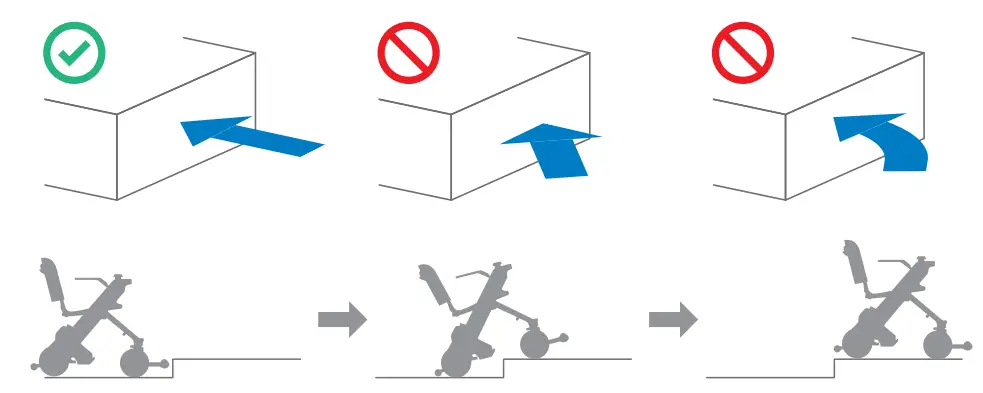 | ||
| Stop when the front wheels bump into the step. | Slow down after the front wheels have climbed over the step. | Do the same for the rear wheels to get the device over the step. |
Releasing the brakes
Certain situations may require control of the device without powering on and using the joystick—known as freewheel mode. This can be accomplished using the two red brake release levers.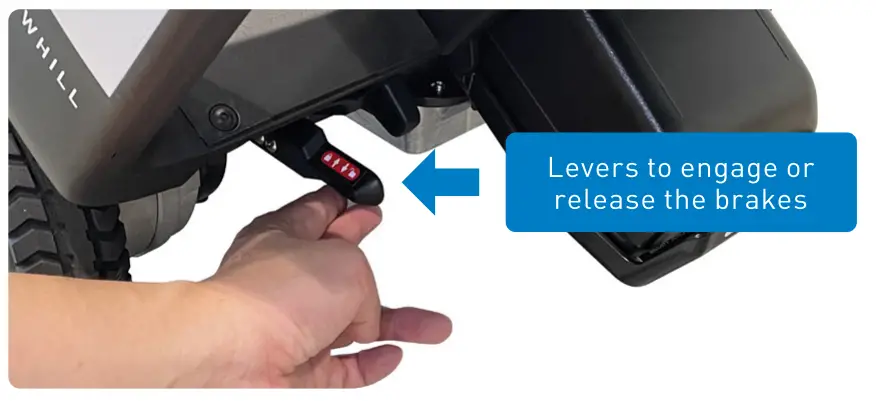
Turn off the device’s power. Push down both of the two brake release levers below the seat.
Raise both brake release levers to re-engage the brakes afterward.
Do not release the brakes on a slope. Be sure to release the brakes only when on a flat surface and in emergencies after turning off the power. After moving the device manually with the brakes released, be sure to raise the two brake release levers to re-engage the brakes.
Folding procedure
Model F is foldable.
Perform folding of the device on a flat and level surface. Otherwise, there is a risk of an accident.
Perform folding of the device with the brakes applied. Otherwise, there is a risk of unintended movement of the device which may cause accidents.
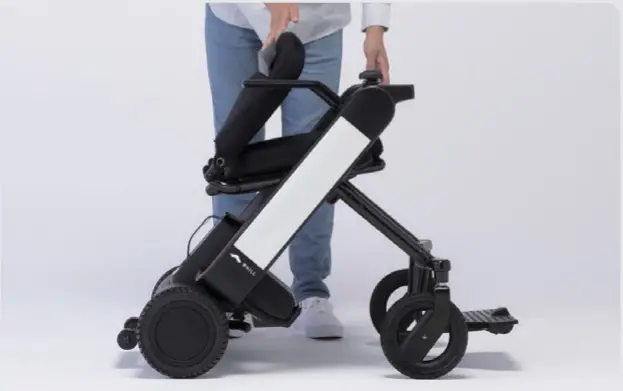
When holding the device, grab only the handle and part as described in the photo. Otherwise, there is a risk of hand injury if it gets caught in the device.
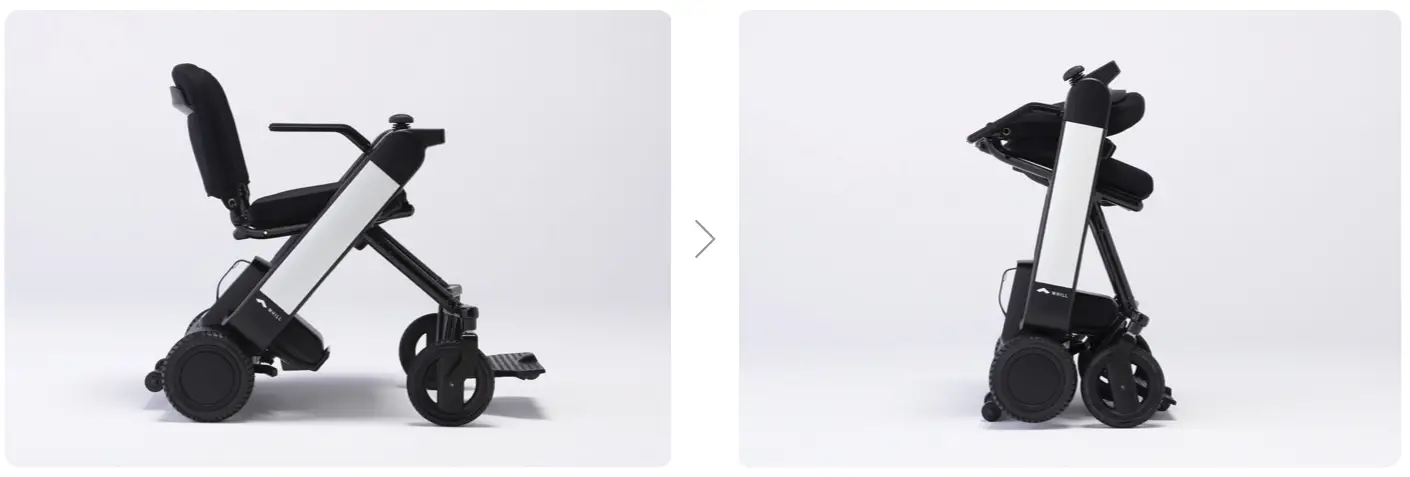
- Tilt the back support forward to the seat.

- Fix the device in place while supporting the foot pedal.
 Supporting foot pedal connecting the two anti-tip rollers prevents the device from moving when folded.There is a risk of foot injury if it gets stuck under the foot pedal when folding the device.
 - Press in the lock release button
 The lock release button is located at the front side of the right arm. Keep the device in this state with the lock release button pressed in.
 - Pull the seat frame pipe upwards.
 Grab the seat frame pipe at the back of the seat and pull it up while keep pressing in the lock release button.
 When the device begins to close, take your hand away from the lock release button.
 - Close the device.
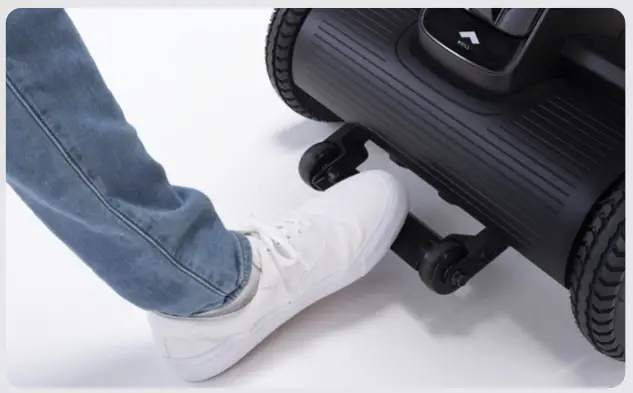 Supporting foot pedal connecting the two anti-tip rollers prevents the device from moving when folded.
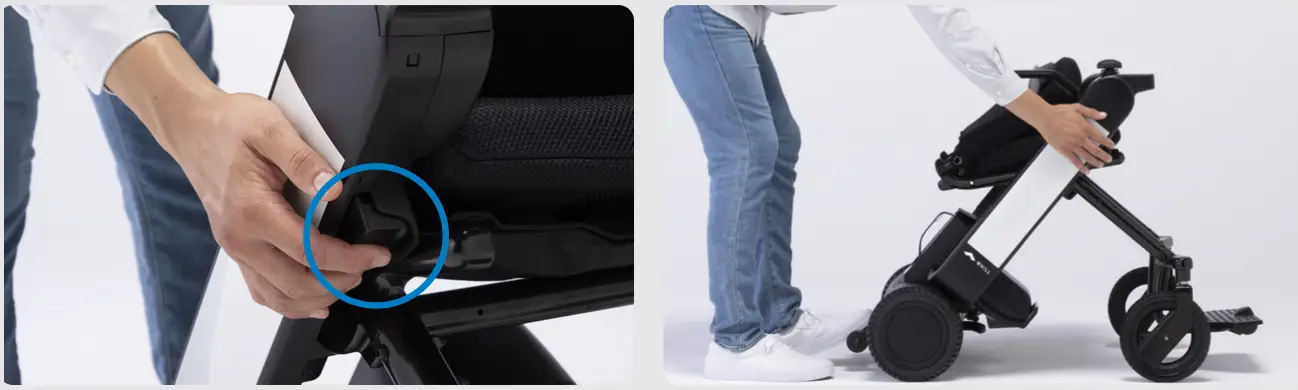 The lock release button is located at the front side of the right arm. Keep the device in this state with the lock release button pressed in.
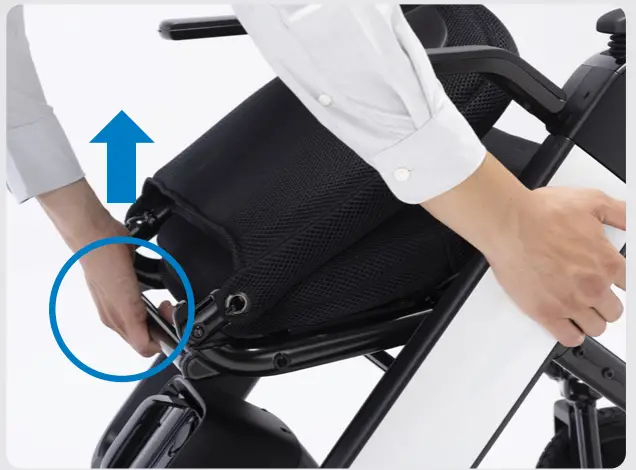 Grab the seat frame pipe at the back of the seat and pull it up while keep pressing in the lock release button.
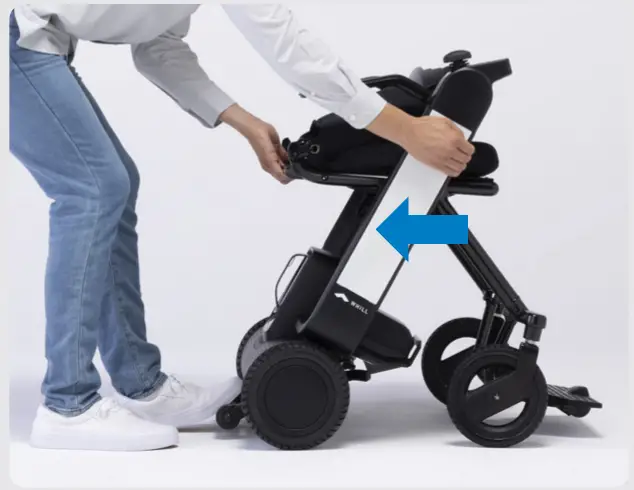 When the device begins to close, take your hand away from the lock release button.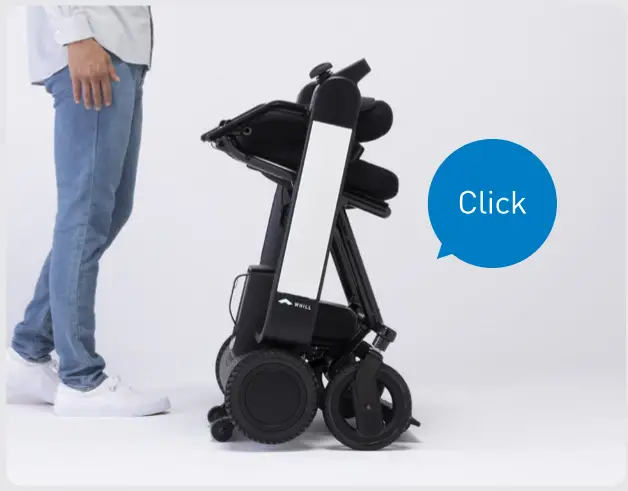
Close the device to the position where you hear the click sound. Lastly, gently push down on the seat frame pipe once again to make sure the device is properly locked and will not open.
Make sure the device is properly locked after folding to prevent the risk of the device to open unexpectedly.
Unfolding the device
- Perform unfolding of the device on a flat and level surface.
- Perform unfolding of the device with the brakes applied.
- When unfolding the device, grab only the handle and part as described in the photo.
- Fix the device in place while supporting the foot pedal.
 Supporting foot pedal connecting the two anti-tip rollers prevents the device from moving when unfolding.
 - Pull the seat frame pipe upwards and press the lock release button.
 Grab the seat frame pipe at the back of the seat and pull it up to keep the device in the state.
 Press in the lock release button in the front of the right arm.The lock release button is designed so that it can be pushed in only when the seat frame pipe is pulled upwards.
 - Lower the seat frame pipe.
 Lower the seat frame pipe while keep pushing in the lock release button to unfold the device. When the device begins to unfold, take your hands away from the button.
 - Unfold the device.
 Open the device to the position until you hear a click sound.
 - Tilt the back support backward and check the lock indicator.
 Ensure the Lock indicator on the inside of the right arm shows black.
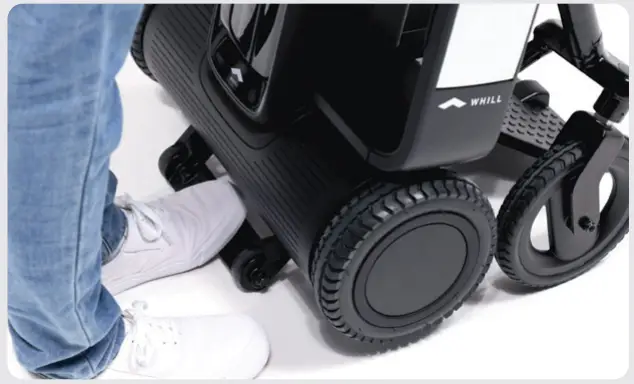 Supporting foot pedal connecting the two anti-tip rollers prevents the device from moving when unfolding.
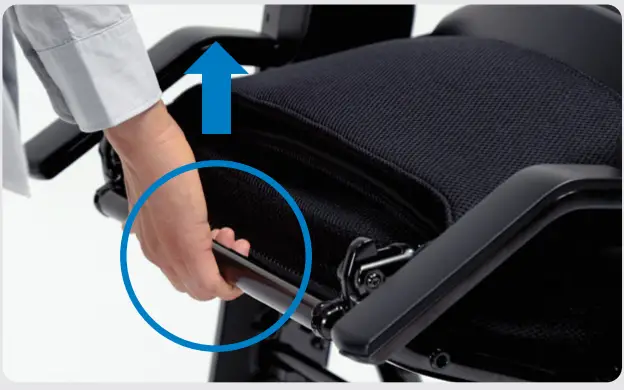 Grab the seat frame pipe at the back of the seat and pull it up to keep the device in the state.
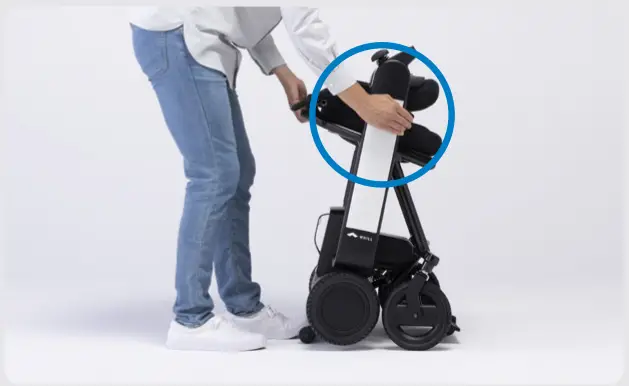 Press in the lock release button in the front of the right arm.
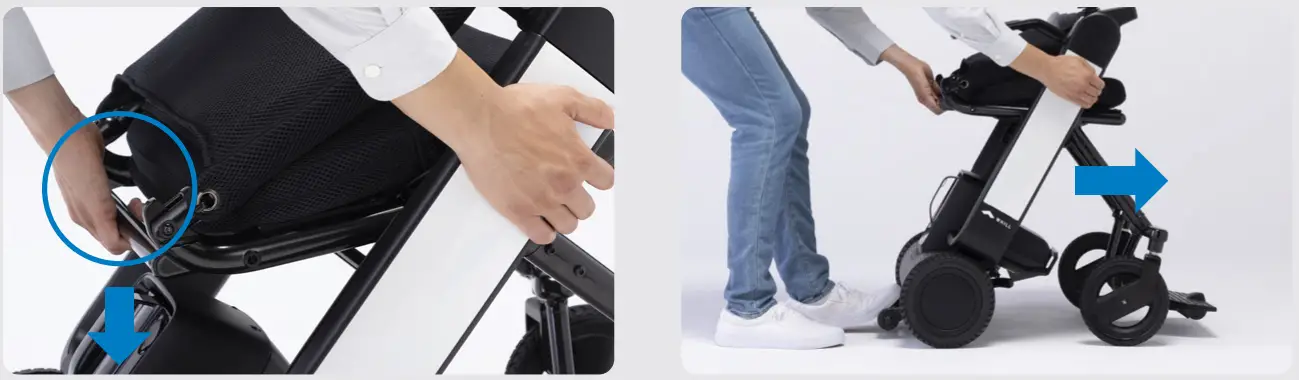 Lower the seat frame pipe while keep pushing in the lock release button to unfold the device. When the device begins to unfold, take your hands away from the button.
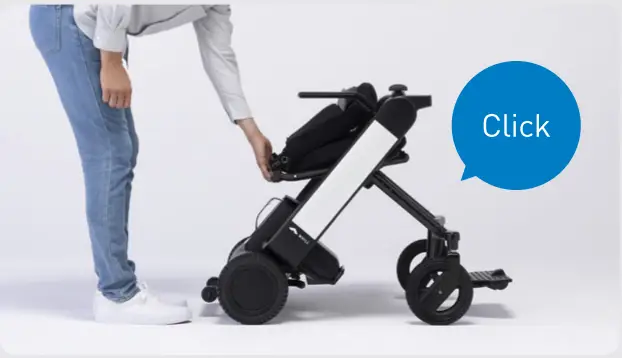 Open the device to the position until you hear a click sound.
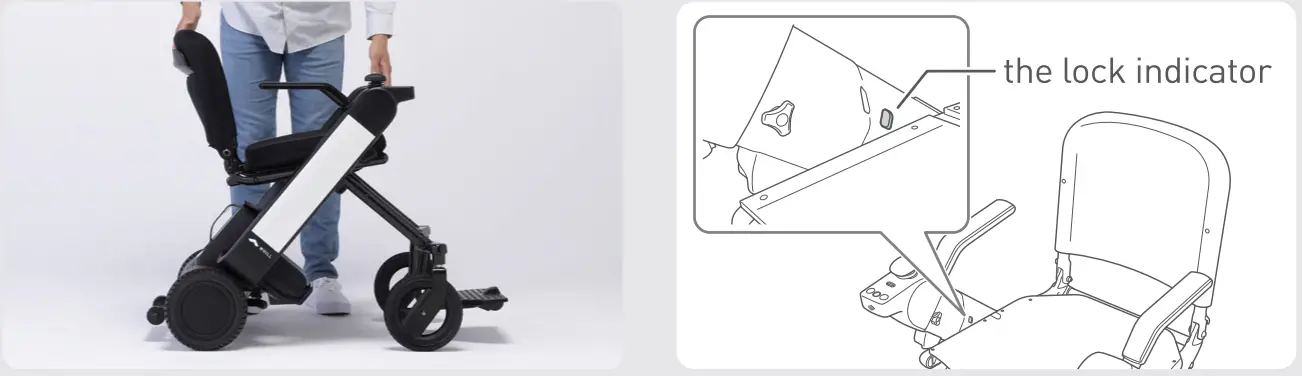 Ensure the Lock indicator on the inside of the right arm shows black.
Ensure the lock indicator shows black after unfolding the device to prevent the device from unintentionally folding while driving, which may cause an accident.
Charging the battery
1. Charging with the battery installed in the device
Move the device close to the outlet and turn off the device’s power.
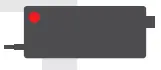 Connect the charger and AC connector cord.
 Plug the charger into the power outlet. The charger indicator illuminates red.
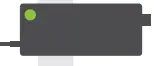
Remove the battery charging port cap and connect the DC connector to the battery charging port. The charger indicator begins flashing green and charging starts.
Charging is completed when the charger indicator turns solid green.
Disconnect the DC connector from the battery, then disconnect the plug from the power outlet. Close the cap of the battery charging port.
2. Charging with the battery removed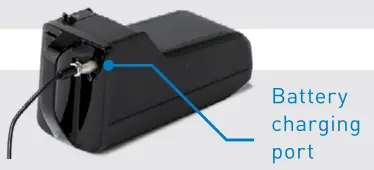
Check the device power is off and press the battery lock release button.
Grasp the handle and pull to remove the battery.
Connect the charger and AC connector cord. Plug the charger into the power outlet.
Remove the cap of the battery charging port and connect the DC connector to it.
The charger indicator begins flashing green and charging starts.
Charging is completed when the charger indicator and battery LED turn solid green.
Disconnect the DC connector from the battery, and then the plug from the power outlet.
- Do not touch the battery and charger during charging to prevent burns.
- Ensure charging the battery indoors.
- Only use the designated battery and charger for the device.
Troubleshooting
In the event of certain issues with the device, an error code will appear on the display.
If an unlisted error is displayed or the issue persists even though a problem was handled in line with troubleshooting, contact your dealer or customer support.
| The behavior of the device | Error code | Cause | Resolution |
| The icon shown on the right appears. | 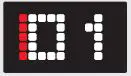 | The controller is operated with the device in a folded state. | Unlock the device and turn the power on again. |
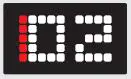 | The joystick was not in a neutral position when the power was turned on. | Power back on without touching the joystick. | |
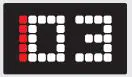 | The brake levers are disengaged. | Lock the brakes and turn the power on again. | |
 | The charger was connected while the power was on. or the device was turned on while being connected to the charger. | Disconnect the charger from the battery. | |
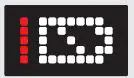 | The battery charge level is low. | Recharge the battery. | |
| The maximum speed decreases. |  | The battery temperature dropped significantly. | Store the battery in room temperature or at least at an ambient temperature of above 0°C (32°F) until the battery temperature rises above 0°C (32°F). |
| The maximum speed recovers. |  | The battery temperature rose above 0°C (32°F. | |
| The icon shows appear. | 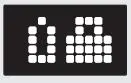 | The smart key battery level on the right is low. | Replace the smart key battery. |
| The device does not turn on. The LED display does not light up. | 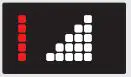 | The battery charge level is low. | Charge the battery. |
| N/A | The battery is not fully inserted into the battery compartment on the rear-drive base. | Insert the battery all the way in. | |
| Remove the battery, then attach the battery again after 10 seconds. | |||
| The cable connector in the rear of the seat is disconnected. | Connect the connector of the cable. |
How to pair your smartphone app
The app allows users to check total mileage, distance traveled, battery level, full charge cycles, and to use the remote control function. Users can also lock and unlock the device.
- You need to install the app beforehand. To install, go to the App Store and search for “WHILL”. Click the blue WHILL logo icon for the WHILL Model C2/F series app.
[The grey logo icon is for WHILL Model C.) - To pair your device, launch the WHILL Model C2/F series app and enter the following codes* on the screen or scan the QR code.*
11-digit alphanumeric code password
*The unique app pairing ID&password and OR code are printed on a paper slip and placed in the box containing the arm rests.
Note: Depending on your region and smartphone type, the app may not be offered, or some functions may not be available.
The dealer from whom the device was purchased will handle requests for repair, maintenance, and parts replacement.
Dealer
Manufacturer WHILL, Inc.
2-1-11 Higashishinagawa, Shinagawa-ku, Tokyo 140-0002, Japan
www.whill.inc
REF 32-14019-1-01-2021-12