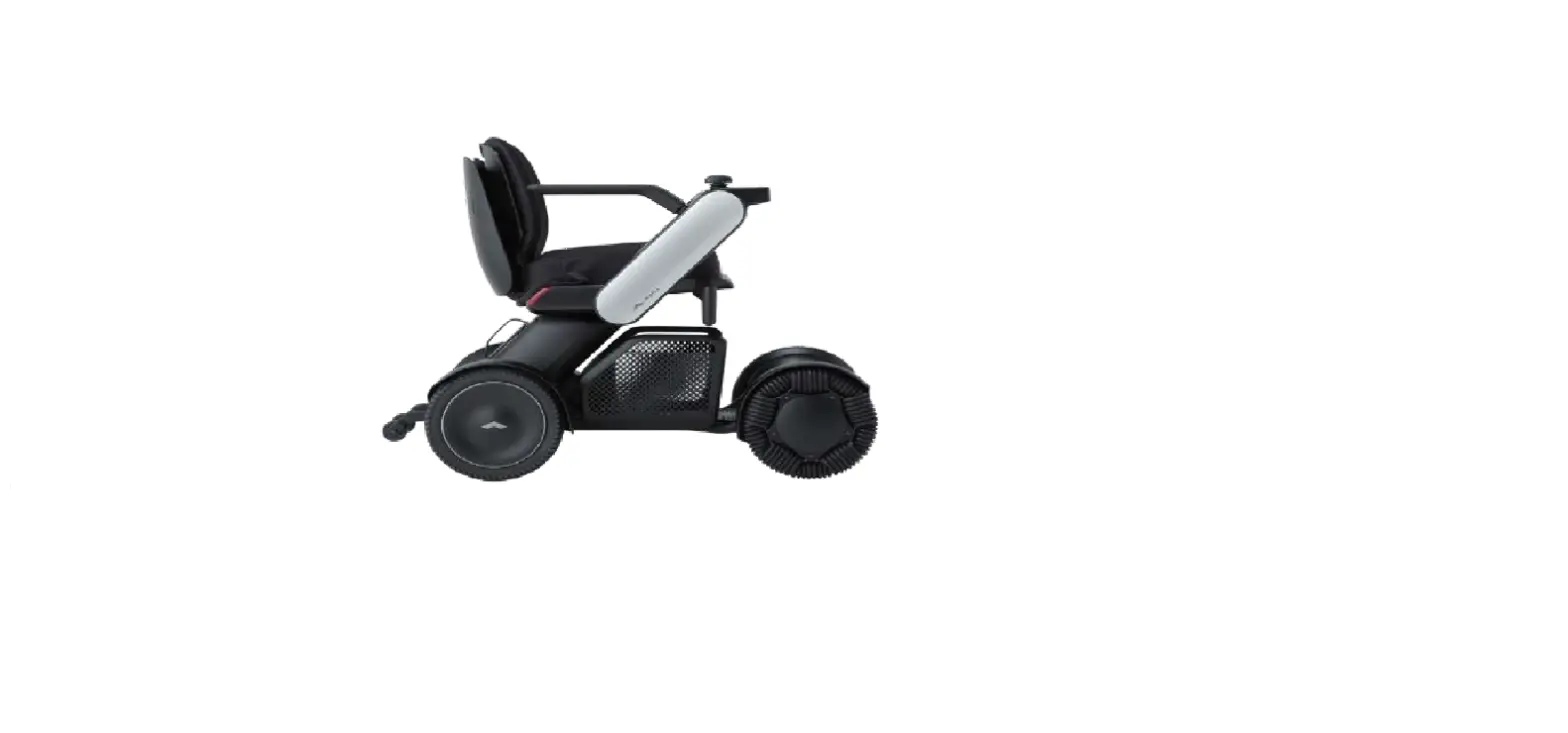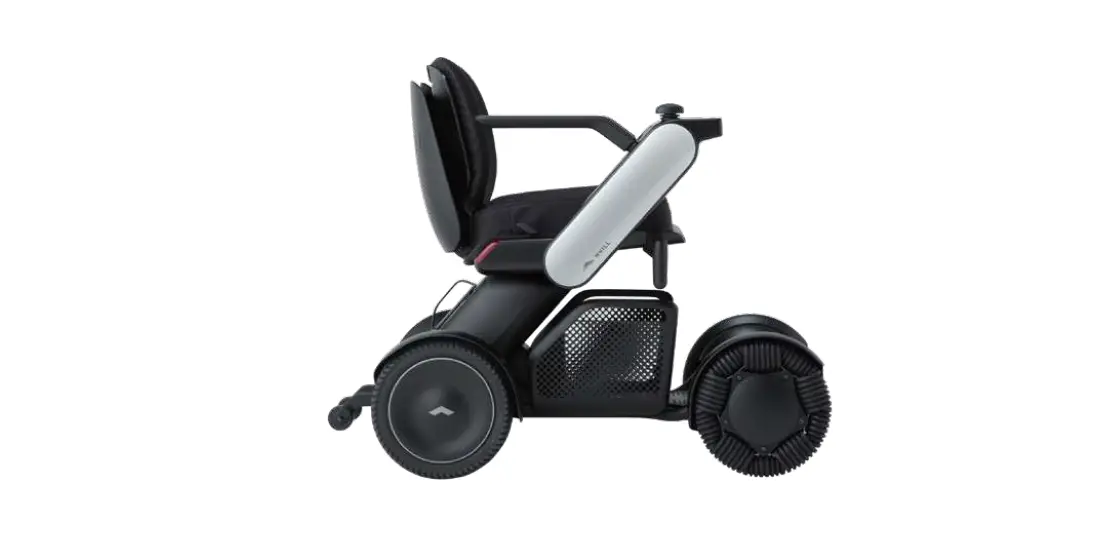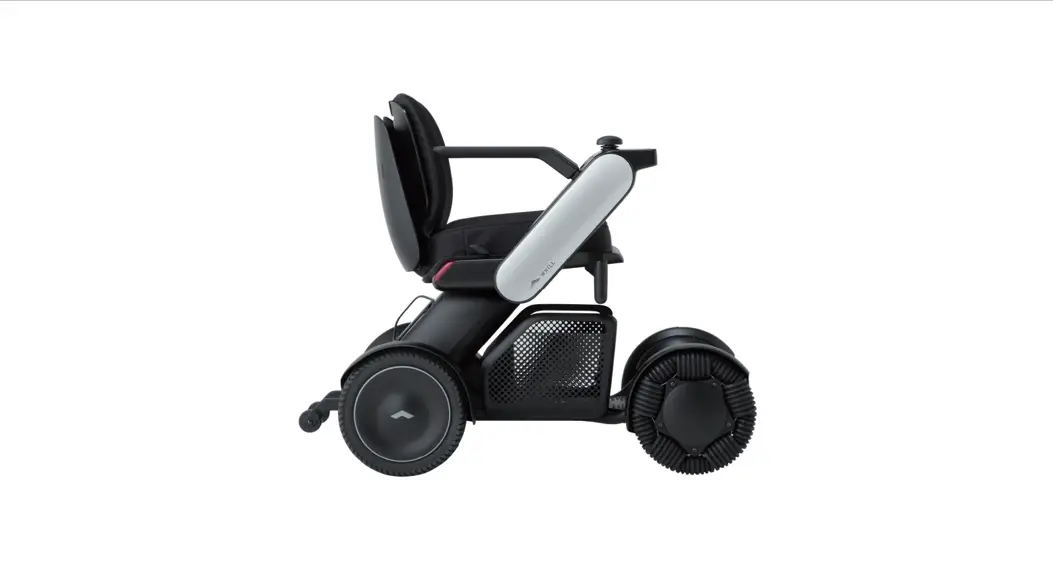
 Model Ci
Intelligent Personal EV
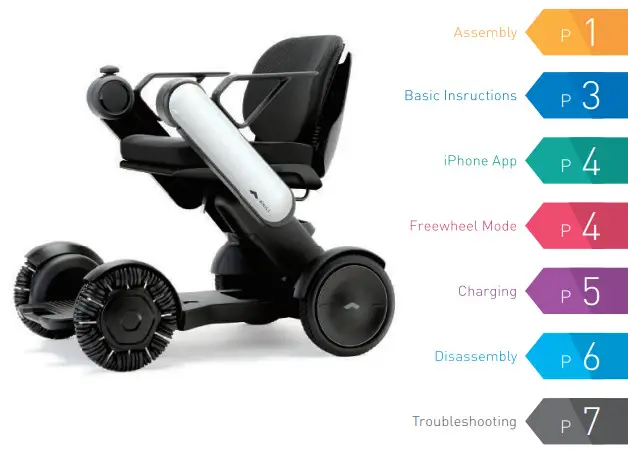
Assembly
This product comes shipped with the five components as shown below:
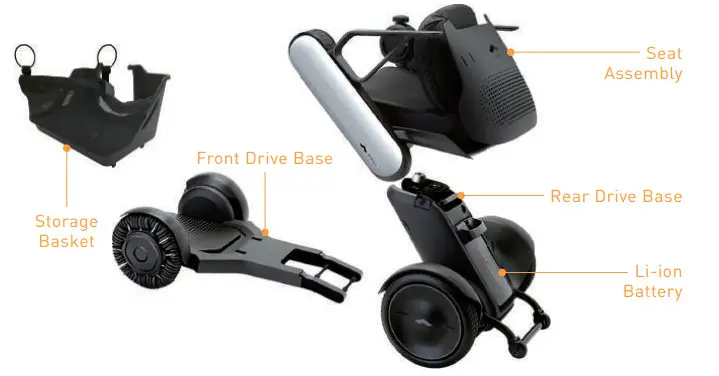
- Connecting the Rear Drive Base to the Front Drive Base
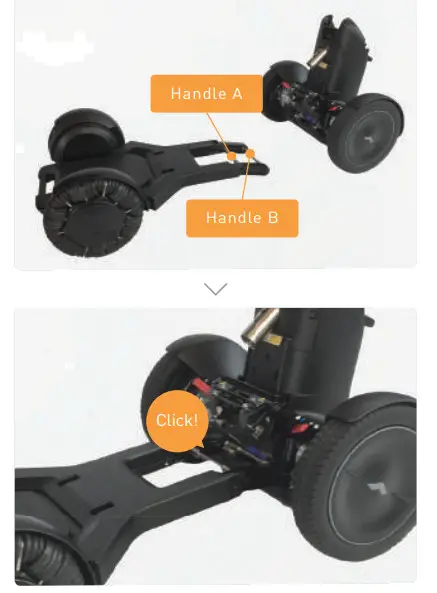
 Grasp the handle A and align handle B with the hook on the rear drive base.
Slowly tilt the rear drive base forward to join it with the front drive base. A click will be heard when the two parts are correctly connected.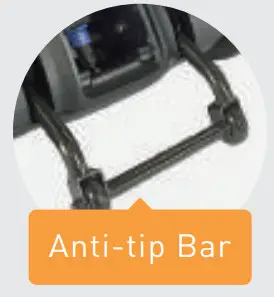 Make sure that the Anti-tip Bar is lowered.
 - Attaching the Storage Basket
 Align the storage basket with the rear drive base and then secure it to the rear drive base with the velcro at the bottom.
 - Attaching the Seat Assembly
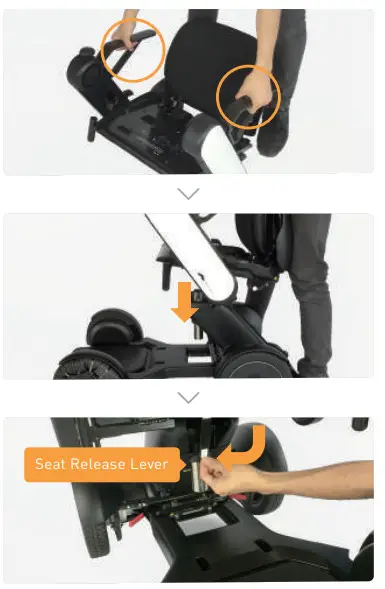
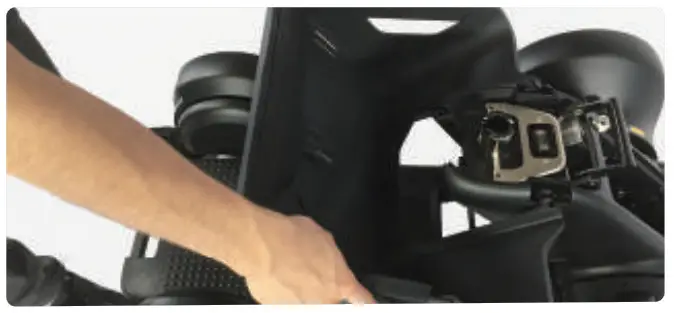
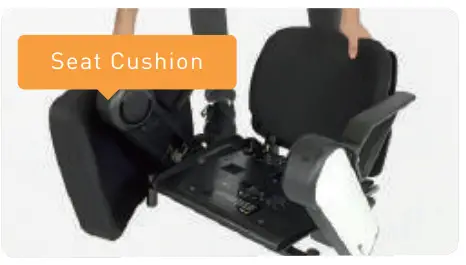 Remove the cushion and lift up the seat assembly by the armrests.
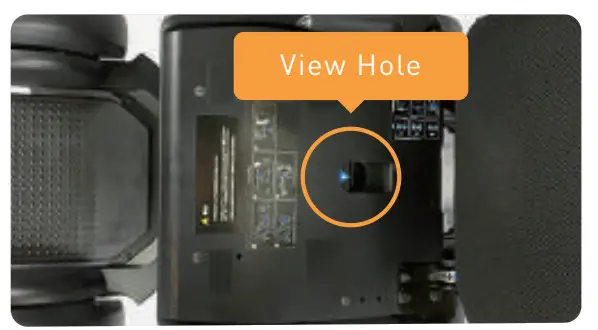 Use the view hole to align and position the seat assembly onto the seat post. Pull down on the seat release lever and attach the cushion back to chair frame.
 - Attaching the Battery
 Grasp the battery handle and align the battery with the projections at the bottom of the compartment. Press on the top of the battery to insert it. The tail lamp will light up and then shut off. You’re done!
 Be sure to fully charge the battery before initial use.
Basic Operations
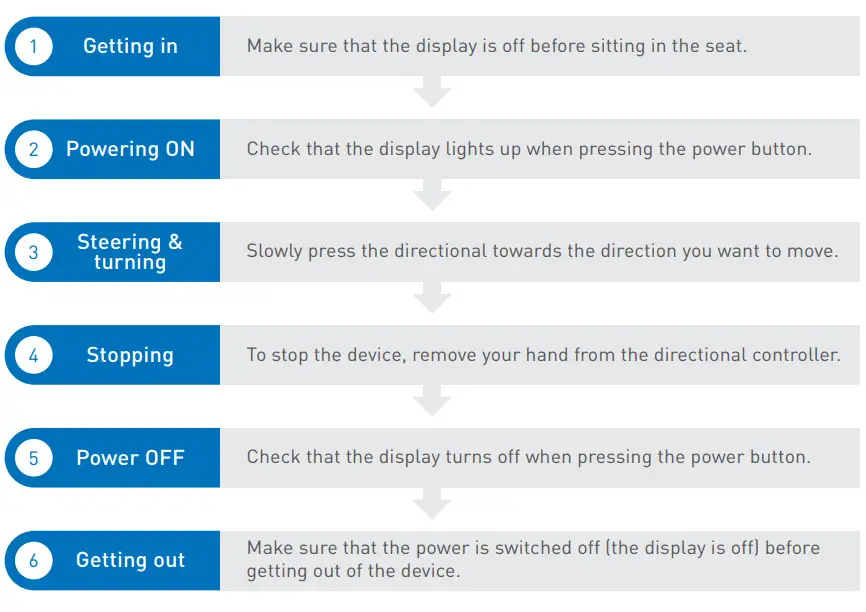
Be sure to turn off the power before getting in and out of the device.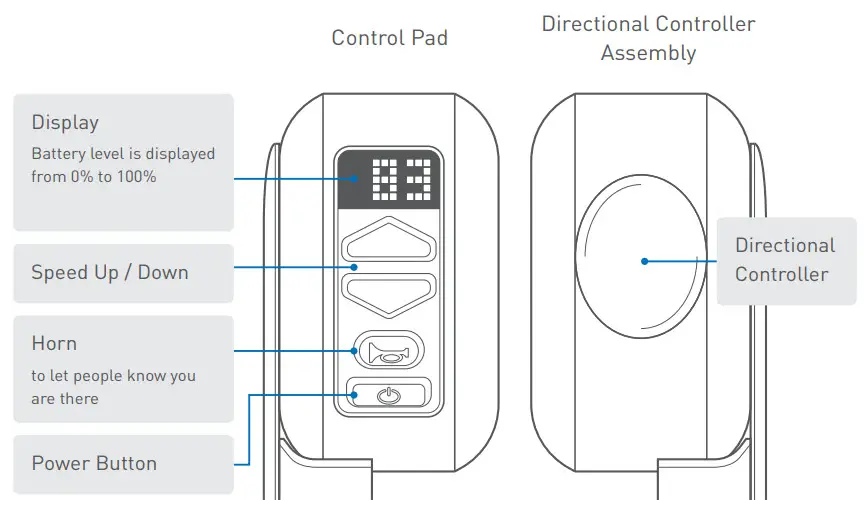
iPhone App
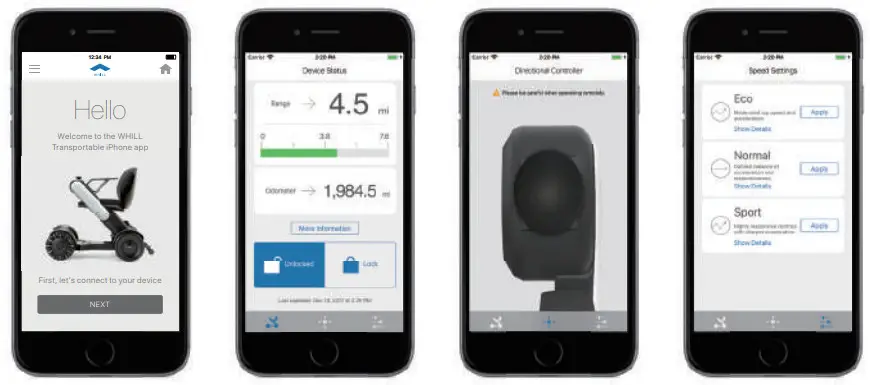
- Download the WHILL Ci app from the Apple app store
- Make sure Bluetooth is turned “ ON” on the iPhone (This is how the iphone connects to the Model Ci)
- Open the app, and enter the App login ID and password (The login ID and password can be found on the back cover of the User Manual)
- Press connect, then start driving remotely, or configure the speed settings
Freewheel Mode
To manually move the Model Ci, push down on the red brake release levers on both sides. The freewheel mode can be used when the Model Ci is out of charge or otherwise inoperable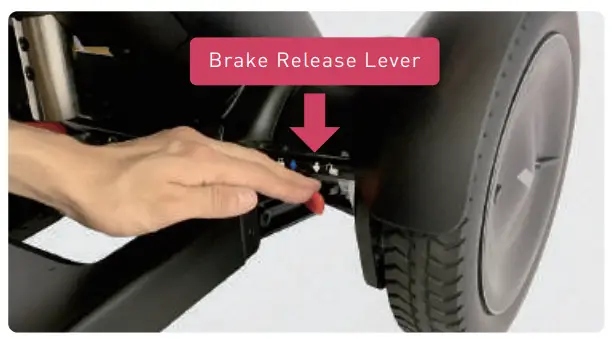
Never release brakes on inclines.
Make sure you are on a level surface before releasing them.
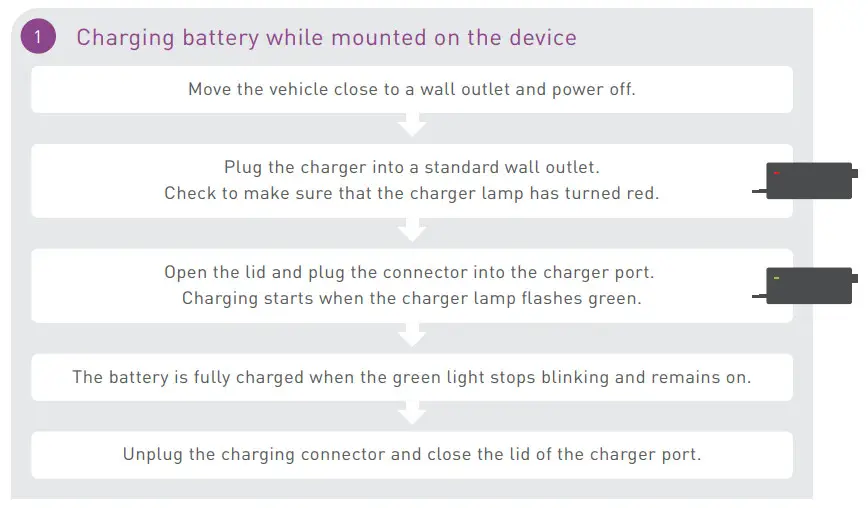
Charging
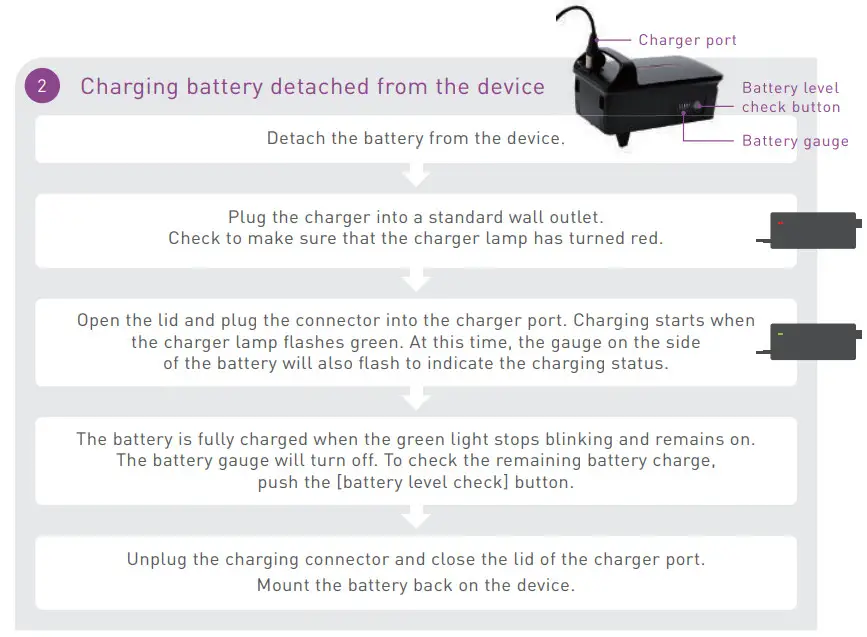
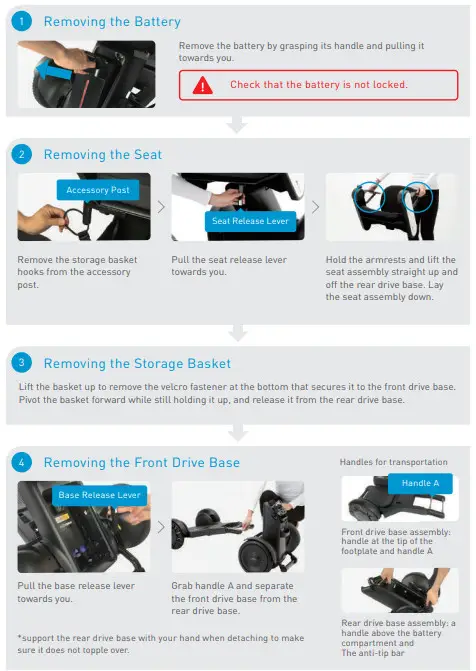
Disassembling for storage or transport
Troubleshooting
Error Messages
If a failure or malfunction occurs, an error message will be displayed on the control pad screen.
The following is a list of display icons and voice messages, as well as possible causes and solutions.
| Display Icon | Voice Message | Cause | Solution |
 | Lower Arms and restart | The directional controller was operated with the arm lifted up | Lower the arm. |
 | Restart without touching the directional controller | The power was turned ON while moving the directional controller | ?ower back ON without touching the directional Controller. |
 | |||
 | Pull up the red brake release levers and restart | The brake was released | Lock the brakes. |
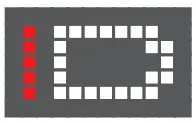 | – | The charger was connected while the power was ON, or the device was turned ON while charging | Disconnect the _harper. |
 | Low battery | Kecharge battery. | |
 | Caution: Battery temperature low. Speed restricted | The Battery is in low temperature mode (below 32′ Fl | Move to a Location where :he temperature is iigher than 32-F. |
| Battery temperature normal. Speed restriction removed | Low temperature mode is off (battery temperature has reached above 32’FI | |
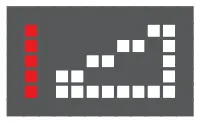 | Caution: Slope angle exceeds 10′ | The device is on a steep slope | Move to a surface at no more than 10′ incline. |
Should you encounter any other technical issues, please contact [email protected] or call us at (844)699-4455