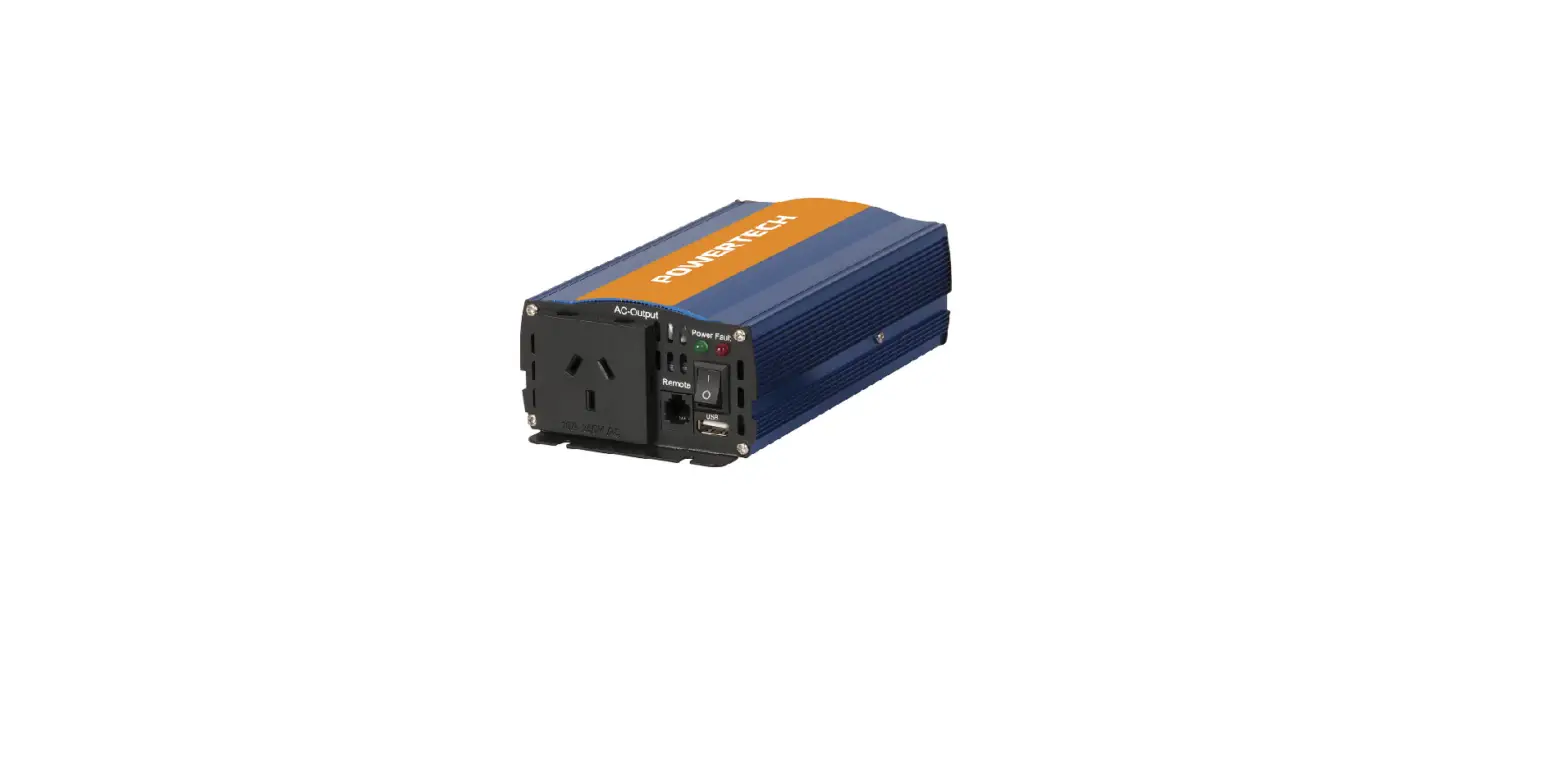
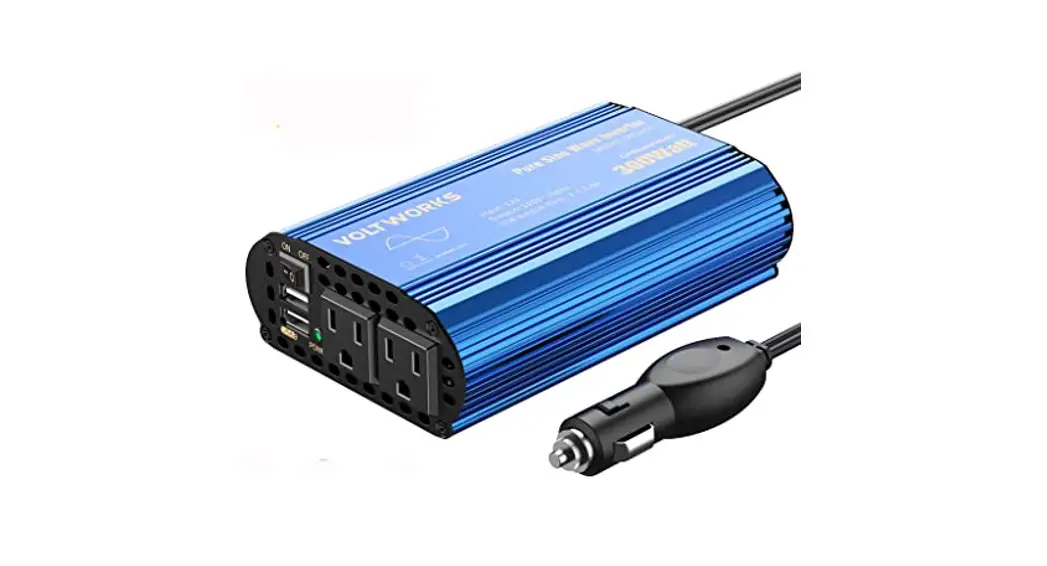
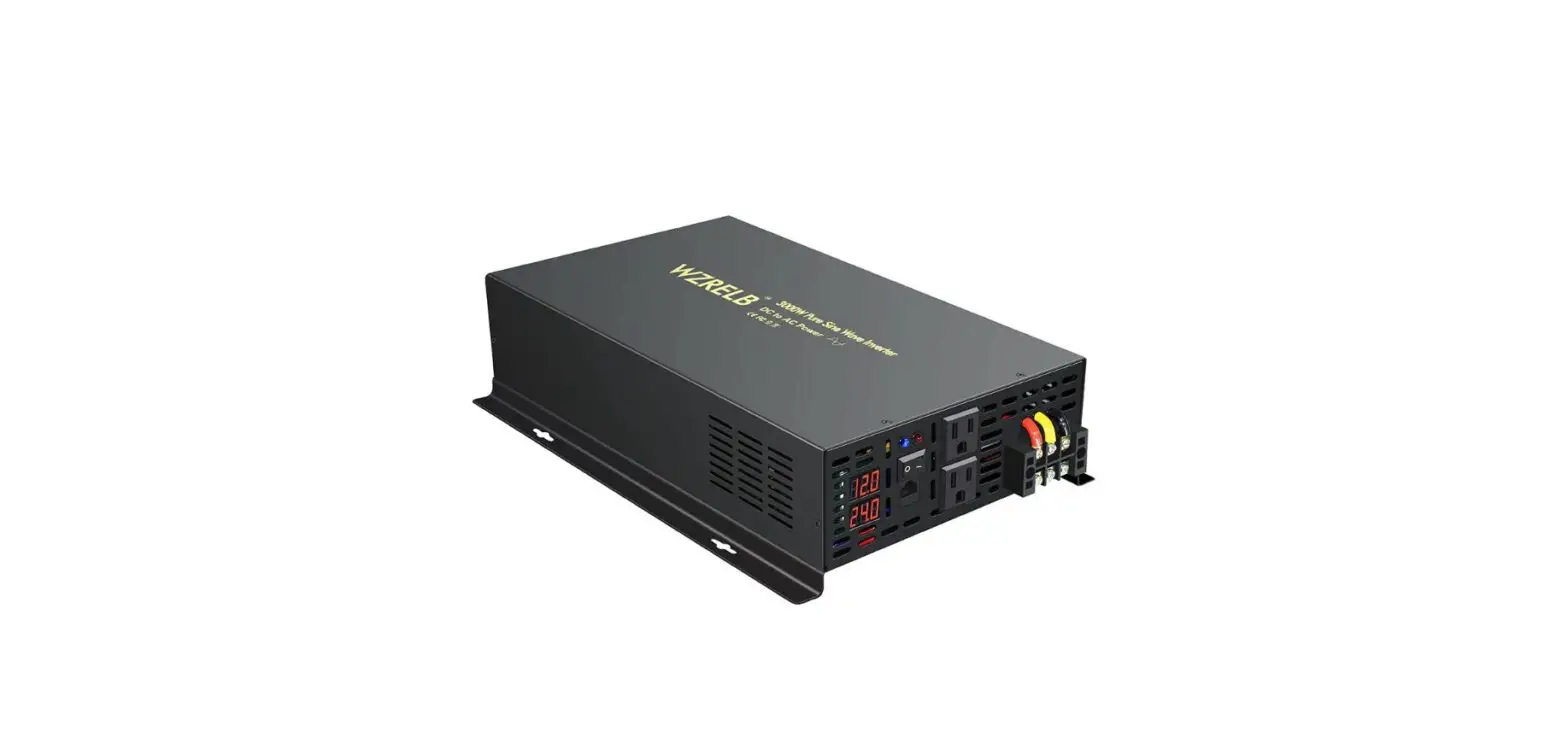
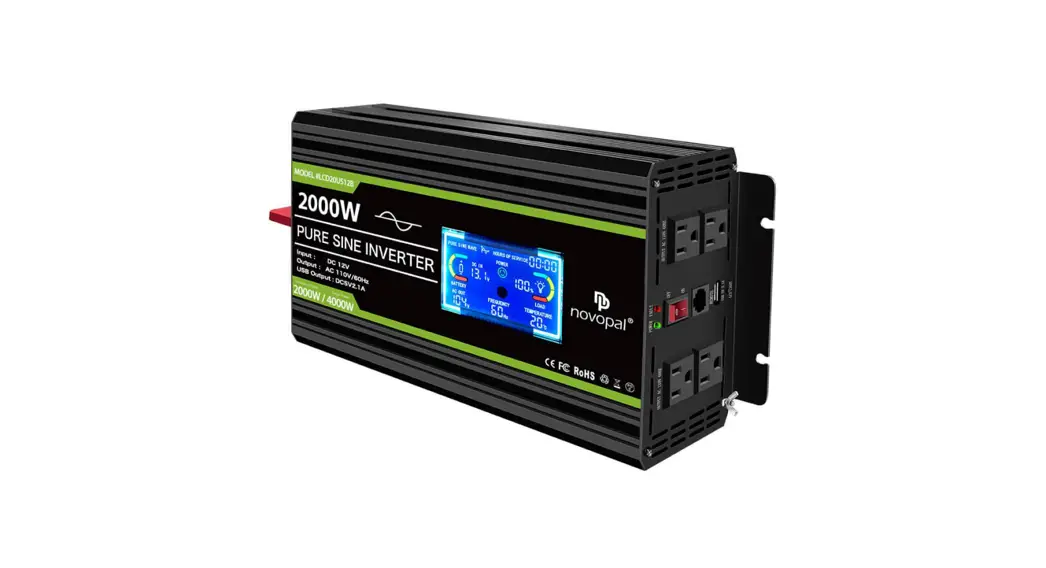
1-3KVA Single Phase Pure Sine Wave Industrial Transformer
Product Information
| Product Name | Onfiniti 1-3 kVA |
|---|---|
| Manufacturer | Numeric UPS |
| Website | www.numericups.com |
Product Usage Instructions
Important Safety Warning
Please read the following instructions carefully before
installing the unit and strictly comply with all the warnings and
operating instructions herein. Save this manual for future
reference and do not operate this unit before reading through all
safety information and operating instructions carefully.
Installation and Setup
Note: Before installation, please inspect the unit. Be sure that
nothing inside the package is damaged. Please keep the original
package in a safe place for future use.
Rear panel view – UPS without ISO transformer

Rear panel view – UPS with ISO transformer

Operations
Refer to the user manual for detailed button operation, LCD
panel usage, audible alarm indications, LCD display wordings index,
UPS setting, charging current setting, operating mode description,
fault reference codes, and warning indicator information.
Troubleshooting
Refer to the user manual for troubleshooting guidelines.
Storage and Maintenance
Refer to the user manual for information on operation, storage,
and disposal of the product.
Specifications
Refer to the user manual for detailed specifications of the
product.
USER AND INSTALLATION MANUAL
NEW ENERGY TO POWER
Onfiniti 1-3 kVA
www.numericups.com
TABLE OF CONTENTS
1. Preface
1
2. Introduction
2
3. Important Safety Warning
3
3-1 Transportation
3
3-2 Preparation
3
3-3 Installation
3
3-4 Operation
4
3-5 Maintenance, service and faults
4
4. Installation and Setup
5
4-1 Rear panel view
5
4-2 Setting up the UPS
6
5. Operations
8
5-1 Button operation
8
5-2 LCD panel
9
5-3 Audible alarm
11
5-4 LCD display wordings index
11
5-5 UPS setting
12
5-6 Charging current setting
16
5-7 Operating mode description
16
5-8 Fault reference codes
17
5-9 Warning indicator
17
6. Troubleshooting
18
7. Storage and Maintenance
20
7-1 Operation
20
7-2 Storage
20
7-3 Disposal
20
8. Specifications
21
8-1 UPS without ISO transformer
21
8-2 UPS with ISO transforme
23
1. PREFACE
Congratulations.
We are delighted to welcome you to our family of customers. Thank you for choosing Numeric as your power backup solution provider, you now have access to our widest network of 254 service centers in the country. Since 1984, Numeric has been enabling its clients to optimize their business with top notch power solutions that promise seamless and clean power with controlled environmental footprints. We look forward to your continued patronage in the years to come! This manual provides general information regarding installation and operation of Onfiniti.
Disclaimer · The contents of this manual are bound to change without prior notice. · We have exercised reasonable care to give you an error-free manual. Numeric disclaims liability for
any inaccuracies or omissions that may have occurred. If you find information in this manual that is incorrect, misleading or incomplete, we would appreciate your comments and suggestions. · Before you begin the installation of the UPS system, please read this manual thoroughly. The warranty of this product is null and void, if the product is abused/misused.
1
2. INTRODUCTION
Today’s business continuity demands a cost-effective power protection solution, for ensuring Power Continuity and Power Quality with optimal Total Cost of Ownership (TCO). The Onfiniti range of UPS is a true online double conversion topology UPS, designed with IGBT-based rectifier and inverter to suit customer requirements. Onfiniti provides maximum protection and power quality for entry level servers, workstations, communication equipment, ATMs, etc.
2
3. IMPORTANT SAFETY WARNING
Please read the following instructions carefully before installing the unit and strictly comply with all the warnings and operating instructions herein. Save this manual for future reference and do not operate this unit before reading through all safety information and operating instructions carefully.
3-1. Transportation
· Please transport the UPS system in the original package only to protect against shock and impact.
3-2. Preparation
· Condensation may occur if the UPS system is moved directly from a cold to warm environment. The UPS system must be absolutely dry before being installed. Please allow at least two hours for the UPS system to acclimatize to the environment.
· Do not install the UPS system near water or in moist environments. · Do not install the UPS system where it would be exposed to direct sunlight or near a heater. · Do not block ventilation holes in the UPS housing.
3-3. Installation
· Do not connect appliances or devices which would overload the UPS system (e.g. laser printers) to the UPS output sockets.
· Do not place cables in such a way that one can step on or trip over them. · Do not connect domestic appliances such as hair dryers to UPS output sockets. · The UPS can be operated by any individual with no previous experience. · Connect the UPS system to an earthed shock-proof outlet which must be easily accessible and
close to the UPS system. · Use only VDE-tested, CE-marked, ISI-marked mains cable (e.g. the mains cable of your computer)
to connect the UPS system to the building wiring outlet (shock-proof outlet). · Use only VDE-tested, CE-marked, ISI-marked power cables to connect the loads to the UPS system. · When installing the equipment, it should ensure that the sum of the leakage current of the UPS
and the connected devices does not exceed 3.5 mA. · UPS is designed for linear load, worst case inductive resistive load.
3
3-4. Operation
· Do not disconnect the mains cable on the UPS system or the building wiring outlet (shock-proof socket outlet) during operations since this would cancel the protective earthing of the UPS system and all connected loads.
· The UPS system features its own, internal current source (batteries). The UPS output sockets or output terminals block may be electrically live even if the UPS system is not connected to the building wiring outlet.
· In order to fully disconnect the UPS system, first press the OFF/Enter button to disconnect the mains.
· Prevent fluids or other foreign objects from entering the UPS system.
3-5. Maintenance, service and faults
· The UPS system operates with hazardous voltages. Repairs may be carried out only by qualified maintenance personnel.
· Caution – Risk of electric shock. Even after the unit is disconnected from the mains (building wiring outlet), components inside the UPS system are still connected to the battery. They might be electrically live and dangerous.
· Before carrying out any kind of service and/or maintenance, disconnect the batteries and verify that no current is present and no hazardous voltage exist in the terminals of high capability capacitor such as BUS-capacitors.
· Only people adequately familiar with batteries and with the required precautionary measures may replace batteries and supervise operations. Unauthorized persons must be kept away from the batteries.
· Caution – Risk of electric shock. The battery circuit is not isolated from the input voltage. Hazardous voltages may occur between the battery terminals and the ground. Before touching, please verify that no voltage is present.
· Batteries may cause electric shock and have a high short-circuit current. Please take the precautionary measures specified below and any other measures necessary when working with batteries:
· Remove wristwatches, rings and other metal object
· Use only tools with insulated grips and handles
· When changing batteries, install the same number and same type of batteries.
· Do not attempt to dispose of batteries by burning them. This could cause the batteries to explode.
· Do not open or destroy batteries. Escaping electrolytes can be toxic and cause injury to the skin and eyes.
· Replace the fuse with the same type and amperage in order to avoid fire hazards.
· Do not dismantle the UPS system.
· Connect UPS to short-circuit protected building wiring.
· The UPS system has internal fuses on both DC & AC inputs. Those devices do not protect the upstream cables connected to DC & AC inputs and upstream breakers or fuses shall be set up in accordance with AC & DC wires ratings to meet the local national electrical code standard.
4
4. INSTALLATION AND SETUP
Note: Before installation, please inspect the unit. Be sure that nothing inside the package is damaged. Please keep the original package in a safe place for future use.
4-1. Rear panel view
UPS without ISO transformer
3 4
USB
HI-POTED PASS
RS232
INTELLIGENT SLOT
DANGEROUS ! DO NOT OPEN EXCEPT QUALIFIED TECHNICIAN
2 1
INPUT BREAKER
DANGEROUS ! DO NOT OPEN EXCEPT QUALIFIED TECHNICIAN
DANGEROUS ! DO NOT OPEN EXCEPT QUALIFIED TECHNICIAN
LN
AC INPUT DANGEROUS ! DO NOT OPERATE EXCEPT QUALIFIED TECHNICIAN
AC OUTPUT 230V Imax 6A
1 kVA FM
UPS with ISO transformer
AC OUTPUT
5 6
8 7
3 4
8 2 1
AC INPUT
USB
RS232
HI-POTED PASS
INTELLIGENT SLOT
DANGEROUS ! DO NOT OPEN EXCEPT QUALIFIED TECHNICIAN
AC OUTPUT
DANGEROUS ! DO NOT OPEN EXCEPT QUALIFIED TECHNICIAN
INPUT BREAKER
DANGEROUS ! DO NOT OPEN EXCEPT QUALIFIED TECHNICIAN
Before Working on this Circuit -Isolate Uninterruptible Power System (UPS) -Then check for Hazardous Voltage between all terminals
including the protective earth Risk of Voltage Backfeed
AC OUTPUT 230V Imax 6A
DANGEROUS ! DO NOT OPERATE EXCEPT QUALIFIED TECHNICIAN
2 & 3 kVA FM
5 6
7
3 4
USB
RS232
HI-POTED PASS
INTELLIGENT SLOT
DANGEROUS ! DO NOT OPEN EXCEPT QUALIFIED TECHNICIAN
5 6
3 4
USB
RS232
HI-POTED PASS
INTELLIGENT SLOT
DANGEROUS ! DO NOT OPEN EXCEPT QUALIFIED TECHNICIAN
5 6
2 1
DANGEROUS ! DO NOT OPERATE EXCEPT QUALIFIED TECHNICIAN INPUT BREAKER
DANGEROUS ! DO NOT OPEN EXCEPT QUALIFIED TECHNICIAN
LN AC INPUT
Before Working on this Circuit -Isolate Uninterruptible Power System (UPS) -Then check for Hazardous Voltage between all terminals
including the protective earth Risk of Voltage Backfeed DANGEROUS ! DO NOT OPEN EXCEPT QUALIFIED TECHNICIAN
AC OUTPUT 230V Imax 6A
AC OUTPUT
8 7
9
8 2 1
AC INPUT
AC OUTPUT
DANGEROUS ! DO NOT OPEN EXCEPT QUALIFIED TECHNICIAN
INPUT BREAKER
DANGEROUS ! DO NOT OPEN EXCEPT QUALIFIED TECHNICIAN
DANGEROUS ! DO NOT OPERATE EXCEPT QUALIFIED TECHNICIAN
Before Working on this Circuit -Isolate Uninterruptible Power System (UPS) -Then check for Hazardous Voltage between all terminals
including the protective earth Risk of Voltage Backfeed
AC OUTPUT 230V Imax 6A
7 9
1 kVA FMI
2 & 3 kVA FMI
1. AC input 2. Input circuit breaker 3. USB communication port 4. RS-232 communication port
5. SNMP intelligent slot (optional) 6. External battery connection 7. Output receptacles 8. Output terminal
5
4-2. Setting up the UPS
Step 1: UPS input connection
Plug the UPS into a 2-pole, 3-wire, grounded receptacle only. Please use recommended cable and breaker for input.
Mode 1 kVA FM/FMI 2 kVA FM/FMI 3 kVA FM/FMI
Wire size in sq. mm./No. of runs 2.5/3 6.0/3 10.0/3
Recommended input breaker 16 A AC (C Curve) 32 A AC (C Curve) 40 A AC (C Curve)
Step 2: UPS output connection · For socket-type outputs, simply connect the devices to the outlets. · For terminal-type input or outputs, please follow the steps below, for the wiring configuration:
a) Remove the small cover of the terminal block. b) Use AWG14 or 2.1 mm2 power cords. c) Upon completion of the wiring configuration, please check whether the wires are securely affixed. d) Put the small cover back to the rear panel.
Communication port:
USB port
RS-232 port
Intelligent slot
Step 3: Communication connection To allow for unattended UPS shutdown/start-up and status monitoring, connect one end of then communication cable to the USB/RS-232 port and the other to the communication port of your PC. With the monitoring software installed, you can schedule UPS shutdown/start-up and monitor UPS status through a PC.
The UPS is equipped with intelligent slot for either SNMP or AS400 card. Installing either SNMP or AS400 card in the UPS, will provide advanced communication and monitoring options.
Note: USB port and RS-232 port can’t work at the same time.
6
Step 4: Turn on the UPS Press the ON/Mute button on the front panel for two seconds to power on the UPS.
Note: The battery charges fully during the first five hours of normal operation. Do not expect full battery run capability during this initial charge period.
Step 5: Install software You may insert the CD provided into the CD-ROM to install the monitoring software. If not, please follow the on screen instructions to install the software. When your computer restarts, the monitoring software will appear as an orange plug icon located in the system tray near the clock.
Step 6: External battery connection This UPS series is not including batteries. Batteries are connected in a separate cabinet with protection. Please connect external batteries as below chart.
Recommended External Breaker Rating
S. No. 1 2 3
Rating of UPS 1 kVA – FM/FMI 2 kVA – FM/FMI 3 kVA – FM/FMI
Battery Breaker 50 A DC (C Curve) 50 A DC (C Curve) 50 A DC (C Curve)
+
TO EXTERNAL BATTERY
7
5. OPERATIONS
5-1. Button operation
Button ON/Mute button OFF/Enter button
Function
· Turn on the UPS: Press and hold ON/Mute button for at least 2 seconds to turn on the UPS.
· Mute the alarm: When the UPS is on battery mode, press and hold this button for at least 5 seconds to disable or enable the alarm system. But it is not applied to situations when warnings or errors occur.
· Up key: Press this button to display previous selection in UPS setting mode. Switch to UPS self-test mode: Press and hold ON/Mute button for 5 seconds to enter UPS self-testing while in AC mode, ECO mode, or Converter mode.
· Turn off the UPS: Press and hold this button at least 2 seconds to turn off UPS. UPS will be in standby mode under power normal or transfer to Bypass mode if the Bypass setting is enabled by pressing this button.
· Confirm selection key: Press this button to confirm selection in UPS setting mode.
Select button
ON/Mute + Select button
· Switch LCD message: Press this button to change the LCD message for input voltage, input frequency, battery voltage, output voltage and output frequency. It will return back to default display when pausing for 10 seconds.
· Setting mode: Press and hold this button for 5 seconds to enter UPS setting mode when UPS is in standby mode or Bypass mode.
· Down key: Press this button to display next selection in UPS setting mode
· Switch to Bypass mode: When the main power is normal, press ON/Mute and Select buttons simultaneously for 5 seconds. Then UPS will enter to Bypass mode. This action will be ineffective when the input voltage is out of acceptable range.
8
5-2. LCD panel
Input & Battery Voltage Info
Battery Info
Remaining
Fault
Backup Time Info Info
Mute Operation
BATT. FAULT
8 8 H
M S
X
8 8 8 8 8 8 Vac
Vac OVER LOAD
Vdc
Vdc
Hz
Hz
INPUT
OUTPUT
LOW BATT.
I/P
BYPASS
SHORT
O/P
Mode Operation Info
Output & Battery Voltage Info
Load Info
Display
Function
Remaining backup time information
Indicates the remaining backup time in pie chart.
8 8 H
M S
Fault information
Indicates the remaining backup time in numbers. H: hours, M: minutes, S: seconds
Indicates the warning and fault occurs.
88
Mute operation
Indicates the warning and fault codes. The codes are listed in details in section 3-5.
Indicates that the UPS alarm is disabled.
Output and battery voltage information
8 8 8 Vac Vdc Hz
OUTPUT
Indicates the output voltage, frequency or battery voltage. Vac: output voltage, Vdc: battery voltage, Hz: frequency
9
Display Load information
Function Indicates the load level by 0-25%, 26-50%, 51-75% and 76-100%.
OVER LOAD
Indicates overload.
SHORT
Indicates the load or the UPS output is short-circuit.
Mode operation information
Indicates the UPS connects to the mains.
I/P
Indicates the battery is working.
Indicates the bypass circuit is working.
BYPASS
Indicates the ECO mode is enabled.
Indicates the inverter circuit is working.
O/P
Battery information
Indicates the output is working.
Indicates the battery level by 0-25%, 26-50%, 51-75% and 76-100%.
BATT.FAULT
Indicates the battery is faulty.
LOW BATT.
Indicates low battery level and low battery voltage.
Input and battery voltage information
8 8 8 Vac Vdc Hz
INPUT
Indicates the input voltage or frequency or battery voltage. Vac: Input voltage, Vdc: battery voltage, Hz: input frequency
10
5-3. Audible alarm
Battery mode Low battery Overload Fault Bypass mode
Sounds every 4 seconds Sounds every second Sounds twice every second Sounds continuously Sounds every 10 seconds
5-4. LCD display wordings index
Abbreviation ENA DIS ESC HLS LLS BAT CF TP CH FU EE
Display content
EnA dIS ESC HLS LLS
CF
CH FU EE
Meaning Enable Disable Escape High loss Low loss Battery Converter Temperature Charger Bypass frequency unstable EEPROM error
11
5-5. UPS setting
Parameter 1
88 888 888
Parameter 2
Parameter 3
There are three parameters to set up the UPS.
Parameter 1: For program alternatives. Refer to table. Parameter 2 and Parameter 3 are setting options or values for each program.
Interface 01: Output voltage setting
0 1 2 3 0 Vac
OUTPUT
02: Frequency converter enable/disable
02 CF EnA
Setting
Parameter 3: Output voltage For 200/208/220/230/240 Vac models, you may choose the following output voltage: 200: Presents output voltage is 200 Vac 208: Presents output voltage is 208 Vac 220: Presents output voltage is 220 Vac 230: Presents output voltage is 230 Vac (Default) 240: Presents output voltage is 240 Vac
Parameter 2 & 3: Enable or disable converter mode. You may choose the following two options: CF ENA: Converter mode enable CF DIS: Converter mode disable (Default)
03: Output frequency setting
03 C F 5 O O Hz
OUTPUT
Parameter 2 & 3: Output frequency setting. You may set the initial frequency on battery mode: BAT 50: Presents output frequency is 50 Hz. BAT 60: Presents output frequency is 60 Hz. If converter mode is enabled, you may choose the following output frequency: CF 50: Presents output frequency is 50 Hz. CF 60: Presents output frequency is 60 Hz.
12
Interface 04: ECO enable/disable
04 EnA
Setting
Parameter 3: Enable or disable ECO function. You may choose the following two options: ENA: ECO mode enable DIS: ECO mode disable (Default)
05: ECO voltage range setting
05 H L S 2 6 0 Vac
INPUT
06: Bypass enable/disable when UPS is off
06 EnA
BYPASS
Parameter 2 & 3: Set the acceptable high voltage point and low voltage point for ECO mode by pressing Down or Up key. HLS: High loss voltage in ECO mode in Parameter 2. For 200/208/220/230/240 VAC models, the setting range in Parameter 3 is from +7 V to +24 V of the nominal voltage. (Default: +12 V) LLS: Low loss voltage in ECO mode in Parameter 2. For 200/208/220/230/240 VAC models, the setting range in Parameter 3 is from -7 V to -24 V of the nominal voltage. (Default: -12 V)
Parameter 3: Enable or disable Bypass function. You may choose the following two options: ENA: Bypass enable DIS: Bypass disable (Default)
13
Interface 07: Bypass voltage range setting
07 H L S 2 6 0 Vac
INPUT BYPASS
08: Autonomy limitation setting
M 08 999
Setting
Parameter 2 & 3: Set the acceptable high voltage point and acceptable low voltage point for Bypass mode by pressing the Down key or Up key. HLS: Bypass high voltage point For 200/208/220/230/240 Vac models: 230-264: Setting the high voltage point in Parameter 3 from 230 Vac to 264 Vac. (Default: 264 Vac) LLS: Bypass low voltage point For 200/208/220/230/240 Vac models: 170-220: Setting the low voltage point in Parameter 3 from 170 Vac to 220 Vac. (Default: 170 Vac)
Parameter 3: Set backup time on battery mode for general outlets. 0-999: Setting the backup time in minutes from 0-999 for general outlets on battery mode. 0: When setting as `0′, the backup time will be only 10 seconds. 999: When setting as `999′, the backup time setting will be disabled. (Default)
14
Interface 09: Battery minimum cut-off voltage setting
09 b C 0 1 6 7 Vdc
Setting
Parameter 3: Set the acceptable battery minimum cut-off voltage point by pressing the Down key or Up key. 167-190: Setting the minimum battery cut-off voltage point in parameter 3 from 167 to 190. Unit: 0.01 V/CELL (Default: 175)
10: Charger boost voltage setting
10 C b u 2 3 6 Vdc
Parameter 3: Set up the charger boost voltage. 225-240: Setting the charger boost voltage point in Parameters from 225 to 240. Unit: 0.01 V/CELL (Default: 236)
11: Charger float voltage setting
1 1 C F u 2 2 8 Vdc
Parameter 3: Set up the charger float voltage. 220-233: Setting the charger float voltage point in Parameters from 220 to 233. Unit: 0.01 V/CELL (Default: 228)
00: Exit setting
15
5-6. Charging current setting
3 Batt. CHG (36 V) 6 Batt. (72 V)/8 Batt (96 V)CHG
J1 J2 J3 J4 (Default)
1 A
1 A
2 A
2 A
4 A
4 A
8 A
6 A
5-7. Operating mode description
Operating mode
Description
LCD display
Online mode
When the input voltage is within acceptable range, UPS will provide pure and stable AC power to output. The UPS will also charge the battery in online mode.
2 3 0 2 3 0 Vac
Vac
INPUT
OUTPUT
I/P
O/P
ECO mode
Frequency converter mode
This is the Energy Saving Mode. When the input voltage is within voltage regulation range, UPS will bypass voltage to output for energy saving.
When input frequency is within 40 Hz. to 70 Hz, the UPS can be set at a constant output frequency, 50 Hz. or 60 Hz. The UPS will charge battery under this mode.
2 3 0 2 3 0 Vac
Vac
INPUT
OUTPUT
I/P
BYPASS
O/P
CF
2 3 0 2 3 0 Vac
Vac
INPUT
OUTPUT
I/P
O/P
Battery mode
When the input voltage is beyond the acceptable range or power failure and alarm sounds every 4 seconds, UPS will backup power from battery.
M 4.8
72.0 2 3 0 Vac Vac OUTPUT
O/P
Bypass mode
When input voltage is within the acceptable range but UPS is overloaded, UPS will enter Bypass mode or Bypass mode can be set by front panel. Alarm sounds every 10 seconds.
2 3 0 2 3 0 Vac
Vac
INPUT
OUTPUT
I/P
BYPASS
O/P
Standby mode
UPS is powered off and no output supply power, but can still charge batteries.
2 3 0 0 Vac
Vac
INPUT
OUTPUT
I/P
16
5-8. Fault reference codes
Fault event
BUS start fail BUS over BUS under BUS unbalance Inverter soft start fail Inverter voltage high Charger fail
Fault code
01 02 03 04 11 12 45
5-9. Warning indicator
Icon
Fault event
x
Inverter voltage low
x
Inverter output short
x
Battery voltage too high
x
Battery voltage too low
x
Temperature overload
x
Overload
x
Fault code
13 14 27 28 41 43
Warning Low battery Overload Battery is not connected
Icon (flashing)
LOW BATT. OVER LOAD
Alarm Sounds every second Sounds twice every second Sounds every second
Icon x
SHORT
x x x
OVER LOAD
Overcharge
Over temperature Charger failure Battery fault Out of Bypass voltage range Bypass frequency unstable EEPROM error
Sounds every second
CH
BATT. FAULT
BYPASS
FU EE
Sounds every second Sounds every second Sounds every second Sounds every second Sounds every second Sounds every second
17
6. TROUBLE SHOOTING
If the UPS system does not operate correctly, please solve the problem by using the table.
Symptom
No indication and alarm even though the mains is normal.
The icons and flashing on LCD display and alarm is sounding every second. Fault code is shown as 27 and the icon BATT,FAULT is lighting on LCD display and alarm is sounding continuously. Fault code is shown as 28 and the icon BATT,FAULT is lighting on LCD display and alarm is continuously sounding.
The icons
and OVER LOAD is
flashing on LCD display and alarm
is sounding twice every second.
Fault code is shown as 43, the icon OVER LOAD is lighting on LCD display and alarm is sounding continuously.
Possible cause
The AC input power is not connected well.
The AC input is connected to the UPS output.
The external or internal battery is incorrectly connected.
Battery voltage is too high or the charger is faulty.
Remedy
Check if input power cord firmly connected to the mains. Plug AC input power cord to AC input correctly.
Check if all batteries are connected well.
Contact your dealer.
Battery voltage is too low or the charger is faulty.
Contact your dealer.
UPS is overloaded.
Remove excess loads from UPS output.
UPS is overloaded. Devices connected to the UPS are fed directly by the electrical network via the Bypass.
Remove excess loads from UPS output.
After repetitive overloads, the UPS is locked in the Bypass mode. Connected devices are fed directly by the mains.
Remove excess loads from UPS output first. Then shut down the UPS and restart it.
The UPS shutdown automatically because of overload at the UPS output.
Remove excess loads from UPS output and restart it.
Fault code is shown as 14 and the icon SHORT is lighting on LCD display and alarm is sounding continuously.
The UPS shutdown automatically because short circuit occurs on the UPS output.
Check output wiring and if connected devices are in short circuit status.
18
Symptom Fault code shown as 45 on LCD display and alarm sounds continuously.
Fault code is shown as 01, 02, 03, 04, 11, 12, 13 and 41 on LCD display and alarm is sounding continuously.
Battery backup time is shorter than nominal value
Possible cause
Remedy
Charger is faulty.
Contact your dealer
A UPS internal fault has occurred. There are two possible results: 1. The load is still supplied, but directly from AC power via Bypass. 2. The load is no longer supplied by power.
Batteries are not fully charged
Contact your dealer
Charge the batteries for at least 5 hours and then check capacity. If the problem still persists, consult your dealer.
Battery faulty
Contact your dealer to replace the battery.
If the problem persists contact our nearest after sales service department by visiting www.numericups.com or call Toll Free no: 18004253266 with the following information.:
1. Model number, Serial number 2. Date on which the problem occurred 3. LCD/LED display status, Buzzer alarm status 4. Utility power condition, load type and capacity, environment temperature, ventilation condition 5. The information (battery capacity, quantity) of external battery pack if the UPS is with
external battery 6. Other information for complete description of the problem
19
7. STORAGE AND MAINTENANCE
7-1. Operation
The UPS system contains no user-serviceable parts. If the battery service life (3~5 years at 25°C ambient temperature) has been exceeded, the batteries must be replaced. In this case, please contact your dealer.
Be sure to deliver the used battery to a recycling facility or ship it to your dealer in the replacement battery packing material.
7-2. Storage
Before storing, charge the UPS for 5 hours. Store the UPS covered and upright in a cool, dry location. During storage, recharge the battery in accordance with the following table:
Storage temperature -25°C to 40°C 40°C to 45°C
Recharge frequency Every 3 months Every 2 months
Charging duration 1-2 hours 1-2 hours
7-3. Disposal
Ref. standard: ISO 14001:2015
· After unpacking the UPS and Battery, the removed packaging materials like polythene paper, thermocole/polyethylene, carton box, Nylon belt, nylon thread shall be collected and disposed through authorized recycler.
· Batteries when found faulty/damaged must be handed over to identified authorized recycler or to NUMERIC, where it is disposed properly.
· Battery contains harmful metals and chemicals such as nickel-cadmium, alkaline, mercury, nickel-metal hydride and lead acid, which contaminates if it is not disposed properly.
· When batteries containing cadmium is used in fills, they will eventually dissolve and release the toxic substance than can seep into water supplies posing serious health hazards for the population/society. Hence, recycling of batteries will prevent pollution and also saves resource.
20
8. SPECIFICATIONS
8-1. UPS without ISO transformer
MODEL CAPACITY*
1 kVA FM
1000 VA/800 W
2 kVA 72 FM
2 kVA 96 FM
2000 VA/1600 W
3 kVA 72 FM
3 kVA 96 FM
3000 VA/2400 W
INPUT Low line transfer
Voltage Low line comeback High line transfer
160 VAC/140 VAC/120 VAC/110 VAC ± 5% (based on load percentage 100% – 80 % / 80 % – 70 % / 70 – 60 % / 60 % – 0)
185 VAC/165 VAC/145 VAC/135 VAC ± 5 % (based on load percentage 100% – 80%/80% – 70%/70 – 60%/60% – 0)
300 Vac ± 5%
High line comeback 290 Vac ± 5%
Frequency range Phase Power factor
40 Hz ~ 70 Hz Single phase with ground 0.99 @ nominal input voltage
OUTPUT
Output voltage
200/208/220/230/240 Vac
AC voltage regulation
± 1%
Frequency Range
(Synchronized Range )
Frequency Range (Batt. Mode)
47 ~ 53 Hz or 57 ~ 63 Hz 50 Hz ± 0.25 Hz or 60 Hz ± 0.3 Hz
Overload
Current crest ratio
Harmonic distortion
Transfer AC mode to Batt. mode
time
Inverter to Bypass
105%~110%: UPS shuts down after 10 min at battery mode or transfer to Bypass when the utility is normal 110%~130%: UPS shuts down after 1 min at battery mode or transfer to Bypass when the utility is normal >130%: UPS shuts down after 3 secs at battery mode or transfer to Bypass when the utility is normal
3:1
3% THD (Linear load) 5% THD (Non-linear load)
Zero
4 ms (Typical)
Waveform (Batt. mode)
Pure Sinewave
21
EXTERNAL BATTERY Battery type
Depending on the capacity of external batteries
Battery numbers
3
6
8
6
8
Maximum battery AH
150
200
200
200
200
Current of external Batt. pack 30 A max
Charging current
1.0A/2.0A/ 4.0A/8.0A
30 A max
Charging voltage
41.0 Vdc ± 1% 82.1 Vdc ±1%
PHYSICAL
Dimension (D x W x H) mm 405x145x235
30 A max
45 A max
1.0A/2.0A/4.0A/6.0 A
109.5 Vdc ±1% 82.1 Vdc ±1%
435 x 190 x 335
32 A max 109.5 Vdc ±1%
Net weight (kgs)
6.2
11.5
12.0
ENVIRONMENT Operation humidity Noise level MANAGEMENT Smart RS-232 or USB
20-90% RH @ 0- 40°C (non-condensing) Less than 50 dBA @ 1 Meter (AVG)
Supports Windows® 2000/2003/XP/Vista/2008/7/8/10, Linux, Unix and MAC
Optional SNMP
Power management from SNMP manager and web browser
*Derate capacity to 80% of capacity in Frequency converter mode or when the output voltage is adjusted to 208 VAC/200 VAC. Product specifications are subject to change without further notice.
22
8. SPECIFICATIONS
8-2. UPS with ISO transformer
MODEL
1 kVA FMI
2 kVA 7 2FMI
2 kVA 96V FMI
CAPACITY*
1000 VA/800 W
2000 VA/1600 W
3 kVA 72 FMI
3 kVA 96 FMI
3000 VA/2400 W
INPUT Low line transfer
Voltage Low line comeback High line transfer High line comeback
160 VAC/140 VAC/120 VAC/110 VAC ± 5% (based on load percentage 100% – 80 % / 80 % – 70 % / 70 – 60 % / 60 % – 0)
185 VAC/165 VAC/145 VAC/135 VAC ± 5 % (based on load percentage 100% – 80%/80% – 70%/70 – 60%/60% – 0)
300 Vac ± 5%
290 Vac ± 5%
Frequency range Phase
40 Hz ~ 70 Hz Single phase with ground
Power factor
0.99 @ nominal input voltage
OUTPUT
Output voltage
200/208/220/230/240 Vac
AC voltage regulation
± 1%
Frequency Range
(Synchronized Range )
Frequency Range (Batt. Mode)
47 ~ 53 Hz or 57 ~ 63 Hz 50 Hz ± 0.25 Hz or 60 Hz ± 0.3 Hz
Overload
105%~110%: UPS shuts down after 10 min at battery mode or transfer to Bypass when the utility is normal 110%~130%: UPS shuts down after 1 min at battery mode or transfer to Bypass when the utility is normal >130%: UPS shuts down after 3 secs at battery mode or transfer to Bypass when the utility is normal
Current crest ratio Harmonic distortion
Transfer AC mode to batt. mode
time
Inverter to Bypass
Waveform (Batt. mode)
3:1
3% THD (Linear load) 5% THD (Non-linear load)
Zero
4 ms (Typical)
Pure Sinewave
23
EXTERNAL BATTERY Battery type
Depending on the capacity of external batteries
Battery numbers
3
6
Maximum battery AH
150
200
Current of external Batt. pack 30 A max
30 A max
Charging current Charging voltage
1.0A/2.0A/ 4.0A/8.0A
41.0 Vdc ± 1% 82.1 Vdc ±1%
8
6
200 30 A max
200 45 A max
1.0A/2.0A/4.0A/6.0 A
109.5 Vdc ±1%
82.1 Vdc ±1%
8 200 32 A max
109.5 Vdc ±1%
PHYSICAL Dimension (D x W x H) mm 465x190x465
435 x 190 x 595
Net weight (kgs)
21.3
35.5
43.0
ENVIRONMENT
Operation humidity
20-90% RH @ 0- 40°C (non-condensing)
Noise level MANAGEMENT Smart RS-232 or USB
Less than 50 dBA @ 1 Meter (AVG) Supports Windows® 2000/2003/XP/Vista/2008/7/8/10, Linux, Unix and MAC
Optional SNMP
Power management from SNMP manager and web browser
*Derate capacity to 80% of capacity in Frequency converter mode or when the output voltage is adjusted to 208 VAC/200 VAC. Product specifications are subject to change without further notice.
24
Head Office 10th Floor, Prestige Center Court, Office Block, Vijaya Forum Mall, 183, N.S.K. Salai, Vadapalani, Chennai – 600 026. Phone: +91 44 4656 5555
Regional Offices
New Delhi A 25, 1st Floor, Mohan Co-Operative Industrial Estate, Mathura Road, New Delhi – 110 044 Phone: +91 11 4754 8505/511
Mumbai C/203, Corporate Avenue, Atul Projects, Near Mirador Hotel, Andheri-Ghatkopar Link Road, Chakala, Andheri (East), Mumbai – 400 099. Phone: +91 22 3385 6201
Coimbatore No. B-15, Thirumalai Towers, No. 723, 4th Floor, Avinashi Road, Coimbatore – 641 018. Phone: +91 422 420 4018
Bengaluru First Floor, Feroze White House, No. 58, Bowring Hospital Road, Shivajinagar, Bengaluru 560 001. Phone: +91 80 2286 1081/78
Kolkata Plot No. KB22, Bhakta Tower, 2nd & 3rd Floor, Salt Lake City, Sector – III, Kolkata – 700 098. Phone: +91 33 4021 3535/3536
Chennai 10th Floor, Prestige Center Court, Office Block, Vijaya Forum Mall, 183, N.S.K. Salai, Vadapalani, Chennai – 600 026. Phone: +91 44 3024 7236/200
Hyderabad No. 205-208, 2nd Floor, Block 2, White House Kundan Bag, Begumpet, Hyderabad – 500 016. Phone: +91 40 4567 1732
Kochi Door No. 50/1107A9, JB Manjooran Estate, 3rd Floor, Bye Pass Junction, Edappally, Kochi – 682 024. Phone: +91 484 2801 921
NP/DSG/UM/10001/REV03
10th Floor, Prestige Center Court, Office Block, Vijaya Forum Mall, 183, N.S.K. Salai, Vadapalani, Chennai – 600 026, India. | Phone: +91 44 4656 5555
Sales – enquiry.numeric numericups.com Service – support.numeric numericups.com TOLL FREE No.: 1800 425 3266 www.numericups.com
*NUMERIC reserves at any time the right to modify the contents of this booklet and to communicate, in any form and modality, the changes brought to the same.
 Home | Numeric UPS