
USER MANUAL
KC SERIES COAXIAL MONITORS
GD202007059 070403971E
KC10DXSM01 KC Series Coaxial Monitors
IMPORTANT SAFETY SYMBOLS

 | The symbol is used to indicate that some hazardous live terminals are involved within this apparatus, even under the normal operating conditions, which may be sufficient to constitute the risk of electric shock or death. |
 | The symbol is used in the service documentation to indicate that specific component shall be replaced only by the component specified in that documentation for safety reasons. |
 | Protective grounding terminal |
 | Alternating current/voltage |
 | Hazardous live terminal |
ON: Denotes the apparatus is turned on
OFF: Denotes the apparatus is turned off.
WARNING: Describes precautions that should be observed to prevent the danger of injury or death to the operator.
CAUTION: Describes precautions that should be observed to prevent danger of the apparatus.
IMPORTANT SAFETY INSTRUCTIONS
- Read these instructions.
- Keep these instructions.
- Heed all warning.
- Follow all instructions.
- Water & Moisture
The apparatus should be protected from moisture and rain, can not used near water, for example: near bathtub, kitchen sink or a swimming pool, etc. - Heat
The apparatus should be located away from the heat source such as radiators, stoves or other appliances that produce heat. - Ventilation
Do not block areas of ventilation opening. Failure to do could result in fire. Always install accordance with the manufacturer’s instructions. - Object and Liquid Entry
Objects do not fall into and liquids are not spilled into the inside of the apparatus for safety. - Power Cord and Plug
Protect the power cord from being walked on or pinched particularly at plugs, convenience receptacles, and the point where they exit from the apparatus.
Do not defeat the safety purpose of the polarized or grounding-type plug. A polarized plug has two blades with one wider than the other. A grounding type plug has two blades and a third grounding prong. The wide blade or the third prong is provided for your safety. If the provided plug does not fit into your outlet, refer to electrician for replacement. - Power Supply
The apparatus should be connected to the power supply only of the type as marked on the apparatus or described in the manual. Failure to do could result in damage to the product and possibly the user.
Unplug this apparatus during lightning storms or when unused for long periods of time. - Fuse
To prevent the risk of fire and damaging the unit, please use only of the recommended fuse type as described in the manual. Before replacing the fuse, make sure the unit turned off and disconnected from the AC outlet. - Electrical Connection
Improper electrical wiring may invalidate the product warranty. - Cleaning
Clean only with a dry cloth. Do not use any solvents such as benzol or alcohol. - Servicing
Do not implement any servicing other than those means described in the manual. Refer all servicing to qualified service personnel only. - Only use accessories/attachments or parts recommendedby the manufacturer.
- Warning
Please remember the high sound pressure do not only temporarily damage your sense of hearing, but can also Cause permanent damage. Be careful to select a suitable volume.
Introduction:
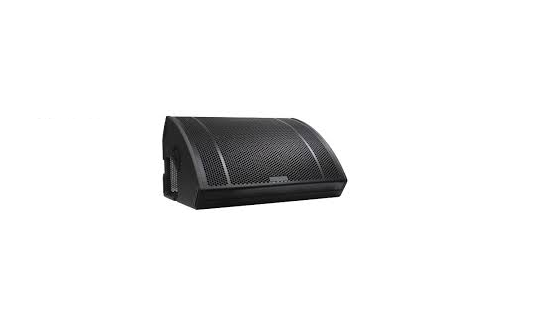
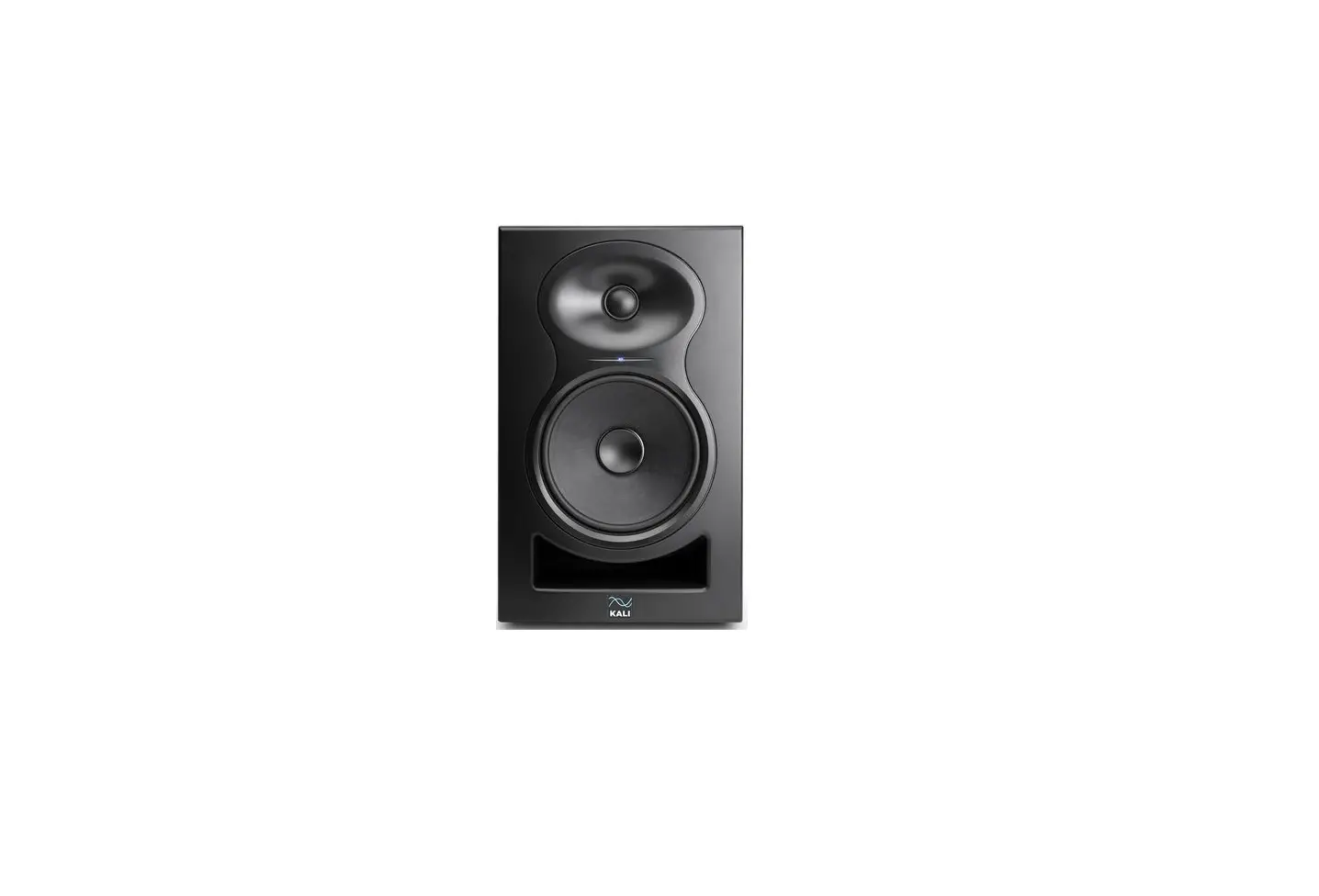
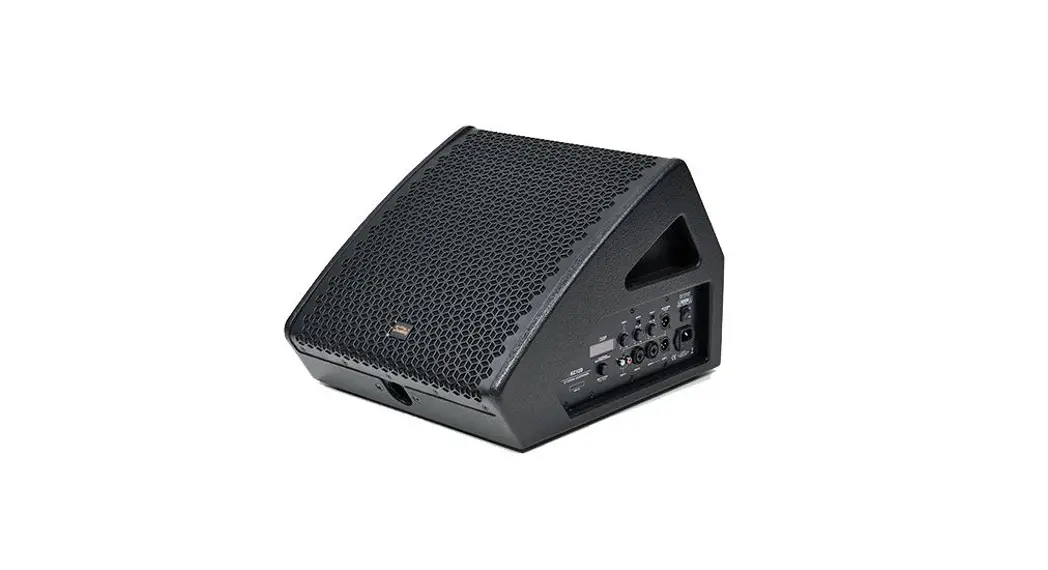
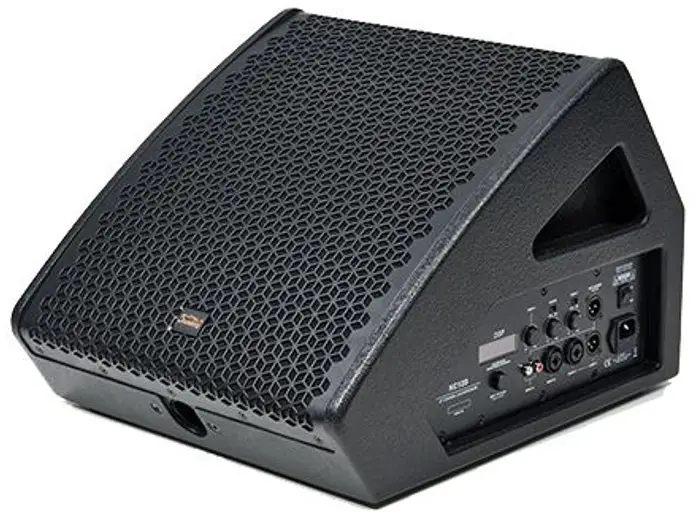
Based on many years of professional speaker R&D, we promoted our new coaxial active stage speakers – KC10D/12D/15D all with high performance. This series with built-in DSP, and have two different setup mode, which are for stage monitor and speech reinforcement. Very versatile functions with 53° angle, KC10D/12D/15D would be your best choice for stage monitor and near field sound reinforcement.
We adopted 48 kHz, 24 bit DSP processor, which support four built-in sound effect modes. Plus, the three-band equalization, low cut, limiter, delay, volume control, etc. could be adjusted with an LCD screen. In addition. We use Class-D amplifier for the larger speaker unit, and Class AB type for the smaller one, which has the advantages of high efficiency, small size, high power, light weight, stable performance, and smooth sound.
Features:
- The coaxial design of the high and low units improves the sensitivity; it not only ensures keeping the original timbre, but also reduces the system distortions;
- The high-frequency compression driver adopts neodymium magnetic design and is equipped with a 44mm voice coil to ensure the brightness and transparency of the sound quality;
- The bass driver uses ferrite magnetic circuit design, which can ensure a tight sound and reduce the cost;
- Adopted dual power amplifier circuit, bass Class-D + treble AB power amplifier, with 350W+50W power; Wide power range supply universal design; 48 kHz, 24 bit DSP processor, which support four built-in sound effect modes. Plus, with the three-band equalization, low cut, limiter, delay, volume control, etc.
- Unique, novel and compact appearance design, with large triangle handle.
- Dispersion 57°.
- Power: 300W (LF) + 50W (HF); impedance: 8 ohms.
Connection Panel & Features
Features KC10D – KC12D – KO15D
Features & Description
The self-powered KC Series is an uncompromising monitor and fullrange speaker – all-in-one. The KC Series delivers advanced sonic clarity and top performance. Whether as stage monitor, fullrange speaker, frontfill for larger Stages or as delay speaker: The KC Series is the ideal allround solution for the up-market user.
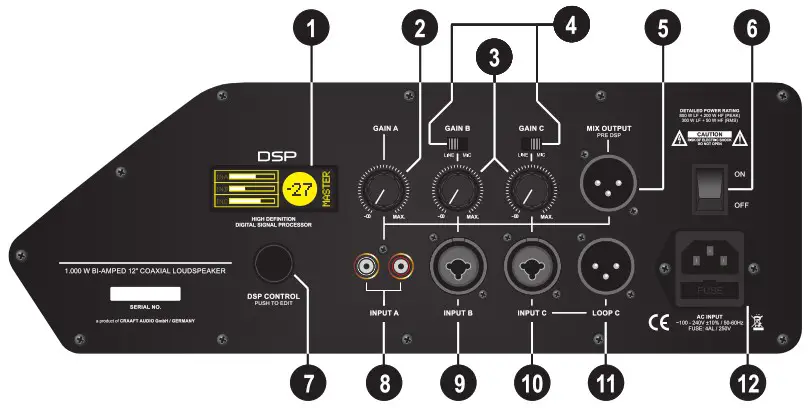
Connection Panel
- LCD display
Graphical LCD display showing all parameters of the internal EASY CONTROL DSP - INPUT GAIN A Controller Adjusts the level of the input A (input gain).
Reduce the level in case of signal distortion. - INPUT GAIN B / C Controllers
Adjusts the level of the inputs B / C (input gains).
Reduce the level in case of signal distortion. - MIC / LINE Switches
Switch, to adjust input sensitivity.
If the switch is in position LINE, the input sensitivity is adjusted to line level. If the switch is in position MIC, the input Sensitivity is adjusted to microphone level. - MIX OUTPUT Connector
Balanced sum output (XLR male) of mixed signal from all input channels (PRE DSP). - Mains Switch Switch to turn ON or OFF the speaker.
- DSP CONTROL encoder Encoder to adjust all DSP settings.
PUSH to enter menus. - DOUBLE RCA Y-Connector
Asymmetric stereo RCA input (for CD-player, MP3-player, etc.) - INPUT B Connector Symmetric XLR/6.3 jack combo connector
(for microphones, mixers, instruments, etc.) - INPUT C Connector Symmetric XLR/6.3 jack combo connector
(for microphones, mixers, instruments, etc.) - LOOP C Connector
symmetric XLR output connector, parallel to INPUT C. - Mains Connector
Mains connector, for power mains cable.
Setting up and connecting the system
Aufbau, Anschluss und Inbetriebnahme
Cabling and first Setup
Make sure that the voltage of your power wall socket fits to the voltage requirements of the speaker (+/- 10%) before switching on the system.
Connect the speaker only with the original power mains cable to the wall socket before switching on the system. Disconnect the KC speaker from the wall socket / mains supply, if the system has been switched off. All other signal cables should be connected or disconnected only if the speaker is switched off. Use shielded cables only. Do not use damaged cables. Damaged or wrong type of cables could destroy parts or the whole system. Check your cables before you use the system.
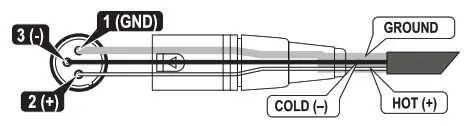
All cables should be connected internally as per following instructions to ensure a safe operation of the system:
Signal cable with XLR connectors Cable for inputs and loop outputs.
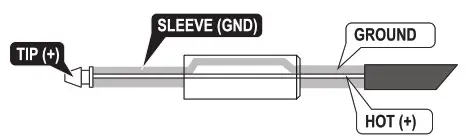
 Signal cable with 6.3 jack connectors Cable for inputs.
 Signal cable with RCA connectors Cable for inputs.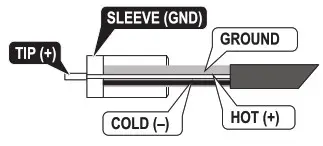
DSP Functions
| DSP ENCODER / CONTROLLER The encoder is an endless data wheel with push function to enter menus and confirm settings. With this encoder the whole DSP can be controlled. |  | Scroll down to MID FREQ to edit /change the frequency of the mid EQ. Press the controller to confirm. | 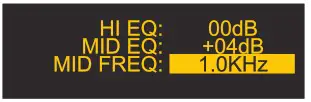 |
| BEFORE SWITCH ON Take care, that the correct input mode (MIC or LINE) is selected. Turn all gain controllers to left position. |  | Setting contrast of display Scroll to CONTRAST and press the encoder to enter the menu. |  |
| Switch ON the KC speaker and the sounding logo will be displayed for some seconds (initializing). |  | Use the encoder to change the setting. The contrast is adjustable from 0 up to 10. Press the controller to confirm. |  |
| The display shows the home screen after initializing. |  | Load a user preset The DSP includes a memory for 5 user presets. Scroll to LOAD PRESET and press the encoder. |  |
| MASTER VOLUME The default setting is +00 position. Turn the DSP controller to change the master volume (from -60 up to +10 | Use the encoder to select from U1 up to U5. Press the encoder to load the selected preset. |  | |
| INPUT GAIN SETTING Set the input gain of all input channels with the gain controls. If the display shows CLIP reduce the gain of the clipping input. | | Store a user preset The DSP includes a memory for 5 user presets. Scroll to STORE PRESET and press the encoder. |  |
| DSP FUNCTIONS Press the controller to enter the digital editing menu. |  | Use the encoder to select a memory from U1 up to U5. Press the encoder to confirm the preset memory. |  |
| Scroll down in the main menu to display more DSP functions (rotate the encoder): | 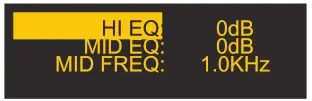 | Turn the controller one step to the right. | 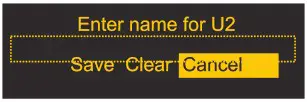 |
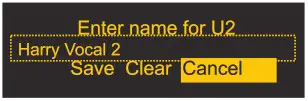
| Setting HI EQ Scroll to Hl EQ (high frequency master equalizer) and press the controller to enter the menu. | | Press the controller to confirm. Turn the controller to the right and select characters. Press for next character, double press to confirm. | 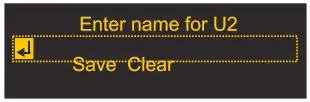 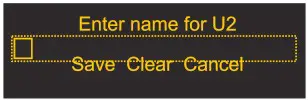 |
| Use the encoder to increase / decrease the value from -12 dB up to +12 GB. Press the controller to confirm. | 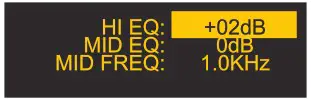 | Turn the controller one step to the right. save’ should be displayed inverted. Press the controller to confirm and the preset will be stored. | 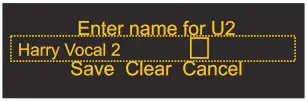 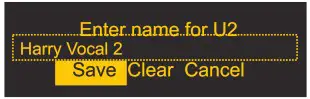 |
| Setting of parametric MID EQ Scroll to MID EQ (mid frequency master equalizer) and press the controller to enter the menu. | 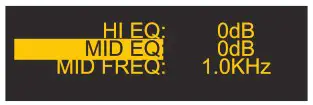 | Select Clear“ and press the encoder to delete all characters. | 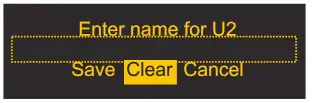 |
| Use the encoder to increase / decrease the value from -12 dB up to +12 GB. Press the controller to confirm. | 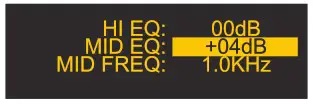 | Select Cancel“ and press the encoder to cancel.
|  |
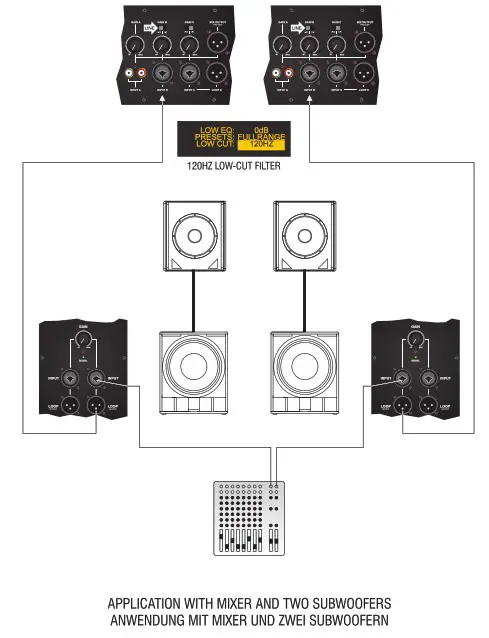
setup Applications
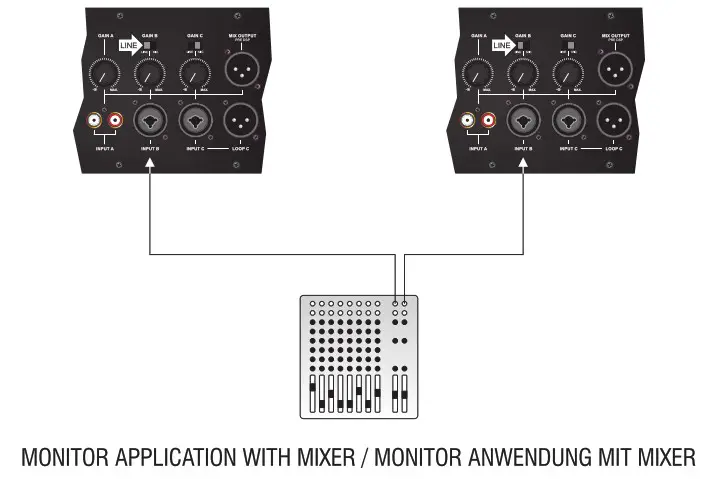
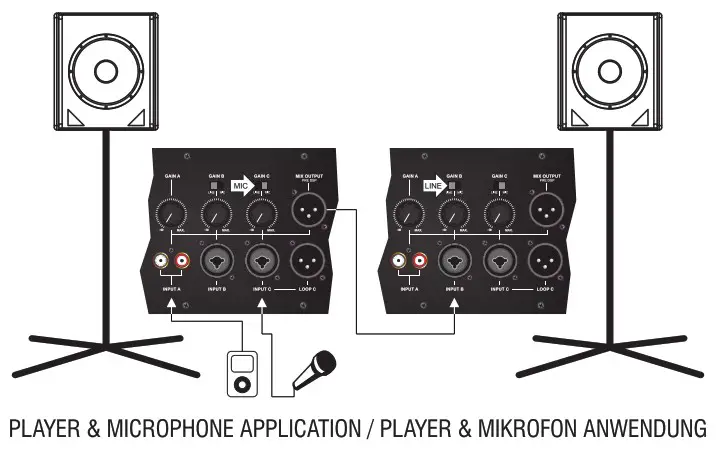
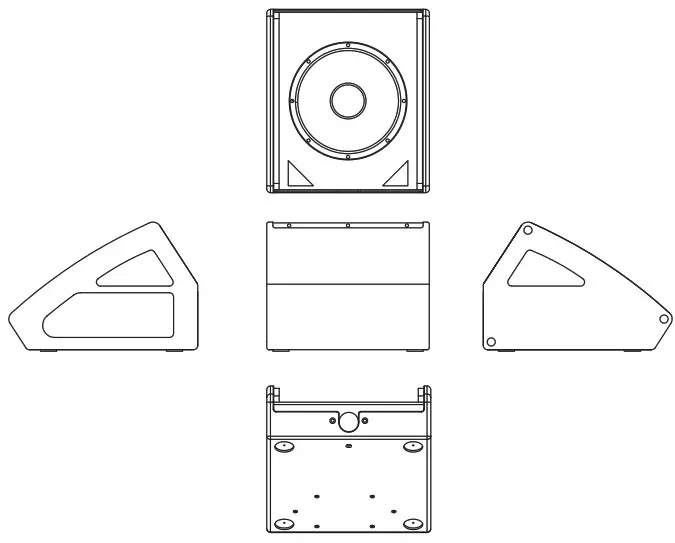
Technical Data / Drawings
| Type | KC1OD |
| Speaker type | 10″two-way active coxial stage monitor |
| Frequency Response ( -10dB 1 | 65Hz–20KHz |
| LINE Input Sensitivity | 0 dBu |
| MIC | -40dBu |
| Maximum SPL (dB) | 126dB |
| Amplifier Power | 300W (LF) +50W (HF) |
| LF driver | 10″sub/63.5mm voice coil/250W/8Ω |
| HF driver | 44-core compression driver/1 inch throat/40W |
| Directivity (H*V) | 90°x90° |
| Crossover point | 2.4 kHz |
| Input connection | 2xJACK/XLR+JACK-3.5 |
| DSP processor | Built-in two different effects; Support 3-band EQ, low-cut, delay, volume, etc. (Wide power supply) |
| Dimensions (W x H x D) | 355x295x425 (mm) |
| Weight | 12.5 kg |
| Type | KC12D |
| Speaker type | 12″two-way active coxial stage monitor |
| Freouency Response( -10dB ) | 55Hz–20KHz |
| LINEInput Sensitivity | 0 dBu |
| MIC | -40dBu |
| Maximum SPL (dB) | 128dB |
| Amplifier Power | 300W (LF)+50W (HF) |
| LF driver | 12″sub/63. 5mm voice coil/250W/8Ω |
| HF driver | 44-core compression driver/1 inch throat/40W |
| Directivity (H*V) | 90°x90° |
| Crossover point | 2.3 kHz |
| Input connection | 2xJACK/XLR+JACK-3.5 |
| DSP processor | Built-in two different effects; Support 3-band EQ, low-cut, delay, volume, etc. (Wide power supply) |
| Dimensions (W x H x D) | 400x314x465 (mm) |
| Weight | 14Kg |
| Type | KC15D |
| Speaker type | 15″two-way active coxial stage monitor |
| Frequency Response ( -10dB ) | 50Hz–20KHz |
| LINEInput Sensitivity | 0 dBu |
| MIC | -40dBu |
| Maximum SPL(dB) | 129dB |
| Amplifier Power | 300W (LF)+50W (HF) |
| LF driver | 44-core compression driver/1 inch throat/40W |
| HF driver | 90°x90° |
| Directivity(H*V) | 15″sub/63. 5mm voice coil/250W/8Ω |
| Crossover point | 2.2 kHz |
| Input connection | 2xJACK/XLR+JACK-3.5 |
| DSP processor | Built-in two different effects; Support 3-band EQ, low-cut, delay, volume, etc. (Wide power supply) |
| Dimensions (W x H x D) | 465x335x530 (mm) |
| Weight | 18Kg |
GD202007059
070403971E