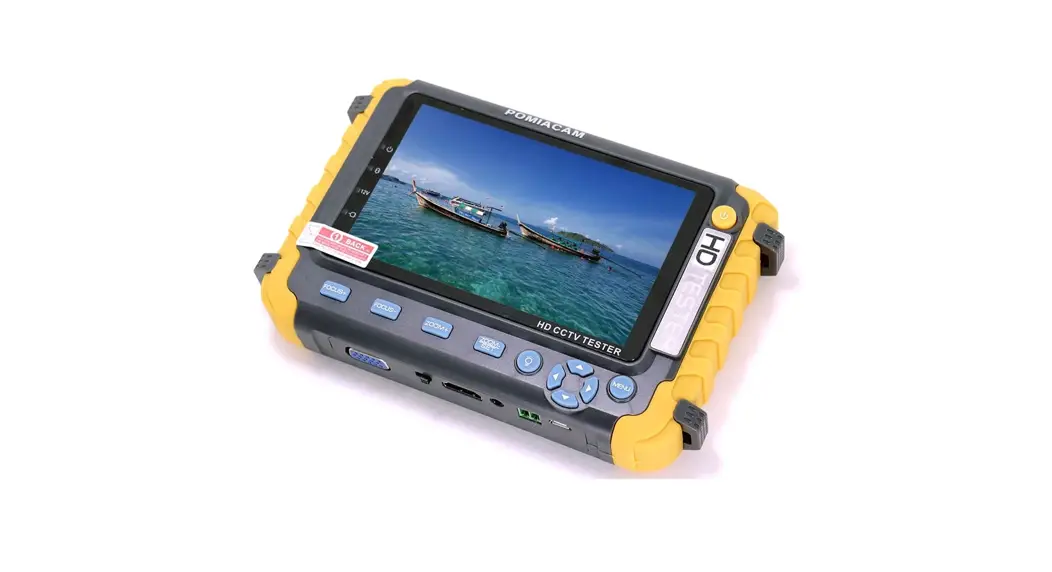
 Coaxial HD Video Monitor Tester
User Manual
General
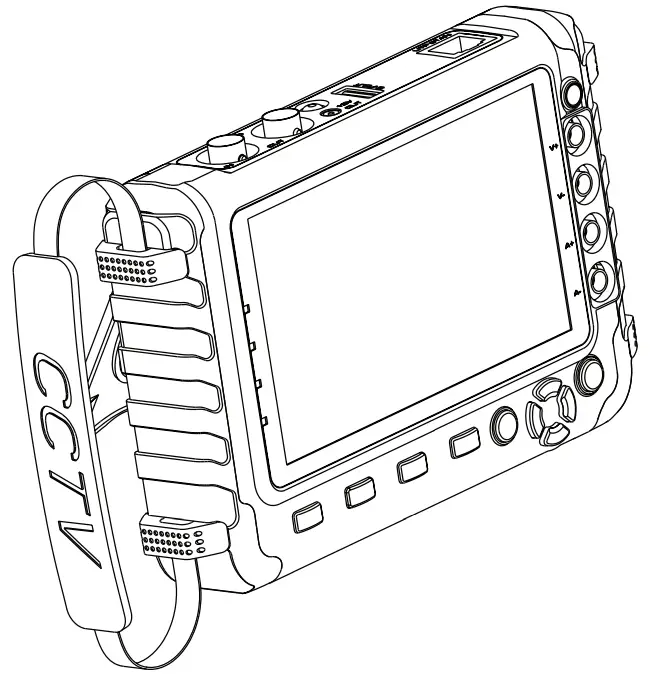
The new HD coaxial tester is developed for the on-site installation and maintenance of HD coaxial camera, having TVI, AHD. It also provides many useful functions, such as video display, PTZ control, DC12V output power, audio test, image generator, VGA video signal input, HDMI1.0 signal input, RS485 data searching, cable testing, high
precision digital multimeter, LED lamp etc.
Product Funtions
- Video signal testing
- Vedio monitor tester, High-resolution 5.0 inches 800 (RGB) x480 wide viewing angle display, Viewing angle larger, more intuitive and easy to display the camera image quality. Support PAL/NTSC standard video signal.
- PTZ controller
Video monitor tester built-in Pelco-D / P PTZ control protocol, etc. , through its own RS485 interface, the user can control the PTZ up, down, left, right rotation, and adjust one machine zoom, focus, aperture size. - Image generator
Multi-format video OUT port image generator, sending a variety of standard (e.g. PAL, NTSC) color graphics section - DC12V 1A output power
Power the camera with DC12V (1A) power output from the tester. It is helpful for demo and testing when the power supply is not available. - Audio testing
Test the audio input from pickup devices. Connect the tester and pickup device with the audio cable. - Enhanced network cable testing
By UTP CABLE TEST port on the meter, you can test the connection of network cable. - VGA/HDMI input
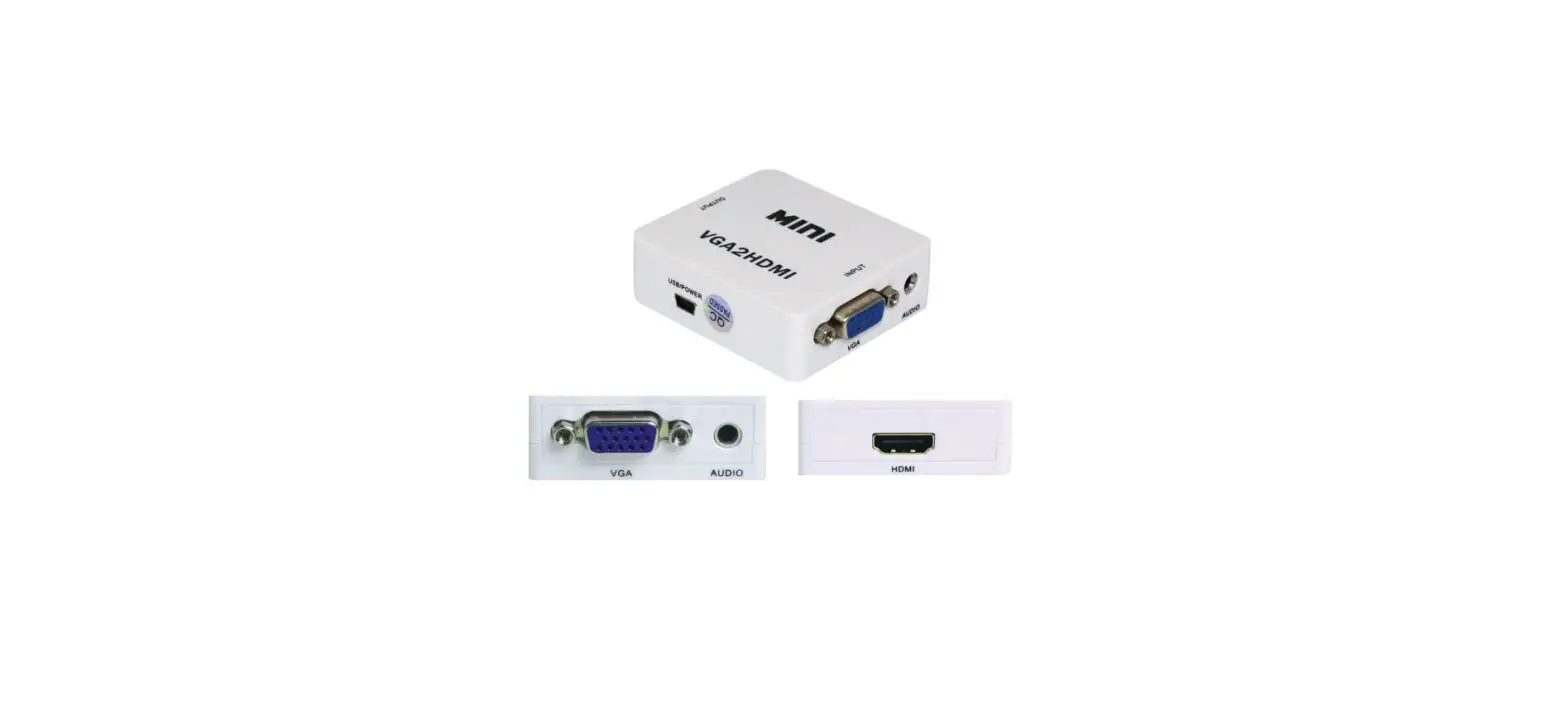
Support VGA/HDMI 1.0 video input, once connect VGA/HDMI video, please switch selector to select HDMI or VGA mode. The maximum resolution is 1920X1080 - TVI camera test (Optional) *
HD TVI video surveillance testing, support 720p 25, 30, 50,60fps/ 1080p 25,30fps. When TVI signal input, the tester will display HD TVI camera image. - AHD camera test (Optional) *
HD video surveillance testing, support AHD 2.0 version, 720p 25,30fps/ 1080p 25,30fps. When AHD signal input, the tester will display the AHD camera image. - High precision digital multimeter (Optional) *
The tester built in high reliability digital multimeter with a stable performance, clear reading, can be used to measure DC voltage, AC voltage, DC current, AC current measurement accuracy, easy to use. - LED lamp
It is useful for the engineer to install and maintain security system at night. LED On/Off pressing button, easy to operate. - The battery graphic display
The tester has advanced power control and protection circuit, low-power energy-saving, 4 to 5 hours on a single charge, can be used normally for 12 hours.
Product Accessories
- HD coaxial tester
- Adapter DC5V 1.5A(with USB cable)
- International Standard 18650 2600ma battery X 2
- BNC cable
- RS485 connector
- Multimeter test leads one pair of red and black (optional)
- Power output conversion cable
- Audio cable
- Lanyard
- Tool bag
- Instruction Manual
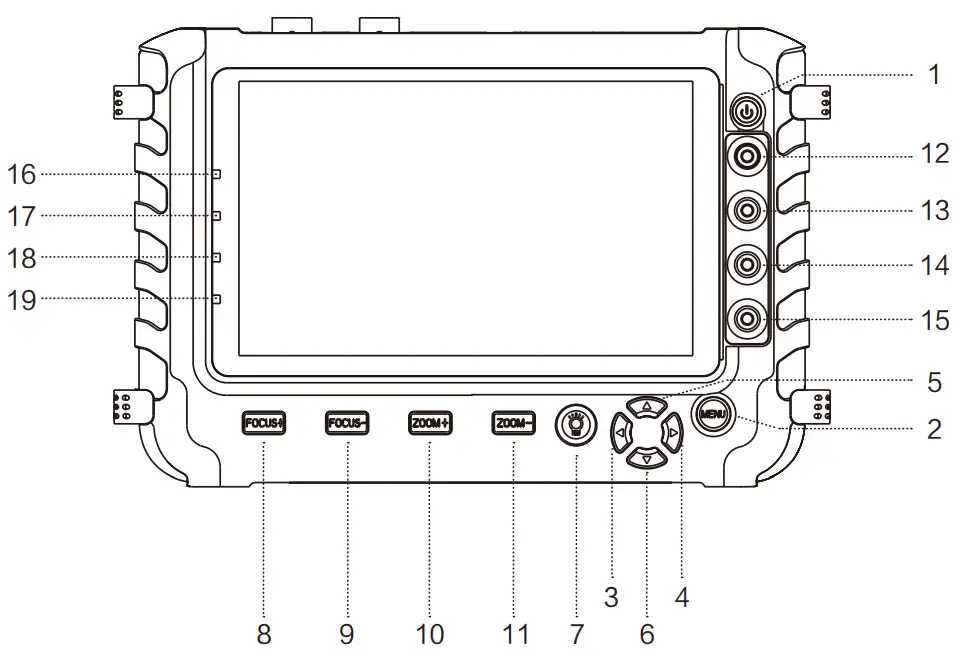
| 1 |  | Press more than 3 seconds, turn on or off the device |
| 2 |  | Menu key |
| 3 |  | Leftward. Move menu item / Tilt the PTZ leftward. |
| 4 |  | Rightward. Move menu item / Tilt the PTZ rightward. |
| 5 |  | Upward. Move menu item / Tilt the PTZ upward. |
| 6 |  | Downward. Move menu item / Tilt the PTZ downward. |
| 7 |  | LED lamp switch |
| 8 |  | Far focus: Focus the image faraway /change the setting parameters |
| 9 |  | Near focus: Focus the image nearby /change the setting parameters |
| 10 |  | Zoom In / change the setting parameters |
| 11 |  | Zoom Out / change the setting parameters / setup preset position |
| 12 |  | 380V MAX+ |
| 13 |  | 380V MAX- |
| 14 | | 5A MAX+ |
| 15 | | 5A MAX- |
| 16 |  | The power indicator |
| 17 | | 12V output indicator |
| 18 | | The data-transmission indicator |
| 19 | | 5V charging indicator |
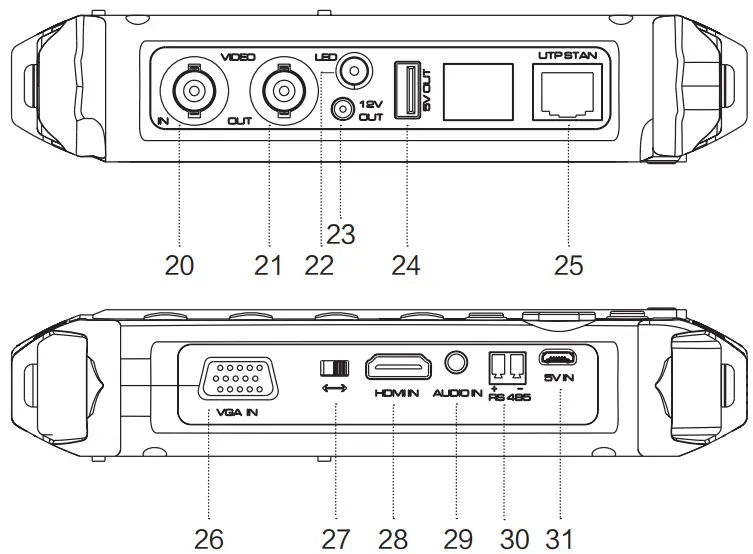
| 20 |  | Video signal input (BNC interface) |
| 21 | | Video signal output (BNC interface) |
| 22 | | LED lamp |
| 23 | | Output DC12V 1A power, for provisional DC test supply |
| 24 |  | Output DC5V 1A power, for provisional DC test supply |
| 25 |  | Network cable interface test |
| 26 |  | VGA input interface |
| 27 |  | VGA/HDMI switch |
| 28 |  | HDMI input interface |
| 29 |  | Audio input test |
| 30 |  | RS485 Interface, RS485 communication for the PTZ |
| 31 |  | USB charge interface |
Operation
- Pressing
 key more than 3 seconds can turn on the tester.
 - If the tester has turned on, pressing key more than 3 seconds can trun off the tester, can also set time off.
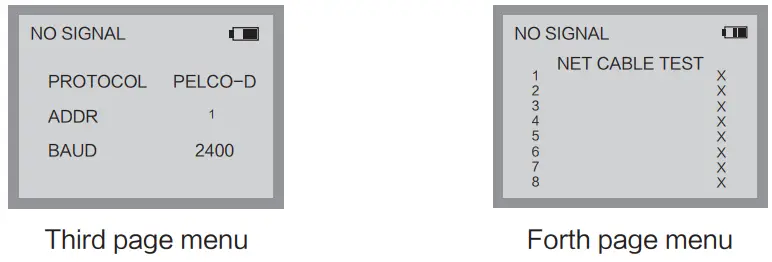
- When turn it on, press the key
 to enter the function menu, press
  key to quickly switches to the desired function menu.
 - When turn it on, press the key to enter the function menu, select different function, and press the
 key to change the parameter value, press to save setting and exit menu.
 key to quickly switches to the desired function menu.
 key to change the parameter value, press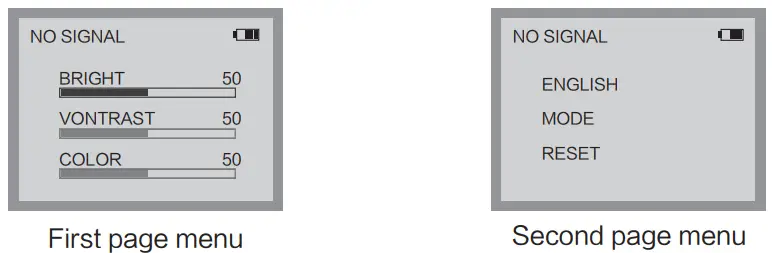
- High precision digital multimeter (Optional)
Press key to enter the function menu, continuously press key to switch page, to select entering “digital multimeter” UI.
Can measure:
- DC voltage
- AC voltage
- DC current
- AC current
- The black multimeter pen must insert “V-/A-” port, the red multimeter pen must insert “V+/A+” port.
 The maximum current measurement is 5A
- The maximum voltage measurement is 380V
 The maximum current measurement is 5A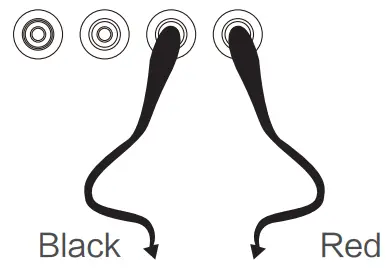
| Model HD coaxial tester Video Test | |
| Signal mode | NTSC/PAL (Auto adapt) |
| Display | 5.0 inch VGA TFT-LCD, 800 ( RGB ) x 480 resolution |
| LCD adjustment | Brightness, Contrast, Saturation adjustable |
| Video IN/OUT | 1 channel BNC Input & 1 channel BNC Output |
| VGA/HDMI Test | |
| VGA/HDMI Input | Support VGA/HDMI 1.0 video input, once connect VGA/HDMI video, please switch selector to select HDMI or VGA mode. The maximum resolution is 1920X1080 |
| PTZ Controller | |
| Communication | Support RS485 |
| PTZ Protocol | Compatible with protocols PELCO-D/P |
| Baud Rate | 600,1200, 2400, 4800, 9600, 14400bps |
| Video Signal Generation | |
| Color bar generator | Support both PAL / NTSC format’ s standard color bar output (Red, Green, Blue, White, Black, Grey) and testing image output |
| UTP Cable Tester | |
| UTP cable test | Display UTP cable connection status , cable type and the sequence of wires as well as read the number of the test box. |
| DC12V 1A Power Output | |
| DC12V power output | Output DC12V1A power for camera |
| Audio Input Test | |
| Audio input test | 1 channel audio signal input |
| TVI Test ( Optional ) * | |
| TVI video signal test | 1 channel TVI input ( BNC interface ) , support 720p 25 / 30 / 50 / 60fps, 1080p 25 / 30fps |
| AHD Test ( Optional ) * | |
| AHD video signal test | 1 channel AHD input (BNC interface ) , support AHD 2.0 version, 720p 25 / 30fps, 1080p 25 /30fps |
| Digital Multimeter (Optional) * | |
| AC/DC Voltage | 0-660V auto/manual range, the min resolution is 0.1mV |
| AC/DC current | 660.0uA , 6.600mA, 66.00mA 1 660.0mA, 10.00A |
| POWER | |
| Power Adapter | DC 5V ( 1.5A ) |
| Battery | Built-in 18650 2600mA battery X 2 |
| Rechargeable | After charging 3-4 hour, working time lasts 11 hours |
| Low Consumption | Energy saving , battery capacity indicator |
| Parameter | |
| Operation setting | OSD menu, select your desired language: English, Chinese, etc |
| General | |
| Working Temperature | -10t – +50t |
| Working Humidity | 30% – 90% |
| Dimension/Weight | 194mm x 112mm x 48mm / 540g |