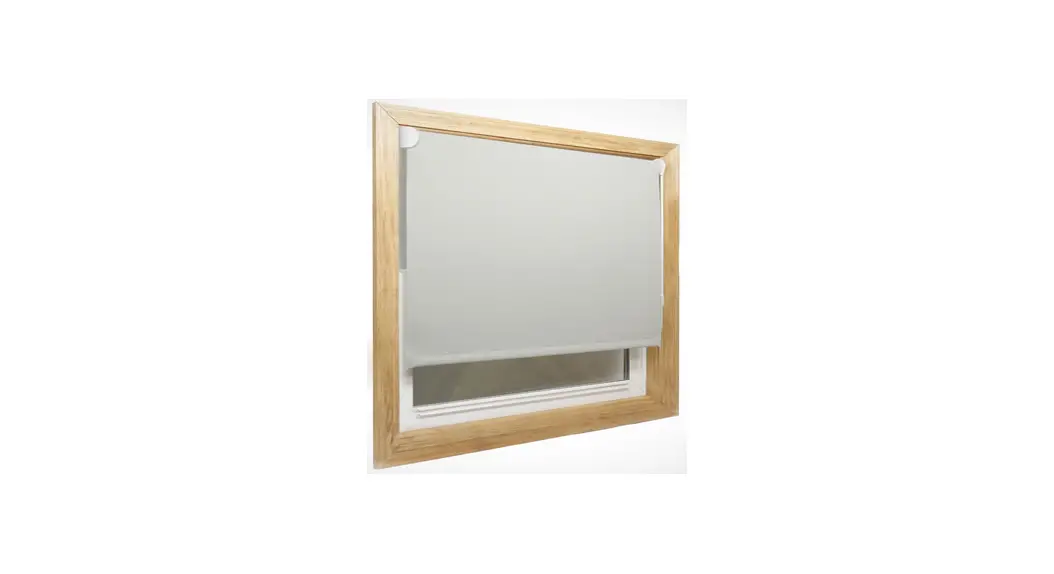
SMS902-YWDT82TV-SNA Motorized Pinch Pleat and S-Fold
Product Information:
Safety Note:
- This appliance can be used by children aged from 8 years and
above and persons with reduced physical, sensory or mental
capabilities or lack of experience and knowledge if they have been
given supervision or instruction concerning use of the appliance in
a safe way and understand the hazards involved. - Children shall not play with the appliance.
- Cleaning and user maintenance shall not be made by children
without supervision. - If the supply cord is damaged, it must be replaced by
DT82TV/SNA.
Product Introduction:
- RS485 port
- External switch port
- P1 button
- LED
- Earthing screw
- Switch close line
- Switch open line
- Public line
- RS485 A+ line
- RS485 B- line
Features:
- Built-in Receiver
- Stall Protection
- Preferred Stop Position
- External Switch Function
- Switch Direction Manually Set The Open And Close Limits
- RS485 Control
- Electronic Limit
- Run/stop By Pulling Fabric
- Reset To Factory Mode
Fields of Application:
The motor is suitable for motorized curtain and motorized lift
curtain.
Specifications:
- Working Temperature: -10 ~ +55
- Input voltage: AC 100V-240V, 50Hz /60Hz
- Radio Frequency: 433.925MHz
- Maximum continuous running time: 4 minutes
- * For more motor models and specific torque, please refer to
the nameplate.
Caution:
-1-
Product Usage Instructions:
Motor Installation:
1. The joint assembly of track:
- Insert the track joint board into the two ends of the
track. - Insert the track joint bracket for one end to the track
joint. - Fix the screws.
2. The assembly of rubber belt for curtain
motor:
- Confirm the profiled material dimension.
- Place the parts like the gear into the lower cover using a
screwdriver. - Install the clip part and insert the track into the lower
cover. - Seperate the lower cover and the headrail with the remaining
belt outside the headrail. Fix two fasten buttons on the same side
of the rubber belt to determine the position of the other slip
part. - Thread the rubber belt into the lower cover, leaving half
teeth. - Fix the cut rubber belt end with the belt fasten button.
- Slide the slip part to the other end to be flush with the head
rail. Cut the other end of the rubber belt, leaving 12cm. - Leave one teeth between these two belt fasten buttons.
- Install the belt fasten button and the slip part as shown in
the picture. - After one slip part is installed, thread the other end of the
belt through the other lower cover. - Install the belt fasten button and the slip part as shown in
the picture. - Slide the runners into the track. Place the hook and the upper
cover into the track.
SAFETY NOTE
1. This appliance can be used by children aged from 8 years and above and persons with reduced physical, sensory or mental capabilities or lack of experience and knowledge if they have been given supervision or instruction concerning use of the appliance in a safe way and understand the hazards involved.
2. Children shall not play with the appliance. 3. Cleaning and user maintenance shall not be made by
children without supervision. 4. If the supply cord is damaged, it must be replaced by
the manufacturer, its service agent or similarly qualified persons in order to avoid a hazard. 5. WARNING: the drive shall be disconnected from its power source during cleaning, maintenance and when replacing parts. 6. The instructions shall status that the A-weighted emis sion sound pressure level of the drive is equal to or less than 70 dB(A), e.g. by writing LpA 70 dB(A). 7. The mass and the dimension of the driven part shall be compatible with the rated torque and rated operating time. 8. The type of driven part the drive is intended for. 9. WARNING: Important safety instructions. It is important for the safety of persons to follow these instructions. Save these instructions. 10. Do not allow children to play with fixed controls. Keep remote controls away from children. 11. Frequently examine the installation for imbalance and signs of wear or damage to cables and springs. Do not use if repair or adjustment is necessary. 12. Watch the moving shutter and keep people away until the shutter is completely closed. 13. WARNING: Important safety instructions. Follow all instructions, since incorrect installation can lead to severe injury. 14. Before installing the drive, remove any unnecessary cords and disable any equipment not needed for powered operation.
DT82TV/SNA
Instruction A-04
Product Introduction
RS485 port External switch port P1 button LED Earthing screw
Switch close line Switch open line Public line
RS485 A+ line RS485 B- line
Features
Built-in Receiver Stall Protection Preferred Stop Position External Switch Function
Switch Direction Manually Set The Open And Close Limits RS485 Control
Electronic Limit Run/stop By Pulling Fabric Reset To Factory Mode
Fields of Application
The motor is suitable for motorized curtain and motorized lift curtain.
Specifications
Working Temperature: -10 ~ +55 Input voltage: AC 100V-240V, 50Hz /60Hz
Radio Frequency: 433.925MHz Maximum continuous running time: 4 minutes
* For more motor models and specific torque, please refer to the nameplate.
Caution
1. Do not expose motor to humid or extreme temperature conditions. 2. Do not cut the antenna and keep it clear from metal objects. 3. Do not allow children to play with this device. 4. If power cable or connector is damaged, do not use. 5. Ensure power cable and aerial are clear and protected from moving parts. 6. Cable routed through walls shall be properly isolated. 7. Before installation, remove unnecessary cords and disable equipment not needed for powered operation. 8. Installation and programming to be performed by a qualified professional, use or modification outside the scope of this instruction may void warranty.
-1-
Motor Installation
1 The joint assembly of track
1
Track joint bracket
2
Track joint board
Insert the track joint board into the two ends of track
Insert the track joint bracket for one end to the track joint
S track
Note:1.The track needs to be engrafted when the length is less the required
2.The track needs to be engrafted when inconvenient to transport
3
Fix the screws
4
The following steps pls refer to “the assembly of rubber belt and track”
2 The assembly of rubber belt for curtain motor
The comfirmation of profiled material dimension
The cap length 7cm
DT82TV/SNA
e.g.
The length of profiled material = The total lenth of track – The cap length × 2
The total length of track is 2m DT82TV/SNA The length of profiled material: 200cm-14cm=186cm
Use the screw driver to place the parts like the gear into the lower cover
Refer the complete lower cove in below picture
Install the clip part like the referance picture and insert the track into the lower cover
The marked position is in the middle of the slip parts.Half of the slip parts are in the head rail as
in the picture
Seperate the lower cover and the headrail with the 11.5cm belt remaining outside the headrail.Then fix two fasten buttons on the same side of rubber belt (it is to figure out the position of the other slip part.)
Keep this end complete
Thread the rubber belt into thethe lower cover
Leave half teeth
Fix the cut rubber belt end with the belt fasten button
12cm
Slide the slip part to the other end to be flush with the head rail.Cut the other end of rubber belt with 12cm left
Leave one teeth between these two belt fasten button
Install the belt fasten button and the slip part as in the picture
After one slip part installed,then thread the other end of the belt through the other lower cover
Install the belt facton button and the slip part as in the picture
These two slip parts is successfully installed The runner are installed
Slide the runners into the track The hook Place the hook and the upper cover into the track
3 Folding method for joint track (for easy transit)
Track folding method
Search for the sl-
1 ip part connected with the ends of the rubber belt
Take off the screw
2 of the slip parts and the connection bracket
The overlap arm which is connected to the two ends of rubber belt
Push the connec-
3 tion parts to one side
Pull the slip parts slightly and seper-
4 ate the connection part at the same time
5 Fold the track
Restoring the track
1 Unfold the folded track
2 Combine the track slowly Push the con-
3 nection bracket to the connection part
Screw the co-
4 nnnection bracket and install the slip parts
The track is
5 successfully assembled
The slip parts
-2-
4 Curtain Motor Installation
Check the position of
1 brackets,fix it at an appropiate place on the track
Assemble the curtain motor
2 track at appropriate place, then fix with screws
3 Assemble the motor
4 Check whether the assembling is OK
5 Finish assembling
5 Strong-current Switch installation
Strong-current Switch mode 1 & mode 3:
1 2
Blue=Neutral line Black=Switch close line
3 4
White=Switch open line Brown=Live line
Yellow and Green=Earth line
Strong-current Switch Hotel mode:
Note: The neutral and live line can not be reversed. Use wire joints to insulate the exposed spare wires.
White L1 Black L2
Wire joint Wire joint
Hotel card system
1 Blue N=Neutral line 2 Black L2=NC 3 White L1=Hotel Mode line 4 Brown=Live line
Yellow and Green E=Earth line
4
Back
Front
* More information refer to Strong-current Switch Modes.
White L1 Black L2 Blue (Neutral line) Brown (Live line) Yellow and Green (Earth line)
Important Safety Instructions To Be Read Prior To Operation.
Setting Notice
Please read following points of attention carefully before setting.
1. Operation The valid interval time of the buttons is within 10S, if there is no operation within 10S, the emitter will exit the present setting. The motor will LED flashes as hint, pls operate after the LED flashes.
2. Limits setting After the curtain motor installation, pls set the limit switch before usage; After setting the limit switches, the motor is with the memorized setting function, pls open and close curtain one time to recover the limits after re-power on; After replacing the track or the curtains, pls cancel the limit switches then resetting again.
3. If lost the emitters, pls repair the new emitters. 4. Lightly open and lightly close: when the curtain is running, the running speed is from slow to fast, and when
it is close to the limit position, the speed is from fast to slow, and the action is more elegant. 5. Stall detection: The motor will stop automatically when it encounters resistance during operation to avoid
accidents. If the motor encounters resistance at the same point three times in a row, use this point as the reference point to correct the limit, but the total limit length remains unchanged. 5. One motor can store maximum 10 channels; after fully stored, if pair new channels, only the last one will be covered circularly.
Button Instructions
a OPEN a STOP a CLOSE
b OPEN b STOP b CLOSE
b P2
a P2
* A channel is the same operation as B channel. -3-
Essential Settings
Step 1 to 3 must be completed to ensure proper operation.
1 Pair / Delete Additional Emitter
Method 1
P1
P1
STOP
Press and hold P1 button for 2S (LED flashes once), release button, press STOP for 2S (LED flashes 5 times), new emitter is paired to the motor.
· Repeat same procedure will delete additional emitter.
Method 2
P2 P2 P2
P2(a) P2(a) P2(b)
Press P2 (LED flashes once) and P2 (LED flashes once) on existing emitter, press P2 on new emitter to add (LED flashes 5 times), new emitter is paired to the motor.
· Repeat same procedure will delete additional emitter.
2 Switch Rotating Direction (Optional)
Press OPEN and motor is closed, try below to switch direction. Method 1
+
OPEN CLOSE
Press and hold OPEN and CLOSE buttons simultaneously for 2S (LED flashes 5 times), the direction has been switched successfully.
* This method is valid only when the motor has no limit.
Method 2
P1
P1 CLOSE
Press and hold P1 button for 10S (LED flashes 3 times), release button, press CLOSE once (LED flashes 5 times), the direction has been switched successfully.
3 Setting Limits
OPEN CLOSE
Press OPEN once, the curtain will open until stop against obstacle, then press CLOSE once, the curtain will close until stop against obstacle. The limit has been set successfully.
4 Manually Set The Open And Close Limits
1 Adjusting the open limit
+
or
+
STOP OPEN OPEN CLOSE STOP OPEN
After limits have been set, after running the curtain to the position where the curtain needs to be set, press and hold OPEN and STOP buttons simultaneously for 5S (LED flashes once), press OPEN or CLOSE to adjust to the open limit position that needs to be set, press and hold OPEN and STOP buttons simultaneously for 2S (LED flashes 5 times), the new open limit has been set successfully.
* This operation needs to be set up within 2 minutes.
2 Adjusting the close limit
+
or
+
STOP CLOSE OPEN CLOSE STOP CLOSE
After limits have been set, after running the curtain to the position where the curtain needs to be set, press and hold CLOSE and STOP buttons simultaneously for 5S (LED flashes once), press OPEN or CLOSE to adjust to the close limit position that needs to be set, press and hold CLOSE and STOP buttons simultaneously for 2S (LED flashes 5 times), the new close limit has been set successfully.
* This operation needs to be set up within 2 minutes.
-4-
5 Add / Delete A Preferred Position
P2
P2
STOP STOP
Check limits are set. Press OPEN or CLOSE, operate the product to desired preferred position. Press P2 (LED flashes once), press STOP twice (LED flashes 5 times), the preferred position is set.
· Repeat this operation to delete the preferred position.
* Press STOP for 2S, the motor moves to preferred position automatically.
6 Radio Emitter Function
P1
Press and hold P1 button for 6S to disable the radio emitter
function. Short press P1 button to enable the radio emitter
P1
function.
7 Remove All Limits
P2
P2
P2 CLOSE
P2
Press P2 (LED flashes once), CLOSE (LED flashes once), and P2 (LED flashes 5 timess), all limits are removed, and the manually set open and close limits and the preferred position will also be deleted.
8 Run/Stop By Pulling Fabric
P1
P1
STOP
Press and hold P1 button for 10S (LED flashes 3 times), release button, press STOP (LED flashes 5 times), disable the Run/Stop by pulling fabric.
· Repeat this operation to enable the Run/Stop by pulling fabric.
* The factory default Run/Stop by pulling fabric is enabled.
9 Set RS485 Address
P1 P1
Press and hold P1 button for 10S (LED flashes 3 times), release button, the motor will automatically send RS485 request command and enter RS485 assress setting mode.
10 Weak-current Switch Modes
1 Dual button pushbutton switch mode(Factory default)
P1 P2 P1
P1
P2
P1
Press and hold P1 button for 10S (LED flashes 3 times), release button, press P2 button once (LED flashes once), then press and hold P1 button for 2S (LED flashes 5 times), the mode has been successfully switched.
2 Dual button interlock switch mode
P1 P2 P1
P1
P2
P1
Press and hold P1 button for 10S (LED flashes 3 times), release button, press P2 button twice (LED flashes twice), then press and hold P1 button for 2S (LED flashes 5 times), the mode has been successfully switched.
-5-
3 DC246 switch mode
P1 P2 P1
P1
P2
P1
Press and hold P1 button for 10S (LED flashes 3 times), release button, press P2 button 3 times (LED flashes 3 times), then press and hold P1 button for 2S (LED flashes 5 times), the mode has been successfully switched.
4 Single button pushbutton switch mode
P1 P2 P1
P1
P2
P1
Press and hold P1 button for 10S (LED flashes 3 times), release button, press P2 button 4 times (LED flashes 4 times), then press and hold P1 button for 2S (LED flashes 5 times), the mode has been successfully switched.
11 Strong-current Switch Modes
1 Dual button interlock switch mode (Factory default)
P1
P1
P1
OPEN
P1
Press and hold P1 button for 10S (LED flashes 3 times), release button, press OPEN button once (LED flashes once), then press and hold P1 button for 2S (LED flashes 5 times), the mode has been successfully switched.
2 Hotel mode
P1
P1
P1
OPEN
P1
Press and hold P1 button for 10S (LED flashes 3 times), release button, press OPEN button twice (LED flashes twice), then press and hold P1 button for 2S (LED flashes 5 times), the mode has been successfully switched.
3 Dual button pushbutton switch mode
P1
P1
P1
OPEN
P1
Press and hold P1 button for 10S (LED flashes 3 times), release button, press OPEN button 3 times (LED flashes 3 times), then press and hold P1 button for 2S (LED flashes 5 times), the mode has been successfully switched.
12 Forwarding Function
P2
Press and hold P2 button for 5S (LED flashes once), the motor
enable the forwarding function; if the LED flashes twice, the motor
P2
disable the forwarding function.
13 Speed Regulation
1 Acceleration setting
P2
P2
OPEN OPEN
Press P2 (LED flashes once), press OPEN (LED flashes once), OPEN again (LED flashes 5 times), the motor running speed is accelerated. If the LED flashes 10 times, the setting has failed.
2 Deceleration setting
P2
P2 CLOSE CLOSE
Press P2 (LED flashes once), press CLOSE (LED flashes once), CLOSE again (LED flashes 5 times), the motor running speed is decelerated. If the LED flashes 10 times, the setting has failed.
* The motor has 3 speed levels, the Max. speed: 110r/min; the Med. speed: 90r/min; the Min. speed: 70r/min.
-6-
14 Reset to Factory Mode
P1 Press and hold P1 button for 14S (LED flashes 5 times), release button, the motor clears all settings and reset to factory status.
P1
Quick Index
Settings
1 Pair / Delete Additional Emitter 2 Switch Rotating Direction 3 Setting Limits 4 Manually Set The Open And Close Limits 5 Add / Delete Preferred Position 6 Radio Emitter Function 7 Remove All Limits 8 Run/Stop By Pulling Fabric 9 Set 485 Address
10 Weak-current Switch Modes
11 Strong-current Switch Modes
12 Forwarding Function 13 Speed Regulation 14 Reset to Factory Mode
Steps
P1 (hold down 2S) Stop (hold down 2S)
P2(a) P2(a) P2(b)
Open + Close (hold down 2S)
P1 (hold down 10S) Close
Open Close 1 Adjusting the open limit 2 Adjusting the close limit P2 Stop Stop
Stop + Open (hold down 5S) Open / Close Stop + Open (hold down 2S)
Stop + Close (hold down 5S) Open / Close Stop + Close (hold down 2S)
P1 (hold down 6S)
P2 Close P2
P1 (hold down 10S) Stop
P1 (hold down 10S)
1 Dual button pushbutton switch mode
2 Dual button interlock switch mode
3 DC246 switch mode
4 Single button pushbutton switch mode
1 Dual button interlock switch mode
2 Hotel mode
3 Dual button pushbutton switch mode
P2 (hold down 5S)
P1 (hold down 10S) P2 (press once) P1 (hold down 2S)
P1 (hold down 10S) P2 (press twice) P1 (hold down 2S)
P1 (hold down 10S) P2 (press 3 times) P1 (hold down 2S)
P1 (hold down 10S) P2 (press 4 times) P1 (hold down 2S)
P1 (hold down 10S) Open (press once) P1 (hold down 2S)
P1 (hold down 10S) Open (press twice) P1 (hold down 2S)
P1 (hold down 10S) Open (press 3 times) P1 (hold down 2S)
1 Acceleration setting
P2 Open Open
2 Deceleration setting
P2 Close Close
P1 (hold down 14S)
Troubleshooting
Issues Motor does not work The emitter cannot be controlled Emitter reverse External switch reverse
The curtains can’t close together
Curtains always hit or go to the side Hand pull curtains will get stuck The motor against obstacle not stop
Solution Check power Replace the emitter battery Perform the “Switch Rotation Direction” Replace the wire sequence of the switch a. Check whether the direction of the emitter and switch is reversed. If it is reversed, please follow the “Switch Rotation Direction” b. Delete limit position and reset set limit position itinerary Delete limit position and reset set limit position and boundary Set limit position and boundary Check the fixing screws on the upper and lower covers of the track
-7-